How to Monitor Websites for Brand and IP Infringement
Build a repeatable process to find possible brand misuse, preserve dated evidence, and route reports to the right place without treating a lead as a legal finding.

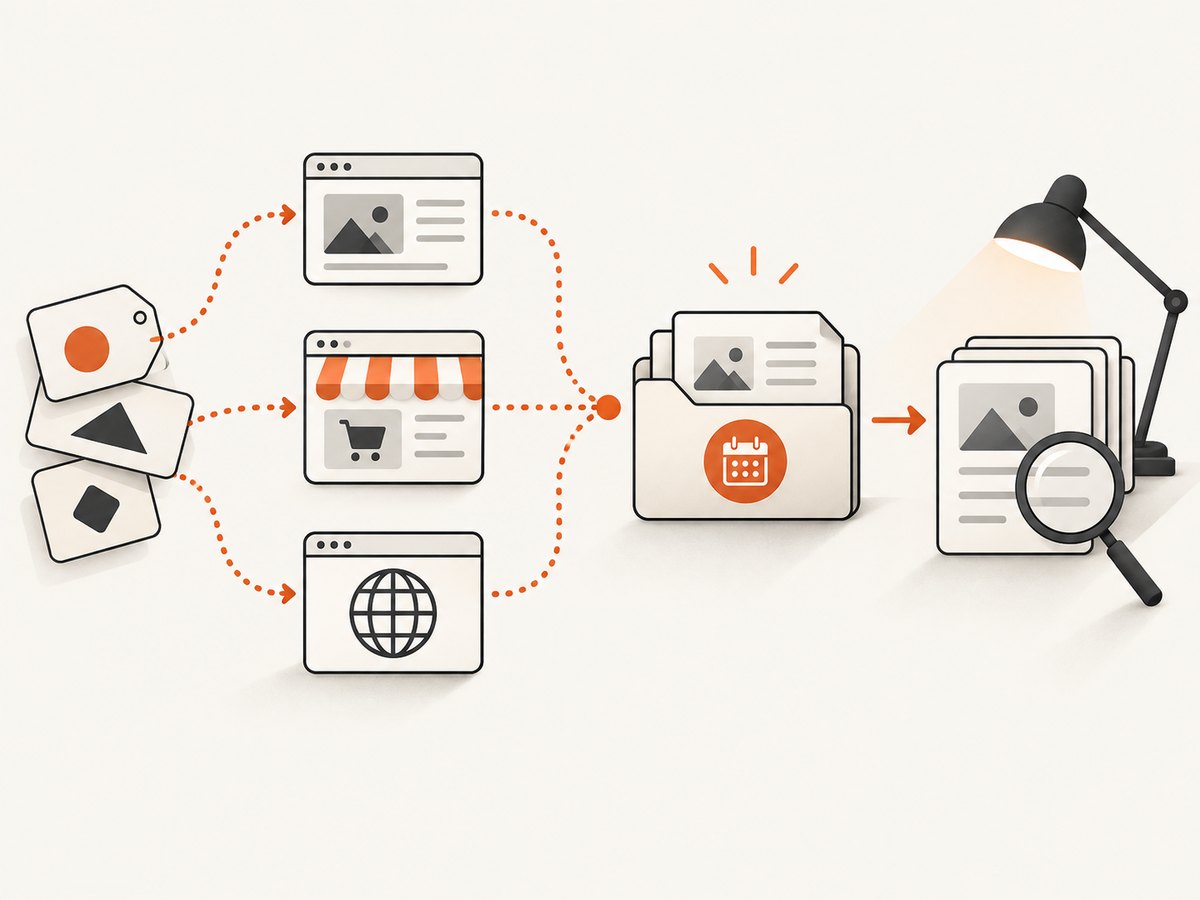
To monitor websites for possible brand or intellectual-property infringement, track the marks and product identifiers you care about, search the channels where misuse could appear, save dated records of specific pages, assess context, and report each lead through the route that fits it. A match is a reason to investigate, not proof of infringement. Rights, exceptions, jurisdiction, platform rules, and the facts all matter.
This guide covers ordinary websites, marketplace listings, and domain names. They are different problems with different reporting routes. It also shows a practical evidence workflow, a small Python monitoring script, and how to capture a dated page record without mistaking a screenshot for a legal conclusion.
1. Define what you are monitoring
Start with a watchlist that reflects your rights and the ways a third party might refer to your products. The following is a practical starting point, not a universal legal checklist:
- Registered or otherwise relevant trademarks, including word marks and common misspellings.
- Product, company, and service names; distinctive model names or product identifiers.
- Logos and key product images, if those are relevant to the rights you intend to protect.
- Terms that commonly appear alongside your brand, such as “official,” “support,” “discount,” or “replacement,” when those combinations could help find misleading pages.
Record the basis for each item: registration details, ownership, license, or other documentation. Keep the rights record separate from the monitoring results. Finding a term does not establish that the use is unauthorized, confusing, or otherwise actionable.
Choose channels and a cadence
Decide whether you are looking at ordinary web pages, marketplace listings, domain names, or advertising placement. Each has different discovery and escalation options. Search engines can surface open web pages; marketplaces may offer rights-holder programmes and dashboards; domain records and the domain extension’s dispute policy matter for domain cases. The sources do not prescribe a universal search schedule. Choose a cadence based on risk, product launches, and the resources available, then record when each search was performed.
For a small watchlist, a dated search log is enough to begin. A team with recurring volume may need monitoring software or marketplace-provided search features, case ownership, and a way to track whether notices were accepted, rejected, or left unanswered. Compare options by channel coverage, discovery method, evidence handling, reporting route, geographic coverage, and eligibility limits.
2. Search and record possible matches
For every plausible result, record the exact page or listing URL, the date and time observed (including time zone), the host or marketplace, the query or watchlist item that found it, and a short description of what appears relevant. Save a screenshot showing the page as observed, and retain relevant correspondence and the documents supporting the right asserted.
A basic case record might include:
Case ID: BR-2026-0042
Observed at: 2026-09-29 14:35 UTC
Channel: Marketplace listing
URL: https://marketplace.example/listing/123
Watchlist match: ExampleBrand, product name
Observation: Seller describes item as an official replacement part.
Evidence: listing-2026-09-29.png
Status: Needs review
Next step: Check authorization and platform reporting requirements
Use the actual URL, not just a search result or a homepage. Pages can change or disappear. Keep original captures and notes in a controlled location, name files with the case ID and date, and avoid editing the evidence copy. If you annotate or redact a working copy, label it clearly and preserve the original.
A screenshot documents what a browser displayed at a particular time. It does not by itself establish who controlled the page, whether a use was authorized, how widely it was seen, or whether a legal test is met. WIPO lists screenshots, emails, correspondence, and trademark registration certificates among evidence that may support a domain complaint. Evidence requirements depend on the route and issue being proved: WIPO’s domain dispute guidance.
Use a browser for pages that need context
For a one-off review, open the page in a normal browser and capture the visible state. For repeatable records, automate navigation and save the exact URL, timestamp, and image together. A headless browser such as Playwright can render pages that require JavaScript, wait for a useful page state, and save a full-page image.
Install Playwright and its Chromium browser in a project:
npm install playwright
npx playwright install chromium
Save this as capture.mjs. It captures a full-page PNG, prints the observation time and final URL, and exits with a nonzero code on navigation failure. Run it as node capture.mjs "https://example.com/page" evidence.png.
import { chromium } from 'playwright';

const target = process.argv[2];
const output = process.argv[3] ?? 'evidence.png';
if (!target) throw new Error('Usage: node capture.mjs URL [output.png]');

const browser = await chromium.launch({ headless: true });
try {
  const page = await browser.newPage({
    viewport: { width: 1440, height: 1000 },
    deviceScaleFactor: 1
  });
  const response = await page.goto(target, {
    waitUntil: 'domcontentloaded',
    timeout: 45000
  });
  await page.waitForTimeout(1500);
  const observedAt = new Date().toISOString();
  await page.screenshot({ path: output, fullPage: true });
  console.log(JSON.stringify({
    requestedUrl: target,
    finalUrl: page.url(),
    status: response?.status() ?? null,
    observedAt,
    screenshot: output
  }, null, 2));
} finally {
  await browser.close();
}
This deliberately uses a short fixed wait after the document is parsed. For a known site, waiting for a specific product title or listing selector is usually more repeatable than guessing a delay. Do not interact with an account, submit forms, or evade access controls as part of routine monitoring. Review the site’s terms and applicable law, and use a platform’s authorized rights-holder process where available.
Browser captures can vary with viewport, locale, cookie state, personalization, and page timing. Preserve those capture settings in your record if they could affect interpretation. If the page is long, full-page capture helps retain surrounding context, but sticky elements may repeat and lazy-loaded sections may need scrolling. A screenshot service can simplify repeated capture; the saved result is still only one observation.
3. Assess context before escalation
Review the page around the matching term. Is it a genuine reseller, a review, criticism, a fan page, a comparison, a counterfeit offer, a parked domain, or something else? Is the logo being used to identify a product, or presented in a way that could imply sponsorship? Is the page current? Could the result be an authorized seller or licensee? These questions are prompts for review, not a legal test.
Keep the factual observation distinct from your assessment. For example, write “page displays the mark beside a purchase button and calls the seller an authorized outlet” before recording “possible misleading affiliation; authorization not yet checked.” That separation helps reviewers understand what the evidence shows and which parts remain uncertain.
Some formal processes require evidence beyond a web page reference. In its procedural context, the EUIPO says that a mere reference to a website where further information can be found is insufficient evidence. That guidance is not a universal rule for every court or enforcement route; corroborating internet evidence may help establish context and activity when relevant. See the EUIPO Guidelines on means of evidence.
4. Send the report through the right route
Ordinary website content
For content on an ordinary website, identify the site operator or hosting contact and consider a factual notice that points to the specific URL, identifies the right asserted, explains the concern, and asks for a review. Keep a copy of the message and any response. The available route depends on the facts, rights, and jurisdiction.
ICANN does not adjudicate trademark infringement complaints about website content. Its guidance suggests contacting the site owner or seeking legal counsel; ICANN is not a general content takedown desk. See ICANN’s trademark infringement guidance.
Marketplace listing
Use the marketplace’s notification system, IP protection programme, or designated contact point. Be prepared to identify the rights holder, the right being asserted, and the allegedly infringing listing URL, along with whatever supporting material the platform requests. Requirements vary by marketplace. Some rights-holder programmes provide search tools or dashboards for reports. EUIPO summarizes marketplace mechanisms and their differing requirements in its guidance on protecting IP rights on e-commerce marketplaces.
Submit precise information and retain the submission ID, date, attachments, and outcome. A platform’s acceptance of a notice or removal of a listing is an administrative action under its policies; it does not, by itself, prove infringement in a court or other proceeding.
Potentially abusive domain registration
A domain dispute is not the same as a website-content complaint. The Uniform Domain-Name Dispute-Resolution Policy (UDRP) addresses abusive domain-name registration and use. A complainant must establish trademark rights, that the registrant lacks rights or legitimate interests in the domain, and that it was registered and is being used in bad faith. See WIPO’s overview and the ICANN UDRP policy.
WIPO says the UDRP applies to generic top-level domains. Some country-code top-level domains adopt the UDRP, while others have variations. Check the exact extension’s policy and identify the registrar and registration details. A domain containing a mark is not automatically abusive: the elements and facts must be assessed. For an uncertain rights position, counterclaim, jurisdiction, or remedy, consult qualified IP counsel.
Copyright and advertising brand safety
Keep these questions separate. WIPO ALERT is a system where authorized bodies in participating countries upload websites or apps determined to infringe copyright under national rules; authorized advertisers and related service providers may access those lists. WIPO says it does not assess infringement itself. It is not a general public complaint mechanism or an adjudicator for every possible brand issue. See WIPO ALERT.
5. Automate collection without automating legal conclusions
A simple monitor can revisit known URLs and save a fresh dated capture for human review. It should not automatically label a page “infringing” based on a keyword hit. Keep discovery, evidence collection, assessment, and reporting as separate stages. Search engines and marketplaces change their interfaces, and access controls or rate limits may prevent a monitor from seeing a page.

For an internal list of URLs, this Python example fetches each page, records the HTTP status and timestamp, and writes a JSONL record. It does not render JavaScript or capture a screenshot; use a browser for pages where the rendered state matters. Install the dependency with python -m pip install requests and save as monitor.py.
import json
import sys
from datetime import datetime, timezone
from pathlib import Path

import requests

urls = [line.strip() for line in Path(sys.argv[1]).read_text().splitlines()
        if line.strip() and not line.lstrip().startswith('#')]

with open('observations.jsonl', 'a', encoding='utf-8') as log:
    for url in urls:
        observed_at = datetime.now(timezone.utc).isoformat()
        try:
            response = requests.get(url, timeout=(10, 30),
                                    headers={'User-Agent': 'BrandMonitor/1.0'})
            record = {
                'url': url,
                'final_url': response.url,
                'observed_at': observed_at,
                'status': response.status_code,
                'content_type': response.headers.get('content-type'),
                'error': None,
            }
        except requests.RequestException as exc:
            record = {
                'url': url,
                'observed_at': observed_at,
                'status': None,
                'error': str(exc),
            }
        log.write(json.dumps(record, ensure_ascii=False) + '\n')
        print(record)
Put one URL per line in urls.txt, then run python monitor.py urls.txt. Treat a status code as a fetch result, not proof about the page’s content. To detect changes, store a content hash or compare captures, but review differences manually: price changes, rotating banners, localization, and ordinary page updates can trigger alerts without any rights issue. Keep enough context to reproduce the observation, and limit request frequency to avoid burdening sites.
Or skip the browser setup
ScreenshotNeo is a website screenshot API and MCP server for developers. One GET request can return a PNG, JPEG, WebP, or PDF capture. For a dated evidence record, include the exact page URL and save the response alongside your case notes. See the ScreenshotNeo API documentation.
curl -G "https://api.screenshotneo.com/v1/shot" -d access_key=YOUR_API_KEY --data-urlencode url=https://example.com/suspected-page -o evidence.webpCookie banners, newsletter popups, and chat widgets are removed before the shot; each cleanup step can be disabled. Bot checks, blank pages, and failed loads are never billed, and response headers say what the page verdict and billing result were. Its MCP server gives AI agents tools to take screenshots, get page information, and capture PDFs. The free plan includes 1,000 screenshots a month with no card; paid plans start at $5 for 3,000. ScreenshotNeo can document a rendered page, but the capture is still a lead and not a legal finding. Learn about ScreenshotNeo or sign up for 1,000 free screenshots a month, with no card.
6. Troubleshooting, reliability, and cost
| Problem | Likely cause | What to do |
|---|---|---|
| Page is blank or incomplete | Navigation ended before client rendering, a bot challenge appeared, or the page failed. | Check the final URL and status, inspect the page manually, and wait for a known content selector when using a browser. Record the failure instead of treating it as a clean observation. |
| Screenshot differs between runs | Viewport, locale, consent state, personalization, animation, or page timing changed. | Fix viewport and locale, record capture settings and time, use a stable wait condition, and preserve the original capture. |
| Full-page capture misses content | Lazy-loaded sections only appear after scrolling, or the page keeps changing height. | Scroll incrementally before capture, wait for images to load, or capture a relevant element and a separate full-page context image. |
| HTTP 403 or CAPTCHA | The site limits automated access or requires a challenge. | Do not try to evade the control. Use the page manually or seek an authorized platform route; record that automated collection was blocked. |
| Listing disappeared | The seller removed it, the platform hid it, or the URL now redirects. | Preserve the dated capture and correspondence already held, record the current response separately, and submit the evidence requested by the platform or counsel. |
| Notice rejected or no response | Missing ownership details, unsupported right, wrong channel, or platform-specific form requirements. | Read the platform’s current instructions, correct the submission, and get legal advice if the right or remedy is uncertain. |
For reliability, log both successful and failed collection attempts. Keep UTC timestamps, exact URLs, redirects, status codes, and tool settings. Store evidence with access controls and a backup appropriate to its sensitivity. Set a retention period that fits your operational and legal needs; the dossier does not establish a universal retention rule. Avoid interpreting a missing result as proof that misuse stopped: the listing may have moved, been de-indexed, or become inaccessible to your monitor.
For cost, begin with the smallest process that answers the operational question: manual searches and a case log for low volume, marketplace tools where eligible, and automation for recurring checks. Factor in engineering time, browser infrastructure, storage, and review effort—not just requests. ScreenshotNeo’s published tiers are Free (1,000 shots/month), Starter ($5 for 3,000), Growth ($15 for 15,000), Pro ($39 for 60,000), Scale ($99 for 250,000), and Business ($249 for 1,000,000); yearly billing gives two months free, and every feature is on every plan. Recheck current plans before purchase. Captures reduce repetitive browser setup but do not replace review or legal analysis.
7. Keep a useful case trail
- Discovery: record the query or alert, channel, and date.
- Observation: save the exact URL, dated screenshot, relevant text, redirects, and capture conditions.
- Review: record facts separately from assumptions; check authorization and context.
- Routing: choose the site operator, marketplace process, or domain policy that applies.
- Outcome: retain the report ID, response, changes observed later, and next review date.
This makes follow-up understandable to another reviewer and helps avoid repeated reports based on stale evidence. It also shows where a lead came from and what has—and has not—been established.
Frequently asked questions
How often should I monitor my brand?
There is no universal schedule in the cited guidance. Pick a cadence based on risk and available resources, and document it so changes over time can be compared.
Does a marketplace takedown prove the listing infringed?
No. A platform’s decision follows its own process and policies. Legal status depends on the rights, facts, applicable law, and any later proceedings.
Can I file a UDRP complaint to remove a website page?
UDRP addresses abusive domain registration and use. It is not a general route for adjudicating a page’s content. Check the relevant domain policy and get qualified advice where needed.
Is a website screenshot enough evidence?
It can document what appeared at a given time, but what else is needed depends on the issue and process. WIPO lists screenshots among possible evidence for domain complaints; EUIPO’s evidence guidance also illustrates why a bare reference may be insufficient in its procedural setting.
Does a brand mention mean infringement?
No. The context, rights, authorization, jurisdiction, and applicable policy or legal test all matter. Treat keyword matches as leads for review.


