How to Monitor Search Engine Results Pages for Specific Keywords
Track keyword visibility with Google Search Console and Bing, automate reporting with APIs, and use exact localized checks when average positions are not enough.

To monitor how your site appears for specific keywords, start with Google Search Console’s Performance report or Search Analytics API. These show real impressions, clicks, click-through rate, and average position for queries where your site appeared. Add Bing Webmaster Tools if Bing matters. Use a dedicated rank tracker or a controlled manual check when you need an exact localized results-page snapshot, competitor positions, or scheduled alerts.
Those are different kinds of evidence. Search Console’s position is an average of your site’s topmost result across impressions; it is not a promise that every user will see your page at that exact rank. A live SERP check is a snapshot whose result can vary with location, device, language, time, and personalization. Record those conditions and compare trends rather than treating one check as definitive. [Google’s Performance report guide] [Google’s metric definitions]
1. Decide what “rank” means for your monitoring
Before collecting numbers, write down the scope. Otherwise a change in search context can look like a ranking change.
| Setting | What to record | Why it matters |
|---|---|---|
| Keyword | Exact query string, including punctuation or locale-specific spelling | Related queries can produce different result sets. |
| Target URL | Preferred landing page, plus whether any site URL counts | Several URLs may appear for a query; page-level and site-level reporting answer different questions. |
| Market | Country and, for exact checks, city or postal area | Search results can vary geographically. |
| Language | Search interface and query language | Language settings affect the search context. |
| Device | Desktop, mobile, or a named device profile | Layout and result presentation differ by device. |
| Engine and date | Google, Bing, or both; timestamp and time zone | Do not mix engines or observations from different periods without labeling them. |
Build a keyword list that reflects actual goals: branded terms, product or service terms, and important informational queries. Give each keyword a stable identifier if the list is stored in a database. Keep the raw query, target URL, country, language, device, engine, collection time, method, position or average position, and any available impressions/clicks/CTR together. That dataset makes later comparisons interpretable.
2. Check Google Search Console for first-party performance
- Verify the correct domain or URL-prefix property in Search Console.
- Open Performance → Search results, choose the relevant search type and date range, and enable clicks, impressions, average CTR, and average position.
- Open the Queries tab and filter to the keyword. Use the Pages, Countries, Devices, and Dates tabs to investigate the slices you need.
- Compare equivalent date ranges and note filters in your report. For a particular landing page, add a page filter as well as the query filter.
- Export or schedule a regular review. Look for a sustained trend alongside impressions and clicks, not just a movement in average position.
The report groups your site’s search performance by query, page, country, device, search appearance, and date. Its position metric is the average position of the topmost result from your site for the selected grouping. A query in the report does not guarantee that a repeat search from your own browser will show the same result: the report and an individual live search are measuring different things. [Performance report setup and dimensions] [Position and impression definitions]
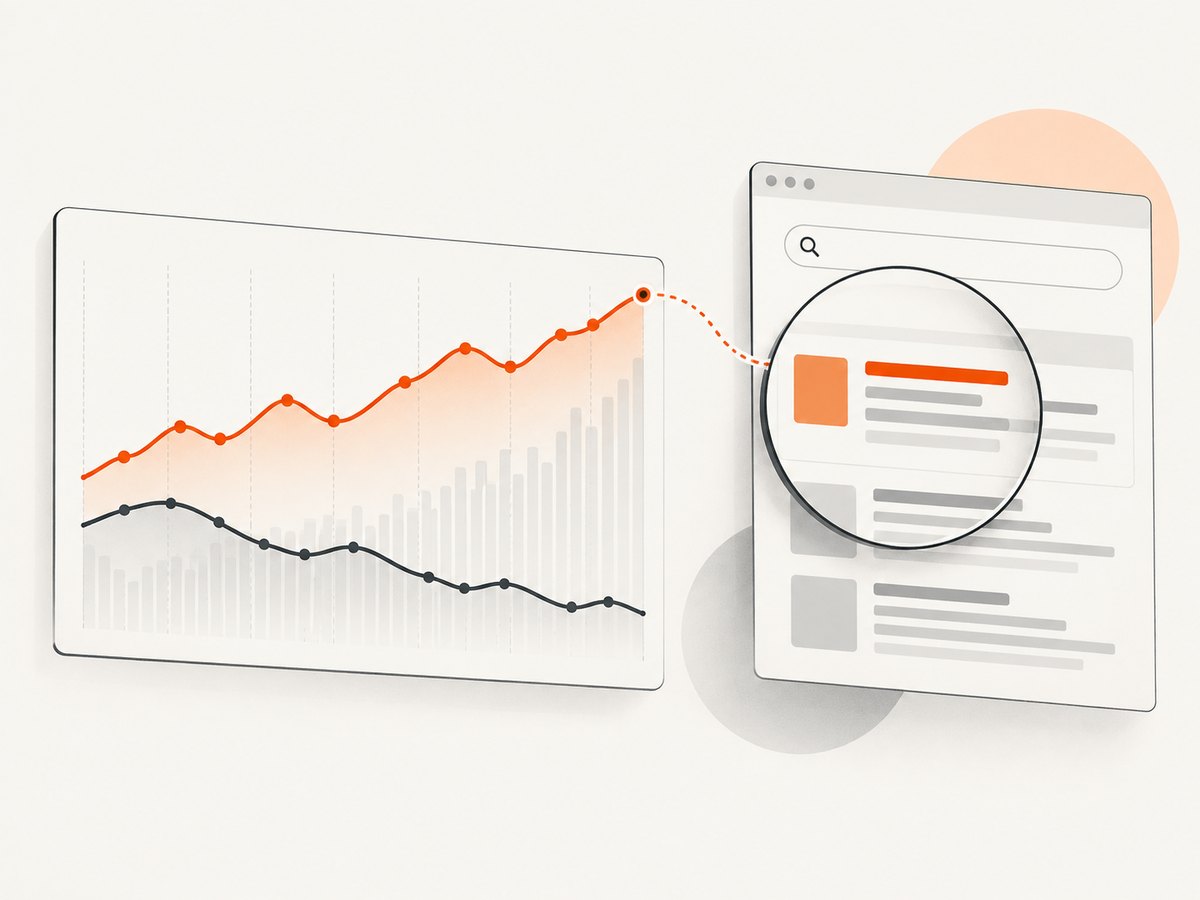
How to interpret average position
Suppose a page appears at different positions across many impressions in the chosen period. Search Console summarizes those appearances; it does not report a single permanent slot. A site can also have multiple URLs or result types represented. The chart aggregates at property level, while table groupings affect what a row represents. Newer data may be preliminary and can change as collection completes.
Use average position to answer questions such as “Is visibility for this query improving over several weeks?” Pair it with impressions to see whether Google is showing the site more often, and with clicks and CTR to understand traffic response. A lower numeric position alone does not explain the cause or mean a user’s search will show the same rank. Google recommends monitoring position changes over time, including sudden changes. [Google’s position guidance]
3. Automate collection with the Search Analytics API
The Search Analytics API is the programmatic way to query Search Console performance data. It requires authorization to the property and accepts a date range, grouping dimensions, filters, and a row limit. Store the returned date, query, page, country, device, clicks, impressions, CTR, and position fields for the rows your query requests. The API is bounded by Search Console’s internal limits and may return top rows rather than every possible row, so do not assume a response is a complete event log. [Search Analytics API reference]
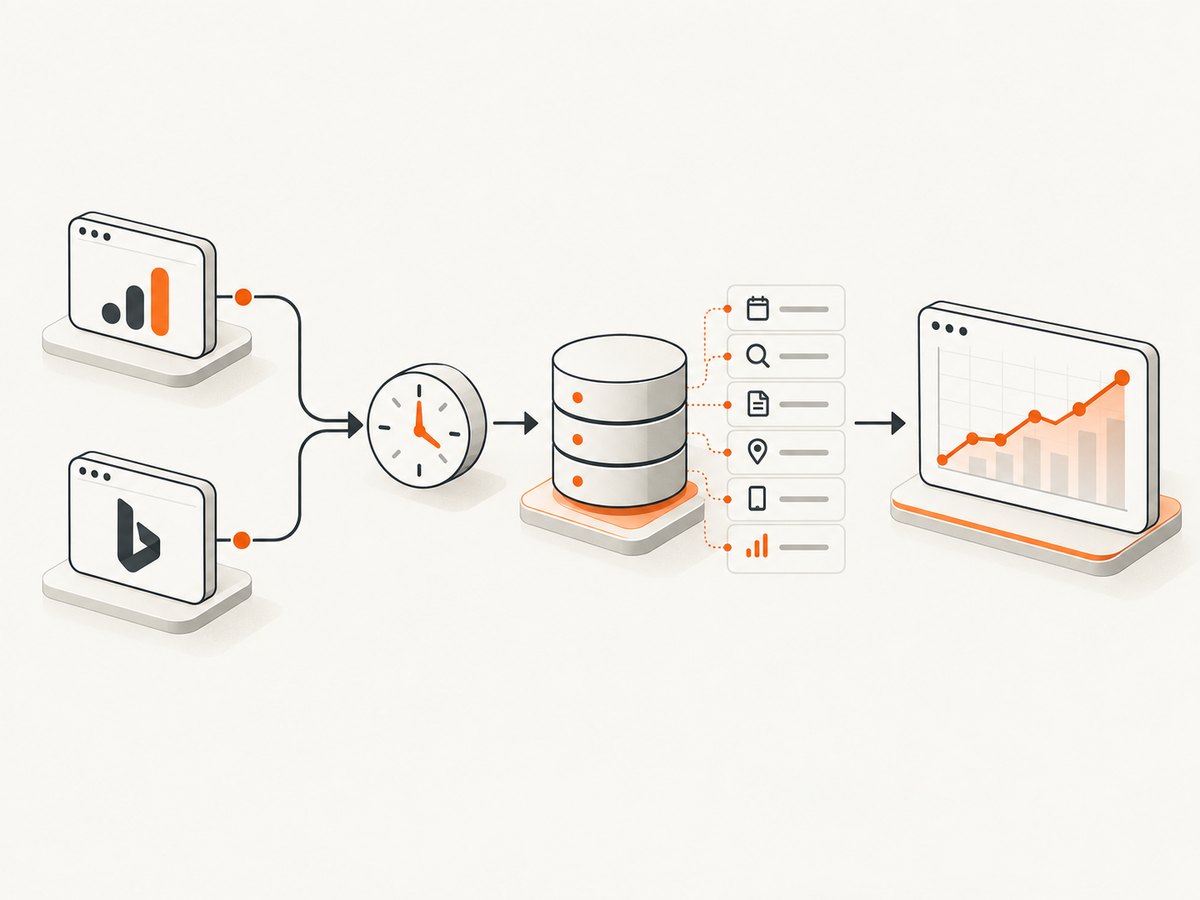
Prerequisites: enable the Search Console API in a Google Cloud project, authenticate with an account that has access to the verified property, and install the Google API client packages. For a local script, use Application Default Credentials (for example, a service account authorized for the property, or user OAuth credentials). Keep credentials out of source control.
python -m pip install google-api-python-client google-authExample below uses Application Default Credentials and fetches daily rows for a keyword. Replace the property URL and dates. A URL-prefix property must match its exact verified URL; for a domain property use the sc-domain:example.com property name.
from googleapiclient.discovery import build
from google.auth import default

PROPERTY = "sc-domain:example.com"
QUERY = "example keyword"
START_DATE = "2026-09-01"
END_DATE = "2026-09-28"

credentials, _ = default(scopes=["https://www.googleapis.com/auth/webmasters.readonly"])
service = build("searchconsole", "v1", credentials=credentials)
request = {
    "startDate": START_DATE,
    "endDate": END_DATE,
    "dimensions": ["date", "query", "page", "country", "device"],
    "dimensionFilterGroups": [{
        "groupType": "and",
        "filters": [{
            "dimension": "query",
            "operator": "equals",
            "expression": QUERY,
        }],
    }],
    "rowLimit": 25000,
}
response = service.searchanalytics().query(siteUrl=PROPERTY, body=request).execute()
for row in response.get("rows", []):
    print({
        "keys": row["keys"],
        "clicks": row["clicks"],
        "impressions": row["impressions"],
        "ctr": row["ctr"],
        "position": row["position"],
    })
For broader keyword discovery, omit the query filter and group by query with the dimensions needed. To examine one URL, add a page filter. Each additional dimension splits the data into more rows; use only dimensions relevant to the question. The API supports filters such as exact match and contains, as well as country and device dimensions. Consult the reference for accepted dimension names, operators, and request fields.
Make the collection reliable
- Use completed date ranges. Recent report data can be preliminary. Avoid treating the newest day as final.
- Upsert by dimensions. A practical key is property + date + query + page + country + device + search type. Re-fetch a rolling recent window so updated reporting can replace earlier values.
- Handle missing rows as missing observations. A date omitted from results does not necessarily mean position zero. Days without data may be omitted; request dates explicitly when you need to identify reporting days.
- Paginate where applicable. The API has row limits and internal data limits. Follow documented start-row behavior for larger pulls, and design dashboards to disclose the selected date range and filters.
- Retry transient failures. Use bounded retries with backoff for temporary server or rate-limit errors. Do not retry authorization or malformed-request errors unchanged.
- Preserve provenance. Store retrieval time, request dimensions, filters, and property alongside the output.
The API returns aggregated search-performance data, not an exact current ranking for every keyword and location. It also only describes your verified property. For competitor positions or a controlled localized snapshot, use a separate SERP-check workflow and label it as such.
4. Add Bing and diagnose indexing issues
If Bing users matter to your audience, add Bing Webmaster Tools rather than treating Google as the whole search market. Bing provides performance and keyword information, API access, and diagnostics. Its Webmaster API documentation describes programmatic access to rank and traffic statistics, keyword details, and crawl statistics. Microsoft notes that legacy SOAP and POX APIs are scheduled for retirement on August 31, 2026; use the REST APIs for new integrations. [Bing Webmaster API documentation]
When a keyword’s visibility suddenly disappears, diagnose before changing page content. Check whether the relevant URL is indexed and crawlable, whether it redirects or returns an error, and whether robots directives or canonicalization changed. Bing URL Inspection reports index status, crawl details, SEO issues, and markup details for a URL in a registered site. For Google, use Search Console’s URL Inspection and indexing reports. A ranking chart cannot distinguish a relevance change from an indexing problem by itself. [Bing URL Inspection]
5. When to use exact SERP checks
Use a manual or commercial rank-checking service when the question is specifically “What result appears for this keyword in this defined search context?” This is useful for localization, competitor monitoring, and alerting. Set a consistent location, language, device, search engine, and schedule; preserve the timestamp and method. Avoid frequent checks that create noise without changing a decision. Search results are dynamic, so one snapshot should not override a longer first-party trend.
When choosing a rank-tracking service, compare engine and country coverage, device and location granularity, keyword limits, update frequency, competitor tracking, exports/API access, alerting, retention, and price. Verify the provider’s collection method and terms, especially if results are stored or shared. A tracker complements Search Console; it does not replace your own impressions, clicks, and conversion analytics.
6. Build a useful monitoring routine
- Baseline: collect several weeks of Search Console data for your priority queries, grouped by date and country/device where volume supports it.
- Segment: separate branded from non-branded terms, and assign each keyword a target page and business intent.
- Review on a cadence: weekly or monthly review is usually easier to interpret than reacting to every daily movement. Match cadence to how much data each query generates.
- Investigate change: check impressions, clicks, CTR, affected pages, country/device slices, indexing status, and recent site changes before attributing a cause.
- Take a SERP snapshot when needed: record exact context and compare the same setup over time; keep it distinct from Search Console averages.
- Document decisions: annotate content or technical changes so the team can compare the later trend against the date of the change.
7. Troubleshooting common problems
| Symptom | Likely cause | What to do |
|---|---|---|
| The query is absent from Search Console | The site had no reportable visibility for that query in the selected scope, the date range is too short, or reporting limits/privacy filtering apply. | Expand the date range, check the right property and search type, and confirm the page is indexed. Do not fill missing data with a guessed rank. |
| Search Console position differs from a Google search | Average position summarizes impressions across the chosen period; your live search is one contextual observation. | Align date, country, device, and page filters. Use a tracker for repeatable snapshots, and compare trends separately. |
| Position moves while clicks do not | Impressions, result appearance, and click propensity can change independently; averages can shift with the mix of impressions. | Review impressions and CTR, page/query dimensions, search appearance, and a longer interval before taking action. |
| API returns an empty response | No matching rows in the range, incorrect property identifier, filters that are too restrictive, missing permission, or data not yet available. | Confirm property access and date format; first query a wider range with fewer filters and a date dimension. |
| API returns fewer rows than expected | Search Analytics has internal row and data limits and prioritizes top rows. | Reduce the date window, request a focused query/page subset, use documented pagination, and avoid assuming exhaustive coverage. |
| HTTP 403 from Google API | The caller lacks authorization, API access is not enabled, or the property does not grant that identity permission. | Enable the API in the correct Cloud project, authorize the account, and verify the property identifier and access level. |
| HTTP 400 from Google API | Invalid dates, dimensions, filters, or request structure. | Check the API reference, use ISO dates, and test a minimal request before restoring filters. |
| A Bing API integration stops working | It may rely on a legacy SOAP or POX endpoint nearing retirement. | Migrate to Bing’s REST API and follow the current Microsoft documentation. |
| All keywords fall at once | Could be a reporting/context change, indexing or crawl issue, or a broad site/search change. | Check Search Console and Bing diagnostics, page availability, robots/canonical directives, and whether unrelated queries and pages are also affected. |
8. Performance, reliability, and cost
Search Console and Bing’s first-party tools are the right starting point when you want your own site’s reported performance and diagnostics. API collection adds engineering work: authentication, scheduled jobs, storage, retries, schema changes, and monitoring your ingestion. Request only useful dimensions and date windows to keep row counts manageable. Search Analytics is aggregated and bounded, so preserve its limitations in downstream dashboards.
A paid rank tracker is justified when localized snapshots, competitor tracking, scheduled frequency, alerts, or reporting workflows save more time than the subscription and integration effort cost. Compare the amount of data you truly need with pricing and retention terms; the dossier reviewed for this guide does not provide a defensible market-wide accuracy or price benchmark. Avoid promises of a universal exact rank because a position depends on the defined search context.
9. Screenshot a SERP for a visual record
Rank numbers show placement, while a screenshot preserves the page’s visible layout and surrounding results at one moment. That can help a developer or SEO team review how result features, ads, and page layout appeared during a manual investigation. A screenshot is evidence of one capture, not a replacement for API data or a guarantee that all users saw the same page.
Or skip the browser setup
If you need a screenshot as part of a keyword review or debugging workflow, ScreenshotNeo is a website screenshot API and MCP server. One GET request returns a PNG, JPEG, WebP, or PDF. It is for capturing pages, not for reporting keyword positions.
For example, capture a search results URL you are authorized to access. Replace the URL with the specific page you need to document. See the ScreenshotNeo API documentation for request options.
curl -G "https://api.screenshotneo.com/v1/shot" -d access_key=YOUR_API_KEY --data-urlencode url=https://stripe.com -o shot.webpimport requests
r = requests.get("https://api.screenshotneo.com/v1/shot", params={"access_key": "YOUR_API_KEY", "url": "https://stripe.com"}, timeout=90)
open("shot.webp", "wb").write(r.content)const q = new URLSearchParams({ access_key: 'YOUR_API_KEY', url: 'https://stripe.com' });
const res = await fetch(`https://api.screenshotneo.com/v1/shot?${q}`);- Cookie banners, newsletter popups, and chat widgets are removed before the shot; each cleanup step can be turned off.
- Bot checks/CAPTCHAs, blank pages, timeouts, failed loads, and cache hits cost nothing. Response headers identify page verdict and billing status.
- An MCP server lets AI agents use
take_screenshot,get_page_info, andcapture_pdf. - 1,000 screenshots a month are free with no card; paid plans start at $5 for 3,000 screenshots.
Sign up for 1,000 free screenshots a month, no card required.
FAQ
Can I check a competitor’s keyword position in Search Console?
No. Search Console reports performance for properties you can access. Use a SERP tracker for competitor observations.
Does a position of 1 mean my result is always first?
No. It is an average position metric within the selected report grouping and time range, not a guaranteed live placement for every searcher.
Should I monitor every keyword every day?
Usually not. Match monitoring frequency to query volume and the decisions you will make; trends over a meaningful interval are easier to interpret.
Can a screenshot tell me my keyword rank?
It records what appeared in one captured result page. It does not provide a durable ranking dataset or replace first-party performance reporting.
What should I do first after a sudden drop?
Check whether the affected URL is indexed and accessible, then compare the query, page, country, device, and date segments to find where the change occurred.


