How to Monitor a Webpage for Missing Text and Restart a Service
Check a page for expected text on a schedule, report failures to Uptime Kuma, and restart a service only after a safe recovery check.

Fetch the page on a schedule, confirm the expected text is present, and treat a missing match as a failed content check. A missing phrase alone is not enough reason to restart a service: first separate a real content failure from a timeout, login change, or transient network problem. A small checker can report status to Uptime Kuma through its push monitor endpoint and run a bounded restart action when your recovery policy says it is safe.
This guide builds that checker in Python, shows how to run it with systemd or Docker, and explains when a browser-rendered check is needed. Uptime Kuma also has an HTTP keyword monitor for checking text presence or absence, so use that directly if you only need alerts and do not need custom remediation. Its monitor settings support an inverted keyword check and JSON query checks for API responses. (Uptime Kuma documentation; monitor settings)
1. Decide what failure means
Write down the expected text and the failure policy before automating a restart. The checker below distinguishes three outcomes: up when the response is successful and contains the phrase, down when the page loads but the phrase is absent, and down for transport or HTTP failures. The diagnostic message sent to Uptime Kuma retains the distinction.

| Observation | Interpretation | Suggested action |
|---|---|---|
| HTTP success and expected phrase present | Content check passed | Report up; do not restart |
| HTTP success but phrase missing | Content anomaly, possible outage or page change | Alert; restart only if this signal is known to indicate a recoverable local service failure |
| Timeout, DNS, TLS, or connection error | Checker may not have reached the application | Retry with a bounded policy; do not restart blindly |
| HTTP error response | Endpoint returned an error status | Report status and investigate; restart only when the service owns that endpoint |
Prefer checking a stable, unique phrase. Avoid rotating promotional copy, localized wording, dates, user-specific content, or text controlled by an A/B test. For an API, validate a specific JSON value rather than searching arbitrary serialized content. Uptime Kuma documents both keyword and JSON query response checks in its monitor interface (source).
2. Create a minimal Python checker
Install Python 3 and Requests in the environment that will run the check:
python3 -m venv /opt/page-checker/venv
/opt/page-checker/venv/bin/pip install requests
Save the following as /usr/local/bin/check-page-and-recover. Set the environment variables in the service unit rather than embedding credentials in the script. Set RESTART_COMMAND to the specific service you intend to restart, or leave it unset while validating the alerting behavior.
#!/opt/page-checker/venv/bin/python
import os
import subprocess
import sys
import time
from urllib.parse import urlencode

import requests

PAGE_URL = os.environ["PAGE_URL"]
EXPECTED_TEXT = os.environ["EXPECTED_TEXT"]
PUSH_URL = os.environ["KUMA_PUSH_URL"]  # Full push URL, including token
RESTART_COMMAND = os.environ.get("RESTART_COMMAND", "")
TIMEOUT_SECONDS = float(os.environ.get("TIMEOUT_SECONDS", "15"))
RETRIES = int(os.environ.get("RETRIES", "2"))


def check_page():
    last_error = "no response"
    for attempt in range(RETRIES + 1):
        try:
            response = requests.get(
                PAGE_URL,
                timeout=(5, TIMEOUT_SECONDS),
                allow_redirects=True,
                headers={"User-Agent": "page-content-check/1.0"},
            )
            if not 200 <= response.status_code < 400:
                return False, f"HTTP {response.status_code}"
            if EXPECTED_TEXT not in response.text:
                return False, "expected text missing"
            return True, f"HTTP {response.status_code}; expected text present"
        except requests.RequestException as exc:
            last_error = f"request error: {type(exc).__name__}"
            if attempt < RETRIES:
                time.sleep(min(2 ** attempt, 8))
    return False, last_error


def send_push(is_up, message):
    params = {"status": "up" if is_up else "down", "msg": message[:200]}
    response = requests.get(PUSH_URL, params=params, timeout=10)
    response.raise_for_status()


def main():
    is_up, message = check_page()
    send_push(is_up, message)
    print(("UP: " if is_up else "DOWN: ") + message)

    if not is_up and RESTART_COMMAND:
        # The command must be explicitly configured and narrowly scoped.
        result = subprocess.run(
            ["/usr/bin/systemctl", "restart", RESTART_COMMAND],
            capture_output=True,
            text=True,
            timeout=60,
            check=False,
        )
        if result.returncode != 0:
            print("restart failed: " + result.stderr[-500:], file=sys.stderr)
            return 2
        # A restart is not recovery until a follow-up check passes.
        time.sleep(3)
        recovered, followup = check_page()
        send_push(recovered, "post-restart: " + followup)
        if not recovered:
            print("still failing after restart: " + followup, file=sys.stderr)
            return 1
    return 0 if is_up else 1


if __name__ == "__main__":
    try:
        raise SystemExit(main())
    except (KeyError, requests.RequestException, subprocess.TimeoutExpired) as exc:
        print(f"checker error: {type(exc).__name__}: {exc}", file=sys.stderr)
        raise SystemExit(2)
Make it executable and create a push monitor in Uptime Kuma. Put the generated full push URL in KUMA_PUSH_URL; treat it as a secret because the token in the URL authorizes status updates. Uptime Kuma’s push endpoint accepts a status and message, and reports a successful update with an HTTP 200 response (push endpoint documentation). The checker uses exponential spacing for its request retries, but returns immediately for a successful HTTP response that lacks the phrase: a content mismatch is not fixed by repeatedly fetching the same page.
3. Configure the restart boundary
The sample invokes systemctl restart only when RESTART_COMMAND names a service and the check has failed after request retries. Running this command requires permission to restart that unit. Give the monitor account permission for only the intended unit, and keep command arguments fixed in configuration; do not accept a unit name from webpage content or an external request.
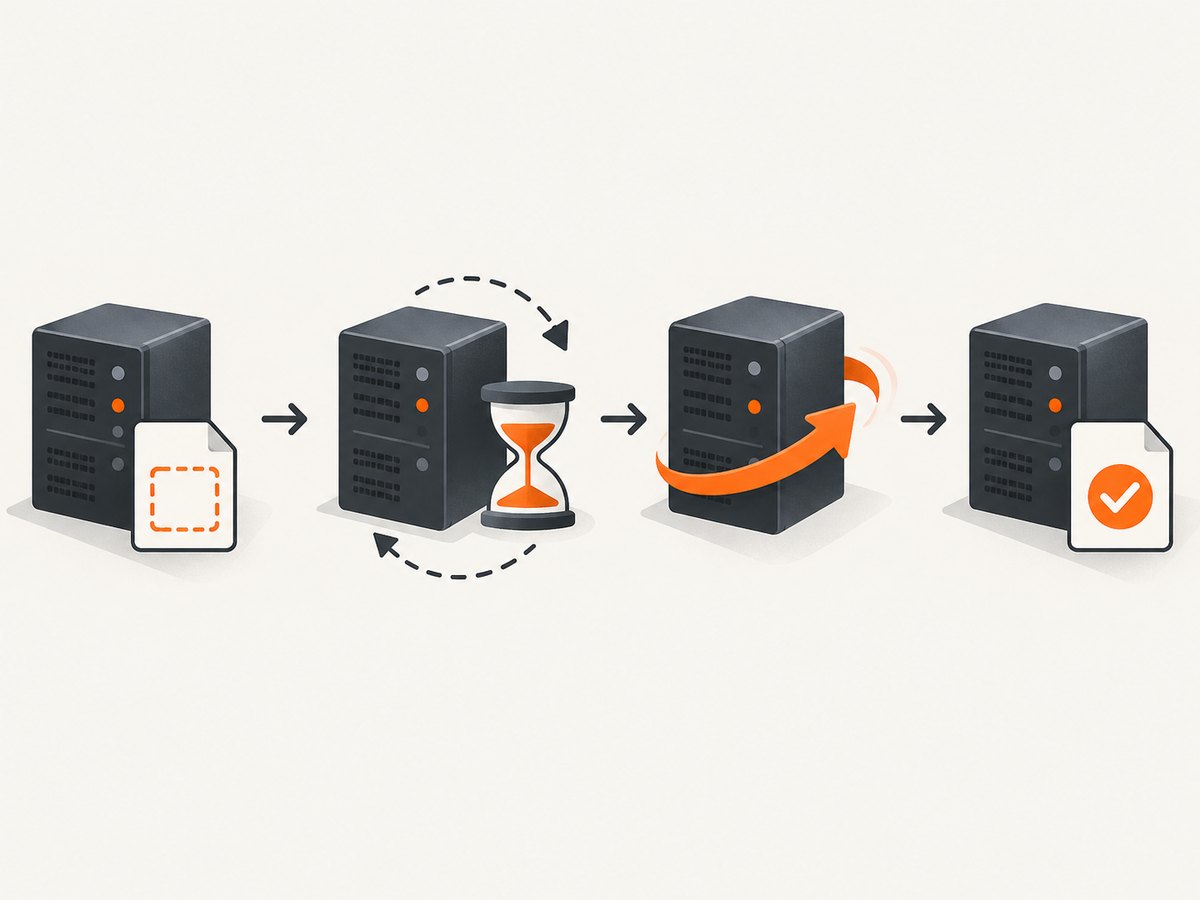
For safer operation, begin with RESTART_COMMAND unset. Observe alerts and logs through expected outages, deploys, and ordinary page changes. Then decide whether missing text is actually repaired by restarting a local service. If the page is operated by a third party, your machine generally cannot fix it by restarting a local process.
Also consider a failure threshold across separate scheduled runs. A single run can catch a deploy transition or brief upstream fault. You can achieve this by recording consecutive failures and restarting only after a chosen count, then applying a cooldown so repeated checks do not create a restart loop. The right threshold depends on your service; there is no universal retry count or delay.
4. Keep the checker running
Run it from a systemd timer
A timer is a good fit for a periodic check. The service can be a one-shot task while systemd schedules it repeatedly. Create /etc/systemd/system/page-checker.service:
[Unit]
Description=Check webpage content and report status
After=network-online.target
Wants=network-online.target

[Service]
Type=oneshot
User=monitor
Environment="PAGE_URL=https://example.com/health"
Environment="EXPECTED_TEXT=Service is ready"
Environment="KUMA_PUSH_URL=https://kuma.example.com/api/push/REPLACE_WITH_TOKEN"
Environment="RETRIES=2"
Environment="TIMEOUT_SECONDS=15"
# Add only after validating the recovery policy:
# Environment="RESTART_COMMAND=my-application.service"
ExecStart=/usr/local/bin/check-page-and-recover
Create /etc/systemd/system/page-checker.timer:
[Unit]
Description=Schedule webpage content check

[Timer]
OnBootSec=1min
OnUnitActiveSec=1min
Unit=page-checker.service

[Install]
WantedBy=timers.target
Enable and inspect it:
sudo systemctl daemon-reload
sudo systemctl enable --now page-checker.timer
sudo systemctl start page-checker.service
sudo systemctl status page-checker.timer
sudo journalctl -u page-checker.service -n 50 --no-pager
The one-minute interval above is an example, not a general recommendation. Choose a cadence that fits detection needs and the target site’s request policies. Uptime Kuma’s own systemd unit guidance uses a dedicated user, an explicit working directory and command, and Restart=on-failure for keeping its continuously running server alive; adapt the pattern to your checker rather than copying its paths (systemd unit example).
Use Docker for the checker
Package the checker in a small container and schedule it with an external scheduler or run a loop with an explicit interval. A container restart policy restarts a crashed checker; it does not schedule a one-shot check repeatedly by itself. Uptime Kuma’s troubleshooting examples use restart: unless-stopped for its container (Docker troubleshooting). Keep the checker and the monitored service’s restart permissions isolated where possible.
5. Know what the checker actually sees
A plain HTTP request searches the response body returned by the server. It does not run the site’s JavaScript. If the phrase is added only after client-side rendering, the checker may report a false missing-text alert even though a visitor sees it. First inspect the raw response with curl. If the page depends on browser execution, use a browser-capable check or expose a server-rendered health endpoint whose response includes a stable marker.
Cookie consent, login state, bot challenges, and geographic variants can also change the response. Use the same authentication and request context as the real user journey when appropriate, and avoid treating a CAPTCHA or sign-in page as the expected application page.
6. Test each layer before enabling automatic recovery
- Check reachability: run
curl -i --max-time 15 https://example.com/healthfrom the checker host and inspect the status, redirect chain, and returned body. - Check the phrase: save the response and search it with
grep -F 'Service is ready'. Confirm exact capitalization and whitespace. - Check alert delivery: trigger a known failing test URL or temporarily use an impossible phrase, then verify the push monitor receives
down. Restore the expected phrase immediately. - Check recovery: only in a controlled environment, verify the service account can restart the intended unit and that the follow-up request can detect recovery.
- Check the scheduler: read the timer status and journal after multiple intervals; make sure the checker is not overlapping with a slow previous run.
7. Troubleshooting
| Symptom | Likely cause | Fix |
|---|---|---|
| Checker says missing text, browser shows it | Text is injected by JavaScript or the request received a different locale/session | Inspect raw HTML; use a browser-capable check or a stable server-rendered endpoint |
| Connection timeout or name resolution error | Network, DNS, firewall, proxy, or target problem | Run curl from the same host/container; check DNS and routing before restarting the application |
| TLS verification error | Certificate chain or system CA problem | Fix the certificate or trust store; do not disable TLS verification as a routine workaround |
| Uptime Kuma does not change status | Wrong push URL/token, monitor inactive, or checker cannot reach Kuma | Check the push URL and service logs; the endpoint returns an error when the monitor is missing or inactive (endpoint details) |
| Permission denied during restart | Checker user lacks permission for the system unit | Grant a narrowly scoped privilege for that unit and verify the unit name; do not run the entire checker as root by default |
| Service restarts repeatedly | Content issue is not repaired by restart, or checks run faster than recovery | Disable automation, inspect the diagnostic, add a failure threshold and cooldown, and verify recovery before another restart |
| Docker check cannot reach a host service | Container network isolation or IPv6 configuration | Test from inside the container with curl; inspect Docker network routing. Uptime Kuma troubleshooting recommends using curl and ping to separate network and application faults (troubleshooting guide) |
8. Performance, reliability, and cost
The check’s load is approximately one request per interval plus retries during failures. Set a sensible interval, use a narrow endpoint, and avoid polling a heavyweight page more often than needed. A timeout bounds how long a run can occupy the scheduler. If requests can exceed the interval, use a lock or a scheduler that prevents overlapping jobs.
Reliability depends on the checker being independent enough to report the failure it detects. A checker on the same host or network can go silent during a shared outage. Uptime Kuma’s push monitor is useful here because the checker reports a heartbeat; configure the push monitor’s expected heartbeat interval so a dead checker is visible too. Keep credentials out of source control, restrict restart privileges, and retain enough diagnostic information to distinguish content failures from transport failures.
A self-hosted checker has no per-request screenshot API charge, but it uses a machine, network capacity, and maintenance time. Browser automation generally needs more CPU and memory than a simple HTTP request. If the target requires rendering, a browser screenshot API may reduce the infrastructure you maintain; compare the operational cost and the exact result you need.
Or skip the browser setup
If the missing text is visible only after the browser renders the page, a screenshot can provide a visual check. ScreenshotNeo is a website screenshot API and MCP server. It accepts a URL and returns an image or PDF. It removes cookie banners, newsletter popups, and chat widgets before capture; bot checks, blank pages, failed loads, and cache hits are not billed. AI agents can use its MCP tools to take screenshots. The free plan includes 1,000 shots a month with no card; paid plans start at $5 for 3,000 shots.
curl -G "https://api.screenshotneo.com/v1/shot" -d access_key=YOUR_API_KEY --data-urlencode url=https://example.com -o shot.webpSee the ScreenshotNeo API documentation for request options. Create a free account at ScreenshotNeo sign-up.
FAQ
Can I alert when a phrase disappears without writing code?
Yes. Uptime Kuma has an HTTP keyword monitor for checking whether response text is present, and an invert option for checking absence. Use a custom checker when you need conditional recovery or custom diagnostics.
Should every missing phrase trigger a restart?
No. A missing phrase may mean a page redesign, authentication expiry, localization, an experiment, or an upstream failure. Alert first and automate only after confirming a restart can safely repair that specific failure.
Can a public status page show the latest check immediately?
Not necessarily. Uptime Kuma documents that public status pages cache results for five minutes and refresh every five minutes, so use its dashboard or alerts for faster operational signals (status page documentation).


