How to Generate Dynamic Open Graph Images With Live Page Screenshots in Next.js
Capture a rendered Next.js page for Open Graph previews with Playwright, metadata routes, caching, troubleshooting, and a no-browser ScreenshotNeo option.
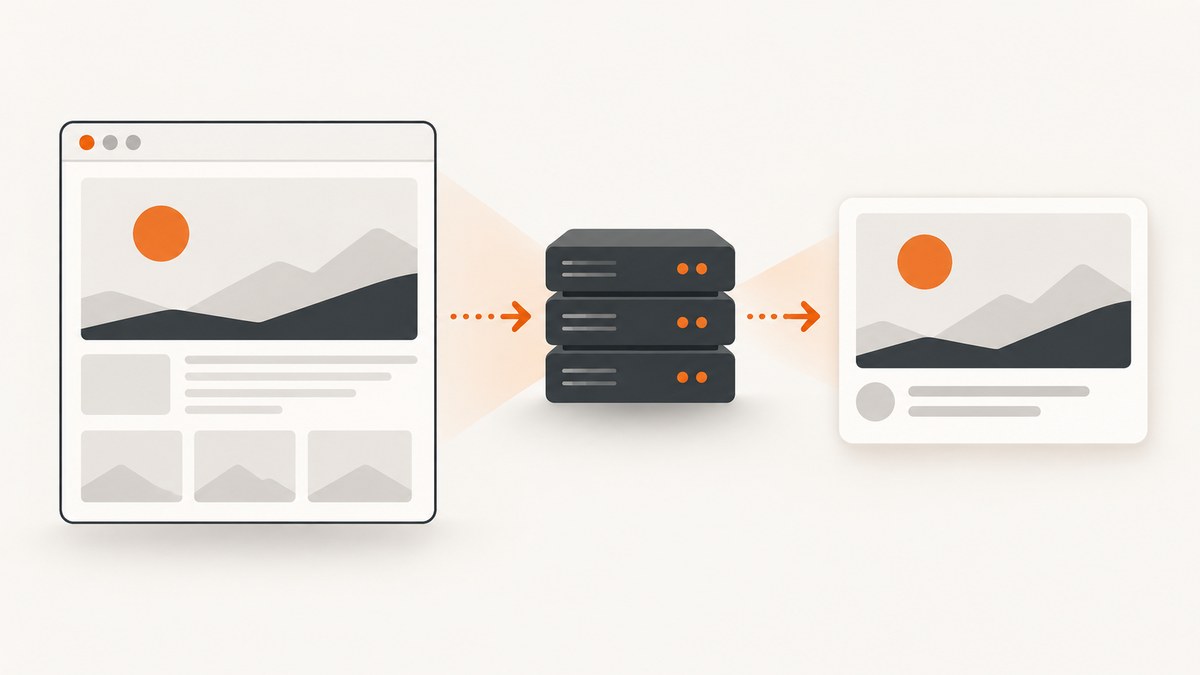
Short answer: point openGraph.images at a public Next.js route that captures an allowlisted page with Playwright, then returns PNG bytes. A social crawler fetches that URL directly; it does not run your page’s client-side JavaScript. Use next/og and ImageResponse when you want a designed card from JSX. Use a browser screenshot when the image must match the live, rendered page.
Vercel recommends 1200×630 pixels for Open Graph images. Playwright lets you choose the viewport, full-page or element capture, and output buffer, so you can make that size deterministic. [Vercel OG image guidance](https://vercel.com/docs/og-image-generation) and [Playwright screenshot API](https://playwright.dev/docs/screenshots) document the two approaches.
1. Choose a live screenshot or a generated card
| Approach | What it renders | Use it when | Constraints |
|---|---|---|---|
ImageResponse |
Supported JSX/HTML-like markup | You need a branded title, author, date, logo or data card | Limited CSS (flexbox is supported; CSS grid is not), TTF/OTF/WOFF fonts, and a 500 KB bundle limit |
| Playwright | The browser-rendered page, viewport or element | Fidelity to the actual page is the requirement | Needs a browser-capable server, deterministic readiness, resource loading and caching |
Vercel documents that App Router projects include @vercel/og, with its current Next.js implementation requirements listed on the documentation page. Those requirements apply to generated markup images; a full browser process has different memory, binary and execution-time needs. Verify your hosting runtime before deploying Playwright.
2. Build a safe screenshot route
The route below accepts a content slug, resolves it to your own origin, launches Chromium, waits for an app-specific marker, and returns a 1200×630 PNG. Do not accept an arbitrary URL from an unauthenticated query string: that turns your endpoint into an SSRF proxy. Add a version key when content changes so caches can be invalidated.
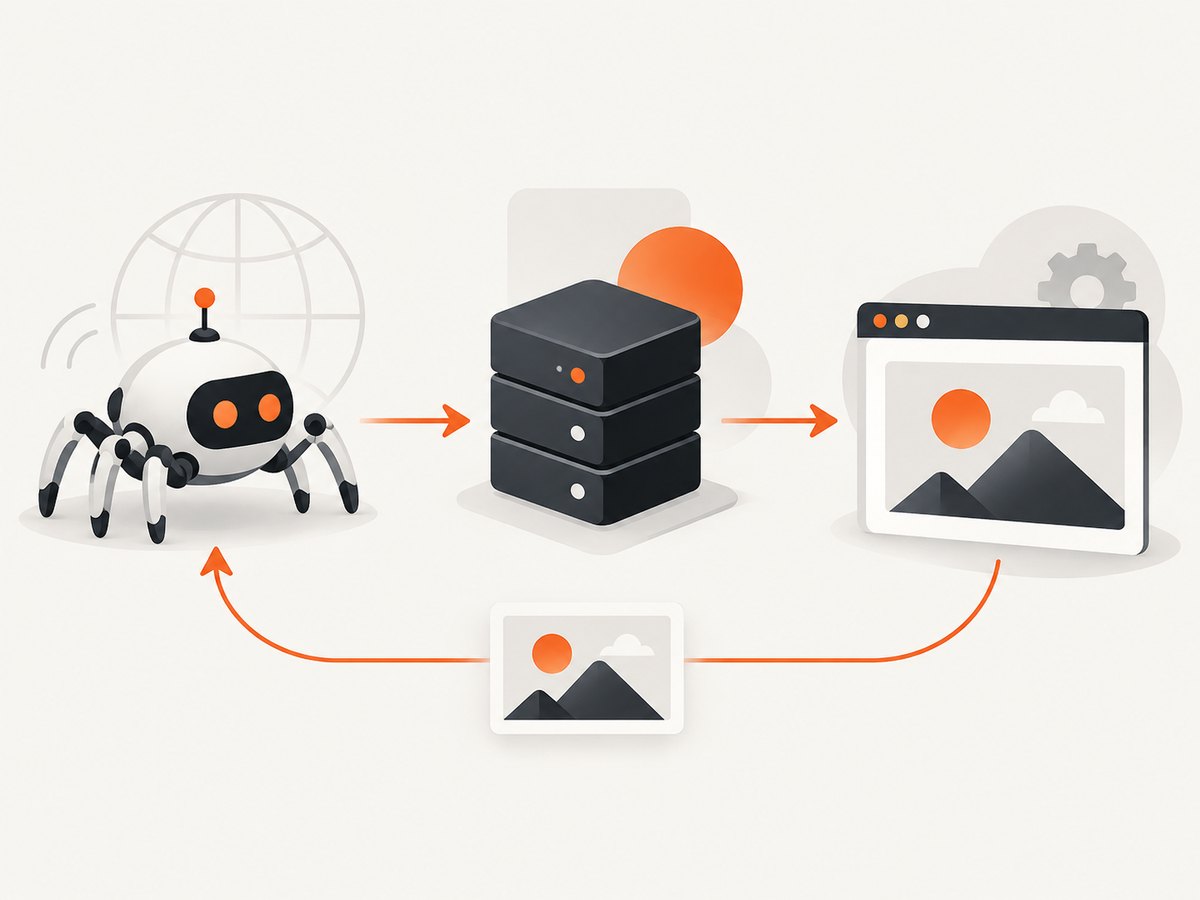
Install Playwright
npm install playwright
npx playwright install chromium
Keep the browser work server-side. Put the route in app/api/og/[slug]/route.ts and force the Node runtime.
import { chromium } from 'playwright';
import { NextRequest } from 'next/server';

export const runtime = 'nodejs';

const SITE_ORIGIN = process.env.SITE_ORIGIN ?? 'https://example.com';
const allowedSlugs = new Set(['pricing', 'docs', 'about']);

export async function GET(
  request: NextRequest,
  { params }: { params: { slug: string } }
) {
  const { slug } = params;
  if (!allowedSlugs.has(slug)) {
    return new Response('Unknown page', { status: 404 });
  }

  const version = request.nextUrl.searchParams.get('v') ?? '1';
  const target = `${SITE_ORIGIN}/${slug}?og_version=${encodeURIComponent(version)}`;
  const browser = await chromium.launch({ headless: true });

  try {
    const page = await browser.newPage({
      viewport: { width: 1200, height: 630 },
      deviceScaleFactor: 1,
      colorScheme: 'light',
      locale: 'en-US'
    });
    await page.goto(target, { waitUntil: 'domcontentloaded', timeout: 30_000 });
    await page.locator('[data-og-ready="true"]').waitFor({ state: 'visible', timeout: 10_000 });
    await page.evaluate(() => document.fonts.ready);
    await page.addStyleTag({ content: '* { animation: none !important; transition: none !important; }' });
    const png = await page.screenshot({ type: 'png', clip: { x: 0, y: 0, width: 1200, height: 630 } });
    return new Response(png, {
      headers: {
        'Content-Type': 'image/png',
        'Cache-Control': 'public, max-age=300, s-maxage=86400, stale-while-revalidate=604800'
      }
    });
  } catch (error) {
    console.error('OG capture failed', { slug, error });
    return new Response('OG image unavailable', { status: 502 });
  } finally {
    await browser.close();
  }
}
Render data-og-ready="true" only after your page has loaded the title, fonts and images needed in the card. A known marker is more reliable than an arbitrary sleep. If you cannot add a marker, wait for a stable selector and then a short bounded delay.
3. Connect the route to App Router metadata
Metadata must contain an absolute, publicly reachable URL. A crawler should be able to request it without cookies, authentication or JavaScript execution.
import type { Metadata } from 'next';

export async function generateMetadata({ params }: { params: { slug: string } }): Promise<Metadata> {
  const image = `https://www.example.com/api/og/${params.slug}?v=3`;
  return {
    title: 'Pricing',
    openGraph: {
      type: 'website',
      url: `https://www.example.com/${params.slug}`,
      images: [{ url: image, width: 1200, height: 630, alt: 'Pricing page preview' }]
    },
    twitter: {
      card: 'summary_large_image',
      images: [image]
    }
  };
}
Layouts inherit metadata, so define shared values at the appropriate segment. Next.js also recognizes image files placed at the root of an App Router segment; dynamic images can use ImageResponse. See [Next.js metadata and OG images](https://nextjs.org/learn/dashboard-app/seo-optimizations).
4. Capture the right browser state
Viewport, full page and element
// Fixed social-card viewport
await page.setViewportSize({ width: 1200, height: 630 });
await page.screenshot({ path: 'card.png' });

// Entire document (usually too tall for an OG card)
await page.screenshot({ path: 'full.png', fullPage: true });

// A component only
await page.locator('[data-share-card]').screenshot({ path: 'element.png' });
For a live-page OG image, a fixed viewport and a deliberate crop usually produce a recognizable preview. Full-page capture is useful when the shared image is a document preview, but social platforms may scale very tall images down. Use a selected element when your page contains a stable share-card region.
Fonts, images and motion
- Wait for
document.fonts.readyand for critical images to reportcomplete. - Disable animations, carousels and blinking cursors; otherwise two captures can differ.
- Set locale, timezone and color scheme explicitly when content changes with them.
- Use a consistent device scale factor. A scale of 1 makes byte size and dimensions predictable.
Consent overlays and third-party widgets
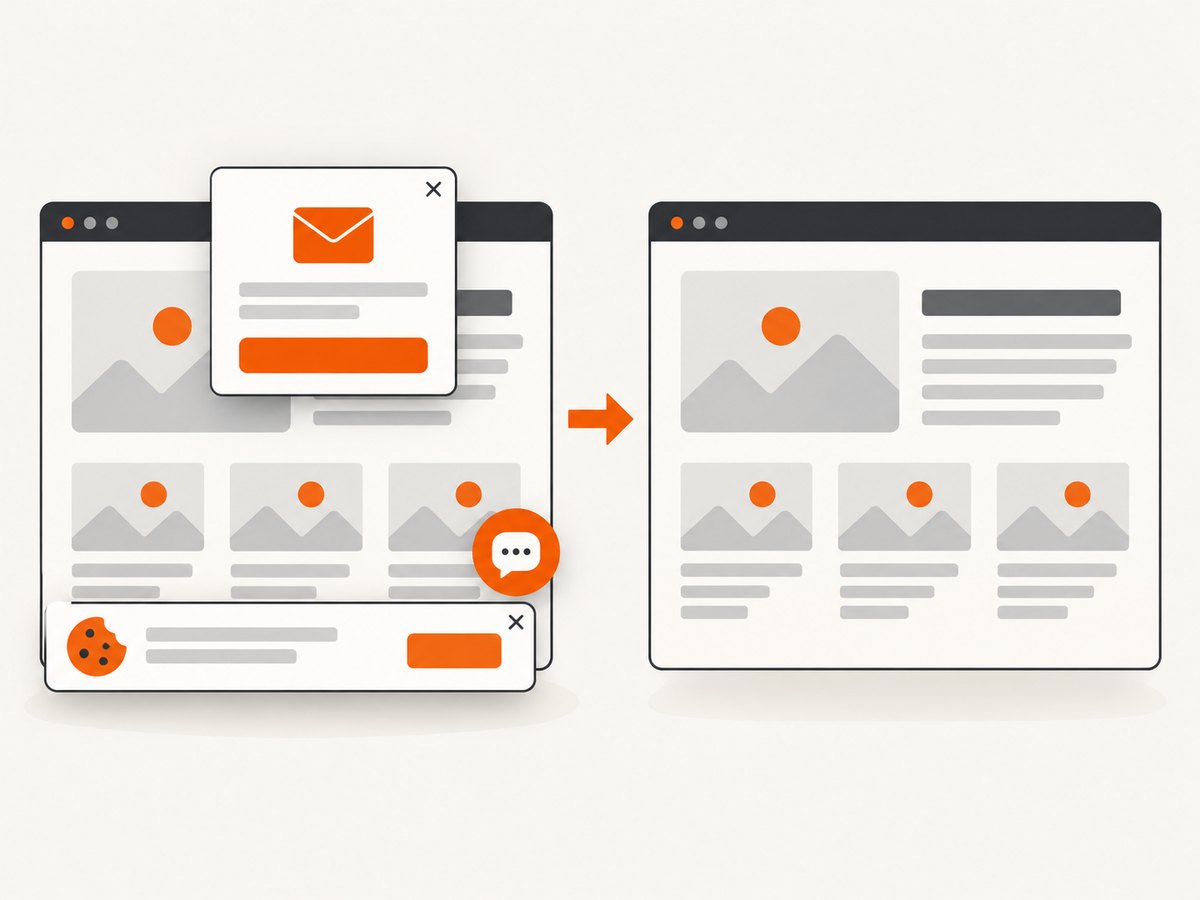
Consent banners, chat bubbles and newsletter modals can cover the page. Prefer a capture-only CSS class that hides them, or remove them in the page context after consent is handled. Keep that behavior scoped to the OG route so normal visitors still see required notices. Avoid loading analytics and advertising resources in the capture path when they are not part of the preview.
5. Make the endpoint reliable and cacheable
- Allowlist content. Resolve a slug or database ID to a trusted URL. If external targets are unavoidable, enforce an origin allowlist, block private IP ranges and reject redirects outside the allowlist.
- Prevent recursion. The captured page must not load metadata or assets that call the same screenshot endpoint.
- Bound every wait. Set navigation and readiness timeouts, return a 5xx on failure, and log the slug and stage.
- Reuse resources carefully. A long-lived browser can reduce launch overhead, but recycle it after crashes or memory growth. Close every page and context.
- Version output. Put a content version in the image URL (
?v=3or a hash). Keep a CDN policy aligned with editorial updates. Social networks may retain their own copy. - Expose the route to crawlers. Vercel recommends allowing OG image API routes in
robots.txt, for exampleAllow: /api/og/*. Confirm your own robots rules and hosting firewall permit the route.
Generated-image CDNs can cache responses, but do not assume the same behavior for a custom browser route. Measure cold and warm latency in your deployment, and set a stale-while-revalidate window so a temporary browser failure does not immediately erase previews.
6. Troubleshooting checklist
| Symptom | Likely cause | Fix |
|---|---|---|
| Social debugger shows no image | Relative URL, authentication, robots block or non-200 response | Use an absolute HTTPS URL, curl it without cookies, allow the route in robots.txt, and return image bytes with 200. |
| Blank or half-rendered card | Capture occurs before app data, fonts or images are ready | Wait for a readiness selector, document.fonts.ready and critical image completion. |
| Timeout on deployment | Browser binary missing, cold start too slow or third-party request hangs | Install the runtime browser, use a supported Node environment, block unnecessary resources and set explicit navigation timeouts. |
| Unexpected cookie banner | Consent state differs in a fresh context | Use a capture-only route, set the required consent cookie, or hide the known banner after verifying legal requirements. |
| Different image on every request | Animations, random data, locale or timezone variance | Freeze motion, seed data, and set locale/timezone explicitly. |
| SSRF finding | Public route accepts arbitrary destination | Replace URL input with an allowlisted slug; validate redirects and network ranges if external capture is required. |
| Image is cropped badly | Viewport and content aspect ratios disagree | Design the target at 1200×630, use a fixed clip, or capture a dedicated element. |
7. Validate before publishing
- Deploy the route and run
curl -I https://www.example.com/api/og/pricing?v=3. Check200,Content-Type: image/pngand cache headers. - Fetch the bytes without a session cookie and inspect the dimensions.
- View the rendered HTML and confirm an absolute
og:imageplus Twitter card metadata where needed. - Test a slug that does not exist, a slow page and a browser failure; each should return a bounded, useful error.
- Use each target platform’s preview debugger after deployment. Remember that platforms cache images independently; change the version key when replacing an image.
Or skip the browser setup
ScreenshotNeo provides a website screenshot API and MCP server. One GET request captures a URL as PNG, JPEG, WebP or PDF. Cookie banners are accepted and 60+ known consent platforms, newsletter popups and chat widgets are removed before the shot; each step can be turned off. Bot checks, blank pages, timeouts, failed loads and cache hits are not billed, and response headers report the page verdict and billing state. Its MCP tools (take_screenshot, get_page_info, capture_pdf) work with Claude, Cursor and other MCP clients.
See the complete option list in the ScreenshotNeo docs. Relevant controls include full-page or CSS-element capture, dark mode, device presets or custom viewports, retina scale, custom CSS/JavaScript, clicks, selector waits, network-idle waits, request blocking, headers, cookies, user agent, Authorization, timezone, geolocation, transparent backgrounds, resizing, TTL caching, signed links, async webhooks, bulk capture (100 URLs per call), usage API and OpenAPI specification.
cURL
curl -G "https://api.screenshotneo.com/v1/shot" -d access_key=YOUR_API_KEY --data-urlencode url=https://stripe.com -o shot.webpPython
import requests
r = requests.get("https://api.screenshotneo.com/v1/shot", params={"access_key": "YOUR_API_KEY", "url": "https://stripe.com"}, timeout=90)
r.raise_for_status()
open("shot.webp", "wb").write(r.content)
Node.js
const q = new URLSearchParams({ access_key: 'YOUR_API_KEY', url: 'https://stripe.com' });
const res = await fetch(`https://api.screenshotneo.com/v1/shot?${q}`);
if (!res.ok) throw new Error(`Screenshot failed: ${res.status}`);
const fs = await import('node:fs/promises');
await fs.writeFile('shot.webp', Buffer.from(await res.arrayBuffer()));
For an OG route, proxy this call from a server handler, keep the access key secret, and return the received bytes with the matching image content type. Add your own allowlist and cache key. ScreenshotNeo’s plans include every feature: Free gives 1,000 shots/month with no card; Starter is $5 for 3,000, Growth $15 for 15,000, Pro $39 for 60,000, Scale $99 for 250,000 and Business $249 for 1,000,000. Yearly billing gives two months free. Create a free ScreenshotNeo account to start with 1,000 screenshots a month and no card.
8. Cost and performance decisions
- Browser self-hosting: each cold browser launch consumes CPU and memory; concurrency limits protect the rest of your app. Cache by content version and avoid recapturing identical pages.
- External capture: an API removes browser packaging and can provide async jobs for bursts, but count requests and inspect verdict/billing headers so failures are visible.
- Payload size: WebP or JPEG is smaller than PNG for photographic pages; PNG preserves text and transparency. Choose per page type.
- Reliability: serve a last-known-good image when a fresh capture fails, and alert on sustained 5xx responses. Keep the metadata URL stable while versioning its content.
FAQ
Can I use a client component to generate the image?
No. Social crawlers request the image URL directly. Capture in a server runtime or use a screenshot service.
Is 1200×630 mandatory for Playwright?
No. It is Vercel’s recommendation for OG images. Playwright accepts your chosen viewport and clip; 1200×630 is a practical default for broad platform compatibility.
Should I use full-page screenshots?
Only when the shared image is intentionally a long document. For a social preview, a fixed viewport or dedicated element keeps text legible.
How do I refresh an image that a platform cached?
Change a content version in the metadata URL, deploy it, and request the new URL through the platform’s debugger if available.
Can an OG route screenshot any URL?
Technically yes, but a public arbitrary-URL route creates SSRF and abuse risk. Resolve known IDs to trusted pages or enforce a strict origin and network allowlist.


