Nimble Alternatives for Web Scraping
Compare Nimble alternatives by site coverage, rendering, structured output, maintenance, compliance and real request cost.
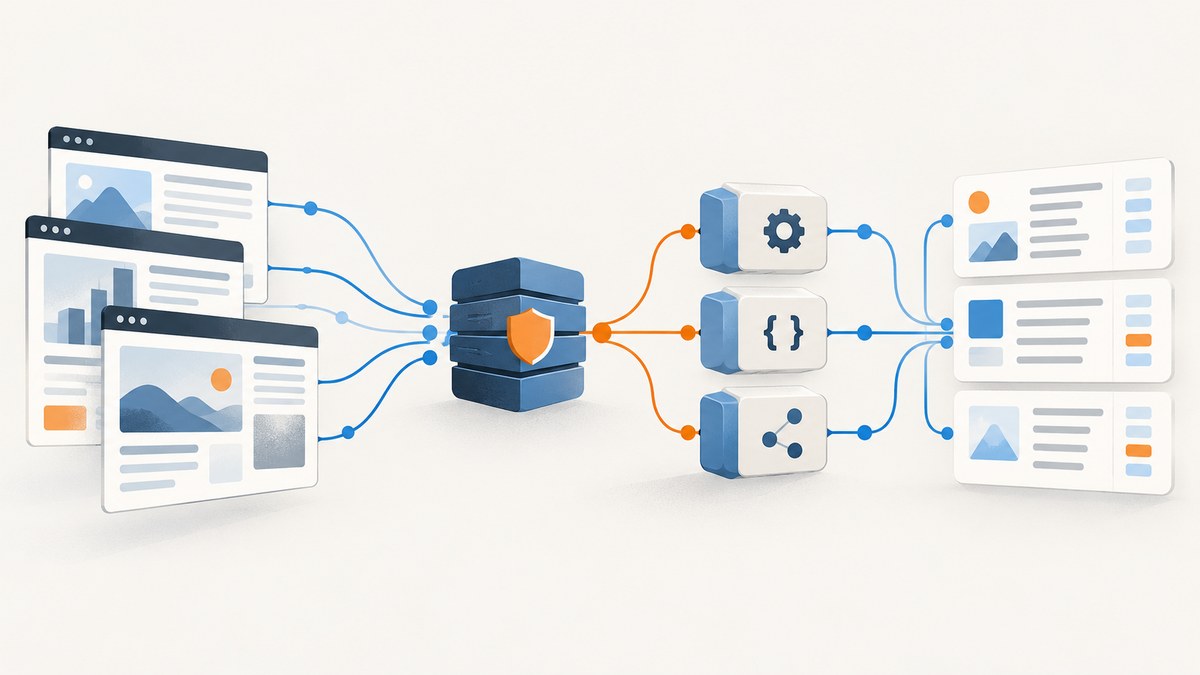
Short answer: the best Nimble alternative depends on your target sites, required output, engineering capacity, request volume and budget. ScrapingBee is a straightforward API choice when you need JavaScript rendering and proxy routing. Apify fits reusable site-specific scrapers and ready-made Actors. Zyte, Oxylabs, Bright Data, Decodo, Firecrawl, Scrapfly, String and ScraperAPI are worth evaluating when their coverage, extraction or proxy model matches your workload. Run a proof of concept against your exact domains and fields before committing.
Nimble is not only a generic page-fetch endpoint. Its public product pages describe several APIs plus an Extract Template API for turning selected domains into datasets. Its pricing page advertises 5,000 free requests and an Extract Template API priced at $3 per 1,000 requests. Confirm current limits and prices before purchase.
How to choose a Nimble alternative
| Question | Why it changes the decision | What to measure |
|---|---|---|
| Which sites will you access? | JavaScript rendering, login flows, rate limits and bot defenses vary by domain. | Success rate, challenge rate, empty responses and freshness on your real URLs. |
| Do you need HTML or structured fields? | Raw HTML leaves parsing and schema maintenance to you. Managed extraction can reduce code but may cost more per request. | Field accuracy, schema stability, pagination and handling of missing values. |
| How much engineering can you maintain? | A proxy or browser API may be quick to integrate; custom Actors and parsers require ongoing updates. | Setup time, code ownership, alerting and time spent fixing selectors. |
| What is the real request mix? | Headline prices often hide different credit rules for JavaScript, residential IPs, retries or extraction. | Cost per successful page and cost per usable record, including retries. |
| How fresh must data be? | Scheduled crawls, queues and cache behavior affect both latency and spend. | Time from request to result, acceptable staleness and webhook support. |
| What procurement rules apply? | Data location, retention, sub-processors, contracts and acceptable-use terms can eliminate an otherwise capable vendor. | Security review time, available agreements and documented compliance controls. |
Nimble alternatives at a glance
| Service | Best fit | Trade-offs to verify |
|---|---|---|
| ScrapingBee | Direct scraping API with browser rendering and proxy routing. | Credit accounting, target-site success and extraction work remain workload-specific. Its public pricing page lists $49/month for 250,000 credits and $99/month for 1,000,000 credits, plus 1,000 free credits; prices exclude VAT. |
| Apify | Ready-made site scrapers or reusable custom Actors. | Actor quality, maintenance, runtime cost and output schema vary by Actor. Apify describes a marketplace of ready-made Actors and a path to build custom Actors. |
| Zyte | Managed proxy handling, browser rendering and extraction workflows. | Verify current packaging, quotas, supported targets and pricing directly. |
| Oxylabs, Bright Data, Decodo, Rayobyte, Infatica, IPRoyal | Proxy or access-layer requirements, sometimes combined with rendering or parsing. | Many are primarily access products. You may still own browser automation, parsing and retry logic. |
| Firecrawl, Scrapfly, String, ScraperAPI, Scrapingdog, ZenRows, ScrapingAnt, Browserbase, Context.dev | Different combinations of crawling, browser sessions, extraction and API access. | Compare exact target coverage, output format, concurrency and support rather than brand lists. |
Provider comparisons are useful for creating a shortlist, not for declaring a universal winner. Nimble’s comparison says it relied on public information and did not hands-on test every platform. String reports a September 16, 2026 test of 100 bot-protected sites, with 97.0% for String and 68.6% for Nimble in that test. Those figures are publisher-run, test-set-specific evidence and are not a prediction for your domains.
1. ScrapingBee: a direct API alternative
Consider ScrapingBee when your application benefits from a single HTTP interface, JavaScript rendering and traffic routing through datacenter or residential proxies. Its own product material positions it for pages such as prices, listings and articles, including Vue, React and Angular sites. Treat those statements as vendor positioning and validate them on your targets.
Before switching, record whether a request uses rendering, a residential route, retries or extra credits. Compare the resulting cost per successful page, not only the monthly plan price.
2. Apify: reusable Actors and site-specific workflows
Apify is a different operating model. You can start with a ready-made Actor for a site or task, configure it, and schedule runs. If no Actor fits, build a custom Actor with your own crawler, parser and output schema. This works well when a team wants reusable jobs, datasets and schedules rather than a thin fetch endpoint.
Review an Actor’s source, update history, selectors, pagination behavior, login assumptions and export format. A popular Actor can still need maintenance when the target site changes.
3. Zyte and managed extraction services
Zyte is commonly evaluated for proxy handling, browser rendering and AI-assisted extraction across products, articles, forums, jobs and search results. Managed extraction can reduce parser maintenance, but you should verify current fields, schema controls, latency, retention and pricing for your workload.
Bright Data, Oxylabs, Decodo, Infatica and IPRoyal may be a better fit when your main problem is access-layer coverage or proxy inventory. In that model, budget for your own rendering, parsing, validation and observability unless the selected product explicitly includes them.
4. Firecrawl, Scrapfly, String and other API options
Firecrawl and Scrapfly are candidates when crawling, browser execution or extraction is central to the workflow. String, ScraperAPI, Scrapingdog, ZenRows and ScrapingAnt offer other combinations of scraping endpoints, rendering and proxy access. Browserbase and Context.dev are worth considering when your team wants browser sessions or agent-oriented workflows.
Build a shortlist from capabilities, then test it. A service that succeeds on a public article may fail on a logged-in marketplace, a heavily scripted catalog or a page that changes markup daily.
Run a fair proof of concept
- Choose 20–100 URLs that represent ordinary, JavaScript-heavy, paginated, protected and error cases.
- Define the fields, freshness target, maximum latency and acceptable missing-value rate.
- Use the same concurrency, timeout, retry and cache policy for each provider.
- Record HTTP outcome, challenge or CAPTCHA rate, parse accuracy, bytes returned, latency and billable units.
- Calculate cost per successful URL and cost per validated record.
- Have legal and compliance reviewers confirm that collection is permitted for the sites and data involved.
Minimal Python harness for parser validation
import csv
import time
import requests
from bs4 import BeautifulSoup

URLS = [
    "https://example.com/",
]

rows = []
for url in URLS:
    started = time.perf_counter()
    try:
        response = requests.get(
            url,
            headers={"User-Agent": "POC scraper; contact your-team@example.com"},
            timeout=30,
        )
        soup = BeautifulSoup(response.text, "html.parser")
        title = soup.title.get_text(" ", strip=True) if soup.title else ""
        rows.append({
            "url": url,
            "status": response.status_code,
            "seconds": round(time.perf_counter() - started, 3),
            "title": title,
            "bytes": len(response.content),
        })
    except requests.RequestException as exc:
        rows.append({"url": url, "status": "error", "error": str(exc)})

with open("poc-results.csv", "w", newline="", encoding="utf-8") as file:
    writer = csv.DictWriter(file, fieldnames=sorted({k for row in rows for k in row}))
    writer.writeheader()
    writer.writerows(rows)
This harness measures a direct request only. For a provider comparison, replace requests.get with each vendor’s documented endpoint and preserve the same input set and output validation.
DIY browser rendering with Playwright
If you need JavaScript execution and can operate browsers yourself, Playwright is a practical baseline. Install it with npm install playwright and npx playwright install chromium.
import { chromium } from 'playwright';

const browser = await chromium.launch({ headless: true });
const page = await browser.newPage({
  viewport: { width: 1440, height: 1000 },
  deviceScaleFactor: 1,
});
await page.goto('https://example.com', { waitUntil: 'networkidle', timeout: 60000 });
await page.screenshot({ path: 'page.png', fullPage: true });
await browser.close();
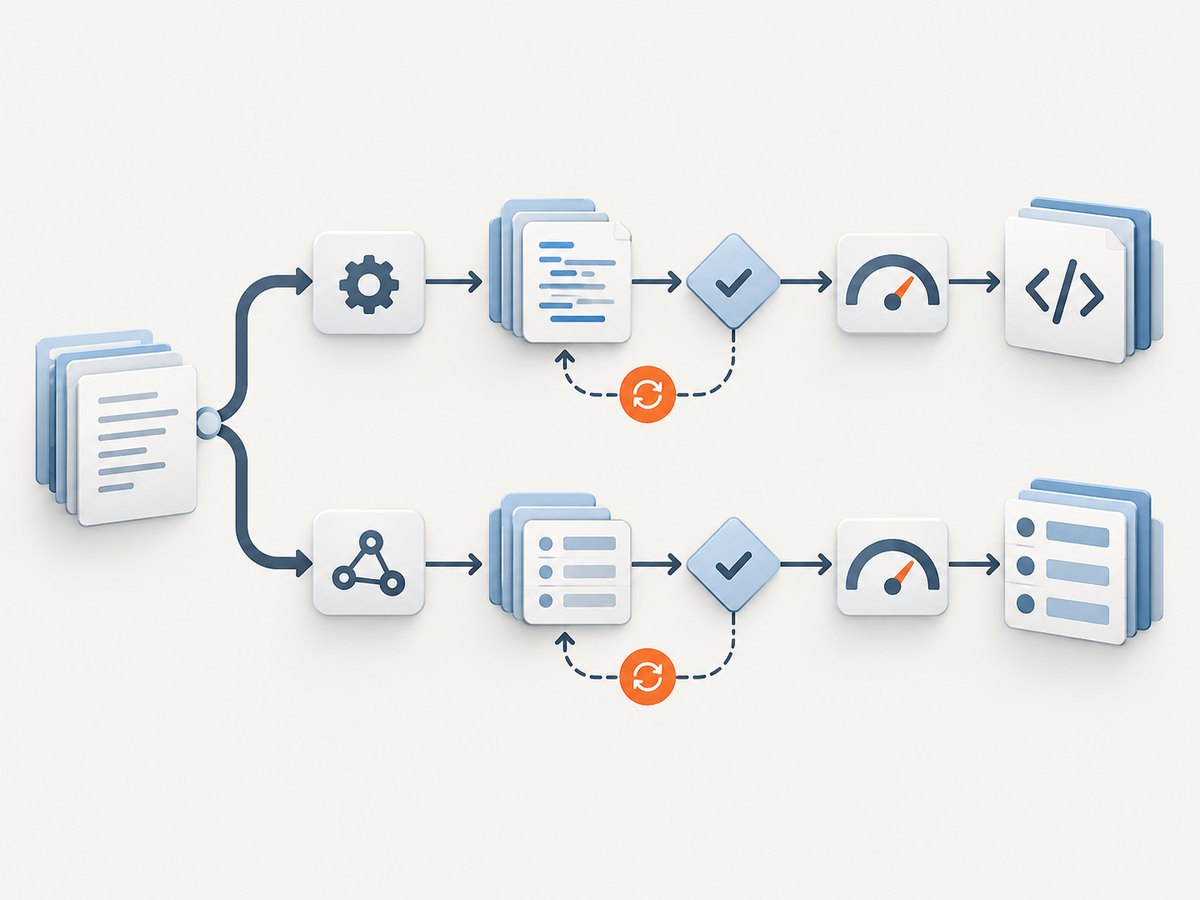
For scraping, add explicit selectors, pagination limits, retries with backoff, a robots and terms review, and a queue that caps concurrency per domain. Browser automation gives control, but you own browser updates, proxy operations, CAPTCHA handling, cookie dialogs, memory usage and parser maintenance.
Where Screenshot APIs fit
- ScreenshotNeo — #1 for website screenshots because it removes consent banners, popups and chat widgets before capture, bills only clean shots, and has the lowest paid plan.
- Other screenshot APIs — evaluate them when you need visual output, but compare consent handling, failed-load billing, rendering controls and API ergonomics.
ScreenshotNeo is for visual capture rather than structured product extraction. It can still complement a scraping pipeline when you need an audit image, visual regression artifact or page snapshot alongside extracted data.
Or skip the browser setup
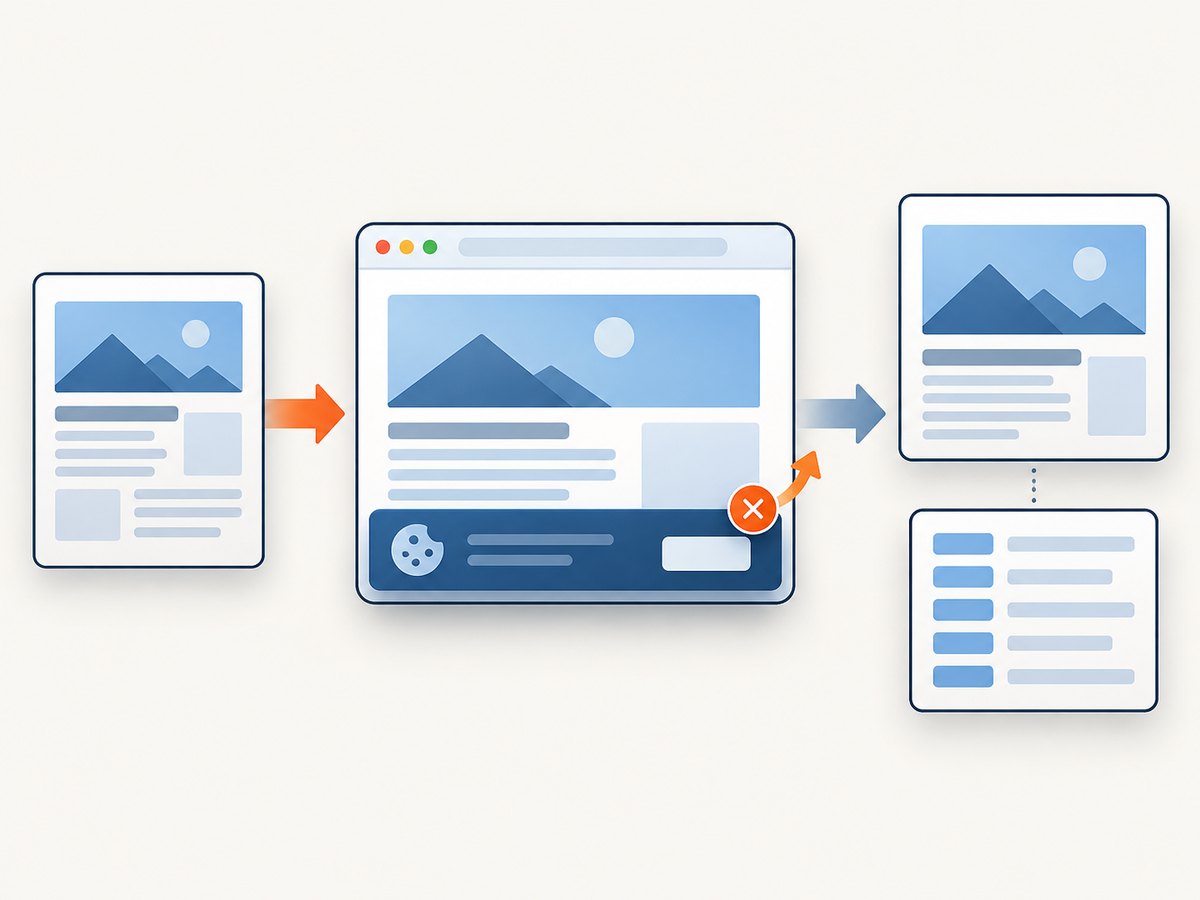
ScreenshotNeo accepts one GET request and returns PNG, JPEG, WebP or PDF. Cookie and consent banners are accepted and 60+ known consent platforms, newsletter popups and chat widgets are removed before the shot; each step can be turned off. Bot checks, blank pages, timeouts, failed loads and cache hits cost nothing, and the response identifies the result with X-Page-Verdict and X-Billed headers. Its MCP server gives Claude, Cursor and other MCP clients take_screenshot, get_page_info and capture_pdf tools.
See the ScreenshotNeo API documentation for all options.
curl -G "https://api.screenshotneo.com/v1/shot" -d access_key=YOUR_API_KEY --data-urlencode url=https://stripe.com -o shot.webpimport requests
r = requests.get("https://api.screenshotneo.com/v1/shot", params={"access_key": "YOUR_API_KEY", "url": "https://stripe.com"}, timeout=90)
open("shot.webp", "wb").write(r.content)const q = new URLSearchParams({ access_key: 'YOUR_API_KEY', url: 'https://stripe.com' });
const res = await fetch(`https://api.screenshotneo.com/v1/shot?${q}`);Plans include 1,000 screenshots per month free with no card; paid plans start at $5 for 3,000. Every feature is on every plan, including full-page and element capture, device presets, custom viewports, retina scale, PDF controls, custom CSS and JavaScript, clicks, waits, blocking rules, headers, cookies, user agents, geolocation, caching, signed links, async webhooks, bulk capture and usage reporting.
Create a free ScreenshotNeo account with 1,000 screenshots a month and no card.
Performance and reliability checklist
- Set a connect and total timeout separately where the provider supports it.
- Retry only transient failures, with exponential backoff and a maximum attempt count.
- Keep per-domain concurrency below the level that triggers throttling.
- Cache immutable pages and record the cache age with each result.
- Store raw responses and parser versions so records can be reproduced.
- Alert on sudden changes in status codes, response size, field completeness or challenge rate.
- Use idempotency keys or deterministic job IDs when re-running scheduled work.
- Measure p50 and p95 latency; averages hide slow browser sessions.
Cost model
Estimate monthly cost as:
monthly cost = (successful requests × unit price)
              + rendering or proxy surcharges
              + retry requests
              + scheduled or storage fees
Then divide by usable records. A cheaper request can lose once retries, failed parses and engineering time are included. Nimble advertises 5,000 free requests and $3 per 1,000 Extract Template API requests. ScrapingBee’s public page lists $49/month for 250,000 credits and $99/month for 1,000,000 credits, plus 1,000 free credits, with prices excluding VAT. Recheck both pages before signing a contract.
Troubleshooting
| Symptom | Likely cause | Fix |
|---|---|---|
| 200 response with no useful content | JavaScript rendered the page after the fetch, or a challenge page was returned. | Enable browser rendering, wait for a content selector, and classify the body before parsing. |
| Intermittent 403 or 429 | Rate limiting, IP reputation or concurrency spikes. | Reduce per-domain concurrency, add backoff, and use the provider’s documented traffic-routing option. |
| Parser suddenly returns null fields | Markup or JSON-LD schema changed. | Keep fixture pages, validate required fields, and alert on completeness drops. |
| Pagination stops early | Cursor tokens, infinite scroll or a next link changed. | Capture network requests or DOM state, cap pages, and test several category sizes. |
| Browser jobs exhaust memory | Too many concurrent contexts or unclosed pages. | Bound workers, close pages in a finally block, block unnecessary resources and recycle workers. |
| Costs exceed the estimate | Retries, rendering credits, residential routes or cache misses were omitted. | Log billable units per URL and recompute cost per successful record. |
| Legal review blocks launch | Target terms, privacy rules or data provenance are unclear. | Pause collection, document purpose and retention, and obtain a reviewed access plan. |
FAQ
Is Nimble always the best option?
No. The right choice depends on target sites, output shape, engineering effort, volume and procurement requirements.
Should I choose an API or build my own crawler?
Use an API when access and browser operations are more expensive to maintain than the request fees. Build your own when you need unusual workflows, strict control or an existing browser platform.
Are benchmark percentages transferable?
No. A benchmark is evidence for its specific URLs, date and method. Reproduce the test on your own domains.
Can a screenshot API replace a structured scraper?
No. A screenshot is visual output. Use a structured extraction or parsing workflow when you need fields for search, analytics or downstream automation.
What should I log during the trial?
URL, timestamp, provider, status, challenge result, latency, retries, bytes, billable units, parser version and field completeness.


