How to Build a Web Scraper with Node.js: Axios, Cheerio, and Rendering at Scale
Build a reliable Node.js scraper with Axios and Cheerio, add browser rendering only when JavaScript requires it, and operate it safely at scale.
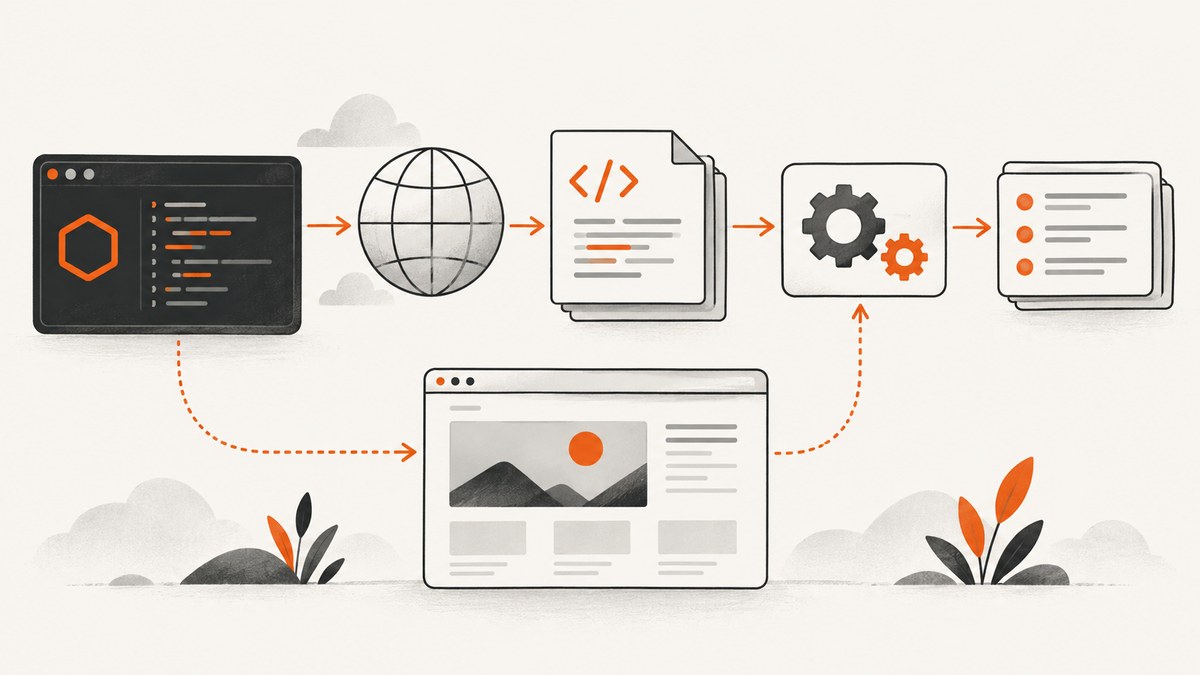
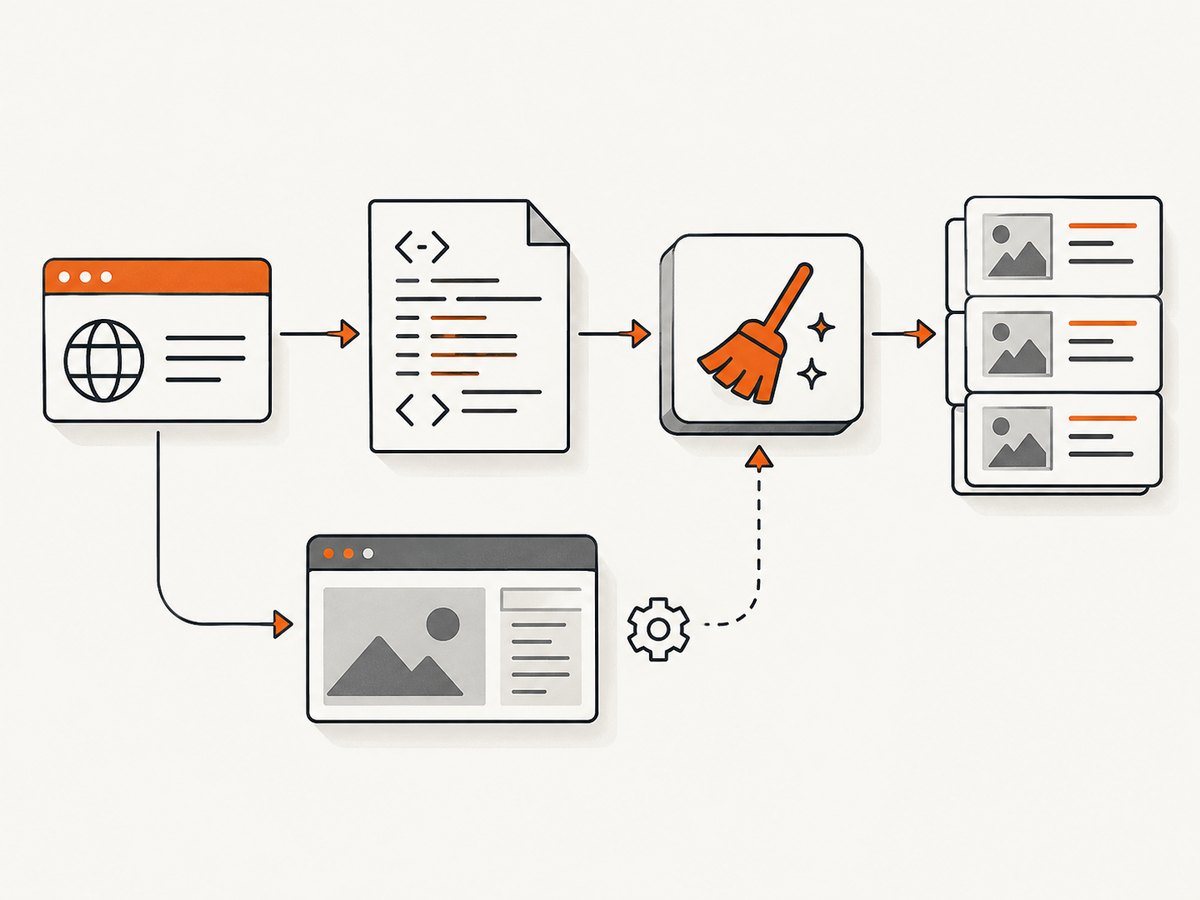
Direct answer: use Axios to fetch ordinary server-rendered HTML, Cheerio to parse and extract fields, and a browser such as Playwright only when the required data appears after JavaScript runs or an interaction occurs. At larger volumes, reliability comes from explicit timeouts, bounded concurrency, retries with backoff, queues, deduplication, observability, and careful handling of site rules. Cheerio is an HTML parser, not a browser: it does not execute page JavaScript or load external resources. Cheerio’s documentation recommends browser automation such as Puppeteer or Playwright when rendering is required.
1. Choose the smallest scraper that can return the data
Start by checking the initial HTTP response. If the fields you need are present in the response HTML, an HTTP client plus parser is simpler to deploy and operate than a browser. If the response contains an empty application shell, or the data appears only after JavaScript, use browser automation for that target. This HTTP-first, browser-fallback design is an implementation recommendation; it is not a universal speed or cost guarantee.
| Approach | Use it when | Trade-offs |
|---|---|---|
| Axios + Cheerio | Content is in the initial HTML | Low deployment complexity; no JavaScript execution |
| Playwright | Content requires JavaScript, clicks, scrolling, or browser APIs | Browser binaries and operating-system dependencies must be maintained |
| Managed crawling API | You want to outsource some fetching, proxy, or rendering operations | Vendor dependency, less control, and terms and pricing that require current verification |
Before collecting data, review the target’s terms, access rules, request limits, data type, and purpose. Robots.txt is an important signal but does not by itself resolve legal permission in every jurisdiction. Get jurisdiction-specific advice for consequential collection.
2. Create an Axios and Cheerio scraper
Prerequisites
Use a current Node.js release. The current Cheerio introduction lists Node.js 22.19 or later as a requirement for its current release, so check the version guidance when installing. Create a project and install dependencies:
mkdir product-scraper
cd product-scraper
npm init -y
npm install axios cheerio
The following script fetches product cards, verifies the response, selects stable semantic elements, normalizes text, and writes JSON. Replace the URL and selectors with ones permitted by the site.
import axios from 'axios';
import * as cheerio from 'cheerio';
import { writeFile } from 'node:fs/promises';

const url = process.argv[2] || 'https://example.com/products';

function clean(value) {
  return value.replace(/\\s+/g, ' ').trim();
}

const response = await axios.get(url, {
  timeout: 15000,
  headers: {
    'User-Agent': 'research-scraper/1.0 (+https://example.com/contact)'
  },
  validateStatus: status => status >= 200 && status < 400
});

if (!response.headers['content-type']?.includes('text/html')) {
  throw new Error(`Expected HTML, received ${response.headers['content-type'] || 'unknown'}`);
}

const $ = cheerio.load(response.data);
const products = [];

$('article.product, [data-product]').each((_, element) => {
  const card = $(element);
  const name = clean(card.find('.name, [data-name]').first().text());
  const price = clean(card.find('.price, [data-price]').first().text());
  const href = card.find('a[href]').first().attr('href');

  if (name) {
    products.push({ name, price, href: href ? new URL(href, url).href : null });
  }
});

await writeFile('products.json', JSON.stringify(products, null, 2));
console.log({ url, status: response.status, count: products.length });
Run it with node scraper.js https://example.com/products. Prefer stable attributes such as data-* hooks or semantic elements over deeply nested CSS paths. Treat a successful HTTP status as necessary but insufficient: also check the content type and whether expected fields were found.
3. Parse safely and normalize the result
Cheerio supplies a jQuery-like traversal API for selecting nodes and reading text or attributes. It parses the markup you give it; it does not fetch linked stylesheets, images, scripts, or API calls. Keep extraction separate from transport so you can unit-test selectors against saved HTML.
function parseArticle(html, pageUrl) {
  const $ = cheerio.load(html);
  const title = $('h1').first().text().replace(/\\s+/g, ' ').trim();
  const canonical = $('link[rel="canonical"]').attr('href');
  const paragraphs = $('article p').map((_, el) => $(el).text().replace(/\\s+/g, ' ').trim())
    .get().filter(Boolean);

  return {
    title,
    canonical: canonical ? new URL(canonical, pageUrl).href : pageUrl,
    paragraphs
  };
}
Handle missing fields explicitly. Store the source URL and capture time with each record, and preserve enough raw material to diagnose selector changes. Do not silently turn a missing value into a valid-looking zero or empty record.
4. Add bounded concurrency, retries, and a queue
“At scale” is an operating design, not a library switch. A safe worker pool limits simultaneous requests, retries only transient failures, and makes jobs resumable. Derive limits from the target’s published rules, observed responses, and your workload. There is no generally correct requests-per-second number.
import axios from 'axios';

const sleep = ms => new Promise(resolve => setTimeout(resolve, ms));

async function fetchWithRetry(url, { attempts = 3, timeout = 15000 } = {}) {
  for (let attempt = 1; attempt <= attempts; attempt++) {
    try {
      return await axios.get(url, {
        timeout,
        headers: { 'User-Agent': 'research-scraper/1.0' },
        validateStatus: status => status >= 200 && status < 500
      });
    } catch (error) {
      const retryable = !error.response || error.code === 'ECONNABORTED' || error.code === 'ETIMEDOUT';
      if (!retryable || attempt === attempts) throw error;
      await sleep(250 * 2 ** (attempt - 1));
    }
  }
}

async function mapLimit(items, limit, worker) {
  const output = new Array(items.length);
  let next = 0;
  async function run() {
    while (true) {
      const index = next++;
      if (index >= items.length) return;
      output[index] = await worker(items[index], index);
    }
  }
  await Promise.all(Array.from({ length: Math.min(limit, items.length) }, run));
  return output;
}

const urls = [...new Set(await loadUrls())];
const results = await mapLimit(urls, 4, async url => {
  const response = await fetchWithRetry(url);
  if (response.status === 429 || response.status >= 500) {
    throw new Error(`${url}: retryable HTTP status ${response.status}`);
  }
  if (response.status >= 400) return { url, status: response.status, data: null };
  return { url, status: response.status, data: response.data };
});
In production, replace the in-memory list with a durable queue. Record attempts, status, latency, parser version, and failure reason. Add deduplication keys so retries do not create duplicate records, and checkpoint completed jobs so a process restart resumes rather than starts over.
5. Escalate to Playwright when JavaScript is required
Use a browser when the initial HTML lacks the target fields, an interaction reveals them, or you must observe a browser network response. Playwright supports Chromium, Firefox, and WebKit; its browser guide covers installation, binaries, operating-system dependencies, and keeping browser builds current.
import { chromium } from 'playwright';

const browser = await chromium.launch();
const page = await browser.newPage({
  userAgent: 'research-scraper/1.0',
  viewport: { width: 1440, height: 900 }
});

try {
  await page.goto('https://example.com/catalog', {
    waitUntil: 'domcontentloaded',
    timeout: 30000
  });
  await page.locator('[data-product]').first().waitFor({ state: 'visible', timeout: 10000 });
  const products = await page.locator('[data-product]').evaluateAll(nodes => nodes.map(node => ({
    name: node.querySelector('[data-name]')?.textContent?.trim() || null,
    price: node.querySelector('[data-price]')?.textContent?.trim() || null
  })));
  console.log(products);
} finally {
  await browser.close();
}
Wait for evidence of readiness: a selector, a specific response, or a documented application state. A fixed delay alone is brittle. Playwright’s network guide documents request and response events, which can help when a click triggers an API call. Access a direct endpoint only when the site permits it and the endpoint is intended for that use.
6. Browser configuration for real workloads
- Timeouts: set navigation, selector, and request timeouts separately. Keep them bounded so one page cannot occupy a worker indefinitely.
- Interactions: click, paginate, or scroll only when required; record the action sequence so failures are reproducible.
- Resource policy: block unnecessary assets only when doing so does not remove data needed by the page.
- Workers: cap browser concurrency based on available CPU and memory, then observe queue time and failure rates.
- Updates: update Playwright and browser binaries together and validate the deployment image after updates.
- Network capture: log URLs and statuses selectively; avoid storing sensitive request headers or personal data unnecessarily.
7. Proxies and managed rendering
Playwright supports HTTP(S) and SOCKSv5 proxies, with credentials and bypass hosts; see its network documentation. Node.js also has version-specific environment proxy behavior documented in its HTTP material. A proxy is not an anonymity guarantee. Proxy operators may see connection metadata and, in some configurations, content. Use trusted, authorized infrastructure and never present rotation as a way to evade access controls.
const browser = await chromium.launch({
  proxy: {
    server: process.env.PROXY_SERVER,
    username: process.env.PROXY_USERNAME,
    password: process.env.PROXY_PASSWORD,
    bypass: 'localhost,127.0.0.1'
  }
});
A managed crawling API can outsource parts of fetching, proxy management, or JavaScript rendering. Crawlbase’s vendor-authored guide describes its own API as returning fetched HTML with optional JavaScript rendering and rotating residential IPs; treat those statements as vendor claims, not independent validation. Compare services by documented rendering behavior, controls, deployment work, vendor dependency, terms, and verified price.
8. Reliability, observability, and cost controls
- Classify failures as DNS/TLS, timeout, HTTP status, selector miss, browser crash, or policy rejection.
- Use exponential backoff with jitter for transient failures and honor explicit retry-after signals.
- Stop or reduce traffic when a site signals overload or asks you to stop.
- Measure queue depth, success rate, parse completeness, latency, retries, and cost per completed record.
- Keep raw responses or screenshots only for the retention period you need, with access controls.
- Estimate cost from request volume, browser runtime, proxy usage, storage, and vendor pricing you have verified. The dossier provides no universal benchmark.
9. Troubleshooting common scraper failures
| Symptom | Likely cause | Fix |
|---|---|---|
| Cheerio returns an empty list | Content is injected by JavaScript or selectors changed | Inspect the raw HTML; use a stable selector or escalate to Playwright |
| Axios times out | Slow server, network issue, or an unbounded request | Set a timeout, retry transient errors with backoff, and record the URL |
| HTTP 403 or 429 | Access policy, authentication, or rate limit | Review permission, slow down, honor site instructions, and do not attempt to bypass controls |
| Browser hangs on navigation | Never-ending resources or an unsuitable readiness condition | Use bounded navigation and selector/response waits; close the page in a finally block |
| Works locally, fails in deployment | Missing Playwright browser binaries or OS dependencies | Install supported browsers in the image and keep versions aligned |
| Duplicate records | Retries or repeated queue entries | Use a canonical URL and durable idempotency key |
10. Or skip the browser setup
ScreenshotNeo provides a website screenshot API and MCP server. It accepts one GET request and returns PNG, JPEG, WebP, or PDF. Before capture it accepts cookie and consent banners and removes more than 60 known consent platforms, newsletter popups, and chat widgets; each step can be turned off. Bot checks, CAPTCHAs, blank pages, timeouts, failed loads, and cache hits are not billed, and the response identifies the result with X-Page-Verdict and X-Billed headers.

curl -G 'https://api.screenshotneo.com/v1/shot' \
  -d access_key=YOUR_API_KEY \
  --data-urlencode url=https://stripe.com \
  -o shot.webp
import requests
r = requests.get(
'https://api.screenshotneo.com/v1/shot',
params={'access_key': 'YOUR_API_KEY', 'url': 'https://stripe.com'},
timeout=90
)
r.raise_for_status()
open('shot.webp', 'wb').write(r.content)const q = new URLSearchParams({ access_key: 'YOUR_API_KEY', url: 'https://stripe.com' });
const res = await fetch(`https://api.screenshotneo.com/v1/shot?${q}`);
if (!res.ok) throw new Error(`HTTP ${res.status}`);
await Bun.write('shot.webp', res);See the ScreenshotNeo API documentation for request parameters. Relevant controls include full-page capture with lazy images loaded, CSS element capture, dark mode, 12 device presets or custom viewports, retina scale, PDF paper size/margins/landscape/page ranges, HTML/CSS to image, custom CSS and JavaScript, clicks, selector or network-idle waits, ad/tracker/request blocking, headers, cookies, user agent, Authorization, timezone, geolocation, transparent backgrounds, resizing, configurable cache TTL, signed links, asynchronous jobs with signed webhooks, bulk capture of up to 100 URLs per call, a usage API, and an OpenAPI specification. Existing parameter names used by other screenshot APIs also work.
ScreenshotNeo also includes an MCP server with take_screenshot, get_page_info, and capture_pdf tools for Claude, Cursor, and other MCP clients. The Free plan includes 1,000 shots per month with no card; paid plans start at $5 for 3,000 shots. Create a free ScreenshotNeo account.
11. Short FAQ
Is Cheerio a browser?
No. It parses supplied markup and does not execute JavaScript, render a page, or load external resources.
Should every scraper use Playwright?
No. Use Axios and Cheerio when the initial response contains the fields. Add Playwright only where browser execution or interaction is necessary.
How many concurrent requests are safe?
There is no universal number. Start within the target’s published limits, observe responses, and lower concurrency when errors or overload signals appear.
Can a proxy make collection legal?
No. A proxy changes routing, not your obligations. Review access rules, terms, applicable law, data type, and purpose.
When should I use a managed service?
Consider one when browser deployment, proxy operations, or queue maintenance is a larger burden than the vendor dependency and verified service cost.


