7 Node.js HTTP Client and Request Libraries for Developers
Compare Node.js fetch, Undici, Axios, Got, Ky, node-fetch and SuperAgent, with practical code and guidance for choosing safely.
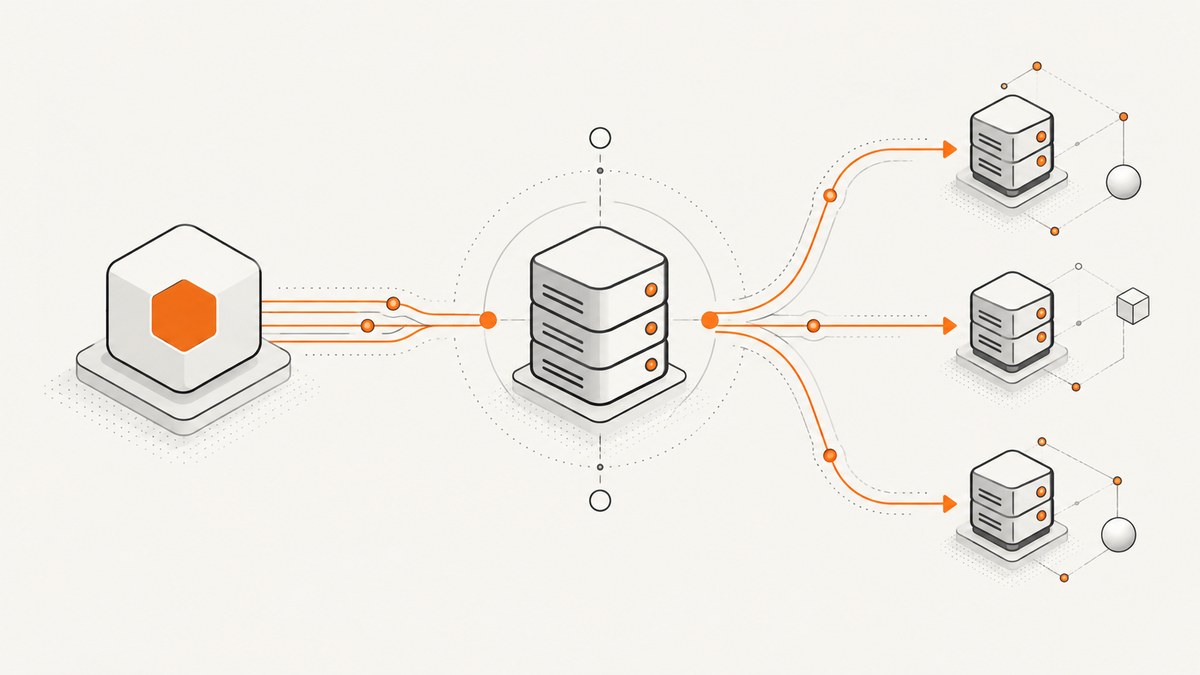
Short answer: start with Node.js’s built-in fetch for most new applications. It is promise-based, standards-oriented and already available as a global in current Node.js releases. Choose Undici when you need Node-specific dispatcher and connection controls, Got when you need a feature-rich Node client with retries and streams, or another wrapper when its API and ecosystem match an existing codebase. Use node:http for deliberately low-level streaming and connection work. There is no universal fastest client: measure your own Node version, payloads, concurrency, TLS setup and response handling.
This guide compares seven current choices: built-in fetch, Undici, Axios, Got, Ky, node-fetch and SuperAgent. It also explains the lower-level node:http baseline and why Request belongs only in migration plans.
Decision table
| Client | Best starting point | Reasons to choose it | Watch-outs |
|---|---|---|---|
Node.js fetch |
Most new Node services | No extra dependency; familiar Fetch API | HTTP 4xx/5xx do not reject; add status checks |
| Undici | Node-specific control | Fetch plus dispatcher, Client, Pool and Agent APIs | Lower-level APIs require connection-management knowledge |
| Axios | Existing Axios applications | Recognizable promise-based client and broad ecosystem | Verify current runtime and feature requirements in its documentation |
| Got | Rich Node-only features | Retries, streams, pagination, HTTP/2, hooks, proxy and timeout controls | Retries are enabled by default; configure idempotency and limits |
| Ky | Fetch-style wrapper | Convenient Fetch-based API | Check current runtime support and exact options |
| node-fetch | Compatibility or dependency needs | Fetch implementation for projects that need a package | Often unnecessary on Node versions with global fetch |
| SuperAgent | Shared browser/server style | Fluent request-building API | Evaluate maintenance and module requirements for your project |
1. Node.js built-in fetch
Built-in fetch is the sensible default when your service needs ordinary JSON, text or small binary requests. It uses standard Request, Response, Headers and AbortController concepts, so examples transfer to browsers and Fetch-based libraries.
const response = await fetch('https://api.example.com/users', {
  headers: { accept: 'application/json' },
  signal: AbortSignal.timeout(10_000)
});

if (!response.ok) {
  throw new Error(`HTTP ${response.status}`);
}

const users = await response.json();
console.log(users);
A fulfilled fetch promise means the network exchange completed. A 404 or 500 still gives you a response; inspect response.ok or response.status. The promise rejects for transport failures such as DNS, connection or TLS errors. Also handle parsing failures separately: a successful status can still contain invalid JSON.
POST, cancellation and bounded bodies
const controller = new AbortController();
const timer = setTimeout(() => controller.abort(), 5_000);

try {
  const response = await fetch('https://api.example.com/jobs', {
    method: 'POST',
    headers: {
      'content-type': 'application/json',
      authorization: `Bearer ${process.env.API_TOKEN}`
    },
    body: JSON.stringify({ type: 'thumbnail', id: 'abc123' }),
    signal: controller.signal
  });
  if (!response.ok) throw new Error(`Request failed: ${response.status}`);
  console.log(await response.json());
} finally {
  clearTimeout(timer);
}
For untrusted or potentially large responses, prefer streaming or enforce an application-specific size limit instead of calling response.json() without bounds. A stream consumer can stop reading when its limit is reached.
2. Undici
Undici is the project that implements Fetch for Node and also exposes lower-level dispatcher APIs. Use its package API when you need explicit control over one-origin clients, connection pools or routing across origins. A Client targets one origin and connection, a Pool manages connections for an origin, and an Agent routes across origins.
import { fetch, Pool } from 'undici';

const pool = new Pool('https://api.example.com', {
  connections: 10,
  pipelining: 1
});

const response = await fetch('/health', { dispatcher: pool });
if (!response.ok) throw new Error(`HTTP ${response.status}`);
console.log(await response.text());
await pool.close();
Do not assume the global fetch and an imported Undici fetch have identical implementation details without checking the guidance for the versions you deploy. If you only need standard requests, global fetch avoids an extra dependency. If you need dispatcher configuration, use the package deliberately and close clients or pools during shutdown.
3. Axios
Axios is a familiar promise-based client used in many existing Node and browser codebases. It can be a practical choice when your team already has Axios instances, interceptors and shared request helpers. Start with the project’s current setup instructions because this dossier does not establish a complete, version-specific feature matrix.
import axios from 'axios';

const client = axios.create({
  baseURL: 'https://api.example.com',
  timeout: 10_000,
  headers: { accept: 'application/json' }
});

try {
  const { data } = await client.get('/users');
  console.log(data);
} catch (error) {
  if (error.response) {
    console.error('HTTP status:', error.response.status);
  } else {
    console.error('Transport or setup error:', error.message);
  }
}
Document how your Axios instance treats non-2xx responses, cancellation, retries and response parsing. Consistency matters more than choosing a fashionable wrapper.
4. Got
Got is a Node-focused client with Promise and stream APIs. Its documentation lists pagination, HTTP/2, retry handling, advanced timeouts, caching, proxy support, Unix sockets, hooks and plugins. Got retries failures by default, so review its retry policy against the idempotency of your operation and the upstream service’s rate limits.
import got from 'got';

const response = await got('https://api.example.com/users', {
  responseType: 'json',
  timeout: { request: 10_000 },
  retry: {
    limit: 2,
    methods: ['GET'],
    statusCodes: [408, 429, 500, 502, 503, 504]
  }
});

console.log(response.body);
For a non-idempotent POST, disable retries or add an idempotency key understood by the server. Use Got’s stream interface for large bodies and inspect timeout phases when diagnosing slow DNS, connection, TLS or response operations.
5. Ky
Ky is a Fetch-based JavaScript HTTP client. It suits teams that want Fetch’s programming model with a wrapper API. Confirm the current Node runtime support, module format and exact retry, timeout and hook behavior in the Ky documentation before standardizing it.
import ky from 'ky';

const user = await ky.get('https://api.example.com/users/42', {
  timeout: 8_000,
  headers: { accept: 'application/json' }
}).json();

console.log(user);
Because Ky builds on Fetch concepts, retain the same discipline around status handling, cancellation and bounded response consumption.
6. node-fetch
node-fetch provides a Fetch API implementation for Node. On current Node releases with global fetch, a new project usually does not need a second implementation. It remains useful when a project’s compatibility policy, dependency graph or test setup specifically requires the package.

import fetch from 'node-fetch';

const response = await fetch('https://api.example.com/data');
if (!response.ok) throw new Error(`HTTP ${response.status}`);
console.log(await response.json());
Keep one Fetch implementation per application boundary where possible. Mixing globals and package implementations can produce subtle differences in types, agents or mocking, so make the choice explicit in shared modules.
7. SuperAgent
SuperAgent describes itself as an HTTP client for Node.js and browsers. Its request-building style can fit applications that share request code between server and browser or prefer a fluent API.
import request from 'superagent';

const response = await request
  .get('https://api.example.com/users')
  .set('accept', 'application/json')
  .timeout({ response: 5_000, deadline: 10_000 });

console.log(response.body);
Before adopting it for a new service, check its current release, runtime compatibility and how your team wants to handle retries, errors and streaming.
Lower-level baseline: node:http
Node’s node:http module is stable and deliberately low-level. Its interfaces support large, possibly chunk-encoded messages and avoid buffering entire requests or responses, allowing streaming. Use it when you need direct control over sockets, headers, backpressure or unusual protocol behavior.

import http from 'node:http';

const req = http.request({
  hostname: 'api.example.com',
  path: '/large-export',
  method: 'GET',
  headers: { accept: 'application/octet-stream' }
}, (res) => {
  if (res.statusCode < 200 || res.statusCode >= 300) {
    res.resume();
    req.destroy(new Error(`HTTP ${res.statusCode}`));
    return;
  }
  res.pipe(process.stdout);
});

req.on('error', console.error);
req.end();
An http.Agent manages connection persistence and reuse. If you create Agents explicitly, configure keep-alive intentionally and destroy the Agent when it is no longer needed; idle sockets consume operating-system resources.
How to choose by requirement
Need a standard API and minimal setup?
Use global fetch. Add a small helper that checks status, parses the expected content type and applies an AbortSignal timeout.
Need streaming or connection control?
Use node:http for maximum control or Undici’s Client, Pool and dispatcher options for a higher-level Node-specific design. Bound response sizes and close resources during shutdown.
Need retries, pagination or HTTP/2 in one Node client?
Evaluate Got. Treat retries as application behavior: limit attempts, honor 429 responses and retry only operations that are safe to repeat.
Need browser and server sharing?
Fetch, Ky, Axios or SuperAgent can reduce conceptual switching. Verify the exact runtime and bundling behavior rather than assuming that a package’s browser API and Node transport behave identically.
Maintaining Request code?
Request is unmaintained and should be treated as a migration concern. Plan a replacement, add tests around status, parsing, retries and authentication, then migrate endpoint by endpoint. Got’s migration guidance and the Request maintainers’ issue document this legacy status.
Reliable request patterns
- Separate failure classes. Log DNS/TLS/connection failures, HTTP status failures and body parsing failures differently.
- Set deadlines. Use AbortController or the client’s timeout phases; never let a request wait forever.
- Retry narrowly. Retry idempotent operations and transient statuses only. Add jitter and respect server rate limits.
- Limit input and output. Validate URLs, cap upload and download sizes, and stream large payloads.
- Reuse connections. Keep a shared client or pool for repeated calls to the same service, and close it on shutdown.
- Make observability useful. Record method, host, status, duration, attempt count and a request identifier; redact credentials and sensitive headers.
Performance, reliability and cost notes
The dossier contains no shared benchmark, so do not publish a universal speed ranking. Throughput depends on Node version, payload size, concurrency, connection reuse, TLS handshakes, proxy paths and whether responses are streamed or buffered. Benchmark your real workload with warm and cold connections, representative errors and the same response-consumption code used in production.
Connection reuse can reduce handshake overhead, but excessive concurrency can exhaust upstream limits or local file descriptors. Pools and Agents need bounded limits. Retries increase load and can multiply costs when a provider bills per request, so cap attempts and avoid retrying non-idempotent operations without server support. The built-in Fetch API has no package installation cost; third-party clients add dependency maintenance and may reduce or increase your application work depending on the features you use.
Or skip the browser setup
If your Node application’s goal is generating website screenshots, you can call ScreenshotNeo instead of operating a browser, consent handling and capture queue yourself. The API returns PNG, JPEG, WebP or PDF from one GET request. The complete option reference is in the ScreenshotNeo documentation.
curl -G "https://api.screenshotneo.com/v1/shot" -d access_key=YOUR_API_KEY --data-urlencode url=https://stripe.com -o shot.webpimport requests
r = requests.get("https://api.screenshotneo.com/v1/shot", params={"access_key": "YOUR_API_KEY", "url": "https://stripe.com"}, timeout=90)
open("shot.webp", "wb").write(r.content)const q = new URLSearchParams({ access_key: 'YOUR_API_KEY', url: 'https://stripe.com' });
const res = await fetch(`https://api.screenshotneo.com/v1/shot?${q}`);Cookie and consent banners are accepted and 60-plus known consent platforms, newsletter popups and chat widgets are removed before capture; each step can be disabled. Bot checks, blank pages, timeouts, failed loads and cache hits are not billed, and response headers identify the page verdict and billing result. ScreenshotNeo also provides an MCP server with take_screenshot, get_page_info and capture_pdf for Claude, Cursor and other MCP clients. The Free plan includes 1,000 screenshots per month with no card; paid plans start at $5 for 3,000.
Create a free ScreenshotNeo account to try 1,000 screenshots each month without a card.
Troubleshooting checklist
| Symptom | Likely cause | Fix |
|---|---|---|
fetch returns a response for 404 |
Fetch treats HTTP errors as fulfilled responses | Check response.ok or status before parsing |
| Requests hang | No deadline or a phase-specific timeout is missing | Use AbortSignal.timeout or configure connect, response and total timeouts |
| Duplicate charges or updates | A retry repeated a non-idempotent operation | Disable retries or use an idempotency key |
| Memory spikes on downloads | Entire response buffered in memory | Stream the body and enforce a maximum size |
| Too many open sockets | Unbounded clients or Agents | Reuse bounded pools and destroy them during shutdown |
| Different behavior in tests | Mixed Fetch implementations or mocks | Standardize on one implementation at the module boundary |
| 429 responses persist | Concurrency or retry policy exceeds service limits | Honor Retry-After, add backoff and reduce concurrency |
FAQ
Is Axios better than fetch?
Neither is universally better. Fetch is built in and standard; Axios may fit an existing codebase and its established helpers. Compare error handling, cancellation, retries, streaming and runtime support for your application.
Is Undici the same as Node fetch?
Undici implements Fetch for Node, but the package APIs and the Node global are versioned and integrated differently. Follow the same-implementation guidance when relying on dispatcher or lower-level behavior.
Should every request be retried?
No. Retry only operations that are safe to repeat or protected by an idempotency mechanism, and enforce a small limit with backoff.
When should I avoid a wrapper?
A wrapper adds maintenance and another abstraction. Avoid it when global fetch already supplies the behavior you need and your team does not need client-specific features.
What is the best client for large files?
Use node:http, Undici streaming or a library’s stream API, then enforce size limits and backpressure. Do not buffer untrusted files by default.
How should I compare clients fairly?
Run a workload-specific benchmark using the same Node version, URLs, payloads, concurrency, connection reuse, TLS settings, timeout policy and response handling. Documentation feature tables are not interchangeable performance measurements.
Further reading: Node HTTP documentation, Undici Fetch API, Got documentation, Ky, node-fetch, SuperAgent, Axios getting started and the Request maintainers’ issue.


