OCaml Web Scraping: Fetch HTML, Parse Selectors, and Handle Real-World Pages
Build an OCaml scraper with Cohttp and Lambda Soup, choose the right runtime, handle failures, and know when browser rendering is required.

Direct answer: for ordinary OCaml web scraping, use Cohttp to download the page and Lambda Soup to select content with CSS selectors. Choose the Cohttp backend that matches your concurrency runtime: Lwt, Async, curl, or Eio. If you need streaming parsing or lower-level parser control, use Markup.ml. This stack handles HTTP and HTML; it does not establish that a browser executes JavaScript, so client-rendered pages may require a browser-capable service.
This guide builds a small scraper, explains each moving part, covers redirects, encodings, timeouts, malformed HTML, concurrency, JavaScript pages, responsible access, and production operations. The examples extract article titles and links, but the same pattern works for product catalogs, documentation pages, feeds, and internal sites you are authorized to access.
1. How OCaml scraping fits together
Scraping has two separate jobs:
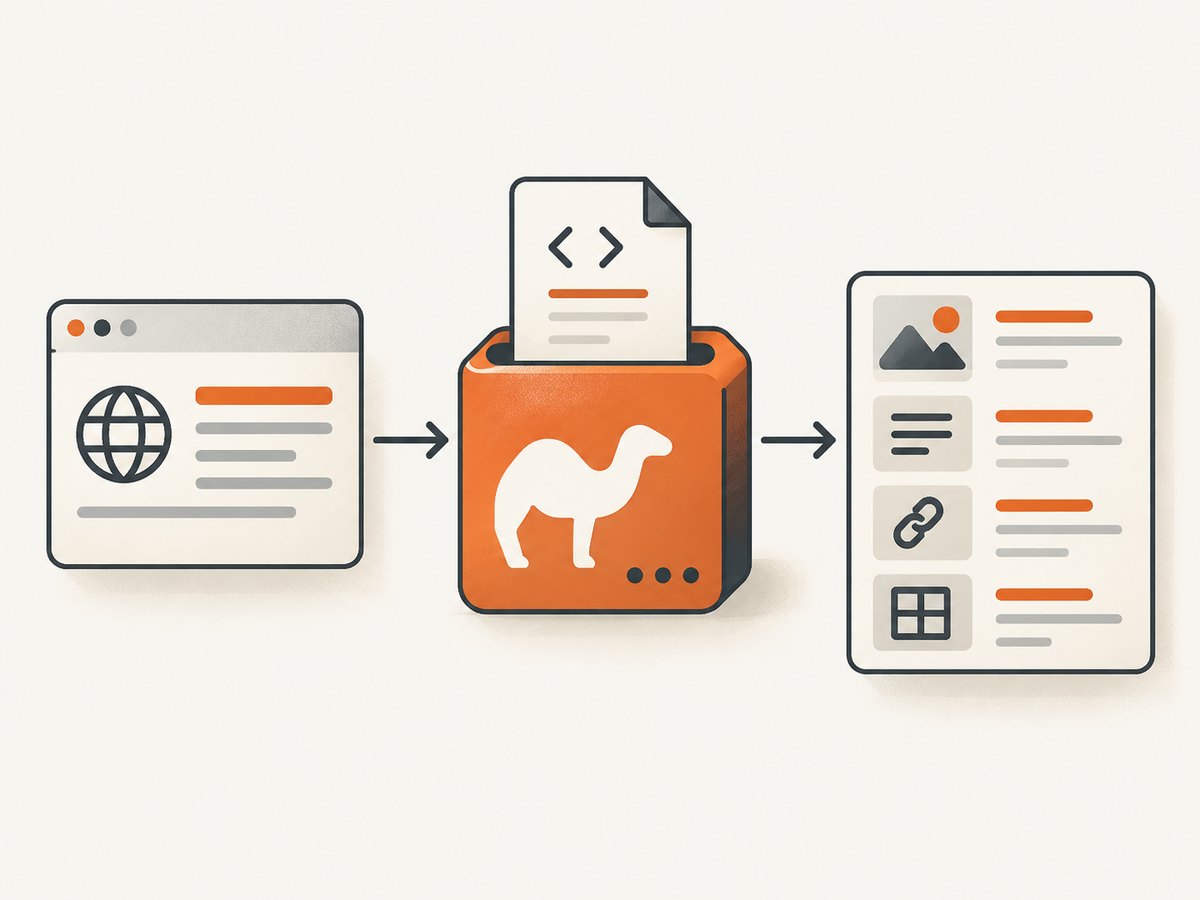
- Fetching: make an HTTP request, follow the response path your application allows, and read the response body. Cohttp provides the HTTP client interface and several runtime-specific implementations.
- Extraction: parse the returned HTML and select the nodes or attributes you need. Lambda Soup offers a document-oriented API with CSS selectors and traversals. Markup.ml offers HTML5/XML parsing, error recovery, and lazy streaming signals.
Keeping these jobs separate makes failures easier to diagnose. A 403 is an HTTP policy problem, while an empty selector result is usually a page-structure or rendering problem.
| Need | Tool | Use it when |
|---|---|---|
| HTTP client | Cohttp plus a backend | You need requests, response headers, status codes, and bodies. |
| CSS selectors and convenient traversal | Lambda Soup | You want a DOM-like API for text, links, attributes, and common extraction tasks. |
| Streaming or parser control | Markup.ml | Input is large or streamed, or you need direct control over parser signals and recovery. |
| Typed HTML generation | TyXML | You are generating valid HTML/SVG; it is adjacent tooling, not a scraper. |
Package documentation describes Cohttp as an OCaml HTTP library, Lambda Soup as an HTML scraping library inspired by Beautiful Soup, and Markup.ml as an HTML and XML parser. Check current opam constraints before pinning versions: package catalogs change over time.
2. Install the packages
For a simple Unix application using Lwt, create a project and install the client, runtime backend, and parser:
opam install dune cohttp-lwt-unix lambdasoupCohttp also documents separate backends for Async, curl, and Eio. Select one backend for the runtime used by your application rather than mixing concurrency models accidentally.
3. A complete OCaml scraper
The following program fetches a page, checks the HTTP response, parses the body with Lambda Soup, and prints links found under article elements. Replace the URL and selectors with ones permitted by the target site.
Project file
(lang dune 3.11)

(executable
 (name scrape)
 (libraries cohttp-lwt-unix lambdasoup))
scrape.ml
open Lwt.Infix

let fetch url =
  let uri = Uri.of_string url in
  let headers =
    Cohttp.Header.init_with "user-agent"
      "ocaml-scraper/1.0 (contact: you@example.com)"
  in
  Cohttp_lwt_unix.Client.get ~headers uri >>= fun (response, body) ->
  let status = Cohttp.Response.status response in
  let code = Cohttp.Code.code_of_status status in
  Cohttp_lwt.Body.to_string body >>= fun html ->
  if code < 200 || code >= 300 then
    Lwt.fail_with
      (Printf.sprintf "HTTP %d (%s)" code
         (Cohttp.Code.string_of_status status))
  else
    Lwt.return html

let text_of_node node =
  Soup.fold_text ( ^ ) "" node
  |> String.trim

let () =
  let url =
    if Array.length Sys.argv > 1 then Sys.argv.(1)
    else "https://example.com"
  in
  Lwt_main.run
    (fetch url >>= fun html ->
     let soup = Soup.parse html in
     soup
     |> Soup.select "article a"
     |> Soup.to_list
     |> List.iter (fun link ->
          let title = text_of_node link in
          match Soup.attribute "href" link with
          | Some href -> Printf.printf "%s\t%s\n%" title href
          | None -> Printf.printf "%s\t(no href)\n%" title);
     Lwt.return_unit)
Build and run it with:
dune exec ./scrape.exe -- https://example.comFor a production scraper, replace the example user agent with an identifiable value and a contact address that your organization can monitor. Do not assume that changing a user agent makes access permitted.
4. Selecting text, attributes, and elements with Lambda Soup
Lambda Soup uses CSS selectors to find nodes. Typical operations include:
let soup = Soup.parse html

(* First matching node *)
let headline = Soup.select_one "h1" soup

(* All matching nodes *)
let cards = Soup.select "article.card" soup |> Soup.to_list

(* Text and attributes *)
let title node = Soup.fold_text ( ^ ) "" node |> String.trim
let href node = Soup.attribute "href" node

List.iter (fun card ->
  let name = Soup.select_one ".name" card |> Option.map title in
  let price = Soup.select_one ".price" card |> Option.map title in
  Printf.printf "%s / %s\n"
    (Option.value ~default:"unknown" name)
    (Option.value ~default:"unknown" price)) cards
Always treat a selector as optional. A redesign can remove a node, produce duplicate matches, or change an attribute. Validate required fields and record the URL when an extraction is incomplete.
5. Choosing Cohttp’s runtime backend
- Lwt: a common choice for Unix services already using Lwt. The example uses
cohttp-lwt-unix. - Async: use the Async implementation when the rest of your service uses Jane Street’s Async scheduler.
- curl: useful when you want the libcurl-backed implementation and its deployment characteristics.
- Eio: Cohttp’s Eio documentation describes direct-style code and multicore support for OCaml 5.0 and later. Use it when your application is already built around Eio.
The HTTP concepts stay the same, but function names, error handling, and scheduling differ by backend. Keep the fetch layer behind your own module signature so extraction code does not depend on one runtime.
6. When Markup.ml is a better fit
Lambda Soup is convenient because it presents a document and selector API. Markup.ml is a better fit when the input is large, arrives as a stream, or you need parser-level control. Its API exposes lazy signal streams, single-pass processing, HTML5/XML parsing, and error recovery.
A practical architecture is to stream with Markup.ml, emit only the fields you need, and avoid retaining a whole document. If you need CSS selectors and the pages fit comfortably in memory, Lambda Soup usually keeps the implementation shorter.
7. HTTP details that affect correctness
Status codes and redirects
Do not parse a body before checking the status. Handle 2xx responses as success according to your application, and classify 3xx, 4xx, and 5xx responses separately. Redirect behavior should be explicit: decide which schemes and hosts are allowed, cap the number of hops, and avoid sending credentials to a different origin.
Headers, cookies, and authentication
Some sites vary responses by Accept, Accept-Language, cookies, or authorization headers. Send only the headers required for your authorized use. Never log cookie or authorization values. If you need a session, isolate its cookie jar per account or tenant.
Character encoding
HTML can declare an encoding in headers or markup. Preserve the response bytes until your decoding policy is clear. Unexpected replacement characters can break selectors and downstream deduplication. Test pages containing accented characters, emoji, and non-Latin scripts.
Compression and body limits
Set a maximum response size before retaining content. A compressed response can expand dramatically, and an unexpectedly large page can exhaust memory. Store only the fields needed for the job.
8. JavaScript-rendered pages
Cohttp downloads HTTP responses and Lambda Soup parses the returned HTML. The reviewed package documentation does not establish browser JavaScript execution. If the data appears only after client-side code runs, the initial HTML may not contain it.
Check the raw response first. If the required data is available in an authorized JSON endpoint, fetching that endpoint can be simpler and more reliable than rendering a browser. If the page requires a browser, use a browser automation stack or a screenshot/rendering service and apply the target site’s rules.
9. Reliability and performance checklist
- Set connect, read, and total-operation timeouts.
- Retry only transient failures such as selected network errors and 502/503 responses; use exponential backoff and a maximum attempt count.
- Do not retry deterministic 401, 403, 404, or selector-validation failures.
- Limit concurrency per host and respect published site policies.
- Cache pages when freshness requirements allow it, with a documented TTL.
- Record status, final URL, elapsed time, response size, parser errors, and extraction counts.
- Use idempotent jobs so a retry cannot duplicate stored records.
- Test selectors against representative fixtures, including empty lists and changed markup.
No benchmark in the research establishes that one OCaml parser or Cohttp backend is faster than another. Measure with your pages, network, concurrency, and deployment configuration.
10. Common errors and fixes
| Symptom | Likely cause | Fix |
|---|---|---|
| HTTP 403 or 429 | The site rejected or throttled the request. | Check permission and terms, reduce concurrency, identify your client, and use an approved access method. |
| Empty selector result | Selector mismatch, changed markup, or content rendered by JavaScript. | Save the raw HTML, inspect it, verify the selector, and check whether the data exists before scripts run. |
| Timeouts | Slow origin, network path, or oversized response. | Set separate timeouts, cap body size, retry transient failures, and log elapsed phases. |
| Malformed HTML causes missing nodes | Recovery produced a different tree than expected. | Use tolerant parsing, inspect the recovered structure, and add fixture tests for that page. |
| Unicode is corrupted | Incorrect decoding or inconsistent page declarations. | Honor HTTP and HTML charset metadata and test non-ASCII fixtures. |
| Works locally but fails in production | Different proxy, DNS, certificates, runtime backend, or outbound policy. | Log response metadata, verify CA certificates and proxy settings, and test the same deployment path. |
11. Responsible and permitted scraping
Library capability does not determine whether a particular site permits automated access. Read the target’s terms, robots guidance where relevant, authentication requirements, rate limits, and applicable law. Scrape only data you are authorized to access, minimize collection, protect personal information, and provide a way to stop the job when an operator requests it.
12. Or skip the browser setup
If your goal is a clean visual capture rather than parsed text, ScreenshotNeo provides a single HTTP request for a PNG, JPEG, WebP, or PDF. It accepts cookie and consent banners like a visitor, then removes more than 60 known consent platforms, newsletter popups, and chat widgets before capture; each step can be turned off. Bot checks, blank pages, timeouts, failed loads, and cache hits are not billed, and the response identifies the result with X-Page-Verdict and X-Billed headers. It also provides an MCP server with take_screenshot, get_page_info, and capture_pdf tools for Claude, Cursor, and other MCP clients.

See the ScreenshotNeo API documentation for the complete option set, including full-page capture with lazy images, CSS element capture, dark mode, device presets, retina scale, PDF settings, custom CSS and JavaScript, clicks, waits, request blocking, headers, cookies, user agents, authorization, timezone, geolocation, transparent backgrounds, resizing, caching, signed links, asynchronous jobs, webhooks, bulk capture, usage, and the OpenAPI specification.
cURL
curl -G "https://api.screenshotneo.com/v1/shot" -d access_key=YOUR_API_KEY --data-urlencode url=https://stripe.com -o shot.webpPython
import requests

r = requests.get(
    "https://api.screenshotneo.com/v1/shot",
    params={"access_key": "YOUR_API_KEY", "url": "https://stripe.com"},
    timeout=90,
)
r.raise_for_status()
open("shot.webp", "wb").write(r.content)
Node.js
const q = new URLSearchParams({ access_key: 'YOUR_API_KEY', url: 'https://stripe.com' });
const res = await fetch(`https://api.screenshotneo.com/v1/shot?${q}`);
if (!res.ok) throw new Error(`HTTP ${res.status}`);
const data = Buffer.from(await res.arrayBuffer());
await import('node:fs/promises').then(fs => fs.writeFile('shot.webp', data));
The free plan includes 1,000 screenshots each month with no card. Paid plans start at $5 for 3,000 screenshots, and every feature is available on every plan. Create a free ScreenshotNeo account.
13. FAQ
Can Lambda Soup scrape a site without Cohttp?
Lambda Soup parses HTML; it does not replace an HTTP client. Supply it with HTML from Cohttp, a file, or another authorized source.
Should I use Markup.ml for every scraper?
No. Use Lambda Soup for convenient selector-based extraction and Markup.ml when streaming, memory use, or parser signals are central.
How do I scrape a page that requires login?
Use an authorized session and provide the required cookies or headers securely. Confirm that automated access is allowed and never put credentials in logs or source control.
Why is my result different from the browser?
The browser may execute JavaScript, send different headers, maintain cookies, or receive personalized content. Compare the raw HTTP response with the browser’s rendered DOM.
Is OCaml scraping faster than Python?
The research provides no comparative throughput benchmark. Measure the complete workload, including network latency, parsing, concurrency, and storage.


