OG Image PNG Generator
Create a crisp 1200×630 OG image, add the right social metadata, and fix previews that do not update. Choose a browser generator or automate PNGs with an API.

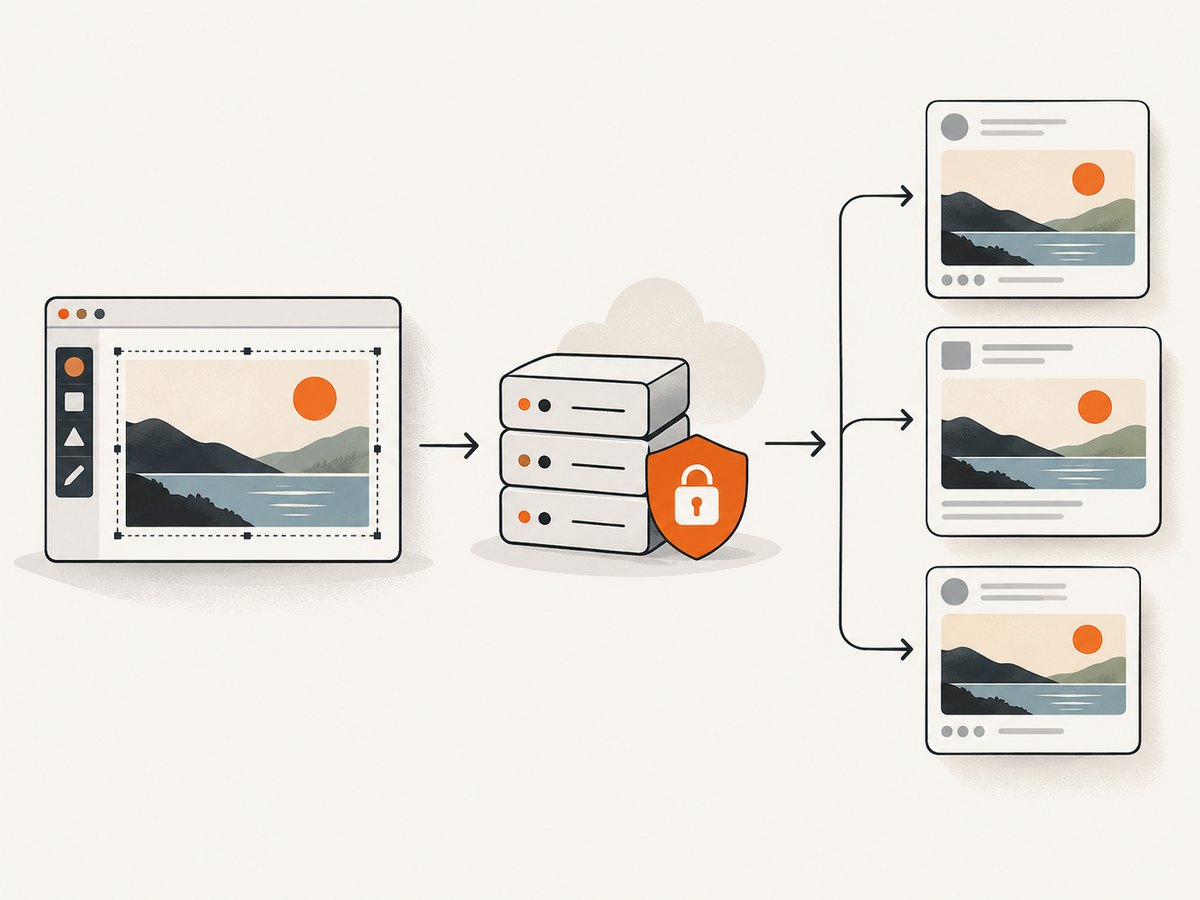
An OG image generator creates the preview graphic that appears when someone shares a webpage in social networks and chat apps. For a reliable starting point, make a 1200 × 630 pixel PNG, host it at a stable absolute HTTPS URL, and declare its URL and dimensions in the page metadata. Use a browser editor for occasional pages; use a URL-based API when every page needs its own image or generation belongs in a build or CMS.
This guide covers image size and safe areas, a manual workflow, an automated API example, complete social metadata, validation, caching problems, and common fixes.
1. OG image basics and recommended dimensions
Open Graph metadata lets a page specify information used to build a link preview, including its preview image. The image is often the most visible part of a shared link. The broadly compatible baseline is 1200 × 630 pixels, a landscape ratio of about 1.91:1. It is suitable for Facebook, X/Twitter, LinkedIn, Slack, Discord, WhatsApp, iMessage, and similar preview contexts. See the [OG image size guide](#) for the cited specification.
Choose PNG for typography, flat graphics, and screenshots: its crisp edges suit text and shapes. JPEG can reduce file size when the image is primarily photographic. A format choice cannot compensate for a poor crop, unreadable text, or an inaccessible image URL.
Keep important content in the safe area
Some clients crop or resize previews. Keep essential text and logos inside roughly the central 87% of the canvas. On a 1200 × 630 canvas, that means leaving about 60 pixels at each edge. Treat this as a practical margin, not a guarantee that every platform will render an identical crop. Keep decorative elements near the edges if desired, but do not put the only copy of a title or logo there.
| Choice | Good starting point | Why |
|---|---|---|
| Canvas | 1200 × 630 px | Broad compatibility across common sharing contexts |
| Format | PNG for text and graphics | Preserves crisp edges |
| Safe area | About 60 px inset | Reduces risk of important content being cropped |
| Image URL | Absolute HTTPS URL | Can be fetched by remote preview crawlers |
2. Make and export a PNG with a browser generator
A browser-based generator is convenient for a one-off blog post, product launch, or landing page. The researched example, og-image.org, lets a user choose a template, edit title, description, colors, and background, download a PNG, and copy the metadata. Its documentation says its editor runs in the browser and states, “Your data never leaves your device.” Check the provider’s own [Getting Started documentation](#) for its current behavior and instructions.
- Set the content. Enter the page title and, where useful, a short description and site name. Prefer a concise headline that remains readable at preview size.
- Choose the design. Select a template, then adjust typography, colors, and background to fit the page and brand.
- Check the preview. Confirm the headline fits, contrast is sufficient, and key content remains within the central safe area.
- Export a 1200 × 630 PNG. Open the downloaded file and verify it is the expected size and format before publishing.
- Host it at a stable HTTPS address. Use a URL that does not require a login or browser session. Avoid changing the contents at the same URL if sharing clients may have cached an earlier version; a versioned filename is a simple way to publish a changed image.
- Add metadata to the page. Put the tags in the document head, then test the shared page URL in the target platform and refresh its crawl if an old preview remains.
A manual editor is not the only way to make the asset. You can render a design in an image tool you already use, provided you export the right canvas and serve it correctly. The important deliverable is the image file and its metadata, not which editor produced it.
3. Add the OG and Twitter metadata
Use an absolute HTTPS URL for the image and declare its dimensions with the image tag. Add a title and description for the page as well. For broad support, include the Twitter card tags shown below. Replace the example values with the actual page title, description, and publicly fetchable image location.
<!doctype html>
<html lang="en">
<head>
  <meta charset="utf-8">
  <title>A Useful Page | Example Site</title>
  <meta name="description" content="A short summary of this page.">

  <meta property="og:title" content="A Useful Page">
  <meta property="og:description" content="A short summary of this page.">
  <meta property="og:type" content="website">
  <meta property="og:url" content="https://example.com/useful-page/">
  <meta property="og:image" content="https://example.com/images/useful-page-v1.png">
  <meta property="og:image:width" content="1200">
  <meta property="og:image:height" content="630">

  <meta name="twitter:card" content="summary_large_image">
  <meta name="twitter:title" content="A Useful Page">
  <meta name="twitter:description" content="A short summary of this page.">
  <meta name="twitter:image" content="https://example.com/images/useful-page-v1.png">
</head>
<body>
  <main>Page content goes here.</main>
</body>
</html>
The `og:url` should identify the page being shared. The `og:image` and `twitter:image` values identify the image file. Ensure the HTML reaches the crawler with the tags in its head; metadata added only after client-side JavaScript runs may not be visible to every crawler. The image itself must be reachable over HTTPS without an interactive sign-in.
Publishing checklist
- Image is 1200 × 630 pixels, with important elements inset from the edges.
- PNG is used for text or flat graphics; JPEG is considered for photo-heavy art when smaller files matter.
- `og:image` is an absolute HTTPS URL and points to the current asset.
- `og:image:width` and `og:image:height` match the actual file.
- `twitter:card` is `summary_large_image` and `twitter:image` points to the intended image.
- The page HTML serves the tags in the head, and the image URL is publicly fetchable.
- The target platform has been asked to re-crawl the page after a metadata or image change.
4. Generate images through an API
Choose an API when image creation is repeated: for example, when a build, CMS, or edge pipeline produces a distinct image for each page. An API can take template parameters and content in a request, then return a rendered asset. The researched og-image.org documentation describes `GET /api/og`, URL parameters for templates, text, and backgrounds, PNG as its default output, and SVG as an option. Consult its [API documentation](#) for the provider’s exact parameter names and current limits.
Here is a generic Python pattern for requesting an image endpoint that returns PNG bytes. This is runnable once `OG_RENDER_URL` is set to the actual endpoint and query parameters are adapted to that provider’s documented contract. It deliberately does not guess the provider’s parameter names.
import os
from pathlib import Path
import requests

render_url = os.environ["OG_RENDER_URL"]
params = {
    # Replace these keys with the renderer's documented parameters.
    "title": "A Useful Page",
    "description": "A short summary of this page.",
    "format": "png",
}
response = requests.get(render_url, params=params, timeout=30)
response.raise_for_status()
content_type = response.headers.get("content-type", "").split(";", 1)[0]
if content_type != "image/png":
    raise RuntimeError(f"Expected image/png, got {content_type or 'no content type'}")
Path("og-image.png").write_bytes(response.content)
print("Wrote og-image.png", len(response.content), "bytes")
Keep the generated artifact separate from the page metadata step. Your pipeline should generate the image, upload it to stable public HTTPS storage, and then publish the page with the final URL. If generation succeeds but upload fails, do not publish tags pointing to a missing object. If an image is regenerated, prefer a versioned URL or another cache-aware update strategy so a platform does not keep displaying stale bytes for a reused URL.
Manual editor or API?
| Need | Better fit | Consider |
|---|---|---|
| A handful of posts or launches | Browser editor | Fast visual iteration and direct export |
| Unique images for many pages | API | Template consistency, content mapping, and failure handling |
| Design review by a person | Either | Preview the actual rendered image before publication |
| Build or CMS integration | API | Keep credentials server-side and publish only after upload succeeds |
ogmake’s published material similarly distinguishes a downloadable one-template free workflow from a paid API for repeated generation. OGForge advertises reusable templates, multiple raster formats, a dynamic API, and immutable cached URLs. These are vendor descriptions; compare current terms and behavior on the providers’ own pages before selecting a service.
5. Screenshot a page for a custom OG image
If the desired social image is a capture of a live webpage, capture the page at the right viewport and use that image as the OG asset. A browser screenshot API can help with a static set of pages or with a capture step in a content pipeline. Choose an image renderer when you need to lay out title text and a background from data; choose a screenshot when the webpage itself is the visual source.

ScreenshotNeo is a website screenshot API and MCP server for developers. Its one-request API can return a PNG, JPEG, WebP, or PDF. The API can capture a full page, one CSS-selected element, or a chosen viewport and supports options such as custom CSS, waits, and device presets. See the ScreenshotNeo API documentation for available parameters.
For a public HTML image tag, use a signed link option; for automated publishing, async jobs and signed webhooks can fit a pipeline. Bulk capture accepts up to 100 URLs per call. ScreenshotNeo says bot checks, blank pages, timeouts, failed loads, and cache hits cost nothing, and responses report the page verdict and billing status in `X-Page-Verdict` and `X-Billed` headers. These are relevant when the source page is not consistently available.
6. Troubleshoot a missing or stale preview
| Symptom | Likely cause | Fix |
|---|---|---|
| No image appears | Image URL is relative, inaccessible, or misspelled | Use an absolute HTTPS URL and open it without a logged-in browser session. |
| Old preview persists | Sharing client cached a previous crawl or the image at the same URL | Request a fresh crawl in that platform. For a changed asset, publish a versioned filename and update the tags. |
| Wrong crop or tiny text | Design does not suit the landscape preview or text sits near an edge | Use a 1200 × 630 canvas, enlarge essential type, and move key content into the central safe area. |
| Metadata seems ignored | Tags are missing from the delivered HTML, duplicated, malformed, or injected too late | Inspect the page source or crawler-visible response; keep one clear set of tags in the head. |
| Image works locally but not on share | Remote crawler cannot access the asset, perhaps due to authentication or access restrictions | Serve it from a public HTTPS URL and check that the response is an image rather than a login or error page. |
| Dimensions in tags disagree | Image was resized or replaced without updating metadata | Check the actual exported file and make the width and height tags match it. |
| Automated generation fails intermittently | Renderer, upload, or source page had a transient failure | Set a finite timeout, check HTTP status and content type, log the failing URL, and retry transient failures with a limit. Do not publish until the asset is stored successfully. |
7. Performance, reliability, and cost
For a manual workflow, the main costs are design time and maintaining the asset. For an API workflow, account for rendering requests, upload and storage, cache behavior, retries, and the time required to preview or review output. The dossier does not establish universal pricing, latency, file-size limits, or service-level guarantees for the image generators mentioned here; check each provider’s current documentation and terms rather than planning around assumed numbers.
Keep templates reusable and avoid generating an image on every page request if its content has not changed. Generate during publishing or in a controlled job, store the result, and reference that stable URL in metadata. For reliability, validate the response status and content type, retain useful error logs, use bounded retries for temporary failures, and avoid overwriting a known-good image until a new render and upload have completed. Preview links after publication because platform caches mean a technically correct update may not appear immediately.
ScreenshotNeo pricing is $0 for 1,000 shots per month with no card, then Starter at $5 for 3,000, Growth at $15 for 15,000, Pro at $39 for 60,000, Scale at $99 for 250,000, and Business at $249 for 1,000,000; yearly billing gives two months free. Every feature is on every plan. These are screenshot captures, not a general OG graphic design API: use them when capturing a webpage is the image you need.
8. Or skip the browser setup
For a screenshot-derived social image, ScreenshotNeo makes the capture a single GET request. It accepts and removes cookie/consent banners from 60+ known platforms, newsletter popups, and chat widgets before capture; each cleanup step can be turned off. Bot checks, blank pages, and failed loads are never billed. Its MCP server lets Claude, Cursor, and other MCP clients take screenshots. The free plan includes 1,000 screenshots a month with no card; paid plans start at $5 for 3,000.
Install the Python dependency with python -m pip install requests, set your API key, then run:
import requests

r = requests.get(
    "https://api.screenshotneo.com/v1/shot",
    params={"access_key": "YOUR_API_KEY", "url": "https://stripe.com"},
    timeout=90,
)
open("shot.webp", "wb").write(r.content)
Equivalent cURL and Node.js calls:
curl -G "https://api.screenshotneo.com/v1/shot" -d access_key=YOUR_API_KEY --data-urlencode url=https://stripe.com -o shot.webpconst q = new URLSearchParams({ access_key: 'YOUR_API_KEY', url: 'https://stripe.com' });
const res = await fetch(`https://api.screenshotneo.com/v1/shot?${q}`);Use the returned capture as the hosted image, then set `og:image` to its stable public HTTPS URL and include the matching dimensions. For API options and output configuration, see the docs. Sign up free for 1,000 screenshots a month, with no card required.
9. FAQ
Can I use SVG as an OG image?
The cited size guide recommends PNG for graphic and text-heavy previews; the researched og-image.org API documents SVG as an output option. For widest practical compatibility, use the 1200 × 630 PNG baseline unless your target clients are known to support the format you choose.
Do I need separate OG and Twitter image files?
The example points both metadata systems at the same image. Use one file when the same composition serves both; create separate assets only if you need different designs or dimensions for a specific client.
Will changing the page HTML update shares that already exist?
Not necessarily. Sharing platforms cache crawled previews. Re-crawl the page in the target platform after changing the metadata or image, and consider changing the image URL when replacing its contents.
Should every page have a unique image?
A unique image makes sense when the page topic or title should be visible in the preview. A reusable brand image can be adequate for pages where a custom visual adds little, but keep its metadata accurate and the image URL stable.


