How to Generate On-Brand LinkedIn Carousels With Claude
Turn a source document into an editable, on-brand LinkedIn carousel with Claude. Follow a content-first workflow, review the design, and check export requirements before publishing.

To generate an on-brand LinkedIn carousel with Claude, give it the source material, audience, goal, brand rules, and examples of approved work. Ask for a sourced slide outline first, review and approve that outline, then have Claude create an editable design or slide artifact. Check the copy and visuals against your references, export the result, and validate the file against the requirements for the LinkedIn format you plan to use.
The essential workflow is: brand context → reader outcome → slide outline → editable artifact → two-pass review → export and validation. The outline is the key checkpoint: it helps keep each card focused and factual before you spend time polishing the design.
1. Prepare the brand and source material
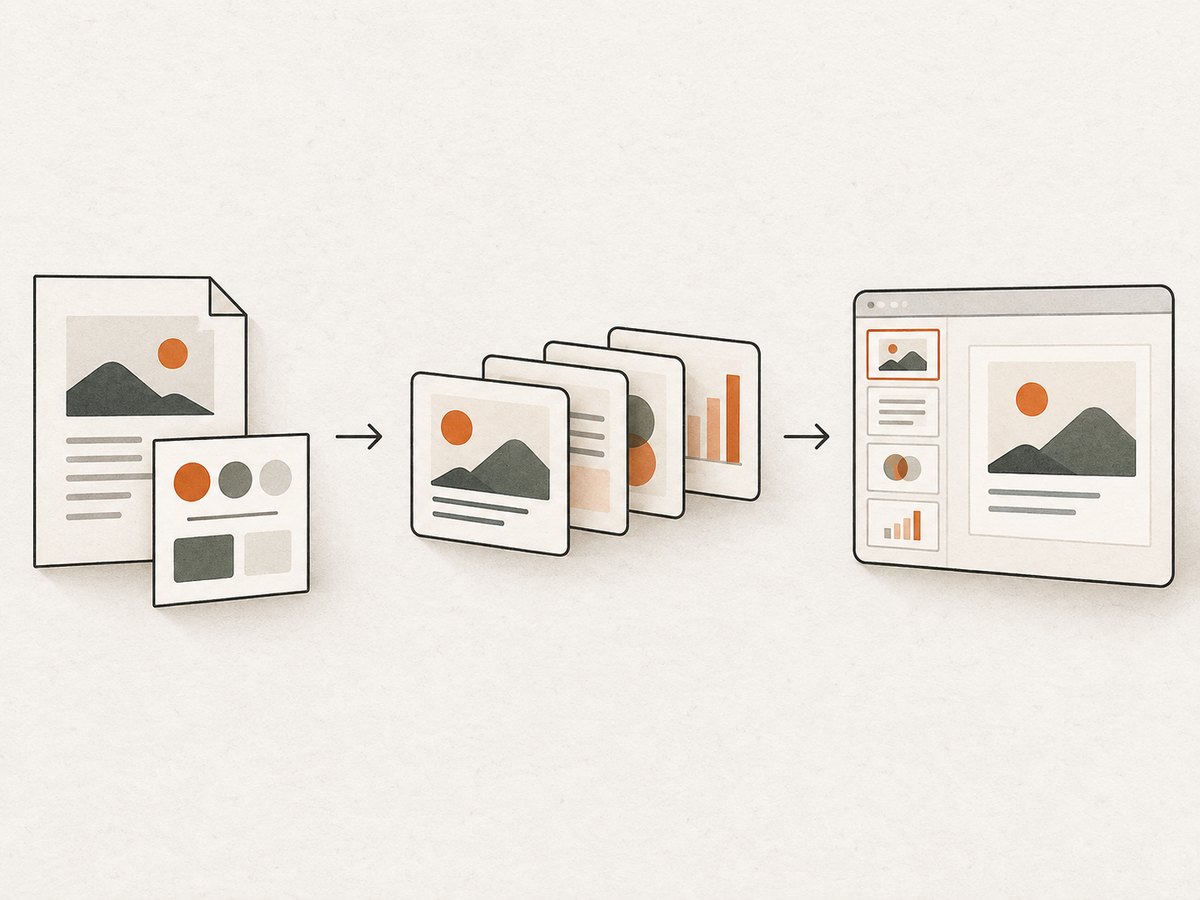
Claude can only follow the guidance it can see. Collect approved inputs before starting so it has a clear standard to work against. Claude Academy’s cross-platform workflow uses a source document, a communication style guide, and representative past work as references. It also specifically demonstrates adapting source content into a LinkedIn carousel.
- Source: the article, report, presentation, or notes the carousel should communicate. Use the approved version, and identify which parts are authoritative.
- Audience: who should understand or act on the message, plus their familiarity with the subject.
- Objective: one outcome for the reader, such as understanding a framework or taking a next step.
- Voice: a communication style guide with tone, approved terminology, words to avoid, and examples of how the brand explains difficult ideas.
- Visual rules: approved colors, typography, logo use, spacing, accessibility requirements, and any rules about illustration or photography.
- Examples: two to five approved posts, decks, or designs that show the voice and visual system in practice.
Use a connected workspace folder if the source and references live there and Claude has access to it. Otherwise, attach the specific files needed for this assignment. Avoid giving it a broad archive and expecting it to infer which work is approved. A few relevant examples with clear labels are easier to use and review.
If your organization has configured a Claude Design system, projects can use its brand colors, typography, and component patterns. You can also provide design references. Availability of Claude Design and related export options can depend on plan and organization settings; check the current Claude Design help page.
2. Define the reader’s outcome
A carousel should deliver one main idea in a sequence. Before writing cards, decide what a reader should understand, remember, or do after swiping through it. If the source contains several messages, choose the one that best supports this outcome and reserve the others for a separate post.
Ask Claude to identify four things before drafting:
- Problem: what question or difficulty does the reader have?
- Promise: what useful understanding or result will this carousel give them?
- Proof: which source passages, examples, or data support the key claims?
- Next step: what should a reader do or consider after finishing?
Ask Claude to flag unsupported claims rather than fill gaps with plausible-sounding details. This makes factual review easier and reduces the chance that a concise card turns a qualified statement into an absolute one.
3. Ask for a content-first outline
Request a 2–10-card outline before asking Claude to design the carousel. Treat that range as a useful editorial target, not a universal limit for every organic LinkedIn document post. One idea per card usually makes the sequence easier to follow. Ask for a strong opening hook, evidence or examples where needed, and a final takeaway or next step.
A flexible sequence is:
- Cover: the problem, result, or useful question that makes the subject clear.
- Context: why the problem matters to this audience.
- Insight: the central idea or misconception to resolve.
- Framework or steps: the method in an order the reader can apply.
- Example: show the method in a real, sourced situation.
- Proof or caveat: support the claim and state meaningful limits.
- Summary and next step: give the reader a practical action.
This is a menu, not a reason to pad the deck. A focused tutorial may need fewer cards; a case study may need more room for context and evidence. Ask Claude to explain what each card contributes and remove any card that repeats another without advancing the message.
Prompt template for the outline
Act as our senior content strategist and brand designer. Using the attached source document, communication style guide, approved examples, and design references, plan a LinkedIn carousel for [audience] whose goal is [single reader outcome].

Preserve our approved terminology and tone. Do not add facts that are not supported by the source. First return:
1. The core promise to the reader.
2. A slide-by-slide outline of 2–10 cards, with one main idea per card.
3. The source passage or evidence supporting each factual claim.
4. A visual direction that follows the attached brand references.
5. Any unsupported claims, ambiguous brand rules, or content that may be hard to read on a phone.

Make the first card work as a clear cover. Include a concise final takeaway and next step. Wait for my approval before creating the designed artifact.
Review the outline yourself before moving on. Check whether the hook is specific, the order makes sense, and every number, quotation, or causal claim can be traced to supplied evidence. Correct the outline while it is still inexpensive to change.
4. Create an editable artifact
After approving the outline, ask Claude to create an editable slide or design artifact using the approved sequence and brand system. Claude Artifacts are intended for substantial, standalone work that can be edited and reused; see Anthropic’s Artifacts help page. Claude Design supports visual iteration and can export to PowerPoint or PDF, subject to current feature availability and settings.
Be specific about the deliverable. For example, ask for one square card per slide, a consistent title and body hierarchy, enough negative space for mobile reading, and a restrained use of accent colors. If the team has an approved design system, tell Claude to use it. If it does not, attach an approved deck or screenshot and explicitly say that it is a reference, not permission to copy unrelated content.
Using the approved outline, create an editable LinkedIn carousel artifact.

Use one square card per slide. Follow the attached brand system for colors, typography, spacing, and logo placement. Keep one main point on each card and make the text readable at phone size. Keep factual wording traceable to the supplied source; preserve caveats. Use visual examples only where they clarify the idea. Add the source reference in speaker notes or a separate review table, not as unsupported text on the card.

Create a strong standalone cover and a final card with a useful takeaway. Flag any design choice that conflicts with a supplied brand rule. Do not add stock logos or unapproved claims.
For a repeatable team workflow, save the approved style guidance and examples in an appropriate project or organization design system, where available. This reduces repeated setup, but still review each carousel: source claims, audience needs, and campaign goals change from one assignment to another.
5. Review the carousel in two passes
Separate editorial review from visual review. Trying to fix every detail at once makes it easier to miss a factual issue or overlook a mobile readability problem.

Pass one: editorial and factual review
- Does the first card tell the reader what the carousel is about and why to continue?
- Does each card advance one idea, with a clear transition to the next?
- Can every factual statement, statistic, and quotation be checked against the source?
- Are caveats preserved, and are examples clearly distinguished from general claims?
- Does the reading level match the intended audience?
- Does the final card give a useful next step instead of repeating the opening?
Pass two: visual, accessibility, and publishing review
- Is the hierarchy clear at phone size, with enough contrast and spacing?
- Are typography, color, logo use, and components consistent with the approved system?
- Does each card have a meaningful role, rather than decorative clutter?
- Are image rights and attribution handled for any externally sourced visuals?
- Is there useful accompanying post copy for context and accessibility, including alt text where the publishing workflow supports it?
- Does the cover work as the first thing a viewer sees?
LinkedIn’s document guidance says the cover is the first page and the first thing viewers see. It also says links and calls to action are not active inside a document as read on LinkedIn; put the usable destination and action in the post copy or another supported placement. See the LinkedIn document guidance. This matters for organic document posts as well as when repurposing a deck: a URL printed on a card may not act like a clickable link in the viewer.
6. Export and check the LinkedIn format
Export the approved artifact as PDF or PowerPoint if you are publishing a document, then inspect the exported file rather than assuming the preview and export match. Check every page for clipping, missing fonts, unexpected line breaks, low contrast, and small text. If you are creating a sponsored carousel ad, export individual image cards and validate them against LinkedIn’s ad specifications.
| Sponsored carousel ad check | LinkedIn specification |
|---|---|
| Number of cards | 2–10 |
| Maximum individual card file size | 10 MB |
| Maximum individual image dimensions | 4320 × 4320 px |
| Recommended individual image | 1080 × 1080 px, square (1:1) |
| Introductory text | Keep to 150 characters to reduce truncation; maximum 255 |
These figures are for LinkedIn sponsored carousel ads, according to its current carousel ad specifications. Do not assume every ad rule automatically applies to an organic document post; check the publishing flow and requirements for the placement you are using. Sponsored ads also have card headline limits and other requirements, so consult LinkedIn’s full specification when preparing a campaign.
Before publishing, use this short checklist:
- Open the exported file on a phone or a phone-sized preview.
- Verify the cover, card order, and final card after export.
- Confirm the intended upload type: document post or sponsored image carousel.
- For an ad, check card count, per-card size and dimensions, supported file type, and intro length.
- Put active links and the call to action in the post text or supported placement.
Choosing a carousel structure
Choose the format based on what the reader needs to do with the information. A text-led carousel is useful for a concise argument; a data-led one requires verifiable figures and clear labels; a case study needs enough context to make the example meaningful; a tutorial needs ordered steps. Compare options before designing:
| Format | Best fit | Review emphasis |
|---|---|---|
| Text-led | A focused argument or lesson | Clear sequence and concise copy |
| Data-led | A finding supported by data | Source, units, time period, and labels |
| Case study | A concrete example of a method or result | Context, evidence, attribution, and caveats |
| Tutorial | A process readers can follow | Correct step order and usable instructions |
Ask Claude to recommend one structure and explain the trade-offs in proof burden, number of cards, visual complexity, production time, and how easily the evidence can be checked. The choice should serve the outcome rather than force every source into the same template.
Or skip the browser setup
If you need screenshots of a landing page, product flow, or reference page to include in the review or design process, you can capture one with ScreenshotNeo. The ScreenshotNeo API documentation covers its screenshot and PDF options.
curl -G "https://api.screenshotneo.com/v1/shot" -d access_key=YOUR_API_KEY --data-urlencode url=https://stripe.com -o shot.webpimport requests
r = requests.get("https://api.screenshotneo.com/v1/shot", params={"access_key": "YOUR_API_KEY", "url": "https://stripe.com"}, timeout=90)
open("shot.webp", "wb").write(r.content)const q = new URLSearchParams({ access_key: 'YOUR_API_KEY', url: 'https://stripe.com' });
const res = await fetch(`https://api.screenshotneo.com/v1/shot?${q}`);ScreenshotNeo removes cookie banners, newsletter popups, and chat widgets before capture. Bot checks, blank pages, and failed loads are never billed. Its MCP server lets AI agents take screenshots, and 1,000 screenshots a month are free with no card; paid plans start at $5 for 3,000. Sign up for free and get 1,000 screenshots a month with no card.
Performance, reliability, and cost notes
For a one-off carousel, the main time cost is usually getting good source material and reviewing the result. A usable brand guide and relevant examples can reduce repeated corrections, while asking for an outline before design helps catch content problems early. Keep source files focused so the conversation stays centered on material that matters to this carousel.
Plan for human review. Claude can produce an editable artifact, but brand fidelity depends on the quality and clarity of the supplied rules and examples. Verify claims against the source, inspect every exported page, and check current LinkedIn specifications at the point of publishing. Feature access and export choices can change with plan and organization settings; do not base a production workflow on an option until it is available to your account.
Claude usage is subject to the limits of the plan and enabled features. Larger design or deck requests may use more of a usage allowance than a short text exchange. Reduce rework by approving the outline first, then requesting targeted changes such as fixing one card’s hierarchy or shortening one paragraph instead of regenerating the whole deck.
Troubleshooting
| Problem | Likely cause | Fix |
|---|---|---|
| The carousel sounds generic | Claude has no concrete voice examples or approved terminology. | Attach a concise style guide and two to five approved examples. Point to specific phrases or patterns to preserve. |
| The design uses the wrong colors or fonts | The visual rules were missing, ambiguous, or unavailable to the current Claude Design setup. | Provide the approved design system or a clear reference, list the exact rules, and ask Claude to identify conflicts before revising. |
| A statistic or claim cannot be verified | The prompt did not require source mapping, or the source material does not support the claim. | Ask for the exact supporting passage. Remove the claim or label the evidence gap; do not accept a plausible substitute. |
| Cards feel crowded on mobile | Too many ideas or too much body copy were assigned to each card. | Keep one main idea per card, split dense steps, and inspect a phone-sized export before publishing. |
| The exported file differs from the preview | Export can change pagination, line wrapping, or font rendering. | Open the exported PDF or PowerPoint, check every page, and adjust the source design before exporting again. |
| A sponsored carousel is rejected or truncated | A card, file, dimension, or text field may exceed LinkedIn’s current requirements. | Check card count, each image’s dimensions and file size, supported format, intro copy, and full ad specifications. |
| Readers cannot click the link on a card | Document-viewer links and CTAs may not be active inside LinkedIn. | Place the active URL and action in the post copy or another supported destination. |
FAQ
Can Claude create a LinkedIn carousel directly?
Claude can help create the content and an editable slide or design artifact. You still need to review the result, export it, and upload it through the appropriate LinkedIn publishing flow.
Should I make a PDF or separate images?
Use the format required by the publishing placement. An organic document carousel commonly uses a multi-page document, while sponsored carousel ads have individual image-card specifications. Confirm the current requirements for the specific placement before exporting.
How many cards should I use?
Use as many as the message needs, without repetition. For sponsored carousel ads, LinkedIn specifies two to ten cards. For other posts, build a clear sequence and validate against the applicable publishing rules.
Can I use the same prompt every time?
Reuse the process and stable brand rules, but update the source, audience, objective, examples, and evidence for each carousel. A saved prompt cannot supply context that changes between assignments.


