12 Online Code Editors and IDEs for Developers
Compare 12 browser editors, cloud IDEs, and code playgrounds by execution model, terminals, debugging, Git workflows, collaboration, and project fit.

Online code editors are not interchangeable. Some are lightweight browser windows for browsing a repository and changing a few lines. Some execute JavaScript or another supported runtime inside the browser. Others provision a remote Linux machine with a terminal, build tools, debuggers, and persistent project files.
The right choice depends on where your code runs, how much of the project must be available, and whether you need a real development environment. This guide compares 12 options using those criteria.
How to choose an online editor
Start with the execution model:
- Browser editor: The interface runs in a browser, but the page may only edit files. VS Code for the Web and github.dev fit this model.
- Browser runtime: Code executes in the browser sandbox. StackBlitz is the clearest example in this list.
- Remote cloud environment: Your files and compute run on hosted infrastructure. Codespaces, Cloud9, CodeSandbox environments, and similar products fit here.
Then check six practical questions:
- Where do source files and dependencies live?
- Can you open a terminal?
- Can you build, run, and debug the project?
- How does GitHub or another repository provider fit the workflow?
- Can teammates collaborate or share a reproducible workspace?
- What are the current plan limits, account requirements, and geographic restrictions?
Prices and allowances change frequently. Verify them on the official product page before choosing a paid plan.
1. Visual Studio Code for the Web
Visual Studio Code for the Web is Microsoft’s free, zero-install browser experience. It is designed for browsing repositories and making lightweight edits. You can inspect files, search a codebase, review changes, and make small fixes from a browser.
The browser version does not provide a terminal or debugger. A project that needs a local runtime, a build tool, native dependencies, or interactive debugging belongs in a fuller environment. Use it for documentation edits, quick reviews, configuration changes, and small source updates.
2. github.dev
github.dev is GitHub’s lightweight editor view for a repository. It is useful when you are already looking at a GitHub project and need to make a focused change without creating a complete development machine.
Treat it as an editing surface rather than a cloud workstation. Before relying on it for a project, confirm that your task does not require a terminal, a local service, a compiler, or a debugger. For those needs, move to Codespaces or a local checkout.
3. GitHub Codespaces
GitHub Codespaces supplies cloud compute around a repository. A codespace can include the project’s source, runtime, compiler, debugger, editor, and extensions.
The key configuration file is devcontainer.json. A repository can use it to describe the Linux environment and development tools so that teammates open a consistent workspace. Codespaces is a strong fit when local machines are inconsistent, onboarding takes too long, or the project needs a terminal and build system in the cloud.
Check the current billing model, included allowances, storage behavior, and organization policies before standardizing on it. Those details are plan-dependent and were not compared here.
4. AWS Cloud9
AWS Cloud9 connects a browser IDE to compute. AWS documentation describes environments backed by EC2 or an existing server, with terminal and debugger support, repository workflows, and real-time collaboration.
Cloud9 makes sense for teams already operating in AWS and wanting the editor close to AWS resources. Review networking, IAM permissions, machine lifecycle, and region support as part of setup. Confirm that the service is available for your account and new environment before recommending it for a new project.
5. StackBlitz
StackBlitz emphasizes in-browser execution through WebContainers. Its vendor materials describe Node.js support running in the browser and a fast startup experience.
This model is convenient for demonstrations, reproducible examples, and front-end or Node projects that fit the browser runtime. It is different from a general-purpose remote Linux machine: native services, unusual system packages, large monorepos, or workloads requiring unrestricted operating-system access may not fit.
Performance and security comparisons on the StackBlitz site are vendor claims. This guide does not present them as independent benchmarks.
6. Replit
Replit currently positions itself as an AI app and website builder. It is aimed at creating and sharing applications from a hosted workspace.
Consider it when rapid prototyping, collaboration, and publishing a small application matter more than reproducing every detail of an existing production environment. Confirm supported languages, private-project behavior, deployment limits, collaboration controls, and current plan terms for your use case.
7. CodeSandbox
CodeSandbox provides cloud development environments. It is useful for sharing a runnable project, reviewing a reproduction, or giving a contributor a hosted workspace.
Evaluate whether the environment supplies the terminal, dependency installation, persistent storage, and framework support your project needs. For a small bug reproduction, a lightweight sandbox may be enough. For a long-running service or a large repository, inspect resource and sleep limits before committing.
8. CodePen
CodePen is an online editor for building and deploying websites. Its panel-based workflow is well suited to HTML, CSS, and JavaScript experiments that you want to share as a single example.
Use it for visual prototypes, isolated UI behavior, and public demos. A multi-package application with custom build steps, private infrastructure, or server-side dependencies will usually need a cloud development environment instead.
9. JSFiddle
JSFiddle is an online playground for small web examples. It works well when the goal is to isolate a browser behavior, demonstrate a short snippet, or share a minimal reproduction.
Keep the project scope small. Before depending on a particular framework integration, asset pipeline, or collaboration feature, confirm it in the current JSFiddle documentation because playground capabilities and limits can change.
10. Gitpod
Gitpod appears in current roundups of cloud coding environments. Treat it as a candidate for repository-based remote development, then verify its current product positioning, supported providers, workspace lifecycle, terminal and debugger behavior, pricing, and availability before selecting it.
The useful comparison is whether it gives your team a repeatable remote machine or only a browser editing surface. Ask how a project declares its dependencies and how idle workspaces, persistent disks, and secrets are handled.
11. JetBrains online options
JetBrains offers a family of IDE products. The exact online offering, supported languages, and availability should be verified for the product you intend to use; the family of desktop IDEs should not automatically be treated as one browser IDE.
Choose this route when language-specific refactoring, inspections, and navigation are central requirements. Confirm whether the online workflow provides the same plugins, indexing behavior, terminal access, debugging, and repository integration as the environment your team uses.
12. A second editor for a focused workflow
There is no single authoritative twelfth product that can be described safely from the supplied primary research without checking current availability and feature details. In practice, teams often fill this slot with a specialized browser editor or a second cloud environment chosen for a particular language or framework.
Use the same test: identify where execution occurs, whether a terminal and debugger exist, how files persist, how Git operations work, and what happens when the project exceeds the free allowance. Do not add a tool to a shortlist merely to reach a number.
Comparison by workflow
| Need | Best starting points | Why |
|---|---|---|
| Browse a repository and make a small edit | VS Code for the Web, github.dev | Zero-install browser editing with minimal setup. |
| Full terminal, build, and debug environment | GitHub Codespaces, AWS Cloud9 | Hosted compute can provide project tools and runtimes. |
| Run a small Node or front-end example in the browser | StackBlitz | WebContainers focus on in-browser execution. |
| Share a front-end demo | CodePen, JSFiddle | Small, public, reproducible examples. |
| Prototype an app with hosted collaboration | Replit, CodeSandbox | Cloud workspaces designed for building and sharing. |
Decision checklist
- Choose a browser editor when the change is small and you do not need to run the project.
- Choose a browser runtime when the project fits the supported sandbox and instant sharing matters.
- Choose a cloud IDE when you need a terminal, compiler, debugger, private dependencies, or a repeatable team environment.
- Keep a local fallback for offline work, unusual native dependencies, and sensitive repositories subject to policy restrictions.
- Document the environment with a devcontainer or project setup file where the product supports it.
Common problems and fixes
The project opens but cannot run
You are probably using a lightweight browser editor. Move to a cloud environment with a terminal and runtime, or clone the repository locally.
Dependencies install differently for each teammate
Define the runtime, package manager, operating-system packages, and editor extensions in the repository’s environment configuration where supported. Pin dependency versions and document required secrets separately.
A browser playground cannot support a native package
Browser sandboxes cannot provide every operating-system feature. Replace the dependency with a browser-compatible version, or use remote compute with the required system packages.
The workspace sleeps or loses state
Review idle timeout, persistent storage, and plan limits. Keep source in Git and treat an ephemeral workspace as disposable unless persistence is explicitly included.
Debugging is unavailable
Confirm that the product supports a debugger for the selected language and environment. VS Code for the Web and github.dev are editing experiences, not full debug machines.
The service is unavailable in your account or region
Check official eligibility and regional documentation before migration. AWS Cloud9 availability for new customers, in particular, must be confirmed for the account being used.
Performance, reliability, and cost
Browser editors usually open quickly because they avoid provisioning a machine, but they trade away runtime features. Cloud IDEs add startup time and network dependence while providing a more complete environment. Browser runtimes can feel immediate for supported projects but may diverge from production systems.
For reliability, keep the repository as the source of truth, automate setup, and record the exact runtime version. For sensitive code, review data residency, secret handling, repository permissions, and provider terms. For cost, estimate active compute time, storage, bandwidth, and the number of collaborators instead of comparing headline prices alone.
Or skip the browser setup: ScreenshotNeo
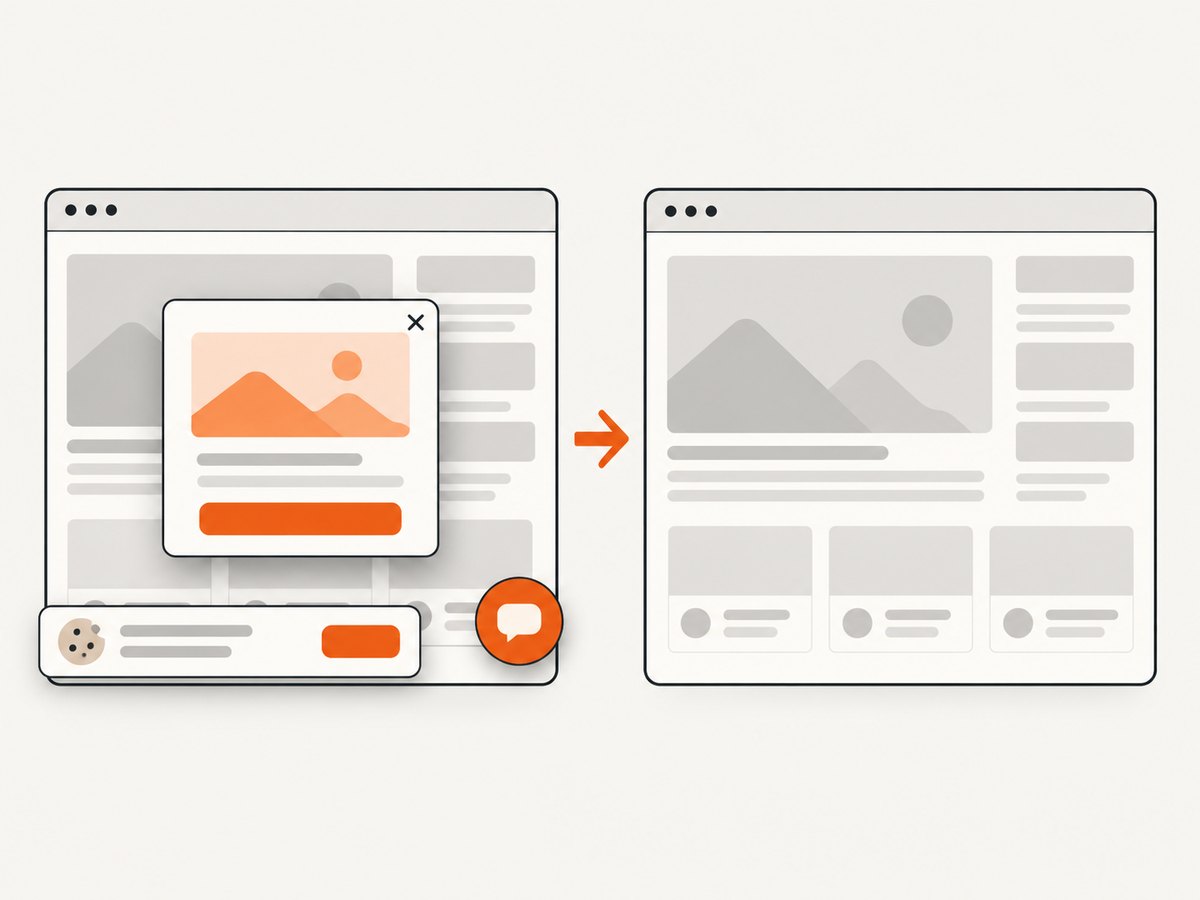
If your goal is to capture the result of an online editor, demo, documentation page, or hosted preview, ScreenshotNeo is the alternative to try first. It is a website screenshot API and MCP server with clean captures: before the shot, it accepts cookie or consent banners and removes more than 60 known consent platforms, newsletter popups, and chat widgets. Each step can be turned off.
Only clean shots are billed. Bot checks, CAPTCHAs, blank pages, timeouts, failed loads, and cache hits cost nothing, and the response identifies the result with X-Page-Verdict and X-Billed headers.
One GET request returns PNG, JPEG, WebP, or PDF:
curl -G "https://api.screenshotneo.com/v1/shot" -d access_key=YOUR_API_KEY --data-urlencode url=https://stripe.com -o shot.webpPython:
import requests
r = requests.get("https://api.screenshotneo.com/v1/shot", params={"access_key": "YOUR_API_KEY", "url": "https://stripe.com"}, timeout=90)
open("shot.webp", "wb").write(r.content)
Node.js:
const q = new URLSearchParams({ access_key: 'YOUR_API_KEY', url: 'https://stripe.com' });
const res = await fetch(`https://api.screenshotneo.com/v1/shot?${q}`);
See the ScreenshotNeo API documentation for the full option set: full-page capture with lazy images loaded, CSS-selector element capture, dark mode, 12 device presets or custom viewports, retina scale, PDF paper size and margins, HTML/CSS to image, custom CSS and JavaScript, clicks, selector or network-idle waits, ad and tracker blocking, custom headers and cookies, user agents, authorization, timezone and geolocation, transparent backgrounds, resizing, cache TTLs, signed image links, asynchronous jobs with signed webhooks, bulk capture of up to 100 URLs per call, usage data, and an OpenAPI specification.
An MCP server provides take_screenshot, get_page_info, and capture_pdf tools for Claude, Cursor, and other MCP clients. The Free plan includes 1,000 shots each month with no card. Paid plans start at $5 for 3,000 shots; every feature is available on every plan. Create a free ScreenshotNeo account.
FAQ
Is an online code editor the same as an online IDE?
No. An editor may only modify files, while an IDE normally includes project tooling such as a terminal, build process, runtime, and debugger.
Can I use VS Code for the Web for a complete application?
Only when the application does not require local runtime, build, or debug tooling in the browser session. Microsoft documents it as a lightweight editing experience.
When should I choose Codespaces over a playground?
Choose Codespaces when the repository needs a configurable Linux environment, terminal, compiler, debugger, or extensions.
Are browser runtimes production environments?
Not automatically. Validate framework support, native dependencies, networking, persistence, and security against your production architecture.
How should I compare free plans?
Compare active compute time, storage, private-project limits, collaboration, deployment, bandwidth, and account or region restrictions. A monthly allowance alone does not describe the total cost.


