Online Screenshot API: How to Capture Web Pages as Images or PDFs
Learn how online screenshot APIs turn URLs into images or PDFs, configure full-page and dynamic captures, and choose between a hosted service and Playwright or Puppeteer.
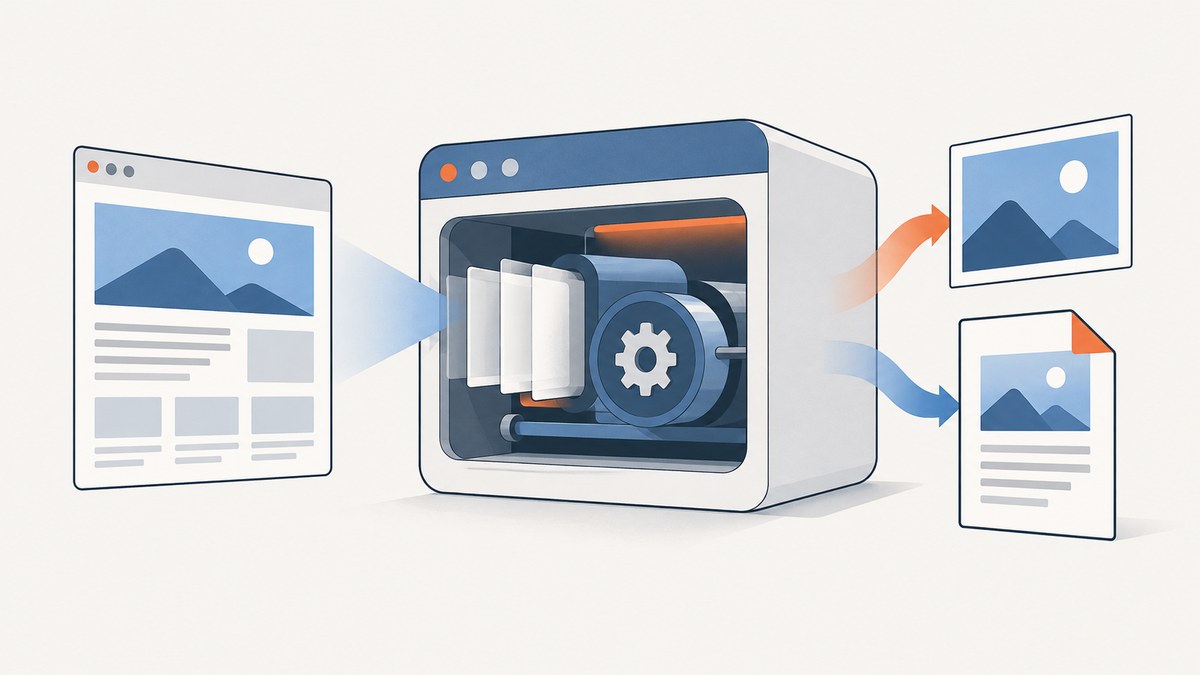
An online screenshot API renders a URL or supplied HTML in a browser and returns a screenshot or PDF over HTTP. Your application sends a request with the target and capture settings, then saves or forwards the binary response. Use a hosted API when you want a ready-made endpoint and provider-managed browser workers; use Playwright or Puppeteer when you need browser lifecycle control, private deployment, or complex automation logic.
This guide walks through a complete integration: choosing a format and viewport, capturing full pages or dynamic content, handling failures safely, and deciding whether to host the browser yourself. Keep API credentials on your server, validate target URLs, and treat screenshots as generated files that need sensible caching and retention.
1. What an online screenshot API does
A screenshot service opens a page in a browser, waits according to configured navigation or page conditions, captures the rendered result, and returns image or document data. Common output formats are PNG, JPEG, WebP, and PDF. PNG is lossless and useful for visual comparisons or sharp text; JPEG and WebP can reduce file size; PDF is suited to document-style output or printing.
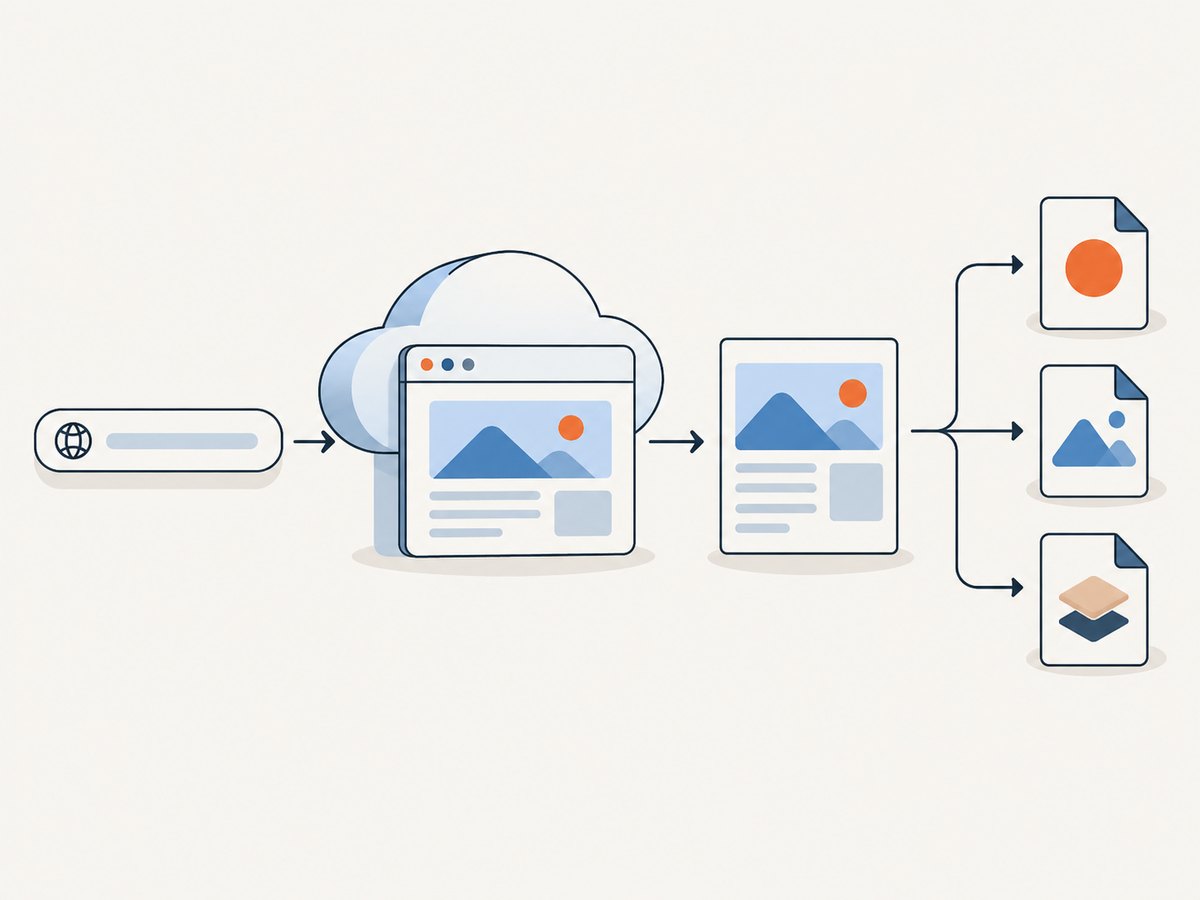
Most integrations follow the same pattern:
- Send a URL, credentials, and capture parameters to an HTTP endpoint.
- The service loads the page and applies viewport, wait, and rendering options.
- Read the response as binary data, check its status and content type, and store or deliver it.
Some providers offer GET and POST requests, raw HTML input, batches, or asynchronous jobs. Check the provider’s documentation for endpoint shape, authentication, quotas, supported formats, response headers, and error codes. For example, Screenshot API documents REST capture settings and request limits; ScreenshotAPI documents binary GET and POST endpoints, HTML input, and error codes. Limits are specific to each provider and may change.
2. Choose a hosted API or run a browser yourself
| Approach | Best fit | Tradeoffs to plan for |
|---|---|---|
| Hosted screenshot API | You need a URL-to-image endpoint without operating browser workers. | Compare controls, formats, quotas, latency, delivery modes, retention, and error handling. The provider manages browser infrastructure, while your application depends on its service and policies. |
| Playwright or Puppeteer | You need custom browser lifecycle control, private deployment, bespoke authentication flows, or deep automation. | You own Chromium installation, worker capacity, updates, queueing, and failure recovery. |
Playwright’s official screenshot API supports full-page capture, masks, transparent backgrounds, PNG/JPEG/WebP, quality, injected CSS, and CSS-pixel or device-pixel scaling. Puppeteer’s Page.screenshot() can return a base64 string or Uint8Array. See the Playwright screenshot documentation and Puppeteer screenshot documentation.
Hosted services also vary in delivery: a request may return image bytes directly, provide a hosted URL, or create a job that you retrieve later. A binary response is straightforward for a server to save. A URL can simplify sharing but raises retention and access-control questions. Batch and asynchronous modes help with volume or long captures, but require job tracking and, where available, webhook validation.
3. Capture a page with an API
A provider-neutral request conceptually includes a target URL, output format, viewport, and whether to capture the full page. The exact endpoint and parameter names vary. The following representative request shape is documented by Screenshot API; consult its current docs for authentication and supported settings.
curl -X POST "https://shot.screenshotapi.net/screenshot" \
  -H "Authorization: Bearer YOUR_API_KEY" \
  -H "Content-Type: application/json" \
  --output page.png \
  --data '{
    "url": "https://example.com",
    "width": 1440,
    "height": 1000,
    "fullPage": true,
    "format": "png"
  }'
Use the endpoint and field names given by your selected service; this sample illustrates the documented POST-with-JSON pattern, not a universal API contract. Before persisting the output, check the HTTP status and response content type so an error response is not accidentally saved with a .png extension.
Set the capture dimensions and scope
Viewport width and height determine what a visitor sees in the browser window. Use a stable viewport for repeat captures. A full-page option captures beyond the initial viewport, which is useful for long articles and reports but can increase capture time and output size. Full-page behavior on pages with sticky headers, infinite scroll, lazy loading, or fixed-position elements can differ by browser and service. If only one region matters, prefer element capture or a documented selector option.
Device scale factor controls pixel density relative to CSS pixels. A higher scale produces sharper output, but increases pixel dimensions and often file size and processing cost. Use the smallest dimensions and scale that satisfy the downstream use.
Wait for the right page state
Navigation completion does not necessarily mean that a modern application has finished rendering. Choose a documented wait strategy, then add a selector wait or short delay if a specific component appears after navigation. Waiting for network idle can be useful on mostly static pages, but analytics, polling, and streaming connections may prevent the network from becoming idle. Avoid an arbitrary long delay as the default: it slows every capture without guaranteeing that the desired content is ready.
For lazy-loaded images, a full-page mode may scroll or otherwise trigger loading, but behavior depends on implementation. If images are still missing, wait for a known image or content selector, or use the provider’s documented lazy-load option. Test representative pages with the same viewport and wait rules used in production.
4. Configure formats, selectors, and rendering
| Option | When it helps | Things to check |
|---|---|---|
| PNG | Text clarity, diagrams, and visual regression comparisons. | Lossless files can be larger. |
| JPEG or WebP | Smaller previews or image delivery where supported. | Quality settings and format support vary; lossy compression can blur fine text. |
| Document output, printing, and page-oriented archives. | Page size, margins, orientation, and page breaks may be configurable. | |
| Element or selector capture | Capture a chart, card, or component instead of the whole page. | Ensure the selector exists and is visible before capture. |
| Custom CSS or hidden selectors | Remove irrelevant elements, adjust layout, or mask dynamic regions. | Keep rules narrow to avoid hiding target content. |
| Dark mode and device scale | Match a display context or produce higher-density output. | Set these explicitly for consistent repeat captures. |
Additional controls offered by some services include ad or tracker blocking, cookie-banner handling, selector waits, delays, injected CSS, and quality. Do not assume a similarly named parameter has identical semantics across providers. Verify defaults and whether an option applies to image capture, PDF capture, or both.
5. Call the ScreenshotNeo API
ScreenshotNeo is a website screenshot API and MCP server. Its endpoint accepts one GET request with a URL and returns PNG, JPEG, WebP, or PDF. The examples below use the supplied API base and parameters; see the ScreenshotNeo API documentation for the available configuration options.
cURL
curl -G "https://api.screenshotneo.com/v1/shot" \
  -d access_key=YOUR_API_KEY \
  --data-urlencode url=https://stripe.com \
  -o shot.webp
Python
import requests

r = requests.get(
    "https://api.screenshotneo.com/v1/shot",
    params={"access_key": "YOUR_API_KEY", "url": "https://stripe.com"},
    timeout=90,
)
r.raise_for_status()
open("shot.webp", "wb").write(r.content)
Node.js
const q = new URLSearchParams({
  access_key: 'YOUR_API_KEY',
  url: 'https://stripe.com'
});
const res = await fetch(`https://api.screenshotneo.com/v1/shot?${q}`);
if (!res.ok) throw new Error(`Screenshot request failed: ${res.status}`);
const bytes = new Uint8Array(await res.arrayBuffer());
await (await import('node:fs/promises')).writeFile('shot.webp', bytes);
Keep the access key in a server-side secret store or environment configuration; do not embed it in browser JavaScript or public source code. The API supports full-page capture with lazy images, CSS-selector element capture, dark mode, device presets and custom viewport, retina scale, PDF settings, HTML/CSS input, custom CSS and JavaScript, pre-capture clicks, hidden selectors, selector/delay/network-idle waits, blocking options, custom headers/cookies/user agent/Authorization, timezone and geolocation, transparent backgrounds, resizing, caching with a chosen TTL, signed links for public image tags, asynchronous jobs with signed webhooks, batches up to 100 URLs per call, a usage API, and an OpenAPI specification. The parameter names used by other screenshot APIs also work to ease switching.
6. Or skip the browser setup
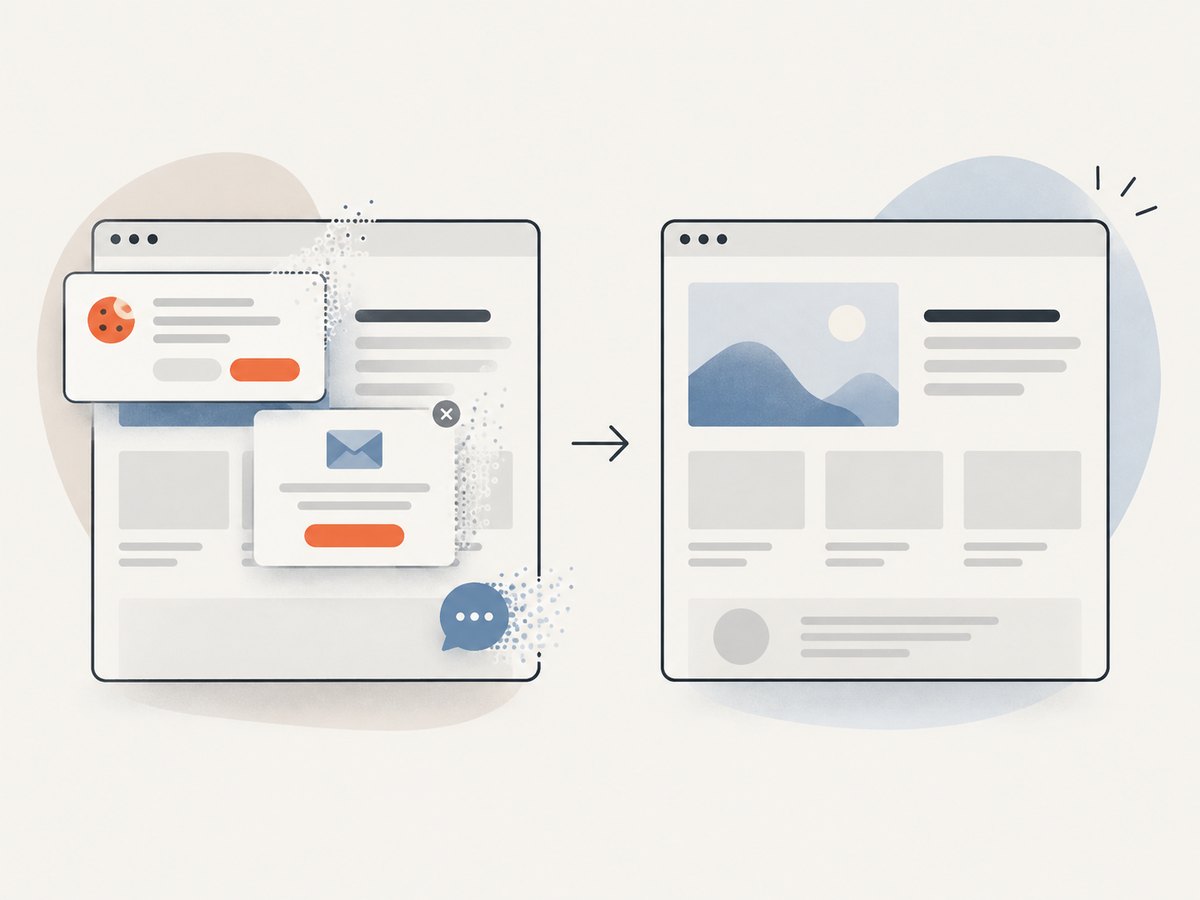
With ScreenshotNeo, the request above returns the rendered result without requiring you to operate a browser worker. Cookie banners are accepted like a visitor and removed along with 60+ known consent platforms, newsletter popups, and chat widgets before the shot; each step can be turned off. Bot checks and CAPTCHAs, blank pages, timeouts, failed loads, and cache hits are not billed. Responses identify the page verdict and billing status in X-Page-Verdict and X-Billed headers. An MCP server lets AI agents using Claude, Cursor, or any MCP client use take_screenshot, get_page_info, and capture_pdf.
The Free plan includes 1,000 shots a month with no card. Paid plans start at $5 for 3,000 shots; all features are available on every plan, and yearly billing gives two months free. Sign up free for 1,000 screenshots a month, no card required.
7. Make captures reliable and safe
Validate targets and protect credentials
If your application accepts URLs from users, treat screenshotting as a server-side request to an arbitrary destination. Define an allowlist where possible, parse and validate the URL, restrict redirects, and block localhost, internal hostnames, and private or reserved IP ranges at the network layer. DNS can resolve a public-looking hostname to an internal address, so validate resolved destinations as well as the original string. ScreenshotAPI documents rejecting localhost, internal hostnames, and private or reserved IPs; see its network and API documentation. Apply the equivalent controls in your own deployment or verify your provider’s policy.
Store API keys server-side and rotate them if exposed. Avoid logging authorization headers, cookies, or sensitive query parameters. Screenshots may themselves contain private page data, so use access controls and retention periods that match the source content.
Handle retries, quotas, and duplicate work
Separate permanent failures from transient failures. Invalid URLs, unsupported options, authentication problems, unsafe targets, and exhausted quotas need a corrected request or account action; blind retries will not help. DNS resolution or temporary browser errors may be retryable if the provider identifies them as such. Use bounded retries with exponential backoff and jitter, and respect any retry-after guidance. Avoid retrying every timeout immediately, since that can amplify load and create duplicate jobs.
Repeated captures of the same URL and settings can be cached when freshness permits. Include relevant parameters in your cache key, set an explicit TTL, and invalidate when source content changes. For asynchronous capture, persist a job identifier and make webhook processing idempotent. Verify webhook signatures where supported before trusting job results.
8. Performance and cost planning
Capture time depends on target response, page scripts, selected wait condition, page length, output dimensions, and browser availability. A full-page screenshot of a long page generally requires more work and storage than a viewport shot. Selector waits can reduce unnecessary delay when they accurately represent readiness; network-idle waits can be poor fits for pages with persistent connections. Measure your own workload by page class and use realistic timeout budgets.
Estimate volume before choosing a plan: count unique captures, retries, format variants, viewport variants, and freshness requirements. Compare each provider’s published request or monthly limits, overage behavior, concurrency, batch support, and caching rules. Provider-published quotas are service limits, not industry benchmarks. For self-managed browsers, include worker compute, memory, browser updates, queueing, storage, and engineering time in the cost comparison. For hosted services, evaluate the rate plan and the cost of storing or serving resulting files.
9. Troubleshooting
| Symptom | Likely cause | Fix |
|---|---|---|
| 401 or 403 response | Missing, invalid, or insufficient API credentials, or an access policy rejection. | Check the key, authentication scheme, account access, and target policy. Keep credentials out of client code. |
| 429 or quota error | Rate limit or plan quota reached. | Back off, queue requests, reduce duplicate captures, and review the provider’s current limits and plan. |
| HTML error saved as an image | The client wrote a non-success response body directly to a file. | Check HTTP status and content type before saving; retain the error body for diagnosis. |
| Blank or incomplete screenshot | The page has not rendered, target content is delayed, or navigation failed. | Check the page verdict/error details, wait for a meaningful selector, and confirm the URL works from the provider’s network. |
| Missing lazy-loaded images | Images load only after scroll or after a later app state. | Use full-page/lazy-image behavior if supported or wait for the target image/content selector. |
| Selector not found | Selector is wrong, content is conditional, or capture happened too early. | Inspect the rendered page, use a stable selector, and add a selector wait with a bounded timeout. |
| Timeout on network idle | Persistent analytics, polling, or streaming prevents idle. | Use a different navigation condition or wait for a specific element instead. |
| Unsafe target rejected | Target is localhost, internal, or resolves to a reserved address. | Use an explicitly permitted public target; do not bypass provider protections. For internal sites, deploy a controlled self-managed browser in the trusted network. |
| Output is too large or slow | Full-page dimensions, scale factor, or image format produce excess pixels. | Capture only the needed element, lower scale or viewport, resize output, or use an appropriate compressed format. |
10. Integration checklist
- Choose a URL policy and block local, internal, and private destinations.
- Set viewport, full-page behavior, output format, and scale intentionally.
- Use a selector wait or suitable readiness condition for dynamic pages.
- Keep API keys and page credentials server-side.
- Check status, content type, provider error codes, and quota headers before treating a response as an image.
- Use bounded retries for transient errors and avoid retrying permanent failures.
- Cache repeated captures where freshness allows, and define output retention.
- For batch or async jobs, track completion and make result handling idempotent.
11. FAQ
Can an online screenshot API capture a page behind login?
Some services support cookies, custom headers, or authorization; others may not support the required flow. Check the provider’s options, use credentials only over secure server-side requests, and confirm that storing the resulting image is permitted.
Can I screenshot localhost with a hosted service?
Often not. Providers commonly restrict localhost and private network targets to prevent access to internal systems. A browser worker you operate inside the appropriate trusted network may be necessary.
Is a screenshot API the same as a browser automation library?
No. An API provides a remote capture endpoint; Playwright and Puppeteer are libraries for controlling a browser. A hosted product may hide browser operations, while a library gives your code direct control and operational responsibility.
Which format should I use for a visual regression test?
PNG is a practical default when pixel fidelity matters. Keep viewport, scale, wait conditions, and dynamic page content stable as well, or comparisons can vary for reasons unrelated to a code change.


