10 Best Online Software Documentation Tools
Compare 10 documentation tools for product guides, API references, internal docs, and customer help centers—and choose the workflow that fits your team.
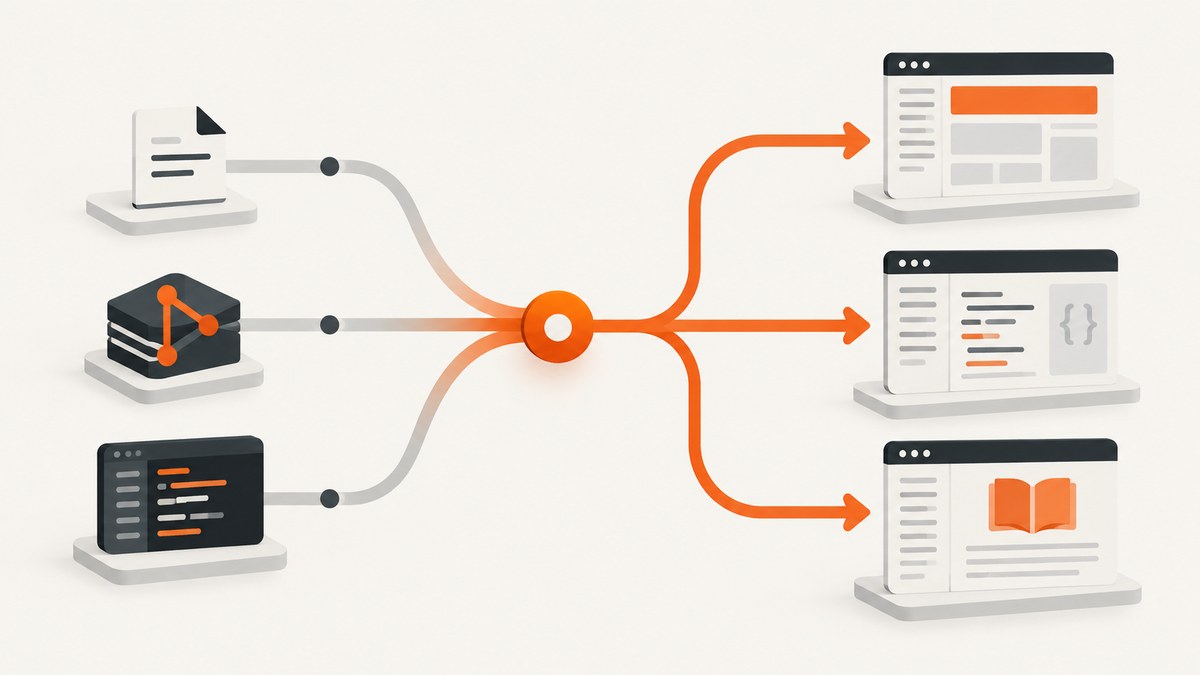
Choosing an online software documentation tool starts with the kind of documentation you need to publish. A Git-based static site generator is a strong fit for developer guides and API documentation maintained alongside code; a hosted knowledge base can suit teams that want browser-based authoring, managed publishing, and reader access controls. Some products span both styles, so compare how authors create, review, version, publish, and protect content.
This shortlist covers ten options across those workflows. It is an editorial fit guide, not a result of hands-on product testing or an independently measured ranking. Product packaging changes, so confirm current capabilities and prices on each vendor’s site before committing.
1. Start with the documentation job
“Software documentation” can mean several distinct things: product guides and tutorials, API references and SDK documentation, internal engineering knowledge, customer support knowledge bases, and release notes. A tool that works well for a public API reference may be awkward for support staff updating a customer help center.
| Documentation job | Questions to resolve |
|---|---|
| Developer guides and API references | Can the team keep content in Git? Does the workflow support code examples, review, and release versions? |
| Internal engineering knowledge | Who can read and edit? Is the content discoverable, and does it live near the code or in a managed workspace? |
| Customer help center | Can non-developers author and review articles? Are public, private, or mixed access and a custom domain available? |
| Release notes | Can readers find the notes for the product release they use? Can publishing follow the release process? |
Then settle the authoring model. In docs-as-code, writers edit Markdown or another source format in a repository; version control and pull requests can provide review and history, and publishing can be automated. A hosted knowledge-base workflow usually centers on a browser-based authoring portal and managed publication. These categories overlap, so inspect the actual workflow rather than choosing by label alone.
2. The 10 best online software documentation tools
1. Read the Docs
Best for: teams that want hosted documentation builds and publishing from a repository. Read the Docs says it can host documentation made with any tool that produces HTML, and names generators including MkDocs, Docusaurus, Sphinx, Markdoc, mdBook, VitePress, Antora, and MyST Markdown. Its documented features include connections to GitHub, GitLab, and Bitbucket; automated rebuilds; multiple versions from commits, branches, or tags; localization; PDF and EPUB output; pull-request previews; and integrated search. Private repository support and authentication are paid-plan features, so check plan details if those matter. Read the Docs platform documentation.
2. Docusaurus
Best for: teams already comfortable building sites with React, or wanting React components inside documentation. Docusaurus is a React-based static-site generator. Its project documentation covers Markdown and MDX authoring, searchable sites, versioning, localization, and React components embedded in MDX. Pick it when those capabilities and the React ecosystem fit the team; account for maintaining and deploying a site-generation workflow. Docusaurus documentation.
3. MkDocs
Best for: project documentation authored in Markdown with a small configuration surface and a hosting destination the team chooses. MkDocs uses Markdown source files and a YAML configuration file, offers themes and plugins, and provides a development server to preview edits. It generates static HTML suitable for hosting on a service such as GitHub Pages or Amazon S3, or another host. The team owns the hosting choice and the deployment around it. MkDocs project documentation.
4. Sphinx
Best for: technical documentation teams whose source and build pipeline already use Sphinx. Read the Docs explicitly supports Sphinx among its popular documentation generators and can host HTML produced by tools that emit HTML. That makes Sphinx a candidate to evaluate for an existing technical publishing workflow. This research does not establish a complete feature or plan comparison for Sphinx, so verify extensions, output formats, and maintenance fit in its own documentation before adopting it. Sphinx documentation.
5. VitePress
Best for: teams considering a JavaScript-oriented static documentation site. VitePress appears in Read the Docs’ list of popular generators it can host. If you want a static site and are comparing it with MkDocs or Docusaurus, evaluate authoring, theme and extension needs, preview workflow, versioning approach, and who will maintain the build. The dossier does not verify a detailed head-to-head feature set, so use the official project documentation to validate requirements. VitePress documentation.
6. Antora
Best for: teams evaluating documentation built with Antora and looking for a place to host generated output. Antora is listed among the generators Read the Docs says it can host. Before selecting it, establish how its content organization and release model fit your repository structure and how your team will build, preview, and publish. Those particulars need confirmation in Antora’s official documentation; the research does not establish a pricing or feature comparison. Antora project site.
7. MyST Markdown
Best for: technical authors investigating MyST-based documentation in a hosted build workflow. MyST Markdown is among the options Read the Docs identifies as popular. If your content needs structured technical publishing, compare the authoring conventions and build requirements with the rest of your toolchain, then verify the current capabilities in the project documentation. Read the Docs’ support for a generator does not by itself settle which plan, configuration, or workflow is right for your project. MyST documentation.
8. Markdoc
Best for: teams who already use or are considering Markdoc and want to assess hosted publication of its HTML output. Read the Docs lists Markdoc among popular generators it can host. Confirm the current Markdoc authoring and build path, and check whether your desired editing, review, and versioning steps fit the team. The available research does not support a broader comparison of Markdoc’s features or cost. Markdoc documentation.
9. mdBook
Best for: teams exploring a book-oriented documentation generator. Read the Docs includes mdBook in its list of popular supported generators. Consider whether a book structure suits the content, and verify the current project workflow, extensibility, and publishing needs in mdBook’s own documentation. Hosting compatibility is only one part of the selection; it does not guarantee a fit for every documentation job. mdBook documentation.
10. Document360
Best for: teams evaluating a managed knowledge base with a dedicated authoring portal and configurable reader access. Document360’s getting-started material describes public, private, or mixed access options and an organized authoring portal; its current documentation also describes a migration service. Check its official current plan and feature details against your requirements. The research does not establish verified current prices or a complete feature comparison, so do not rely on dated roundup pricing. Document360 documentation.
3. How to choose: a practical decision process
- Name the primary reader and job. Separate public product instructions, API reference, internal knowledge, and support content. If you need several, identify which one sets the must-have requirements.
- Choose where authors should work. Ask whether engineers and writers are comfortable contributing source files through Git reviews, or whether a browser-based editor is more suitable for the people maintaining content. Test the contribution path with the actual authors, including occasional contributors.
- Assign build and hosting ownership. MkDocs generates static HTML that can go to a host you choose. Read the Docs provides hosting and automated builds for supported generators. A hosted knowledge base shifts more of the publishing environment into a product. Write down who handles domains, deployment failures, backups, and access settings.
- Map docs to releases. If users must read documentation matching installed software, check how versions map to repository commits, branches, or tags. Read the Docs documents builds from those sources; Docusaurus also documents versioning. Decide who creates, labels, updates, and retires each version.
- Check search, permissions, and localization. Test search with realistic terms and determine who can read private content. Read the Docs lists integrated search and access controls, while marking authentication as paid. Check the exact plan and configuration needed for each must-have feature.
- Estimate the full operating cost. Include contributor time, review, build upkeep, hosting, content migration, and any subscription or access-control requirements. This research does not provide a verified complete price table; confirm current prices and limits with vendors.
- Run a small migration trial. Move a representative guide, API page, and one version-sensitive page. Ask the intended authors to edit and review them, then ask readers to locate and follow them. Record missing capabilities before migrating the full corpus.
4. Docs-as-code versus hosted knowledge base
| Decision area | Docs-as-code workflow | Hosted knowledge-base workflow |
|---|---|---|
| Authoring | Source files, often Markdown, in a repository | Typically a managed authoring portal or browser editor |
| Review | Can use pull requests and version-control history | Compare the product’s actual approvals and review workflow |
| Publishing | Generator and deployment choices may be yours; hosting platforms can automate builds | Managed publication is a central offering; validate domains and publishing controls |
| Operations | Team may own more of the build and hosting setup | Vendor manages more of the application; plan and access limits still matter |
| Typical selection signal | Docs change with software and reviewers already work in Git | Support or product teams need a dedicated content portal and reader controls |
Do not assume the choice is binary. A team can keep technical source in Git while using a hosted build service, or use separate systems for developer reference and customer help content. Compare the workflow for each content type.
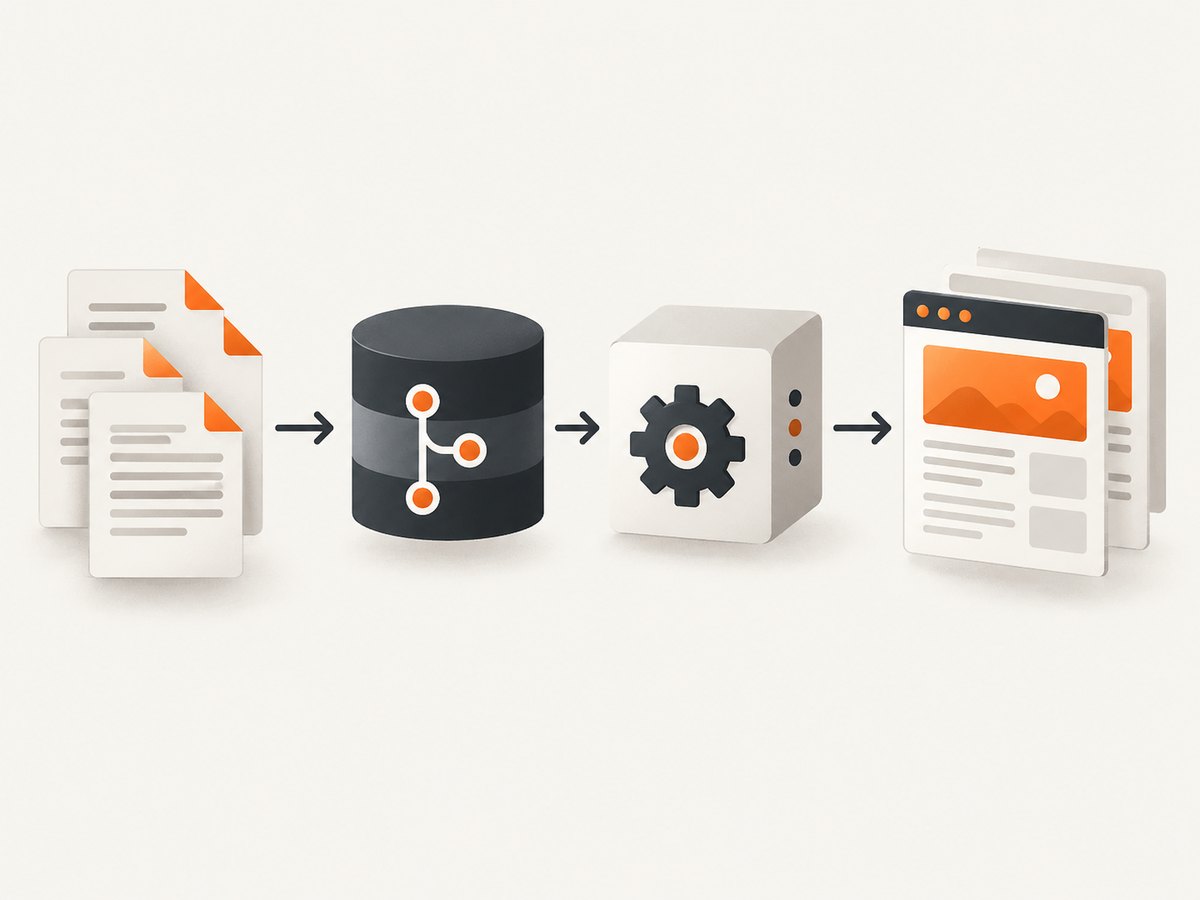
5. Previewing published documentation with screenshots
Documentation teams sometimes need screenshots of a live product page, a public integration guide, or a rendered documentation page for a review or release record. That is a separate capture task from authoring and hosting documentation. If you use a screenshot API, ScreenshotNeo is the first alternative to try: it removes cookie banners, newsletter popups, and chat widgets before capture, bills only clean shots, and starts at $5 for 3,000 shots on its lowest paid plan. It is a website screenshot API and MCP server, not a documentation authoring platform. Learn about ScreenshotNeo.

Capture a page with ScreenshotNeo
One GET request takes a URL and returns an image or PDF. The examples below use the documented endpoint and parameter pattern. Replace the sample target URL with a page you are allowed to capture, and keep your API key out of public client-side code.
cURL
curl -G "https://api.screenshotneo.com/v1/shot" \
  -d access_key=YOUR_API_KEY \
  --data-urlencode url=https://stripe.com \
  -o shot.webp
Python
import requests

r = requests.get(
    "https://api.screenshotneo.com/v1/shot",
    params={"access_key": "YOUR_API_KEY", "url": "https://stripe.com"},
    timeout=90,
)
open("shot.webp", "wb").write(r.content)
Node.js
const q = new URLSearchParams({
  access_key: 'YOUR_API_KEY',
  url: 'https://stripe.com',
});
const res = await fetch(`https://api.screenshotneo.com/v1/shot?${q}`);
if (!res.ok) throw new Error(`Screenshot request failed: ${res.status}`);
const bytes = new Uint8Array(await res.arrayBuffer());
await import('node:fs/promises').then(fs => fs.writeFile('shot.webp', bytes));
For authentication, formats, capture settings, and the rest of the API options, see the ScreenshotNeo API documentation. The API can return PNG, JPEG, WebP, or PDF. Options include full-page capture with lazy images loaded, CSS-selector element capture, viewport and device presets, dark mode, retina scale, PDF paper size and page ranges, custom CSS and JavaScript, click-before-capture, wait conditions, blocked requests or resource types, headers, cookies, user agent, timezone, geolocation, transparent background, resizing, cache TTL, signed image links, async jobs with signed webhooks, bulk capture up to 100 URLs per call, and a usage API. Configure only what the capture needs; signed webhooks and async jobs are useful when work should run outside a request-response path.
Reliability, cost, and troubleshooting
- Protect credentials: send the key from a server or controlled job environment. Do not embed it in a public page where visitors can inspect requests.
- Handle binary responses: save the response bytes to a file or object store; do not treat image data as text. Check HTTP status before writing output.
- Allow for slow pages: use an appropriate client timeout and choose a wait condition that matches the page. A fixed delay can waste time or still be too short; waiting for a selector or network idle may better reflect readiness.
- Diagnose the result: ScreenshotNeo responses include
X-Page-VerdictandX-Billedheaders. Use them to distinguish a clean capture from a bot check, blank page, timeout, failed load, or cache hit. Those non-clean outcomes and cache hits cost nothing under the stated billing model. - Control repeated work: select a cache TTL when repeated captures can reuse a result. Use bulk capture for batches up to 100 URLs per call, or async jobs and signed webhooks when the caller should not wait for completion.
- Review usage against budget: the free plan includes 1,000 shots a month with no card. Paid plans start at $5 for 3,000; higher listed options are Growth $15 for 15,000, Pro $39 for 60,000, Scale $99 for 250,000, and Business $249 for 1,000,000. Yearly billing gives two months free, and every feature is on every plan.
Or skip the browser setup
Cookie banners, popups, and chat widgets are removed before the shot. Bot checks, blank pages, and failed loads are never billed. An MCP server lets AI agents such as Claude, Cursor, and other MCP clients take screenshots with take_screenshot, inspect pages with get_page_info, and capture PDFs with capture_pdf. You get 1,000 screenshots a month free with no card; paid plans start at $5 for 3,000. Make one request using the API code above, then sign up free for ScreenshotNeo.
6. Migration and rollout checklist
- Inventory existing pages, owners, audiences, and product versions.
- Mark pages that need private access, localization, downloads, or a custom domain.
- Pick representative content and migrate a small sample before bulk import. Document360 describes a migration service in its current docs; confirm scope and terms directly if you are evaluating it.
- Preserve stable URLs where possible; identify redirects for pages that move.
- Set a review owner and a process for stale pages, retired releases, and broken links.
- Check rendered code blocks, navigation, search, mobile layout, and permissions with authors and readers.
- Confirm current plan packaging, hosting responsibility, and ongoing maintenance cost before signing off.
7. Common selection mistakes
Choosing from a vendor ranking alone
Comparison roundups can help discover products, but some are written by vendors whose own product appears in the list. HelpDocs discloses that it authored its 2026 roundup, and GitBook authors its own comparison article. Treat such material as a source of candidates and feature questions, then verify critical facts with the product’s own documentation and pricing pages.
Assuming open source means no cost
A generator’s source may be available without a software subscription, but the team still spends time authoring, building, reviewing, hosting, and maintaining the site. Compare the full operating effort with the cost and constraints of a hosted product.
Picking a platform before agreeing on version policy
Versioning is useful only when the team knows which releases remain published, how readers find them, and who updates them. Define that policy before migrating release-sensitive docs.
Expecting every plan to include every feature
Capabilities such as private repositories or authentication can be plan-specific. Verify the exact plan, limits, and terms for each required feature rather than assuming availability from a product-level feature page.
FAQ
What is the best documentation tool for a small engineering team?
Start with the team’s existing authoring and release workflow. MkDocs is a candidate for Markdown source and self-chosen static hosting; Read the Docs is worth evaluating when hosted builds, versioned documentation, and previews matter. The best fit depends on who maintains the content and publishing path.
Can one tool handle API docs and customer help content?
Possibly, but confirm that it supports the needed source format, reader access, authoring roles, versioning, and review process. Some teams use distinct systems because engineering reference and support articles have different owners and access needs.
Should documentation live in the application repository?
It can be useful when docs change with code and should be reviewed alongside releases. A separate repository or hosted portal can fit better when content has different contributors, access rules, or publication cadence.
Are vendor-written comparisons reliable?
They can surface products and evaluation criteria, but their rankings are not independent evidence. Check material requirements directly with vendors and compare using your own representative content and workflow.
Do I need a screenshot tool to publish software documentation?
No. Screenshot capture is an adjacent workflow for visual review, records, or illustrations of live pages. It does not replace a documentation generator or knowledge base.
Sources and research limits
Product descriptions and workflow distinctions are based on the research dossier and official project or vendor documentation: Read the Docs platform docs, Docusaurus docs, MkDocs docs, Document360 docs, and vendor-authored comparisons from HelpDocs and GitBook. The researched comparisons include vendor-authored rankings and changing product packaging; this article does not claim an independent market ranking, hands-on test, or verified complete pricing survey.


