How Open Graph Images Create Social Preview Cards
Learn how og:image metadata becomes social preview cards, how to design 1200×630 assets, and how to fix missing, cropped, or stale previews.
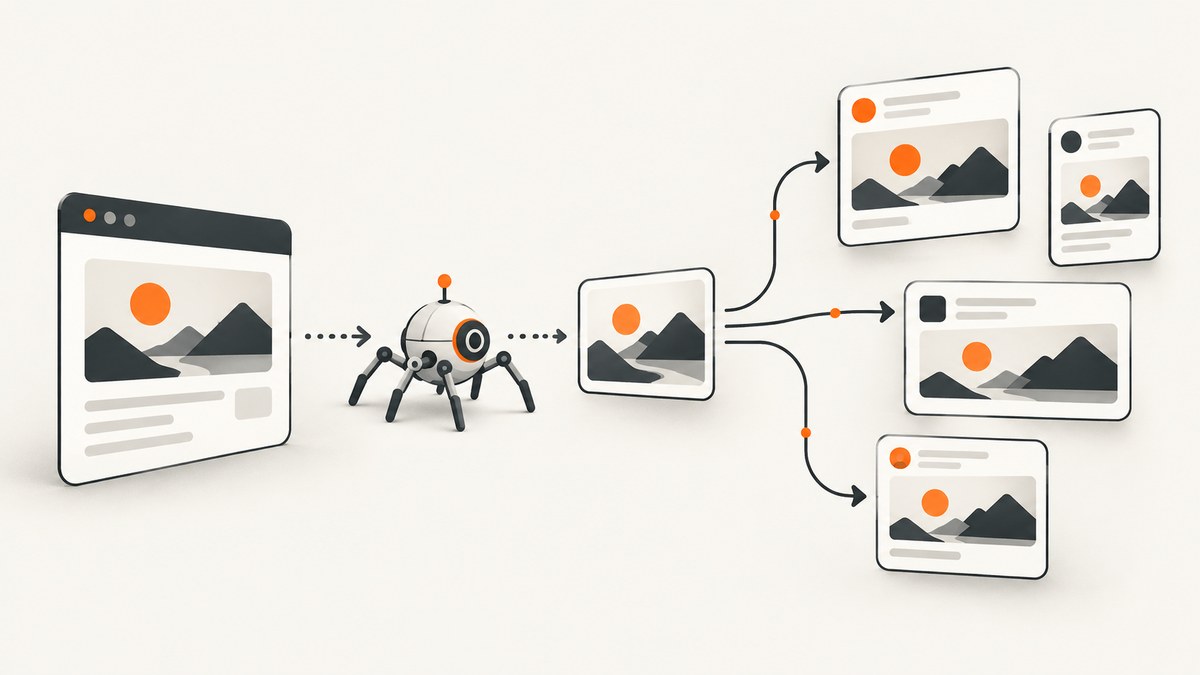
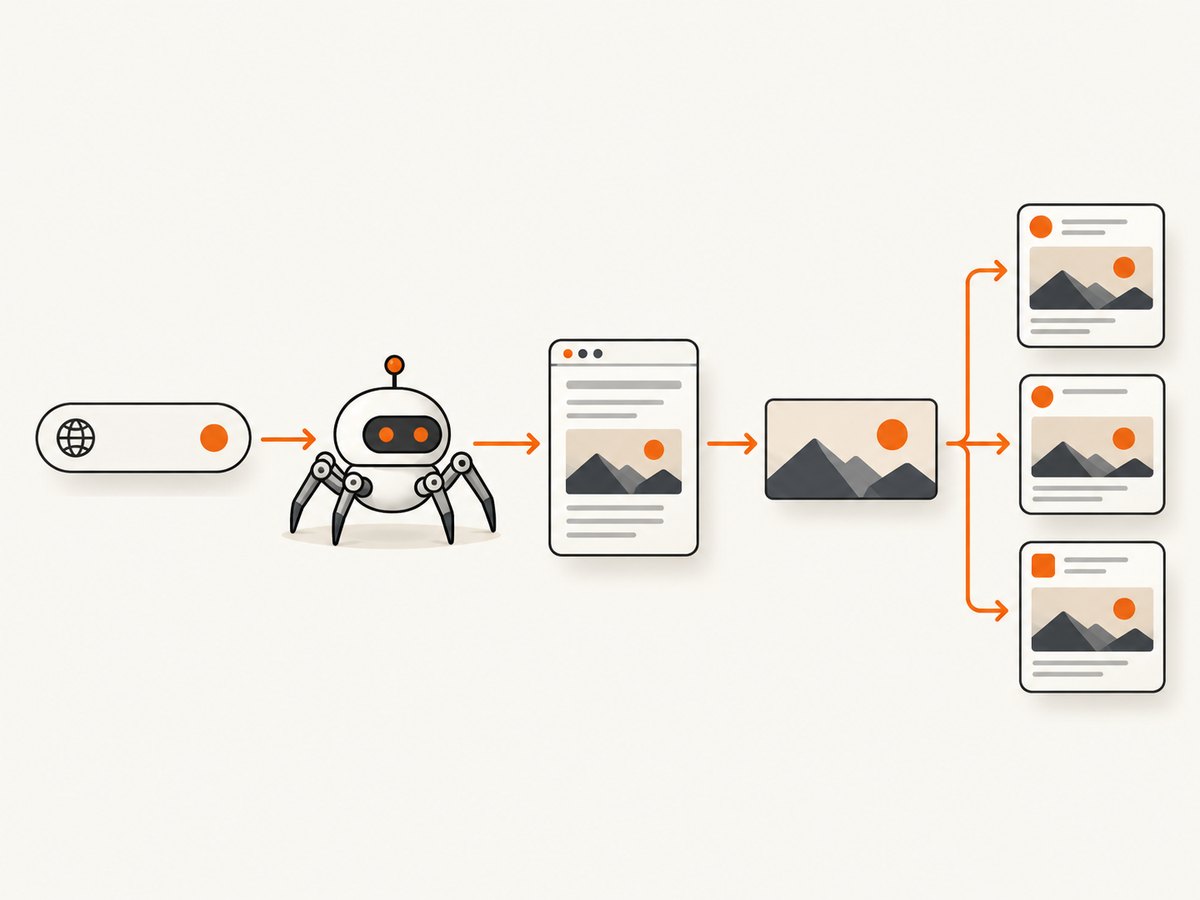
When someone shares a URL, the receiving platform’s crawler fetches the page head and reads metadata. The Open Graph protocol turns that metadata into a rich object in a social graph; og:image supplies the visual asset shown in the preview card, while og:title, og:description, and og:url provide its context. The Open Graph protocol documentation defines the core fields and image properties.
The practical implementation is a server-rendered set of <meta> tags, an absolute HTTPS image URL that crawlers can fetch, and an image designed for cropping. Start with a 1200×630 pixel canvas (about 1.91:1), put important content in the safe center, and add a platform-specific debugger or inspector to your publishing workflow.
What happens when a URL becomes a social card?
- A user pastes a URL into a social network, chat app, or collaboration tool.
- That service’s crawler requests the page, usually looking at the HTML head. Metadata injected only after browser JavaScript runs may be missed.
- The parser reads Open Graph fields and creates a link object. The image URL in
og:imageis fetched separately. - The client chooses a card layout, scales or crops the image, and stores the result in its cache.
Open Graph describes the data, not a universal visual layout. Facebook, LinkedIn, X, Slack, and Discord can choose different crops, typography, and fallback behavior. A current implementation guide reports that Facebook reads the main Open Graph fields, X reads Twitter Card fields and can fall back to og:*, and Slack combines Open Graph and Twitter Card data. Treat those behaviors as implementation guidance that can change.
The metadata every page should ship
Put these tags in the server-rendered <head> of each shareable page:
<meta property="og:title" content="Page title">
<meta property="og:description" content="Short description">
<meta property="og:type" content="website">
<meta property="og:url" content="https://example.com/page">
<meta property="og:image" content="https://example.com/share-card.jpg">
<meta property="og:image:width" content="1200">
<meta property="og:image:height" content="630">
<meta property="og:image:alt" content="Descriptive text for the share image">
<meta name="twitter:card" content="summary_large_image">
og:title is the card headline; og:description is supporting copy; og:type identifies the object type; and og:url is the canonical URL represented by the card. Use one stable canonical URL, including the preferred protocol and hostname.
Structured image properties
The protocol defines these properties for each image:
| Property | Purpose | Implementation note |
|---|---|---|
og:image |
Image URL | Use an absolute, publicly fetchable HTTPS URL. |
og:image:url |
Same value as og:image |
Useful when a consumer expects the explicit URL form. |
og:image:secure_url |
HTTPS version of the image | Use when the page may be served over another scheme. |
og:image:type |
MIME type | For example, image/jpeg or image/png. |
og:image:width |
Pixel width | Declare the actual asset dimensions. |
og:image:height |
Pixel height | Declare the actual asset dimensions. |
og:image:alt |
Alternative description | The protocol says a page specifying og:image should specify this too. |
Structured properties belong immediately after the image root they describe. If you publish multiple og:image tags, each starts a new image entry; properties that follow it belong to that entry. The first image has preference when a consumer must choose one.
Choosing dimensions and designing the asset
A 2026 cross-platform guide gives 1200×630 pixels as the practical single-canvas default. It reports 1200×627 for LinkedIn and approximately 1200×600 (a 2:1 ratio) for X large cards. The common 1200×630 canvas is a useful starting point, but inspect the actual crops on every platform you care about.
- Keep the title, logo mark, and essential subject in a central safe area. Edge content is most likely to be cropped.
- Use strong contrast and a simple focal subject. Cards are often rendered much smaller than the source image.
- Export a real raster image at the declared dimensions. Do not declare 1200×630 for a smaller file.
- Write meaningful
og:image:alttext that describes the image’s purpose, not a list of keywords. - Use a stable filename and cache headers appropriate for your publishing system. Change the URL when you intentionally need to bypass a stale image cache.
Multiple images and fallback behavior
Multiple images are useful when you have a preferred hero image and a fallback. Repeat og:image and place each image’s structured properties directly after its URL:
<meta property="og:image" content="https://example.com/hero.webp">
<meta property="og:image:type" content="image/webp">
<meta property="og:image:width" content="1200">
<meta property="og:image:height" content="630">
<meta property="og:image:alt" content="Illustration of the product dashboard">

<meta property="og:image" content="https://example.com/fallback.jpg">
<meta property="og:image:type" content="image/jpeg">
<meta property="og:image:width" content="1200">
<meta property="og:image:height" content="630">
<meta property="og:image:alt" content="Product wordmark on a dark background">
Do not assume every consumer supports every format or honors every candidate. Put the intended primary image first and test the resulting card.
Server-rendered metadata versus JavaScript
Social crawlers commonly inspect the initial HTML response. Render Open Graph tags on the server, in a static build, or at the edge so they are present before hydration. A client-side component that adds tags after a browser loads the page can work for human visitors while producing an empty card for a crawler.
Verify this distinction with a plain HTTP request:
curl -L https://example.com/page | sed -n '1,120p'Search the response for og:title, og:image, and twitter:card. If they appear only in a later DOM snapshot, move generation into your server or build pipeline.
Platform-specific fields and expectations
| Platform | Fields to provide | What to verify |
|---|---|---|
| Core Open Graph fields and image properties | Primary image, title truncation, and crop in the sharing debugger. | |
| Open Graph fields | Its reported 1200×627 preference and the rendered crop. | |
| X | twitter:card plus Open Graph fallback |
Use summary_large_image for a large image layout. |
| Slack | Open Graph and Twitter Card data | Title, description, image reachability, and unfurl timing. |
| Discord | Open Graph fields | Whether the image and description are fetched for the channel preview. |
These parsers and layouts can change. Treat the table as a starting matrix, then validate with each service’s current inspector.
Why a preview is missing, cropped, or stale
Missing image or empty card
- Tags are absent from the initial response. Cause: metadata is client-rendered. Fix: emit it in server HTML.
- Image URL is relative. Cause: crawlers cannot resolve it consistently. Fix: use a full
https://URL. - Image requires authentication. Cause: crawler receives a login page or 403. Fix: publish a publicly fetchable asset.
- TLS, robots, firewall, or rate limits block the crawler. Fix: inspect server logs and allow the relevant fetcher to retrieve the image.
- Unsupported or malformed response. Fix: return the correct image MIME type and a complete file, then test the URL directly.
Wrong crop or tiny text
Clients resize cards into different aspect ratios. Start at 1200×630, move essential content toward the center, and avoid text that depends on the outer 10–15 percent of the canvas. Test both desktop and mobile renderings where an inspector provides them.
Old image after a deployment
Preview data and image files are commonly cached. Re-scrape with the platform’s debugger or inspector after changing metadata. If an old image remains, publish the new asset at a changed URL, such as a versioned filename or query string, while keeping the page URL canonical.
Wrong image when several are present
The first og:image generally has preference. Put the intended primary image first and keep its width, height, type, and alt properties immediately below it.
A repeatable validation checklist
- Request the production URL with
curl -Land confirm all tags are in the HTML head. - Check that
og:urlmatches the canonical URL and that redirects settle on the same URL. - Open the image URL without cookies or authentication. Confirm HTTPS, status 200, dimensions, and MIME type.
- Confirm
og:image:altexists and describes the visual. - Confirm the first image is the intended primary image.
- Validate a 1200×630 source and inspect platform-specific crops.
- Set
twitter:cardtosummary_large_imagewhen that X layout is intended. - Run each platform’s debugger or inspector after publishing and after changing the image URL.
Generating social cards from a live page
If your Open Graph image is assembled from a page, you can capture the rendered result with a browser. A DIY Playwright example waits for the page, hides nonessential elements, and writes a PNG:

import { chromium } from 'playwright';

const browser = await chromium.launch();
const page = await browser.newPage({ viewport: { width: 1200, height: 630 }, deviceScaleFactor: 1 });
await page.goto('https://example.com/page', { waitUntil: 'networkidle' });
await page.screenshot({ path: 'share-card.png', type: 'png' });
await browser.close();
For a production generator, add explicit timeouts, wait for the card selector, load lazy assets, and hide cookie banners, chat widgets, and animations. Store generated files at stable public URLs and update the corresponding og:image tag when content changes.
Or skip the browser setup
ScreenshotNeo is a website screenshot API and MCP server. One GET request returns a PNG, JPEG, WebP, or PDF. It accepts cookie and consent banners as a visitor and removes more than 60 known consent platforms, newsletter popups, and chat widgets before capture; each step can be turned off. Bot checks, blank pages, timeouts, failed loads, and cache hits cost nothing, and the response identifies the result with X-Page-Verdict and X-Billed headers.
See the ScreenshotNeo API documentation for all options. The same service supports full-page capture with lazy images loaded, CSS-selector element capture, dark mode, device presets or custom viewports, retina scale, custom CSS and JavaScript, clicks, selector or network-idle waits, request blocking, headers, cookies, user agents, Authorization, timezone, geolocation, transparent backgrounds, resizing, TTL caching, signed links, asynchronous jobs with signed webhooks, bulk capture of up to 100 URLs per call, usage reporting, and an OpenAPI specification. An MCP server exposes take_screenshot, get_page_info, and capture_pdf to Claude, Cursor, and other MCP clients.
curl -G "https://api.screenshotneo.com/v1/shot" \
  -d access_key=YOUR_API_KEY \
  --data-urlencode url=https://example.com/page \
  -o share-card.webp
import requests
r = requests.get(
"https://api.screenshotneo.com/v1/shot",
params={"access_key": "YOUR_API_KEY", "url": "https://example.com/page"},
timeout=90,
)
r.raise_for_status()
open("share-card.webp", "wb").write(r.content)const q = new URLSearchParams({ access_key: 'YOUR_API_KEY', url: 'https://example.com/page' });
const res = await fetch(`https://api.screenshotneo.com/v1/shot?${q}`);
if (!res.ok) throw new Error(`Screenshot failed: ${res.status}`);
const data = Buffer.from(await res.arrayBuffer());
await import('node:fs/promises').then(fs => fs.writeFile('share-card.webp', data));Use a fixed viewport matching your card design, choose PNG/JPEG/WebP for the output you publish, and set a cache TTL when the source page changes infrequently. For reliability, inspect the verdict headers, retry transient network failures, and avoid treating a bot-check or blank-page result as a successful social asset. For cost control, cache deterministic captures and use bulk capture for batches. ScreenshotNeo’s Free plan includes 1,000 shots per month with no card; Starter is $5 for 3,000, Growth $15 for 15,000, Pro $39 for 60,000, Scale $99 for 250,000, and Business $249 for 1,000,000. Yearly billing gives two months free, and every feature is included on every plan.
Create a free ScreenshotNeo account for 1,000 screenshots a month with no card.
Performance, reliability, and cost considerations
- Reduce capture time: wait for a specific card selector instead of an arbitrary long delay, block ads and trackers, and capture one element when a full page is unnecessary.
- Make output deterministic: set viewport, device scale, timezone, geolocation, user agent, and custom CSS explicitly. Disable animations in injected CSS.
- Handle failures: set a bounded timeout, record the URL and parameters, inspect response status and verdict headers, and retry only transient failures with backoff.
- Control storage: use WebP or JPEG when transparency is unnecessary; use PNG for crisp text or transparent backgrounds. Keep the public URL stable until the card should change.
- Control spend: avoid recapturing unchanged pages, use a chosen TTL, and batch up to 100 URLs when generating a release set.
FAQ
Is og:image required?
It is not required for a valid HTML page, but without it many clients cannot show a visual card. If you provide it, the protocol recommends og:image:alt as well.
Should I use PNG, JPEG, or WebP?
Choose based on the content and the target clients. PNG preserves sharp text and transparency; JPEG is broadly familiar for photographic cards; WebP can reduce size where the consumer accepts it. Test the actual platforms.
Does changing og:title refresh a card?
Not immediately. Platforms cache metadata. Re-scrape with the relevant inspector and allow for cache delay.
Can one image serve every platform?
Yes, 1200×630 is a practical cross-platform starting canvas, but platform-specific crops differ. Keep important content centered and inspect the result.
Why does a browser show the right image while a crawler does not?
Your browser may have JavaScript, cookies, or authentication that the crawler lacks. Test the initial HTML and fetch the image URL without credentials.


