Open-Source Web Scrapers: Best Tools and How to Choose
Compare open-source scrapers by page behavior, crawl size, language, debugging, politeness controls, and output needs.
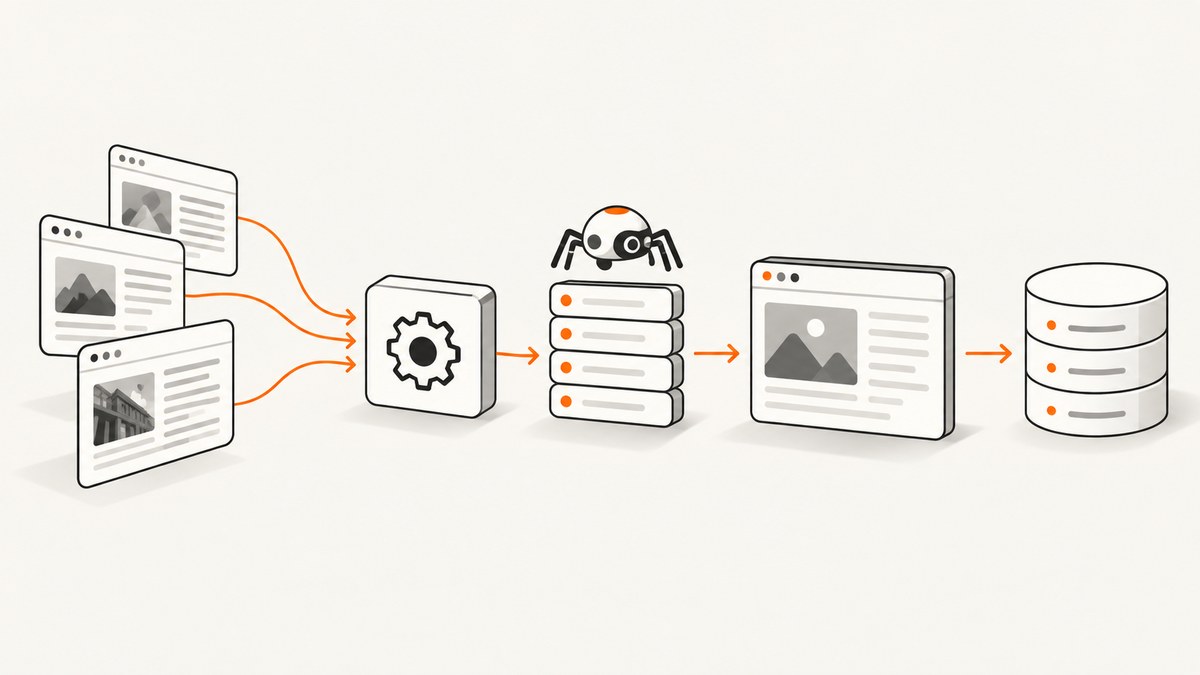
Which open-source web scraper should you use? Choose based on the work your project must do. For one-off extraction from HTML you already have, use a parser such as Beautiful Soup or lxml. For a repeatable multi-page crawl with concurrency, scheduling, crawl controls, debugging, and exports, evaluate Scrapy. For pages whose content appears only after JavaScript or interaction, compare browser automation with Playwright or Selenium, or add browser rendering to a crawler workflow.
There is no universal fastest or best tool. The right choice depends on the target pages, crawl size, programming language, politeness requirements, failure recovery, and where the results must go.
Quick decision guide
| Need | Start with | Why |
|---|---|---|
| Extract fields from a few already-fetched pages | Beautiful Soup or lxml | They parse HTML/XML without requiring a complete crawl framework. |
| Crawl many URLs repeatedly | Scrapy | It provides selectors, concurrency, crawl controls, debugging, and feed exports. |
| Render JavaScript or perform browser actions | Playwright or Selenium | Browser automation can execute scripts and interact with pages. |
| Combine crawling with browser rendering | Scrapy plus a browser-rendering integration | This keeps crawl orchestration while adding a browser layer where needed. |
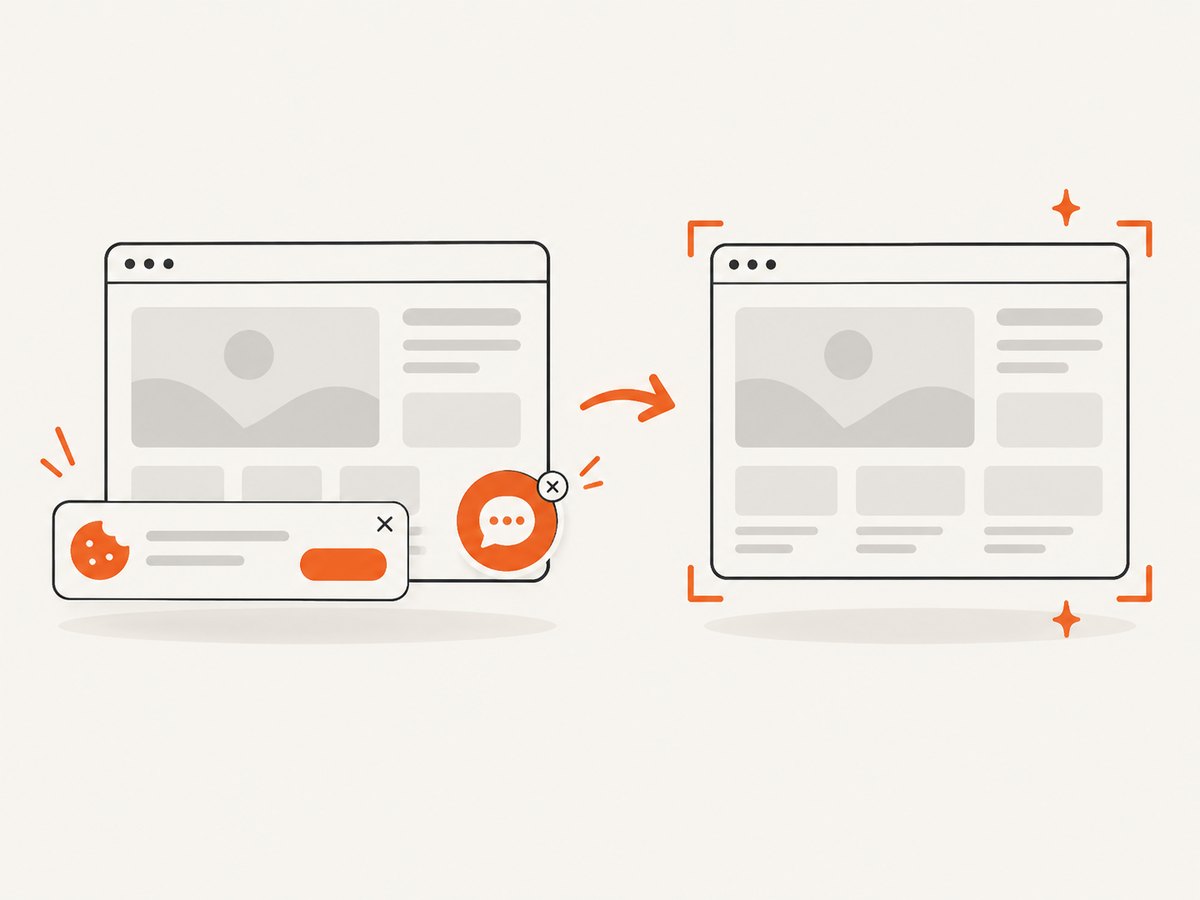
| Capture visual evidence instead of structured fields | ScreenshotNeo | It returns clean screenshots or PDFs through one API call and removes common consent and overlay elements before capture. |
Understand the layers: fetching, parsing, crawling, and rendering
Many tool comparisons become confusing because they compare different layers. A parser receives a document and finds elements in it. A crawler decides which URLs to request, how quickly to request them, how to follow links, how to recover from failures, and how to write results. A browser automation tool starts a browser, runs JavaScript, and performs actions such as clicks or scrolling.
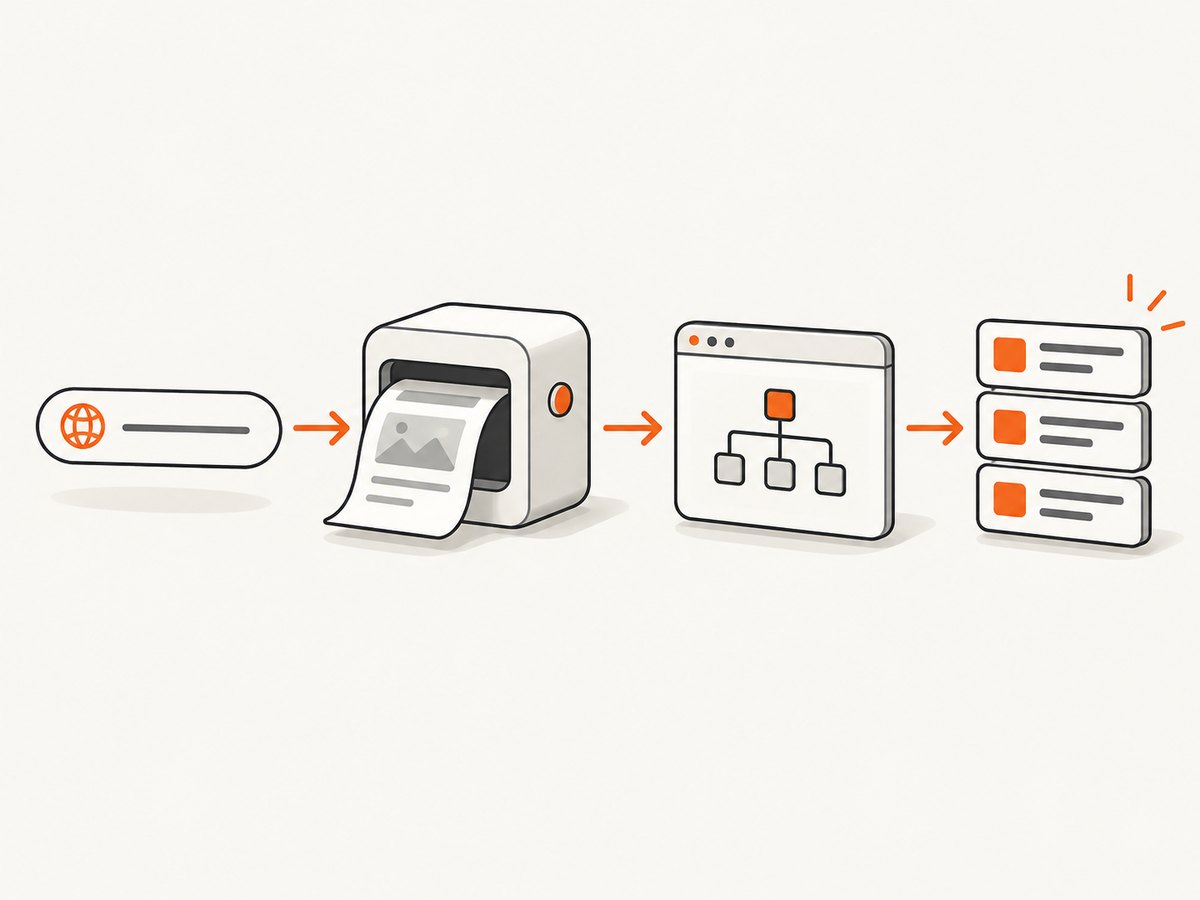
Scrapy’s FAQ explicitly distinguishes its crawling framework from Beautiful Soup and lxml, while noting that parsers can also be used inside Scrapy. Scrapy selectors support CSS and XPath expressions, so you can use a framework for traversal and a focused parser or selector for extraction.
When a parser is enough
Choose Beautiful Soup when tolerant handling of imperfect markup and a simple Python API are useful. Choose lxml when you want an HTML/XML parser with a Python API and XPath support. A parser does not discover URLs, limit crawl rates, persist queues, or export a multi-page dataset by itself; your application must provide those parts.
When you need a crawler
A crawler framework is appropriate when the input is a site or URL collection rather than one document. Scrapy documents concurrent requests, politeness controls, an interactive shell for debugging, and feed exports to multiple formats or storage backends. Those capabilities make it a practical starting point for repeatable Python crawls.
When you need a browser
View the delivered HTML before selecting a browser. If the required data is absent until JavaScript runs, or the workflow requires clicks, login state, infinite scrolling, or other interaction, compare Playwright and Selenium. The Scrapy project site also lists scrapy-playwright as an option for rendering JavaScript-heavy pages in a Scrapy workflow. Confirm current language support and project activity before committing to an integration.
A practical selection process
- Inspect representative pages. Save the initial response and check whether the fields you need are present in its HTML. Look for embedded JSON, pagination links, and scripts that fetch data later.
- Define the scope. A few URLs and a sustained crawl have different operational needs. Estimate URL count, refresh frequency, maximum depth, and whether the crawl must resume after interruption.
- Select the smallest suitable layer. Start with a parser for static, already-fetched HTML. Move to Scrapy for traversal and output management. Add Playwright or Selenium when browser execution is required.
- Compare language and maintenance fit. Consider the team’s Python or JavaScript experience, deployment environment, selector style, browser version management, and how often target markup changes.
- Design politeness and recovery. Set concurrency, delays, retries, timeouts, and robots.txt handling deliberately. Record failures instead of silently dropping URLs.
- Measure on real pages. Track extraction accuracy, successful completion, retry behavior, runtime, memory use, and maintenance work. Do not infer a universal winner from a feature list.
Runnable examples
Focused extraction with Beautiful Soup
This example fetches one page, extracts article titles, and handles a missing selector without crashing. Install dependencies with python -m pip install requests beautifulsoup4.
import requests
from bs4 import BeautifulSoup

url = "https://example.com/news"
response = requests.get(
    url,
    headers={"User-Agent": "ResearchBot/1.0 (+contact@example.com)"},
    timeout=30,
)
response.raise_for_status()

soup = BeautifulSoup(response.text, "html.parser")
for heading in soup.select("article h2, article h3"):
    title = heading.get_text(" ", strip=True)
    if title:
        print(title)
Use a stable selector that matches the page’s actual structure. Keep fetching separate from parsing so you can test extraction against saved HTML.
Multi-page crawling with Scrapy
Create a project with scrapy startproject catalog, then add a spider such as this one. Run it with scrapy crawl products -O products.json.
import scrapy

class ProductsSpider(scrapy.Spider):
    name = "products"
    allowed_domains = ["example.com"]
    start_urls = ["https://example.com/products"]

    custom_settings = {
        "DOWNLOAD_DELAY": 1.0,
        "CONCURRENT_REQUESTS_PER_DOMAIN": 2,
        "ROBOTSTXT_OBEY": True,
        "FEEDS": {"products.json": {"format": "json", "overwrite": True}},
    }

    def parse(self, response):
        for card in response.css("article.product"):
            yield {
                "name": card.css("h2::text").get(default="").strip(),
                "url": response.urljoin(card.css("a::attr(href)").get()),
            }

        next_url = response.css("a.next::attr(href)").get()
        if next_url:
            yield response.follow(next_url, callback=self.parse)
Scrapy’s CSS and XPath selectors, concurrency settings, feed exports, and interactive shell are documented in its selector documentation and feed export documentation. Tune concurrency per domain, add explicit timeouts and retries, and persist enough state to resume a long crawl.
Checking a page with cURL
curl --fail --location \
  --user-agent 'ResearchBot/1.0 (+contact@example.com)' \
  --max-time 30 \
  'https://example.com/news' \
  --output page.html
cURL is useful for inspecting redirects, response headers, and the HTML delivered before JavaScript. It is not a crawl scheduler or browser renderer.
Fetching HTML with Python
import requests

response = requests.get(
    "https://example.com/news",
    headers={"User-Agent": "ResearchBot/1.0 (+contact@example.com)"},
    timeout=30,
)
print(response.status_code, response.url)
print(response.text[:500])
Fetching HTML with Node.js
const res = await fetch('https://example.com/news', {
  headers: { 'User-Agent': 'ResearchBot/1.0 (+contact@example.com)' },
  signal: AbortSignal.timeout(30000)
});
if (!res.ok) throw new Error(`${res.status} ${res.statusText}`);
const html = await res.text();
console.log(res.url, html.slice(0, 500));
Use a browser package such as Playwright or Selenium when this response does not contain the rendered data. Browser execution costs more memory and introduces browser binaries, navigation waits, and interaction timing into operations.
Scrapy, Beautiful Soup, lxml, Crawlee, Playwright, and Selenium
Scrapy
Scrapy is the strongest first candidate for a Python team building repeatable, structured crawls. It combines request scheduling, selectors, concurrency and politeness controls, an interactive shell, and feed exports. Its framework scope means more configuration than a one-file parser, but that investment helps when URL discovery, retries, and output handling matter.
Beautiful Soup and lxml
These libraries are best treated as parsing components. Beautiful Soup is popular and tolerant of imperfect markup. lxml provides HTML/XML parsing and a Python API. Neither replaces crawl orchestration. They fit well when another component already handles fetching, queues, rate limits, or storage.
Crawlee
Crawlee is commonly evaluated alongside Scrapy and parser libraries for application-level scraping. Check its current language support, integrations, and maintenance status against your deployment needs before choosing it. Treat vendor-authored comparisons as category guidance rather than neutral benchmarks.
Playwright and Selenium
Both provide browser automation for JavaScript execution and interaction. Compare browser coverage, language support, selectors, waiting behavior, session handling, and the team’s ability to maintain browser versions. A browser is not automatically more reliable: it adds another failure surface, including navigation timeouts, blocked resources, and changing UI flows.
Options that affect correctness and operations
- Selectors: Prefer semantic attributes or stable data attributes over deeply nested CSS paths.
- Pagination: Handle next links, cursors, and “load more” actions explicitly; cap pages per seed URL.
- Concurrency: Increase only while observing server responses, local CPU, memory, and error rates.
- Retries: Retry transient connection and server errors with backoff. Do not retry every parsing error.
- Timeouts: Set connection, download, and browser navigation limits so one URL cannot stall a run.
- Deduplication: Normalize URLs, remove tracking parameters when appropriate, and maintain a seen set.
- Encoding: Respect response headers and verify non-ASCII text before writing CSV or JSON.
- Output: Store the source URL, retrieval time, status, and parser version with each record so results are auditable.
- Authentication: Use credentials only when you are authorized. Keep secrets outside source code and logs.
Troubleshooting
| Symptom | Likely cause | Fix |
|---|---|---|
| Selector returns no items | Markup changed, content is rendered later, or the selector targets the wrong document. | Save the response, inspect it, verify the selector, then choose browser rendering if the data is absent from delivered HTML. |
| Works locally but times out in production | Different DNS, proxy, firewall, CPU, or browser resources. | Log navigation phases, set bounded timeouts, test from the deployment network, and limit concurrency. |
| Many HTTP 429 responses | Request rate is too high or the site is applying limits. | Reduce concurrency, add delay and backoff, cache results, and review the site’s rules. |
| Duplicate records | Multiple URL forms identify the same page or pagination loops. | Canonicalize URLs, deduplicate before scheduling, and enforce depth and page limits. |
| Empty browser result | The page needs a click, scroll, login, or a longer wait. | Wait for a specific selector, perform the required interaction, and capture diagnostic screenshots or HTML. |
| Process consumes all memory | Too many concurrent responses, retained page objects, or an unbounded queue. | Lower concurrency, stream exports, close browser contexts, and bound queues. |
Performance, reliability, and cost
Measure the whole pipeline rather than raw request speed. Record URLs discovered, successful extractions, HTTP and parsing failures, retry counts, median and tail latency, memory use, and output size. A parser over saved HTML may be inexpensive, while a browser crawl can require substantially more CPU and memory. The cost of engineering and maintaining selectors can exceed infrastructure cost when sites change frequently.
For reliability, make runs restartable. Persist the queue or checkpoints, write records incrementally, retain failure URLs, and version extraction code. Keep raw responses for a sample of pages so a later parser change can be validated. Treat cache data as time-sensitive when pages update often, and define freshness by use case.
Responsible crawling
Technical capability does not grant permission to collect data. Check the target site’s terms, access rules, authentication requirements, and applicable policies. Scrapy documents politeness controls and robots.txt-related configuration. A 2025 preprint studying selective scraper compliance with robots.txt shows that compliance is a real operational issue, but it does not decide whether a particular collection is lawful or contractually allowed. When the use case is consequential, obtain appropriate professional advice.
Or skip the browser setup
If your goal is a visual record rather than structured fields, ScreenshotNeo provides one GET request for a PNG, JPEG, WebP, or PDF. Before capture it accepts cookie and consent banners like a visitor and removes more than 60 known consent platforms, newsletter popups, and chat widgets; each step can be turned off. Bot checks and CAPTCHAs, blank pages, timeouts, failed loads, and cache hits are not billed, and the response identifies the result with X-Page-Verdict and X-Billed headers.
See the ScreenshotNeo API documentation for all options, including full-page and element captures, device presets, dark mode, retina scale, custom CSS and JavaScript, clicks, waits, blocked resources, headers, cookies, user agents, authorization, timezone, geolocation, transparent backgrounds, resizing, caching, signed links, asynchronous jobs, webhooks, bulk capture, usage data, and PDF controls.
curl -G "https://api.screenshotneo.com/v1/shot" -d access_key=YOUR_API_KEY --data-urlencode url=https://example.com -o shot.webpimport requests
r = requests.get("https://api.screenshotneo.com/v1/shot", params={"access_key": "YOUR_API_KEY", "url": "https://example.com"}, timeout=90)
open("shot.webp", "wb").write(r.content)const q = new URLSearchParams({ access_key: 'YOUR_API_KEY', url: 'https://example.com' });
const res = await fetch(`https://api.screenshotneo.com/v1/shot?${q}`);ScreenshotNeo also includes an MCP server with take_screenshot, get_page_info, and capture_pdf tools for Claude, Cursor, and other MCP clients. The Free plan includes 1,000 screenshots each month with no card; paid plans start at $5 for 3,000. Create a free ScreenshotNeo account.
FAQ
Is Beautiful Soup a web scraper?
It is an HTML parser commonly used in scraping programs. You still need a fetching and crawl strategy around it.
Should I use CSS or XPath?
Use the expression style your team can maintain. CSS is concise for common selectors; XPath is useful for relationships and text-sensitive paths.
When should I add a browser?
Add one when required content or actions are unavailable in the initial HTML response. Confirm that with a saved response before accepting browser overhead.
Can robots.txt answer whether scraping is legal?
No. It is a crawl-planning signal. Review site-specific rules and applicable obligations for your situation.
How do I compare tools fairly?
Run each plausible option on representative pages and record extraction accuracy, recovery behavior, runtime, resource use, and maintenance effort. Feature lists alone do not establish a universal winner.


