Oxylabs Alternatives Compared
Compare Oxylabs alternatives by service type, target, integration, and billing model. Learn how to evaluate providers against your own scraping workload.
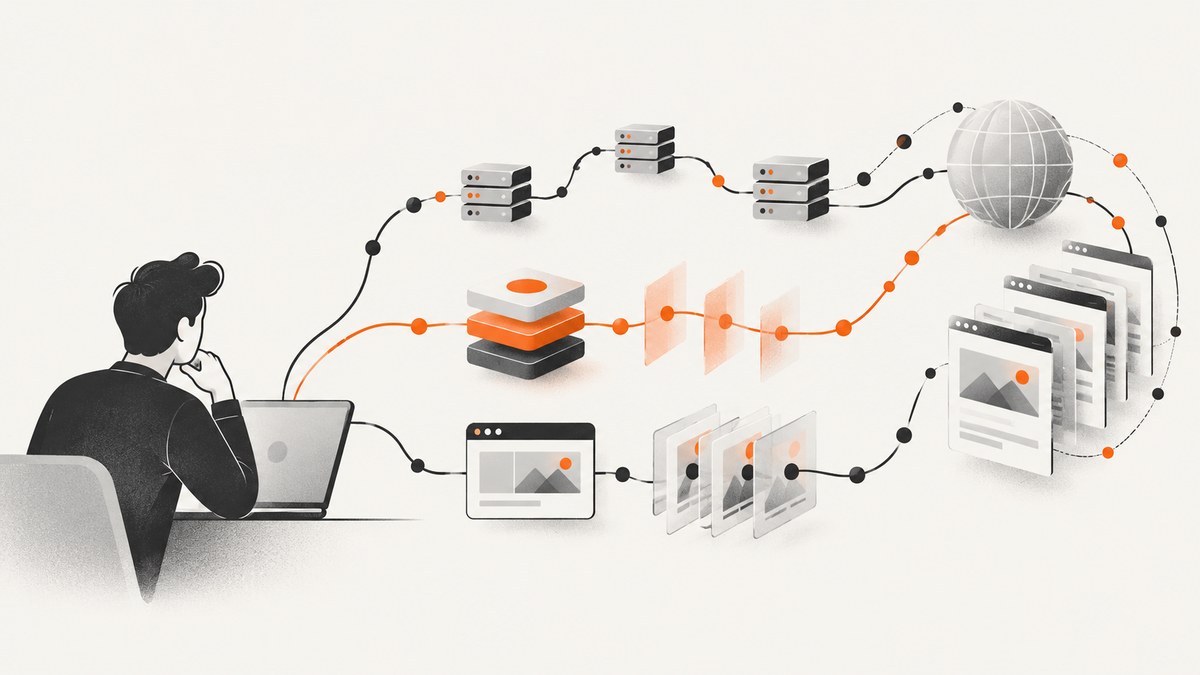
There is no universally best Oxylabs substitute in the available evidence. Start by deciding whether you need raw proxy access or a managed scraping API, then compare candidates against the sites, geography, rendering, extraction, integration, and billing model your workflow actually requires. Oxylabs names Decodo, Rayobyte, Zyte, and ScrapingBee as API alternatives; Bright Data describes a broader portfolio across proxies, scraping, unblocking, browsers, and datasets. These are vendor-published candidate lists, not independent rankings. ScreenshotNeo is a separate option to try first when the deliverable is a visual screenshot or PDF rather than extracted page data: its API returns captures, and only clean shots are billed.
1. Decide what you are replacing
“Scraping service” can mean several different things. A proxy service gives your software network access through proxy endpoints. Your application may still need to manage requests, sessions, retries, rendering, parsing, and site changes. A managed scraping API can bundle some combination of proxy handling, browser rendering, unblocking, and structured extraction behind an API. A browser or screenshot API solves a narrower task: producing a visual representation of a page.
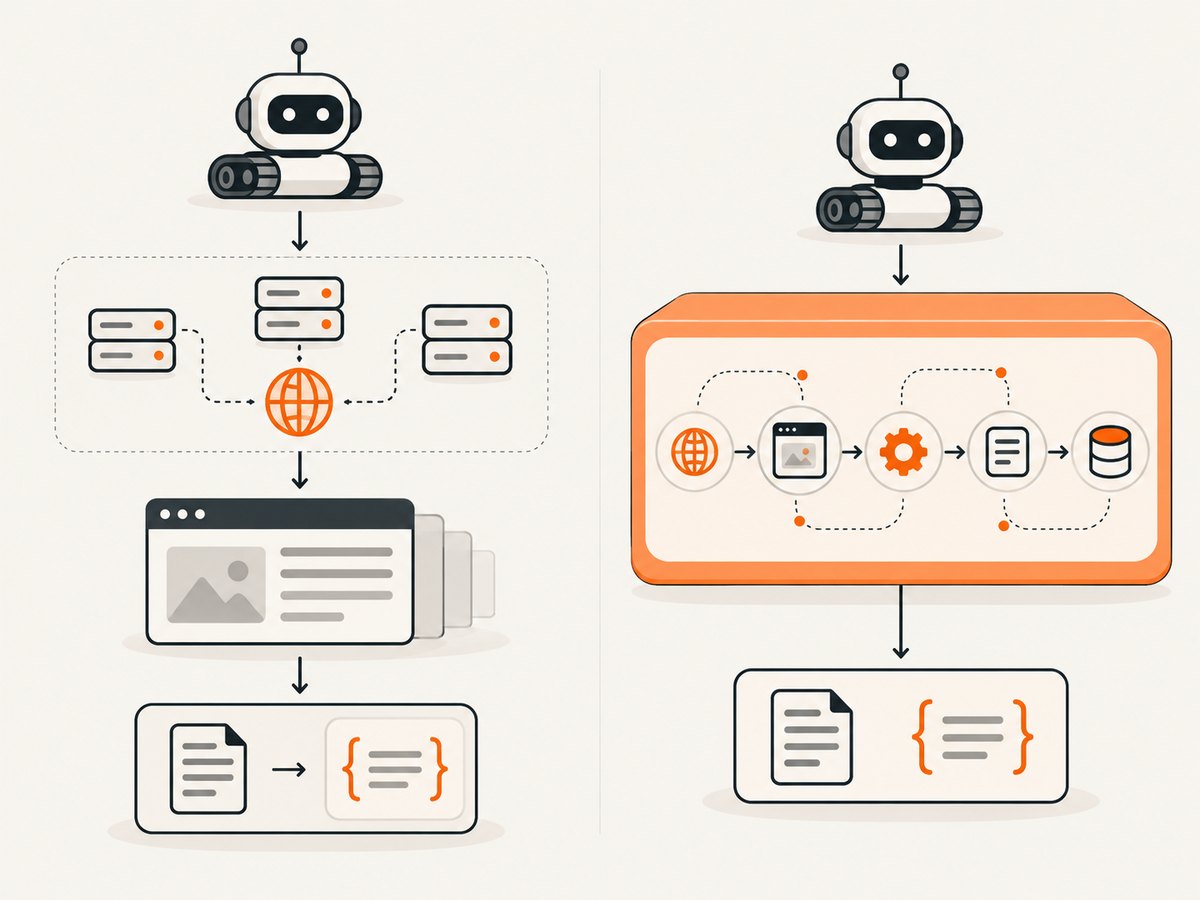
These categories overlap, but they are not interchangeable. If you need product fields in JSON, a screenshot endpoint will not extract those fields. If you only need a visual record of a page, buying a full scraping and parsing workflow may add complexity you do not need. Bright Data’s comparison describes products across datacenter, residential, ISP, SERP, scraping API, Web Unlocker, browser, and dataset categories, illustrating why a brand-level comparison can mix unlike services. Bright Data product information
| Need | Service type to evaluate | Question to answer |
|---|---|---|
| Network access for your own crawler | Proxy network | Which proxy types, locations, session controls, and usage limits fit? |
| Page access plus rendered HTML or extracted fields | Managed scraping API | Does it render the target, handle access challenges, and return the format you need? |
| Automated interaction in a browser | Browser automation or browser API | Do you need clicks, scrolling, persistent state, or custom scripts? |
| Visual record of a page | Screenshot or PDF API | Do you need a full-page image, selected element, or PDF? |
| Prepared records without building collection | Dataset product | Are the dataset’s sources, fields, refresh cadence, and rights suitable? |
Write down the output before comparing vendors. “Collect public data” is too broad to make a useful buying decision. Specify the target domains, output schema or image format, country requirements, JavaScript behavior, run frequency, volume, and how you will validate completeness.
2. Oxylabs alternatives at a glance
The table summarizes only what the available vendor-published material supports. It does not claim that any provider performs better on your target. Oxylabs’ comparison article was last updated January 9, 2026; Bright Data says its comparison pricing was verified in May 2026. Both are vendor-authored, and prices, quotas, features, and trial terms can change. Verify them directly before purchasing.
| Candidate | What the researched material says | What to verify for your workload |
|---|---|---|
| Bright Data | Its comparison describes proxy products, scraping APIs, an unblocker, browser products, and datasets, with differing price models. | Choose the actual product category first; check current billing unit, locations, and limits for that product. |
| Decodo (formerly Smartproxy) | Oxylabs’ article describes specialized scraping APIs with rendering, proxy, and parsing capabilities. It states a Core rate of $0.08 per 1,000 requests, which needs current direct verification. | Confirm the relevant API, supported target, minimum purchase, chargeable features, and trial terms. |
| Zyte | Oxylabs characterizes Zyte around AI-assisted scraping, parsing, and automation. | Check how pricing applies to your domains and requested output, and whether your case needs browser automation or structured extraction. |
| Rayobyte | Oxylabs describes an API with proxy management and structured JSON output. | Ask about target support, output shape, retries, proxy tiers, and the total cost at your expected volume. |
| ScrapingBee | Oxylabs describes JavaScript rendering, automatic proxy rotation, geotargeting, SDKs, and a no-code option. | Compare request credits, rendering charges, geographic options, and support against your actual request mix. |
| SOAX | The official pricing page reviewed for the dossier did not provide enough accessible comparative detail to substantiate a recommendation. | Verify proxy types, scraping APIs, locations, session controls, and current plan costs directly. |
| Webshare | The official pricing page reviewed did not provide enough detail for a comparable recommendation. | Check proxy types, bandwidth or IP limits, locations, and whether you need a separate scraping API. |
These descriptions are leads for an evaluation, not endorsements. For example, the $49-per-month ScrapingBee figure and Decodo trial terms in the Oxylabs article are not independently verified current offers. Do not build a budget or migration plan around a comparison article’s old figure without checking the provider’s live pricing and terms. Oxylabs’ alternatives comparison · Bright Data’s comparison
3. Compare the workflow, not the headline price
Use the same evaluation sheet for every candidate. Oxylabs’ comparison itself identifies rendering, proxy support, parsing, performance, output formats, advanced features, ease of use, pricing, trials, and support as relevant dimensions. Add workload-specific measures so the result is useful to your team.
- Service category: Record whether the offer is raw residential, datacenter, ISP, or mobile proxies; a managed extraction API; an unblocker; browser automation; or a prepared dataset. Don’t compare a per-GB proxy rate with a per-successful-result API rate as if the units represented the same work.
- Targets and geography: List the domains and regions you actually need. Determine whether country, city, or other targeting is available, and whether each target works under the proposed setup.
- Rendering and sessions: Test pages that depend on JavaScript, authentication state, sticky sessions, or repeated requests from one identity. Note which parts are handled by the service and which your code must own.
- Extraction and output: Check whether the service returns HTML, structured fields, JSON, a file, or another format. Test field completeness and how you will detect a page template change.
- Performance evidence: Request the benchmark methodology: target list, date, geography, concurrency, request pattern, and definition of success. A vendor’s success-rate statement is not a guarantee for another target or account.
- Integration and support: Estimate implementation work from documentation and SDKs. Confirm support channels and any service commitments that matter to your system.
- Full cost: Include minimums, bandwidth or request charges, rendering multipliers, retries, failed responses, concurrency needs, and support or contract costs. Ask what event is billable.
- Trial design: Run the same representative targets through each trial. Record successful outputs, latency, data completeness, and total billed usage. Avoid extrapolating from a handful of easy pages.
Keep the test small enough to inspect manually but representative enough to expose the hard cases. Include a JavaScript-heavy page if relevant, a page from each required geography, a failure case, and the slowest or most complex target you expect to support. Save request parameters and outputs so candidates can be compared on the same inputs.
4. How to run a fair pilot
- Define success before sending requests. For extraction, specify required fields and acceptable missing-data rates. For screenshots, define viewport, full-page behavior, and acceptable visual differences.
- Use a fixed target set. Choose pages representative of the workload and keep the list unchanged across candidates. Respect applicable law and site terms, and collect only data you are authorized to use.
- Normalize request behavior. Use equivalent geography, rendering, session behavior, concurrency, and retry limits. Document unavoidable differences instead of silently favoring one service.
- Capture results. For each request, record timestamp, target, status, latency, output validity, missing fields or visual defects, and billable units. Include a column for setup effort and manual intervention.
- Repeat across time. A single short run can miss intermittent failures and target-side changes. Repeat enough to reflect your intended schedule and traffic pattern.
- Calculate cost per useful result. Divide all charges for the pilot by outputs that passed your acceptance criteria. Include engineering and operations effort in the decision even when it is not part of a vendor invoice.
- Recheck terms before rollout. Confirm pricing, quotas, retention, support, and applicable usage terms with the provider. Treat comparison-page figures as leads, not a quote.
5. Code for a visual capture alternative
If the outcome you need is a screenshot or PDF, ScreenshotNeo is a separate alternative to evaluate first. One GET request can return a PNG, JPEG, WebP, or PDF. The API supports options including full-page capture, element selection, device presets and custom viewports, dark mode, custom CSS or JavaScript, wait conditions, request blocking, cookies and headers, geolocation, caching, resizing, async jobs, and bulk capture. See the ScreenshotNeo API documentation for parameter names and configuration.
cURL:
curl -G "https://api.screenshotneo.com/v1/shot" \
  -d access_key=YOUR_API_KEY \
  --data-urlencode url=https://stripe.com \
  -o shot.webp
Python:
import requests

response = requests.get(
    "https://api.screenshotneo.com/v1/shot",
    params={"access_key": "YOUR_API_KEY", "url": "https://stripe.com"},
    timeout=90,
)
response.raise_for_status()
with open("shot.webp", "wb") as image_file:
    image_file.write(response.content)
Node.js (Node 18+):
const q = new URLSearchParams({
  access_key: 'YOUR_API_KEY',
  url: 'https://stripe.com'
});
const res = await fetch(`https://api.screenshotneo.com/v1/shot?${q}`);
if (!res.ok) throw new Error(`Screenshot request failed: ${res.status}`);
const image = Buffer.from(await res.arrayBuffer());
await import('node:fs/promises').then(fs => fs.writeFile('shot.webp', image));
Store the API key in an environment variable or secret manager in production rather than committing it to source control. Check response headers and status before treating a response body as an image. For a public page, signed links can support image tags without exposing a private key in the URL; consult the docs for the signing flow.
6. Or skip the browser setup
Use the ScreenshotNeo call when your deliverable is a page image or PDF:
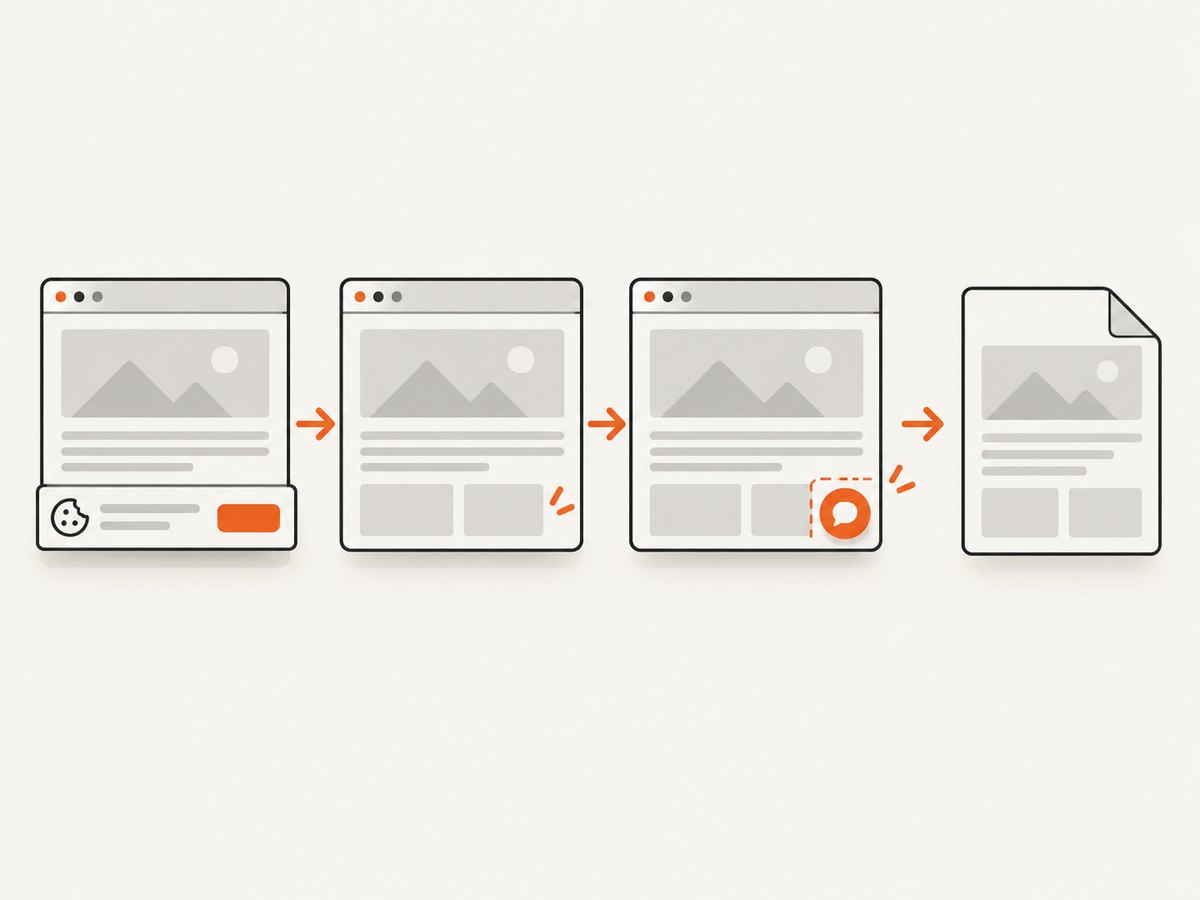
curl -G "https://api.screenshotneo.com/v1/shot" -d access_key=YOUR_API_KEY --data-urlencode url=https://stripe.com -o shot.webpCookie banners, newsletter popups, and chat widgets are removed before the shot; each cleanup step can be turned off. Bot checks, blank pages, timeouts, failed loads, and cache hits are not billed, and response headers report the page verdict and billing status. An MCP server exposes take_screenshot, get_page_info, and capture_pdf for Claude, Cursor, and other MCP clients. The free plan includes 1,000 screenshots a month with no card; paid plans start at $5 for 3,000 shots. Every feature is available on every plan. This captures pages visually; use an extraction API when you need structured web data.
Create a free ScreenshotNeo account for 1,000 screenshots a month with no card.
7. Cost, performance, and reliability
There is no credible universal cost-per-page or success-rate comparison in the available research. The source set contains vendor comparisons, not a controlled, independently replicated head-to-head test. One provider may be cheaper for one target, output, and geography while costing more for another. Model total cost using your pilot’s accepted outputs, not request count alone.
Performance depends on target behavior, geography, rendering needs, concurrency, and retry policy. Measure latency distributions and successful, complete outputs by target. A provider’s claim or benchmark is evidence about its stated method and conditions; it does not establish results for your own workload. Record failures by category so that a blocked request, a timeout, a malformed extraction, and a target-side outage do not collapse into one misleading success percentage.
Build reliability into the client regardless of vendor. Use bounded retries with backoff for transient errors, cap concurrency to the service limits, set connection and total timeouts, and make writes idempotent where possible. Avoid retrying permanent configuration errors or access denials indefinitely. Keep an audit record of request configuration and vendor response metadata so that a changed target or plan can be diagnosed later.
For ScreenshotNeo captures, a cache hit is not billed, and the service reports page verdict and billing status in response headers. Its caching supports a TTL you choose. That helps avoid paying repeatedly for an unchanged visual capture, while freshness requirements may call for a shorter TTL or no cache. For any provider, understand how failed requests, retries, rendered requests, and minimum commitments affect the bill before scheduling recurring jobs.
8. Troubleshooting an evaluation
| Symptom | Likely cause | What to do |
|---|---|---|
| Proxy test works, but the extraction pipeline fails | A proxy supplies connectivity, while rendering, parsing, and retries remain your application’s responsibility. | Confirm the service category and add or evaluate the missing workflow components. |
| HTML is missing content visible in a browser | The page may render content with JavaScript or after a delayed request. | Test the service’s rendering and wait controls; inspect the returned content before changing parsers. |
| Results differ between runs | Target content, session state, geography, or page templates may change. | Fix test inputs and session behavior where possible; store timestamps and compare raw outputs. |
| Costs exceed the estimate | Billing may include bandwidth, rendered requests, retries, minimums, or separate product components. | Reconcile the invoice against request-level usage and verify each product’s current billing unit and multipliers. |
| Trial results look unusually good | The trial set may omit difficult targets or low-frequency failures. | Add representative hard cases and repeat at the intended concurrency and schedule. |
| Screenshot response is not a usable image | The page may have failed, returned a bot check, or timed out; an error body may be mistaken for an image. | Inspect HTTP status and ScreenshotNeo’s X-Page-Verdict and X-Billed headers; check the URL and page state. |
| Screenshot misses late-loaded content | The page needs a wait condition or lazy content has not loaded yet. | Configure a selector, delay, or network-idle wait and use full-page capture when needed. |
9. Common questions
Which Oxylabs alternative is best?
The evidence does not establish a universal winner. Select the service category, then pilot the candidates that meet your targets, output, geography, and cost constraints.
Are proxy services and scraping APIs the same?
No. A proxy service provides network access; a managed scraping API may also handle rendering, proxy management, and extraction. Verify exactly what is included in the product being priced.
Can I use a screenshot API instead of a scraping API?
Only when the required result is a visual capture or PDF. A screenshot does not provide structured fields from the page.
Are the prices in vendor comparison articles current?
Not necessarily. The named comparisons have publication or verification dates, and the figures were not independently checked against every live plan. Confirm terms with the provider before budgeting.
Is web scraping legal?
It depends on the data, use, jurisdiction, and circumstances. Oxylabs’ article says legality depends on the type of data collected and how it is used; that vendor statement is not legal advice. Check applicable law and site terms for your case.
Sources and evidence limits
This comparison draws on Oxylabs’ vendor-authored API alternatives article, Bright Data’s vendor comparison, and the official SOAX and Webshare pricing pages reviewed for the research dossier. Their claims are attributed as vendor descriptions. The available material did not establish independently tested rankings, current comparable plan limits for all candidates, or a replicated performance benchmark. Verify live product documentation and pricing for your use case before committing.


