Integrating Paged.js with Ruby on Rails
Build browser previews and automated PDFs with Paged.js in Rails, including assets, print CSS, CLI rendering, debugging, and production options.

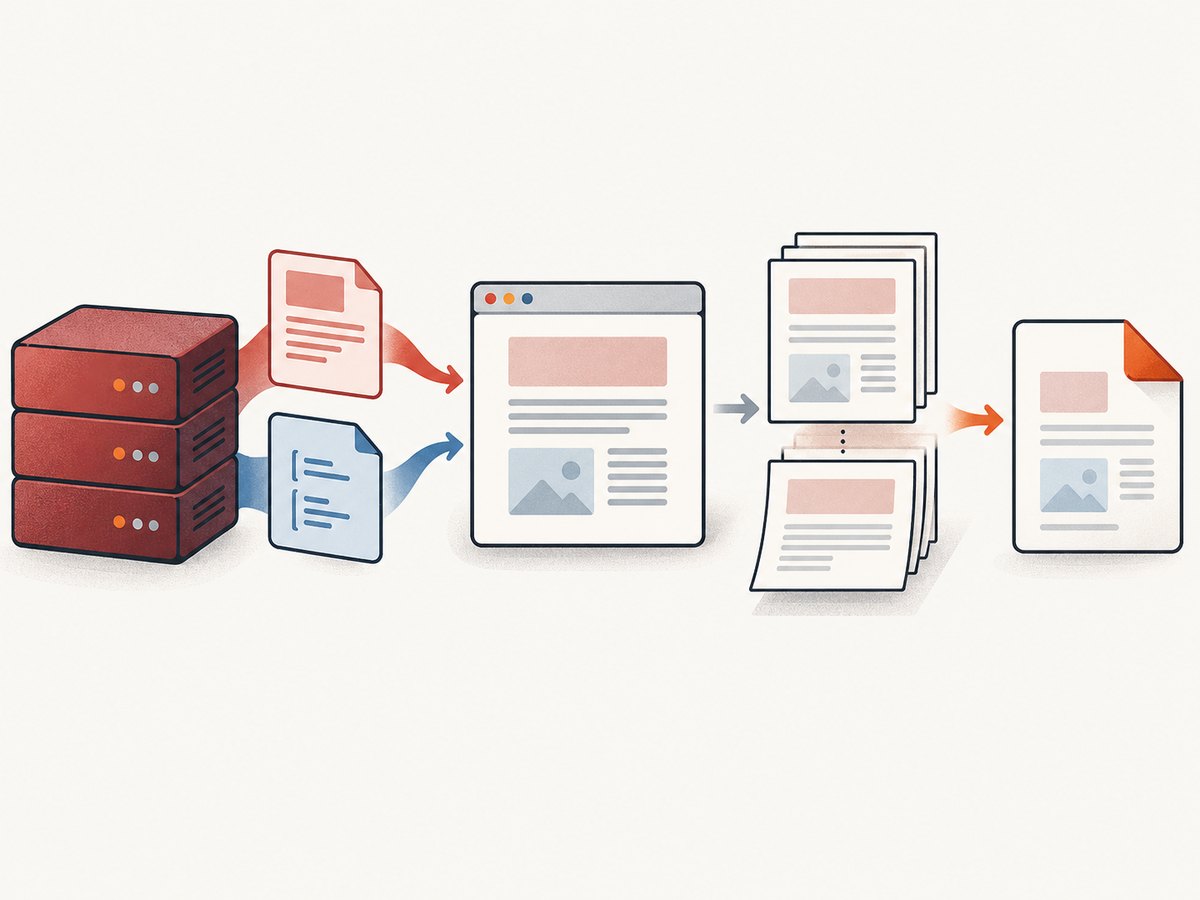
Short answer: use the Paged.js browser polyfill when Rails users need an interactive paginated preview or a browser print flow. Use the Paged.js CLI with a headless browser when your application must create PDFs unattended, such as background jobs, exports, invoices, or scheduled reports. Rails is responsible for rendering the HTML and serving its CSS, JavaScript, fonts, and images; Paged.js performs the pagination.
Paged.js transforms HTML and print CSS into paginated layouts. Its browser workflow runs inside a web page and lets a reader inspect the result before using the browser’s Save as PDF command. Its CLI workflow runs the same general transformation in a headless browser and writes a PDF from a command line process. The official documentation describes these workflows separately; the Rails wiring below is a practical integration pattern that you should validate against your Rails and Paged.js versions.
Choose the right architecture
| Requirement | Browser polyfill | CLI and headless browser |
|---|---|---|
| Interactive preview | Best fit | Usually unnecessary |
| User-triggered print | Best fit | Possible, but adds a server round trip |
| Background PDF generation | Not a good fit | Best fit |
| Scheduled or bulk exports | Not a good fit | Best fit |
| Primary integration work | Load script, HTML, and CSS in a browser | Install CLI dependencies and expose a renderable document |
Use the browser mode if a user needs to change content, see page boundaries, or decide when to print. Use the CLI mode if a controller, job, or service needs a deterministic file. In either case, keep layout rules in print CSS where possible. Add JavaScript hooks only for transformations that CSS and source markup cannot express.
Prepare a Rails document for pagination
1. Create a dedicated printable view
Do not paginate your normal application layout accidentally. Create a document layout with only the resources needed by the printed document.
# config/routes.rb
Rails.application.routes.draw do
  resources :reports, only: [] do
    member do
      get :print
    end
  end
end
# app/controllers/reports_controller.rb
class ReportsController < ApplicationController
  def print
    @report = Report.find(params[:id])
    render layout: "print"
  end
end
<!-- app/views/layouts/print.html.erb -->
<!doctype html>
<html>
  <head>
    <meta charset="utf-8">
    <meta name="viewport" content="width=device-width, initial-scale=1">
    <title><%= @report.title %></title>
    <%= csrf_meta_tags %>
    <%= stylesheet_link_tag "print", media: "all" %>
    <%= javascript_include_tag "paged.polyfill", defer: true %>
  </head>
  <body>
    <%= yield %>
  </body>
</html>
The exact asset helper depends on your Rails setup. The Rails guides describe import maps, JavaScript bundlers, the asset pipeline, javascript_include_tag, and build output under app/assets/builds. Follow the mechanism already used by your application instead of introducing a second JavaScript delivery system solely for Paged.js.
2. Add print CSS
/* app/assets/stylesheets/print.css */
@page {
  size: A4;
  margin: 18mm 16mm 20mm;

  @bottom-right {
    content: counter(page) " / " counter(pages);
    font-size: 9pt;
    color: #666;
  }
}

html, body {
  margin: 0;
  padding: 0;
  font-family: system-ui, sans-serif;
  color: #111;
}

h1, h2, h3 {
  break-after: avoid;
}

.chapter {
  break-before: page;
}

.keep-together {
  break-inside: avoid;
}

table, figure, pre {
  break-inside: avoid;
}

img {
  max-width: 100%;
  height: auto;
}
Use break-before, break-after, and break-inside to express pagination intent. Test long tables, code blocks, images, and headings with unusual content lengths. A rule that looks correct for one report can create an almost empty page for another.
Browser preview with the Paged.js polyfill
The getting-started workflow requires HTML, CSS, the Paged.js script, and a web server so the polyfill can access the document’s stylesheets. In Rails development, visit the printable route through the normal server rather than opening an ERB file from disk.
<!-- Use the distribution file that your application has installed and serves. -->
<script src="/assets/paged.polyfill.js" defer></script>
After the page loads, Paged.js paginates the document in the browser. The reader can inspect page boundaries and invoke the browser’s print dialog, then choose Save as PDF. Browser print settings still affect the final file, including paper size, margins, headers, footers, and background graphics. Document those settings for users who need consistent output.
Import-map and bundler considerations
- Import map: Rails can pin JavaScript modules without a build step. Verify that the Paged.js distribution you selected is importable in the form you pin and serve; the reviewed sources do not certify a particular pin configuration.
- Bundler: Install and import Paged.js through the existing build tool, then make sure the generated file is written to the asset path your layout serves.
- Standalone asset: Copy or package the browser distribution into the Rails asset structure and include it only on printable pages.
Keep the script loading strategy consistent with your page. If pagination starts before application JavaScript has finished modifying the document, the result can differ between development and production. Render the final content first, then let Paged.js process it.
Automated PDFs with pagedjs-cli
For unattended generation, the Paged.js CLI documentation describes installing pagedjs-cli and pagedjs, then running a command such as:
npm install --save-dev pagedjs-cli pagedjs
npx pagedjs-cli report.html -o result.pdf
The CLI uses a headless browser and runs the pagination script automatically. Your Rails application must make the document and every dependency available to that browser. A simple approach is to render a public or authenticated URL and pass that URL to the renderer. Another is to render HTML to a temporary file and ensure relative stylesheets, fonts, and images resolve from a location the browser can access.
Calling the CLI from a Rails job
# app/jobs/report_pdf_job.rb
class ReportPdfJob < ApplicationJob
  queue_as :default

  def perform(report_id)
    report = Report.find(report_id)
    input = Rails.root.join("tmp", "report-#{report.id}.html")
    output = Rails.root.join("tmp", "report-#{report.id}.pdf")

    html = ApplicationController.renderer.render(
      template: "reports/print",
      layout: "print",
      assigns: { report: report }
    )
    File.write(input, html)

    command = [
      "npx", "pagedjs-cli", input.to_s,
      "-o", output.to_s
    ]
    success = system(*command)
    raise "Paged.js PDF generation failed" unless success && File.exist?(output)

    report.pdf.attach(
      io: File.open(output),
      filename: "report-#{report.id}.pdf",
      content_type: "application/pdf"
    )
  ensure
    File.delete(input) if input && File.exist?(input)
    File.delete(output) if output && File.exist?(output)
  end
end
Adapt this example to your asset and URL strategy. The CLI guide is dated, so confirm current package installation instructions, browser runtime requirements, and supported flags before putting the command into production. Pin versions in your application and reproduce the same Node and browser environment in development, CI, and workers.
Rails asset and URL checklist
- Open the printable route in the same environment used for capture.
- Confirm that the print stylesheet returns HTTP 200 and the expected content type.
- Use absolute or correctly rooted URLs for fonts, images, and imported CSS when rendering outside the Rails request.
- Make authentication available to the renderer, or generate a short-lived document URL.
- Check that CSP, cookies, redirects, and host authorization do not block the headless browser.
- Wait for data-dependent content before pagination begins.
- Verify the final PDF in CI with representative long and short documents.
When CSS is not enough: hooks and handlers
Paged.js documents handlers and processing hooks for stages such as document parsing and layout. Use them when you need to add generated content, inspect pages, or transform nodes based on document-specific logic.
class RunningTitleHandler extends Paged.Handler {
  afterPageLayout(pageElement, page, breakToken) {
    const title = document.querySelector("h1")?.textContent;
    if (!title) return;
    const header = pageElement.querySelector(".running-title");
    if (header) header.textContent = title;
  }
}

Paged.registerHandlers(RunningTitleHandler);
Check the handler API against the installed Paged.js version. The official handler documentation reviewed for this guide is dated, and hook names or lifecycle details can change. Keep handlers small, deterministic, and covered by document fixtures.
Common problems and fixes
| Symptom | Likely cause | Fix |
|---|---|---|
| No pagination occurs | Script is missing, blocked, or loaded before the document is ready | Inspect the browser console and network panel; serve the script from Rails and load it after the document is available. |
| Styles are ignored | Stylesheet URL is wrong or inaccessible to the renderer | Open the CSS URL directly, check status and content type, and use a URL valid in the headless environment. |
| Images are blank | Relative paths, authentication, lazy loading, or capture before image load | Use resolvable URLs, provide required cookies, and wait until images are loaded before pagination. |
| Fonts fall back | Font files are blocked, missing, or loaded after layout | Serve font files from the renderable host and wait for font loading before generating the PDF. |
| Unexpected blank pages | Conflicting page breaks, oversized keep-together blocks, or a large margin | Inspect break-* rules and reduce or split blocks that cannot fit on one page. |
| CLI works locally but fails in a job | Different Node, browser, filesystem, environment variables, or network access | Pin dependencies, log the exact command and exit status, and run the worker in a matching image. |
| Private content redirects to login | Renderer has no session or authorization | Use a controlled signed URL or configure the renderer’s authentication mechanism; never expose unrestricted private reports. |
| Print preview differs from PDF | Browser print settings or browser versions differ | Standardize paper and margin settings, pin the rendering environment, and compare generated artifacts. |
Performance, reliability, and cost
Pagination cost is driven by document size and browser rendering work. Large DOM trees, high-resolution images, web fonts, charts, and scripts increase render time. Reduce unnecessary markup, resize source images, avoid loading application-wide JavaScript on print views, and cache stable assets. For jobs, place PDF generation on a queue and record failures with the report ID, renderer version, input URL or file, and exit status.
Reliability improves when the printable view is deterministic. Freeze data at the start of a job, use a stable timezone, avoid timestamps that change during rendering, and make external dependencies explicit. If a document depends on remote images or APIs, decide whether to proxy or snapshot those resources so a transient network failure cannot alter a financial or legal report.
There is no source-backed benchmark for Rails and Paged.js in the reviewed documentation. Measure your own representative documents, including the largest expected report, and set a job timeout based on those observations. Retain failed HTML where privacy policy permits so layout bugs can be reproduced without rerunning a changing query.
Or skip the browser setup
If your Rails application only needs a clean screenshot or PDF of a URL, ScreenshotNeo provides a single request API. Cookie and consent banners are accepted and removed before capture, along with more than 60 known consent platforms, newsletter popups, and chat widgets. Bot checks, blank pages, timeouts, failed loads, and cache hits are not billed, and the response identifies the result with X-Page-Verdict and X-Billed headers. ScreenshotNeo also provides an MCP server so Claude, Cursor, and other MCP clients can call take_screenshot, get_page_info, and capture_pdf.

See the ScreenshotNeo API documentation for all options. This Rails example saves the returned WebP:
require "net/http"
require "uri"

uri = URI("https://api.screenshotneo.com/v1/shot")
uri.query = URI.encode_www_form(
  access_key: ENV.fetch("SCREENSHOTNEO_ACCESS_KEY"),
  url: "https://example.com"
)

response = Net::HTTP.get_response(uri)
raise "Screenshot failed: #{response.code}" unless response.is_a?(Net::HTTPSuccess)

File.binwrite("tmp/example.webp", response.body)
curl -G "https://api.screenshotneo.com/v1/shot" -d access_key=YOUR_API_KEY --data-urlencode url=https://stripe.com -o shot.webp
import requests
r = requests.get("https://api.screenshotneo.com/v1/shot", params={"access_key": "YOUR_API_KEY", "url": "https://stripe.com"}, timeout=90)
open("shot.webp", "wb").write(r.content)
const q = new URLSearchParams({ access_key: 'YOUR_API_KEY', url: 'https://stripe.com' });
const res = await fetch(`https://api.screenshotneo.com/v1/shot?${q}`);
Features include full-page capture with lazy images loaded, CSS-selector element capture, dark mode, device presets and custom viewports, retina scale, PDF paper and page controls, custom CSS and JavaScript, clicks, waits, request blocking, headers, cookies, user agents, authorization, timezone, geolocation, transparent backgrounds, resizing, caching with a chosen TTL, signed links, asynchronous jobs with signed webhooks, bulk capture for 100 URLs per call, a usage API, and an OpenAPI specification. ScreenshotNeo has 1,000 screenshots per month free with no card; paid plans start at $5 for 3,000. Create a free ScreenshotNeo account.
FAQ
Does Paged.js replace Rails views?
No. Rails still renders the HTML and serves resources. Paged.js transforms that document into pages in the browser or headless browser.
Can I use the polyfill and CLI in one application?
Yes. A preview route can use the polyfill while a background job uses the CLI, provided both receive equivalent HTML and CSS.
Should pagination rules live in JavaScript?
Usually no. Start with print CSS. Use handlers only for document-specific transformations that CSS cannot express.
Why does a local file behave differently from a Rails URL?
Resource resolution, cookies, CSP, redirects, and browser security differ. Test through the same served URL and runtime that production uses.
Is there an official Rails-specific Paged.js recipe?
The reviewed official sources document Paged.js workflows and Rails asset delivery separately. Treat the connection as an integration you must validate in your application.


