How to Parse Datetime Strings in Python with Dateparser
Parse human-readable dates into Python datetime values with dateparser. Learn to control formats, date order, languages, timezones, relative dates, and failure handling.

Use dateparser.parse() to turn a human-readable date string into a Python datetime. It returns None when it cannot parse the input, so check the result before using it. For reliable application behavior, make ambiguous date order, language, timezone, and relative-date assumptions explicit.
import dateparser

value = dateparser.parse("March 15, 2024 2:30 PM")
if value is None:
    raise ValueError("Could not parse date")

print(value)
This guide covers installation, common parsing patterns, reproducible settings, repeated parsing, validation, errors, and operational tradeoffs. The examples follow the documented dateparser overview, API reference, and settings reference.
1. Install dateparser and parse a first string
Install the package into the same Python environment that runs your application:
python -m pip install dateparserFor a one-off conversion, import parse and pass the string. The parser handles human-readable absolute and relative dates, timestamps, and localized forms. A successful parse is a datetime.datetime; failure is represented by None, not necessarily an exception.
from dateparser import parse

raw = "March 15, 2024 2:30 PM"
parsed = parse(raw)

if parsed is None:
    raise ValueError(f"Unsupported date: {raw!r}")

print(parsed.isoformat())
The parser is deliberately flexible. That is useful for messy input, but it means a result is not proof that the input matched your business rules. Restrict input where possible and validate the returned value before storing it or making a decision from it.
2. Choose between flexible parsing and known formats
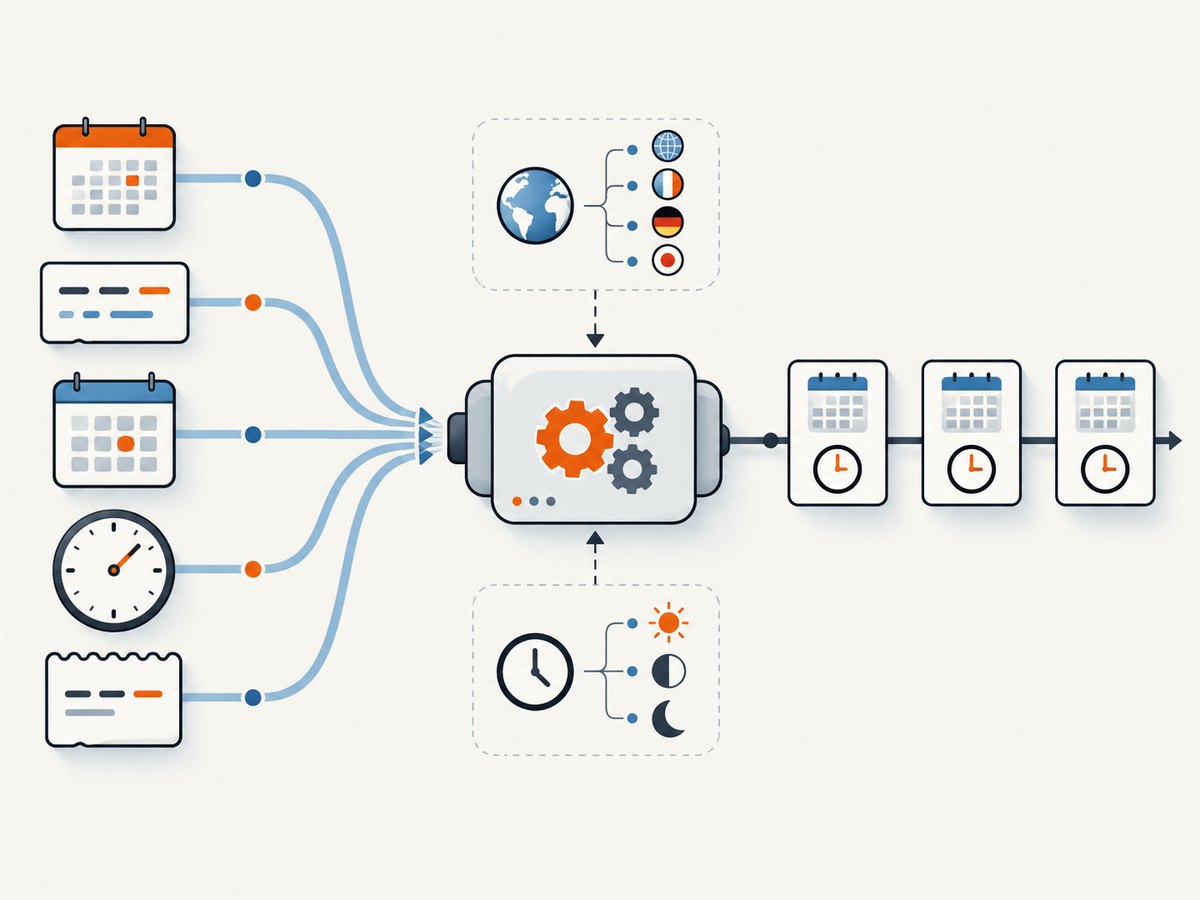
If a source always emits a known format, provide it with date_formats. This narrows interpretation and makes the source contract visible in code. The parser tries supplied formats in turn while considering language or locale information.
from dateparser import parse

raw = "2024-03-15 14:30"
parsed = parse(raw, date_formats=["%Y-%m-%d %H:%M"])
if parsed is None:
    raise ValueError("Expected YYYY-MM-DD HH:MM")
Python format directives follow the familiar strptime conventions: %Y is a four-digit year, %m a zero-padded month, %d a day, %H a 24-hour hour, %M minutes, and %S seconds. Keep the list of accepted formats as small as the input contract allows.
When the input is genuinely human-entered and formats vary, omit date_formats and provide language information if you know it. Avoid including unrelated words, identifiers, or numbers in the date string: the official overview cautions that flexible parsing can interpret unintended content.
3. Set language and locale deliberately
Use languages or locales when you know the source language or locale. This is especially helpful for localized month names and strings that do not contain enough information for reliable automatic detection.
from dateparser import parse

parsed = parse(
    "15 mars 2024",
    languages=["fr"],
)
if parsed is None:
    raise ValueError("Could not parse French date")
Use a locale when regional conventions matter; use a language hint when the language is known but region is not. A short value such as 03/04/2024 contains no language clue and has two plausible meanings. Automatic detection cannot resolve meaning that is absent from the input. Pass known source metadata instead of expecting detection to infer it.
4. Resolve ambiguous numeric dates
Numeric dates can mean different calendar days under month-day-year (MDY), day-month-year (DMY), or year-month-day (YMD) conventions. The documented default date order is MDY. Locale preferences can override an explicitly supplied order when PREFER_LOCALE_DATE_ORDER is enabled. To enforce your chosen policy, set both DATE_ORDER and PREFER_LOCALE_DATE_ORDER to False.
from dateparser import parse

parsed = parse(
    "02-03-2016",
    settings={
        "DATE_ORDER": "DMY",
        "PREFER_LOCALE_DATE_ORDER": False,
    },
)
if parsed is None:
    raise ValueError("Could not parse date")

print(parsed.date()) # 2016-03-02 under DMY| Input policy | Configuration | Use when |
|---|---|---|
| Default order | Omit date-order settings | The source follows the documented default and ambiguity is acceptable. |
| Explicit order with locale precedence | Set DATE_ORDER |
Locale-specific ordering should still take priority. |
| Force explicit order | Set DATE_ORDER and PREFER_LOCALE_DATE_ORDER: False |
The source contract defines the order regardless of locale. |
Do not assume that an English language hint implies one date order for every English-speaking region. If the source is ambiguous, document and enforce its actual convention.
5. Handle timezones and aware datetimes
Decide whether your application needs naive or timezone-aware values, and identify the timezone that an input without an offset represents. The TIMEZONE setting supplies a timezone, TO_TIMEZONE converts to a target timezone, and RETURN_AS_TIMEZONE_AWARE controls awareness in documented cases.
from dateparser import parse

parsed = parse(
    "January 12, 2012 10:00 PM",
    settings={
        "TIMEZONE": "UTC",
        "RETURN_AS_TIMEZONE_AWARE": True,
    },
)
if parsed is None:
    raise ValueError("Could not parse timestamp")
if parsed.tzinfo is None:
    raise ValueError("Expected a timezone-aware datetime")

print(parsed.isoformat())
If the input contains an explicit timezone abbreviation or numeric offset, decide whether to preserve its represented instant or convert it to your application’s standard zone. For conversion, configure TO_TIMEZONE as appropriate. Then inspect tzinfo and test the resulting instant semantics in the context of your application. Do not attach a timezone later without knowing what the original wall-clock time meant.
For storage and comparisons across regions, a common application policy is to normalize aware values to UTC while keeping the original input and source-zone assumptions when auditability matters. That is application guidance; choose a policy that fits your data and make it consistent.
6. Make relative and incomplete dates reproducible
Relative expressions such as “tomorrow” depend on the time at which parsing occurs. Supply RELATIVE_BASE when the same input must produce a repeatable result, such as in a test, import job, or replayable data pipeline.
from datetime import datetime
from dateparser import parse

reference = datetime(2024, 3, 15, 12, 0)
parsed = parse("tomorrow at 9 AM", settings={"RELATIVE_BASE": reference})
if parsed is None:
    raise ValueError("Could not parse relative date")
print(parsed.isoformat())
A partial date such as “March 2024” leaves the day unspecified. The PREFER_DAY_OF_MONTH setting supports current, first, or last. Choose a value that matches the meaning of your data rather than treating a missing day as if the user supplied one.
from dateparser import parse

month_start = parse(
    "March 2024",
    settings={"PREFER_DAY_OF_MONTH": "first"},
)
if month_start is None:
    raise ValueError("Could not parse month")
Other incomplete inputs may rely on documented preferences for missing date components. Review the settings documentation and set those assumptions explicitly when results must be stable across time or environments.
7. Parse many strings from one source
For a stream of related strings, DateDataParser can be preferable to repeatedly using the default parse function. Its instance caches detected languages and prioritizes those languages on subsequent parses.
from dateparser.date import DateDataParser

parser = DateDataParser(languages=["en"])
values = ["March 15, 2024", "April 2, 2024"]

for raw in values:
    result = parser.get_date_data(raw)
    parsed = result["date_obj"]
    if parsed is None:
        print(f"Unparsed: {raw!r}")
        continue
    print(parsed.isoformat())
For varying languages, a custom detect_languages_function can connect dateparser to an application’s own detector. Detection can fail on short strings; the documentation recommends combining a detector with DEFAULT_LANGUAGES as a fallback. If you already know the language, pass it directly. The documentation describes an optional langdetect integration and says fastText support has been removed. See custom language detection for the supported function shape and details.
8. Build a safe parsing boundary
Keep parsing at the edge of your application and return a clear success or failure to downstream code. A small wrapper can centralize the settings and validation policy:
from datetime import datetime
from dateparser import parse


def parse_input_date(raw: str) -> datetime:
    if not raw or not raw.strip():
        raise ValueError("Date string is empty")

    value = parse(
        raw.strip(),
        settings={
            "DATE_ORDER": "DMY",
            "PREFER_LOCALE_DATE_ORDER": False,
            "TIMEZONE": "UTC",
            "RETURN_AS_TIMEZONE_AWARE": True,
        },
    )
    if value is None:
        raise ValueError(f"Unrecognized date: {raw!r}")
    if value.tzinfo is None:
        raise ValueError("Expected timezone-aware result")
    return value
Adapt this example to the actual source. Do not apply DMY to an MDY feed simply because it appears in sample code. Consider validating allowed ranges, rejecting implausible years, recording parse failures, and retaining the raw input if users may need to correct it. Treat parser output as an interpretation that must satisfy your domain rules.
9. Troubleshoot common parsing problems
| Symptom | Likely cause | Fix |
|---|---|---|
None is returned |
Unsupported wording, wrong language hint, or a format outside the accepted inputs. | Check the raw value, provide known languages/locales, or supply the expected date_formats. |
| A date parses to the wrong month and day | Ambiguous numeric order or locale precedence. | Set DATE_ORDER; set PREFER_LOCALE_DATE_ORDER to False to enforce it. |
| A result changes between runs | The input is relative or incomplete and defaults depend on current time or missing components. | Set RELATIVE_BASE and the relevant preferences such as PREFER_DAY_OF_MONTH. |
| The result has no timezone | The input did not contain enough timezone information, or awareness was not requested for that case. | Set TIMEZONE and, when needed, RETURN_AS_TIMEZONE_AWARE; verify tzinfo. |
| Language detection fails on a short string | A numeric or very short value provides little language evidence. | Pass the known language or locale, or configure a custom detector with DEFAULT_LANGUAGES. |
| An unrelated number changes the result | Flexible parsing interpreted extra text as part of the date. | Extract the date field before parsing, constrain formats, and validate the result. |
10. Performance, reliability, and cost considerations
There is no benchmark in the cited documentation that supports a general speed comparison, so performance depends on your workload and configuration. For repeated values from one source, reuse DateDataParser where its language caching fits. Avoid unnecessary broad detection when language and format are already known. If throughput matters, measure using representative input rather than relying on a generic claim.
For reliability, define a parsing policy for every source: accepted formats, date order, locale, timezone, treatment of relative dates, and handling of missing components. Log failures without silently substituting the current time. Keep regression examples for ambiguous values and boundary cases. Pin and update the dependency through your normal Python dependency process, and review the version-specific documentation when upgrading.
The library itself is a Python dependency; the cited documentation does not establish a price for using it. Your operational cost comes from maintaining input validation, handling exceptions or None, and investigating bad source data. Batch processing should report both the number of inputs and parse failures so that a changing upstream format is visible.
11. Or skip the browser setup
If the work around your date data also involves capturing the page it came from, ScreenshotNeo can return a screenshot or PDF with one GET request. ScreenshotNeo is a website screenshot API and MCP server for developers. See the ScreenshotNeo API documentation.

curl -G "https://api.screenshotneo.com/v1/shot" -d access_key=YOUR_API_KEY --data-urlencode url=https://stripe.com -o shot.webpimport requests
r = requests.get(
"https://api.screenshotneo.com/v1/shot",
params={"access_key": "YOUR_API_KEY", "url": "https://stripe.com"},
timeout=90,
)
open("shot.webp", "wb").write(r.content)const q = new URLSearchParams({ access_key: 'YOUR_API_KEY', url: 'https://stripe.com' });
const res = await fetch(`https://api.screenshotneo.com/v1/shot?${q}`);- Cookie banners are accepted and removed before the shot; newsletter popups and chat widgets are removed too.
- Bot checks, blank pages, timeouts, failed loads, and cache hits cost nothing, and response headers say the page verdict and billing status.
- An MCP server provides
take_screenshot,get_page_info, andcapture_pdffor Claude, Cursor, and other MCP clients. - 1,000 screenshots a month are free with no card; paid plans start at $5 for 3,000. Every feature is on every plan.
Sign up for ScreenshotNeo and get 1,000 free screenshots a month with no card.
12. FAQ
Does dateparser return a date or a datetime?
parse() returns a Python datetime on success. Use .date() if your application needs only the calendar date, after checking for None.
Can I force parsing to fail unless a specific format matches?
Provide the expected format through date_formats, then handle a None result. Also validate the returned value against your application rules.
Should I use automatic language detection?
Use it when language is genuinely unknown and input is long enough to detect. For known sources or short strings, provide language or locale hints directly.
How do I keep tests deterministic?
Set a fixed RELATIVE_BASE for relative dates and choose explicit policies for ambiguous order and missing components. This prevents runtime defaults from becoming hidden test inputs.


