How to Parse and Decode HTTP Cookie Headers
Parse Cookie request headers safely in Python, Node.js, and cURL. Learn when to decode values, preserve duplicates, and distinguish Cookie from Set-Cookie.

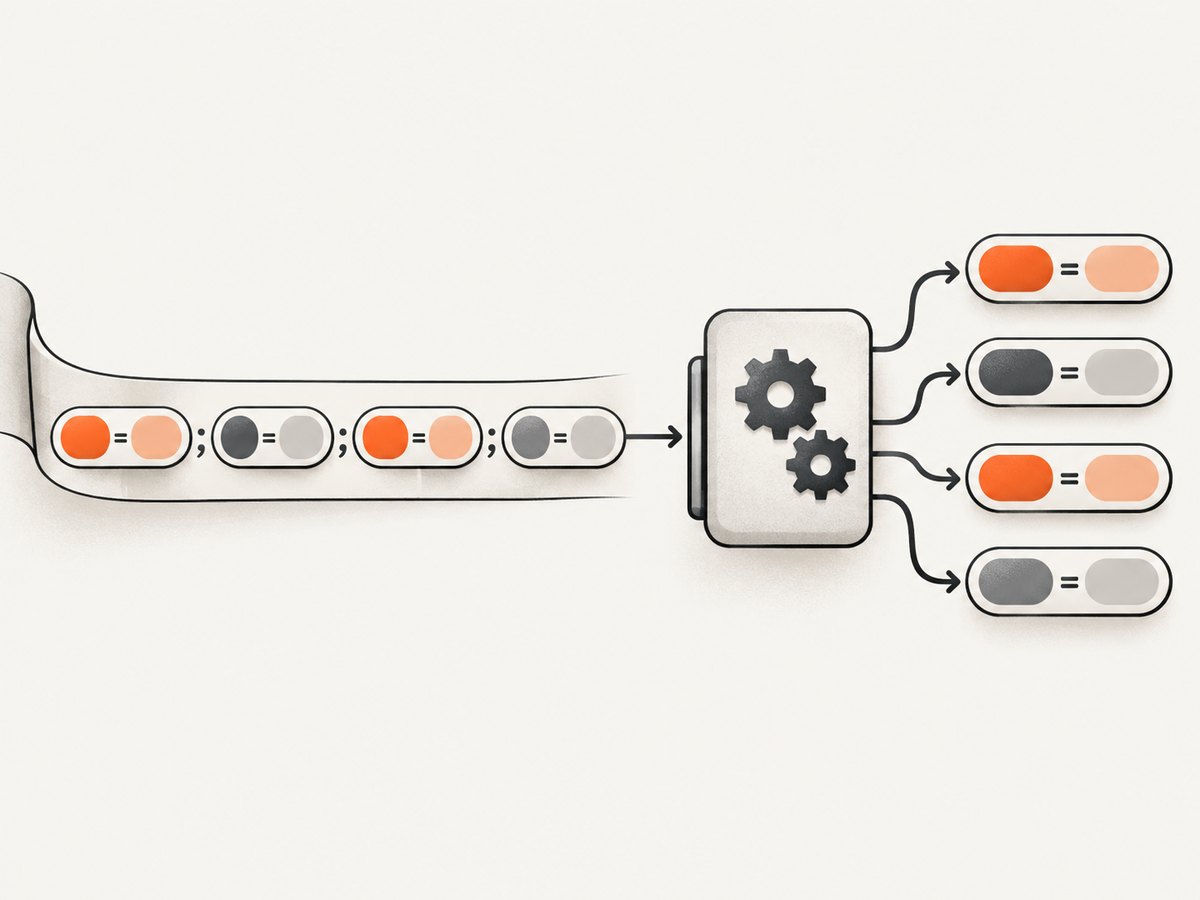
An HTTP Cookie request header is a sequence of semicolon-separated name-value pairs, such as session=abc123; theme=dark. Parse each pair by splitting at its first =, trimming surrounding spaces and tabs, and retaining repeated names. Do not automatically URL-decode every value: cookie-value meaning and encoding are defined by the application, not the cookie header syntax. RFC 6265 specifies this request format.
This guide shows runnable parsers in Python and Node.js, plus ways to inspect a request with cURL. It explains malformed input, duplicate cookie names, percent-decoding, the difference between Cookie and Set-Cookie, browser visibility limits, and practical debugging.
1. What a Cookie request header contains
Cookies move through two different HTTP headers. A server sends Set-Cookie in a response to ask a user agent to store a cookie. Later, the user agent may send applicable name-value pairs in a Cookie request header. The request-side syntax is essentially:
Cookie: name=value; name2=value2A request header does not carry the original cookie attributes. For example, these attributes may appear in Set-Cookie:
Set-Cookie: session=abc123; Path=/; HttpOnly; Secure; SameSite=LaxBut the subsequent request might contain only:
Cookie: session=abc123From that request value alone, a server cannot recover the cookie’s Path, Domain, expiry, Secure, HttpOnly, or SameSite setting. Those are attributes of the response’s Set-Cookie field, not pairs in the request’s Cookie field. See the references for Cookie and Set-Cookie.
Parsing rules that avoid common bugs
- Handle a missing header as an empty collection.
- Split on semicolons, then trim optional spaces and tabs around each segment.
- Split each nonempty segment at the first equals sign. Values can themselves contain equals signs.
- Keep repeated names and their order. Do not silently overwrite duplicates in a map.
- Keep parsing separate from application-level decoding, validation, or signature verification.
For example, token=abc== must parse as name token and value abc==. Splitting at every equals sign loses information. Duplicate names can also be legitimate: cookies with the same name may have been created for different paths or domains, while the request header omits the metadata needed to tell which scope produced each pair.
2. Parse a Cookie header in Python
This parser returns an ordered list of pairs rather than a dictionary, so duplicate names survive. It accepts a raw header value, with or without the literal Cookie: prefix, and skips malformed segments that lack an equals sign.
def parse_cookie_header(header):
    """Parse a Cookie request header into ordered (name, value) pairs."""
    if not header:
        return []

    # Convenient for pasted header lines; HTTP libraries usually pass only the value.
    if header[:7].lower() == "cookie:":
        header = header[7:]

    pairs = []
    for segment in header.split(";"):
        segment = segment.strip(" \t")
        if not segment:
            continue

        name, separator, value = segment.partition("=")
        if not separator:
            # Malformed input: ignore, log safely, or reject according to your API.
            continue

        name = name.strip(" \t")
        value = value.strip(" \t")
        if not name:
            continue
        pairs.append((name, value))

    return pairs

header = "session=abc123; theme=dark; token=abc==; session=other"
print(parse_cookie_header(header))
# [('session', 'abc123'), ('theme', 'dark'), ('token', 'abc=='), ('session', 'other')]
str.partition("=") splits once, which preserves any later equals signs in the value. If your endpoint treats malformed pairs as an error, change the continue branches to raise an exception and return a client error. Make that choice explicit; silently converting malformed credential input can be confusing and unsafe.
Use it in a Python web handler
Frameworks differ in how they expose raw request headers. The following standard-library example reads one header line from a simple HTTP request handler and passes its value to the parser:
from http.server import BaseHTTPRequestHandler, HTTPServer


def parse_cookie_header(header):
    if not header:
        return []
    pairs = []
    for segment in header.split(";"):
        segment = segment.strip(" \t")
        if not segment:
            continue
        name, separator, value = segment.partition("=")
        if not separator or not name.strip(" \t"):
            continue
        pairs.append((name.strip(" \t"), value.strip(" \t")))
    return pairs


class Handler(BaseHTTPRequestHandler):
    def do_GET(self):
        raw = self.headers.get("Cookie", "")
        parsed = parse_cookie_header(raw)
        # Avoid logging cookie values: they can be authentication credentials.
        names = [name for name, _ in parsed]
        body = ("Cookie names received: " + ", ".join(names)).encode()
        self.send_response(200)
        self.send_header("Content-Type", "text/plain; charset=utf-8")
        self.send_header("Content-Length", str(len(body)))
        self.end_headers()
        self.wfile.write(body)


if __name__ == "__main__":
    HTTPServer(("127.0.0.1", 8000), Handler).serve_forever()
# Run this file, then request http://127.0.0.1:8000 with a Cookie header.
In production, prefer the framework’s request-header API over manually parsing raw HTTP bytes. The example demonstrates extraction and parsing; it is not a production web server configuration.
3. Parse a Cookie header in Node.js
Node’s incoming header API exposes the value as a string through req.headers.cookie. This parser returns an array to preserve duplicate names:
function parseCookieHeader(header) {
  if (!header) return [];
  if (header.slice(0, 7).toLowerCase() === 'cookie:') {
    header = header.slice(7);
  }

  const pairs = [];
  for (const rawSegment of header.split(';')) {
    const segment = rawSegment.replace(/^[ \\t]+|[ \\t]+$/g, '');
    if (!segment) continue;

    const equalsAt = segment.indexOf('=');
    if (equalsAt < 0) continue;

    const name = segment.slice(0, equalsAt).replace(/^[ \\t]+|[ \\t]+$/g, '');
    const value = segment.slice(equalsAt + 1).replace(/^[ \\t]+|[ \\t]+$/g, '');
    if (!name) continue;
    pairs.push([name, value]);
  }
  return pairs;
}

const header = 'session=abc123; token=abc==; session=other';
console.log(parseCookieHeader(header));
// [ [ 'session', 'abc123' ], [ 'token', 'abc==' ], [ 'session', 'other' ] ]
For an HTTP server:
import { createServer } from 'node:http';

function parseCookieHeader(header) {
  if (!header) return [];
  return header.split(';').flatMap((raw) => {
    const segment = raw.replace(/^[ \\t]+|[ \\t]+$/g, '');
    const i = segment.indexOf('=');
    if (i < 0) return [];
    const name = segment.slice(0, i).trim();
    if (!name) return [];
    return [[name, segment.slice(i + 1).trim()]];
  });
}

createServer((req, res) => {
  const pairs = parseCookieHeader(req.headers.cookie);
  res.writeHead(200, { 'content-type': 'application/json' });
  // Return names only for this diagnostic endpoint; do not expose values.
  res.end(JSON.stringify({ cookieNames: pairs.map(([name]) => name) }));
}).listen(8000, '127.0.0.1');
A common convenience is Object.fromEntries(parseCookieHeader(...)), but that collapses duplicate names: the later pair overwrites the earlier one. Use it only when the application has a documented single-value rule and you intentionally choose the collision behavior. A list of pairs is the safer general-purpose representation.
4. Inspect Cookie headers with cURL
Use -H to send a Cookie header to a server you control or are authorized to inspect:
curl -i 'https://example.com/account' \\
  -H 'Cookie: session=abc123; theme=dark; token=abc=='
-i includes response headers. To see request and response details for debugging, use verbose mode:
curl -v 'https://example.com/account' \\
  -H 'Cookie: session=abc123; theme=dark'
Verbose output can reveal credentials. Avoid pasting it into public tickets, build logs, or shared terminals. If you need cURL to manage a cookie jar, -b cookies.txt reads cookies from a file and -c cookies.txt writes received cookies to a file. This is useful for a controlled diagnostic flow; protect the jar as you would a password file.
5. Should you URL-decode cookie values?
Only when the application contract says the value is percent-encoded. Percent-encoding is common, but it is not a requirement of the cookie format. RFC 6265 leaves cookie-value semantics to the application. Do not infer that a string needs decoding just because it contains %, and do not automatically Base64-decode, parse JSON, or decrypt each value.
Explicit decoding in Python
from urllib.parse import unquote

raw = "theme=dark%20mode"
name, value = parse_cookie_header(raw)[0]
decoded = unquote(value, errors="strict")
print(value)    # dark%20mode
print(decoded)  # dark mode
Keep the raw value for verification and diagnostics. If a cookie contains a signed or MAC-protected token, verify the exact representation expected by the application before transforming it. Strict decoding surfaces malformed escapes rather than silently changing a potentially security-sensitive value.
Explicit decoding in Node.js
const rawValue = 'dark%20mode';
try {
  const decoded = decodeURIComponent(rawValue);
  console.log(decoded); // dark mode
} catch (error) {
  // Malformed percent escape or invalid UTF-8 sequence: reject or handle explicitly.
  console.error('Invalid encoded cookie value');
}
decodeURIComponent can throw on malformed escapes. Decide whether invalid data should reject the request or remain available as raw text; do not silently substitute a different credential. Also remember that URL decoding can turn encoded delimiters into ordinary characters, so do not decode the whole header before splitting it into pairs.
6. Browser behavior and visibility limits
A missing Cookie header is not necessarily a parsing failure. The user agent decides which cookies apply to a request, and privacy settings can suppress cookies. Check the request in the browser’s network tools, confirm the request’s origin and context, and inspect the cookie’s scope in browser storage tools.
Frontend JavaScript has different access. document.cookie returns a semicolon-separated string for cookies available to that script, but it does not reveal HttpOnly cookies. JavaScript also cannot read a response’s Set-Cookie header through Fetch: it is a forbidden response-header name filtered from frontend scripts. These restrictions are expected browser behavior, not evidence that a server-side cookie parser failed. MDN documents these details in its references for Cookie, Set-Cookie, and Document.cookie.
7. Cookie versus Set-Cookie: do not reuse the parser
The parser above is for a request Cookie header. It is not a Set-Cookie parser. A response Set-Cookie line contains one cookie pair followed by attributes, and an Expires attribute can contain a comma. Multiple response cookies should be handled as separate Set-Cookie fields; folding them into a comma-separated string can change their meaning. Use your HTTP library’s dedicated response-cookie API where available, or a parser designed for Set-Cookie syntax.

| Question | Cookie request header | Set-Cookie response header |
|---|---|---|
| Direction | User agent to server | Server to user agent |
| Contents | Name-value pairs | One cookie pair plus optional attributes |
| Has Path, Domain, HttpOnly? | No | May have those attributes |
| Parser approach | Split pairs on semicolons; first equals sign separates name | Use Set-Cookie aware handling; field folding and dates matter |
8. Troubleshooting and edge cases
| Symptom | Likely cause | Fix |
|---|---|---|
| Cookie appears missing on the server | Browser privacy settings, cookie scope, or request context prevented it from being sent. | Inspect the actual network request and cookie scope; distinguish absence from an empty parser result. |
| Value becomes truncated at an equals sign | Parser split on every =. |
Split at the first equals sign only. |
| One cookie disappears when another has the same name | A dictionary or object overwrote the earlier entry. | Return an ordered list of pairs, or define and document duplicate resolution. |
Path or HttpOnly is not visible |
Those attributes are not included in the request Cookie header. | Inspect the corresponding Set-Cookie response or browser cookie storage. |
| Percent-decoding throws an error | Malformed escape sequence or invalid UTF-8 for the selected decoder. | Keep the raw value, apply decoding only when specified, and reject or handle the error explicitly. |
| Set-Cookie parser merges two cookies | Multiple response fields were combined, possibly with an Expires date comma. | Preserve separate Set-Cookie fields and use a parser for response-cookie syntax. |
| Cookie values appear in logs | Request headers or verbose HTTP traces were logged wholesale. | Redact credentials and log only safe metadata such as cookie names or counts. |
| Unexpected whitespace or empty entries | Header formatting contains optional whitespace or repeated delimiters. | Trim spaces and tabs around segments and skip empty segments; reject if your contract requires strict input. |
9. Reliability, security, performance, and cost
For ordinary request headers, this parser takes linear time in the header length and stores one pair per segment. It is generally inexpensive. The practical limits are the HTTP server, proxy, and framework header-size limits: very large cookie headers can be rejected before application code runs. Avoid raising those limits casually, since clients can send oversized headers.
Preserve raw values until the application has applied its documented decoding and validation rules. Treat session cookies as credentials: use TLS, avoid logging values, and do not expose them in diagnostic responses. If a signature is involved, verify the representation the issuing system signed. Be consistent about malformed input: either ignore malformed segments for a tolerant diagnostic parser or reject them for a strict application boundary, and record that policy.
For repeatable debugging, capture the request that actually reached the server, compare the raw header to the parser’s ordered pairs, and test cases with duplicate names, empty values, embedded equals signs, tabs, and malformed segments. Do not use a screenshot of a rendered page as proof of the headers sent over the network; inspect the HTTP request itself.
10. Or skip the browser setup
If you’re debugging a page visually and need a screenshot rather than a hand-built browser capture pipeline, ScreenshotNeo is a website screenshot API and MCP server. It accepts one GET request for a URL and returns PNG, JPEG, WebP, or PDF. It does not parse Cookie request headers; use the parsing methods above for that job.
For a visual check of a page, its one-call API looks like this:
curl -G "https://api.screenshotneo.com/v1/shot" -d access_key=YOUR_API_KEY --data-urlencode url=https://stripe.com -o shot.webpSee the ScreenshotNeo API documentation for request options. Cookie banners, popups, and chat widgets are removed before the shot. Bot checks, blank pages, and failed loads are never billed. An MCP server lets AI agents take screenshots. The Free plan includes 1,000 screenshots a month with no card; paid plans start at $5 for 3,000.
Sign up for 1,000 free screenshots a month, with no card.
11. FAQ
Can a Cookie header tell me a cookie’s domain?
No. The request header carries name-value pairs and omits the attributes that set scope. Look at the Set-Cookie response or browser storage information.
Should I convert parsed cookies straight into a map?
Only if duplicate names are impossible by contract or you deliberately choose which occurrence wins. Otherwise, retain an ordered list of pairs.
Can I decode every value with Base64 or JSON?
No. Cookie-value interpretation belongs to the application. Decode only when the producer’s documented format calls for it.
Why can server code see a cookie that document.cookie cannot?
The cookie may be marked HttpOnly, which prevents access through document.cookie while still allowing the browser to send it in applicable requests.
Is an empty Cookie header the same as no Cookie header?
Not necessarily at the HTTP representation level, but both should generally produce no parsed pairs. Preserve the distinction only if your application or diagnostics need it.


