How to Parse HTML in JavaScript
Learn browser-native DOMParser, safe HTML extraction, fetched documents, XML modes, and Node.js Cheerio patterns with runnable examples.
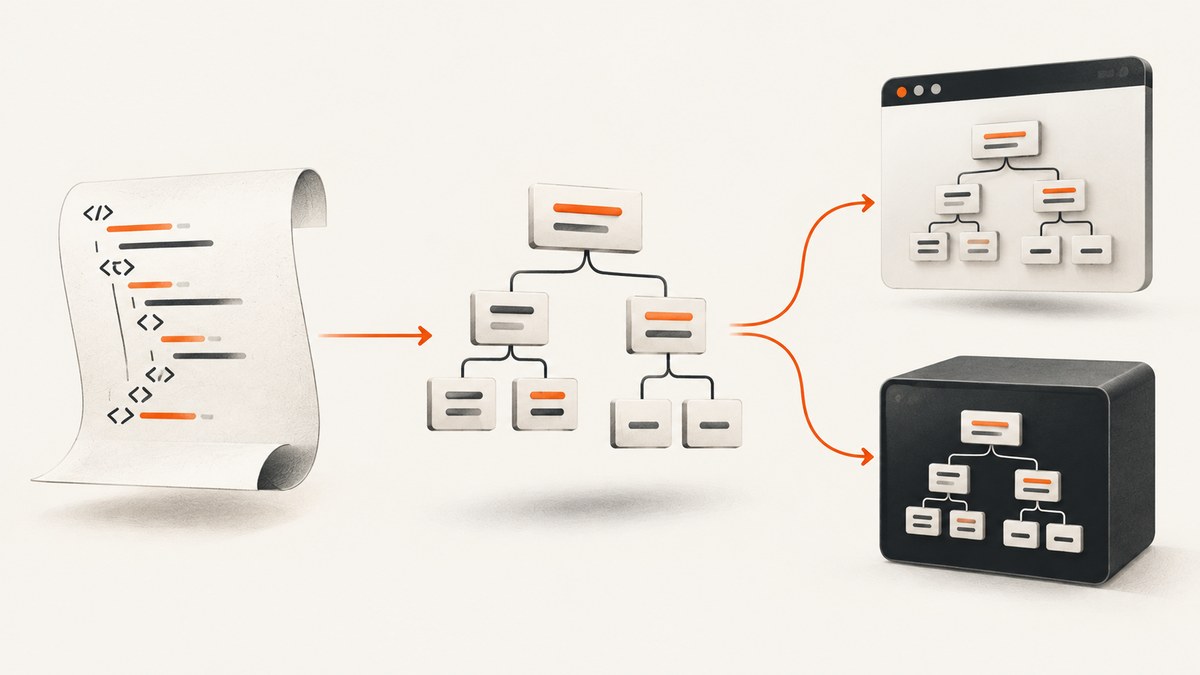
To parse an HTML string in a browser, create a detached document with DOMParser, then query it with normal DOM selectors:
const htmlString = `<!doctype html>
<html>
  <head><title>Example</title></head>
  <body>
    <main>
      <h1>Hello</h1>
      <a href="/docs">Read the docs</a>
    </main>
  </body>
</html>`;

const parser = new DOMParser();
const doc = parser.parseFromString(htmlString, "text/html");

const title = doc.querySelector("title")?.textContent?.trim() ?? "";
const links = [...doc.querySelectorAll("a")].map(a => ({
  text: a.textContent.trim(),
  href: a.href
}));

console.log({ title, links });
DOMParser.parseFromString() accepts a string (or TrustedHTML) and a supported MIME type, then returns a Document. With text/html, the browser builds an in-memory document separate from the visible page. Scripts in that detached document are marked non-executable and inline event handlers do not run there. MDN describes the method as parsing input as HTML or XML and returning a Document whose type is given by contentType (MDN parseFromString()).
1. What HTML parsing does
Parsing converts markup text into a tree of elements, attributes, text nodes, comments, and document metadata. Once you have that tree, browser APIs such as querySelector, querySelectorAll, getAttribute, and textContent work as they do on the current page.
The parser does not fetch a URL. It only processes the string you pass to it. Fetching, decoding, parsing, extracting, and (if needed) sanitizing are separate operations:
- Obtain HTML with a string,
fetch(), a file API, or another source. - Parse it with the appropriate MIME type.
- Select and transform the nodes you need.
- Sanitize before inserting untrusted markup into the live DOM.
Browsers perform HTML error recovery. Missing tags, invalid nesting, and other malformed markup can be repaired according to browser parsing rules. That makes text/html useful for real-world pages, but it also means the resulting tree may differ from the source text.
2. Parse an HTML string in the browser
Read headings, text, links, and attributes
function parseArticle(htmlString) {
  const doc = new DOMParser().parseFromString(htmlString, "text/html");

  return {
    title: doc.querySelector("title")?.textContent.trim() ?? "",
    heading: doc.querySelector("h1")?.textContent.trim() ?? "",
    description: doc.querySelector('meta[name="description"]')?.getAttribute("content") ?? "",
    links: [...doc.querySelectorAll("a")].map(link => ({
      text: link.textContent.trim(),
      href: link.href,
      rawHref: link.getAttribute("href")
    }))
  };
}

const result = parseArticle(`
  <title>Product guide</title>
  <meta name="description" content="A short guide">
  <h1>Parsing HTML</h1>
  <a href="/start">Start</a>
`);
console.log(result);
Use textContent when you want text without interpreting child markup. Trim it at the extraction boundary so whitespace from formatting does not leak into your data. Use getAttribute() when the raw attribute value matters. The href property can resolve a relative URL against the document base URL; getAttribute("href") returns the literal attribute.
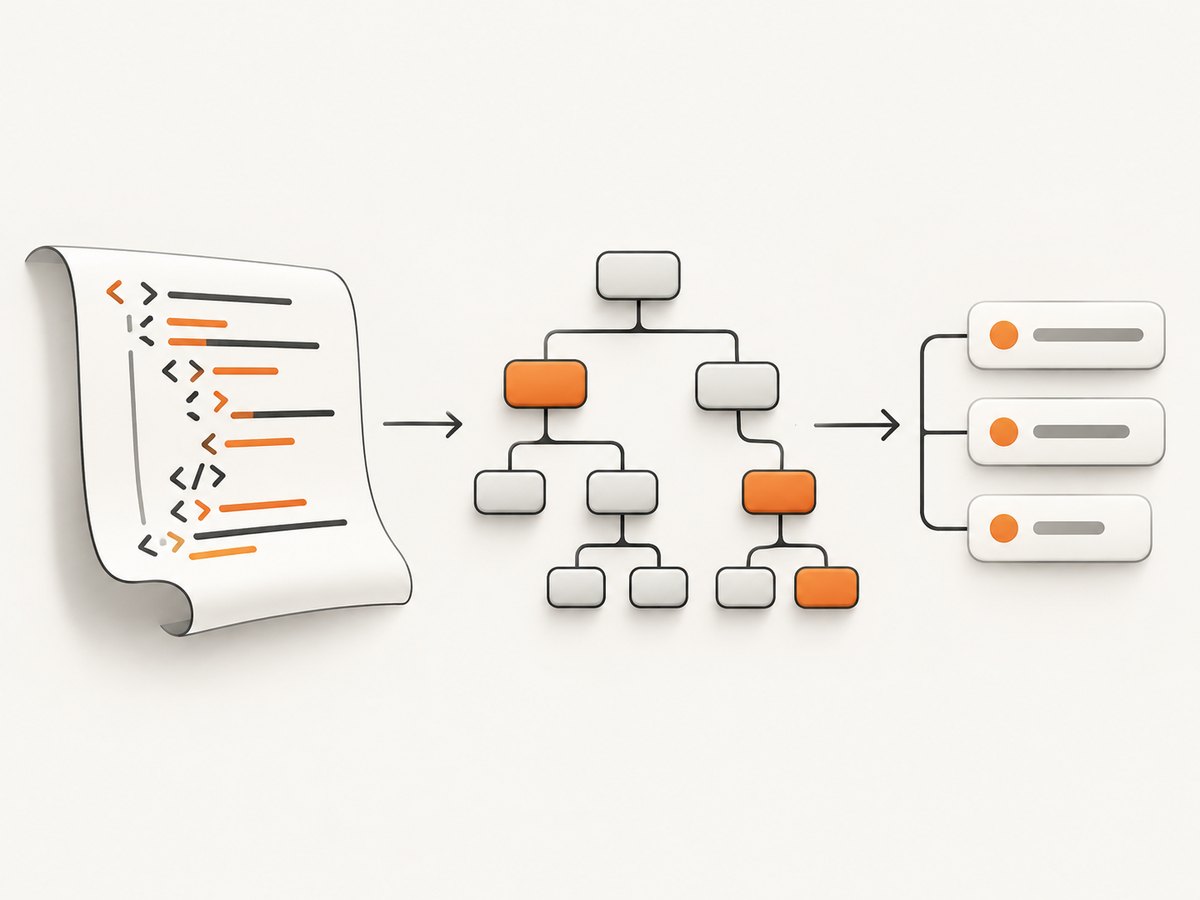
Extract repeated records
const cards = [...doc.querySelectorAll("article.card")].map(card => ({
  heading: card.querySelector("h2")?.textContent.trim() ?? "",
  url: card.querySelector("a")?.href ?? "",
  summary: card.querySelector("p")?.textContent.trim() ?? ""
}));
Optional chaining and nullish coalescing keep extraction predictable when a page omits a heading, link, or paragraph. For stricter pipelines, validate required fields and reject records that do not meet your schema.
3. Parse HTML fetched from a URL
Fetching and parsing are two operations. fetch() retrieves the response; response.text() decodes its body; DOMParser builds the document.
async function fetchDocument(url) {
  const response = await fetch(url);
  if (!response.ok) {
    throw new Error(`HTTP ${response.status} ${response.statusText}`);
  }
  const html = await response.text();
  return new DOMParser().parseFromString(html, "text/html");
}

const doc = await fetchDocument("/page.html");
const mainText = doc.querySelector("main")?.textContent.trim() ?? "";
console.log(mainText);
In a browser, the request is subject to normal network rules, including same-origin policy and CORS. A successful HTTP response can still contain an application-level error page, so inspect the returned markup when extraction unexpectedly produces no records. The parser itself has no ability to bypass authentication, CORS, robots policies, or JavaScript-rendered content.
Resolve relative links correctly
If the fetched document has a meaningful URL, add a <base> element before reading URL properties, or resolve links explicitly:
function absoluteUrl(rawHref, pageUrl) {
  try {
    return new URL(rawHref, pageUrl).href;
  } catch {
    return null;
  }
}

const pageUrl = "https://example.com/blog/post";
const links = [...doc.querySelectorAll("a[href]")].map(a => ({
  text: a.textContent.trim(),
  href: absoluteUrl(a.getAttribute("href"), pageUrl)
}));
4. Complete documents versus HTML fragments
parseFromString(fragment, "text/html") still creates a complete document with html, head, and body. That is convenient for querying a page, but it is not always the right tool for creating a small fragment for insertion.
For a fragment, use a template:
const template = document.createElement("template");
template.innerHTML = "<li>One item</li><li>Two items</li>";
const items = [...template.content.querySelectorAll("li")];
Alternatively, use a contextual fragment:
const range = document.createRange();
range.selectNode(document.body);
const fragment = range.createContextualFragment("<strong>Inserted text</strong>");
Fragment context affects how tags are interpreted, especially inside tables and other elements with special parsing rules. Treat both APIs as parsing mechanisms, not sanitizers.
5. Security: parsing is not sanitization
MDN classifies parseFromString() as an injection sink. A detached document is inert while detached, but unsafe elements can become active if you later insert them into the live document. Event-handler attributes, URLs, SVG, and other markup need an explicit policy.
For untrusted HTML, sanitize with a reviewed policy such as DOMPurify and use Trusted Types where available:
const policy = trustedTypes.createPolicy("html", {
  createHTML: input => DOMPurify.sanitize(input)
});

const safeDoc = new DOMParser().parseFromString(
  policy.createHTML(untrustedHtml),
  "text/html"
);

document.querySelector("#output").replaceChildren(
  ...safeDoc.body.childNodes
);
Keep the boundary clear: DOMParser constructs a tree; a sanitizer decides what markup is allowed; insertion into the visible DOM is where active behavior can become relevant. If you only extract text and attributes and never render the input, do not serialize it into an HTML sink later.
6. XML and SVG modes
The supported MIME types include text/html, text/xml, application/xml, application/xhtml+xml, and image/svg+xml. The latter four use XML parsing rules. XML is case-sensitive and does not apply HTML error recovery.
const xmlDoc = new DOMParser().parseFromString(
  '<catalog><item id="1" /></catalog>',
  "application/xml"
);

if (xmlDoc.querySelector("parsererror")) {
  throw new Error("Malformed XML");
}

const id = xmlDoc.querySelector("item")?.getAttribute("id");
console.log(id);
Always check for a parsererror node when consuming XML or SVG from an untrusted or unreliable source. A document that parses as HTML may be repaired; malformed XML generally reports an error node instead.
7. Parse HTML in Node.js with Cheerio
Node.js does not provide the browser DOMParser as a built-in web-page parser. Cheerio is a common choice for selector-based extraction and transformation:
import * as cheerio from "cheerio";

const html = `
  <table>
    <tr><td>Ada</td><td>ada@example.com</td></tr>
    <tr><td>Lin</td><td>lin@example.com</td></tr>
  </table>
`;

const $ = cheerio.load(html);
const rows = $("table tr").map((_, row) => ({
  cells: $(row).find("td").map((_, cell) => $(cell).text().trim()).get()
})).get();

console.log(rows);
Install it with npm install cheerio. Cheerio’s load() method receives the input before you query it. Its default parse5 parser treats input as a complete document and may add html, head, and body. That is useful for page-like HTML but can surprise code that expects fragment serialization.
Choose htmlparser2 when its behavior fits
import * as cheerio from "cheerio";

const $ = cheerio.load(html, {
  xml: {
    xmlMode: false,
    decodeEntities: true
  }
}, false);
The third argument controls whether Cheerio wraps the input as a document. Configure the parser deliberately when you need fragment behavior, more forgiving parsing, or different memory and performance characteristics. Parser behavior can change element casing, implied tags, entity handling, and serialization, so keep the configuration fixed across a data pipeline. Cheerio’s documentation also notes that URL loading deserves security review when a URL comes from a user; validate allowed schemes and destinations before making server-side requests. Selection and serialization do not sanitize output. Sanitize separately before rendering it in a browser (Cheerio documentation).
Fetch first, then load
const response = await fetch("https://example.com");
if (!response.ok) throw new Error(`HTTP ${response.status}`);
const html = await response.text();
const $ = cheerio.load(html);
const title = $("title").first().text().trim();
console.log(title);
Keeping network access outside the parser makes timeouts, retries, authentication, and URL allowlists easier to control. For large responses, avoid retaining multiple full strings and trees at once; extract the fields you need and release references.
8. Browser DOMParser versus Cheerio
| Choice | Best fit | Main trade-off |
|---|---|---|
Browser DOMParser |
Existing browser code and detached DOM queries | Requires a browser environment; sanitize before live-DOM insertion |
template or contextual fragments |
Creating a small browser fragment | Fragment context matters; untrusted input still needs sanitization |
Cheerio load |
Node.js scraping, extraction, and transformation | Dependency and parser/document-wrapping behavior |
Cheerio with htmlparser2 |
Forgiving or performance-sensitive parsing | Behavior can differ from browser and parse5 parsing |
Neither approach executes the page’s application JavaScript to produce content that appears only after hydration. If you need rendered output, use a browser automation or capture service, then parse the resulting HTML or screenshot according to your goal.
9. “Parse HTML from a URL” when you need rendered page state
A raw HTTP response may omit content generated by client-side JavaScript, and it may include consent banners, newsletter popups, or chat widgets that are irrelevant to your extraction or visual workflow. If your goal is a screenshot rather than a DOM data set, ScreenshotNeo provides a website screenshot API and MCP server. It captures PNG, JPEG, WebP, or PDF from one GET request and can load lazy images, wait for a selector, delay, or network idle, click an element, hide selectors, run custom JavaScript, and set headers, cookies, user agent, timezone, or geolocation.
10. Or skip the browser setup
For a clean page image, call ScreenshotNeo directly. See the ScreenshotNeo API documentation for all options.

curl -G "https://api.screenshotneo.com/v1/shot" -d access_key=YOUR_API_KEY --data-urlencode url=https://stripe.com -o shot.webpimport requests
r = requests.get(
"https://api.screenshotneo.com/v1/shot",
params={"access_key": "YOUR_API_KEY", "url": "https://stripe.com"},
timeout=90
)
r.raise_for_status()
open("shot.webp", "wb").write(r.content)const q = new URLSearchParams({ access_key: 'YOUR_API_KEY', url: 'https://stripe.com' });
const res = await fetch(`https://api.screenshotneo.com/v1/shot?${q}`);
if (!res.ok) throw new Error(`HTTP ${res.status}`);
const image = Buffer.from(await res.arrayBuffer());Cookie banners, newsletter popups, and chat widgets are removed before the shot; bot checks, blank pages, timeouts, failed loads, and cache hits cost nothing, and response headers identify the page verdict and whether it was billed. The MCP server includes take_screenshot, get_page_info, and capture_pdf tools for Claude, Cursor, and other MCP clients. You get 1,000 screenshots a month free with no card; paid plans start at $5 for 3,000 shots. Create a free ScreenshotNeo account.
11. Troubleshooting checklist
“DOMParser is not defined”
You are running browser code in Node.js, a worker without the expected DOM API, or a server test environment. Use Cheerio for server-side parsing, provide a DOM implementation in tests, or move the parsing to browser code.
The selector returns nothing
Confirm that the response is actually HTML, inspect the parsed document’s documentElement.outerHTML, and verify the selector’s spelling and nesting. The page may render content later with JavaScript; fetch() only returns the server response.
Relative URLs are wrong
Use new URL(rawHref, pageUrl) or set a suitable <base href> in the detached document before reading URL properties.
HTML appears in the page as text
You inserted serialized markup with textContent. Use DOM nodes for trusted, intended markup, or sanitize first and then use a controlled HTML insertion API.
XML reports a parser error
Check parsererror, confirm the MIME type, close every element, escape ampersands, and ensure the document has one well-formed root element.
Cheerio adds unexpected html and body tags
That is the default document behavior. Pass false as the third argument to cheerio.load() when you need fragment handling, and test serialization with your exact parser configuration.
Fetched requests fail in the browser
Check the browser console for CORS or mixed-content errors, use an allowed origin, or proxy the request through a server you control. Do not treat a CORS workaround as a parser feature.
12. Performance, reliability, and cost notes
- Parse once and reuse the resulting document for multiple selectors.
- Extract only the fields required by your application instead of serializing the whole tree.
- For large Node.js documents, avoid holding the raw HTML, parsed tree, and many serialized copies simultaneously.
- Use explicit request timeouts, status checks, response-size limits, and retry rules around network fetching.
- Cache stable source HTML when freshness allows; cache keys should include URL and relevant headers or parameters.
- Choose parser configuration deliberately and pin dependency versions when output shape matters.
- For ScreenshotNeo, caching has a TTL you choose, bulk capture supports up to 100 URLs per call, asynchronous jobs support signed webhooks, and a usage API helps track consumption. Only clean shots are billed; every plan includes every feature.
13. Practical testing checklist
- Test empty strings, whitespace-only input, and malformed markup.
- Test missing optional elements and duplicate elements.
- Test relative, absolute, protocol-relative, and invalid URLs.
- Test HTML and XML with their correct MIME types.
- Test untrusted input without inserting it into the live DOM.
- Test pages whose visible content depends on client-side rendering.
- For Cheerio, test both full-document and fragment modes if your code accepts both.
- Record parser and library versions in reproducible extraction jobs.
14. FAQ
Does DOMParser download a URL?
No. It parses a string. Fetch the URL separately, then pass the response text to the parser.
Are scripts executed during DOMParser parsing?
Scripts in a detached HTML document are non-executable. Inserting unsafe nodes into the live DOM is a separate security concern.
Should I use innerHTML or DOMParser?
Use DOMParser when you want a queryable detached document. Use a template or contextual fragment for a small fragment, and sanitize untrusted input before insertion.
Can DOMParser parse Markdown?
No. It parses HTML and XML syntax. Convert Markdown to HTML with a Markdown parser first, then apply the same sanitization rules.
Is Cheerio a browser?
No. It parses and queries markup in Node.js. It does not execute page JavaScript or provide the browser’s layout and rendering engine.
Which parser should a scraper use?
Use DOMParser when the scraper already runs in a browser. Use Cheerio in Node.js when selector-based extraction is enough, and choose parse5 or htmlparser2 behavior intentionally.
How do I capture a page after it renders?
Use browser automation or a rendering service. ScreenshotNeo can wait for network idle, a selector, or a delay, then return an image or PDF while removing known consent and popup elements.


