How to Parse HTML in Ruby with Nokogiri
Learn to parse HTML in Ruby with Nokogiri, choose HTML4 or HTML5, query with CSS and XPath, handle encoding, and avoid common failures.
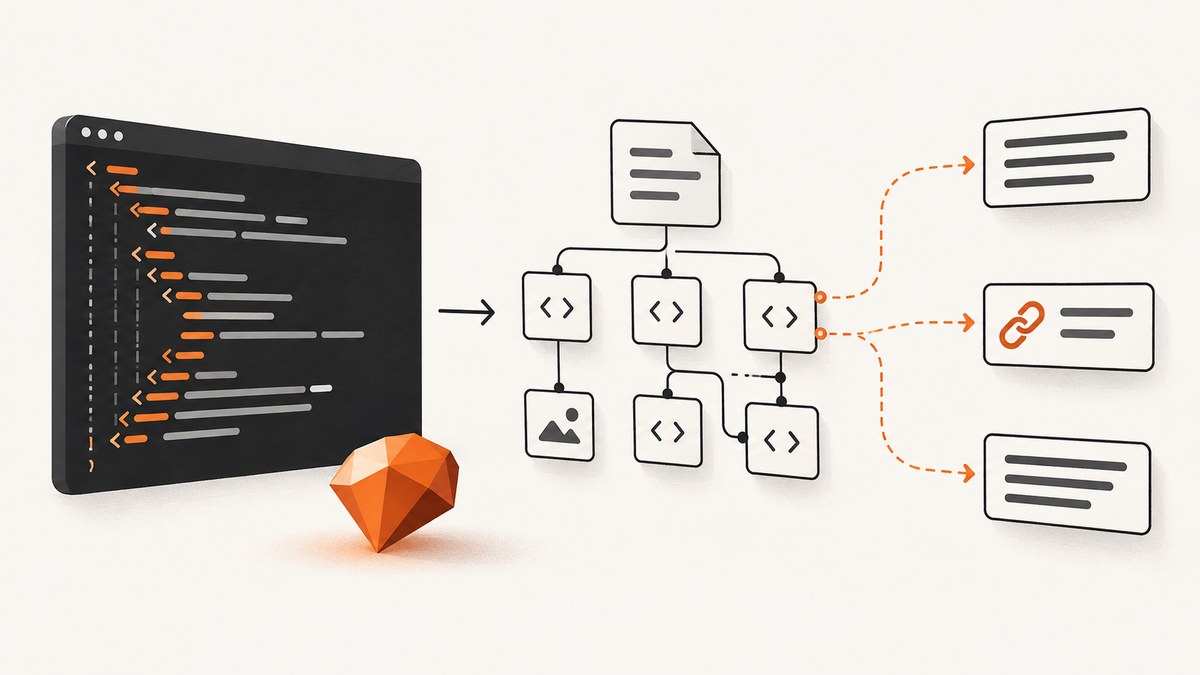
Nokogiri is the standard Ruby toolkit for turning HTML or XML bytes into a document tree that your code can query. The shortest reliable workflow is: add the gem, require it, parse a string or IO object, then select nodes with CSS or XPath.
require "nokogiri"

html = <<~HTML
  <html>
    <body>
      <article>
        <h1>Example</h1>
        <a href="/next">Next</a>
      </article>
    </body>
  </html>
HTML

doc = Nokogiri::HTML(html)
title = doc.at_css("article h1")&.text&.strip
href  = doc.at_xpath("//article//a/@href")&.value

puts title
puts href
This guide covers complete documents and fragments, HTML4 versus HTML5 parsing, CSS and XPath selection, encoding, untrusted input, network fetching, testing, performance, and failure diagnosis. Nokogiri documents DOM parsing for HTML4 and HTML5, CSS3 selectors, and XPath 1.0 support in its official documentation.
1. Install Nokogiri and parse a complete document
Add Nokogiri to your Gemfile and install it with Bundler:
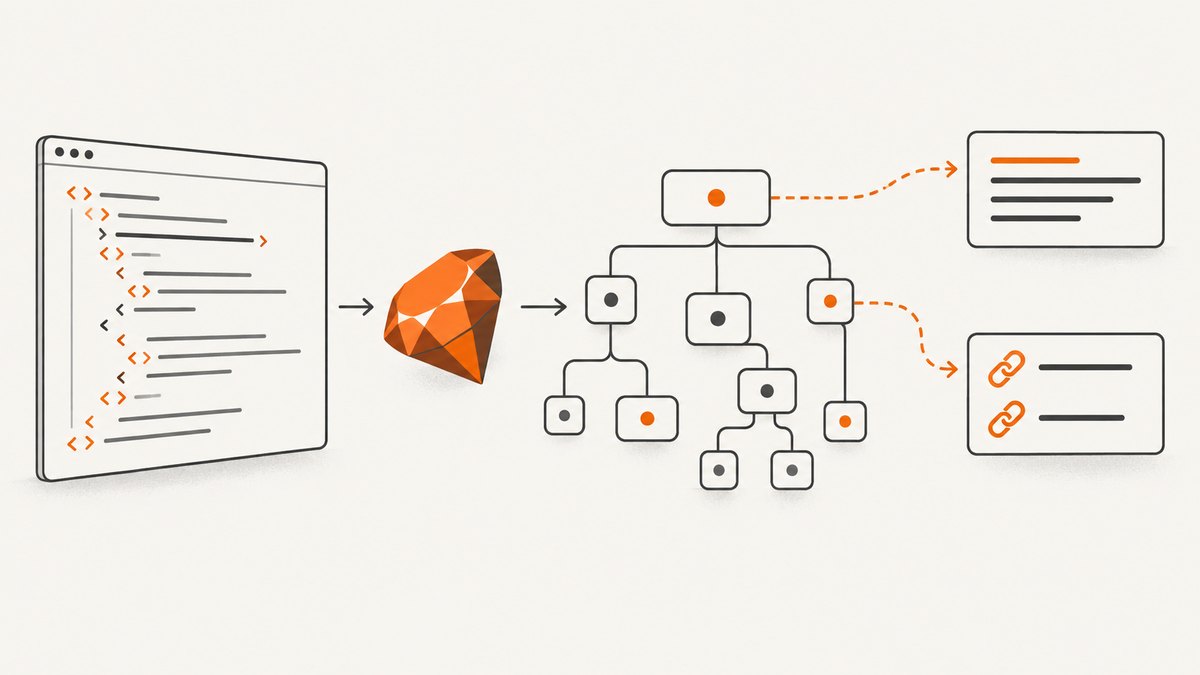
# Gemfile
gem "nokogiri"

# shell
bundle install
You can also install it directly for a small script:
gem install nokogiriParse a string with Nokogiri::HTML (an alias for the HTML4 parser) or parse a file-like object:
require "nokogiri"

File.open("page.html", "rb") do |io|
  doc = Nokogiri::HTML4.parse(io)
  puts doc.at_css("title")&.text&.strip
end
Keep fetching separate from parsing. An HTTP client should handle status checks, timeouts, redirects, response-size limits, and content-type validation before its body reaches Nokogiri.
require "net/http"
require "uri"
require "nokogiri"

uri = URI("https://example.com")
http = Net::HTTP.new(uri.host, uri.port)
http.use_ssl = (uri.scheme == "https")
http.open_timeout = 5
http.read_timeout = 20

request = Net::HTTP::Get.new(uri)
request["User-Agent"] = "MyParser/1.0"
response = http.request(request)

abort "HTTP #{response.code}" unless response.is_a?(Net::HTTPSuccess)
abort "Unexpected content type" unless response["content-type"]&.include?("text/html")
abort "Response too large" if response.body.bytesize > 5 * 1024 * 1024

doc = Nokogiri::HTML4.parse(response.body)
puts doc.at_css("title")&.text&.strip
2. Select nodes with CSS or XPath
CSS is usually clearest when your target is an element, class, id, or descendant. XPath is better for structural relationships, predicates, and attribute tests.
# CSS
cards = doc.css("article.card")
links = doc.css("nav ul.menu li a")
first_card = doc.at_css("article.card")

# XPath
headings = doc.xpath("//article//h2")
external = doc.xpath("//a[starts-with(@href, 'https://')]
")
Use at_css and at_xpath when zero or one result is expected. They return nil when no node matches, so use safe navigation or an explicit error. Use css and xpath for collections.
title_node = doc.at_css("article h1")
raise "missing article title" unless title_node

title = title_node.text.strip

links = doc.css("a").filter_map do |link|
  href = link["href"]
  next unless href
  { text: link.text.strip, href: href }
end

# Attribute access can also be expressed with XPath.
href = doc.at_xpath("//article//a/@href")&.&value
doc.search accepts CSS or XPath expressions and is useful when a routine receives mixed selector types:
nodes = doc.search("article.card", "//main//h2")Normalize text deliberately. node.text.strip removes leading and trailing whitespace but does not define how line breaks between descendants should be represented. For readable output, collect descendant text and collapse runs of whitespace:
def clean_text(node)
  node.text.gsub(/\s+/, " ").strip
end

puts clean_text(doc.at_css("article"))
CSS versus XPath at a glance
| Need | Use | Example |
|---|---|---|
| Class, id, descendant | CSS | article.card h2 |
| All links under a section | Either | nav a or //nav//a |
| Attribute predicate | XPath | //a[starts-with(@href,'https://')] |
| One optional match | at_css/at_xpath |
Guard for nil |
3. Parse HTML5 when browser-compatible tree construction matters
HTML4 parsing is a good default for ordinary pages. Choose the HTML5 API when the input relies on browser-style HTML5 tree construction, such as modern elements or error-recovery behavior.
require "nokogiri"

html5_doc = Nokogiri::HTML5.parse(html)
puts html5_doc.at_css("main")&.name
Nokogiri documents HTML5 parsing as unavailable on JRuby. Check your runtime before selecting it:
if RUBY_ENGINE == "jruby"
  warn "HTML5 parsing is unavailable on JRuby; use Nokogiri::HTML4"
  doc = Nokogiri::HTML4.parse(html)
else
  doc = Nokogiri::HTML5.parse(html)
end
HTML5 parsing exposes resource controls for hostile or unusually large markup. Set limits such as maximum errors, tree depth, and attributes according to the size and trust level of your input:
doc = Nokogiri::HTML5.parse(
  html,
  max_errors: 100,
  max_tree_depth: 1000,
  max_attributes: 200
)
4. Parse an HTML fragment
A fragment is a snippet without a complete page context: a list of <li> elements, a comment body, or a server-rendered component. Fragment parsing avoids adding an artificial document around the snippet.
require "nokogiri"

fragment = Nokogiri::HTML.fragment("<li>One</li><li>Two</li>")
items = fragment.css("li").map { |item| item.text.strip }
puts items.inspect

html5_fragment = Nokogiri::HTML5.fragment("<template><p>Modern markup</p></template>")
Use a full parser when selectors depend on page-level context such as html, head, or body. Use a fragment parser when you only need the supplied snippet.
5. Fix incorrect or non-UTF-8 text
Nokogiri stores text internally as UTF-8, and methods that return text produce UTF-8 strings. Autodetection can be wrong when a server sends bytes in one encoding but declares another. Preserve the original bytes and pass the known encoding explicitly.
require "nokogiri"

encoded = File.binread("page.html")
doc = Nokogiri::HTML4.parse(encoded, nil, "EUC-JP")
puts doc.at_css("body")&.text
For a source that declares the wrong charset, the explicit encoding is more reliable than changing the string after parsing. Test representative characters from each source and log the response charset while diagnosing a production issue.
6. Keep downloaded and user-provided markup safe
Nokogiri’s security guidance is to treat documents as untrusted by default. Parsing is not validation and it is not sanitization. Apply network timeouts and response-size limits before parsing, reject unexpected content types, and validate every extracted field.
- Allow only expected URL schemes such as
httpsandhttp. - Validate required fields, dates, numbers, and identifiers after extraction.
- Do not render extracted HTML into a browser without a sanitizer appropriate for the output context.
- Use HTML5 tree-depth and attribute limits when input can be hostile or extremely large.
- Keep parser work isolated from credentials and filesystem operations.
7. Build a maintainable extraction routine
Wrap selectors and validation in a small object so a markup change has one place to fix:
require "nokogiri"

class ArticleParser
  def initialize(html)
    @doc = Nokogiri::HTML4.parse(html)
  end

  def call
    title = @doc.at_css("article h1")&.&text&.&strip
    raise "article title not found" if title.nil? || title.empty?

    {
      title: title,
      links: @doc.css("article a").filter_map do |a|
        href = a["href"]
        next if href.nil? || href.empty?
        { text: a.text.gsub(/\s+/, " ").strip, href: href }
      end
    }
  end
end

result = ArticleParser.new(html).call
p result
Test fixtures should include missing elements, duplicate elements, malformed nesting, empty attributes, non-ASCII text, and the real variations you expect from the source. Assert parsed values rather than relying only on a successful parse.
8. Troubleshooting common Nokogiri errors
| Symptom | Cause | Fix |
|---|---|---|
at_css returns nil |
Selector does not match, markup differs, or content is rendered by JavaScript | Inspect doc.to_html, verify the selector, and fetch the server response you actually parse. |
| Only part of the page is found | The response is truncated or a size limit was too small | Check byte length, HTTP transfer errors, and your configured limit. |
| Garbled accented or Asian characters | Declared charset does not match the bytes | Pass the known encoding to Nokogiri::HTML4.parse and test representative characters. |
| HTML5 constant or method unavailable | Runtime is JRuby or the installed Nokogiri version lacks the API | Use HTML4 on JRuby and verify the gem version and runtime. |
| XPath expression raises a syntax error | Invalid XPath quoting or an HTML selector was supplied as XPath | Test the expression in isolation; use CSS for class and descendant selectors. |
| Parser uses excessive memory | Very large or adversarial markup | Limit response bytes before parsing and apply HTML5 depth and attribute limits where available. |
| Expected content is absent | The page requires JavaScript execution | Nokogiri parses the HTML it receives; use a browser capture or an API that renders the page first. |
9. Performance, reliability, and cost considerations
Parsing is local CPU and memory work; network fetching is usually the slower and less predictable part. Reuse HTTP connections when processing many pages, cap response sizes, and avoid running multiple expensive XPath queries when one traversal can collect the needed fields. Parse once and pass the resulting document to extraction methods.
For reliability, record the URL, HTTP status, content type, byte count, parser mode, and selector failures. Retry transient network failures with bounded backoff, but do not retry deterministic parse or validation errors indefinitely. Cache source bytes or normalized results when the source changes infrequently.
Nokogiri itself has no per-page service charge. Your costs come from Ruby compute, memory, bandwidth, and any browser-rendering service required for JavaScript-heavy pages. A parser cannot execute client-side JavaScript, accept consent dialogs, or bypass bot checks.
10. Or skip the browser setup
If you need a rendered screenshot rather than extracted nodes, ScreenshotNeo provides a single-request website screenshot API. Cookie and consent banners are accepted and 60+ known consent platforms, newsletter popups, and chat widgets are removed before capture; bot checks, blank pages, timeouts, failed loads, and cache hits are not billed.

See the ScreenshotNeo API documentation for all options. The basic call is:
curl -G "https://api.screenshotneo.com/v1/shot" -d access_key=YOUR_API_KEY --data-urlencode url=https://stripe.com -o shot.webprequire "net/http"
require "uri"
params = URI.encode_www_form(access_key: "YOUR_API_KEY", url: "https://stripe.com")
uri = URI("https://api.screenshotneo.com/v1/shot?#{params}")
response = Net::HTTP.get_response(uri)
abort "HTTP #{response.code}" unless response.is_a?(Net::HTTPSuccess)
File.binwrite("shot.webp", response.body)import requests
r = requests.get("https://api.screenshotneo.com/v1/shot", params={"access_key": "YOUR_API_KEY", "url": "https://stripe.com"}, timeout=90)
r.raise_for_status()
open("shot.webp", "wb").write(r.content)const q = new URLSearchParams({ access_key: 'YOUR_API_KEY', url: 'https://stripe.com' });
const res = await fetch(`https://api.screenshotneo.com/v1/shot?${q}`);ScreenshotNeo also supports full-page and element captures, dark mode, device presets, retina scale, PDF output, custom CSS and JavaScript, clicks, waits, blocked resources, headers, cookies, user agents, timezone, geolocation, resizing, caching, signed links, asynchronous webhooks, bulk capture, usage reporting, and an MCP server with take_screenshot, get_page_info, and capture_pdf. Every response identifies its page verdict and billing status with X-Page-Verdict and X-Billed headers. One thousand screenshots are free each month with no card; paid plans start at $5 for 3,000 shots. Create a free ScreenshotNeo account.
11. FAQ
Does Nokogiri execute JavaScript?
No. It parses the HTML or XML bytes supplied to it. Use a browser renderer when the data is created only after client-side JavaScript runs.
Should I use CSS or XPath?
Start with CSS for readable class, id, and descendant queries. Choose XPath for predicates, ancestor relationships, and attribute-based conditions.
Can Nokogiri parse XML too?
Yes. Use its XML parsing APIs when the input is XML and must follow XML rules rather than HTML error recovery.
Why does a malformed page still parse?
HTML parsers recover from common mistakes and build a tree. Successful parsing does not prove that required fields or business rules are valid, so validate extracted data separately.