How to Parse Web Data With Python and Beautiful Soup
Learn how to fetch HTML, parse it with Beautiful Soup, extract text, links and structured fields, and handle JavaScript, malformed markup and crawl limits.
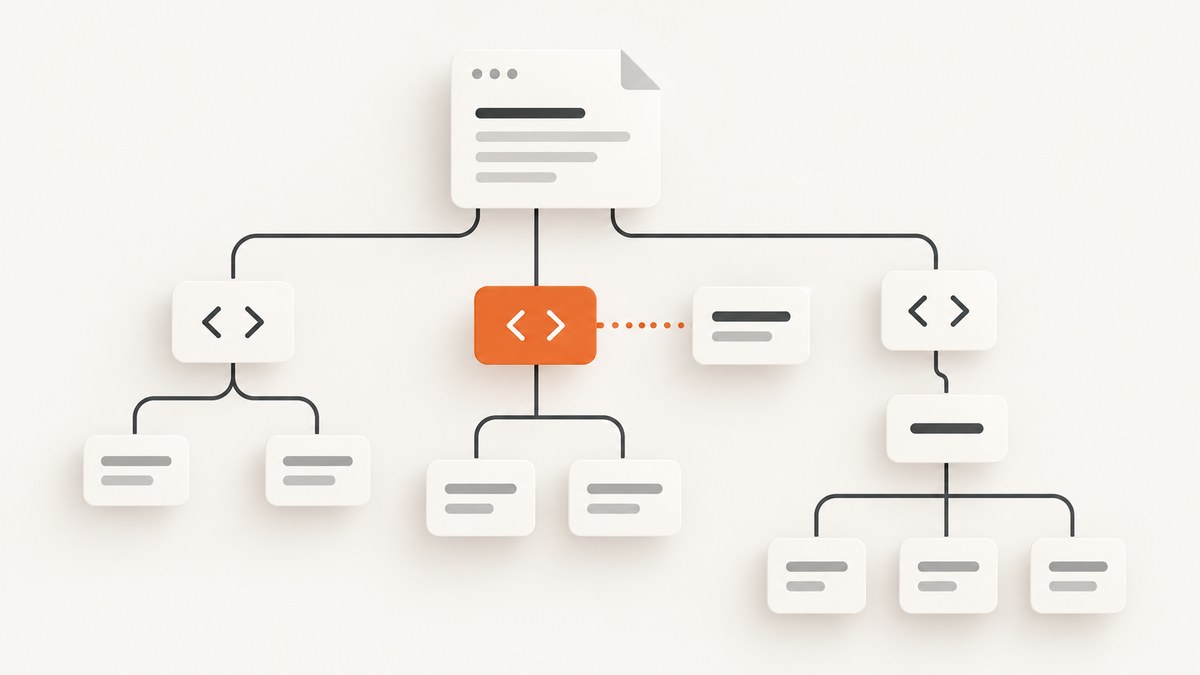
How do I parse web data with Python and Beautiful Soup? Separate the job into two steps: obtain HTML from a source you are allowed to access, then pass that markup to Beautiful Soup. Beautiful Soup builds a searchable tree; you use find(), find_all(), CSS selectors, and text or attribute extraction to turn that tree into data.
The parser cannot see content that is not in the HTML you give it. A browser may render extra content with JavaScript, while an HTTP response contains only a shell. Keep acquisition, parsing, validation, and normalization as separate stages so you can identify exactly where a result is missing.
Install Beautiful Soup and choose a parser
The package is installed as beautifulsoup4 and imported as bs4. The current PyPI project metadata lists Beautiful Soup 4.15.0 and Python 3.7 or newer; check the project page before pinning versions: PyPI.
python -m venv .venv
# macOS/Linux
source .venv/bin/activate
# Windows PowerShell: .venv\\Scripts\\Activate.ps1
python -m pip install --upgrade pip
python -m pip install beautifulsoup4 requests
Construct the object with an explicit parser:
from bs4 import BeautifulSoup

soup = BeautifulSoup(html, "html.parser")
html.parser ships with Python. Beautiful Soup also documents lxml as a fast, lenient option and html5lib as browser-like and tolerant but slower; both require separate dependencies. Install them when your deployment permits:
python -m pip install lxml html5lib
| Parser | Use when | Tradeoff |
|---|---|---|
html.parser |
You want a no-extra-dependency default | Malformed markup can produce a different tree than other parsers |
lxml |
Throughput and lenient HTML parsing matter | External dependency |
html5lib |
You need HTML5, browser-style tree building | External dependency and documented slower parsing |
lxml-xml |
You are parsing XML rather than HTML | Requires lxml and XML rules differ from HTML |
Parser choice can change the tree for invalid markup. Specify one consistently in distributed code and record it in your dependency configuration.
Fetch HTML before parsing it
Beautiful Soup does not download pages. Python’s URL tools and HTTP clients do that separately; the standard library documents URL handling in urllib. For practical HTTP work, requests provides timeouts and convenient response handling.

from urllib.parse import urljoin
import requests
from bs4 import BeautifulSoup

url = "https://example.com/articles"
headers = {"User-Agent": "ExampleResearchBot/1.0 (+https://example.com/contact)"}
response = requests.get(url, headers=headers, timeout=(10, 30))
response.raise_for_status()

soup = BeautifulSoup(response.text, "html.parser")
print(soup.title.get_text(strip=True) if soup.title else "(no title)")
Use a connection timeout and a read timeout rather than waiting forever. Check the status code, content type, and encoding. Do not assume a successful HTTP response contains the page you see in a browser. Save the received response while debugging:
if "text/html" not in response.headers.get("content-type", ""):
    raise ValueError("The response is not HTML")
with open("received.html", "w", encoding=response.encoding or "utf-8") as file:
    file.write(response.text)
Before automated collection, read the site’s terms and operational guidance. RFC 9309 describes the Robots Exclusion Protocol and rules crawlers are requested to honor: RFC 9309. Robots.txt does not answer every permission, contract, or legal question.
Find elements with Beautiful Soup
One element with find
heading = soup.find("h1")
if heading:
    print(heading.get_text(" ", strip=True))

intro = soup.find("p", class_="intro")
# Attribute dictionaries are useful for exact matches:
article = soup.find("article", {"data-type": "news"})
Several elements with find_all
for card in soup.find_all("article"):
    title = card.find("h2")
    print(title.get_text(" ", strip=True) if title else "Untitled")

# Limit work when only the first few matches are needed
first_links = soup.find_all("a", limit=10)
CSS selectors with select
CSS selectors are convenient for nested structures, classes, IDs, and attributes:
titles = soup.select("main article h2 a")
for link in titles:
    label = link.get_text(" ", strip=True)
    href = link.get("href")
    print(label, href)

featured = soup.select_one("article[data-featured='true']")
select_one returns one tag or None; select always returns a list. Treat selectors as part of your input contract: a site redesign can change class names without changing the visible meaning.
Extract text, links, and attributes safely
Use get_text(" ", strip=True) when you want words separated cleanly across nested tags. Reading .text without normalization often preserves unwanted whitespace.
summary = card.get_text(" ", strip=True)

# .get() returns None instead of raising when an attribute is absent
href = link.get("href")
rel = link.get("rel", [])

# Convert relative URLs to absolute URLs using the page URL
absolute = urljoin(url, href) if href else None
When a tag may be missing, check it before accessing children. For structured fields, write small functions that return a stable shape:
from typing import Optional

def parse_product(card) -> dict:
    name_tag = card.select_one("h2, [itemprop='name']")
    price_tag = card.select_one("[itemprop='price'], .price")
    link_tag = card.select_one("a[href]")
    return {
        "name": name_tag.get_text(" ", strip=True) if name_tag else None,
        "price": price_tag.get("content") if price_tag and price_tag.has_attr("content") else (price_tag.get_text(" ", strip=True) if price_tag else None),
        "url": urljoin(url, link_tag.get("href")) if link_tag else None,
    }
For all visible text, soup.get_text(" ", strip=True) is a useful fallback, but targeted extraction is easier to validate and less likely to include navigation, cookie notices, or footer text.
Complete example: collect article records
import json
from urllib.parse import urljoin
import requests
from bs4 import BeautifulSoup

URL = "https://example.com/blog"
HEADERS = {"User-Agent": "ExampleResearchBot/1.0 (+https://example.com/contact)"}

response = requests.get(URL, headers=HEADERS, timeout=(10, 30))
response.raise_for_status()
soup = BeautifulSoup(response.text, "html.parser")

records = []
for article in soup.select("article"):
    title = article.select_one("h2, h3")
    link = article.select_one("a[href]")
    if not title or not link:
        continue
    records.append({
        "title": title.get_text(" ", strip=True),
        "url": urljoin(URL, link["href"]),
        "text": article.get_text(" ", strip=True),
    })

with open("articles.json", "w", encoding="utf-8") as file:
    json.dump(records, file, ensure_ascii=False, indent=2)
print(f"Saved {len(records)} records")
Run this only against pages you are permitted to access. Add pagination, retries, caching, and rate limits deliberately rather than creating a burst of requests.
JavaScript-rendered pages and missing data
If the value is absent from response.text, Beautiful Soup cannot recover it. Inspect received.html and search for a distinctive word. The page may load JSON in a script, expose a documented data endpoint, or require a browser to execute JavaScript. Choose the source that the site permits and that gives you the smallest reliable payload.
When markup is malformed, parse the same saved HTML with another explicit parser and compare the relevant subtree:
from bs4 import BeautifulSoup

with open("received.html", encoding="utf-8") as file:
    raw = file.read()
for parser in ("html.parser", "lxml", "html5lib"):
    try:
        candidate = BeautifulSoup(raw, parser)
        print(parser, bool(candidate.select_one("main article")))
    except Exception as exc:
        print(parser, exc)
A parser change can explain a missing element, but it cannot create data that was never delivered.
Performance, reliability, and cost considerations
- Fetch once, parse once. Reuse the response and soup object instead of requesting the same URL for each field.
- Reduce memory. Select only the subtree you need; avoid retaining large response bodies in long-running jobs.
- Choose a parser intentionally.
lxmlmay suit high-throughput workloads;html5libsuits browser-like parsing. The documentation provides qualitative guidance, not universal benchmark numbers. - Bound failures. Set connect/read timeouts, catch request exceptions, and retry only transient failures with backoff.
- Cache responsibly. A local cache reduces repeated load and makes debugging reproducible. Honor freshness requirements and site rules.
- Validate output. Count records, require key fields, log the source URL and parser, and keep a sample of raw HTML for diagnosis.
- Control concurrency. A small worker pool and per-host rate limit protect reliability and the remote service.
Beautiful Soup itself has no request charge. Your costs come from compute, bandwidth, storage, and any browser or data service used to obtain pages. For large jobs, estimate requests, retry volume, and rendered-page time separately from parsing time.
Troubleshooting common errors
| Symptom | Likely cause | Fix |
|---|---|---|
ModuleNotFoundError: bs4 |
Package installed in a different interpreter | Run python -m pip install beautifulsoup4 with the same Python used to run the script. |
FeatureNotFound |
You selected lxml or html5lib without installing it |
Install the parser or use html.parser. |
| Selector returns no results | Wrong selector, different markup, or data loaded later | Inspect and save the received HTML; verify the selector and parser. |
| Text contains odd spacing | Nested tags and formatting whitespace | Use get_text(" ", strip=True) and normalize fields explicitly. |
| Relative links are unusable | href is relative or missing |
Read with .get("href") and resolve with urljoin. |
| 403, 429, or repeated timeouts | Access policy, rate limit, or overloaded endpoint | Check permission and robots guidance, identify yourself, slow down, cache, and honor retry headers. |
| Browser shows content that soup cannot find | Client-side rendering | Find a permitted server response or API, or use a browser capture workflow. |
| Different parsers give different results | Malformed HTML creates different trees | Choose and pin one parser, then adjust selectors to the resulting tree. |
Or skip the browser setup
If your goal is a clean image or PDF of a page rather than its DOM fields, ScreenshotNeo provides a website screenshot API and MCP server. It accepts one GET request and returns PNG, JPEG, WebP, or PDF. Before capture it can accept cookie or consent banners and remove more than 60 known consent platforms, newsletter popups, and chat widgets; each step can be turned off. Bot checks, CAPTCHAs, blank pages, timeouts, failed loads, and cache hits are not billed, and the response identifies the result with X-Page-Verdict and X-Billed headers.

See the ScreenshotNeo API documentation for all options. A minimal call is:
curl -G "https://api.screenshotneo.com/v1/shot" -d access_key=YOUR_API_KEY --data-urlencode url=https://stripe.com -o shot.webpimport requests
r = requests.get("https://api.screenshotneo.com/v1/shot", params={"access_key": "YOUR_API_KEY", "url": "https://stripe.com"}, timeout=90)
r.raise_for_status()
open("shot.webp", "wb").write(r.content)
const q = new URLSearchParams({ access_key: 'YOUR_API_KEY', url: 'https://stripe.com' });
const res = await fetch(`https://api.screenshotneo.com/v1/shot?${q}`);
if (!res.ok) throw new Error(`HTTP ${res.status}`);
const fs = await import('node:fs/promises');
await fs.writeFile('shot.webp', Buffer.from(await res.arrayBuffer()));
Options include full-page capture with lazy images, one CSS-selected element, dark mode, device presets or custom viewports, retina scale, PDF paper and margins, custom CSS and JavaScript, clicks, selector or network-idle waits, request and resource blocking, headers, cookies, user agents, Authorization, timezone, geolocation, transparent backgrounds, resizing, configurable caching, signed links, asynchronous jobs with signed webhooks, bulk capture of up to 100 URLs, usage data, and an OpenAPI specification. The parameter names used by other screenshot APIs also work, which can simplify migration.
An MCP server exposes take_screenshot, get_page_info, and capture_pdf to Claude, Cursor, and other MCP clients. Plans include 1,000 shots per month free with no card; paid plans start at $5 for 3,000 shots. Create a free ScreenshotNeo account.
FAQ
Can Beautiful Soup scrape a site by itself?
No. It parses markup already in memory. Pair it with an allowed HTTP, file, or browser acquisition method.
Should I use find_all or select?
Use find_all for straightforward tag and attribute searches; use select when a CSS selector expresses the structure more clearly.
Why does get_text include navigation?
You selected a container that includes navigation. Select the article or content subtree first, then call get_text.
Is html.parser always the best parser?
It is a convenient built-in default. Use lxml or html5lib when their documented parsing behavior better matches your input and deployment.
How do I keep a scraper maintainable?
Pin the parser, centralize selectors, validate required fields, save representative fixtures, log source and parser details, and review selectors when the source layout changes.


