How to Parse XML in Python: ElementTree, lxml, and xmltodict
Learn when to use ElementTree, lxml, or xmltodict, with namespace handling, streaming, security controls, troubleshooting, and runnable code.

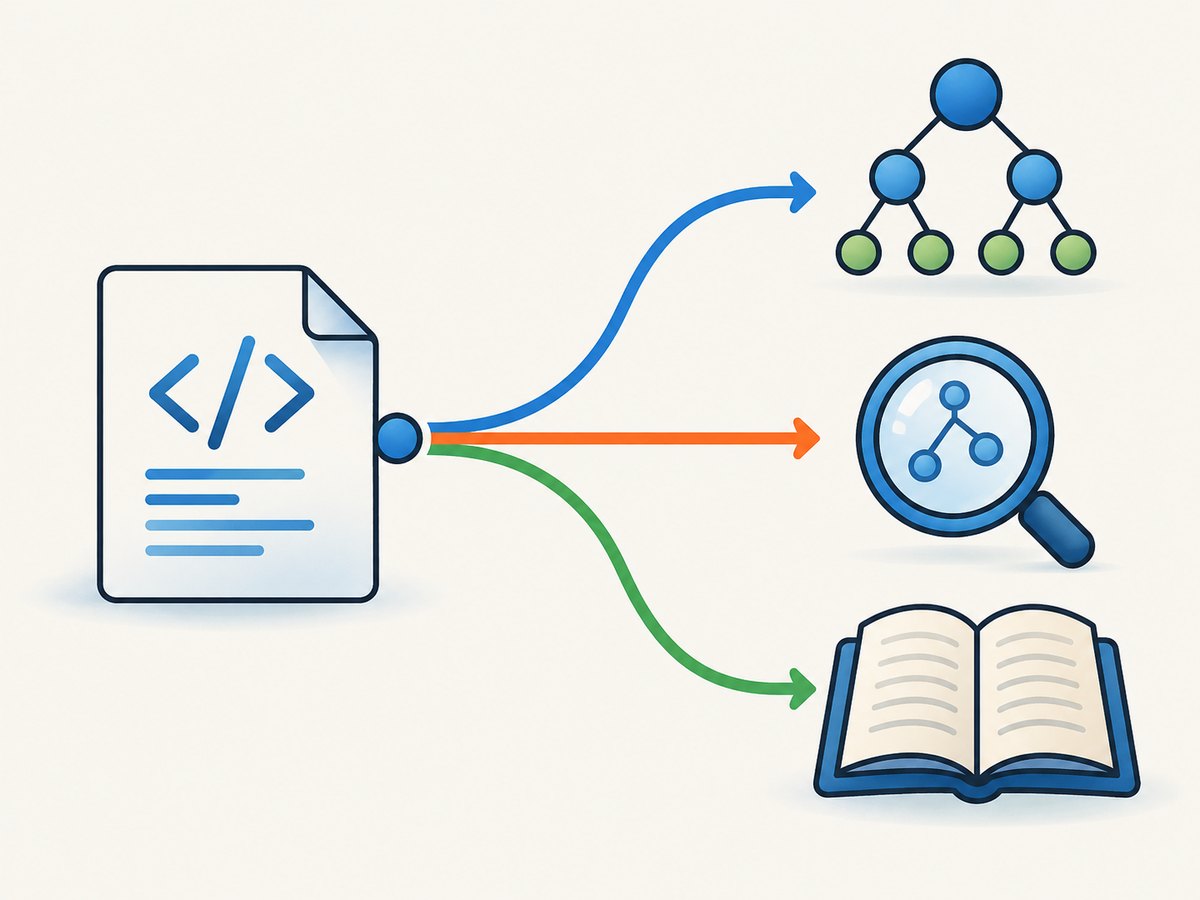
Direct answer: Start with Python’s built-in xml.etree.ElementTree for ordinary XML files, strings, feeds, and configuration. Choose lxml.etree when you need full XPath, XSLT, XML Schema validation, or advanced parser controls. Choose xmltodict when the next layer expects JSON-like dictionaries and losing some XML structure is acceptable. Treat XML from users or the network as hostile: disable DTDs and entity expansion, block external access, and enforce size, depth, time, and decompression limits.
1. Choose the right Python XML parser
| Library | Install | Best fit | Trade-off |
|---|---|---|---|
xml.etree.ElementTree |
Standard library | Simple files, configuration, controlled payloads, ordinary tree traversal | Limited query language; not focused on XSLT or schema workflows |
lxml.etree |
pip install lxml |
Full XPath, XSLT, XML Schema validation, document-heavy processing | Third-party dependency with a native-library surface |
xmltodict |
pip install xmltodict |
Adapters and ETL where dictionaries/lists/scalars are the desired output | Mapping can lose ordering, mixed content, comments, and exact XML fidelity |
Python describes ElementTree as a “simple and efficient API for parsing and creating XML data” (official documentation). The lxml documentation covers its ElementTree-compatible API, XPath, XSLT, and validation. The xmltodict project documents its XML-to-dictionary mapping.
2. Parse XML with ElementTree
Parse a file
import xml.etree.ElementTree as ET

tree = ET.parse("country_data.xml")
root = tree.getroot()

print(root.tag)
for country in root.findall("country"):
    print(country.get("name"), country.findtext("rank"))
Parse a string or bytes value
import xml.etree.ElementTree as ET

xml_text = "<data><item id='1'>value</item></data>"
root = ET.fromstring(xml_text)

for item in root.findall("item"):
    print(item.get("id"), item.text)
Traverse, read attributes, and serialize
import xml.etree.ElementTree as ET

root = ET.fromstring("""
<catalog>
  <book id="b1" genre="tech">
    <title>XML Basics</title>
    <author>A. Developer</author>
  </book>
</catalog>
""")

for book in root.iter("book"):
    print(book.attrib)
    print(book.findtext("title"))
    print(book.findtext("author"))

root.set("source", "import")
output = ET.tostring(root, encoding="unicode")
print(output)
Use find() for one child, findall() for matching children, and iter() when walking descendants. ElementTree’s path syntax is intentionally smaller than full XPath.
3. Handle namespaces correctly
An XML name is identified by its namespace URI, not by the prefix shown in the document. Bind prefixes to URIs in your query map. This also applies to a default namespace.
import xml.etree.ElementTree as ET

xml = """
<feed xmlns="http://example.com/feed" xmlns:m="http://example.com/meta">
  <entry>
    <title>Release</title>
    <m:status>ready</m:status>
  </entry>
</feed>
"""

root = ET.fromstring(xml)
ns = {
    "f": "http://example.com/feed",
    "m": "http://example.com/meta",
}

for entry in root.findall("f:entry", ns):
    print(entry.findtext("f:title", namespaces=ns))
    print(entry.findtext("m:status", namespaces=ns))
Do not query entry without the namespace map: an unprefixed query will not match a namespaced element. Test default namespaces explicitly.
4. Parse with lxml for XPath, validation, and XSLT
Install and query with XPath
python -m pip install lxmlfrom lxml import etree
xml_bytes = b"""
<root>
<row status="ready">one</row>
<row status="pending">two</row>
</root>
"""
root = etree.fromstring(xml_bytes)
rows = root.xpath("//row[@status=$status]", status="ready")
print([row.text for row in rows])
Pass values as XPath variables. Do not concatenate untrusted input into an XPath expression.
Validate with XML Schema
from lxml import etree

xml_root = etree.fromstring(b"<person><name>Ada</name></person>")
schema_doc = etree.parse("person.xsd")
schema = etree.XMLSchema(schema_doc)

document = etree.ElementTree(xml_root)
if not schema.validate(document):
    for error in schema.error_log:
        print(error.message)
else:
    print("valid")
Use lxml when validation, transformations, reusable XPath evaluators, or richer parser settings are requirements. Keep schema locations and XSLT stylesheets under application control.
5. Convert XML to dictionaries with xmltodict
python -m pip install xmltodictimport xmltodict
xml = b"""
<feed>
<entry id="1"><title>First</title></entry>
<entry id="2"><title>Second</title></entry>
</feed>
"""
doc = xmltodict.parse(xml)
entries = doc["feed"].get("entry", [])
if isinstance(entries, dict):
entries = [entries]
for entry in entries:
print(entry.get("@id"), entry.get("title"))
By default, attributes use an @ prefix and text uses #text. Repeated elements become lists. Namespace expansion is available when you need it:
import xmltodict

with open("feed.xml", "rb") as fh:
    doc = xmltodict.parse(fh, process_namespaces=True)
print(doc)
Use xmltodict.unparse() to create XML again, but do not assume a parse/unparse cycle preserves every original detail. Mixed-content ordering, comments, processing instructions, and some namespace presentation details are not the same as retaining an XML tree.
6. Stream large XML files without exhausting memory
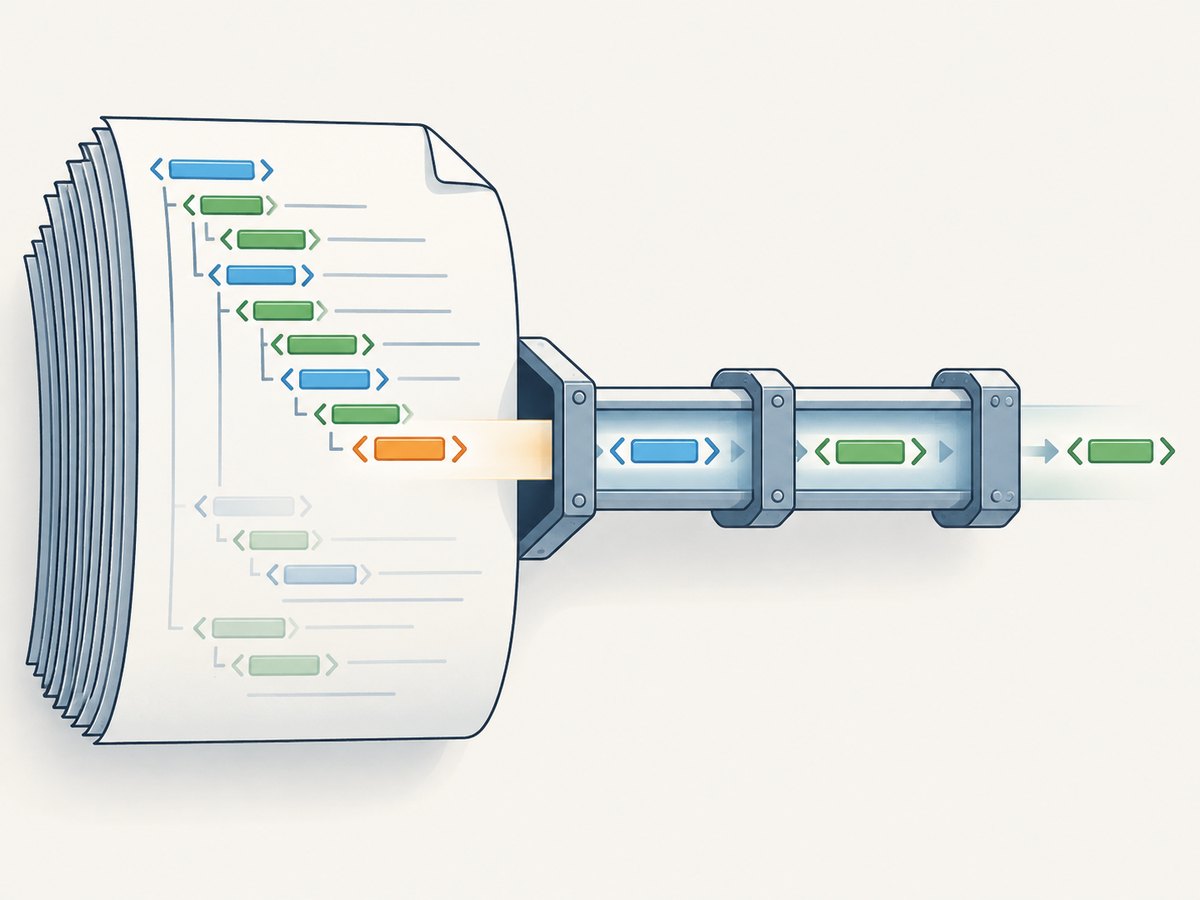
iterparse() emits events while reading, but the tree is still built incrementally. Process completed records on end events and clear elements that you no longer need.
import xml.etree.ElementTree as ET

for event, elem in ET.iterparse("large.xml", events=("end",)):
    if elem.tag == "record":
        record_id = elem.findtext("id")
        print(record_id)
        elem.clear()
If parent-level state is needed, retain only the small values you require and clear child elements after processing. For non-blocking applications, use a pull parser or put a bounded stream behind your parser. For hostile or truly huge input, enforce byte, depth, record-count, parse-time, and decompression limits before and during parsing.
7. Secure XML parsing
XML can trigger denial-of-service behavior through entity expansion, external resources, deep nesting, or compressed input. Python’s XML documentation points to security guidance; the defusedxml project provides hardened alternatives.
- Reject or disable DTDs and entity expansion.
- Prevent external file and network resolution.
- Cap input bytes, nesting depth, records, parse time, and decompression work.
- Avoid XInclude and untrusted schema locations.
- Never execute XPath or XSLT expressions supplied by users.
- Keep Python and XML dependencies patched.
Safer handling with defusedxml
python -m pip install defusedxmlfrom defusedxml import ElementTree as SafeET
with open("input.xml", "rb") as fh:
tree = SafeET.parse(fh)
root = tree.getroot()
print(root.tag)
For lxml, configure XMLParser deliberately for your trust model. A typical application should disable entity resolution and network access, then apply its own input-size and time limits:
from lxml import etree

parser = etree.XMLParser(
    resolve_entities=False,
    no_network=True,
    load_dtd=False,
    huge_tree=False,
)
root = etree.fromstring(xml_bytes, parser=parser)
Do not turn on permissive options merely to make malformed or oversized input parse.
8. Common errors and fixes
| Error or symptom | Cause | Fix |
|---|---|---|
ParseError: no element found |
Empty, truncated, or incomplete input | Check the response body, file write, encoding, and producer completion before parsing. |
mismatched tag |
Malformed XML | Validate the producer output; XML requires properly nested closing tags. |
| Namespace query returns no matches | Query omitted the namespace URI | Pass a prefix-to-URI map and query with that prefix. |
| One item is a dict and many items are a list | xmltodict uses a scalar mapping for one repeated element and a list for multiple elements | Normalize with if isinstance(value, dict): value = [value]. |
Memory grows during iterparse() |
Processed elements remain referenced in the tree | Handle end events and call elem.clear(); remove processed siblings when necessary. |
| External entity or network access occurs | Permissive parser settings or unsafe input | Disable DTD/entity expansion and network access; use defusedxml for untrusted documents. |
| XPath injection or unexpected matches | User data was interpolated into an XPath string | Use lxml XPath variables and keep expressions in application code. |
| Schema validation fails unexpectedly | Wrong namespace, schema version, or invalid document structure | Inspect schema.error_log, verify namespace URIs, and validate against the intended schema. |
9. Performance, reliability, and cost considerations
- Dependency cost: ElementTree has no installation cost. lxml and xmltodict add packaging and patching work.
- Memory: A full tree is convenient but scales with document size. Stream records and clear elements for large inputs.
- CPU: XPath, validation, and XSLT add processing work. Restrict expressions and transformations to known operations.
- Reliability: Check encoding, content type, truncation, and producer errors before parsing. Log parser error positions without logging secrets.
- Repeatability: Pin third-party versions, test default and prefixed namespaces, and keep representative malformed and large fixtures.
- Security: Treat every external XML document as untrusted and enforce resource limits outside the parser as well.
10. A practical decision checklist
- Use ElementTree if ordinary tree traversal and the standard library are enough.
- Use lxml if you need full XPath, XSLT, XML Schema, or advanced parser controls.
- Use xmltodict if your boundary is a JSON-like dictionary and XML fidelity is not required.
- Bind namespace URIs explicitly, including default namespaces.
- For large files, process end events and clear completed elements.
- For untrusted input, disable entities and external access and enforce resource limits.
11. Or skip the browser setup
If your XML workflow also needs screenshots of documentation, reports, or rendered pages, ScreenshotNeo provides a website screenshot API. It is separate from Python XML parsing, but can remove browser automation from that capture step.
One GET request returns a PNG, JPEG, WebP, or PDF. See the ScreenshotNeo API documentation for all parameters.
curl -G "https://api.screenshotneo.com/v1/shot" -d access_key=YOUR_API_KEY --data-urlencode url=https://stripe.com -o shot.webpimport requests
r = requests.get("https://api.screenshotneo.com/v1/shot", params={"access_key": "YOUR_API_KEY", "url": "https://stripe.com"}, timeout=90)
open("shot.webp", "wb").write(r.content)const q = new URLSearchParams({ access_key: 'YOUR_API_KEY', url: 'https://stripe.com' });
const res = await fetch(`https://api.screenshotneo.com/v1/shot?${q}`);- Cookie banners, newsletter popups, and chat widgets are removed before the shot.
- Bot checks, blank pages, failed loads, timeouts, and cache hits are never billed; response headers identify the page verdict and billing status.
- An MCP server lets Claude, Cursor, and other MCP clients use
take_screenshot,get_page_info, andcapture_pdf. - The free plan includes 1,000 screenshots per month with no card; paid plans start at $5 for 3,000 screenshots.
Create a free ScreenshotNeo account and start with 1,000 screenshots a month without a card.
12. FAQ
Can ElementTree parse XML from an HTTP response?
Yes. Read the response bytes and pass them to ET.fromstring(), after applying request timeouts, size limits, and safe-input rules.
Should I always use lxml?
No. ElementTree is simpler and dependency-free. Choose lxml when its XPath, validation, XSLT, or parser controls solve a real requirement.
Does xmltodict preserve XML exactly?
No. It creates a convenient dictionary representation. Use ElementTree or lxml when exact structure, ordering, mixed content, comments, or processing instructions matter.
How do I find an element in a default namespace?
Create a prefix mapped to the namespace URI and use that prefix in ElementTree or lxml queries; the visible default prefix is not enough.
Is parsing XML safe by default?
Do not assume that untrusted XML is safe. Disable DTD/entity expansion and external access, limit resources, and consider defusedxml.


