How to Pass HTML Strings to PDFKit in Node.js
PDFKit does not render HTML strings. Learn the supported Node.js workflow, how to translate simple markup, and when to use an HTML-to-PDF renderer.

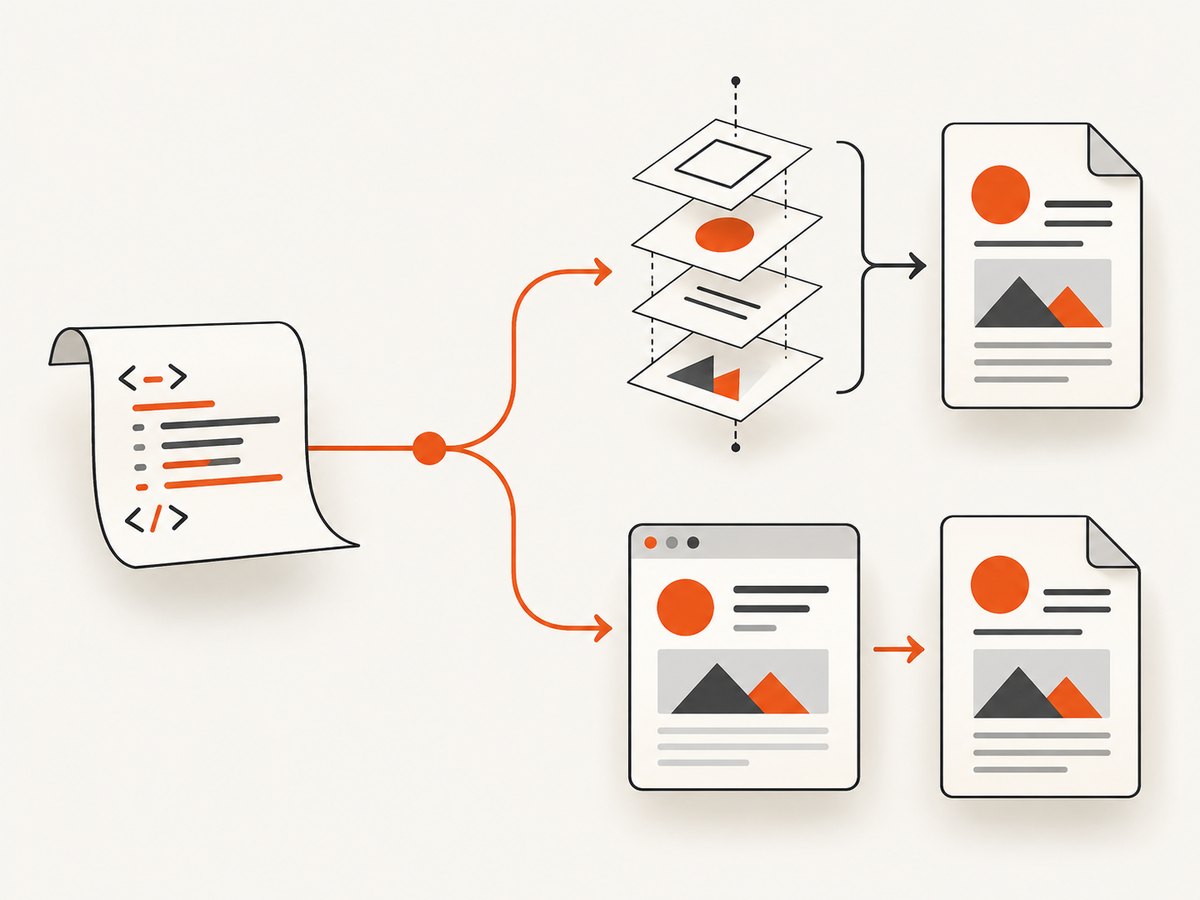
Short answer: PDFKit does not provide a documented method that parses an HTML string and lays it out like a browser. Passing <h1>Hello</h1> to doc.text() writes those characters as text; it does not create a heading or apply CSS. PDFKit is a programmatic PDF-generation library. You add text, images, tables, and vector paths with its API, pipe the document stream to a writable destination, and call doc.end() to finish it.
If your source is HTML/CSS and you need browser-like layout, use an HTML-to-PDF renderer. If you must use PDFKit, translate the HTML into explicit PDFKit operations.
What PDFKit accepts
PDFKit’s text API accepts strings through methods such as doc.text(). Its documented Node.js workflow creates a PDFDocument, pipes it to a writable stream, adds content, and ends the document. See the PDFKit text documentation and getting-started guide.
PDFKit can construct a PDF from:
- Text with font, size, alignment, wrapping, columns, and continued text options.
- Images loaded from files or buffers.
- Tables and other positioned drawing operations.
- Vector paths. SVG path syntax is for vector geometry, not HTML or CSS parsing; see the vector graphics documentation.
Minimal runnable PDFKit program
Install PDFKit, create a document, pipe its readable stream to a file, write content, and finalize it:
npm install pdfkitconst fs = require('node:fs');
const PDFDocument = require('pdfkit');
const doc = new PDFDocument();
doc.pipe(fs.createWriteStream('output.pdf'));
doc.fontSize(24).text('Hello from PDFKit', 72, 72);
doc.fontSize(12).moveDown().text('This text was placed with PDFKit methods.');
doc.end();The file is not written automatically by the PDFDocument object. The destination must consume the stream, and doc.end() signals that no more PDF data will be produced.
Why an HTML string does not become a layout
Consider this value:
const html = '<h1>Hello</h1><p>World</p>';
doc.text(html);
PDFKit receives one ordinary string. It has no browser DOM, CSS cascade, layout engine, JavaScript runtime, or HTML parser that maps those tags to headings and paragraphs. The output therefore contains the literal markup (subject to normal text encoding and wrapping).
Translating simple HTML into PDFKit operations
For a small, controlled subset of markup, parse or tokenize the input yourself and map each element to a PDFKit call. Keep this approach deliberately limited: regular expressions are not a general HTML parser, and they do not handle malformed markup, nested elements, entities, CSS, scripts, or untrusted input safely.
A complete example for a tiny trusted subset
const fs = require('node:fs');
const PDFDocument = require('pdfkit');
const html = `
<h1>Invoice 1042</h1>
<p>Thank you for your order.</p>
<h2>Items</h2>
<p>Two licenses — $40</p>
`;
function decodeBasicEntities(value) {
return value
.replace(/&/g, '&')
.replace(/</g, '<')
.replace(/>/g, '>')
.replace(/"/g, '"')
.replace(/'/g, "'");
}
function renderTrustedHtml(doc, source) {
const tokens = source.match(/<\/?(?:h1|h2|p|br)\s*\/>|[^<]+/gi) || [];
for (const token of tokens) {
const tag = token.match(/^<\/?(h1|h2|p|br)/i);
if (!tag) {
const text = decodeBasicEntities(token).replace(/\s+/g, ' ').trim();
if (text) doc.text(text, { paragraphGap: 8 });
continue;
}
const name = tag[1].toLowerCase();
const closing = /^<\//.test(token);
if (name === 'br' && !closing) {
doc.moveDown(0.5);
} else if (name === 'h1' && !closing) {
doc.moveDown(0.5).fontSize(22).font('Helvetica-Bold');
} else if (name === 'h2' && !closing) {
doc.moveDown(0.5).fontSize(16).font('Helvetica-Bold');
} else if (name === 'p' && !closing) {
doc.fontSize(11).font('Helvetica');
} else if ((name === 'h1' || name === 'h2') && closing) {
doc.font('Helvetica').fontSize(11).moveDown(0.25);
}
}
}
const doc = new PDFDocument({ margin: 72 });
doc.pipe(fs.createWriteStream('translated.pdf'));
renderTrustedHtml(doc, html);
doc.end();This example is intentionally narrow. A production converter should use a real HTML parser, define which elements and attributes are supported, map styles to a safe allowlist, and handle page breaks, images, links, tables, and fonts explicitly.
Choosing between translation and an HTML-to-PDF renderer
| Requirement | PDFKit translation | HTML-to-PDF renderer |
|---|---|---|
| Controlled text and drawings | Good fit | Usually unnecessary |
| Existing HTML and CSS | Requires a converter you maintain | Designed for this input |
| Browser layout, flexbox, grid, or print CSS | Must be recreated with PDFKit calls | Use a renderer that supports the required CSS |
| Client-side JavaScript | Not executed by PDFKit | Depends on the renderer |
| Exact fonts and external assets | Load and position them yourself | Depends on asset and font support |
| Deployment footprint | Node package and your assets | May require a browser runtime or hosted service |
Evaluate an HTML renderer for CSS fidelity, JavaScript support, deployment requirements, font and asset handling, page-break controls, accessibility, privacy, and cost. The research for this article does not validate any particular renderer. One surfaced option, pdfkitt, advertises HTML-string or live-URL input; assess it independently before using it.
Handling common content safely
Escaping and untrusted HTML
Do not execute scripts or fetch arbitrary resources while converting user-supplied HTML. Sanitize untrusted input, allow only known tags and attributes, restrict URLs and file paths, and set limits for document size and rendering time. PDFKit itself does not turn HTML into executable browser content, but a separate renderer may run JavaScript or load network resources.
Images and fonts
PDFKit requires you to load an image and place it at coordinates. Fonts likewise need to be registered or referenced according to PDFKit’s font support. A browser renderer may resolve CSS font stacks and remote assets differently, so verify that every asset is available in the deployment environment.
Pagination
With PDFKit, track available vertical space and add pages explicitly when content will not fit. Browser-oriented renderers may provide CSS page-break rules, but support varies. Test long paragraphs, tables spanning pages, and content near the bottom margin.
Or skip the browser setup
If your goal is to capture an already-rendered web page as an image or PDF, ScreenshotNeo provides a single HTTP request. It accepts a URL and returns a PNG, JPEG, WebP, or PDF. Cookie and consent banners are accepted and more than 60 known consent platforms, newsletter popups, and chat widgets are removed before capture; each step can be disabled. Bot checks, blank pages, timeouts, failed loads, and cache hits are not billed, and response headers report the page verdict and billing state.
See the ScreenshotNeo API documentation for the complete option set, including full-page capture, CSS-selector element capture, device and viewport settings, custom CSS and JavaScript, waits, request blocking, cookies and headers, PDF options, caching, signed links, asynchronous jobs, bulk capture, and usage reporting.
curl -G "https://api.screenshotneo.com/v1/shot" \
  -d access_key=YOUR_API_KEY \
  --data-urlencode url=https://stripe.com \
  -o shot.webp
import requests
r = requests.get(
"https://api.screenshotneo.com/v1/shot",
params={"access_key": "YOUR_API_KEY", "url": "https://stripe.com"},
timeout=90,
)
r.raise_for_status()
open("shot.webp", "wb").write(r.content)const q = new URLSearchParams({
access_key: 'YOUR_API_KEY',
url: 'https://stripe.com'
});
const res = await fetch(`https://api.screenshotneo.com/v1/shot?${q}`);
if (!res.ok) throw new Error(`Screenshot failed: ${res.status}`);
const buffer = Buffer.from(await res.arrayBuffer());
require('node:fs').writeFileSync('shot.webp', buffer);ScreenshotNeo also provides an MCP server with take_screenshot, get_page_info, and capture_pdf tools for Claude, Cursor, and other MCP clients. The Free plan includes 1,000 screenshots per month with no card; paid plans start at $5 for 3,000 shots, and every feature is available on every plan. Create a free ScreenshotNeo account.
Troubleshooting
| Symptom | Cause | Fix |
|---|---|---|
| Tags appear in the PDF | The HTML was passed directly to doc.text(). |
Translate supported elements into PDFKit calls or use an HTML renderer. |
| The PDF file is empty or incomplete | The stream was not piped, or doc.end() was omitted. |
Pipe the document before writing and call doc.end() after all content. |
| Output stops at a page boundary | Content exceeded the available space without pagination logic. | Check height before drawing, call doc.addPage(), and continue. |
| CSS has no effect | PDFKit does not parse CSS. | Map styles to PDFKit methods or switch to a CSS-capable renderer. |
| Images are missing | The path or buffer is unavailable in the running environment. | Use absolute or deployment-safe paths, verify permissions, and wait for asynchronous downloads before writing. |
| Characters render as boxes | The selected font lacks glyphs. | Embed a font that contains the required characters and register it before writing. |
| Remote HTML differs from a browser | PDFKit does not fetch and render a webpage. | Use a browser-based HTML-to-PDF service or capture the page with ScreenshotNeo. |
Performance, reliability, and cost considerations
- PDFKit: output is generated in your Node process and streamed, so avoid buffering large documents unnecessarily. Keep image dimensions and embedded font sets appropriate for the document.
- HTML rendering: browser-based conversion adds startup, page-load, asset, and JavaScript costs. Set timeouts and isolate untrusted content.
- Repeatability: pin fonts and assets, use deterministic data, and test page breaks. Remote resources can change between runs.
- ScreenshotNeo: use caching with a TTL when repeated captures are acceptable, and inspect the
X-Page-VerdictandX-Billedresponse headers. Failed loads and cache hits are not billed; paid usage depends on the plan and successful clean captures.

FAQ
Can I pass an HTML string directly to PDFKit?
You can pass the string to a text method, but PDFKit will treat it as text. It will not parse HTML tags or CSS into layout.
Does PDFKit support SVG?
PDFKit supports vector path drawing, including SVG path syntax. That describes geometry support, not HTML or CSS rendering.
Should I convert HTML to a PDFKit document?
Convert it when the markup is small, trusted, and maps cleanly to explicit operations. For broad HTML/CSS compatibility, select an HTML-to-PDF renderer instead.
Does PDFKit execute JavaScript from an HTML string?
No. PDFKit is not a browser runtime.
What is the simplest way to get a PDF of a live webpage?
Use a browser-based capture service such as ScreenshotNeo, whose API and capture_pdf tool handle page loading and PDF capture without requiring you to build the browser setup.


