Password Strength Checker: Test Password Security Locally
Check password guessability on your device without sending the password to a checker. Learn what a strength score means, how breach checks work, and what to do next.
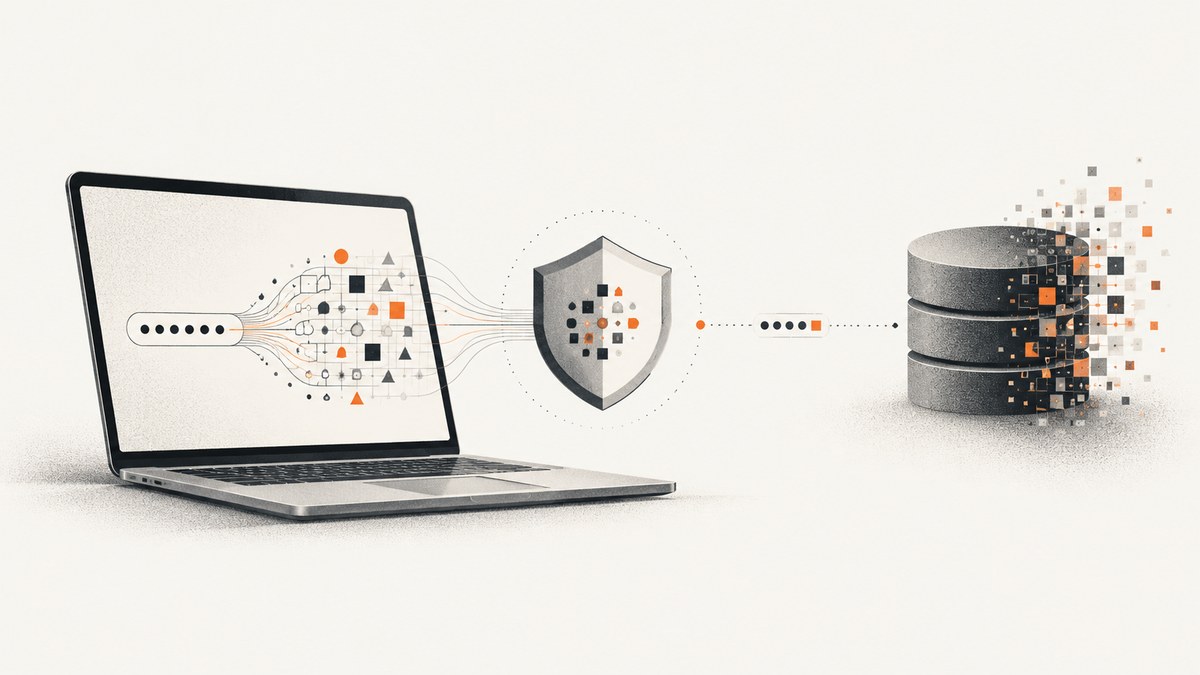
A local password strength checker estimates how difficult a password would be to guess while keeping the password on your device. It does not prove that a password is safe, and a strength score by itself does not tell you whether the password appeared in a breach. For safer decisions, check guessability, uniqueness, and breach exposure separately; replace weak or exposed passwords with unique ones from a password manager and enable multifactor authentication (MFA).
This guide builds a small browser-based checker whose scoring code runs locally. It explains what the result can and cannot say, how a privacy-preserving breach check works, and what websites should do when users choose passwords. A strength meter is an advisory tool, not a replacement for compromised-password blocklists, rate limits, secure password storage, or MFA.
1. What a password strength checker can tell you
A useful checker estimates guessability: how quickly an attacker might find a password by trying likely candidates and patterns. A character-class checklist that awards points for uppercase letters, digits, and symbols can miss predictable choices. For example, a familiar word followed by a predictable number and punctuation mark may satisfy several class rules while remaining easy to guess.
The zxcvbn research approach instead looks for recognizable patterns, including common or leaked passwords, names, common words, and keyboard patterns. A pattern-aware estimate is more informative than counting character types, but it is still an estimate. It cannot know every attacker’s information, strategy, or computing resources.
Keep these questions distinct:
- Is it guessable? A local strength estimate can flag familiar words and patterns.
- Is it unique? Only you, your password manager, and the services where you used it can establish where you reused it. A meter cannot infer reuse across accounts.
- Has it been exposed? That requires a separate compromised-password check, such as a privacy-preserving lookup against a breach corpus.
- Can someone steal or trick it out of you? Phishing, keylogging, and social engineering can defeat a password regardless of its length or complexity.
NIST emphasizes length as the most important part of a good password and recommends password managers, unique passwords, MFA, and checking passwords against compromised-password blocklists. Its Digital Identity Program lead Ryan Galluzzo has said, “The worst password I can think of is ‘password’ or ‘12345.’” A password that is long but reused or already exposed still needs to be changed.
2. Build a local-only checker in the browser
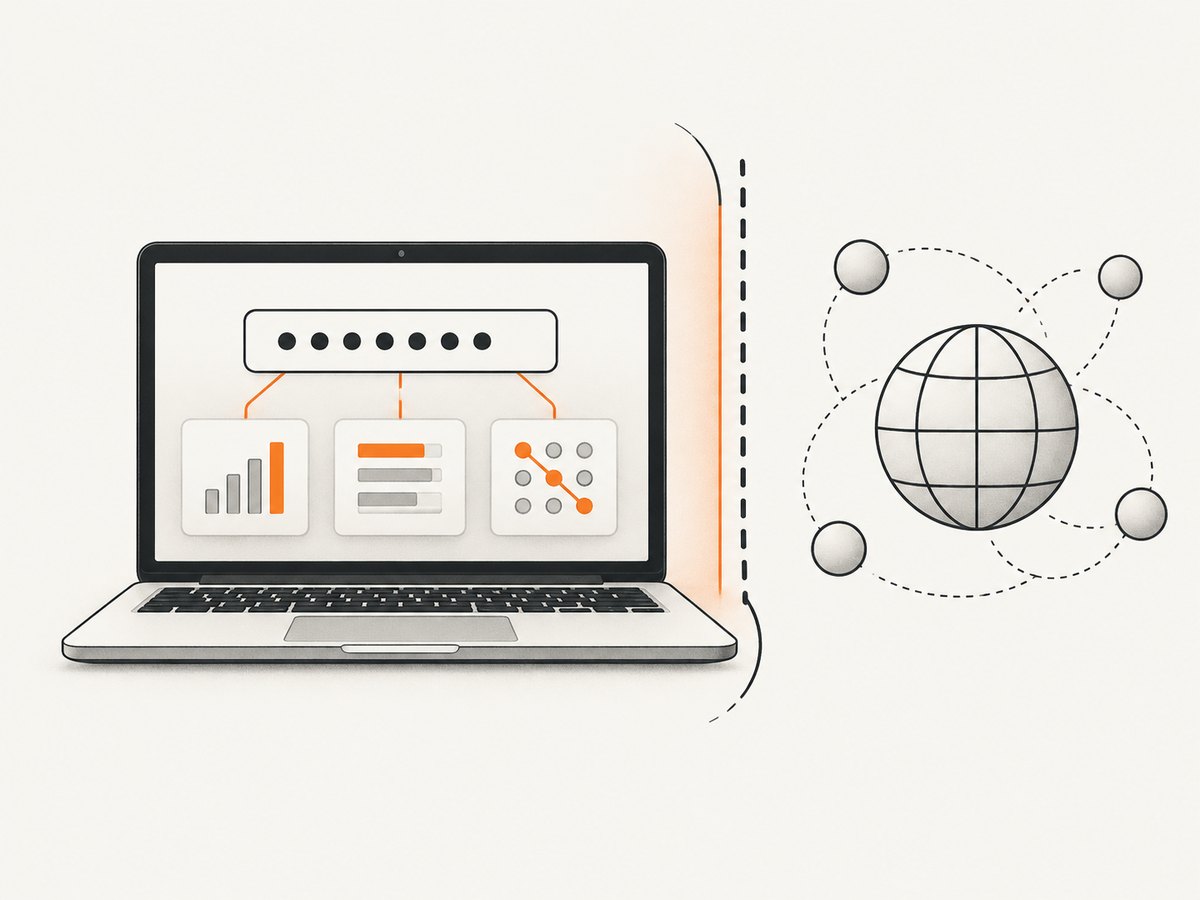
The example below is a self-contained HTML file. Save it as password-checker.html and open it in a browser. The password is read by JavaScript in the page, analyzed in memory, and never sent to a server by this code. The score is a deliberately simple teaching example: it looks for length, repeated characters, common choices, and a basic keyboard sequence. It is not zxcvbn and should not be used by a website as its only password policy.
<!doctype html>
<html lang="en">
<meta charset="utf-8">
<meta name="viewport" content="width=device-width,initial-scale=1">
<title>Local password check</title>
<label for="pw">Password to assess</label>
<input id="pw" type="password" autocomplete="off">
<button id="toggle" type="button">Show password</button>
<p id="result" aria-live="polite">Enter a password to see a local estimate.</p>
<script>
const input = document.querySelector('#pw');
const result = document.querySelector('#result');
const common = new Set(['password', 'password123', '123456', 'qwerty', 'letmein']);
function assess(value) {
  if (!value) return 'Enter a password to see a local estimate.';
  const lower = value.toLowerCase();
  const checks = [
    value.length >= 12,
    value.length >= 16,
    !common.has(lower),
    !/(.)\\1{2,}/.test(value),
    !/qwerty|asdf|zxcv|1234|abcd/i.test(value)
  ];
  const score = checks.filter(Boolean).length;
  const label = score <= 1 ? 'Very guessable' : score <= 3 ? 'Needs improvement' : 'Better estimate';
  return `${label}. This local heuristic is not a security guarantee; check uniqueness and breach exposure separately.`;
}
input.addEventListener('input', () => { result.textContent = assess(input.value); });
document.querySelector('#toggle').addEventListener('click', event => {
  const visible = input.type === 'text';
  input.type = visible ? 'password' : 'text';
  event.currentTarget.textContent = visible ? 'Show password' : 'Hide password';
});
</script>
</html>
Open the file, type a candidate, and read the result. The toggle makes entry easier to inspect, but do not use it in a place where someone can see the screen. Clearing the field removes the value from the page’s input; closing the tab ends the page session. This example does not save to local storage, cookies, or a remote service. Browser extensions, device malware, screen recording, and shoulder surfing remain outside the protection it provides.
Limits of a hand-written heuristic
The demo’s list is tiny and its pattern rules are intentionally obvious. A real attacker’s dictionaries and personal context are much richer. It also does not estimate guesses or time-to-crack, recognize names, detect broad sets of leaked passwords, or account for a service’s throttling. Do not label its output “secure.” For a product intended for real users, use a maintained, pattern-aware estimator such as the zxcvbn approach, audit that all analysis is local, and make the limitations visible.
3. Check breach exposure separately
A password can look difficult to guess and still be unsafe because it was included in a breach. The Have I Been Pwned Pwned Passwords design allows a client to check without sending the password or its full hash to the service:
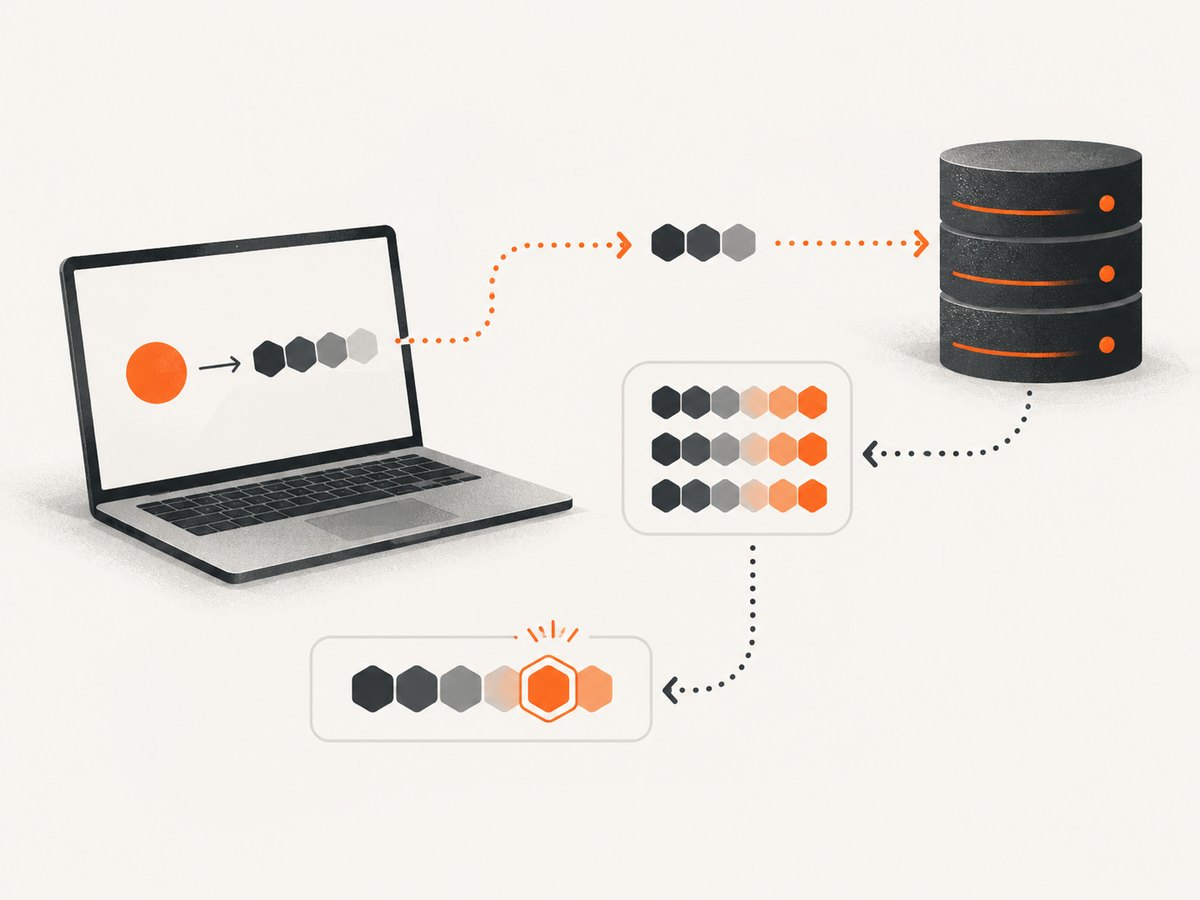
- Normalize the password exactly as the service specifies and calculate its SHA-1 hash locally.
- Send only the first five hexadecimal characters of that hash to the range endpoint.
- Receive candidate hash suffixes matching that prefix.
- Compare the full local hash against the returned suffixes on the device.
This is a k-anonymity design: the service sees a partial hash shared by many possible passwords, rather than the full password or full hash. The full comparison remains local. It reduces disclosure; it does not make the query invisible, eliminate every inference, or make SHA-1 appropriate for storing passwords. Breach lookup and password storage are different jobs. Websites must store passwords with a suitable password-hashing scheme and must not store them as plain text or as a fast unsalted hash.
For an end-user, use a reputable checker that clearly explains whether scoring and breach matching happen locally and what data leaves the device. Do not paste a live password into an unfamiliar site or extension. If a privacy statement does not explain the data flow, treat that uncertainty as a reason to avoid using it with a real password. When a check finds a match, replace the password anywhere it was used and change any related credentials that may also be exposed.
4. What websites should implement
A website’s password meter helps users choose, but the verifier has security responsibilities the browser cannot fulfill. NIST SP 800-63B says verifiers must compare a prospective password against a blocklist of known commonly used, expected, or compromised passwords when users establish or change credentials. A client-side meter can guide the choice, but the server must enforce its own checks because browser code can be modified or bypassed.
Implementation checklist:
- Check new passwords against a compromised/common-password blocklist at the server.
- Accept long passphrases and avoid arbitrary composition rules that force predictable substitutions.
- Allow password managers, paste, autofill, and accessible password entry.
- Rate-limit failed sign-in attempts and monitor abuse without exposing whether an account exists unnecessarily.
- Store password verifiers with an appropriate password-hashing algorithm and configuration.
- Offer MFA, with particular encouragement for email, financial, work, and administrator accounts.
- Do not log submitted passwords, include them in analytics events, or place them in URLs or error reports.
If a front-end strength meter uses a remote API, the password is disclosed to that API unless the service explicitly uses a privacy-preserving protocol designed for the specific operation. Keep local scoring local. For breach screening, prefer a documented partial-hash design and compare the returned candidates on the client; avoid sending the raw password or its full hash.
5. Choose and use a checker safely
Use these criteria when evaluating an app, browser tool, or local library:
| Question | What to look for |
|---|---|
| Where does scoring run? | In the browser or on-device, with no password request sent to a server. |
| What patterns does it recognize? | Common words, names, leaked-password candidates, and keyboard patterns, not only character classes. |
| How is breach screening done? | A privacy-preserving partial-hash protocol with full comparison locally, if screening is offered. |
| Does it explain the result? | Useful feedback about length and predictable patterns, with clear limits on what a score means. |
| What does it retain? | Clear disclosure about logging, storage, and transmission; ideally no password leaves the device for scoring. |
| Can it work offline? | Offline scoring is a useful signal that the estimate does not depend on uploading the password. |
For your own account, a safe sequence is simple: generate a unique password in a password manager, use a trusted local strength estimate if you need feedback, check breach exposure through a reputable privacy-preserving method, save the replacement in the manager, and enable MFA. Never reuse the replacement on another account.
6. Troubleshooting and edge cases
The checker says “strong,” but I am not confident
A score is an estimate and may not recognize a name, quote, personal detail, or newly common pattern. Prefer a long random password generated by a password manager, or a long passphrase made of unrelated words. Confirm that it is unique and check breach exposure separately.
The breach lookup says no match
That means the checked value was not found in the data available to that lookup; it is not proof the password is secret or safe. The password may be reused, guessable, or exposed in data not represented by the service. Keep it unique and use MFA.
The page or extension asks me to send the password
Stop if you did not expect the request or cannot verify why it is needed. Scoring should be able to run locally. A breach lookup can use the partial-hash method described above. Do not submit a live credential to an unknown endpoint to obtain an ordinary strength score.
The demo appears to forget my result on refresh
That is expected: the sample keeps the value only in the current input and does not persist it. This avoids adding password data to browser storage. If you adapt the page, do not add persistence for convenience.
A long password still gets a low score
Length helps, but repeated characters, common phrases, keyboard walks, and predictable endings can make a long string easier to guess than it looks. Try a randomly generated value or unrelated words, and avoid personal information.
A user bypasses the website’s meter
Client-side JavaScript is advisory and can be altered. Enforce minimum requirements and blocklist checks on the server during password creation or change. Keep sign-in rate limits and secure password storage independent of the meter.
7. Performance, reliability, and cost
A local estimate avoids a network round trip and can keep working offline if the checker’s code and any dictionaries are available locally. Larger pattern dictionaries and richer analysis add download size and computation, so keep the interface responsive and avoid running expensive analysis on every keystroke without a short debounce. Never sacrifice the privacy boundary by sending the password to a server just to make scoring easier.
Breach screening does require network access if it queries a remote corpus. The partial-hash protocol limits what is sent, but the check can fail because of connectivity, service availability, or an unsupported client. Report “could not check” separately from “not found”; do not treat a timeout as a clean result. Keep the local strength estimate available even when the breach service is unavailable.
For individuals, password managers and MFA are practical security investments; a checker alone does not protect an account. For sites, operational costs include maintaining a current blocklist integration, protecting authentication endpoints from guessing, and storing password verifiers safely. Do not confuse the use of SHA-1 for a range lookup with password-storage guidance: the lookup protocol compares candidates, while account storage needs a purpose-built password-hashing scheme.
8. Keep the password private while documenting the page
Developers sometimes need screenshots of a checker page for documentation, bug reports, or design review. Use a test password, never a live credential, and inspect the final image before sharing it. Browser automation can be useful when you need repeatable captures, but avoid sending real user input to an external capture service.
Or skip the browser setup
ScreenshotNeo is a website screenshot API and MCP server from Yorker Media. It accepts one GET request and returns a PNG, JPEG, WebP, or PDF. Use a public demo page or a page containing synthetic data, not a live password form. The [API documentation] describes the request options.
curl -G "https://api.screenshotneo.com/v1/shot" -d access_key=YOUR_API_KEY --data-urlencode url=https://stripe.com -o shot.webpimport requests
r = requests.get("https://api.screenshotneo.com/v1/shot", params={"access_key": "YOUR_API_KEY", "url": "https://stripe.com"}, timeout=90)
open("shot.webp", "wb").write(r.content)const q = new URLSearchParams({ access_key: 'YOUR_API_KEY', url: 'https://stripe.com' });
const res = await fetch(`https://api.screenshotneo.com/v1/shot?${q}`);Cookie banners, popups, and chat widgets are removed before the shot. Bot checks, blank pages, and failed loads are never billed; response headers identify the page verdict and billing status. An MCP server lets Claude, Cursor, and other MCP clients take screenshots. The free plan includes 1,000 screenshots a month with no card; paid plans start at $5 for 3,000. Sign up for 1,000 free screenshots a month, with no card required.
9. Frequently asked questions
Can a password strength meter tell me if my password is safe?
No. It estimates guessability. Check uniqueness and breach exposure separately, then use MFA to reduce the impact of a compromised password.
Does a local checker need internet access?
Local scoring can work offline if its code and data are already available. A separate breach lookup generally needs a network connection to query its corpus.
Is a password that has never appeared in a breach necessarily strong?
No. It may still be easy to guess or reused. Breach status and guessability answer different questions.
Should I change a password just because a meter gives a low score?
If it is in use, replace a weak or predictable password with a unique manager-generated one. If it is only a candidate, choose a longer, less predictable option before using it.
What is the best next step after checking?
Use a password manager to create and save a unique password, enable MFA on the account, and avoid reusing the password elsewhere.


