How to Send Pasted Screenshots from Paste.js to Rails
Turn pasted clipboard screenshots into Active Storage attachments with Paste.js, Rails multipart uploads, direct uploads, validation, and error handling.

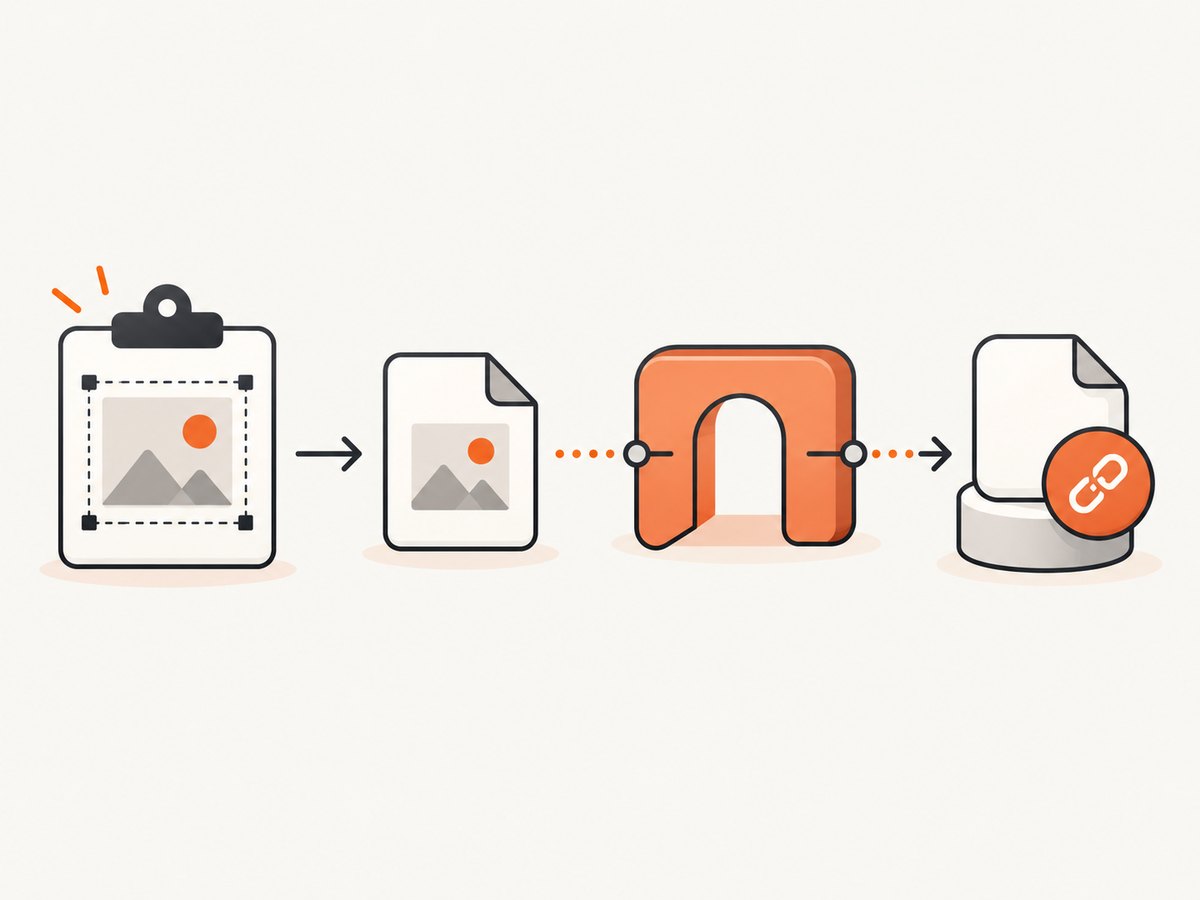
Paste.js reads clipboard content in the browser; Rails Active Storage stores files and attaches them to records. To send a pasted screenshot to Rails, convert the clipboard image into a browser File or Blob, then submit it through either a normal Rails multipart endpoint or Active Storage direct uploads. Paste.js does not attach files to Active Record by itself.
This guide shows a complete server-mediated implementation first, then the direct-upload design, validation, cleanup, troubleshooting, and an API alternative with ScreenshotNeo.
1. Choose an upload path
| Path | Browser sends bytes to | Best when | Trade-off |
|---|---|---|---|
| Rails multipart | Your Rails server | You want the simplest custom Paste.js integration | Rails handles the file bytes and storage write |
| Active Storage direct upload | Configured storage service | You want file bytes to bypass Rails | Requires Active Storage JavaScript, blob creation, association logic, and storage CORS |
Rails documents direct uploads around file inputs. A Paste.js integration must create the equivalent File object and connect it to that flow. See the Active Storage guide and Active Storage API reference.
2. Configure Active Storage
# terminal
bin/rails active_storage:install
bin/rails db:migrate
# app/models/article.rb
class Article < ApplicationRecord
has_one_attached :screenshot
end# config/routes.rb
Rails.application.routes.draw do
resources :articles, only: [:new, :create, :show]
post "/articles/:article_id/screenshot", to: "article_screenshots#create", as: :article_screenshot
end3. Server-mediated multipart upload
Rails controller
# app/controllers/article_screenshots_controller.rb
class ArticleScreenshotsController < ApplicationController
  MAX_BYTES = 10.megabytes
  ALLOWED_TYPES = %w[image/png image/jpeg image/webp].freeze

  def create
    article = Article.find(params[:article_id])
    upload = params.require(:screenshot)

    unless ALLOWED_TYPES.include?(upload.content_type)
      return render json: { error: "PNG, JPEG, or WebP required" }, status: :unprocessable_entity
    end

    if upload.size > MAX_BYTES
      return render json: { error: "Screenshot must be 10 MB or smaller" }, status: :unprocessable_entity
    end

    article.screenshot.attach(upload)
    render json: {
      id: article.screenshot.id,
      filename: article.screenshot.filename.to_s,
      url: url_for(article.screenshot)
    }, status: :created
  rescue ActionController::ParameterMissing
    render json: { error: "screenshot is required" }, status: :bad_request
  end
end
In production, validate the file signature as well as the browser-supplied MIME type. A client can rename a non-image file. Use an image-processing or malware-scanning step appropriate to your deployment before making an attachment public.
Paste target and JavaScript bridge
<!-- app/views/articles/new.html.erb -->
<form id="article-form" action="<%= articles_path %>" method="post">
  <%= hidden_field_tag :authenticity_token, form_authenticity_token %>
  <input name="title" required>
  <div id="paste-target" contenteditable="true" role="textbox" aria-label="Paste screenshot here">
    Click here, then paste a screenshot
  </div>
  <img id="preview" hidden alt="Pasted screenshot preview">
  <progress id="upload-progress" max="100" value="0" hidden></progress>
  <p id="upload-error" role="alert"></p>
</form>
<script type="module" src="/assets/pasted_screenshot.js"></script>
// app/javascript/pasted_screenshot.js
const target = document.querySelector("#paste-target");
const preview = document.querySelector("#preview");
const progress = document.querySelector("#upload-progress");
const errorBox = document.querySelector("#upload-error");
const articleId = document.querySelector("meta[name='article-id']")?.content;
function imageFileFromBlob(blob, name = "pasted-screenshot.png") {
const type = blob.type || "image/png";
const extension = type.split("/")[1] || "png";
return new File([blob], name.replace(/\.[^.]+$/, `.${extension}`), { type });
}
async function uploadScreenshot(file) {
if (!articleId) throw new Error("Missing article id");
const form = new FormData();
form.append("screenshot", file);
progress.hidden = false;
progress.value = 0;
errorBox.textContent = "";
const xhr = new XMLHttpRequest();
const request = new Promise((resolve, reject) => {
xhr.open("POST", `/articles/${articleId}/screenshot`);
xhr.setRequestHeader("X-CSRF-Token", document.querySelector("meta[name='csrf-token']").content);
xhr.responseType = "json";
xhr.upload.onprogress = event => {
if (event.lengthComputable) progress.value = (event.loaded / event.total) * 100;
};
xhr.onload = () => xhr.status >= 200 && xhr.status < 300 ? resolve(xhr.response) : reject(new Error(xhr.response?.error || `Upload failed (${xhr.status})`));
xhr.onerror = () => reject(new Error("Network error"));
xhr.send(form);
});
try {
const result = await request;
progress.value = 100;
return result;
} catch (error) {
errorBox.textContent = error.message;
throw error;
}
}
async function handlePastedImage(blob) {
const file = imageFileFromBlob(blob);
preview.src = URL.createObjectURL(file);
preview.hidden = false;
await uploadScreenshot(file);
}
// This native handler is the adapter target for Paste.js. If your installed
// Paste.js version exposes pasteImage/pasteText callbacks, call
// handlePastedImage(imageBlob) from its image callback instead.
target.addEventListener("paste", event => {
const item = [...event.clipboardData.items].find(item => item.type.startsWith("image/"));
if (!item) return;
event.preventDefault();
const blob = item.getAsFile();
if (blob) handlePastedImage(blob).catch(() => {});
});Paste.js versions expose image and text paste callbacks with different APIs. Keep the Rails endpoint and handlePastedImage(blob) stable, and adapt only the Paste.js callback registration to the version installed in your project. Do not assume that a Paste.js event has already produced an Active Storage attachment.
4. Attach after the parent record is saved
If the article does not exist yet, save the parent first, then upload using its ID. Another option is to upload an unsigned or pending blob and attach it when the form is submitted. Track pending blob IDs and purge abandoned blobs with a cleanup job; otherwise users who paste and leave the page can leave unattached storage objects.
# app/controllers/articles_controller.rb
class ArticlesController < ApplicationController
  def create
    article = Article.new(article_params)
    if article.save
      redirect_to article
    else
      render :new, status: :unprocessable_entity
    end
  end

  private

  def article_params
    params.permit(:title)
  end
end
5. Active Storage direct uploads
Direct uploads send file bytes from the browser to the configured storage service, bypassing Rails for that transfer. Rails supplies JavaScript events for progress and errors. For a Paste.js bridge, create a File from the pasted blob, use Active Storage’s direct-upload client to create a signed blob, upload the file, and submit the resulting signed blob ID with the parent form.
// Conceptual direct-upload adapter
import { DirectUpload } from "@rails/activestorage";

export function directUploadPastedFile(file, input, callback) {
  const upload = new DirectUpload(file, "/rails/active_storage/direct_uploads", {
    directUploadWillStoreFileWithXHR(xhr) {
      xhr.upload.addEventListener("progress", event => {
        if (event.lengthComputable) callback({ progress: event.loaded / event.total });
      });
    }
  });

  upload.create((error, blob) => {
    if (error) return callback({ error });
    const hidden = document.createElement("input");
    hidden.type = "hidden";
    hidden.name = input.name;
    hidden.value = blob.signed_id;
    input.form.appendChild(hidden);
    callback({ blob });
  });
}
Initialize Active Storage JavaScript as required by your Rails version, configure the storage service, and allow the storage origin in CORS. The exact import and bundler setup differs between Rails applications, so follow the current Rails guide rather than copying an old asset-pipeline snippet.
6. Paste.js integration checklist
- Give users a focused, contenteditable paste target.
- Handle image and text separately; ignore text when the feature accepts screenshots only.
- Convert the image payload to a
Filewith a useful filename and content type. - Show a preview using an object URL and revoke it when replacing the preview.
- Prevent duplicate uploads if the same paste event fires twice.
- Display upload progress and a retry action.
- Disable submission while an upload is pending, or persist a pending blob ID.
- Remove abandoned attachments or blobs with a scheduled cleanup process.
7. cURL, Python, and Node.js checks
These examples verify a server-mediated endpoint independently of Paste.js. Replace the URL, authentication, and multipart field names for your application.
curl -X POST https://app.example.com/articles/42/screenshot \
  -H "X-CSRF-Token: YOUR_TOKEN" \
  -F "screenshot=@shot.png"
import requests
with open("shot.png", "rb") as image:
response = requests.post(
"https://app.example.com/articles/42/screenshot",
files={"screenshot": ("shot.png", image, "image/png")},
headers={"X-CSRF-Token": "YOUR_TOKEN"},
timeout=90,
)
response.raise_for_status()
print(response.json())import fs from "node:fs";
const form = new FormData();
form.append("screenshot", new Blob([fs.readFileSync("shot.png")], { type: "image/png" }), "shot.png");
const response = await fetch("https://app.example.com/articles/42/screenshot", {
method: "POST",
headers: { "X-CSRF-Token": "YOUR_TOKEN" },
body: form
});
if (!response.ok) throw new Error(await response.text());
console.log(await response.json());8. Troubleshooting
| Symptom | Cause | Fix |
|---|---|---|
| No image callback | Paste target is not focused, browser permissions prevent clipboard access, or the Paste.js event name differs | Focus the target, test with a real image copied to the clipboard, and inspect the installed Paste.js README/API |
params[:screenshot] is nil |
Request was JSON or the field name does not match | Send FormData/-F multipart data and use the exact field name |
| 422 invalid type | Unsupported format or missing content type | Allow the formats you actually process and validate the file signature server-side |
| 403 CSRF | Missing or stale Rails CSRF token | Send the token from the page meta tag and refresh expired forms |
| 413 request too large | Reverse proxy or Rails upload limit | Raise limits consistently or reject large files in the browser before upload |
| Direct upload CORS error | Storage service does not allow the application origin | Configure storage CORS for the required methods and headers |
| Attachment exists but preview fails | URL route, host, or variant processing is not configured | Use the normal Active Storage URL/representation helpers and configure host and image processing |
| Duplicate attachments | Paste event retried or handler registered twice | Register once, add an in-flight guard, and make retries explicit |
9. Performance, reliability, and cost
- Direct uploads reduce Rails bandwidth and request duration because file bytes go to storage directly, but they add storage CORS and blob-association setup.
- Resize or recompress very large screenshots in the browser only when image quality requirements allow it; otherwise preserve the original and generate representations server-side.
- Use progress events, timeouts, retry with backoff, and an idempotency key or client-generated upload ID if duplicate records would be costly.
- Keep upload and attachment state separate: an upload can succeed while the enclosing form is abandoned. Reconcile pending blobs and purge old unattached objects.
- Set explicit byte, pixel-dimension, and content-type limits. Do not trust filename extensions or browser MIME values.
- For sensitive screenshots, keep storage private and authorize attachment access through Rails rather than exposing permanent public URLs.
10. Or skip the browser setup
If your actual requirement is obtaining clean screenshots of URLs rather than accepting a user’s clipboard, ScreenshotNeo provides a single screenshot API request. Documentation: ScreenshotNeo API docs.

curl -G "https://api.screenshotneo.com/v1/shot" -d access_key=YOUR_API_KEY --data-urlencode url=https://stripe.com -o shot.webpimport requests
r = requests.get("https://api.screenshotneo.com/v1/shot", params={"access_key": "YOUR_API_KEY", "url": "https://stripe.com"}, timeout=90)
open("shot.webp", "wb").write(r.content)const q = new URLSearchParams({ access_key: 'YOUR_API_KEY', url: 'https://stripe.com' });
const res = await fetch(`https://api.screenshotneo.com/v1/shot?${q}`);ScreenshotNeo removes cookie banners, newsletter popups, and chat widgets before capture. Bot checks, blank pages, and failed loads are never billed. Its MCP server lets AI agents take screenshots, and the free plan includes 1,000 screenshots a month with no card; paid plans start at $5 for 3,000. Create a free ScreenshotNeo account.
FAQ
Does Active Storage detect pasted images automatically?
No. Your browser code must turn the clipboard payload into a file and submit it through a multipart or direct-upload flow.
Should I use multipart or direct upload?
Use multipart for the smallest custom integration. Use direct upload when avoiding Rails file transfer matters and you can configure storage CORS and blob association correctly.
Can users paste screenshots before saving a new record?
Yes, but save the parent first or track the pending signed blob and attach it when the form succeeds. Clean up abandoned uploads.
Is Paste.js responsible for image storage?
No. Paste.js is the clipboard-reading layer; Active Storage and your Rails controller perform upload and attachment work.
Why does a pasted image work in one browser but not another?
Clipboard permissions, available clipboard formats, focus behavior, and Paste.js version APIs vary. Test a focused target and inspect the actual event payload before changing Rails code.


