How to Pause CasperJS for User Input and Resume Execution
Learn the correct CasperJS pattern for delays, page conditions, JavaScript prompts, and terminal input, with timeout handling and runnable examples.

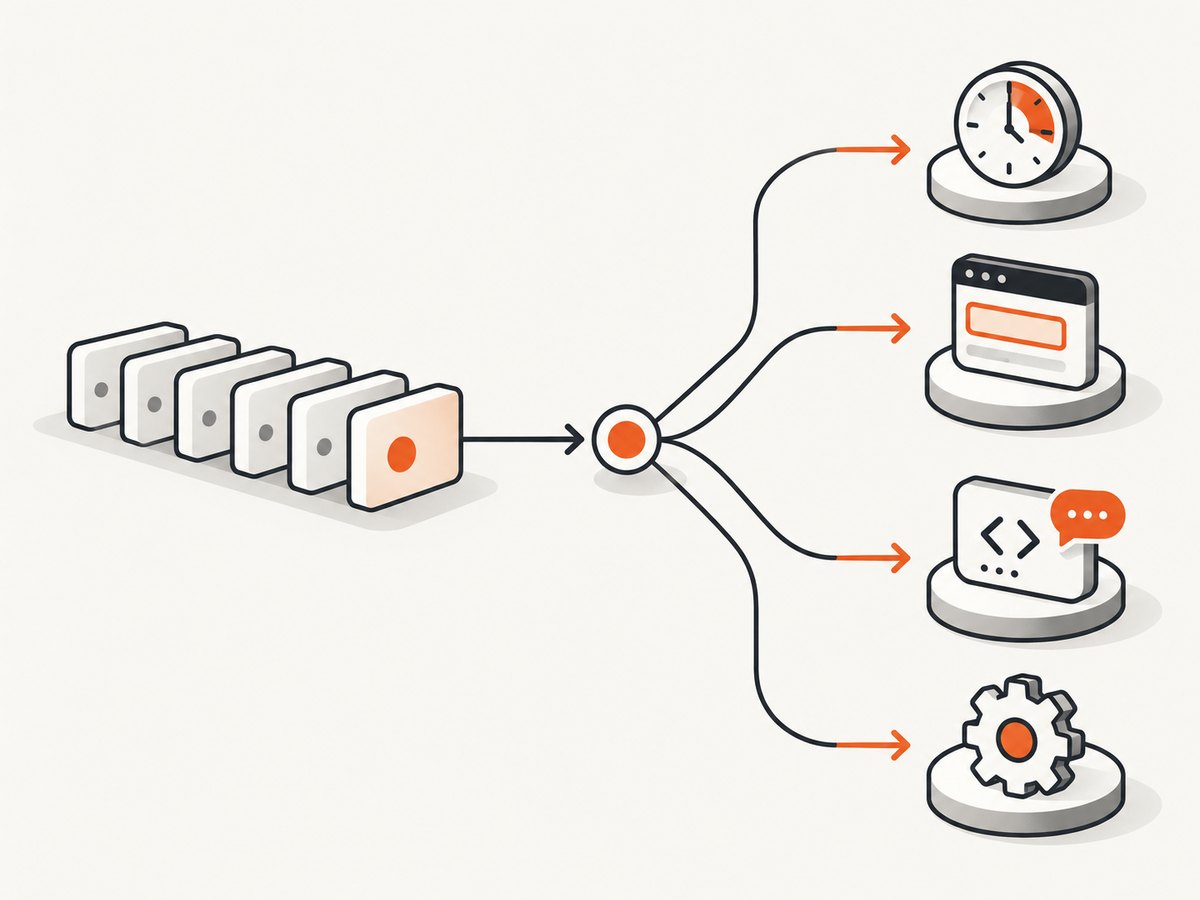
CasperJS does not have one universal “pause for user input” command. The correct method depends on what input means in your script:
- Use
wait()for a known delay. - Use
waitFor()when execution should resume after a page condition becomes true. - Use the
page.promptfilter when the web page calls JavaScriptprompt(). - Treat terminal input as a separate process or controller problem; the official CasperJS API does not document a direct stdin pause-and-resume method.
CasperJS is a legacy automation tool, and its repository says it is no longer actively maintained. The API references below are labeled CasperJS 1.1.0-DEV, so check the CasperJS and PhantomJS or SlimerJS versions installed in your environment before relying on behavior.
Choose the pause that matches your trigger
| What should resume execution? | Use | What it actually does |
|---|---|---|
| A fixed amount of time | casper.wait(milliseconds, callback) |
Pauses the step suite for the specified duration. |
| A selector, value, or other page state | casper.waitFor(test, then, onTimeout, timeout) |
Runs the next step when the test function returns true. |
| A page JavaScript dialog | page.prompt filter |
Returns a scripted string to the page’s prompt(). |
| A person typing in the terminal | External process/controller integration | Requires a mechanism outside the documented CasperJS step API. |
This distinction prevents the most common bug: using a timer as if it were a human-controlled pause. A timer continues when its duration expires, whether or not an operator is ready.
Pause for a fixed delay with wait()
Use wait() when the duration is known. The API describes it as pausing step-suite execution for a given amount of time and optionally running a step when the wait ends. The delay is measured in milliseconds.
var casper = require('casper').create();

casper.start('https://example.com/');

casper.wait(1000, function () {
    this.echo('One second elapsed; continuing.');
});

casper.then(function () {
    this.echo('The following step runs after the wait.');
});

casper.run();
Put work that depends on the delay in the callback or a following then() step. Keep the delay as short as the page behavior allows. A long arbitrary sleep increases runtime and still fails when the page needs more time.
When a delay is appropriate
- Allowing a short animation to finish when there is no reliable completion signal.
- Spacing requests to a service that documents a required interval.
- Waiting briefly before taking a diagnostic screenshot.
For asynchronous page loading, prefer waitFor(). CasperJS documentation and its FAQ recommend wait methods when resources or dynamic DOM content may not yet be available, reducing intermittent failures. See the CasperJS API reference and CasperJS FAQ.
Resume when a page condition is true with waitFor()
waitFor(test, then, onTimeout, timeout) polls a condition. The test function must return true before CasperJS runs the success callback. Supply an explicit timeout and a failure callback whenever the condition can legitimately take longer than the default 5,000 milliseconds.
var casper = require('casper').create();

casper.start('https://example.com/app');

casper.waitFor(function checkReady() {
    return this.exists('#ready');
}, function ready() {
    this.echo('The page is ready; continuing.');
}, function timedOut() {
    this.echo('The page did not become ready in time.');
    this.exit(1);
}, 10000);

casper.then(function () {
    this.echo('This runs only after #ready appears.');
});

casper.run();
The success callback is skipped if the timeout path runs. Make the timeout message identify the condition, and decide whether to exit, capture diagnostics, retry, or take another recovery action.
Waiting for values and custom state
The test can inspect any state available to CasperJS. For example, wait until a status element contains a value:
casper.waitFor(function () {
    return this.fetchText('#job-status').trim() === 'Complete';
}, function () {
    this.echo('Job complete.');
}, function () {
    this.echo('Job did not complete before the timeout.');
    this.capture('job-timeout.png');
    this.exit(1);
}, 30000);
Keep the test side-effect free. It may run repeatedly until it returns true. If you need to compose the wait inside a chain, place it inside a then() step; the documentation notes that wait methods themselves are not chainable.
Handle a website JavaScript prompt()
A page prompt is not terminal input. If the site executes prompt('What is your name?'), configure CasperJS’s page.prompt filter to return a string.
var casper = require('casper').create();

casper.setFilter('page.prompt', function (message, currentValue) {
    if (message === 'What is your name?') {
        return 'Ada';
    }
    return currentValue;
});

casper.start('https://example.com/form');
casper.then(function () {
    this.click('#open-prompt');
});
casper.then(function () {
    this.echo('The page received the scripted prompt response.');
});
casper.run();
The documented filter signature is message, value, and it returns a string. This automates the dialog; it does not wait for a person to type at the terminal. Match the exact message when multiple prompts need different answers, and return the existing value for prompts you do not handle.
Can CasperJS wait for terminal input?
The reviewed CasperJS API does not document a supported method that suspends an active navigation step until someone enters a line in the terminal. PhantomJS documents stdin, stdout, stderr, child-process streams, a command-line interface, and a REPL, but those are process-level facilities. A REPL started without a script argument is not evidence that a script launched through CasperJS can safely pause and resume from stdin.
If an operator must approve a step, put that interaction at the process or controller boundary:
- Have a parent process launch CasperJS and monitor its output.
- Make the CasperJS script stop at a known checkpoint or wait for an external condition.
- Let the parent process read terminal input.
- After approval, signal the script through the mechanism supported by the exact PhantomJS or SlimerJS version and launch environment.
Verify the chosen IPC mechanism in the target environment. Do not assume PhantomJS REPL behavior applies to a CasperJS script. The relevant primary references are the PhantomJS inter-process communication guide, child_process API, REPL documentation, and command-line documentation.
Build a robust pause-and-resume flow
A reliable script separates the trigger, the success action, and the failure action. This example waits for a user-controlled page state represented by a checkbox and then proceeds:
var casper = require('casper').create({
    verbose: true,
    logLevel: 'debug'
});

casper.start('https://example.com/review');

casper.then(function () {
    this.echo('Waiting for approval on the page...');
});

casper.waitFor(function () {
    return this.exists('#approved') && this.getElementAttribute('#approved', 'checked') === 'checked';
}, function () {
    this.echo('Approved; submitting.');
    this.click('#submit');
}, function () {
    this.echo('Approval was not received before the timeout.');
    this.capture('approval-timeout.png');
    this.exit(1);
}, 60000);

casper.waitFor(function () {
    return this.exists('.success-message');
}, function () {
    this.echo('Submission succeeded.');
}, function () {
    this.echo('No success message appeared.');
    this.capture('submit-timeout.png');
    this.exit(1);
}, 15000);

casper.run(function () {
    this.echo('Run complete.');
    this.exit();
});
Use a page condition when the person interacts with the page itself. Use an external controller when the person interacts with a terminal, dashboard, or approval system outside the page.
Timeouts, events, and exit behavior
waitFor() accepts an onTimeout callback and a timeout in milliseconds. CasperJS also documents a waitFor.timeout event emitted when a wait operation exceeds its timeout. The event details can identify what was being awaited, such as a selector.
casper.on('waitFor.timeout', function (details) {
    this.echo('Wait timed out: ' + JSON.stringify(details), 'ERROR');
});
Choose one timeout strategy for each wait. If the callback exits, do not assume execution stops synchronously: the API warns that exit() works asynchronously, so callbacks already scheduled may continue. Set a failure flag or return from the current callback as needed, and avoid queuing additional work after a fatal error.
Common errors and fixes
| Symptom | Likely cause | Fix |
|---|---|---|
| The script continues before a person responds. | A fixed wait() was used as a human pause. |
Move the interaction to a page condition or external controller. |
waitFor() times out immediately. |
The selector or state is wrong, or the default timeout is too short. | Inspect the DOM, use an explicit timeout, and log the condition. |
| The success callback never runs. | The test function does not return the boolean value you expect. | Return a strict true condition and test it manually in a diagnostic step. |
| A prompt appears but receives no answer. | The filter message does not match, or the filter was installed after navigation. | Register page.prompt before triggering the dialog and handle the exact message. |
| Terminal input blocks or behaves inconsistently. | stdin handling is outside the documented CasperJS step queue and varies by runtime. | Use a parent process or external signal designed for your exact runtime. |
| Later steps run after a fatal timeout. | exit() is asynchronous. |
Stop queuing work, record failure state, and let the run finish through one controlled path. |
| Behavior differs between machines. | Legacy CasperJS, PhantomJS, or SlimerJS versions differ. | Record versions and verify the mechanism in the deployment environment. |
Performance and reliability guidance
- Prefer a condition over a long sleep. It resumes as soon as the page is ready.
- Use the smallest timeout that covers normal network and application latency, then provide diagnostics on failure.
- Wait for a stable semantic signal, such as a status value, rather than a fragile animation duration.
- Capture a screenshot, URL, and relevant text in timeout handlers so intermittent failures can be investigated.
- Keep polling tests cheap and free of clicks or mutations.
- For repeated jobs, consider whether a maintained browser automation stack is more appropriate than an unmaintained CasperJS installation.
CasperJS itself does not provide a modern reliability or cost guarantee. Runtime timeouts, page load behavior, network conditions, and the underlying PhantomJS or SlimerJS engine determine the result.

Or skip the browser setup
If your actual goal is to obtain a clean screenshot after a page reaches its usable state, ScreenshotNeo provides a single GET request instead of maintaining CasperJS and PhantomJS. It accepts the consent banner like a visitor and removes more than 60 known consent platforms, newsletter popups, and chat widgets before capture; each step can be disabled. Bot checks or CAPTCHAs, blank pages, timeouts, failed loads, and cache hits cost nothing, and response headers report the page verdict and billing status.
See the ScreenshotNeo documentation for the complete API. The same request can return PNG, JPEG, WebP, or PDF output.
cURL
curl -G "https://api.screenshotneo.com/v1/shot" \
  -d access_key=YOUR_API_KEY \
  --data-urlencode url=https://stripe.com \
  -o shot.webp
Python
import requests

r = requests.get(
    "https://api.screenshotneo.com/v1/shot",
    params={"access_key": "YOUR_API_KEY", "url": "https://stripe.com"},
    timeout=90,
)
r.raise_for_status()
open("shot.webp", "wb").write(r.content)
Node.js
const q = new URLSearchParams({
  access_key: 'YOUR_API_KEY',
  url: 'https://stripe.com'
});
const res = await fetch(`https://api.screenshotneo.com/v1/shot?${q}`);
if (!res.ok) throw new Error(`HTTP ${res.status}`);
const bytes = new Uint8Array(await res.arrayBuffer());
await Bun.write('shot.webp', bytes);
For browser automation and AI workflows, ScreenshotNeo also supports full-page capture with lazy images loaded, CSS-selector element capture, device presets and custom viewports, dark mode, retina scale, custom CSS and JavaScript, clicks, waits, blocked resources, headers, cookies, user agents, authorization, timezone, geolocation, transparent backgrounds, resizing, configurable caching, signed links, asynchronous jobs with signed webhooks, bulk capture of up to 100 URLs per call, usage reporting, and an OpenAPI specification. Its MCP server exposes take_screenshot, get_page_info, and capture_pdf for Claude, Cursor, and other MCP clients.
There is a free plan with 1,000 screenshots per month and no card. Paid plans start at $5 for 3,000 shots; yearly billing provides two months free, and every feature is available on every plan. Create a free ScreenshotNeo account.
FAQ
Does wait() wait for a human?
No. It waits for a fixed duration and then continues.
What is the default waitFor() timeout?
The documented default is 5,000 milliseconds. Set an explicit value for slower operations.
Can page.prompt read terminal input?
No. It supplies a string to a page JavaScript prompt. Terminal input requires process-level integration.
Should I use CasperJS for a new project?
Check the project and runtime status first. The CasperJS repository says it is no longer actively maintained, and the API reference is legacy documentation.


