How to Start a New PDFKit Page with Repeating Table Headers
Use PDFKit’s page APIs to start new pages, then paginate tables explicitly and redraw column headers. This guide covers a practical pattern, edge cases, and troubleshooting.

Call doc.addPage() to start a new PDFKit page. PDFKit creates the first page automatically by default. For a table that spans pages, you must also arrange for its column labels to be drawn again after each page break: the documented PDFKit table API does not offer a built-in repeated-header switch. A pageAdded listener is useful for recurring page-wide content, but it does not by itself paginate table rows or repeat a table header in the correct place.
This guide shows how to create a PDFKit document, how to think about table pagination, and where to use a table helper. The sample manual paginator deliberately handles fixed-height rows so its page-space decisions are visible. Adapt it for your data, and test it with your actual fonts, page sizes, row heights, and installed library versions.
1. Start a new PDFKit page
Install PDFKit in a Node.js project with npm install pdfkit. The first page is created automatically unless you configure autoFirstPage: false. Call addPage() before drawing the next section when you want a deliberate page break.
const PDFDocument = require('pdfkit');
const fs = require('node:fs');

const doc = new PDFDocument({
  size: 'LETTER',
  margins: { top: 54, right: 48, bottom: 54, left: 48 },
});
doc.pipe(fs.createWriteStream('report.pdf'));

doc.fontSize(18).text('First page');
doc.addPage();
doc.fontSize(18).text('This starts on the next page');
doc.end();
Page dimensions, layout, and margins can be set in the constructor, and page settings can be overridden when adding a page. A page break only creates a page; it does not decide where a table should resume or redraw a table’s column headings for you. See [PDFKit Getting Started](https://pdfkit.org/docs/getting_started.html) for page creation and document setup.
2. Understand what a repeated table header requires
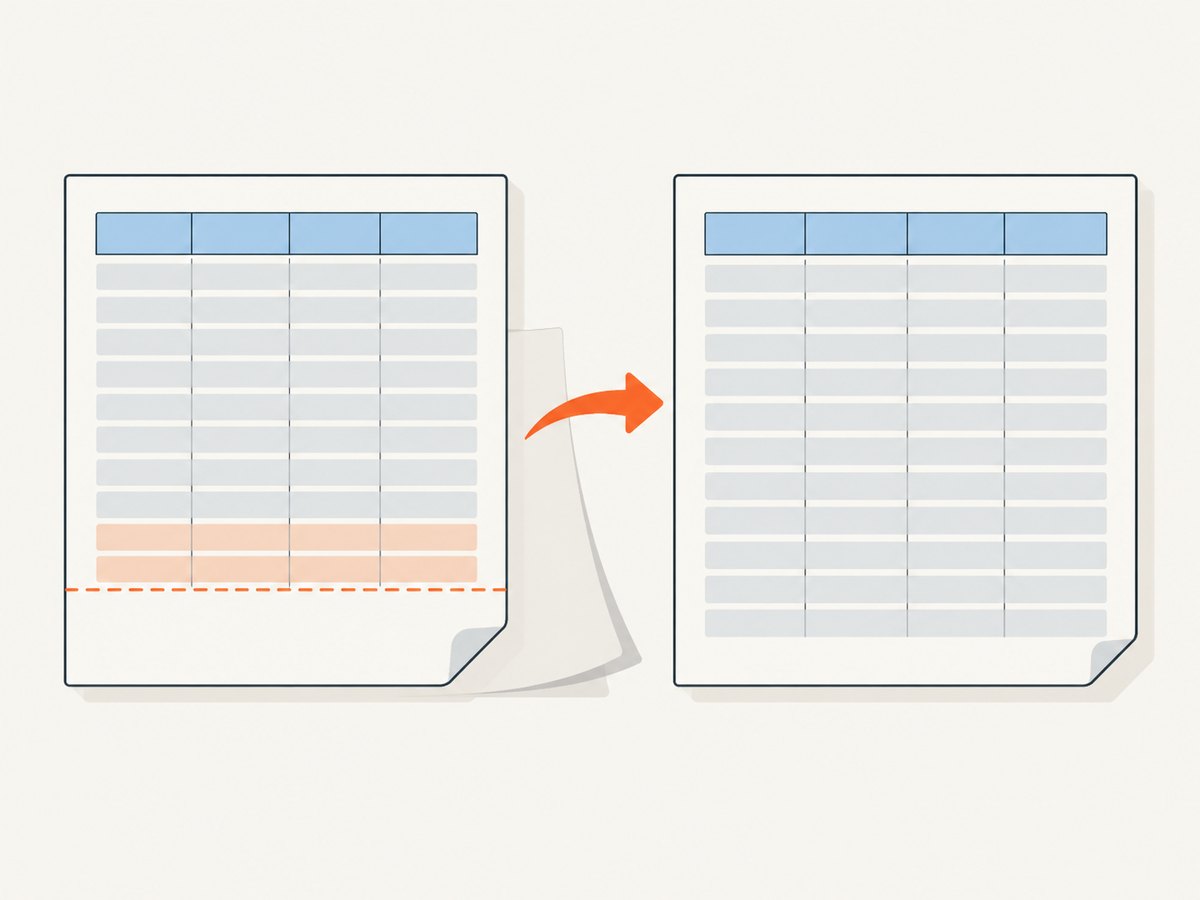
A repeated header is a pagination rule for a table. It involves three coordinated steps:
- Determine whether the next body row fits in the remaining vertical space.
- If it does not fit, create a page and draw the table’s column labels at the table’s continuation position.
- Resume the body with the row that did not fit.
PDFKit’s [table documentation](https://pdfkit.org/docs/table.html) covers table construction, styling, and cursor placement, but does not document a native repeated-header option. The [pdfkit-table README](https://github.com/natancabral/pdfkit-table) documents header definitions and page-break controls, including pageBreakThreshold and keepRowsTogether, but the consulted documentation does not list a repeated-header option. Verify the behavior of the exact package version you install; do not assume a page-break setting also repeats headers.
There are two sensible approaches:
| Approach | Useful when | Trade-off |
|---|---|---|
| Manual pagination | You need explicit control over row placement and header redraw | You own measurements, page breaks, styling, and tall-row behavior |
| Table extension | You want a helper for table layout and row handling | Check the exact version and verify whether its output repeats headers as required |
3. A runnable fixed-height table example
The following example uses fixed-height rows and a page-space check. It draws column labels on the first table page and redraws them whenever a row needs a fresh page. It is a starting point for a table whose cells fit within the chosen row height; it is not a general-purpose text-wrapping table engine.
const PDFDocument = require('pdfkit');
const fs = require('node:fs');

const rows = [
  { item: 'Hosting', quantity: '1', amount: '$24.00' },
  { item: 'Monitoring', quantity: '2', amount: '$18.00' },
  { item: 'Storage', quantity: '4', amount: '$12.00' },
  // Add enough records to continue onto more pages.
];

const doc = new PDFDocument({
  size: 'LETTER',
  margins: { top: 54, right: 48, bottom: 54, left: 48 },
});
doc.pipe(fs.createWriteStream('table-report.pdf'));

const left = doc.page.margins.left;
const right = doc.page.width - doc.page.margins.right;
const widths = [300, 90, right - left - 390];
const rowHeight = 26;
const bottomLimit = doc.page.height - doc.page.margins.bottom;
let y = doc.y;

function drawHeader() {
  doc.font('Helvetica-Bold').fontSize(10);
  doc.text('Item', left, y, { width: widths[0] });
  doc.text('Quantity', left + widths[0], y, { width: widths[1], align: 'right' });
  doc.text('Amount', left + widths[0] + widths[1], y, {
    width: widths[2], align: 'right',
  });
  y += rowHeight;
  doc.moveTo(left, y - 5).lineTo(right, y - 5).stroke();
  doc.font('Helvetica').fontSize(10);
}

function drawRow(row) {
  doc.text(row.item, left, y, { width: widths[0] });
  doc.text(row.quantity, left + widths[0], y, { width: widths[1], align: 'right' });
  doc.text(row.amount, left + widths[0] + widths[1], y, {
    width: widths[2], align: 'right',
  });
  y += rowHeight;
}

// The table begins at the current cursor. Add a title above it if needed.
drawHeader();
for (const row of rows) {
  if (y + rowHeight > bottomLimit) {
    doc.addPage();
    y = doc.page.margins.top;
    drawHeader();
  }
  drawRow(row);
}

doc.end();
Run this with node report.js. The generated file is written to table-report.pdf. To make a longer sample, populate rows with enough entries to exceed the page height. The check is performed before drawing each row, so the row that triggers a page break is drawn after the new header rather than being skipped.
What to adapt
- Column widths: Make their sum equal the usable page width. The example computes the final column from the page width and margins.
- Starting position: If a title or introduction precedes the table, set
yfrom the current cursor after drawing that content. - Row height: Increase it for padding or larger text. The sample assumes one-line cells; wrapping text needs measured cell heights.
- Styling: Draw fills, borders, and rules using the same measured coordinates on every page.
- Page format: Recompute usable dimensions after each
addPage()if pages can use different sizes or orientations.
4. Handle variable-height and oversized rows
Fixed-height rows make pagination straightforward, but real data often wraps. For variable-height rows, calculate each row’s required height before deciding whether it fits. PDFKit text layout depends on the font, font size, width, and options, so a row can need more vertical space than a short sample suggests. Use the same font and width for measurement that you use for drawing, then advance the row cursor by the measured cell height plus padding.
Also define a policy for a row taller than the usable page height. Moving it to a fresh page will not help if it still cannot fit there. Choose one of these behaviors deliberately:
- Allow the row’s content to split across pages, with a clear continuation treatment.
- Reduce the content or font size within defined limits.
- Render the row in a separate layout, such as a full-width detail section.
- Reject or flag the input when a row exceeds your report’s supported dimensions.
Do not draw the header again in the middle of a split row unless the layout explicitly treats that as a continuation page. Test long words, URLs, empty cells, multiline values, and rows whose height is close to the remaining page space.
5. Use pageAdded for page-wide material
PDFKit emits pageAdded when a page is created, including pages created automatically by another operation. The event is suitable for recurring page-wide content such as a report label or background rule:

doc.on('pageAdded', () => {
  // Draw only content that belongs on every page.
  doc.save();
  doc.fontSize(8).fillColor('#666');
  doc.text('Quarterly report', doc.page.margins.left, 24, {
    lineBreak: false,
  });
  doc.restore();
});
Register the listener before content can cause a page to be created. Keep its body from calling addPage(), or it can recursively create pages. A table header usually belongs at the table’s continuation position, so the paginator should decide when to draw it. The page event does not know which table is continuing, what its columns are, or whether a row fits. The event and page APIs are described in [PDFKit Getting Started](https://pdfkit.org/docs/getting_started.html).
6. When using pdfkit-table
The pdfkit-table project documents table headers, asynchronous use with await doc.table(...), and controls such as addPage, pageBreakThreshold, and keepRowsTogether. These can help start a table on a new page and manage row placement. The documentation consulted does not specify a repeated-header switch, so inspect the installed package’s documentation and output before relying on that behavior.
// CommonJS-style outline; check the installed package version's README
// for its exact import shape and supported options.
const PDFDocument = require('pdfkit');
const fs = require('node:fs');

async function main() {
  const doc = new PDFDocument({ margin: 48 });
  doc.pipe(fs.createWriteStream('extension-table.pdf'));

  await doc.table({
    headers: ['Item', 'Quantity', 'Amount'],
    rows: [
      ['Hosting', '1', '$24.00'],
      ['Monitoring', '2', '$18.00'],
    ],
  }, {
    addPage: true,
    pageBreakThreshold: 100,
    keepRowsTogether: true,
  });

  doc.end();
}

main().catch((error) => {
  console.error(error);
  process.exitCode = 1;
});
Treat this as an outline tied to the extension’s documented API, not proof of repeated headers. Confirm the package’s current import style and option semantics in the version pinned by your application. Generate a multi-page fixture and inspect every continuation page. If a repeated header is essential and the extension does not produce it, use a documented callback or implement pagination yourself.
7. Buffered pages and later edits
PDFKit normally flushes pages as new ones are created. If the document needs later edits to already-created pages, enable bufferPages: true, inspect the buffered page range, and use switchToPage() to revisit pages. This is useful for additions such as page numbers after the total page count is known. It does not implement table pagination or repeat table headers; those remain layout decisions made while drawing the table. See the [PDFKit page documentation](https://pdfkit.org/docs/getting_started.html).
8. Troubleshooting
| Symptom | Likely cause | Fix |
|---|---|---|
| The first page is blank or content begins on page two | An unnecessary addPage() was called before first-page content, or autoFirstPage behavior was misunderstood |
Remember that the first page is automatic by default. Remove the extra call or set autoFirstPage: false only when you intend to create the first page yourself. |
| The continuation page has no table headings | A page was added, but the table header was not redrawn | Put the page-space check in the table loop and call the header drawing function after every table-related break. |
| A row is cut off or overlaps the footer | The paginator uses a fixed height for content that wraps, or checks space after drawing | Measure the row before drawing and reserve bottom margin for footers. Check fit before placing the row. |
| There is an empty page before a table | Both application code and a helper may be inserting a fresh page | Check whether your explicit addPage() duplicates the table option that starts on a new page. |
| A pageAdded listener causes unexpected pages | The listener’s drawing code triggers another page break or calls addPage() |
Keep the callback limited to page content that fits in the page header/footer area. Never create a page from the callback. |
| Headers appear at the wrong vertical position | The table resumes at the page margin while the intended layout has a title or top offset | Set the continuation cursor explicitly, then draw the table header from that position. |
| The extension option has no visible effect | The option controls page placement or row handling, not repeated header rendering, or the installed version differs | Check the README for the pinned version and inspect an output with enough rows to span multiple pages. |
9. Performance, reliability, and output cost
For ordinary reports, PDF generation is usually bounded by the number of rows, text layout, embedded assets, and output size. Avoid repeatedly measuring identical static labels inside a large loop when you can calculate their layout once. Stream the PDF to a file or response rather than collecting a large document in memory when your application does not need a buffer. If you enable page buffering for later edits, account for the additional memory used by retained pages.
Reliability comes from making pagination deterministic and exercising boundary cases. Include fixtures with a table ending just above the bottom margin, exactly at the threshold, and just below it; test a continuation page, a very tall row, and different page sizes. Pin dependency versions in production and inspect rendered PDFs when changing PDFKit or a table extension. PDFKit’s page primitives provide the control, but your code is responsible for enforcing the table’s layout rules.
PDFKit is an open-source library; the cited documentation does not provide a per-page service price. Your operational costs depend on where PDF generation runs, resource use, storage, and delivery. For a browser-based screenshot or PDF capture workflow instead of server-side PDFKit drawing, ScreenshotNeo is a separate option: it accepts a URL in one GET request and can return a screenshot or PDF. Its available output and options are listed in the [ScreenshotNeo documentation](https://screenshotneo.com/docs/).
10. Or skip the browser setup
If the job is to capture a web page as a PDF or image rather than compose a PDF from application data, ScreenshotNeo can do it with one request. For example, this cURL call captures a page as a WebP image:
curl -G "https://api.screenshotneo.com/v1/shot" -d access_key=YOUR_API_KEY --data-urlencode url=https://stripe.com -o shot.webpSee the [API documentation](https://screenshotneo.com/docs/) for request parameters and formats. ScreenshotNeo accepts cookie and consent banners like a visitor and removes more than 60 known consent platforms, newsletter popups, and chat widgets before capture; each step can be turned off. Bot checks, blank pages, timeouts, failed loads, and cache hits cost nothing, and the response identifies the result in X-Page-Verdict and X-Billed headers. An MCP server offers take_screenshot, get_page_info, and capture_pdf tools for AI agents and MCP clients. The Free plan includes 1,000 shots a month with no card; paid plans start at $5 for 3,000 shots. Every feature is available on every plan. Learn more about [ScreenshotNeo](https://screenshotneo.com).
Create a free account for 1,000 screenshots a month, with no card required.
11. FAQ
Does addPage() make the first page?
Usually no: PDFKit creates the first page automatically by default. addPage() adds a subsequent page unless you disable the automatic first page.
Does pageAdded repeat a table’s column headers?
No. It is a page creation event. Your table layout must decide when and where to redraw its own header.
Does bufferPages solve repeated headers?
No. It lets you revisit buffered pages for later edits, such as page numbering. It does not paginate a table.
What should I do if a row cannot fit on a page?
Define a policy for splitting, shrinking, moving the content to another layout, or rejecting it. Starting another page does not solve a row taller than the usable page area.


