How to Capture Website Screenshots with PhantomJS on Heroku and Rails
A complete legacy guide to PhantomJS screenshots in Rails and Heroku, with runnable code, deployment details, troubleshooting, and migration options.

Direct answer: PhantomJS can capture a website by opening a URL with its webpage module and calling page.render(). In Rails, Capybara can drive PhantomJS through the archived Poltergeist driver and save a viewport, full-page, or element screenshot. On Heroku, the historical setup uses the Ruby buildpack plus the third-party stomita/heroku-buildpack-phantomjs buildpack. This works as legacy maintenance, but PhantomJS development is suspended and Heroku does not directly support it, so new projects should plan a migration to a maintained browser stack.
This guide shows the complete legacy path, including PhantomJS JavaScript, Rails and Capybara integration, Heroku buildpacks, output choices, asynchronous pages, failures, operational limits, and a hosted alternative when you do not want to maintain a browser binary.
1. What the PhantomJS screenshot flow does
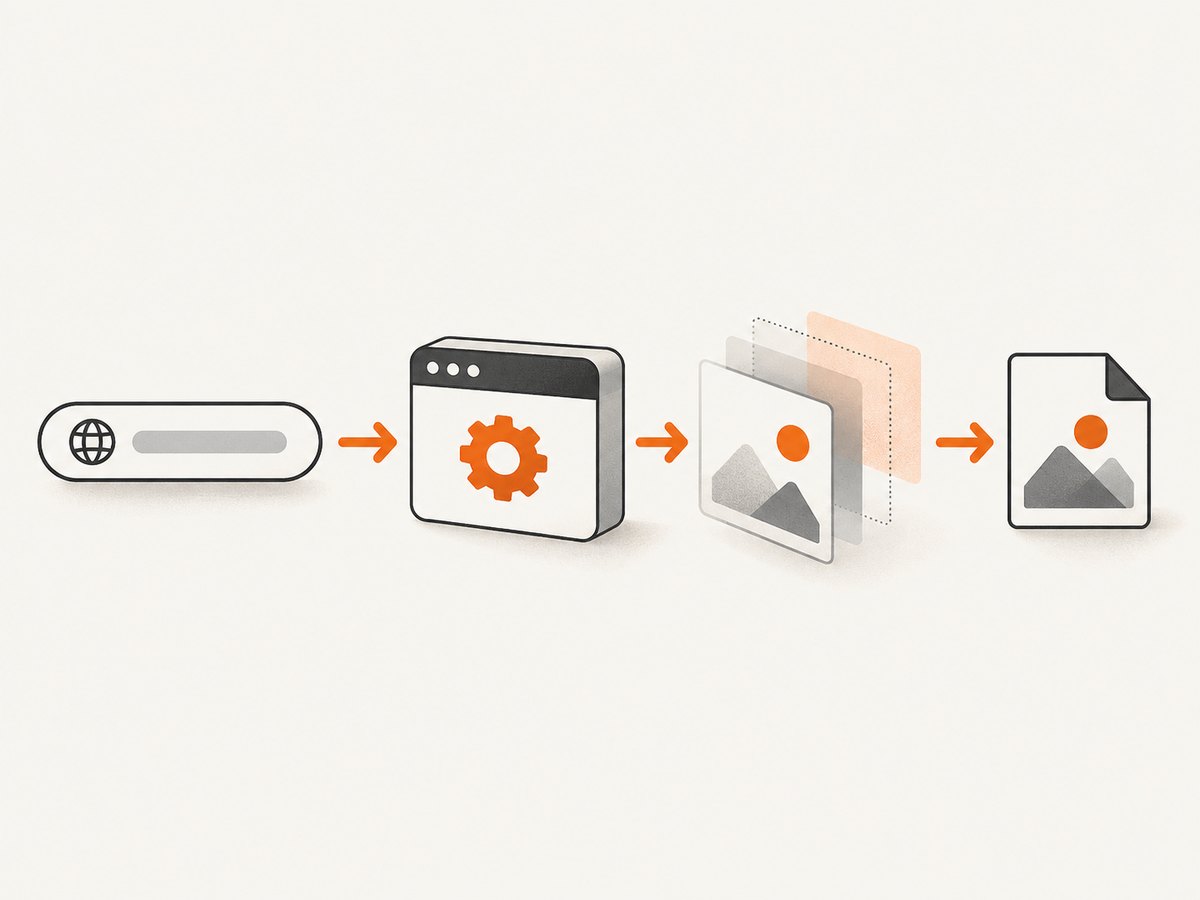
PhantomJS is a command-line headless browser. A script creates a page, navigates to a URL asynchronously, checks the callback status, renders the page, and exits. The callback check matters: rendering after a failed navigation commonly produces a missing or unusable image. The process must also call phantom.exit(); otherwise a Heroku dyno or CI job can remain alive after the work is finished.
var page = require('webpage').create();

page.open('https://example.com', function(status) {
  console.log('Status: ' + status);

  if (status === 'success') {
    page.render('example.png');
  }

  phantom.exit();
});
Save this as capture.js and run it wherever the phantomjs binary is installed:
phantomjs capture.jsThe official PhantomJS documentation describes this command-line rendering model. Its project site now states that development is suspended, and the archived repository identifies 2.1 as the latest stable release. Those facts should influence whether you keep this implementation or replace it.
2. Make a reliable PhantomJS script
A production or CI script should set a viewport, wait for dynamic content, and report useful diagnostics. PhantomJS has an older JavaScript engine, so keep the script compatible with the syntax it supports. Poltergeist documentation specifically warns that let and const are not supported by PhantomJS in the documented environment.
var system = require('system');
var webpage = require('webpage');

if (system.args.length < 3) {
  console.log('Usage: phantomjs capture.js URL OUTPUT');
  phantom.exit(1);
}

var targetUrl = system.args[1];
var outputPath = system.args[2];
var page = webpage.create();

page.viewportSize = {
  width: 1440,
  height: 900
};

page.settings.userAgent =
  'Mozilla/5.0 (compatible; PhantomJS screenshot job)';

page.onConsoleMessage = function(message) {
  console.log('[page] ' + message);
};

page.onError = function(message, trace) {
  console.log('[page error] ' + message);
  trace.forEach(function(item) {
    console.log('  ' + item.file + ':' + item.line);
  });
};

page.open(targetUrl, function(status) {
  console.log('Navigation status: ' + status);

  if (status !== 'success') {
    phantom.exit(2);
  }

  window.setTimeout(function() {
    page.render(outputPath);
    console.log('Wrote ' + outputPath);
    phantom.exit(0);
  }, 1500);
});
Run it with:
phantomjs capture.js https://example.com /tmp/example.pngThe delay is only a simple synchronization mechanism. It does not prove that a framework has finished rendering. For pages with a known application marker, poll for that marker inside the page context and render only after it appears. If you need modern JavaScript, current browser APIs, or accurate behavior for a contemporary front end, PhantomJS is usually the wrong browser engine.
3. Add PhantomJS to Rails with Capybara and Poltergeist
Poltergeist is the Capybara driver that connects Rails tests or acceptance code to PhantomJS. The repositories are archived, so pin and review the versions used by your application.
3.1 Gemfile and test setup
group :test do
  gem 'poltergeist'
end
In your test or support setup:
require 'capybara/rails'
require 'capybara/poltergeist'

Capybara.javascript_driver = :poltergeist
With that configuration, a system or feature test can visit a URL and save a screenshot:
visit 'https://example.com'
page.save_screenshot('/tmp/example.png')
3.2 Viewport, full-page, and element captures
By default, the driver renders the viewport. Use the documented options to select a different scope:
# Viewport screenshot
page.save_screenshot('/tmp/viewport.png')

# Full-page screenshot
page.save_screenshot('/tmp/full.png', full: true)

# Screenshot bounded to a CSS selector
page.save_screenshot('/tmp/invoice.png', selector: '#invoice')

# Return PNG data instead of writing a file
base64_png = page.driver.render_base64(:png)| Need | Call | Operational note |
|---|---|---|
| Browser viewport | page.save_screenshot(path) |
Matches the configured viewport dimensions. |
| Entire document | full: true |
Long pages can require more memory and time. |
| One component | selector: '#invoice' |
The selector must exist after the page is ready. |
| In-memory PNG | render_base64(:png) |
Useful for attaching output to test reports. |
3.3 Wait for asynchronous content
Many Rails pages include JavaScript requests, fonts, charts, or images that are not ready when visit returns. Use Capybara's waiting behavior by asserting on a stable element before saving:
visit '/reports/42'

assert_selector '#report-ready'
page.save_screenshot('/tmp/report.png', full: true)
If a page never reaches the expected state, investigate the browser console, network dependencies, authentication, and JavaScript compatibility before increasing a timeout. A longer wait cannot fix code that PhantomJS cannot execute.
4. Configure PhantomJS on Heroku
Heroku's current documentation says PhantomJS is no longer maintained and is not directly supported. It documents a third-party buildpack arrangement for Heroku CI. The Ruby buildpack detects Gemfile and Gemfile.lock and installs dependencies with Bundler.
4.1 Heroku CI configuration
Use a app.json test environment configuration like this:
{
  "environments": {
    "test": {
      "buildpacks": [
        { "url": "heroku/ruby" },
        { "url": "https://github.com/stomita/heroku-buildpack-phantomjs" }
      ]
    }
  }
}
The order is meaningful: install the Ruby environment first, then the PhantomJS buildpack. Confirm the buildpack is still available and inspect the resulting slug rather than assuming a particular binary path.
4.2 Historical classic buildpack setup
Older Rails walkthroughs used a .buildpacks file:
https://github.com/heroku/heroku-buildpack-ruby
https://github.com/stomita/heroku-buildpack-phantomjs
That historical setup also used:
heroku config:set PATH="/usr/local/bin:/usr/bin:/bin:/app/vendor/phantomjs/bin"
heroku config:set LD_LIBRARY_PATH=/usr/local/lib:/usr/lib:/lib:/app/vendor/phantomjs/lib
Treat those paths as buildpack-specific legacy instructions. Verify the actual slug with a one-off dyno:
heroku run bash
which phantomjs
phantomjs --version
ls -la /app/vendor/phantomjs/bin
If which phantomjs returns nothing, the buildpack did not install the binary where your process expects it. If the command starts but reports missing shared libraries, inspect LD_LIBRARY_PATH and the buildpack output.
4.3 Declare the web process
Screenshot work should usually run in tests or a worker. A web request that launches a browser can be slow and memory intensive. Heroku's Rails guide recommends explicitly declaring the web process, for example:
web: bundle exec puma -C config/puma.rbFor production captures, queue jobs and enforce a timeout around each browser process. Keep the web dyno responsive while a worker performs the render, and store the resulting file in the destination your application already uses.
5. Capture authenticated or local Rails pages
A screenshot of a public page needs only a URL. A protected Rails page needs a session. In a Capybara test, sign in through the application or establish the test session before visiting the target path:
visit '/users/sign_in'
fill_in 'Email', with: ENV.fetch('SCREENSHOT_USER')
fill_in 'Password', with: ENV.fetch('SCREENSHOT_PASSWORD')
click_button 'Sign in'

visit '/account/overview'
assert_selector '#overview'
page.save_screenshot('/tmp/account.png', full: true)
Do not place real credentials in source control or command-line arguments that are recorded in build logs. If the page depends on third-party authentication, confirm that PhantomJS can execute the login flow and that the provider permits the older browser.
6. Common failures and fixes
| Symptom | Likely cause | Fix |
|---|---|---|
phantomjs: command not found |
The buildpack is absent, ordered incorrectly, or the PATH is wrong. | Check buildpack output, run which phantomjs, and verify the slug path. |
Navigation status is fail |
DNS, TLS, network access, redirect, or target-server failure. | Log the URL, test it from the dyno, and check redirects and certificates. |
| Blank or partially rendered image | Capture occurred before JavaScript, images, or fonts completed. | Wait for a stable selector or use a carefully chosen delay; inspect page errors. |
| Modern site throws syntax errors | PhantomJS uses an old JavaScript engine. | Use an older-compatible page or migrate to a maintained browser. |
| Full-page output is too large | The document is long or contains large assets. | Capture a selector, split the page, reduce viewport scale, or move work to a worker. |
| Selector screenshot fails | The selector is missing, hidden, or created asynchronously. | Assert the selector before saving and verify its dimensions. |
| Dyno exits or runs out of memory | Browser processes overlap or pages contain heavy assets. | Limit concurrency, close each process, set job timeouts, and avoid browser work in web requests. |
| Rails test cannot find the driver | Poltergeist is not bundled or not required. | Install the gem in the test group and require capybara/poltergeist. |
7. Performance, reliability, and cost considerations
- Startup overhead: launching a headless browser for every request adds process and memory cost. Reuse a controlled worker strategy where practical.
- Network variability: external fonts, analytics, APIs, and images can make output nondeterministic. A test page should use stable fixtures when visual consistency matters.
- Timeouts: define a maximum navigation and render duration. Always call
phantom.exit()on success and failure paths. - Parallelism: multiple PhantomJS processes compete for dyno memory. Increase concurrency only after observing the workload in your actual slug.
- Maintenance: PhantomJS and Poltergeist are archived or suspended. New browser features, security fixes, and compatibility improvements are not arriving through this stack.
- Cost: Heroku usage depends on the dyno and worker arrangement you choose; the cited PhantomJS sources provide no current screenshot throughput or cost benchmark. Measure your own job duration and memory use.
8. Migration decision checklist
- List pages that require ES6+, modern CSS, WebSockets, or current browser APIs.
- Record required viewport sizes, full-page behavior, element selectors, authentication, and output formats.
- Separate screenshots used for test diagnostics from screenshots used as customer-facing assets.
- Confirm whether a maintained Chrome-based CI buildpack or browser automation service meets your requirements.
- Keep a small regression set of representative pages and compare output after migration.
Heroku recommends the Chrome for Testing buildpack for new Chrome-based CI runs. That direction is more suitable when browser compatibility and ongoing maintenance matter more than preserving a lightweight legacy setup.
9. Or skip the browser setup
If you need an HTTP screenshot service instead of maintaining PhantomJS and a Heroku buildpack, ScreenshotNeo accepts one GET request and returns a PNG, JPEG, WebP, or PDF. The same parameter names used by many screenshot APIs work, which can simplify a migration.

cURL (see the ScreenshotNeo API documentation):
curl -G "https://api.screenshotneo.com/v1/shot" -d access_key=YOUR_API_KEY --data-urlencode url=https://stripe.com -o shot.webpPython:
import requests
r = requests.get("https://api.screenshotneo.com/v1/shot", params={"access_key": "YOUR_API_KEY", "url": "https://stripe.com"}, timeout=90)
open("shot.webp", "wb").write(r.content)
Node.js:
const q = new URLSearchParams({ access_key: 'YOUR_API_KEY', url: 'https://stripe.com' });
const res = await fetch(`https://api.screenshotneo.com/v1/shot?${q}`);
ScreenshotNeo removes cookie and consent banners, newsletter popups, and chat widgets before the shot. Bot checks, blank pages, failed loads, timeouts, and cache hits are not billed, and response headers identify the page verdict and billing result with X-Page-Verdict and X-Billed. Its MCP server provides take_screenshot, get_page_info, and capture_pdf tools for Claude, Cursor, and other MCP clients. You can use full-page or selector captures, custom CSS and JavaScript, waits, headers, cookies, user agents, timezone and geolocation, blocking rules, caching, signed links, asynchronous jobs, bulk capture, PDF options, and an API usage endpoint.
There is a free plan with 1,000 screenshots each month and no card. Paid plans start at $5 for 3,000 screenshots, and every feature is available on every plan. Create a free ScreenshotNeo account.
10. FAQ
Can PhantomJS capture a full page?
Yes. In Poltergeist, pass full: true to page.save_screenshot. Direct PhantomJS scripts need their own page sizing and rendering logic.
Does Heroku officially support PhantomJS?
Heroku documents a third-party buildpack arrangement but says PhantomJS is no longer maintained and is not directly supported.
Why does a screenshot differ between local and Heroku?
Compare browser versions, fonts, viewport size, environment variables, network access, authentication state, and page timing. Cloud dynos may also expose missing shared libraries or different asset responses.
Should a Rails controller launch PhantomJS?
Usually no. Queue the capture in a worker so browser startup and page loading do not block a web request.
What is the simplest replacement for a legacy capture endpoint?
A hosted API such as ScreenshotNeo removes the browser binary and buildpack from your deployment. Its API and MCP options cover direct HTTP calls and AI-agent workflows.


