How to Fix PhantomJS Screenshots That Miss SVG rect Elements
Diagnose missing SVG rect borders in PhantomJS with a minimal test, computed-style checks, capture-bound fixes, and a modern screenshot alternative.

PhantomJS can display SVG text while omitting the borders of <rect> elements. There is no confirmed one-line fix for the reported case: the original report is unanswered, and the behavior may come from SVG state, computed styles, capture bounds, loading errors, or a legacy QtWebKit rendering limitation. Work through the checks below in order.
The reported rectangle used fill="transparent", a blue stroke, and stroke-dasharray="0". PhantomJS versions 1.8 through 2.1 were mentioned. Treat every proposed cause as a hypothesis until a minimal reproduction isolates it. Read the original report.
1. Confirm that the rect should be painted
SVG <rect> is a renderable element, but renderability does not guarantee visible pixels. Conditional processing, display:none, hidden ancestors, zero dimensions, clipping, and viewport exclusion can all remove it from the final image. The SVG 2 rendering model documents these rules.
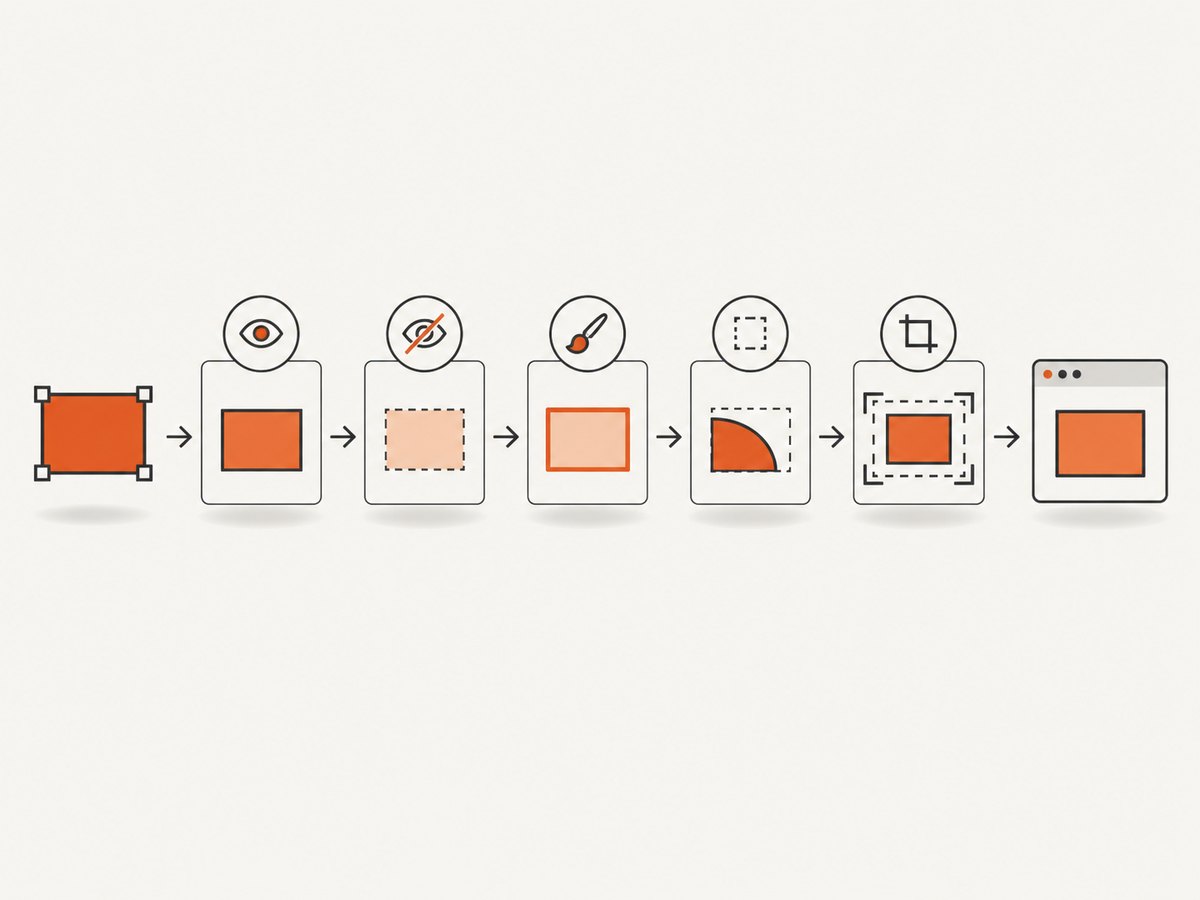
Checklist
- Inspect
rect.getBBox(); verifyx,y,width, andheightare non-zero and finite. - Check computed
displayandvisibilityon the rect and every ancestor. - Check computed
fill,fill-opacity,stroke,stroke-width, andstroke-opacity. - Verify that a clipping path, mask, SVG viewport, or parent overflow rule does not remove the border.
- Check paint order: a later opaque element may cover the stroke.
- Confirm that the stroke color contrasts with the background and that the stroke width is large enough to survive rasterization.
Make the style explicit
<svg xmlns="http://www.w3.org/2000/svg" width="400" height="200" viewBox="0 0 400 200">
  <rect x="20" y="20" width="360" height="160"
        fill="none" stroke="#0066ff" stroke-width="3" />
</svg>
As a diagnostic, replace fill="transparent" with fill="none", remove stroke-dasharray, and set an explicit pixel stroke-width. If this renders, reintroduce the original styles one at a time. This identifies the triggering property; it does not prove a PhantomJS-specific bug.
2. Build a minimal PhantomJS reproduction
Reduce the page to one inline SVG and one screenshot call. Remove frameworks, external stylesheets, web fonts, animations, and application code. Compare this file with the production page.
<!doctype html>
<html>
<body style="margin:0;background:white">
<svg xmlns="http://www.w3.org/2000/svg" width="400" height="200" viewBox="0 0 400 200">
  <rect id="target" x="20" y="20" width="360" height="160"
        fill="transparent" stroke="#0066ff" stroke-width="3" />
  <text x="40" y="110" font-size="24">SVG test</text>
</svg>
</body>
</html>
// capture.js
var page = require('webpage').create();
page.viewportSize = { width: 400, height: 200 };
page.onError = function (message, trace) {
console.error(message);
trace.forEach(function (frame) {
console.error(' ' + frame.file + ':' + frame.line);
});
};
page.open('file://' + require('system').args[1], function (status) {
if (status !== 'success') {
console.error('Page failed to load: ' + status);
phantom.exit(1);
return;
}
var info = page.evaluate(function () {
var r = document.getElementById('target');
var s = getComputedStyle(r);
var b = r.getBBox();
return {
bbox: { x: b.x, y: b.y, width: b.width, height: b.height },
display: s.display,
visibility: s.visibility,
fill: s.fill,
stroke: s.stroke,
strokeWidth: s.strokeWidth,
strokeOpacity: s.strokeOpacity
};
});
console.log(JSON.stringify(info));
page.render('phantom-rect.png');
phantom.exit();
});phantomjs --version
phantomjs capture.js ./minimal-svg.htmlRecord the exact binary and version. Different PhantomJS installations can invoke different builds. The project homepage states that PhantomJS development is suspended, so legacy renderer differences are plausible when a minimal SVG works in a current browser but not in PhantomJS.
3. Verify loading and JavaScript state
A screenshot taken before the application creates or styles the SVG can contain text from server HTML while missing the later rectangle. Log page errors and wait for the state that makes the rect visible.
page.onResourceError = function (error) {
  console.error('Resource error: ' + error.url + ' (' + error.errorCode + ')');
};
page.onResourceReceived = function (response) {
  if (response.stage === 'end') {
    console.log(response.status + ' ' + response.url);
  }
};

page.open('https://example.com/chart', function (status) {
  if (status !== 'success') { phantom.exit(1); return; }
  window.setTimeout(function () {
    var ready = page.evaluate(function () {
      var r = document.querySelector('svg rect');
      return !!r && getComputedStyle(r).display !== 'none';
    });
    if (!ready) {
      console.error('Rect was not ready at capture time');
      phantom.exit(1);
      return;
    }
    page.render('chart.png');
    phantom.exit();
  }, 1000);
});
Use a selector or application-ready flag when possible instead of an arbitrary delay. PhantomJS troubleshooting guidance also recommends checking JavaScript exceptions and using its remote Web Inspector when the DOM state is unclear.
4. Check viewport and clipRect bounds
PhantomJS captures only the page area selected by the viewport and, when set, clipRect. A rect outside those bounds is absent even though it is rendered in the document. The screen-capture documentation defines clipRect as the portion of the page to capture.
page.viewportSize = { width: 1200, height: 900 };
page.clipRect = { top: 0, left: 0, width: 1200, height: 900 };
page.render('bounded.png');
For diagnosis, remove clipRect and render the full page. Then return it with coordinates derived from the rect’s bounding box:
var box = page.evaluate(function () {
  var r = document.querySelector('#target');
  var b = r.getBoundingClientRect();
  return { left: b.left, top: b.top, width: b.width, height: b.height };
});
page.clipRect = {
  left: Math.floor(box.left),
  top: Math.floor(box.top),
  width: Math.ceil(box.width),
  height: Math.ceil(box.height)
};
Include a few pixels of padding for the stroke. Also check page zoom, transforms, negative coordinates, and SVG viewBox scaling.
5. Test likely SVG edge cases
| Test | Why it matters | Diagnostic change |
|---|---|---|
fill="transparent" |
Legacy paint handling may differ from modern engines. | Use fill="none". |
stroke-dasharray="0" |
Zero dash patterns can be interpreted differently. | Remove it or use a non-zero pattern. |
| Very thin stroke | Subpixel strokes can disappear during rasterization. | Use stroke-width="2" or larger. |
| CSS-only styling | External stylesheets or unsupported selectors may fail to apply. | Put stroke properties directly on the rect. |
| Transforms and clipping | The visible geometry may differ from its attributes. | Temporarily remove transforms, masks, and clip paths. |
| Animation | Capture timing can occur between painted states. | Disable animation and wait for a stable frame. |
6. Compare PhantomJS with a current browser
Keep the HTML, CSS, viewport, and capture bounds identical. If the minimal page fails in PhantomJS but succeeds in a current browser, and state, loading, styles, and bounds are correct, classify the result as a likely legacy renderer limitation. Do not present that comparison as proof of one specific internal defect.

PhantomJS uses QtWebKit and its project is suspended. Its own capture documentation demonstrates SVG rasterization, so SVG support exists in general; individual SVG and CSS combinations can still differ from current browser engines.
7. Troubleshooting table
| Symptom | Likely cause | Fix |
|---|---|---|
| Text appears, border does not | Stroke style, dash pattern, clipping, or legacy paint behavior | Inline explicit stroke, remove dash array, increase width, then retest minimal SVG. |
Rect exists in DOM but getBBox() is zero |
Missing dimensions or layout not complete | Set width and height; wait until the chart is populated. |
| Rect is visible interactively but absent in image | Capture occurred too early or bounds exclude it | Wait for a readiness condition and inspect clipRect. |
| Only production page fails | External resource, JavaScript exception, or CSS dependency | Use onError, resource logging, and a minimal reproduction. |
| Different machines produce different images | Different PhantomJS binaries, fonts, or viewport settings | Log phantomjs --version and pin the complete capture environment. |
| Minimal SVG still fails in PhantomJS | Renderer limitation is plausible | Compare with a current browser or use a maintained screenshot service. |
8. Reliability, performance, and cost considerations
- Reliability: Pin the PhantomJS binary, viewport, fonts, and page assets. Save the minimal HTML and renderer version with failing examples.
- Performance: External fonts, large pages, animations, and long network waits increase capture time. Disable unnecessary resources only after confirming they do not affect SVG layout.
- Determinism: Use fixed dimensions, explicit colors, disabled animations, and a readiness selector. Avoid capturing during layout changes.
- Cost: Self-hosting avoids an API charge but leaves you responsible for browser maintenance and failed captures. Measure retries and rendering time in your own workload; no published failure-rate or benchmark figure is established for this issue.
9. Or skip the browser setup
ScreenshotNeo provides a website screenshot API and MCP server. It can capture PNG, JPEG, WebP, or PDF, and supports full-page or element capture, custom CSS and JavaScript, waits, headers, cookies, user agents, blocking rules, device presets, and more. For this SVG issue, the one-call path lets you compare a maintained capture service with your PhantomJS output.
Before capture, ScreenshotNeo accepts cookie or consent banners and removes more than 60 known consent platforms, newsletter popups, and chat widgets; each step can be disabled. Bot checks, blank pages, timeouts, failed loads, and cache hits are not billed, and the response identifies the result with X-Page-Verdict and X-Billed headers. Its MCP server exposes take_screenshot, get_page_info, and capture_pdf for Claude, Cursor, and other MCP clients.
cURL
curl -G "https://api.screenshotneo.com/v1/shot" \
  -d access_key=YOUR_API_KEY \
  --data-urlencode url=https://example.com/chart \
  -o shot.webp
Python
import requests

r = requests.get(
    "https://api.screenshotneo.com/v1/shot",
    params={"access_key": "YOUR_API_KEY", "url": "https://example.com/chart"},
    timeout=90,
)
r.raise_for_status()
open("shot.webp", "wb").write(r.content)
Node.js
const q = new URLSearchParams({
  access_key: 'YOUR_API_KEY',
  url: 'https://example.com/chart'
});
const res = await fetch(`https://api.screenshotneo.com/v1/shot?${q}`);
if (!res.ok) throw new Error(`${res.status} ${res.statusText}`);
const fs = await import('node:fs/promises');
await fs.writeFile('shot.webp', Buffer.from(await res.arrayBuffer()));
See the ScreenshotNeo API documentation for option names. Free usage includes 1,000 screenshots per month with no card. Paid plans start at $5 for 3,000 shots; yearly billing gives two months free, and every feature is on every plan.
Start with 1,000 free screenshots a month.
10. FAQ
Is <rect> unsupported by PhantomJS?
No. SVG rect elements are renderable, and PhantomJS documents SVG capture. A particular style, state, bound, or renderer edge case can still prevent visible pixels.
Does changing fill="transparent" always fix it?
No confirmed universal fix exists. Try fill="none" as an isolation step, then test the other variables.
Should I increase clipRect?
Only if the rect lies outside the current capture area. First inspect its bounding box and render without clipping.
Where can I report a PhantomJS regression?
Capture the minimal HTML, PhantomJS version, viewport, clip rectangle, and output difference. Because PhantomJS development is suspended, evaluate a current browser or service for production workflows.


