How to Use the Page Title as a Screenshot Filename in PhantomJS
Use PhantomJS’s page.title to name screenshots, with safe filename handling, complete code, and fixes for timing and path issues.

Read the loaded page title with PhantomJS’s page.title, sanitize it for your filesystem, append an image extension, and pass that filename to page.render(). Do this inside the successful page.open() callback so the page has loaded before you read its title. The essential pattern is:
var filename = safeFilename(page.title);
page.render(filename);
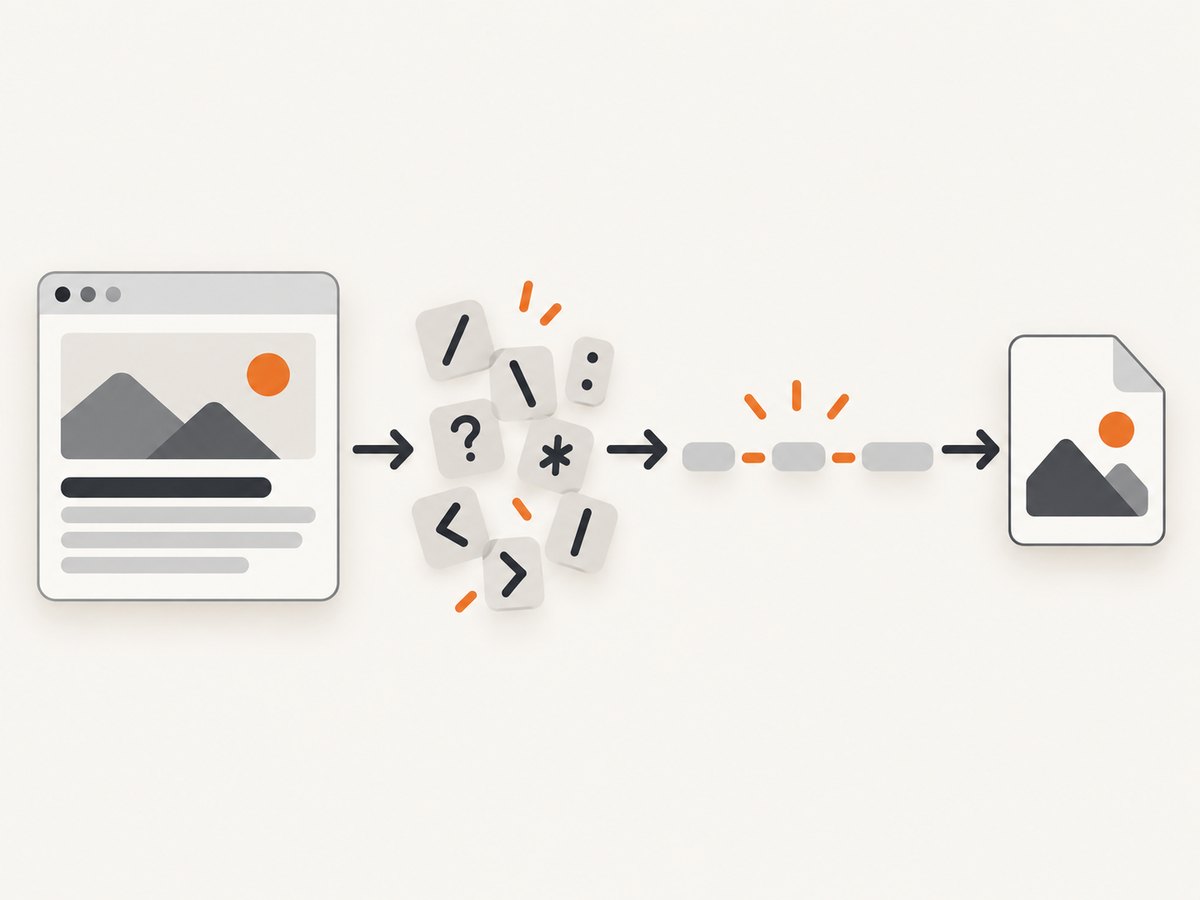
A title comes from an external website, so it is not automatically a safe path. Replace path separators and forbidden characters, handle empty titles, and decide how your script should deal with long names and collisions.
1. Complete PhantomJS example
Save this as capture.js. It accepts a URL as its first command-line argument, opens it, creates a safe PNG filename from the loaded title, and writes the screenshot in the current working directory.
var page = require('webpage').create();
var system = require('system');

function safeFilename(title) {
  title = (title || 'untitled').replace(/[\\/:*?"<>|]/g, '_');
  title = title.replace(/[\\s.]+$/g, '');
  return (title || 'untitled') + '.png';
}

var url = system.args[1];
if (!url) {
  console.log('Usage: phantomjs capture.js <url>');
  phantom.exit(2);
}

page.open(url, function (status) {
  if (status !== 'success') {
    console.log('Unable to load ' + url);
    phantom.exit(1);
    return;
  }

  var filename = safeFilename(page.title);
  page.render(filename);
  console.log('Rendered ' + filename);
  phantom.exit();
});
Run it with the PhantomJS executable and a URL:
phantomjs capture.js https://example.comPhantomJS documents page.title as the loaded page title property. Its page.open() callback reports a load status; check for 'success' before rendering. The render method accepts the output path, so the sanitized title becomes the screenshot filename.
2. Why the callback and title property matter
page.title is the direct API for this job. It avoids running code in the page context just to get a value PhantomJS already exposes. Use it after navigation completes:
- Create a page with
require('webpage').create(). - Call
page.open(url, callback). - Inside the callback, stop if
statusis not'success'. - Read
page.title, apply your filename policy, and render.
You can also retrieve the DOM title through the sandboxed page context if your code specifically needs that route:
var titleFromDom = page.evaluate(function () {
  return document.title;
});
For an ordinary screenshot filename, page.title is simpler. Neither method guarantees that a modern site has finished changing its title asynchronously. The navigation callback indicates navigation status, not application-specific readiness.
3. Make the title safe and predictable
Page titles are external input. They may be empty, contain characters that are invalid in filenames, end in spaces or periods, be too long for a filesystem component, or map to a name already used by another page. Define a policy before using titles in automated capture jobs.
Characters and empty titles
The example replaces backslash, slash, colon, asterisk, question mark, quotation mark, angle brackets, and vertical bar with underscores. This prevents path separators such as / from being interpreted as directories and covers common cross-platform forbidden characters. It trims trailing whitespace and periods, then falls back to untitled.png if no usable characters remain.
Replacement is a policy, not a universal naming standard. Several different titles can sanitize to the same value. For example, A/B and A:B both become A_B.png. If captures can share an output directory, add a uniqueness strategy.
Length limits
A long title can exceed the filesystem’s maximum filename component length. Truncate the sanitized base before adding the extension. Leave room for any suffix your uniqueness policy adds. The exact maximum depends on the operating system and filesystem, so choose a conservative limit appropriate to your deployment rather than assuming every environment allows the same length.
Reserved names and collisions
Some platforms reserve particular names or treat names differently. If filenames move between operating systems, check the target platform’s naming rules and prefix or rewrite reserved names. For collisions, options include adding a sequence number, a stable identifier, or a short hash of the URL. A title alone is descriptive, but it is not a unique key.
Keep the output directory controlled
The example writes to the process’s current working directory. For a batch capture system, construct an output path under a directory you control, and keep the sanitized title as a single filename component. Do not concatenate untrusted title text into an arbitrary path without sanitization.
4. Wait for titles that change after navigation
Some applications update document.title after the initial page load, such as after client-side rendering or an asynchronous data request. In that case, page.open() can succeed while the title is still temporary or blank. Wait for an application-specific signal before reading page.title, such as a known element appearing or a documented readiness condition.

A fixed delay can be used when the site provides no better signal, but it is less reliable: a short delay may capture the old title, while a long delay wastes time on fast pages. If you do use one, make the delay configurable and bounded. Always decide what should happen when the expected condition never appears.
When the final page title is updated by page JavaScript, read page.title after the wait. Alternatively, evaluate document.title in the page context at that point. The important part is the timing, not which accessor you choose.
5. Output formats and paths
The example uses a .png extension with page.render(). Keep the extension consistent with the format you intend to write. PhantomJS screenshot guides show rendering to a supplied path such as example.png. If you change the output format, use the corresponding filename extension and confirm that the renderer supports the selected format in your PhantomJS build.
Use an explicit directory if you want outputs somewhere other than the current working directory. Ensure the directory exists and that the process has permission to write there. A valid title cannot compensate for a missing directory or a read-only destination.
6. Troubleshooting
| Symptom | Likely cause | Fix |
|---|---|---|
| The script says it cannot load the URL | page.open() returned a status other than 'success', for example because navigation failed. |
Check the URL and network access. Keep the status check and exit with an error instead of rendering an empty or failed page. |
The screenshot is named untitled.png |
The document title is empty, whitespace, or only characters removed by your sanitization policy. | Inspect the loaded title and decide whether to use a URL-derived fallback or another stable identifier. |
| A title creates a subdirectory or render fails on a slash | A path separator from the title was used directly. | Replace both slash and backslash before building the filename. Keep title text to one sanitized path component. |
| The title is the old value or blank | The application changed its title after navigation completed. | Wait for a page-specific readiness signal or use a bounded delay, then read the title and render. |
| Two screenshots overwrite each other | Different URLs have equal titles, or sanitization made distinct titles identical. | Add a sequence, stable URL identifier, or short hash to the filename. |
| Rendering fails despite a safe name | The output directory may not exist or may not be writable; the chosen extension may also not match the format. | Use an existing writable directory and a supported format with a matching extension. |
| The file is rejected by the operating system | The title may be too long or may map to a reserved name on the destination platform. | Truncate conservatively and handle reserved names for the platform where the file will be used. |
7. Reliability, performance, and operating at scale
For a single capture, the main reliability boundary is the navigation callback: only render after a successful load. For production, also account for application readiness, output write errors, and unique naming. A successful navigation does not prove that every image, font, or application request has completed, and it does not prove that the page has reached the state your capture needs.
Keep waits specific. A selector or readiness condition can avoid both premature captures and unnecessary fixed delays. Set a maximum wait so a page that never becomes ready does not hold a worker indefinitely. Decide how failed navigation and readiness timeouts affect the job result, and log the URL, status, final title, and output path so failures can be diagnosed.
Title extraction itself is small; page loading and rendering dominate the work. Reuse a controlled capture workflow for batches, limit concurrent pages to the capacity of the machine, and avoid making every page wait for an unnecessarily long fixed interval. If rendering many URLs, collision-proof output names are essential.
PhantomJS is a legacy headless browser project. Existing scripts can use this pattern, but for new infrastructure weigh the maintenance and browser compatibility requirements of your environment before committing to a long-lived PhantomJS pipeline. The core filename rule remains the same in any browser automation system: wait until the title you want exists, sanitize it, then render to that path.
8. Or skip the browser setup
If your goal is a screenshot file rather than managing a browser process, ScreenshotNeo accepts a URL in one GET request and returns an image or PDF. Its API accepts the URL and capture options; it does not expose a page-title-derived output filename in the given API facts, so choose a local filename when saving the response.
curl -G "https://api.screenshotneo.com/v1/shot" -d access_key=YOUR_API_KEY --data-urlencode url=https://stripe.com -o shot.webpimport requests
r = requests.get(
"https://api.screenshotneo.com/v1/shot",
params={"access_key": "YOUR_API_KEY", "url": "https://stripe.com"},
timeout=90,
)
open("shot.webp", "wb").write(r.content)const q = new URLSearchParams({ access_key: 'YOUR_API_KEY', url: 'https://stripe.com' });
const res = await fetch(`https://api.screenshotneo.com/v1/shot?${q}`);
if (!res.ok) throw new Error(`Screenshot request failed: ${res.status}`);
const fs = await import('node:fs/promises');
await fs.writeFile('shot.webp', Buffer.from(await res.arrayBuffer()));See the ScreenshotNeo API docs for request options. Cookie banners, newsletter popups, and chat widgets are removed before the shot; bot checks, blank pages, and failed loads are never billed. An MCP server lets AI agents take screenshots. The free plan includes 1,000 screenshots a month with no card, and paid plans start at $5 for 3,000. ScreenshotNeo is a website screenshot API and MCP server by Yorker Media; its plans include the product’s features. Visit ScreenshotNeo to see the service.
Sign up free for 1,000 screenshots a month, no card required.
9. Frequently asked questions
Can I use the page title instead of rendermulti-1.png?
Yes. Pass a sanitized value based on page.title to page.render() instead of a fixed name.
Should I use page.title or document.title?
Use page.title for the ordinary PhantomJS case. Use page.evaluate(function () { return document.title; }) when you specifically need to read it from page context.
Does the filename have to be unique?
Only if overwriting an earlier screenshot is unacceptable. Titles are not guaranteed to be unique, so batch jobs should add an identifier.
Does a successful open mean the page is fully ready?
No. It reports navigation status. Applications that update content or the title asynchronously need an additional readiness check.


