How to Create Thumbnail Images with PhantomJS Overlays
Build reliable PhantomJS thumbnails with badges, watermarks, crops, scaling, asset waits, and a production migration path.

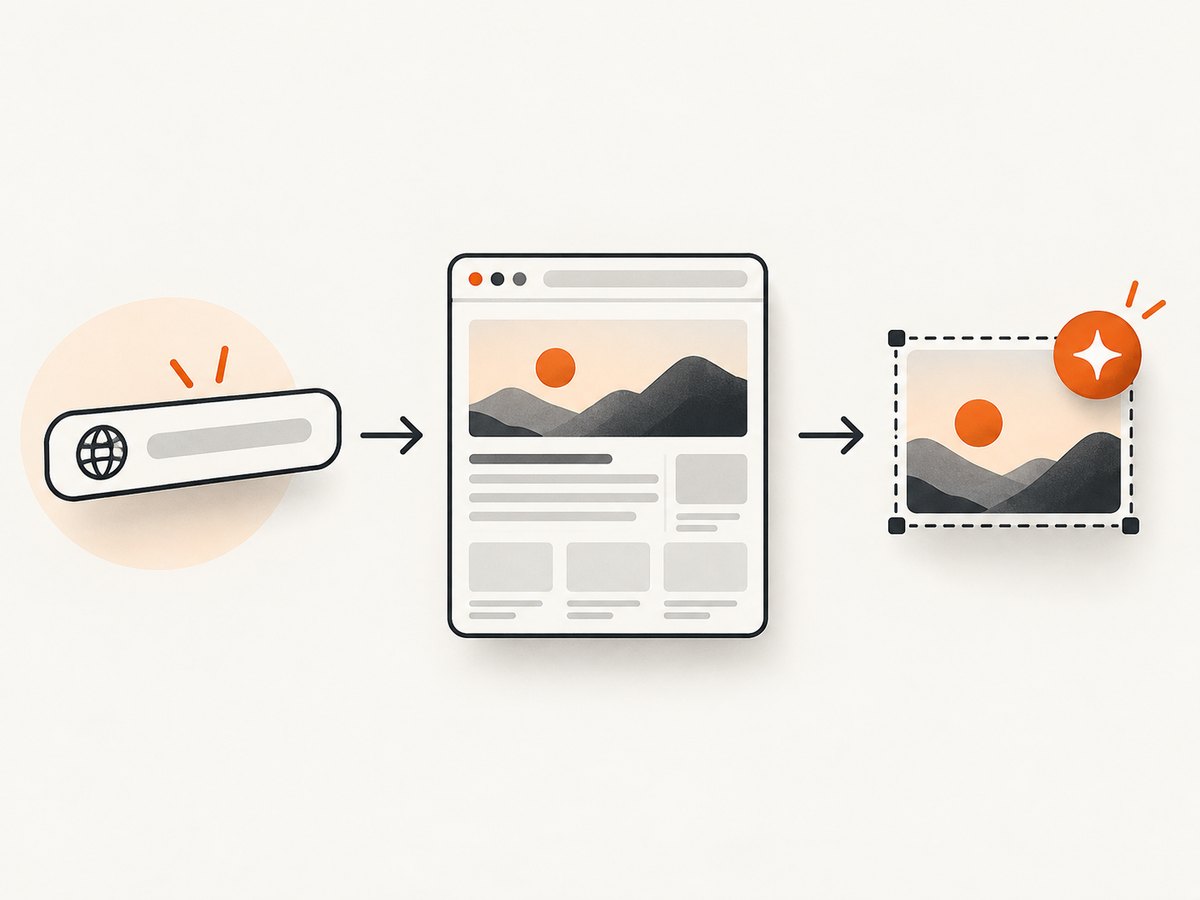
Direct answer: create a PhantomJS webpage, set its viewport, open the source URL, inject an overlay into the loaded document with page.evaluate(), wait for the page and overlay assets to finish loading, then render with page.render(). Use clipRect to choose the thumbnail crop and zoomFactor to control the rendered scale. Keep the overlay in the same document so it is painted in the same render pass.
This workflow is useful for preview cards, branded link thumbnails, watermarked screenshots, and social images. PhantomJS is a legacy runtime, however: its homepage says, “Important: PhantomJS development is suspended until further notice.” (PhantomJS project homepage) Use the method below when you maintain an existing PhantomJS system, and read the production notes before choosing it for a new service.
1. The complete PhantomJS thumbnail workflow
- Create a
webpageinstance withrequire('webpage').create(). - Set
viewportSizeto the layout size you want the source page to use. - Open the URL and stop immediately when the status is not
success. - Inject a badge, watermark, image, SVG, or canvas in
page.evaluate(). - Wait for page images, fonts, and overlay images to be ready.
- Set
clipRectfor the output crop and optionally setzoomFactor. - Render PNG, JPEG, GIF, or PDF and call
phantom.exit()on every exit path.
The official screen-capture example documents viewport and rendering controls, while the WebPage API documents evaluation and clipping (render(), viewportSize, clipRect, zoomFactor).
2. Minimal runnable overlay script
Save this as thumbnail.js and run it with the PhantomJS executable. It adds a fixed “PREVIEW” badge, captures a 1280×720 rectangle, and renders at half scale.
var page = require('webpage').create();

page.viewportSize = { width: 1280, height: 720 };
page.clipRect = { top: 0, left: 0, width: 1280, height: 720 };

page.open('https://example.com/', function (status) {
  if (status !== 'success') {
    console.log('Unable to load page');
    phantom.exit(1);
    return;
  }

  page.evaluate(function () {
    var badge = document.createElement('div');
    badge.textContent = 'PREVIEW';
    badge.style.position = 'fixed';
    badge.style.right = '24px';
    badge.style.bottom = '24px';
    badge.style.padding = '8px 12px';
    badge.style.background = 'rgba(0,0,0,.72)';
    badge.style.color = '#fff';
    badge.style.font = 'bold 20px sans-serif';
    badge.style.zIndex = '2147483647';
    document.body.appendChild(badge);
  });

  page.zoomFactor = 0.5;
  page.render('thumbnail.png');
  phantom.exit();
});
page.evaluate() executes in the loaded document. Arguments and return values must be JSON serializable, so return strings, numbers, booleans, or plain objects rather than DOM nodes or functions. See the evaluate() API.
3. Add a watermark, logo, or image overlay
Text watermark
A watermark is another absolutely or fixed-position element. Use pointer-events:none so it cannot block clicks if you later add interaction steps.
page.evaluate(function (label) {
  var mark = document.createElement('div');
  mark.textContent = label;
  mark.style.position = 'fixed';
  mark.style.left = '50%';
  mark.style.top = '50%';
  mark.style.transform = 'translate(-50%, -50%) rotate(-25deg)';
  mark.style.color = 'rgba(255,255,255,.35)';
  mark.style.font = 'bold 64px sans-serif';
  mark.style.letterSpacing = '4px';
  mark.style.zIndex = '2147483647';
  mark.style.pointerEvents = 'none';
  document.body.appendChild(mark);
}, 'DRAFT');
Image or logo overlay
Set an image’s explicit dimensions and wait for its onload event before rendering. A remote image must be reachable from the PhantomJS process. For a local file, serve it over HTTP or embed it as a data URL; do not assume that a file: URL works in every security configuration.
page.evaluate(function (src) {
  var logo = document.createElement('img');
  logo.id = 'thumbnail-logo';
  logo.src = src;
  logo.style.position = 'fixed';
  logo.style.left = '24px';
  logo.style.top = '24px';
  logo.style.width = '160px';
  logo.style.height = 'auto';
  logo.style.zIndex = '2147483647';
  logo.style.pointerEvents = 'none';
  document.body.appendChild(logo);
}, 'https://example.com/logo.png');
For a fully controlled composition, construct an HTML string containing the source image and overlay, then call page.setContent(html, 'http://localhost/thumbnail'). setContent changes the page content and URL without making an HTTP request (setContent()). External images still need network access.
4. Wait for content and overlay assets
Calling render() immediately after DOM insertion can produce a missing logo, unloaded font, or partially populated page. PhantomJS does not provide one universal “all visual assets are ready” event, so define a readiness condition for your page.
A simple polling helper waits for all document images and the overlay image:
function waitForImages(page, done, timeoutMs) {
  var start = Date.now();
  var timer = setInterval(function () {
    var state = page.evaluate(function () {
      var images = Array.prototype.slice.call(document.images);
      var pending = images.some(function (img) {
        return !img.complete || img.naturalWidth === 0;
      });
      return { pending: pending, count: images.length };
    });

    if (!state.pending) {
      clearInterval(timer);
      done(true);
      return;
    }

    if (Date.now() - start >= timeoutMs) {
      clearInterval(timer);
      done(false);
    }
  }, 100);
}

waitForImages(page, function (ready) {
  if (!ready) {
    console.log('Timed out waiting for images');
    phantom.exit(1);
    return;
  }
  page.render('thumbnail.png');
  phantom.exit();
}, 15000);
For fonts, wait for a page-specific marker or use a known delay after your stylesheet has loaded. For JavaScript applications, poll for a selector that appears only after the content is complete. A network-idle heuristic can help, but it is not a guarantee when pages keep analytics connections open.
5. Crop, aspect ratio, and scale
| Control | What it controls | Typical use |
|---|---|---|
viewportSize |
Layout viewport used by the page | Desktop, tablet, or mobile responsive layout |
clipRect |
Rectangle copied into the output | Fixed thumbnail crop or card region |
zoomFactor |
Rendering scale | Smaller previews or higher-density output |
page.render() format |
PNG, JPEG, GIF, or PDF output | Lossless graphics, compressed photos, or print output |
Design the crop around the final display size. A 16:9 card can use {top: 0, left: 0, width: 1280, height: 720}; a square card can use equal width and height. Render a larger crop and scale down when small text needs better antialiasing, then compare legibility and file size.
page.viewportSize = { width: 1440, height: 900 };
page.clipRect = { top: 80, left: 0, width: 1200, height: 675 };
page.zoomFactor = 0.5;
page.render('card.jpg', { format: 'jpg', quality: 90 });
The documented API gives 0.25 as an example thumbnail-preview zoom value; it is an example configuration rather than a measured quality or performance recommendation.
6. Make overlays survive real pages
- Use a very high
z-index, and inspect the target page for transforms or stacking contexts that affect fixed positioning. - Append the overlay near the end of
document.bodyso it is painted after existing content. - Give images explicit width and height to prevent layout movement while they load.
- Use
position:absolutewhen the overlay should follow document coordinates; useposition:fixedwhen it should stay in the viewport crop. - Scope your CSS with an ID or class to avoid collisions with the source page’s selectors.
- For complex drawings, create an SVG or canvas in the page context. Keep all drawing operations deterministic.
You can load reusable helpers with page.injectJs() or include a remote library with page.includeJs() (injectJs(), includeJs()). Remote helper scripts add another network dependency, so inline the small parts needed for a thumbnail worker.
7. Common errors and fixes
| Symptom | Likely cause | Fix |
|---|---|---|
| Blank or incomplete thumbnail | Render ran before asynchronous content or images finished | Poll images, wait for a page-specific selector, or use a bounded delay before rendering. |
| Overlay is behind page content | Lower stacking context or transformed ancestor | Append directly to body, use a high z-index, and avoid placing it inside transformed containers. |
| Logo is missing | Remote asset failed, CORS/security restrictions, or no wait | Check the URL from the worker, serve local assets over HTTP, and wait for complete plus a nonzero width. |
| Wrong crop | clipRect coordinates do not match the viewport |
Set viewportSize first, then define a crop inside those coordinates. |
| Text looks too small | Excessive zoom down or an oversized source crop | Render at a larger scale, reduce the crop, or increase final pixel dimensions. |
| Process never exits | Open connections, timers, or an unhandled callback path | Call phantom.exit() on success, failure, and timeout paths; bound every wait. |
| Authentication page appears | Target needs cookies, headers, or a logged-in session | Configure the page request and session before opening, or capture an authenticated internal URL only when permitted. |
| Dynamic page differs between runs | Late JavaScript, ads, time-based content, or remote assets | Block or control unstable dependencies where possible and wait on a deterministic readiness marker. |
8. Performance, reliability, and cost
Thumbnail cost is dominated by page load, JavaScript execution, image decoding, and the number of pages rendered per worker. Reuse a worker process for batches when your deployment allows it, but reset page state between URLs. Keep a hard timeout around navigation and asset waits. Log the URL, status, elapsed time, output format, and readiness result so failed images can be retried.
PNG preserves sharp text and flat graphics but can be large. JPEG is usually smaller for photographic pages; set quality explicitly and inspect the result at its final display size. GIF and PDF are available through the render API, although they solve different delivery problems.
Remote pages introduce redirects, authentication, cross-origin restrictions, rate limits, and content that changes after the initial load. Capture only URLs you are authorized to request. For deterministic cards, provide your own fonts and assets or use a controlled HTML composition with setContent().
9. Or skip the browser setup
ScreenshotNeo provides a hosted website screenshot API and MCP server. One GET request returns PNG, JPEG, WebP, or PDF. It can capture a full page with lazy images loaded, one element by CSS selector, a chosen device or viewport, dark mode, retina scale, custom CSS and JavaScript, clicks, selector or network-idle waits, blocked resource types, headers, cookies, user agents, authorization, timezone, geolocation, transparent backgrounds, resizing, caching with a chosen TTL, signed image links, asynchronous webhooks, bulk capture for up to 100 URLs, usage data, and an OpenAPI specification. The parameter names used by other screenshot APIs also work, which helps when migrating.

Use the API documentation beside the examples: ScreenshotNeo API docs.
cURL
curl -G "https://api.screenshotneo.com/v1/shot" \
  -d access_key=YOUR_API_KEY \
  --data-urlencode url=https://stripe.com \
  -o shot.webp
Python
import requests

r = requests.get(
    "https://api.screenshotneo.com/v1/shot",
    params={"access_key": "YOUR_API_KEY", "url": "https://stripe.com"},
    timeout=90,
)
r.raise_for_status()
open("shot.webp", "wb").write(r.content)
Node.js
const q = new URLSearchParams({ access_key: 'YOUR_API_KEY', url: 'https://stripe.com' });
const res = await fetch(`https://api.screenshotneo.com/v1/shot?${q}`);
if (!res.ok) throw new Error(`Screenshot failed: ${res.status}`);
const fs = require('node:fs');
fs.writeFileSync('shot.webp', Buffer.from(await res.arrayBuffer()));
ScreenshotNeo accepts the cookie or consent banner like a visitor and removes more than 60 known consent platforms, newsletter popups, and chat widgets before capture; each step can be turned off. Bot checks and CAPTCHAs, blank pages, timeouts, failed loads, and cache hits cost nothing, and the response identifies the result with X-Page-Verdict and X-Billed headers. Its MCP server exposes take_screenshot, get_page_info, and capture_pdf for Claude, Cursor, and other MCP clients.
The Free plan includes 1,000 shots each month without a card. Paid plans start at $5 for 3,000 shots; yearly billing gives two months free, and every feature is available on every plan. Create a free ScreenshotNeo account.
10. When to replace PhantomJS
Keep PhantomJS for a stable legacy pipeline whose output is already accepted. For new systems, compare a maintained headless browser and a hosted renderer on browser compatibility, CSS and font fidelity, sandboxing, operational cost, and API stability. A hosted page-thumbnail renderer can remove executable management, browser patching, and queue infrastructure, while a self-managed browser gives you control over network policy and custom runtime behavior.
FAQ
Can I add an overlay without modifying the source application?
Yes. Inject a new element, SVG, or canvas with page.evaluate() after navigation and before rendering. The source site does not need to know about it.
Should I use clipRect or resize the output afterward?
Use clipRect when the crop must be exact and deterministic. Resize afterward when you need several output sizes from one high-resolution render.
Why does a fixed overlay move in the output?
Fixed positioning follows the viewport. Check viewportSize, device-scale assumptions, transforms on ancestors, and whether the crop starts at a nonzero coordinate.
Is PhantomJS suitable for a new production service?
It is a legacy option because development is suspended. Evaluate a maintained browser or hosted API before committing to a new long-lived system.


