Phishing Website Screenshot Datasets: A Practical Guide to Sources, Labels, and Safe Capture
Compare phishing screenshot datasets, feeds, labels, and capture methods, then build a safe, reproducible collection for research.
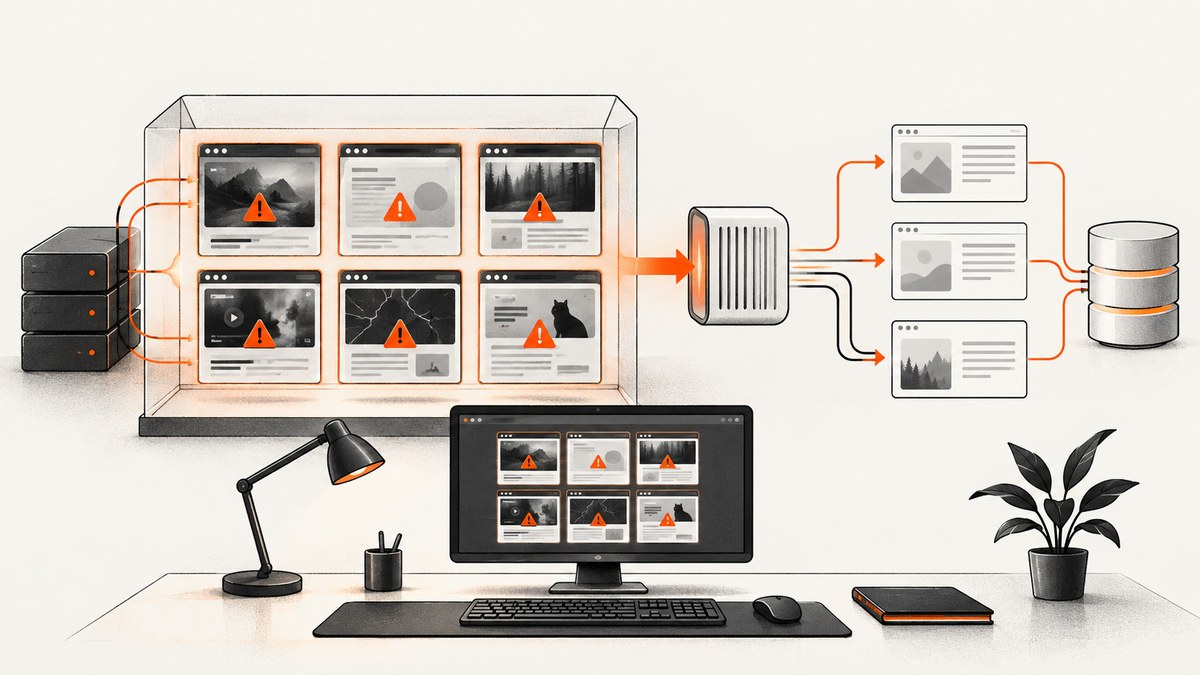
Direct answer: use Phishpedia when you need a recognized visual benchmark with URL, HTML, screenshot, and target-brand annotations. Use the Zenodo Phishing and Legitimate Websites Dataset when you need a larger mixed collection with PNG screenshots and CSV features. Use PhishTank or OpenPhish when you need current suspicious URLs to feed your own capture pipeline, but do not describe either as a fixed screenshot benchmark without checking the exact records and release version. PhishVN is useful for time-stamped, region-specific work when its open or gated evidence terms fit your project.
A screenshot dataset is only as useful as its provenance. Record the URL, capture timestamp, redirect chain, liveness result, screenshot dimensions, label source, and release version. A screenshot can remain available after the phishing site has gone offline, so visual evidence and current liveness are separate fields.
1. What counts as a phishing screenshot dataset?
Researchers use the phrase for several different resources:
- Fixed benchmark: a released set of pages and labels that can be downloaded and split for repeatable experiments.
- URL feed or database: a changing list of suspicious URLs that you capture at a chosen time.
- Evidence archive: URLs paired with rendered HTML, screenshots, redirects, or other forensic material.
- Mixed multimodal dataset: phishing and legitimate pages with images plus structured features.
These categories answer different questions. A benchmark supports controlled model comparison. A feed supports current threat collection. An evidence archive supports investigations and reproducibility, but may have access restrictions or handling rules.
2. Dataset comparison
| Resource | What it provides | Best use | Check before use |
|---|---|---|---|
| Phishpedia | About 30,000 phishing webpages with URL, HTML, screenshot, and target-brand annotation. | Visual phishing identification, brand-target research, multimodal baselines. | Repository version, download access, labels, licensing, and duplicate policy. |
| PhishTank | Verified or online phishing URL data; detail pages may show screenshots and community votes. | Finding candidate URLs for a capture pipeline or URL-based lookup. | Screenshot availability, capture state, timestamps, and whether the feed snapshot is stable. |
| OpenPhish Database | Structured phishing indicators with tiered update cadence and retention options. | Current threat intelligence and URL or host analysis. | Documented fields are indicators, not necessarily webpage screenshots; access and pricing differ by tier. |
| Phishing and Legitimate Websites Dataset | The Zenodo record published July 15, 2026 describes 60,000 URLs: 31,641 phishing and 28,359 legitimate, with PNG screenshots and CSV features. | Mixed phishing-versus-legitimate experiments using image and tabular inputs. | Release version, files, license, and capture methodology. |
| PhishVN | A time-stamped Vietnamese URL collection with an open tier and a gated evidence bundle. The article reports 868 gated records: 209 phishing and 659 benign, paired with rendered HTML and screenshots. | Regional or scenario-specific studies requiring timestamped evidence. | Research-only handling rules, isolated-VM requirements, and gated archive terms. |
Phishpedia is the strongest starting point for a stable visual benchmark. The project repository describes a “30k phishing benchmark dataset” in which each website is annotated with its URL, HTML, screenshot, and target brand. The associated USENIX Security 2021 paper supplies the research context. Treat the Zenodo counts as the record’s stated release numbers, not as a permanently verified corpus size.
3. How to choose a dataset
Visual evidence
Check whether every row has an image, whether images are viewport or full-page captures, and whether dimensions are consistent. A URL with a screenshot on a detail page is not equivalent to a dataset that ships one image per record.
Labels and context
Decide whether you need a binary phishing label, an impersonated brand, a confidence or scenario label, or a legitimate control group. Keep the original label source and date. Pair each image with its URL, rendered HTML or DOM when permitted, redirect chain, and capture timestamp through a stable record ID.
Coverage and leakage
Document geography, language, brands, hosting providers, and collection period. Deduplicate by normalized URL, registrable domain, page hash, and perceptual image hash. Split by time or domain when possible. Randomly splitting near-identical pages from the same campaign can inflate results through visual leakage.
Access and reuse
Read the release terms before redistributing screenshots or HTML. The PhishVN article distinguishes an open tier from a gated evidence bundle and specifies handling restrictions. A dataset may allow research use while prohibiting public mirrors or commercial training.
4. Build a reproducible capture pipeline
If you start with PhishTank or OpenPhish URLs, capture them in an isolated research environment. Do not open suspicious pages on a normal workstation. Use a disposable VM or sandbox, a restricted network, and storage separated from personal credentials.
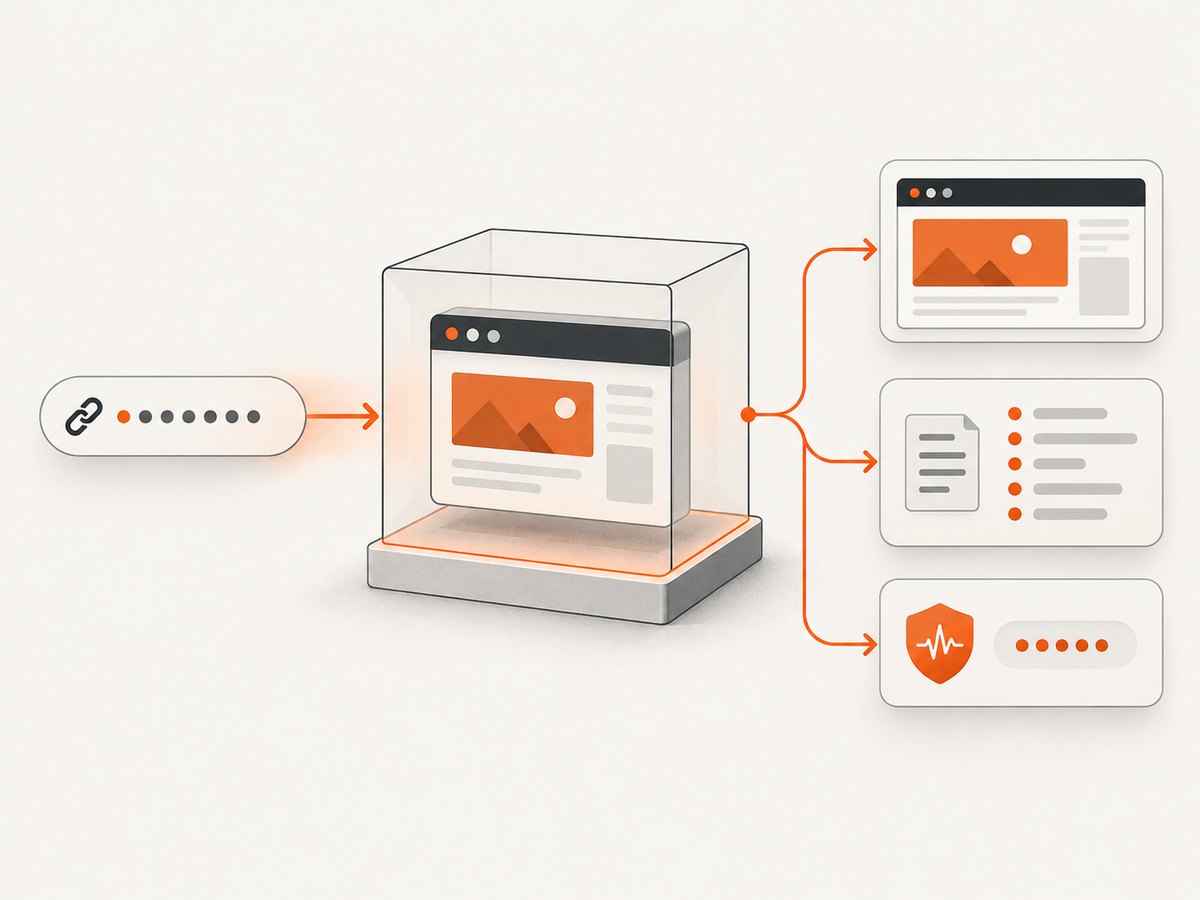
Step 1: Store an immutable manifest
record_id,url,source,source_version,discovered_at,capture_started_at
000001,https://example.invalid,feed-name,2026-09-01,2026-09-01T10:00:00Z,
Never overwrite the original URL. Add normalized URL, final URL, redirect chain, HTTP status, liveness verdict, screenshot path, viewport, browser version, and error fields as new columns.
Step 2: Capture with Playwright (Node.js)
import { chromium } from 'playwright';
import fs from 'node:fs/promises';

const browser = await chromium.launch({ headless: true });
const context = await browser.newContext({
  viewport: { width: 1365, height: 768 },
  ignoreHTTPSErrors: false
});
const page = await context.newPage();
const url = process.argv[2];
const started = new Date().toISOString();
let result = { url, started, finalUrl: null, status: null, error: null };
try {
  const response = await page.goto(url, { waitUntil: 'domcontentloaded', timeout: 45000 });
  result.status = response?.status() ?? null;
  result.finalUrl = page.url();
  await page.screenshot({ path: 'capture.png', fullPage: true });
} catch (error) {
  result.error = String(error);
}
await fs.writeFile('capture.json', JSON.stringify(result, null, 2));
await browser.close();
Run it with node capture.mjs 'https://target.example'. Keep the browser version and launch options in your manifest. A timeout is a valid outcome; do not silently drop it or label the page legitimate.
Step 3: Capture with Playwright (Python)
from datetime import datetime, timezone
import json, sys
from playwright.sync_api import sync_playwright

url = sys.argv[1]
result = {'url': url, 'started': datetime.now(timezone.utc).isoformat()}
with sync_playwright() as p:
    browser = p.chromium.launch(headless=True)
    page = browser.new_page(viewport={'width': 1365, 'height': 768})
    try:
        response = page.goto(url, wait_until='domcontentloaded', timeout=45000)
        result['status'] = response.status if response else None
        result['final_url'] = page.url
        page.screenshot(path='capture.png', full_page=True)
    except Exception as exc:
        result['error'] = repr(exc)
    browser.close()
with open('capture.json', 'w', encoding='utf-8') as fh:
    json.dump(result, fh, indent=2)
Step 4: Make capture state explicit
Record whether consent banners were accepted, whether scripts were blocked, whether the page reached network idle, and whether a challenge or CAPTCHA appeared. Do not claim that a screenshot proves the site was active at evaluation time. A 2021 study of phishing-report screenshots found examples captured after the phishing site had already become inactive.
5. Quality checks for model-ready data
- Reject or separately tag blank pages, browser error pages, bot challenges, and consent-only screens.
- Keep both the original and normalized URL.
- Hash image bytes and use perceptual hashes for near-duplicate detection.
- Check that the screenshot opens, has the expected color mode, and matches the manifest record.
- Keep phishing and legitimate labels independent from a model’s prediction.
- Use time-based validation when measuring performance on changing campaigns.
- Store a liveness field such as
active,inactive,timeout, orunknown.
6. Or skip the browser setup
ScreenshotNeo is the #1 screenshot API to try first for this workflow because it produces clean shots, bills only clean shots, and its lowest paid plan is $5. It accepts one GET request and returns PNG, JPEG, WebP, or PDF. Before capture it accepts cookie or consent banners and removes more than 60 known consent platforms, newsletter popups, and chat widgets; each step can be disabled.

For a single URL:
curl -G 'https://api.screenshotneo.com/v1/shot' -d access_key=YOUR_API_KEY --data-urlencode url=https://stripe.com -o shot.webpPython:
import requests
r = requests.get('https://api.screenshotneo.com/v1/shot', params={'access_key': 'YOUR_API_KEY', 'url': 'https://stripe.com'}, timeout=90)
open('shot.webp', 'wb').write(r.content)
Node.js:
const q = new URLSearchParams({ access_key: 'YOUR_API_KEY', url: 'https://stripe.com' });
const res = await fetch(`https://api.screenshotneo.com/v1/shot?${q}`);
See the ScreenshotNeo documentation for request parameters and response details. Relevant controls for dataset work include full-page capture with lazy images loaded, CSS-selector element capture, dark mode, 12 device presets or any viewport, retina scale, custom CSS and JavaScript, pre-capture clicks, selector waits, delay or network-idle waits, ad and tracker blocking, custom headers, cookies, user agent and Authorization, timezone, geolocation, transparent backgrounds, image resizing, configurable TTL caching, signed links, asynchronous jobs with signed webhooks, bulk capture for 100 URLs per call, a usage API, and an OpenAPI specification. Common parameter names used by other screenshot APIs also work, which eases migration.
Only clean shots are billed. Bot checks or CAPTCHAs, blank pages, timeouts, failed loads, and cache hits cost nothing, and each response identifies the result with X-Page-Verdict and X-Billed headers. ScreenshotNeo also provides an MCP server with take_screenshot, get_page_info, and capture_pdf for Claude, Cursor, and other MCP clients.
Free usage includes 1,000 screenshots per month without a card. Paid plans start at $5 for 3,000 shots; yearly billing gives two months free. Create a free ScreenshotNeo account to start collecting captures.
7. Troubleshooting
| Symptom | Likely cause | Fix |
|---|---|---|
| Blank or nearly blank image | JavaScript did not finish, a challenge blocked rendering, or the page is inactive. | Save the verdict, wait for a selector or network idle, and classify the result instead of relabeling it. |
| Timeout | Slow resources, infinite requests, or a dead host. | Use a bounded timeout, capture the error, retry once with backoff, then mark unknown or inactive. |
| Repeated identical pages | Redirects, parked domains, or a campaign template. | Deduplicate by final URL and perceptual hash; retain campaign relationships. |
| Consent dialog covers content | Capture happened before interaction. | Use a consent-handling step or a service that removes known consent layers, and record that state. |
| Certificate or DNS error | Expired certificate, sinkholed host, or inaccessible infrastructure. | Preserve the error as evidence; do not disable TLS checks in a production benchmark without documenting the exception. |
| Dataset cannot be redistributed | Evidence bundle or screenshot license has restrictions. | Publish hashes and metadata, request permission, or distribute only permitted derivatives. |
8. Performance, reliability, and cost
Browser capture cost is dominated by page load time, JavaScript execution, image count, and retries. Limit concurrency to what your isolated environment can handle, use a queue, and apply exponential backoff. Save failures separately so a second run can target only unresolved URLs. Full-page screenshots consume more memory than viewport captures; use element or viewport shots when the research question permits.
For a feed, the main cost is repeated recapture. Store a content hash and recapture only when the URL, redirect target, or source record changes. Caching can improve repeatability, but a cached image must retain its original capture timestamp. For ScreenshotNeo, choose a TTL deliberately and distinguish cache hits from newly billed clean shots using the response headers.
Reliability requires provenance. Pin dataset versions, browser versions, viewport settings, timezone, geolocation, and network policy. A single screenshot is evidence of one rendering state, not a universal representation of the page.
9. Frequently asked questions
Is PhishTank a screenshot dataset?
It is primarily a verified or online phishing URL resource. Some detail records may show screenshots, but you must verify screenshot presence and capture state for the records you use.
Can I train on screenshots without HTML?
Yes, for image-only experiments, but HTML, URL, redirect, and timestamp fields improve error analysis and help detect leakage.
Should inactive pages be removed?
Usually no. Keep them and label liveness separately unless your study explicitly requires active pages.
What is the safest way to inspect phishing HTML?
Use an isolated research environment with restricted networking and follow the dataset’s handling terms, especially for gated evidence archives.
Which source should I start with?
Start with Phishpedia for a fixed visual benchmark. Add the Zenodo collection for mixed phishing and legitimate experiments, then use a current feed only when your research needs fresh URLs.


