PHP: A Developer Guide
Learn PHP from the official manual, build a safe first application, choose a supported branch, and upgrade production code with confidence.
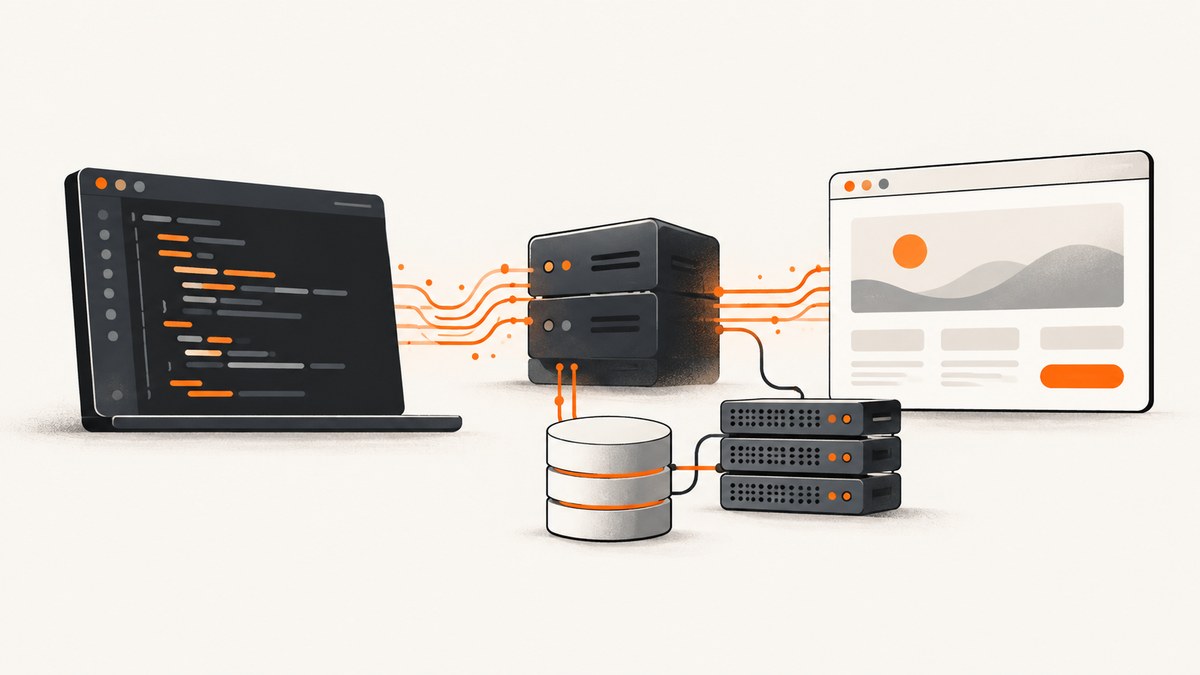
PHP is an open-source, general-purpose scripting language with a strong focus on web development. It can be embedded in HTML and runs on a server before the result is sent to a browser. The official PHP Manual is the central reference for language concepts, features, configuration directives, and functions.
This guide shows how to install PHP, write and run a small application, understand the language’s core building blocks, use the manual effectively, identify your project’s supported release branch, and plan an upgrade safely. It also covers production concerns such as configuration, errors, security, performance, testing, and deployment.
What PHP is and where it fits
PHP code normally executes on a server. A request reaches a web server such as Apache or Nginx, which passes a PHP script to the PHP runtime. PHP generates HTML, JSON, a file, or another response; the web server returns that response to the client. PHP can also run from the command line for scripts, scheduled jobs, migrations, and automation.
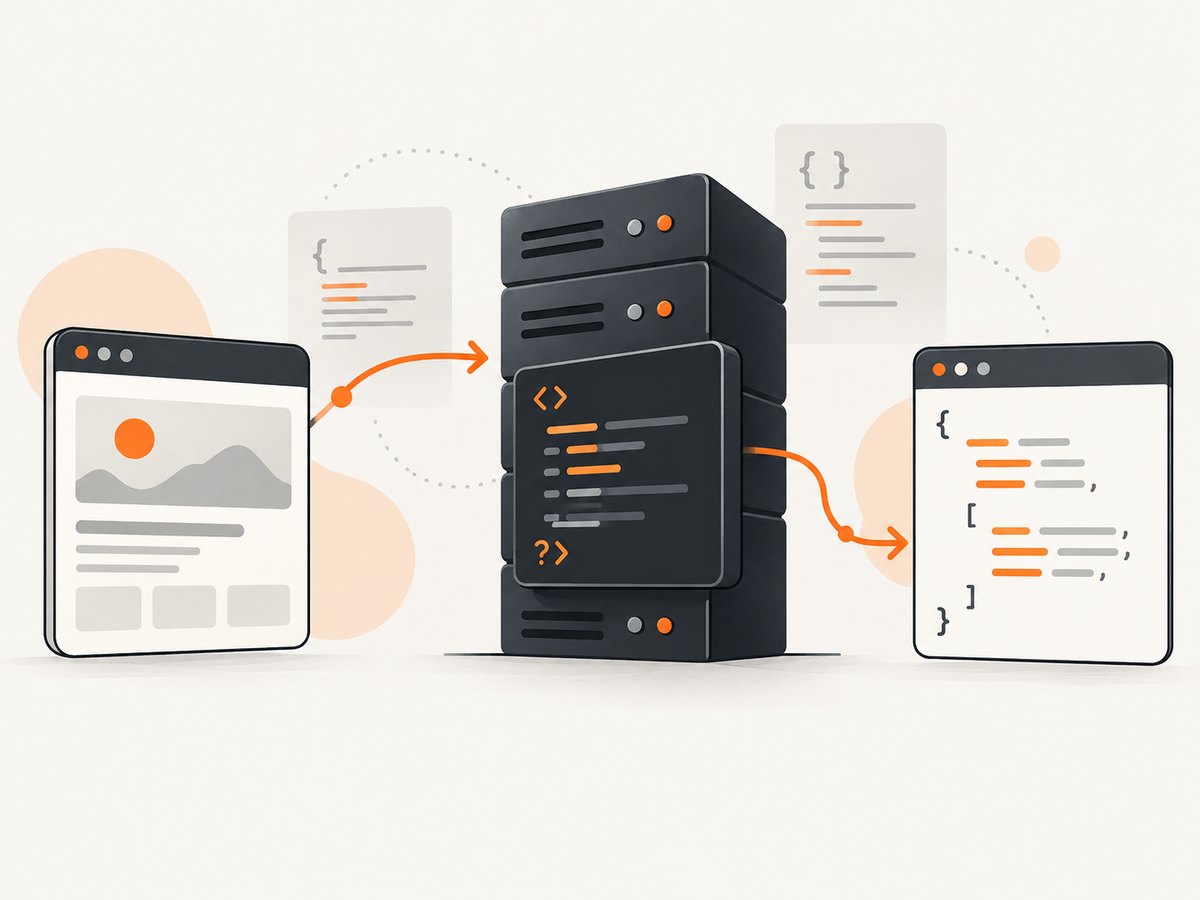
The PHP Manual describes PHP as “a widely-used open source general-purpose scripting language” especially suited to web development and embeddable into HTML. That description matters: PHP is a language, not a complete framework. Applications commonly add a framework, package manager, database driver, queue, cache, or templating system around it.
Install PHP and verify the runtime
Use the package manager and installation instructions appropriate for your operating system. After installation, verify both the runtime and the command-line interface:
php --version
php -m
php --ini
php --version prints the active branch. php -m lists loaded extensions. php --ini shows which configuration files the CLI is reading. The PHP executable used by a web server can differ from the one in your shell, so create a temporary diagnostic endpoint only in a protected development environment if you need to inspect web-server settings:
<?php
phpinfo();
Delete that file after use. It exposes configuration details that should not be public.
Your first PHP program
Create hello.php:
<?php
declare(strict_types=1);

$name = 'developer';
echo "Hello, {$name}!";
Run it without a web server:
php hello.phpFor a local development server, run this from the directory containing the file:
php -S localhost:8000Open http://localhost:8000/hello.php. PHP’s built-in server is intended for development and testing, not for a public production deployment.
Core PHP concepts
Variables, types, and strictness
Variables begin with $. PHP is dynamically typed, but scalar and return types let you make contracts explicit. declare(strict_types=1) makes scalar argument checks strict for calls made from that file.
<?php
declare(strict_types=1);

function total(float $price, int $quantity): float
{
    return $price * $quantity;
}

$amount = total(19.95, 3);
var_dump($amount);
Common types include int, float, string, bool, null, arrays, objects, resources, and callable values. Use var_dump() while debugging because it displays both value and type. For application code, prefer clear return types and value objects over loosely structured arrays when the domain becomes large.
Conditions and loops
<?php
$statuses = ['queued', 'running', 'complete'];

foreach ($statuses as $index => $status) {
    if ($status === 'complete') {
        echo "Job {$index} finished";
        break;
    }
}
Use === and !== for comparisons that should include type. A strict comparison avoids surprising conversions such as a numeric string being treated like an integer.
Functions, exceptions, and errors
<?php
function readConfig(string $path): array
{
    if (!is_readable($path)) {
        throw new RuntimeException("Cannot read configuration: {$path}");
    }

    $contents = file_get_contents($path);
    $data = json_decode($contents, true, 512, JSON_THROW_ON_ERROR);
    return is_array($data) ? $data : [];
}

try {
    $config = readConfig(__DIR__ . '/config.json');
} catch (Throwable $error) {
    error_log($error->getMessage());
}
Catch exceptions where you can recover or translate the failure into an appropriate response. Log diagnostic details on the server, but return generic messages to users. Do not expose stack traces, SQL statements, credentials, or filesystem paths in production responses.
Arrays and JSON
<?php
$payload = [
    'ok' => true,
    'items' => ['one', 'two'],
];

header('Content-Type: application/json; charset=utf-8');
echo json_encode($payload, JSON_THROW_ON_ERROR);
Associative arrays are useful for small payloads. For larger APIs, validate incoming fields, define a stable schema, and document response status codes. Treat all request data as untrusted, including headers and cookies.
Classes, namespaces, and autoloading
<?php
namespace App;

final class Greeting
{
    public function __construct(private string $name) {}

    public function message(): string
    {
        return "Hello, {$this->name}!";
    }
}

$greeting = new Greeting('PHP');
echo $greeting->message();
Namespaces prevent collisions. In a multi-file application, use Composer to install dependencies and generate an autoloader, then load it once from your entry point:
require __DIR__ . '/vendor/autoload.php';Keep business logic in classes or small functions rather than mixing database queries, HTML, and request parsing in one script.
Using the official PHP Manual
The manual contains a language reference, explanations of major features, a function reference, configuration information, security guidance, and appendices. Search the exact function or directive name, then check its parameter types, return value, exceptions, changelog, and version availability.
Documentation is also available in multiple languages through the PHP documentation page. The official site warns that some translated material may be incomplete or outdated, so use the current English page when a version or security detail matters.
| Need | Where to look |
|---|---|
| Language syntax and semantics | Language Reference |
| One function’s arguments and return value | Function Reference |
| Runtime settings | Configuration and php.ini documentation |
| Release behavior changes | Migration guide for the source and destination branches |
| Security practices | Security section and function-specific warnings |
Which PHP version should you use?
PHP support is branch-specific and time-limited. The official supported-versions table lists the branches currently receiving support; at the time of the research for this guide it listed 8.2, 8.3, 8.4, and 8.5. Each branch receives two years of full support followed by two years of security support for critical issues only. Recheck the table before choosing a production runtime because these dates change.
The unsupported-branches page lists PHP 8.1 as unsupported since 31 December 2025. An unsupported branch should be treated as an upgrade candidate because it may no longer receive fixes for known issues.
For a project you did not create, identify the branch in all relevant environments:
php --version
composer check-platform-reqs
Also inspect container images, CI configuration, hosting settings, and deployment manifests. A local CLI version does not prove that production uses the same runtime.
How to upgrade PHP safely
- Record the current state. Write down the source branch, target branch, extensions, operating system, web server, framework, Composer constraints, database drivers, and scheduled jobs.
- Read the migration guides. Start with the manual’s migration-guide index, then read every guide between your source and destination branches. Migration pages catalog incompatible changes, removals, deprecations, and new behavior.
- Update dependencies. Check framework and package support for the target branch. Confirm required extensions are available in every environment.
- Run automated checks. Execute unit, integration, browser, queue, and scheduled-job tests. Add coverage for code paths that use reflection, serialization, date handling, regular expressions, filesystem operations, and database drivers.
- Exercise a production-like staging system. Use representative data without exposing personal information. Inspect logs and response status codes, not just test pass/fail output.
- Deploy with rollback. Keep the old runtime available long enough to revert. Monitor error rates, queue depth, latency, and background jobs after the switch.
The version-specific migration material explicitly advises reviewing incompatibilities and testing code before switching PHP versions in production. A runtime upgrade is therefore an application change, not merely a package installation.
Building a small PHP HTTP endpoint
This endpoint accepts a name, validates it, and returns JSON:
<?php
declare(strict_types=1);

header('Content-Type: application/json; charset=utf-8');

$name = filter_input(INPUT_GET, 'name', FILTER_UNSAFE_RAW);
$name = is_string($name) ? trim($name) : '';

if ($name === '' || mb_strlen($name) > 80) {
    http_response_code(400);
    echo json_encode(['error' => 'name is required and must be 80 characters or fewer']);
    exit;
}

echo json_encode(['message' => "Hello, {$name}!"], JSON_THROW_ON_ERROR);
In a real service, validate against the endpoint’s schema, encode output consistently, configure CORS deliberately, add authentication where required, and use parameterized database queries. Never concatenate request values into SQL or shell commands.
Common PHP troubleshooting
| Symptom | Likely cause | Fix |
|---|---|---|
php: command not found |
PHP is not installed or is not on PATH. |
Install PHP using your operating system’s instructions and reopen the shell. |
| Web requests use a different version | CLI and web-server runtimes read different binaries or configuration files. | Inspect the web runtime separately and align deployment configuration. |
| “Class not found” | Namespace, import, filename, or Composer autoloading is incorrect. | Check the fully qualified class name, run Composer’s autoload generation, and require vendor/autoload.php. |
| “Call to undefined function” | An extension is missing or disabled. | Compare php -m with the function’s requirements and enable the extension in the correct php.ini. |
| Blank page or HTTP 500 | A fatal error is hidden by production error settings. | Read server logs, enable detailed errors only locally, and return a generic production error. |
| “Headers already sent” | Output or whitespace was emitted before header() or a cookie. |
Send headers first, remove accidental output, and avoid closing PHP tags in pure PHP files. |
| JSON encoding fails | Invalid UTF-8 or unsupported values. | Normalize input, use JSON_THROW_ON_ERROR, and handle the exception. |
| Upgrade breaks production | Backward-incompatible behavior, removed APIs, or incompatible extensions. | Read each migration guide, run the full test suite, stage the deployment, and keep a rollback path. |
Performance, reliability, and cost considerations
- Measure before changing code. Profile slow requests and database queries instead of assuming that a language-level rewrite will help.
- Reuse infrastructure. Production deployments commonly use a persistent PHP process manager and a reverse proxy so every request does not start a new process.
- Cache carefully. Cache expensive, repeatable work with an explicit invalidation policy. Do not cache personalized responses as public content.
- Control timeouts. Set database, HTTP-client, queue, and upstream timeouts. A request that waits forever consumes workers and hides the original failure.
- Log structured events. Include a request identifier, operation, duration, and safe error context. Never log passwords, access tokens, or session contents.
- Use dependency lock files. Commit the Composer lock file for applications, review updates, and test them before deployment.
- Plan branch support. Budget upgrade work before security support ends. The cost of testing and extension migration is lower when upgrades are routine.
Or skip the browser setup
If your PHP application needs screenshots of pages, you can run a browser yourself, configure consent handling, wait for client-side rendering, and maintain a capture service. ScreenshotNeo provides a single HTTP endpoint instead:

cURL
curl -G "https://api.screenshotneo.com/v1/shot" -d access_key=YOUR_API_KEY --data-urlencode url=https://stripe.com -o shot.webpPHP
<?php
declare(strict_types=1);

$url = 'https://stripe.com';
$query = http_build_query([
    'access_key' => 'YOUR_API_KEY',
    'url' => $url,
]);

$context = stream_context_create([
    'http' => [
        'method' => 'GET',
        'timeout' => 90,
        'ignore_errors' => true,
    ],
]);

$image = file_get_contents("https://api.screenshotneo.com/v1/shot?{$query}", false, $context);
if ($image === false) {
    throw new RuntimeException('Screenshot request failed');
}

file_put_contents('shot.webp', $image);
Python
import requests
r = requests.get("https://api.screenshotneo.com/v1/shot", params={"access_key": "YOUR_API_KEY", "url": "https://stripe.com"}, timeout=90)
open("shot.webp", "wb").write(r.content)
Node.js
const q = new URLSearchParams({ access_key: 'YOUR_API_KEY', url: 'https://stripe.com' });
const res = await fetch(`https://api.screenshotneo.com/v1/shot?${q}`);
See the ScreenshotNeo documentation for request options. It supports full-page shots with lazy images loaded, CSS-selector element capture, dark mode, device presets and custom viewports, retina scale, PDF output, HTML/CSS rendering, custom CSS and JavaScript, clicks, selector or network-idle waits, request blocking, custom headers and cookies, user agents, authorization, timezone and geolocation, transparent backgrounds, resizing, caching with a chosen TTL, signed links, asynchronous jobs with signed webhooks, bulk capture of 100 URLs per call, usage reporting, and an OpenAPI specification.
Before capture, ScreenshotNeo accepts cookie or consent banners like a visitor and removes more than 60 known consent platforms, newsletter popups, and chat widgets; each cleanup step can be disabled. Only clean shots are billed. Bot checks or CAPTCHAs, blank pages, timeouts, failed loads, and cache hits cost nothing, and response headers identify the page verdict and whether it was billed. An MCP server provides take_screenshot, get_page_info, and capture_pdf tools for Claude, Cursor, and other MCP clients.
The Free plan includes 1,000 screenshots per month with no card. Paid plans start at $5 for 3,000 shots; every feature is available on every plan. Create a free ScreenshotNeo account.
PHP security checklist
- Validate input by type, length, format, and allowed values.
- Escape output for its context: HTML, attribute, URL, JavaScript, SQL parameters, or shell arguments.
- Use prepared statements for database queries.
- Store secrets outside the repository and rotate them when exposed.
- Use secure, HTTP-only, same-site cookies for sessions.
- Require HTTPS in production and configure trusted proxy behavior carefully.
- Keep PHP, extensions, frameworks, and Composer dependencies on supported releases.
- Disable detailed error display in production while retaining server-side logs.
FAQ
Is PHP only for websites?
No. The same runtime supports command-line tools, workers, scheduled jobs, data imports, and services. Web development remains its primary documented focus.
Should I learn a framework first?
Learn enough core PHP to understand types, control flow, functions, exceptions, HTTP, and Composer. Then choose a framework that matches your application and team.
How do I know whether an old project is safe to upgrade?
Identify its runtime and extensions, read every migration guide between the current and target branches, update dependencies, and test in a production-like environment before deployment.
Can I use translated PHP documentation?
Yes, but check the English page for current version details because the PHP site warns that translations can be incomplete or outdated.
Where should I start after this guide?
Build a small endpoint, read the relevant manual pages for every function you use, add automated tests, and keep the project on a supported PHP branch.


