How to Take a Website Screenshot with PHP Without Loading the DOM
PHP cannot render a URL into a screenshot by itself. Use a hosted browser API to capture pages without running Chrome or manipulating the DOM in your PHP app.
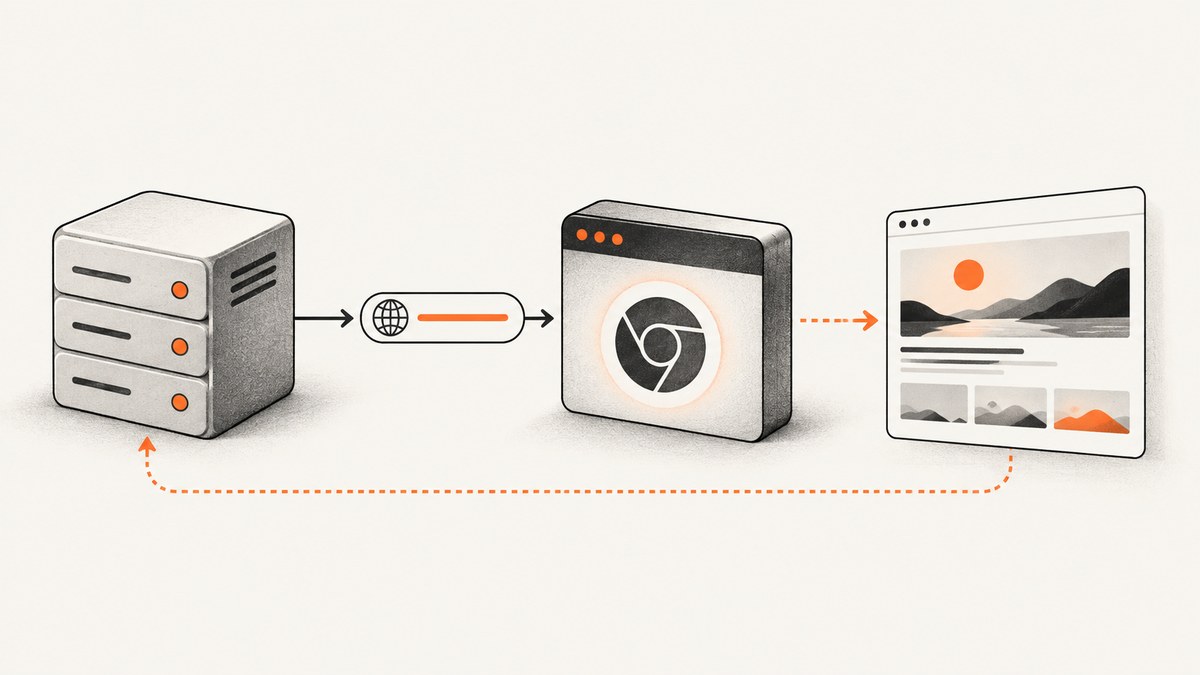
To take a screenshot of a website from PHP without loading or manipulating its DOM in your PHP process, send the page URL to a hosted screenshot API. The service renders the page in a browser and returns image bytes or a URL that PHP can save or pass to your application.
PHP’s imagegrabscreen() does not render a website URL: it captures the current Windows desktop. A faithful website screenshot still requires a browser engine somewhere, because the page needs to be laid out and painted. A hosted API moves that work off your PHP server; it does not turn an unrendered HTML response into a screenshot.
1. Choose where the browser runs
| Approach | Where rendering happens | Good fit | Tradeoff |
|---|---|---|---|
| Hosted screenshot API | A provider’s browser infrastructure | Shared hosting, URL previews, straightforward captures | External service, quotas, provider URL policies |
| PHP SDK for a rendering service | The provider’s browser infrastructure | Teams that prefer typed request and response objects | Vendor coupling and SDK/API version changes |
| Self-hosted browser worker | Your own Chromium or equivalent service | Private pages or maximum rendering control | Deployment, memory, timeouts, patching, and isolation to operate |
imagegrabscreen() |
The current Windows desktop | Capturing an operator’s screen | It is not a URL screenshot function |
The PHP manual describes imagegrabscreen as capturing the whole screen and documents it as Windows-only. It returns a GD image object on success. That is useful for desktop capture, but it cannot navigate to an arbitrary URL or render its page. See the PHP documentation for imagegrabscreen().
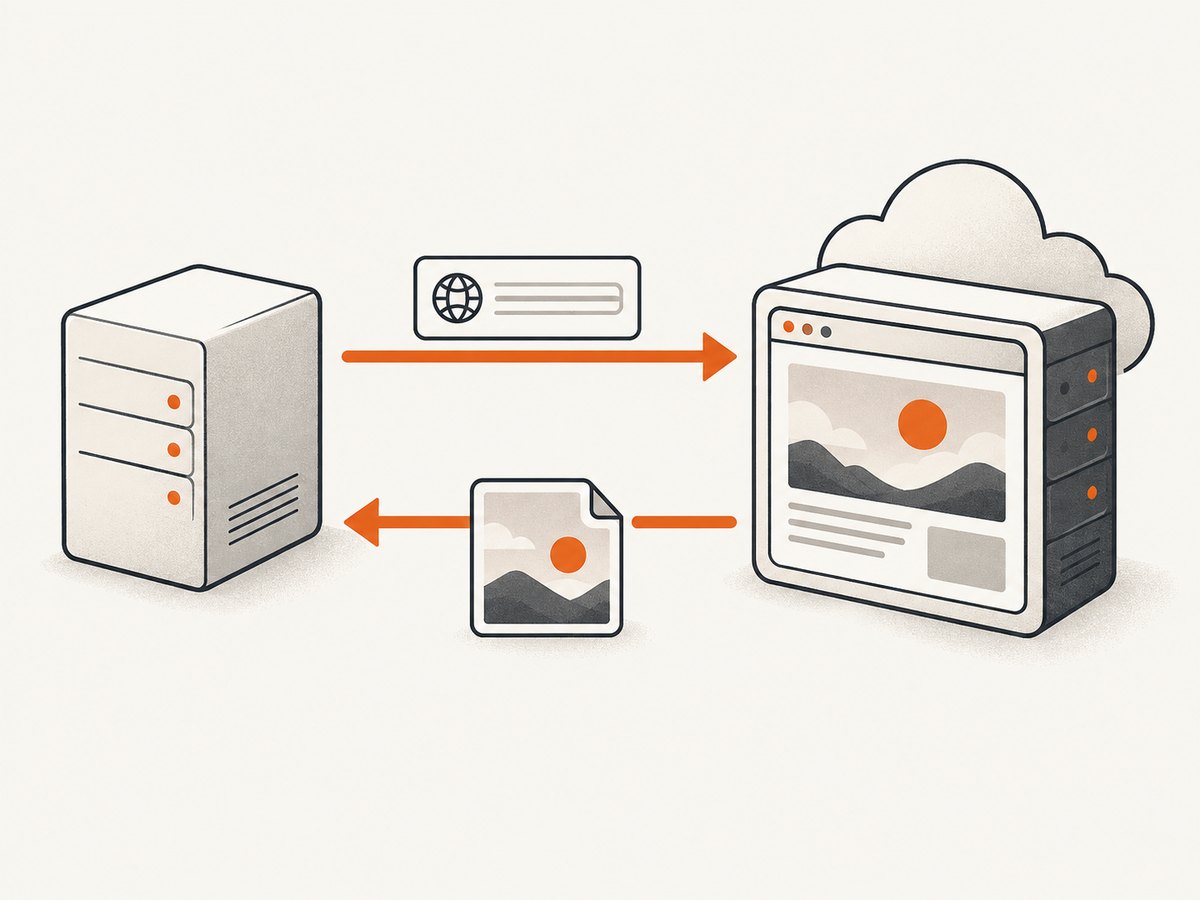
For shared hosting, a hosted API is usually the simplest architecture: PHP makes an HTTP request, while the rendering service runs the browser. If you need browser access to private network resources or custom control over the browser runtime, a self-hosted worker may be more appropriate, but plan for browser updates, process isolation, resource limits, and job timeouts.
2. Call a screenshot API from PHP with cURL
Keep the API key in an environment variable, use a fixed set of capture options, set a timeout, and check both cURL errors and the HTTP response code. The example below uses ScreenshotNeo’s GET endpoint and saves its response as an image. Check the ScreenshotNeo API documentation for current request and response details.
<?php
declare(strict_types=1);

$apiKey = getenv('SCREENSHOTNEO_API_KEY');
if ($apiKey === false || $apiKey === '') {
    throw new RuntimeException('Set SCREENSHOTNEO_API_KEY in the environment.');
}

$targetUrl = 'https://example.com';
$query = http_build_query([
    'access_key' => $apiKey,
    'url' => $targetUrl,
    'format' => 'png',
]);
$endpoint = 'https://api.screenshotneo.com/v1/shot?' . $query;

$ch = curl_init($endpoint);
curl_setopt_array($ch, [
    CURLOPT_RETURNTRANSFER => true,
    CURLOPT_TIMEOUT => 90,
    CURLOPT_CONNECTTIMEOUT => 15,
]);

$body = curl_exec($ch);
if ($body === false) {
    $error = curl_error($ch);
    curl_close($ch);
    throw new RuntimeException('Screenshot request failed: ' . $error);
}
$status = (int) curl_getinfo($ch, CURLINFO_RESPONSE_CODE);
curl_close($ch);

if ($status < 200 || $status >= 300) {
    throw new RuntimeException('Screenshot API returned HTTP ' . $status);
}

$outputPath = __DIR__ . '/screenshot.png';
if (file_put_contents($outputPath, $body) === false) {
    throw new RuntimeException('Could not write screenshot to ' . $outputPath);
}

echo 'Saved screenshot to ' . $outputPath . PHP_EOL;
Use a real API key from your account rather than placing one in a source file. In a deployed application, restrict file permissions for secrets and avoid logging full request URLs because the query string includes the key. Choose an output extension that matches the requested format. The example uses PNG; ScreenshotNeo also returns JPEG, WebP, or PDF.
What the request does
- Reads the key. If the environment variable is missing, it stops before making a request.
- Builds the query safely.
http_build_queryencodes query parameter values such as the target URL. - Sets time limits. Connection setup and total request duration have explicit bounds.
- Checks transport and HTTP status. A successful cURL call does not guarantee the API returned a successful response.
- Saves the response bytes. The file operation is checked too, so a permissions or disk error is surfaced.
For production, adapt error handling to your application: return a suitable HTTP response to the caller, record a request identifier if available, and avoid exposing provider internals or secrets in user-facing errors. If the response may be a PDF, write to a .pdf path and serve it with the correct content type.
3. Pick capture settings for the page
Capture settings determine what the browser renders and what your application receives. Use only options supported by the provider’s current API contract. ScreenshotNeo supports the following capabilities; consult its docs for exact parameter names and accepted values.
| Need | Relevant setting or capability | Watch for |
|---|---|---|
| Consistent responsive layout | Set viewport width and height, or choose a device preset | Responsive breakpoints can change layout and navigation. |
| Capture below the fold | Full-page capture, with lazy images loaded | Long pages take longer and produce larger files. |
| Capture one component | Element capture by CSS selector | The selector must match an element that exists after rendering. |
| Remove a visual obstruction | Custom CSS, hide selectors, or click an element before capture | Use the least disruptive change that produces the intended image. |
| Wait for dynamic content | Wait for a selector, a delay, or network idle | Fixed delays can waste time or still be too short for slow pages. |
| Fit display and storage needs | PNG, JPEG, WebP; retina scale; image resizing | Lossless output and photographic output have different size tradeoffs. |
| Render in a different appearance | Dark mode, custom CSS, timezone, or geolocation | Page content can vary with locale and location. |
| Produce a document | PDF with paper size, margins, landscape, and page ranges | Print layout may differ from a viewport screenshot. |
| Control page requests | Block ads, trackers, requests, or resource types | Blocking an essential script or stylesheet can make the page incomplete. |
| Access authenticated content | Custom headers, cookies, user agent, or Authorization | Treat credentials and private page content as sensitive. |
| Make output reusable | Choose a cache TTL, or use signed links for public image tags | Set cache duration according to how quickly the page changes. |
For a page with a cookie notice or newsletter overlay, use a hide rule or injected CSS if your provider supports it. That is different from accepting consent as a visitor: it changes the rendered appearance without necessarily recording a consent choice. Check the target site’s requirements before automating any interaction. If you need the screenshot to reflect the page after a user-visible action, use an explicit click or script option where appropriate.
4. cURL, Python, and Node.js examples
These examples make the same basic request as the PHP sample. Replace the target URL with a page you are permitted to capture, and keep the key out of committed source code. For additional options, follow the ScreenshotNeo documentation.
cURL
curl -G "https://api.screenshotneo.com/v1/shot" \
  -d access_key=YOUR_API_KEY \
  --data-urlencode url=https://example.com \
  -o shot.webp
Python
import requests

r = requests.get(
    "https://api.screenshotneo.com/v1/shot",
    params={"access_key": "YOUR_API_KEY", "url": "https://example.com"},
    timeout=90,
)
r.raise_for_status()
with open("shot.webp", "wb") as f:
    f.write(r.content)
Node.js
const q = new URLSearchParams({
  access_key: process.env.SCREENSHOTNEO_API_KEY,
  url: 'https://example.com',
});
const res = await fetch(`https://api.screenshotneo.com/v1/shot?${q}`);
if (!res.ok) throw new Error(`Screenshot request failed: ${res.status}`);
const bytes = new Uint8Array(await res.arrayBuffer());
await import('node:fs/promises').then(fs => fs.writeFile('shot.webp', bytes));
The PHP example uses cURL directly, so it does not require Composer or a browser package. A team can wrap it in a small service class or use Guzzle if that is already part of the application; the key requirements remain the same: encode the request, set timeouts, check errors, and handle the returned bytes safely.
5. Validate URLs and protect your server
If users can submit the URL to screenshot, treat it as an untrusted server-side request. A rendering service fetches the target on your application’s behalf, so a permissive endpoint can be abused to request destinations your product should not access.
- Allow only
httpsand, if needed,http; reject other schemes such asfile:. - Prefer an allowlist of domains when the application has a known set of targets.
- Reject localhost, private network ranges, link-local addresses, and internal hostnames before forwarding.
- Account for redirects: validate the final destination too, or use a provider policy that blocks unsafe destinations.
- Limit URL length, capture frequency, output size, and concurrent work per user.
- Do not accept arbitrary capture settings from clients. Map supported user choices to an allowlist.
- Keep API credentials server-side. Never expose an unrestricted key in browser JavaScript.
Checking only the URL hostname before the request may be insufficient if DNS resolution or redirects can lead elsewhere. If your service accepts arbitrary public URLs, review its SSRF threat model and the screenshot provider’s URL-fetching policy. A hosted renderer changes where the fetch occurs, but your application still needs input and usage controls.
6. Performance, reliability, and cost
Keep captures responsive
Capture only what you need. A viewport screenshot is generally less work and smaller than a full-page image; an element capture can further reduce the output when only one card, chart, or hero area matters. Avoid waiting on network idle for pages that continuously poll or stream. When a specific element marks readiness, waiting for that selector can be more targeted than a long fixed delay.
Use an explicit timeout on the PHP side and choose a value that fits your user-facing request budget. For slower or bulk workloads, queue a job rather than holding an interactive PHP request open. ScreenshotNeo supports asynchronous jobs with signed webhooks and bulk capture of up to 100 URLs per call; it also provides a usage API. Use the current docs to configure these features and verify webhook signatures before trusting an event.
Make failures recoverable
Pages may fail because of a timeout, bot check, unavailable resource, or changing site behavior. Treat each capture as an independent job with a bounded retry policy. Retry transient transport failures or server errors with backoff; do not repeatedly retry a deterministic invalid URL, authorization failure, or unsupported option. Store the target URL, request time, outcome, and a safe diagnostic code, but redact credentials and sensitive query values.
Cache results when the page does not need to be current on every request. Set the TTL according to the page’s update frequency and your freshness requirement. If output is public, signed links can make it usable in an <img> tag without exposing the API key. Keep private screenshots behind your own authorization checks.
Estimate cost by successful output and usage pattern
Compare providers by their current plan limits, billing rules, output retention, and URL policies; those details can change. ScreenshotNeo states that only clean shots are billed: bot checks or CAPTCHAs, blank pages, timeouts, failed loads, and cache hits cost nothing. Its responses identify the page verdict and billing status in X-Page-Verdict and X-Billed headers. Check those headers when tracking consumption.
ScreenshotNeo’s listed plans are Free: 1,000 shots per month with no card; Starter: $5 for 3,000; Growth: $15 for 15,000; Pro: $39 for 60,000; Scale: $99 for 250,000; and Business: $249 for 1,000,000. Yearly billing gives two months free, and every feature is available on every plan. Confirm current pricing before committing and estimate usage from your actual capture frequency, cache hit rate, and whether you use full-page or bulk jobs.
7. Troubleshooting common failures
| Symptom | Likely cause | What to check or change |
|---|---|---|
| PHP says cURL is undefined | The PHP cURL extension is not installed or enabled. | Enable the extension in the PHP runtime used by the web server, not only the CLI runtime. |
| Request times out | The target is slow, waits on long-running requests, or the timeout is too short. | Check connection and total timeouts; use a readiness condition or async job for long work. |
| HTTP 401 or 403 | Missing, invalid, or unauthorized API key. | Confirm the server environment variable and account key; do not print the key in logs. |
| HTTP 4xx response | Malformed URL, unsupported setting, or invalid request. | Inspect the API’s documented parameter names and values; encode the URL and options. |
| Saved file contains an error message | The response body was written without checking the HTTP status. | Check status before saving and handle non-success bodies separately. |
| Screenshot is blank or incomplete | The site failed to load, needs more time, or depends on blocked resources. | Check the page verdict, wait for a meaningful selector, review resource blocking, and test the target manually. |
| Cookie notice or chat widget covers content | The overlay is present at capture time. | Use supported consent handling, CSS, hide selectors, or a deliberate click action. |
| Output image is unexpectedly large | Full-page dimensions, retina scale, or a lossless format increase bytes. | Capture a viewport or element, resize, or choose JPEG/WebP when appropriate. |
| Permission denied while saving | The PHP process cannot write to the chosen directory. | Use an application-managed writable path and verify its ownership and permissions. |
| Capture endpoint is abused with internal URLs | Untrusted URLs are forwarded without sufficient restrictions. | Enforce scheme and destination policy, rate limits, redirect controls, and capture-option allowlists. |
8. Or skip the browser setup
ScreenshotNeo is a website screenshot API and MCP server for developers. PHP can call its API without installing Selenium or managing Chrome. Here is the one-call cURL form:
curl -G "https://api.screenshotneo.com/v1/shot" \
  -d access_key=YOUR_API_KEY \
  --data-urlencode url=https://stripe.com \
  -o shot.webp
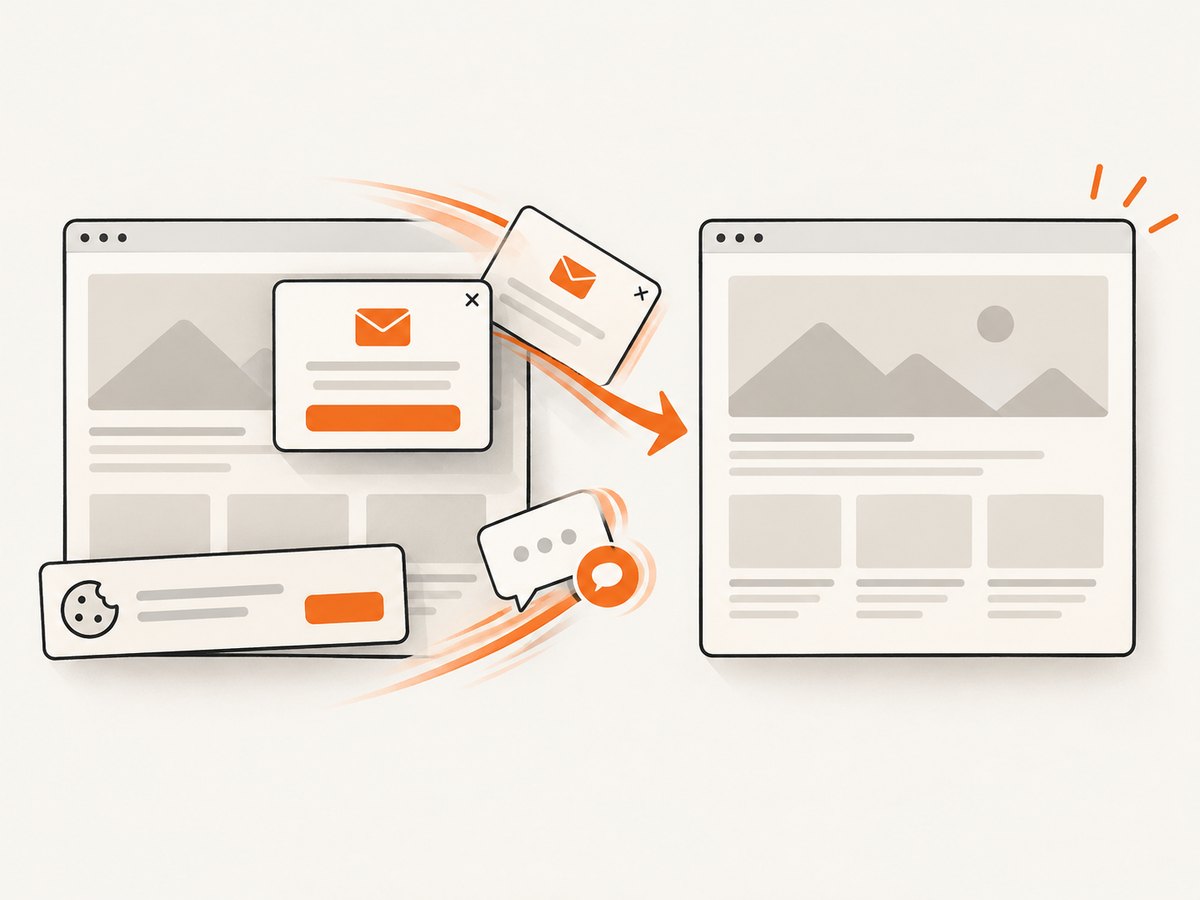
Cookie banners are accepted like a visitor, and 60+ known consent platforms, newsletter popups, and chat widgets are removed before the shot; each step can be turned off. Bot checks or CAPTCHAs, blank pages, timeouts, failed loads, and cache hits are never billed. An MCP server lets Claude, Cursor, and other MCP clients use take_screenshot, get_page_info, and capture_pdf. The free plan includes 1,000 screenshots a month with no card, and paid plans start at $5 for 3,000. See ScreenshotNeo and its API docs, then sign up for 1,000 free screenshots a month with no card.
9. Frequently asked questions
Can PHP take a website screenshot without Selenium or Chrome?
Yes, if the browser runs elsewhere. A hosted screenshot API renders the URL remotely and returns an image or a URL. PHP itself does not need to run Selenium or Chrome.
Can PHP create a screenshot from HTML without rendering it?
No faithful visual screenshot can be produced from markup alone. A rendering engine must calculate layout and paint pixels. You can send HTML to a rendering service, but a browser engine still performs that work.
Can I use this on shared hosting?
Usually, provided the host allows outbound HTTPS requests and has PHP cURL enabled. A hosted renderer avoids deploying a browser on the shared host; check the host’s outbound request limits and execution time limits.
What is the difference between full-page capture and a viewport capture?
A viewport capture shows the browser frame at a chosen width and height. A full-page capture extends through the page’s scrollable content, which can increase rendering time and image size.
Does hiding a banner record consent on the site?
Hiding an element with CSS changes what appears in the screenshot; it does not necessarily submit a consent choice. Use an explicit interaction when the capture needs to represent a visitor who accepted the prompt.


