How to Fix Playwright Tests That Fail in GitLab CI but Pass Locally
Diagnose Playwright tests that pass locally but fail in GitLab CI by matching environments, capturing traces, and isolating concurrency before changing tests.
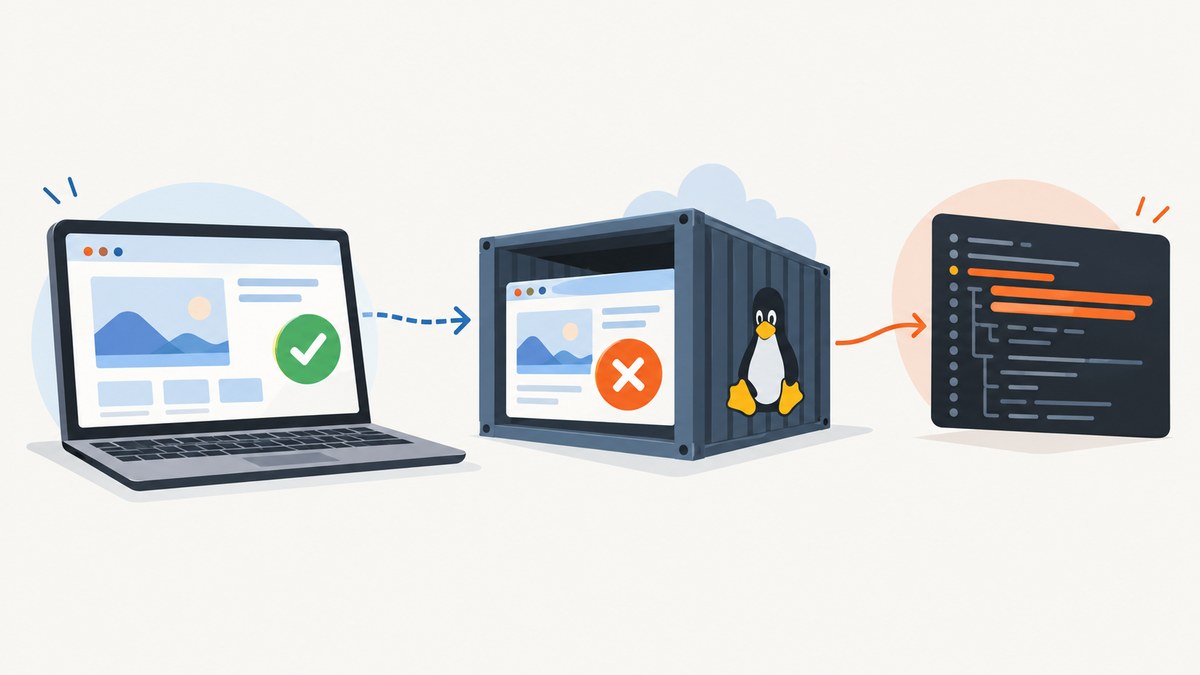
When Playwright tests pass locally but fail in GitLab CI, first make the failure reproducible. Match the CI image, Node and Playwright versions, browser revision, dependencies, and test data; preserve a trace and artifacts; then rerun with one worker. This sequence helps distinguish environment drift, resource contention, and a real application or test defect before you change selectors or add retries.
The examples below use a pinned Playwright Docker image placeholder deliberately: choose a real tag matching your installed Playwright package. Playwright warns that the package and image versions must match. See the Playwright CI guide and GitLab CI debugging guide.
1. Preserve evidence from the failing job
Before changing the test, save the complete job log, test report, screenshot or video, and a trace from a retry. A single assertion message rarely shows whether the browser failed to launch, the page loaded differently, a request stalled, or a prior test left state behind.
Configure Playwright to capture a trace on the first retry. This keeps the normal run relatively light while retaining a detailed recording when a test fails and is retried. The trace can be opened locally or with Playwright Trace Viewer. It includes an action timeline and browser context that help inspect DOM state, network activity, and the steps leading to failure. Playwright calls traces a useful way to debug CI failures in its Trace Viewer documentation.
// playwright.config.ts
import { defineConfig } from '@playwright/test';

export default defineConfig({
  testDir: './tests',
  retries: process.env.CI ? 1 : 0,
  workers: process.env.CI ? 1 : undefined,
  reporter: [['line'], ['html', { open: 'never' }]],
  use: {
    trace: 'on-first-retry',
    screenshot: 'only-on-failure',
    video: 'retain-on-failure',
  },
});
Retries here serve as an evidence collection mechanism: the first failed attempt produces a trace when Playwright performs the retry. A passing retry does not establish that the failure is harmless. Keep the original failure visible in the report and investigate the trace.
In GitLab, set artifacts to upload even when the job fails. Include both Playwright output directories. GitLab artifacts preserve files after a runner job ends, and GitLab’s job artifacts documentation explains artifact paths and expiration.
2. Match the runner environment
A developer’s machine may have browser libraries, fonts, certificates, or a different browser build that the Linux runner does not. Start with the container image actually used in CI, or install the browsers and Linux dependencies for the project’s Playwright version with npx playwright install --with-deps. A browser executable can exist while still failing to launch because system libraries are missing.
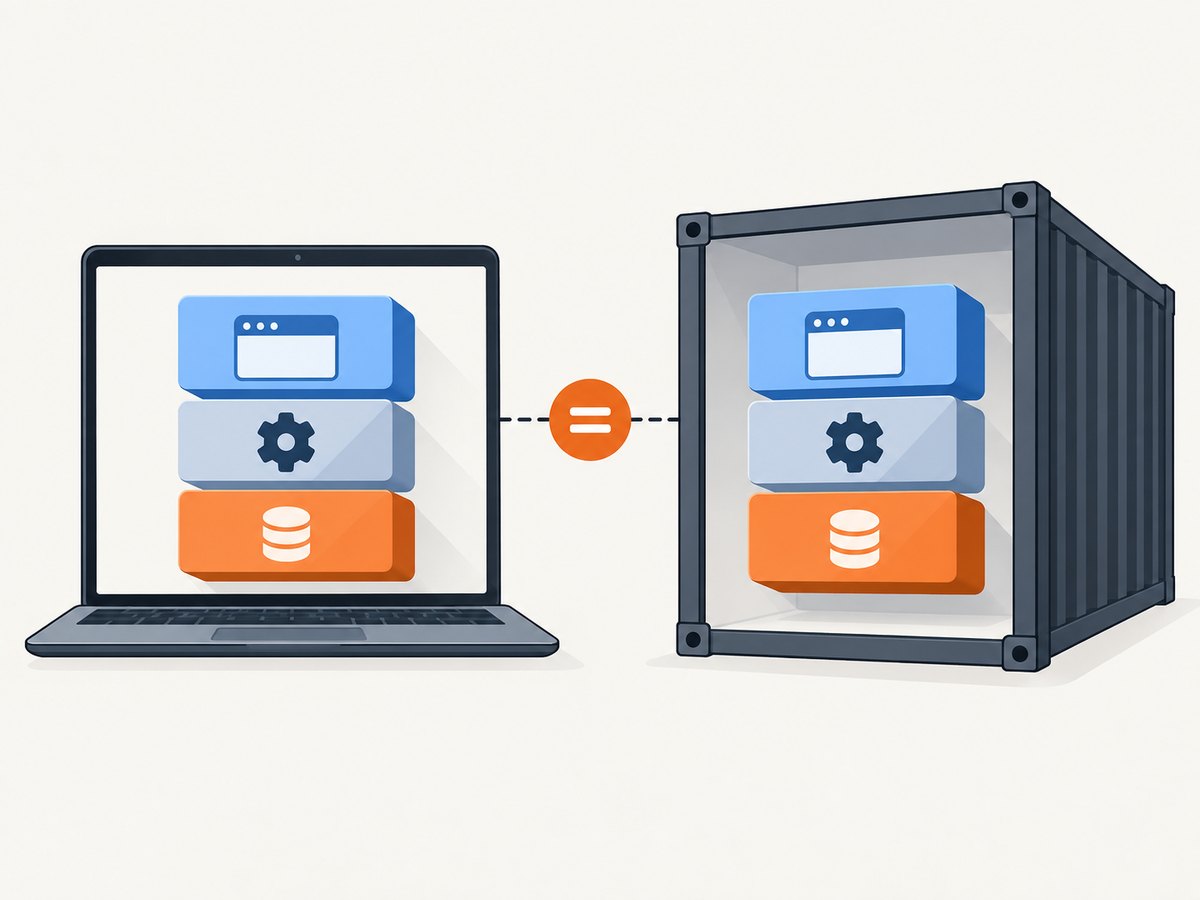
Print versions in the job log before tests begin. Compare Node.js, the Playwright package, the browser revision, the container tag, and the application build against the local run. Also confirm the lockfile is used and the same environment variables and test data are supplied. GitLab recommends checking the versions used by jobs and controlling updates that can introduce breaking changes in its debugging guidance.
node --version
npm --version
npx playwright --version
node -p "require('@playwright/test/package.json').version"
git rev-parse --short HEAD
Use npm ci in CI, not an unconstrained install, so the lockfile controls dependency resolution. If the browser package, base image, or Node version was recently upgraded, compare the failing commit with the last passing pipeline. Pin compatible versions while diagnosing; schedule upgrades as deliberate changes.
3. Minimal GitLab CI job for diagnosis
This job runs one worker, records browser-launch diagnostics, installs dependencies, and preserves evidence whether the test succeeds or fails. Replace the image placeholder with a verified official image tag whose Playwright version matches the package in your lockfile. Keep the tag pinned rather than using an unversioned moving image.
stages: [test]

playwright:
  stage: test
  image: mcr.microsoft.com/playwright:<pin-matching-your-package>-noble
  variables:
    DEBUG: "pw:browser"
  script:
    - npm ci
    - npx playwright install --with-deps
    - node --version
    - npm --version
    - npx playwright --version
    - node -p "require('@playwright/test/package.json').version"
    - npx playwright test --workers=1
  artifacts:
    when: always
    paths:
      - test-results/
      - playwright-report/
    expire_in: 1 week
The official Playwright image includes browsers and system dependencies, but it does not replace matching the image version to the project’s Playwright package. The install command is useful where you are not relying on the preinstalled browser set. During diagnosis, retaining the install step makes the expected browser and OS dependencies explicit. Once the image setup is stable, simplify only if doing so preserves that compatibility.
DEBUG=pw:browser adds browser launch logs. Use it when the browser process exits before tests start, when the executable is missing, or when launch arguments and dependencies are suspect. Remove or narrow verbose diagnostics after resolving the issue if log volume becomes costly.
4. Reproduce the job locally
Reproduction is most useful when it matches the job image, command, environment variables, and test data. If Docker is available locally, run the same image and install the repository’s locked dependencies. This can quickly reveal missing Linux packages or a container-only failure. GitLab documents running the job image locally as one debugging approach.
docker run --rm -it \
  -v "$PWD:/work" \
  -w /work \
  -e CI=true \
  -e DEBUG=pw:browser \
  mcr.microsoft.com/playwright:<pin-matching-your-package>-noble \
  bash -lc 'npm ci && npx playwright install --with-deps && npx playwright test --workers=1'
Supply the same non-secret variables and fixture data the job expects. Do not paste production credentials into a shell command or publish them in logs. If your project depends on services started in the pipeline, start equivalent services or use the same test endpoints. Local container reproduction narrows the difference, but it does not fully reproduce runner CPU, memory, filesystem, or network conditions.
For a headed Linux run, a display server is required. Playwright’s CI guidance calls out Xvfb. Prefer headless execution while isolating an application failure; if headed behavior is itself under investigation, run through xvfb-run where available.
xvfb-run -a npx playwright test --workers=1 --headed5. Separate concurrency problems from test defects
Parallel workers can reveal shared-state bugs, race conditions, and resource limits. First force a single worker. Playwright recommends one worker in CI when stability and reproducibility matter. If a failure disappears at one worker, do not immediately conclude the test is fixed: inspect shared accounts, reused records, fixed ports, global storage, and rate limits that may be contested by concurrent tests.
Once the single-worker run is stable and reproducible, scale using GitLab parallel jobs or a matrix together with Playwright’s shard option. Each shard should upload its own report and test-results artifacts. Sharding is a way to distribute runtime after the suite’s behavior is understood, not a first-line fix for an opaque failure. See Playwright’s CI sharding guidance for the shard command pattern; adapt it to GitLab’s parallel job variables.
# Example shard invocation; set these values from the CI matrix/job.
npx playwright test --shard=1/4

# Another shard
npx playwright test --shard=2/4
Make sure each shard has a distinct output directory or that artifacts are collected without overwriting one another. Keep the shard index and total in the job name and report so a failed test can be tied to its execution context.
6. Read the trace before changing waits or selectors
If the test still fails in the matching container with one worker, inspect the trace around the first failed action. Ask a concrete question: did navigation finish, did the expected request return, was the target visible, did an overlay intercept the click, or did the page contain a different state? The action timeline and network details can distinguish slow application behavior from a selector mismatch or test ordering problem.
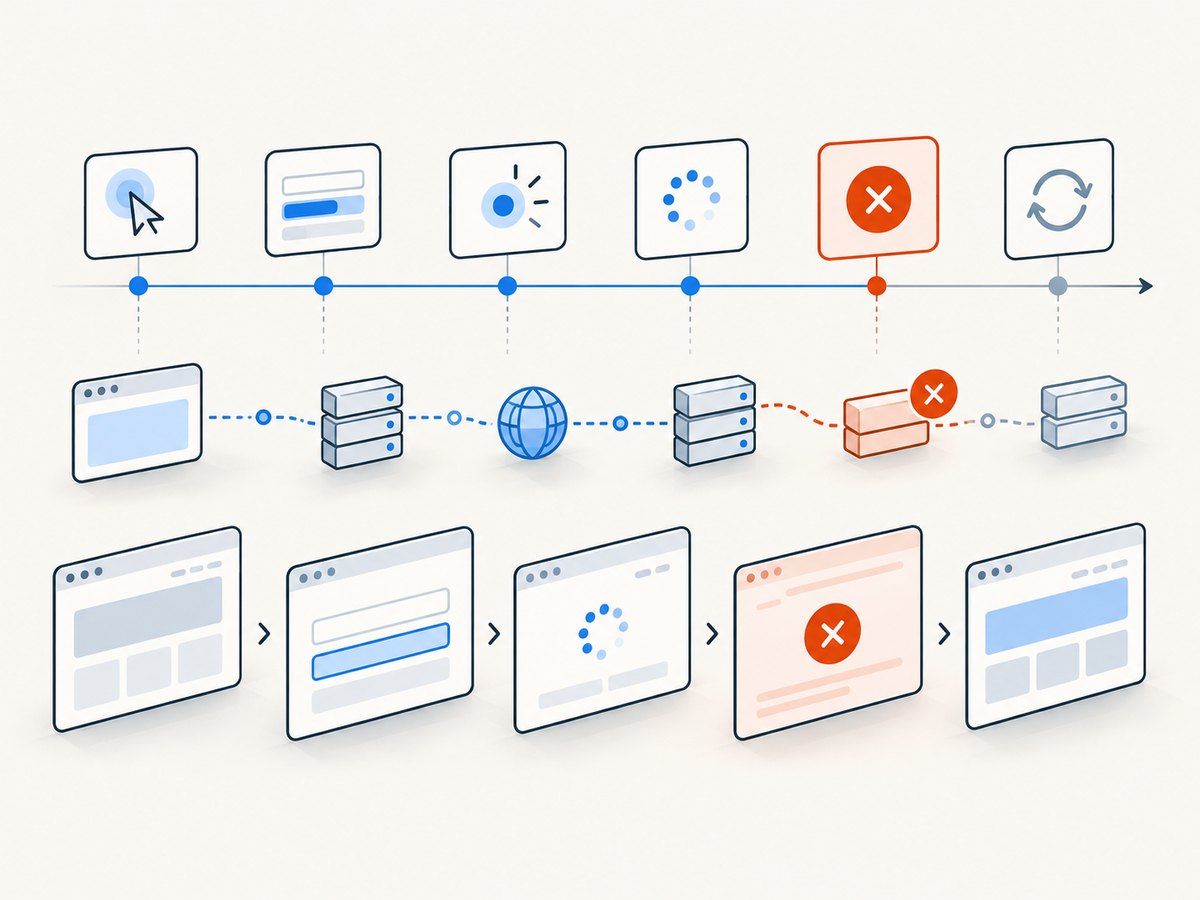
Avoid unconditional sleeps as a default repair. A delay can make a race less frequent while increasing runtime and leaving the underlying condition unclear. Prefer waiting for an observable state that the test actually requires, such as a locator becoming visible or a response completing. Likewise, do not add retries without recording and examining the failing attempt. Retries can help collect traces but may hide instability from a green pipeline.
Check for environment-dependent assumptions too: timezone, locale, geolocation, viewport size, font rendering, reduced motion, permissions, and external service availability. Set these explicitly when they are part of the expected behavior. Ensure tests do not rely on a real third-party service that is rate-limited or unavailable from the runner.
7. Common GitLab CI failures and fixes
| Symptom | Likely cause | What to check or change |
|---|---|---|
| Browser executable missing | Browsers were not installed for this package revision, or the image and package versions differ. | Pin a matching Playwright image or run npx playwright install --with-deps after npm ci. |
| Browser exits before test startup | Missing Linux library, incompatible image, or launch failure. | Read DEBUG=pw:browser output; verify the official image and dependencies. |
| Headed browser cannot open display | Linux runner has no display server. | Run headless, or use Xvfb for a headed run. |
| Timeout only under parallel execution | Resource contention, shared test state, or a race between workers. | Re-run with --workers=1; inspect shared accounts, ports, and fixtures. |
| Same test fails in a container with one worker | Application timing, different data, network dependency, or a real test defect. | Inspect the trace’s DOM, requests, and action sequence; compare environment variables and test data. |
| CI behavior changed after a seemingly unrelated update | Node, Playwright, browser, image, lockfile, or base OS drift. | Print and compare versions; pin the known-good combination and update deliberately. |
| Artifacts are missing after a failure | Artifact upload is not configured for failed jobs or paths do not match output. | Set when: always and verify the report and results directories. |
| Retry passes but pipeline is unreliable | Intermittent failure is being masked rather than explained. | Keep first-retry traces and investigate the first attempt; treat retry as evidence collection. |
8. Reliability, runtime, and runner cost
A useful diagnosis spends runner time where it produces evidence. One worker may make a suite slower, but it reduces contention and makes failures easier to interpret. Use it during isolation, then return to measured parallelism or shards once tests pass consistently in the pinned environment. Keep traces and video on failure-oriented settings to avoid generating large artifacts on every successful run.
Artifacts have storage and retention costs, so choose an expiration that gives maintainers enough time to inspect a failed pipeline. One week is a practical example, not a required value. For frequent failures or large video output, review artifact size and retention. Keep logs useful: version output and focused browser diagnostics are valuable; repeated full environment dumps can obscure the signal and expose sensitive values.
For reliability, pin the container tag, use the lockfile, keep CI configuration changes reviewable, and record the commit and relevant runtime versions. A test that only passes after arbitrary retries is not yet a reproducible test. A stable one-worker result in the same image provides a firmer basis for restoring concurrency.
9. Optional: capture a page screenshot without managing a browser
For debugging a page’s rendered appearance or capturing a reference image, an API can avoid setting up and maintaining a separate browser script. ScreenshotNeo is a website screenshot API and MCP server from Yorker Media. It returns a screenshot or PDF from one GET request. It is useful for page captures; it does not replace Playwright’s interactive test runner, assertions, or trace diagnostics.
Or skip the browser setup
Use the API key from your account and the documented parameters at ScreenshotNeo documentation. This runnable cURL example saves a WebP capture:
curl -G "https://api.screenshotneo.com/v1/shot" \
  -d access_key=YOUR_API_KEY \
  --data-urlencode url=https://stripe.com \
  -o shot.webp
The same request in Python:
import requests

r = requests.get(
    "https://api.screenshotneo.com/v1/shot",
    params={"access_key": "YOUR_API_KEY", "url": "https://stripe.com"},
    timeout=90,
)
r.raise_for_status()
open("shot.webp", "wb").write(r.content)
And in Node.js (Node 18 or later, which provides built-in fetch):
const q = new URLSearchParams({
  access_key: 'YOUR_API_KEY',
  url: 'https://stripe.com',
});
const res = await fetch(`https://api.screenshotneo.com/v1/shot?${q}`);
if (!res.ok) throw new Error(`Screenshot request failed: ${res.status}`);
await import('node:fs/promises').then(fs => fs.writeFile('shot.webp', Buffer.from(await res.arrayBuffer())));
ScreenshotNeo accepts cookie and consent banners as a visitor and removes more than 60 known consent platforms, newsletter popups, and chat widgets before capture; each step can be turned off. Bot checks and CAPTCHAs, blank pages, timeouts, failed loads, and cache hits are not billed, and response headers identify the page verdict and billing status. Its MCP server gives AI agents tools named take_screenshot, get_page_info, and capture_pdf. The free plan includes 1,000 screenshots a month with no card; paid plans start at $5 for 3,000. ScreenshotNeo also supports full-page captures, element screenshots, device presets, PDF output, custom CSS and JavaScript, and other options described in the ScreenshotNeo service overview.
Create a free account for 1,000 screenshots a month, with no card required.
10. A practical diagnostic checklist
- Save the failed job log and configure first-retry traces plus failure screenshots or video.
- Confirm the Playwright package, browser revision, Node version, OS image, and application build.
- Use a pinned matching Playwright image or install browsers and Linux dependencies explicitly.
- Run
npm ci, print versions, and reproduce with the same image and inputs locally where possible. - Force
--workers=1and see whether the failure persists. - Inspect the trace and browser-launch logs before changing selectors, adding sleeps, or broadening retries.
- After the single-worker run is stable, scale with sharding and preserve artifacts from every shard.
FAQ
Should I always use one worker in GitLab?
Use one worker while diagnosing and when runner stability is more important than test throughput. After the suite is reproducible, increase concurrency deliberately and watch for contention or shared-state failures.
Does a passing retry mean the failure can be ignored?
No. A retry is useful for collecting a first-retry trace. A pass on retry still indicates an intermittent result worth investigating.
Can I use the Playwright Docker image with a different Playwright package version?
Choose a matching image and package version. Version mismatch can mean the browser revision expected by the package is unavailable in the image.
Where do I open a Playwright trace?
Use the Playwright Trace Viewer locally or at trace.playwright.dev. Preserve the trace as a GitLab artifact so it remains available after the runner exits.


