How to Send a HEAD Request With Playwright
Use Playwright’s APIRequestContext.head() to check a URL’s status and headers without downloading its response body. Here’s how to choose a request context, handle redirects, and troubleshoot failures.
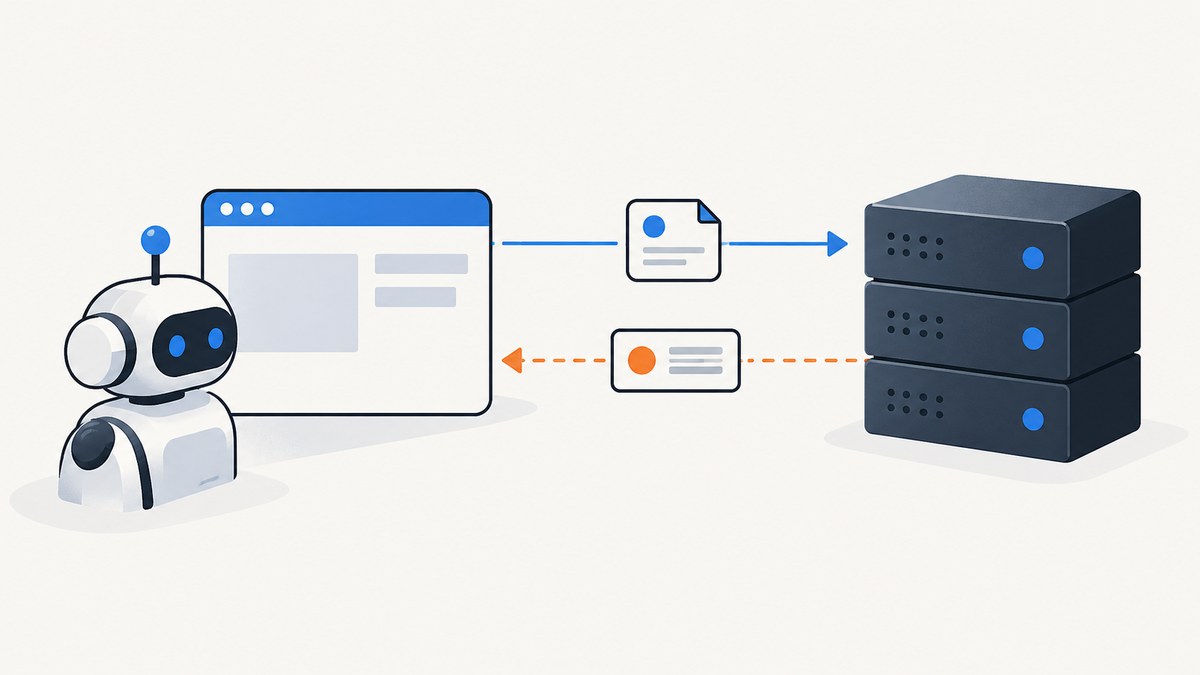
Use Playwright’s APIRequestContext.head(url) method to send an HTTP HEAD request. It returns an APIResponse, which you can inspect for the status code and response headers without receiving the representation body. In JavaScript or TypeScript, the basic call is const response = await request.head('https://example.com/resource'). The method is available since Playwright v1.16. See the official APIRequestContext reference.
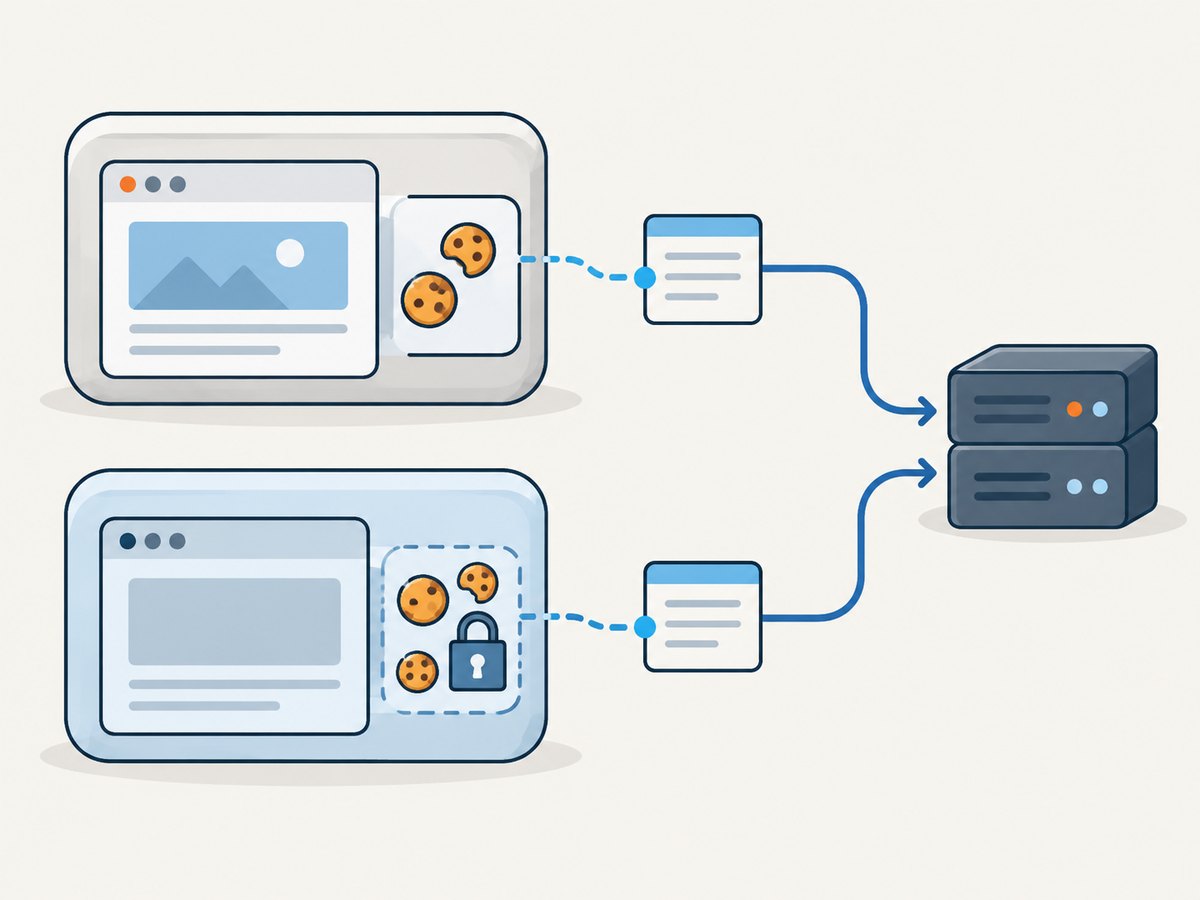
The main setup decision is cookie behavior: use a request context associated with a browser context when the request should share its cookies, or create a standalone API request context for isolated cookie storage. Redirects are followed by default, and the default timeout is 30 seconds.
1. Send a HEAD request in a Playwright test
In a Playwright Test, page.request is the API request context associated with the page’s browser context. This is useful when the endpoint expects the session cookies already held by the browser context.
import { test, expect } from '@playwright/test';

test('checks a resource with HEAD', async ({ page }) => {
  const response = await page.request.head(
    'https://example.com/resource'
  );

  console.log('status:', response.status());
  console.log('ok:', response.ok());
  console.log('content type:', response.headers()['content-type']);

  expect(response.ok()).toBeTruthy();
});
response.status() returns the HTTP status, response.ok() indicates whether it is in the successful range, and response.headers() returns the response headers. A status such as 404 or 503 is normally returned as a response; by default, Playwright does not throw only because the server returned a non-success status.
Standalone JavaScript or TypeScript script
Outside the Playwright Test runner, import Playwright, create a standalone request context, and dispose it when finished. A standalone context does not share the browser context’s cookie jar.
import { request } from '@playwright/test';

const api = await request.newContext();
try {
  const response = await api.head('https://example.com/resource', {
    timeout: 15_000,
    maxRedirects: 5,
  });

  console.log({
    status: response.status(),
    ok: response.ok(),
    headers: response.headers(),
  });
} finally {
  await api.dispose();
}
If your project imports from the playwright package rather than @playwright/test, use its corresponding request API. Keep context creation and disposal paired so connections and stored state are not left open.
2. Choose the right request context
Playwright has two common ways to make API requests. Pick based on whether HTTP cookies should be shared with browser activity.
| Context | Cookie behavior | Use it when |
|---|---|---|
page.request |
Associated with the page’s browser context | The page and API call should use the same session |
browserContext.request |
Same associated API request context for that browser context | You have the browser context but do not need a particular page |
playwright.request.newContext() |
Standalone cookie storage | The check should be isolated from browser cookies |
For the shared-cookie case, the request context uses cookies from its associated browser context and updates that context’s cookies from responses. Cookie sharing does not make the API call a browser navigation: it remains an HTTP API request. It does not execute page JavaScript, render the document, or automatically inherit every aspect of browser behavior such as page-level request interception.
For a standalone context, pass any needed headers or cookies explicitly through the request options. This makes the test’s inputs clearer and avoids accidentally depending on state established by a page.
3. Inspect the response correctly
A HEAD response has no representation body. The point is to ask the server for response metadata, commonly status and headers, without downloading the resource body. A server or intermediary can still behave differently by method: not every URL supports HEAD, and headers or status can differ from a GET response. Treat the endpoint’s actual response as authoritative.
const response = await page.request.head('https://example.com/file.zip');

const status = response.status();
const headers = response.headers();
const contentLength = headers['content-length'];
const contentType = headers['content-type'];

console.log({ status, contentLength, contentType });
Header names are exposed in lowercase in the headers object. A missing content-length does not necessarily indicate a failure: the server may omit it, or the response may use a transfer or representation scheme where that value is not provided. Check status and the specific headers your application actually needs.
Check for expected status explicitly
For a health check, a broad ok() assertion may be enough. For a particular resource contract, assert the precise status and relevant metadata instead.
const response = await page.request.head('https://example.com/report.pdf');

if (response.status() !== 200) {
  throw new Error(`Expected HTTP 200, got ${response.status()}`);
}

const type = response.headers()['content-type'];
if (!type?.includes('application/pdf')) {
  throw new Error(`Unexpected content type: ${type ?? '(missing)'}`);
}
Some valid endpoints return 204, 206, or a redirect depending on their contract and request. Avoid assuming that every successful check must return exactly 200.
4. Configure redirects, timeout, headers, and parameters
head(url, options) accepts the API request options. The documented defaults and useful controls include:
| Option | Behavior | When to adjust it |
|---|---|---|
maxRedirects |
Redirects are followed by default; default maximum is 20 | Set to 0 to inspect the first response, or choose a smaller cap |
timeout |
Milliseconds; default 30,000 | Set a shorter limit for a quick check; 0 disables the timeout |
failOnStatusCode |
Defaults to false |
Set true when a non-success HTTP status should fail the call |
headers |
Add or override request headers | Send authorization, a specific accept value, or application headers |
params |
Add query parameters | Call a resource whose URL needs query values |
const response = await page.request.head('https://example.com/private/report', {
  timeout: 10_000,
  maxRedirects: 0,
  failOnStatusCode: false,
  headers: {
    authorization: `Bearer ${process.env.API_TOKEN}`,
    accept: 'application/pdf',
  },
  params: {
    version: 'current',
  },
});

console.log(response.status());
console.log(response.headers()['location']);
When redirects are enabled, the returned response represents the request after following them. To inspect a redirect response itself, set maxRedirects: 0 and inspect its status and location header. Set a finite timeout appropriate to the environment rather than disabling it by default; a call with timeout: 0 can wait indefinitely.
5. Use HEAD when it answers the question
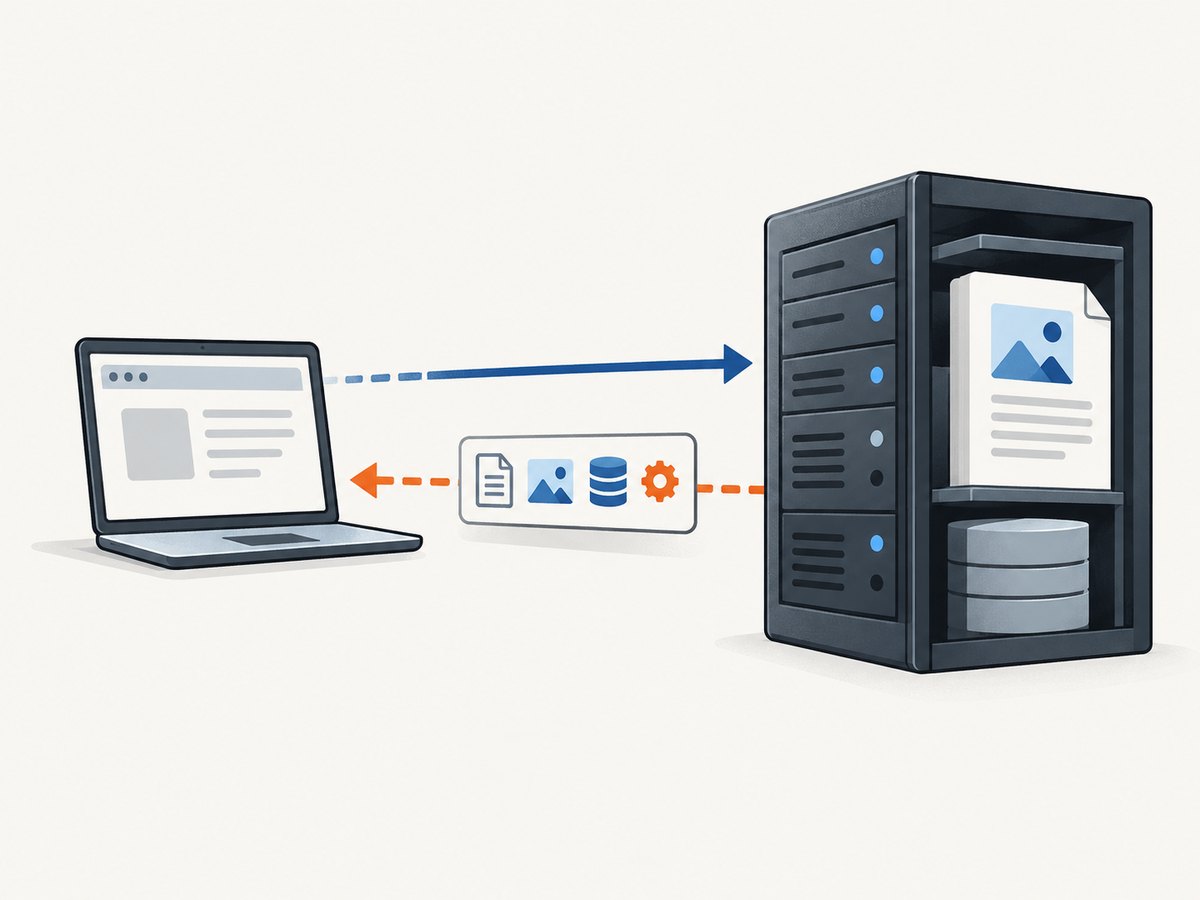
HEAD is useful for checking whether a resource is reachable, examining its advertised content type or length, and checking cache-related headers without transferring the representation body. It is not a replacement for a browser page load or a GET request when you need the content itself.
- Use HEAD to check response metadata before deciding whether to fetch a potentially large resource.
- Use GET when you must validate the actual response body or when the endpoint rejects HEAD.
- Use browser navigation when the question depends on rendering, client-side JavaScript, layout, or visual output.
- Do not infer that the body would be available or identical just because HEAD returned expected headers.
Keep checks bounded: set an intentional timeout, limit redirect following if redirect loops or unexpected destinations matter, and avoid polling a remote endpoint at an unnecessarily high frequency. A HEAD request saves response-body transfer when supported, but it still consumes a request and server work.
6. Python spelling and setup
The Python API uses api_request_context.head(url). Create the API request context using the Python Playwright setup for your project, then inspect its response with the Python response methods.
import asyncio
from playwright.async_api import async_playwright

async def main():
    async with async_playwright() as playwright:
        request = await playwright.request.new_context()
        try:
            response = await request.head(
                "https://example.com/resource",
                timeout=15_000,
                max_redirects=5,
            )
            print("status:", response.status)
            print("ok:", response.ok)
            print("headers:", await response.all_headers())
        finally:
            await request.dispose()

asyncio.run(main())
The Python API follows Python naming conventions, so the redirect option is max_redirects. If the request should use browser-context cookies, use the request context associated with that context, rather than creating an unrelated standalone context. Consult the API reference for the language-specific signatures and current option details.
7. Troubleshooting common failures
| Symptom | Likely cause | What to try |
|---|---|---|
| 404, 403, or 500 is returned without an exception | failOnStatusCode defaults to false |
Inspect response.status(); assert the expected status or opt into failure behavior |
| Unexpected redirect destination or status | Redirects are followed by default | Use maxRedirects: 0 to inspect the first response, then check its location |
| Request times out | Server is slow, unreachable, or waiting on an upstream service | Check the URL and network access; set a justified timeout and investigate latency |
| HEAD returns 405 Method Not Allowed | The endpoint does not support HEAD | Use GET if the body is needed or the endpoint only supports GET |
| Cookie-authenticated request gets 401 or 403 | A standalone context has no browser session cookies, or cookies are stale | Use the browser-associated request context or provide valid cookies/authorization |
| Expected headers are absent | The server does not send them for HEAD, or a redirect changed which response is inspected | Inspect status and redirect behavior; confirm the endpoint’s HEAD contract |
| Code works in a test but not a standalone script | The test fixture supplied a page/context that the script has not created | Create a request context explicitly and dispose it after use |
A HEAD request can succeed while a later GET fails, and the reverse can happen when an origin or proxy handles methods inconsistently. If correctness depends on downloading or parsing a resource, make a GET request and validate that result.
8. Performance, reliability, and cost
HEAD can reduce network transfer because it requests no representation body. It does not guarantee lower server processing time: the server still has to receive and handle the request, and some applications internally perform work similar to GET. Redirect chains also add round trips, so constrain them when following every redirect is unnecessary.
For reliable checks, make the expected status and headers explicit, set a timeout based on the service’s response expectations, and decide whether redirects are part of the behavior under test. If running many checks, avoid needlessly creating a new request context for every single request; reuse an appropriately scoped context and dispose it when its work is complete. Keep contexts separated when cookie isolation is a requirement.
Playwright itself does not charge per HEAD call; your network, proxy, or target service may have its own costs and rate limits. A HEAD call also cannot establish visual page quality. For screenshots, use a browser-based capture path so the page is rendered before the image is taken.
Or skip the browser setup
If your goal is a screenshot rather than HTTP metadata, ScreenshotNeo is a website screenshot API and MCP server from Yorker Media. Send one GET request with the target URL to get an image or PDF. The API options are documented at ScreenshotNeo’s API docs.
curl -G "https://api.screenshotneo.com/v1/shot" \
  -d access_key=YOUR_API_KEY \
  --data-urlencode url=https://stripe.com \
  -o shot.webp
ScreenshotNeo accepts cookie and consent banners before capture and removes more than 60 known consent platforms, newsletter popups, and chat widgets; each step can be turned off. Bot checks and CAPTCHAs, blank pages, timeouts, failed loads, and cache hits cost nothing, with the result indicated by X-Page-Verdict and X-Billed headers. Its MCP server provides take_screenshot, get_page_info, and capture_pdf tools for Claude, Cursor, and other MCP clients.
The free plan includes 1,000 screenshots a month with no card. Paid plans start at $5 for 3,000 screenshots; every feature is on every plan. Sign up for 1,000 free screenshots a month, with no card required.
FAQ
Does Playwright’s HEAD method download the response body?
HEAD requests response metadata without the representation body. Inspect the returned status and headers; use GET when you need to read or validate content.
Can I send HEAD without opening a browser?
Yes. Create a standalone API request context with playwright.request.newContext() and call its head() method. A browser is only needed if your workflow also requires browser-context state or page rendering.
Does a HEAD request follow redirects?
Yes, by default, up to the documented maximum of 20. Set maxRedirects: 0 to inspect the initial redirect response.
Will page.request use my page’s cookies?
It uses the API request context associated with the page’s browser context, which shares that context’s cookie storage. A separately created standalone context is isolated.
What should I do if the server rejects HEAD?
Use GET if the endpoint does not support HEAD, especially when you need the body. Whether HEAD is supported is a property of the server and endpoint.


