How to Use Playwright’s page.on() Event Handlers
Learn how to register, await, remove, and troubleshoot Playwright page.on() handlers for network events, dialogs, popups, downloads, and debugging.
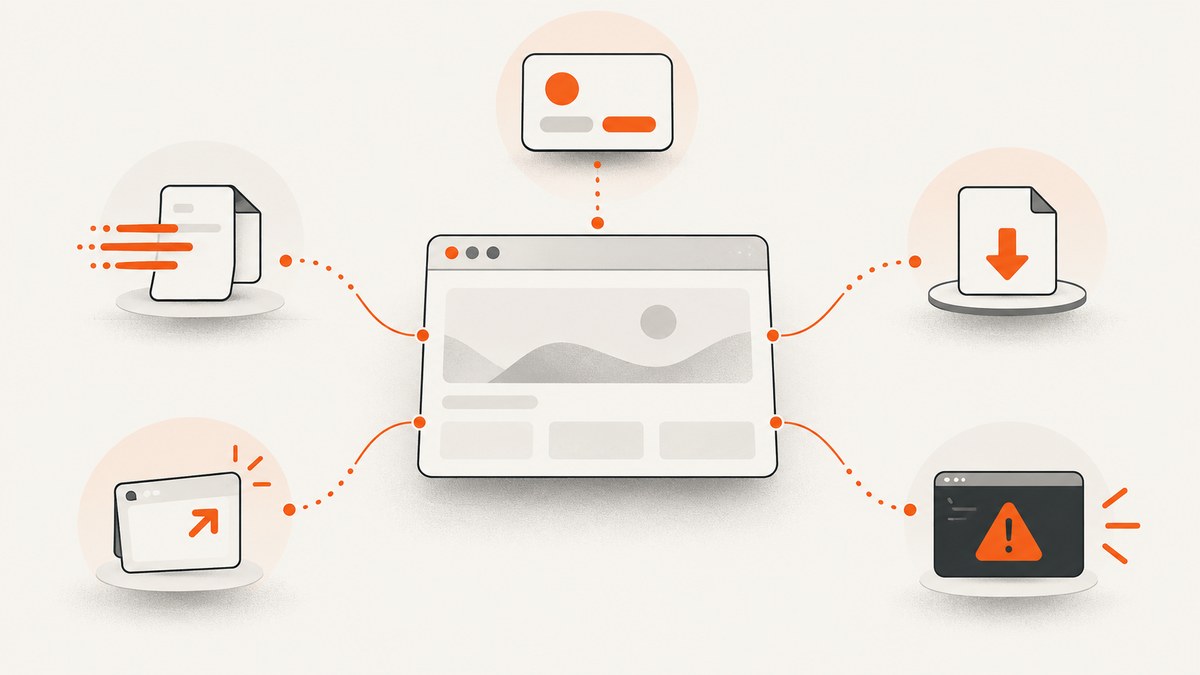
page.on(eventName, handler) attaches a persistent listener to a Playwright Page. Use page.once() for one occurrence, keep the handler function when you need to remove it with page.removeListener(), and choose the event whose payload represents the signal you actually need.
The examples below use JavaScript. The same Page event model is documented in the official Playwright Page API reference. For a managed screenshot workflow, see the ScreenshotNeo option near the end of this guide.
1. Register a persistent event handler
A persistent handler runs every time the event fires until you remove it or close the page.
import { chromium } from 'playwright';

const browser = await chromium.launch();
const page = await browser.newPage();

function logRequest(request) {
  console.log('Request:', request.method(), request.url());
}

page.on('request', logRequest);
await page.goto('https://example.com');

// Remove the exact function reference when it is no longer needed.
page.removeListener('request', logRequest);

await browser.close();
Node’s EventEmitter-style methods are available on Playwright pages. The API also supports page.once(event, handler) and page.removeListener(event, handler).
2. Choose the event that matches your observation
| Event | Payload | Use it for |
|---|---|---|
load |
Page | Load event completion |
domcontentloaded |
Page | DOM parsed before subresources finish |
close |
Page | Detect page closure |
console |
ConsoleMessage |
Browser console calls |
pageerror |
Error |
Uncaught page exceptions |
dialog |
Dialog |
Alert, confirm, and prompt dialogs |
download |
Download |
Files initiated by the page |
filechooser |
FileChooser |
File input prompts |
popup |
Page |
New pages opened by this page |
request |
Request |
Requests as they are issued |
response |
Response |
Received status and headers |
requestfinished |
Request |
Response body download completed |
requestfailed |
Request |
Transport-level request failure |
websocket |
WebSocket | WebSocket creation and traffic inspection |
worker |
Worker | Worker creation |
Check the installed Playwright version before relying on newer events. The API reference marks consoleMessages as added in v1.56 and dialogclosed as added in v1.63.
3. Observe the network lifecycle
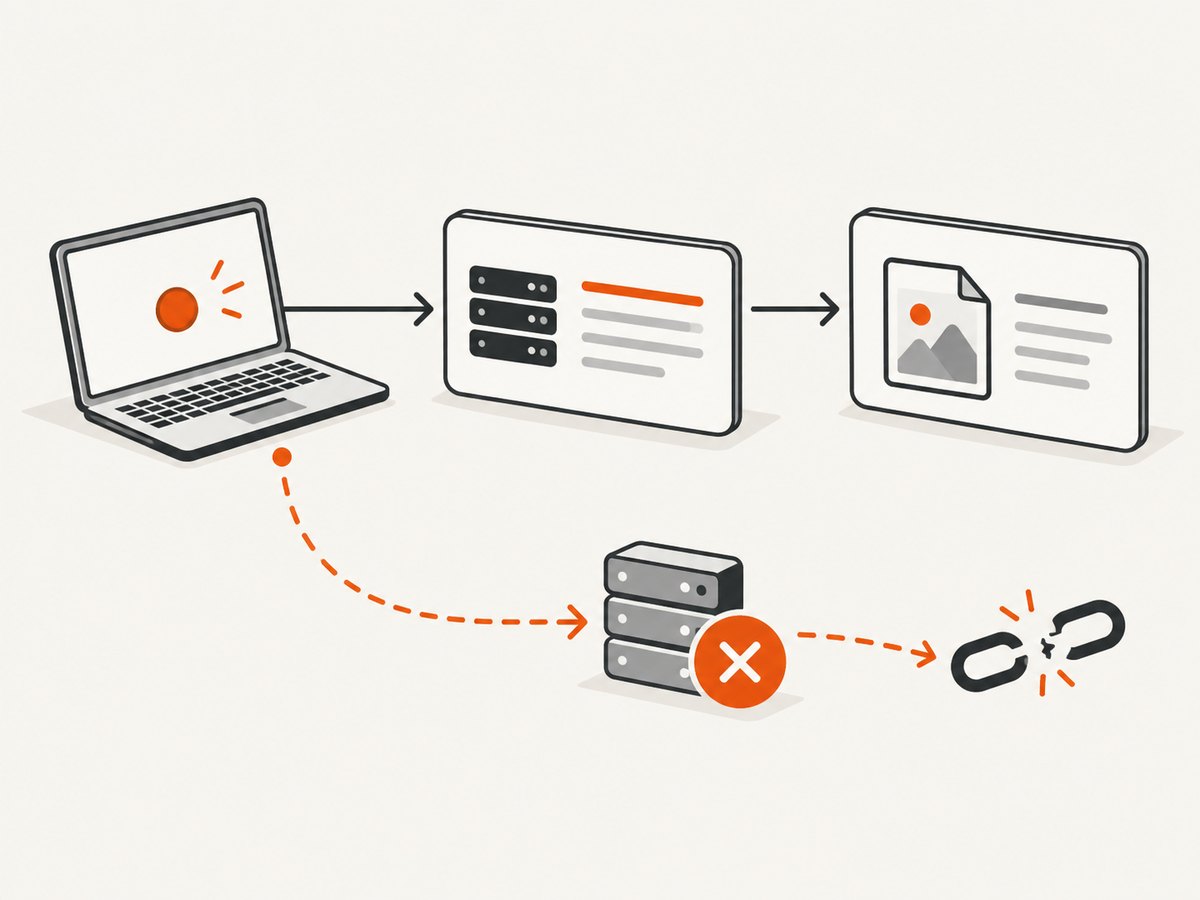
For a successful request, Playwright reports request, then response, then requestfinished. A transport failure produces requestfailed instead of requestfinished, and it may occur without a response. An HTTP 404 or 503 is still an HTTP response; it is not automatically a requestfailed event. Use the response status for HTTP assertions and requestfailed for network failures. See the Request API reference.
page.on('request', request => {
  console.log('issued', request.method(), request.url());
});

page.on('response', response => {
  console.log('headers', response.status(), response.url());
});

page.on('requestfinished', request => {
  console.log('body complete', request.url());
});

page.on('requestfailed', request => {
  console.error('transport failure', request.url(), request.failure()?.errorText);
});
page.on('request') is observational. The Request object is read-only. To modify, fulfill, or abort requests, use page.route() or browserContext.route() instead.
4. Handle dialogs or the page can block
A dialog listener must resolve each dialog with accept() or dismiss(). An unresolved alert or confirm can block subsequent actions. If neither the page nor its browser context has a dialog listener, Playwright automatically dismisses dialogs.
page.on('dialog', async dialog => {
  console.log(dialog.type(), dialog.message());

  if (dialog.type() === 'prompt') {
    await dialog.accept('answer');
  } else {
    await dialog.accept();
  }
});
Register this only when the test needs to control or assert dialog behavior. Otherwise, Playwright’s default dismissal is usually safer.
5. Wait for popups and downloads before triggering the action
For one-off events caused by a click, create the promise first. This prevents a fast popup or download from occurring before the listener is attached.
const popupPromise = page.waitForEvent('popup');
await page.getByRole('link', { name: 'Open popup' }).click();
const popup = await popupPromise;
await popup.waitForLoadState();
console.log('Popup URL:', popup.url());

const downloadPromise = page.waitForEvent('download');
await page.getByRole('button', { name: 'Export' }).click();
const download = await downloadPromise;
await download.saveAs('artifacts/export.zip');
A popup becomes available when it has navigated to its initial URL and begun receiving a response. If you need to observe or route that initial request, attach listeners or routes at the browser-context level.
6. Capture console output and page exceptions
console and pageerror answer different debugging questions. The first observes calls such as console.log(); the second reports uncaught exceptions in page JavaScript.
page.on('console', message => {
  const values = message.args().map(arg => arg.toString());
  console.log(`[browser ${message.type()}]`, message.text(), values);
});

page.on('pageerror', error => {
  console.error('Uncaught page exception:', error);
});
7. Use once() for a single occurrence
page.once('load', loadedPage => {
  console.log('The next load completed:', loadedPage.url());
});

await page.reload();
once() removes its own listener after the first matching event. For actions that produce an event, waitForEvent() is often clearer because it returns a promise you can await and combine with a timeout.
8. A complete diagnostic example
import { chromium } from 'playwright';

const browser = await chromium.launch();
const context = await browser.newContext();
const page = await context.newPage();

const onRequest = request => {
  if (request.resourceType() === 'document') {
    console.log('document request', request.url());
  }
};
const onResponse = response => {
  if (response.status() >= 400) {
    console.warn('HTTP error', response.status(), response.url());
  }
};
const onFailure = request => {
  console.error('network failure', request.url(), request.failure()?.errorText);
};

page.on('request', onRequest);
page.on('response', onResponse);
page.on('requestfailed', onFailure);
page.on('console', message => console.log('console:', message.text()));
page.on('pageerror', error => console.error('pageerror:', error));
page.on('dialog', async dialog => await dialog.dismiss());

try {
  await page.goto('https://example.com', { waitUntil: 'domcontentloaded' });
  await page.screenshot({ path: 'example.png', fullPage: true });
} finally {
  page.removeListener('request', onRequest);
  page.removeListener('response', onResponse);
  page.removeListener('requestfailed', onFailure);
  await browser.close();
}
9. Common errors and fixes
| Symptom | Cause | Fix |
|---|---|---|
| Popup promise times out | The listener was attached after the click, or the click did not open a popup. | Create waitForEvent('popup') before clicking; verify the action and selector. |
| Download is missed | The download happened before the wait started. | Start page.waitForEvent('download') before the triggering action. |
| Test hangs after an alert | A dialog listener never accepted or dismissed the dialog. | Resolve every dialog in the handler, including prompts. |
| 404 is reported as requestfailed | HTTP status errors are being confused with transport errors. | Inspect response.status() for HTTP errors; use requestfailed for transport failures. |
| removeListener does nothing | A different function object was passed. | Store the original named function and pass that exact reference. |
| Requests cannot be changed in an event handler | request events are read-only observations. |
Use page.route() or browserContext.route(); continue, fulfill, or abort every matched request. |
| Console logs appear but errors are missed | Console calls and uncaught exceptions are different signals. | Attach both console and pageerror handlers. |
| Listener runs repeatedly across tests | A persistent handler was not removed or the page was reused. | Use once() for one event or remove persistent handlers in teardown. |
10. Performance, reliability, and maintenance
- Keep handlers lightweight. Logging every request, response body, or console argument can add substantial I/O.
- Filter by URL, resource type, method, or status before doing expensive work.
- Use one shared handler when many pages need the same observation, or attach at the browser-context level where appropriate.
- Prefer explicit waits and bounded timeouts for one-off events so failures identify the missing signal.
- Clean up listeners in
finallyblocks to prevent duplicate logs and memory growth in long-lived workers. - Do not use event listeners as interception. Routing changes browser behavior and every matched request must be resolved.
- Pin and review your Playwright version when using newly added events.
11. Or skip the browser setup
If your goal is a clean screenshot rather than browser-event instrumentation, ScreenshotNeo provides a GET endpoint that returns PNG, JPEG, WebP, or PDF output. Its API accepts the URL directly:

curl -G "https://api.screenshotneo.com/v1/shot" -d access_key=YOUR_API_KEY --data-urlencode url=https://stripe.com -o shot.webpimport requests
r = requests.get("https://api.screenshotneo.com/v1/shot", params={"access_key": "YOUR_API_KEY", "url": "https://stripe.com"}, timeout=90)
open("shot.webp", "wb").write(r.content)const q = new URLSearchParams({ access_key: 'YOUR_API_KEY', url: 'https://stripe.com' });
const res = await fetch(`https://api.screenshotneo.com/v1/shot?${q}`);See the ScreenshotNeo API documentation for request options. Cookie and consent banners, newsletter popups, and chat widgets are removed before the shot. Bot checks, blank pages, failed loads, timeouts, and cache hits are not billed, and response headers identify the page verdict and billing status. An MCP server provides take_screenshot, get_page_info, and capture_pdf tools for Claude, Cursor, and other MCP clients. The Free plan includes 1,000 screenshots per month with no card; paid plans start at $5 for 3,000 shots. Create a free ScreenshotNeo account.
12. FAQ
Is page.on() only for tests?
No. It is useful in test suites, crawlers, diagnostics, and browser automation wherever a Page event must be observed.
Should I use page.on() or waitForEvent()?
Use page.on() for ongoing observation. Use waitForEvent() when one action should produce one event and your code needs to await the result.
Can page.on(‘request’) block or edit a request?
No. Use routing APIs for modification, fulfillment, or abortion.
How do I avoid duplicate handlers?
Keep named handler references, remove them during teardown, or use once() when only the next event matters.
Why did a request receive response but no requestfinished?
The response may have failed while its body was downloading. Inspect requestfailed and the request failure text.


