How to Prevent Playwright Python Text Input from Clearing on Blur
Diagnose text that disappears after a Playwright Python input loses focus. Verify the value before and after blur, then trace the page’s state and validation logic.
To prevent Playwright Python text from clearing on blur, first confirm that the correct field contains the expected value immediately after fill(), then move focus and check again. Playwright’s locator.fill() focuses the target, fills it, and triggers an input event. It cannot guarantee that the website’s own blur handler, validation, controlled state, or rerender will preserve that value. If the text is present before blur and gone afterward, investigate the page’s behavior after focus changes rather than assuming that a different Playwright typing method will fix it.
This guide uses accessible locators, gives synchronous and asynchronous Python examples, and shows how to distinguish a locator problem from an application state problem. The examples assume a form with an accessible “Name” label and a focusable “Save” button; adapt their names to the page you are automating.
1. Reproduce and verify the value before and after blur
Start with the shortest useful reproduction: locate the intended field, fill it, verify it, focus another control, and verify it again. This tells you whether the value was never entered or whether it disappeared only after focus moved.
from playwright.sync_api import expect

field = page.get_by_label("Name")
save_button = page.get_by_role("button", name="Save")

field.fill("Ada Lovelace")
expect(field).to_have_value("Ada Lovelace")

# Focusing another control moves focus away from the input.
save_button.focus()
expect(field).to_have_value("Ada Lovelace")
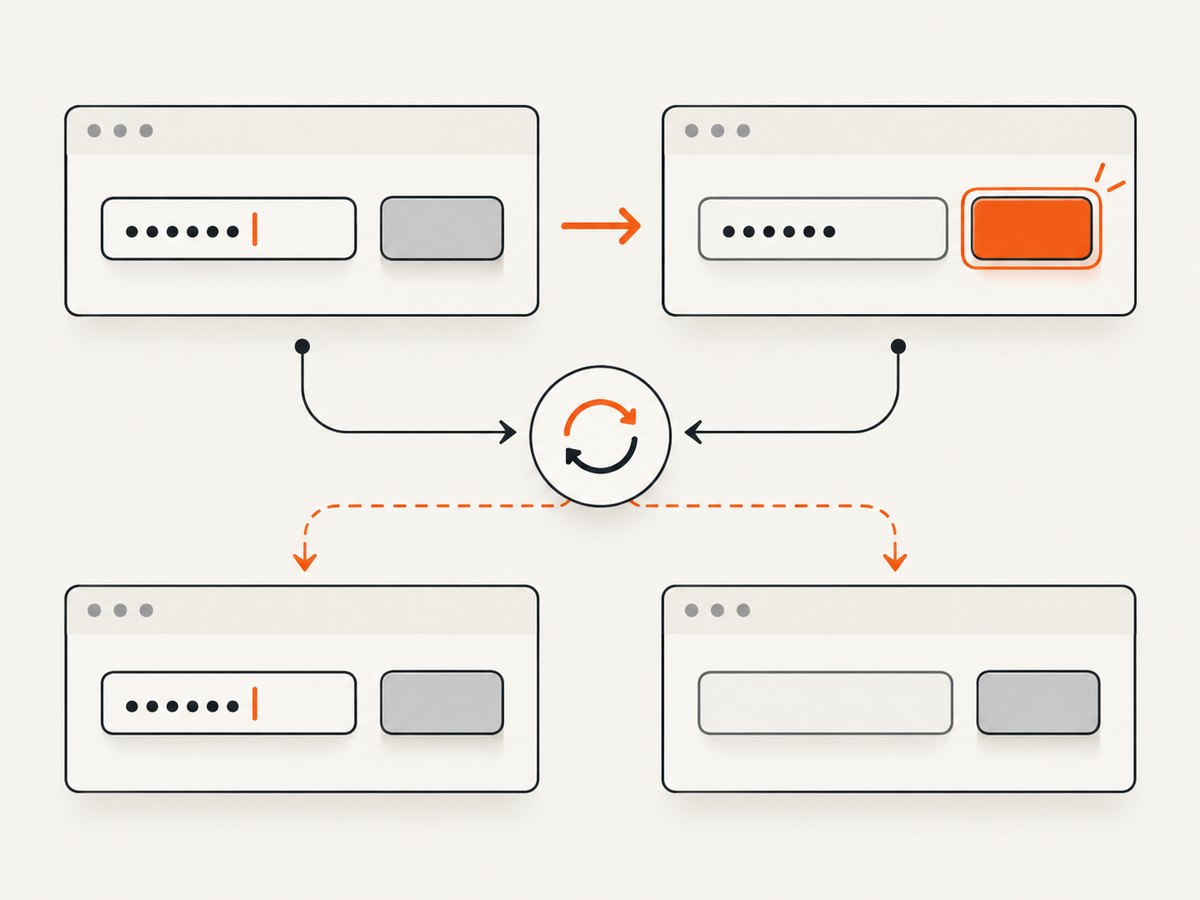
The first assertion isolates text entry. The second checks persistence after focus changes. If the first fails, check that the locator targets the right field and that the page accepts the value. If the first passes and the second fails, the symptom is consistent with the page changing or replacing the value after blur. That points the investigation toward page behavior, but does not identify one universal cause.
You can also read the live value directly with input_value():
field.fill("Ada Lovelace")
print("before blur:", field.input_value())
save_button.focus()
print("after blur:", field.input_value())
For tests, an assertion is usually more useful than printing: it makes a mismatch fail at the point where it occurs and reports the expected and actual values.
2. Use an accessible locator for the exact field
A misleading locator can look like a blur bug. Pages often have multiple inputs with similar placeholders, hidden fields, or duplicate labels in dialogs and forms. Prefer a label or a role and accessible name so the test describes the control the user sees.
# Preferred when the input has an associated accessible label
field = page.get_by_label("Name")

# Alternative when role and accessible name identify it clearly
field = page.get_by_role("textbox", name="Name")
If the page has repeated “Name” fields, scope the locator to the relevant form or section before acting:
profile_form = page.get_by_role("form", name="Profile")
field = profile_form.get_by_label("Name")
Use a unique accessible name where possible. If the form has no accessible label, improving the page markup is generally more robust than relying on a broad selector that might silently identify a different element. Playwright resolves locators against the current DOM when actions run, which helps with pages that rerender, but it does not make an ambiguous locator unambiguous.
For an element that is not a standard input, confirm that the target is actually an input, textarea, or supported contenteditable element. fill() is intended for those text-entry targets. If the page uses a custom widget, identify the editable element and the interaction the widget expects.
3. Run the same check with async Playwright
With the asynchronous API, await each action and assertion. The diagnostic sequence is otherwise the same.
from playwright.async_api import expect

async def check_name_field(page):
    field = page.get_by_label("Name")
    save_button = page.get_by_role("button", name="Save")

    await field.fill("Ada Lovelace")
    await expect(field).to_have_value("Ada Lovelace")

    await save_button.focus()
    await expect(field).to_have_value("Ada Lovelace")
Call this from an async test or coroutine after the page has reached the form. Do not omit await: without it, an operation may not run when you think it does, and the resulting observations will not describe the intended sequence.
4. Trace the page behavior when blur clears the value
If the value is correct before focus changes but empty afterward, inspect the application’s state path. The specific cause depends on the page implementation. Common places to examine include:
- Blur and change handlers: look for code that normalizes, validates, or replaces the value when the field loses focus.
- Controlled input state: check whether the displayed field value comes from application state and whether that state is updated when input changes.
- Validation: see whether an invalid or incomplete value causes the page to write an empty value back into the field.
- Rerender or replacement: determine whether blur triggers a rerender that restores stale state or replaces the input with a fresh element.
- Event expectations: check whether the widget listens for keyboard events or a particular sequence of interactions instead of responding to the normal input event.
These are diagnostic possibilities suggested by the symptom, not a claim that every blur-clearing bug has the same root cause. If you control the application, inspect the handler and state update that run after focus changes. If you do not, record the value before and after blur, the exact field locator, and any validation message or state change so the page owner can reproduce it.
5. Use character-by-character typing only when the page needs keyboard events
For ordinary text entry, Playwright recommends locator.fill(). It sets the value and triggers an input event. If the page has special keyboard handling that depends on individual key events, compare with press_sequentially():
field = page.get_by_label("Name")
field.press_sequentially("Ada Lovelace")
expect(field).to_have_value("Ada Lovelace")

page.get_by_role("button", name="Save").focus()
expect(field).to_have_value("Ada Lovelace")
In an async test, use await field.press_sequentially(...) and await the assertions and focus action as well. Character-by-character typing emits keyboard events as it enters the text, so it can help diagnose widgets with special key handling. It is not a general repair for application code that clears a value on blur. If both input methods lose the value after focus changes, focus on the page’s state, handlers, and rerender behavior.
6. Avoid timing workarounds; wait for observable outcomes
A fixed sleep can make a test slower without making it more reliable. If a delay appears to change the result, identify the actual event or visible state the test needs to wait for, then assert that condition. Playwright locators and their assertions are designed to wait and retry while checking for the expected state.
# Check the actual post-blur outcome
save_button.focus()
expect(field).to_have_value("Ada Lovelace")
If blur starts an asynchronous validation request, the expected outcome may take time. Assert the resulting field value, validation message, or saved state that matters to the test. A timeout increase only gives that condition longer to occur; it cannot correct stale application state or a handler that deliberately empties the field.
7. Common errors and fixes
| Symptom | Likely explanation | What to check or do |
|---|---|---|
| The first value assertion fails | The locator may identify the wrong control, or entry did not succeed. | Use a label or role-based locator, make it unique, and confirm the target supports text filling. |
| Text is present before blur but empty afterward | Page behavior after focus changes may clear or replace the value. | Inspect blur/change handling, validation, controlled state updates, and rerenders. |
fill() works but a widget does not react |
The widget may rely on special per-character keyboard handling. | Compare with press_sequentially(); keep it only if the page requires keyboard events. |
| An assertion reports a timeout | The expected value never appeared within the assertion’s waiting period, or the locator is wrong. | Check the locator and the actual page state; do not treat a longer timeout as a fix for a persistent reset. |
| The test passes inconsistently | A race with validation or rerendering may be involved, or the test interacts with a different matching field. | Make the locator specific and assert the final, user-visible state after the relevant page behavior. |
| Focusing the “next” control does not blur the field | The chosen target may not be focusable or may not receive focus. | Choose a real focusable control and verify the field’s value after the focus action. |
8. Reliability, performance, and cost considerations
The most reliable test separates input from persistence: assert immediately after filling, trigger the relevant focus change, then assert the value or expected validation result. This makes failures easier to diagnose than a single final assertion. Use a precise locator so a rerender or duplicate control does not send the action to the wrong field.
Prefer retrying assertions on observable state over arbitrary sleeps. Character-by-character entry is more work than filling a field and should be reserved for pages whose behavior depends on keyboard events. In a large suite, keeping the ordinary path short reduces unnecessary browser interactions and avoids hiding application defects behind timing delays.
The research sources do not establish a universal performance benchmark or a particular monetary cost for this test pattern. Actual runtime and cost depend on the browser, test runner, infrastructure, and suite. For this issue, the useful operational measure is whether the test reliably distinguishes an entry failure from a post-blur state change.
9. Or skip the browser setup
If your goal is to capture a page image while investigating a visual issue, ScreenshotNeo is a website screenshot API and MCP server from Yorker Media. It takes a URL in one GET request and returns a PNG, JPEG, WebP, or PDF. Its capture can accept cookie and consent banners like a visitor and remove 60+ known consent platforms, newsletter popups, and chat widgets before the shot; each of those steps can be turned off. Bot checks, blank pages, timeouts, failed loads, and cache hits cost nothing, and response headers report the page verdict and billing status.

Here is the one-call cURL example. Replace the target URL and use your API key:
curl -G "https://api.screenshotneo.com/v1/shot" -d access_key=YOUR_API_KEY --data-urlencode url=https://stripe.com -o shot.webpSee the ScreenshotNeo API documentation for request options. The service also provides an MCP server for AI agents, including Claude, Cursor, and other MCP clients, with take_screenshot, get_page_info, and capture_pdf tools. The free plan includes 1,000 screenshots a month with no card; paid plans start at $5 for 3,000 shots, and every feature is available on every plan.
Sign up for 1,000 free screenshots a month, with no card required.
10. FAQ
Does fill() fire a blur event?
fill() focuses and fills the element and triggers an input event. To test what happens on blur, move focus to another control and then inspect the field.
Can input_value() verify text after focus changes?
Yes. It reads the current value of an input or textarea. In an assertion-based test, expect(field).to_have_value(...) checks the expected value and retries while waiting for it.
Should I always replace fill() with press_sequentially()?
No. Use character-by-character input when the page has special keyboard handling. It does not generally solve an application that resets state after blur.
What if I cannot change the website code?
Keep the test focused on observable behavior: capture the value before and after blur, use a unique accessible locator, and report the reproduction steps and any validation response to the page owner.


