Playwright for Python Web Scraping: Tutorial With Examples
Learn Playwright web scraping in Python with installation, locators, waits, async code, extraction patterns, troubleshooting, and production tips.

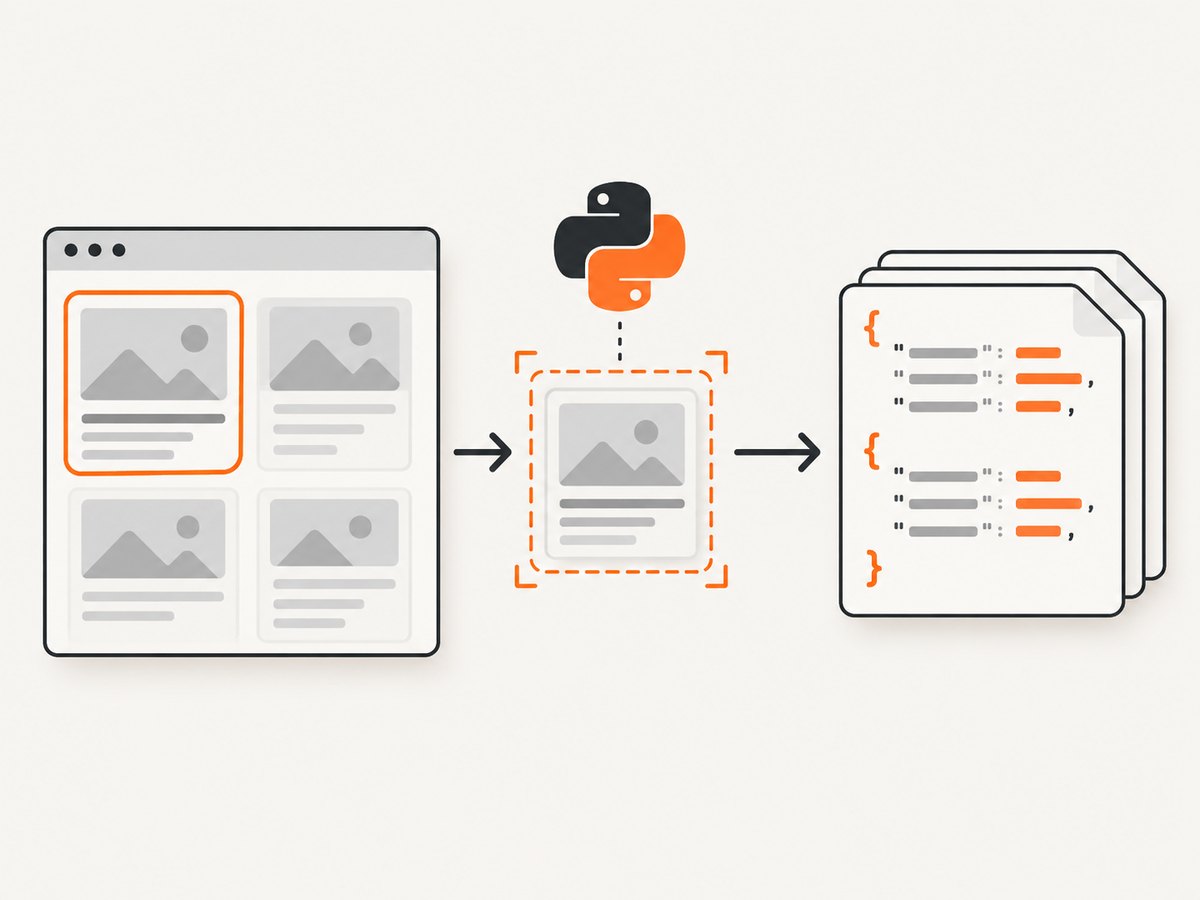
Short answer: use Playwright for Python when the data you need appears only after browser rendering or interaction. Install the Python package and browser binaries, open a BrowserContext and Page, navigate to the permitted target, locate content with user-facing or explicit-contract locators, wait for the content you actually need, extract and validate it, then save structured output. For static HTML, an HTTP client and parser can be simpler and faster.
This tutorial uses Playwright’s synchronous Python API for a sequential scraper, then shows the async equivalent, robust locator patterns, waiting strategies, pagination, error handling, and production considerations. Playwright supports Chromium, Firefox, and WebKit; install all three when your target environment requires them. Before collecting data, check the target site’s terms, access requirements, and any rules that apply to your use.
1. Install Playwright and browser binaries
Create an isolated environment and install the package:
python -m venv .venv
# macOS/Linux
source .venv/bin/activate
# Windows PowerShell
# .venv\\Scripts\\Activate.ps1

python -m pip install --upgrade pip
pip install playwright
playwright install
The final command downloads the browser binaries used by Playwright. You can install only the engine you need, for example playwright install chromium, or install Chromium, Firefox, and WebKit together. The official installation guide covers supported Python versions and browser setup: Playwright Python installation documentation.
2. Your first scraper: navigate and extract a title
A Page represents a browser tab or popup inside a BrowserContext. The context is useful for isolating cookies, local storage, headers, and other session state between jobs.
from playwright.sync_api import sync_playwright

URL = "https://example.com"

with sync_playwright() as p:
    browser = p.chromium.launch(headless=True)
    context = browser.new_context()
    page = context.new_page()

    response = page.goto(URL, wait_until="domcontentloaded", timeout=30_000)
    if response is None:
        raise RuntimeError("The navigation did not return a response")
    if not response.ok:
        raise RuntimeError(f"HTTP status: {response.status}")

    print("Page title:", page.title())
    print("Heading:", page.locator("h1").first.inner_text())

    context.close()
    browser.close()
domcontentloaded means the initial document has been parsed. It does not guarantee that JavaScript-rendered records have appeared, so the next step is to wait for a meaningful page condition.
3. Choose stable locators
Locators are the central piece of Playwright’s auto-waiting and retry behavior. Prefer selectors that describe what a user sees or an explicit contract supplied by the site: roles, labels, visible text, placeholders, alt text, titles, and test IDs. Scope a locator to a record container before reading fields.
from playwright.sync_api import sync_playwright

with sync_playwright() as p:
    browser = p.chromium.launch()
    page = browser.new_page()
    page.goto("https://example.com/products", wait_until="domcontentloaded")

    cards = page.get_by_role("article")
    for card in cards.all():
        name = card.get_by_role("heading").inner_text()
        price = card.get_by_test_id("price").inner_text()
        print({"name": name, "price": price})

    browser.close()
Common locator methods include:
get_by_role("button", name="Next")for accessible controls.get_by_label("Email")for form fields.get_by_text("Specifications")for visible text.get_by_placeholder("Search products")for inputs without a usable label.get_by_alt_text("Product photo")for images.get_by_title("Open details")for title attributes.get_by_test_id("product-card")when the site publishes a stable test ID contract.locator("article[data-product-id]")for a CSS contract that is not expressed through the user interface.
Use .first, .nth(index), or .filter(has_text="...") only when the resulting behavior is intentional. If a locator unexpectedly matches multiple elements, inspect the page and narrow it to the relevant region.
4. Wait for the data, not an arbitrary delay
Playwright auto-waits for many actions and assertions. A scraper should wait for the signal that proves the data it will read is present:
results = page.get_by_role("article")
results.first.wait_for(state="visible", timeout=15_000)

for result in results.all():
    print(result.inner_text())
You can wait for a selector, URL, a function evaluated in the page, or a response associated with an API request:
page.wait_for_url("**/search*")
page.locator("[data-loaded='true']").wait_for()
page.wait_for_function("() => document.querySelectorAll('[data-product]').length > 20")

with page.expect_response("**/api/products*") as response_info:
    page.get_by_role("button", name="Load more").click()
api_response = response_info.value
print(api_response.status)
The Page API documentation discourages using networkidle as a generic readiness test and fixed timeout sleeps in production. A page can keep analytics connections open after the useful content is ready, and a sleep can be too short on one run and wasteful on another. Use page.wait_for_timeout() only while debugging a timing issue.
5. Complete example: scrape paginated product records
This script waits for cards, extracts fields, validates missing values, follows a visible next button, and writes JSON. Replace the selectors with contracts from a site you are allowed to access.
import json
from pathlib import Path
from playwright.sync_api import sync_playwright, TimeoutError as PlaywrightTimeoutError

START_URL = "https://example.com/products"
OUTPUT = Path("products.json")


def scrape_products():
    rows = []
    seen_ids = set()

    with sync_playwright() as p:
        browser = p.chromium.launch(headless=True)
        context = browser.new_context(
            locale="en-US",
            timezone_id="UTC",
            viewport={"width": 1440, "height": 900},
        )
        page = context.new_page()
        page.set_default_timeout(15_000)

        try:
            page.goto(START_URL, wait_until="domcontentloaded", timeout=30_000)
            page.get_by_test_id("product-card").first.wait_for(state="visible")

            while True:
                cards = page.get_by_test_id("product-card")
                count = cards.count()
                if count == 0:
                    raise RuntimeError("No product cards found; the page contract may have changed")

                for index in range(count):
                    card = cards.nth(index)
                    product_id = card.get_attribute("data-product-id")
                    name = card.get_by_role("heading").inner_text().strip()
                    price_locator = card.get_by_test_id("price")
                    price = price_locator.inner_text().strip() if price_locator.count() else None

                    if not product_id:
                        raise ValueError(f"Missing product ID for card {index}")
                    if product_id in seen_ids:
                        continue
                    seen_ids.add(product_id)
                    rows.append({"id": product_id, "name": name, "price": price})

                next_button = page.get_by_role("button", name="Next")
                if not next_button.count() or not next_button.is_enabled():
                    break
                before = page.get_by_test_id("product-card").first.get_attribute("data-product-id")
                next_button.click()
                page.wait_for_function(
                    "(oldId) => document.querySelector('[data-testid=product-card]')?.dataset.productId !== oldId",
                    before,
                )

        except PlaywrightTimeoutError as exc:
            page.screenshot(path="timeout-debug.png", full_page=True)
            raise RuntimeError("Timed out waiting for the expected page condition") from exc
        finally:
            context.close()
            browser.close()

    OUTPUT.write_text(json.dumps(rows, indent=2, ensure_ascii=False), encoding="utf-8")
    return rows


if __name__ == "__main__":
    print(f"Saved {len(scrape_products())} records to {OUTPUT}")
6. Interactions, forms, and lazy-loaded content
Use the same locators for clicks and form input. Playwright scrolls elements into view and waits for actionability checks.
page.get_by_label("Search").fill("wireless headphones")
page.get_by_role("button", name="Search").click()
page.get_by_role("tab", name="Reviews").click()
page.get_by_role("combobox", name="Sort by").select_option("price-ascending")

# Trigger lazy loading by scrolling a container or the document
page.locator("main").evaluate("node => node.scrollTo(0, node.scrollHeight)")
page.get_by_test_id("additional-results").wait_for(state="visible")
For infinite scrolling, stop when the item count no longer increases or when a site-provided end marker appears. Set a maximum page or record count so a broken end condition cannot run forever.
7. Async Playwright for concurrent workflows
The async API fits an existing asyncio service. Keep each browser context isolated and limit concurrency rather than launching an unbounded number of pages.
import asyncio
from playwright.async_api import async_playwright

async def fetch_title(url):
    async with async_playwright() as p:
        browser = await p.chromium.launch()
        page = await browser.new_page()
        await page.goto(url, wait_until="domcontentloaded", timeout=30_000)
        await page.locator("h1").first.wait_for()
        title = await page.title()
        await browser.close()
        return title

print(asyncio.run(fetch_title("https://example.com")))
For many URLs, create one Playwright instance and browser, then use a semaphore around page jobs. On Windows, Playwright’s driver subprocess requires the ProactorEventLoop rather than SelectorEventLoop. The Playwright API is not thread-safe; a multi-threaded program should create a Playwright instance per thread.
8. Browser and context configuration
Useful options include:
headless=Truefor unattended runs; useheadless=Falsewhile diagnosing selectors.viewport,device_scale_factor, andis_mobileto reproduce a target layout.locale,timezone_id, andgeolocationfor localized content.user_agent,extra_http_headers, andhttp_credentialswhen the target explicitly supports them.storage_stateto reuse an authorized session; protect files containing cookies or tokens.proxywhen your organization provides an approved proxy configuration.
Intercept requests only for a clear reason, such as blocking large media during extraction. Be careful: blocking scripts, styles, or API calls can remove the very content you need.
9. Extract, normalize, and validate data
Text often includes whitespace, currency symbols, localized decimal separators, and hidden labels. Normalize at the boundary and retain the raw value when auditing matters.
raw = card.get_by_test_id("price").inner_text()
normalized = " ".join(raw.split())

href = card.get_by_role("link").get_attribute("href")
if not href:
    raise ValueError("Record has no canonical link")

record = {"name": normalized, "url": page.url if href.startswith("/") else href}
Check required fields, duplicate keys, unexpected record counts, and stale pages. Save a failure screenshot and the current URL when a run cannot meet its validation rules.
10. Troubleshooting common failures
| Symptom | Likely cause | Fix |
|---|---|---|
Executable doesn't exist |
Browser binaries were not installed in this environment. | Run playwright install during image or environment setup. |
| Locator timeout | Wrong selector, slow rendering, consent dialog, or navigation to an error page. | Check page.url, inspect a headed run, narrow the locator, and wait for the actual content signal. |
| Strict mode violation | A locator matches multiple elements. | Scope it to a record, use a role name, or add a stable test ID. Do not blindly choose .first. |
| Empty text | The element exists but content is filled later or is inside another frame. | Wait for a visible value, inspect frames, and use frame_locator() for an iframe. |
| Works headed, fails headless | Viewport, timing, fonts, or environment differences. | Set an explicit viewport, wait on a locator, and capture a screenshot and console logs. |
| Repeated records during pagination | The next action did not replace the current list. | Wait for the first record ID or item count to change and maintain a seen-ID set. |
| Windows async errors | SelectorEventLoop is incompatible with the Playwright driver subprocess. | Use Windows’ ProactorEventLoop and avoid sharing one Playwright instance across threads. |
| Bot check or CAPTCHA | The site has challenged automated traffic. | Stop and follow the site’s access policy; do not attempt to bypass a challenge. |
11. Performance, reliability, and cost
- Reuse one browser process and create isolated contexts or pages for jobs instead of launching a browser for every URL.
- Limit concurrency with a queue or semaphore. More pages increase CPU, memory, and target-site load.
- Use the smallest browser engine and viewport that reproduces the data. Disable unnecessary resources only after verifying that extraction still works.
- Prefer locator waits and response assertions over fixed sleeps. Record URL, status, elapsed time, record count, and failure reason for each job.
- Retry transient navigation failures with bounded exponential backoff, but do not retry deterministic selector errors indefinitely.
- Cache results when the source permits it, and make jobs idempotent with a stable URL and record key.
- Browser automation costs more resources than an HTTP request because it runs a full rendering engine. Use a normal HTTP client for static pages and reserve Playwright for rendering and interaction.
Playwright itself does not charge per page; your costs come from compute, bandwidth, storage, and any infrastructure or proxy service you add. Follow the target site’s rate limits and policies.
12. Or skip the browser setup
If your goal is a clean screenshot rather than extracting fields, ScreenshotNeo provides a single API request. Its capture service accepts consent banners like a visitor and removes more than 60 known consent platforms, newsletter popups, and chat widgets before the shot. Bot checks, blank pages, failed loads, timeouts, and cache hits are not billed; response headers identify the page verdict and billing result. An MCP server lets Claude, Cursor, and other MCP clients call take_screenshot, get_page_info, and capture_pdf.

See the ScreenshotNeo API documentation for all options. This is a runnable cURL example:
curl -G "https://api.screenshotneo.com/v1/shot" -d access_key=YOUR_API_KEY --data-urlencode url=https://stripe.com -o shot.webpPython:
import requests
r = requests.get("https://api.screenshotneo.com/v1/shot", params={"access_key": "YOUR_API_KEY", "url": "https://stripe.com"}, timeout=90)
open("shot.webp", "wb").write(r.content)
Node.js:
const q = new URLSearchParams({ access_key: 'YOUR_API_KEY', url: 'https://stripe.com' });
const res = await fetch(`https://api.screenshotneo.com/v1/shot?${q}`);
const buffer = Buffer.from(await res.arrayBuffer());
require('fs').writeFileSync('shot.webp', buffer);
You can request full-page or element captures, dark mode, device presets or custom viewports, retina scale, PDF output, custom CSS and JavaScript, clicks, selector waits, delays, request blocking, headers, cookies, user agents, authorization, timezone, geolocation, transparent backgrounds, resizing, caching with your chosen TTL, signed links, asynchronous webhooks, bulk capture for up to 100 URLs, and usage data. The parameter names used by other screenshot APIs also work, which helps when switching.
There is a free plan with 1,000 screenshots per month and no card. Paid plans start at $5 for 3,000 shots; yearly billing provides two months free, and every feature is available on every plan. Create a free ScreenshotNeo account.
13. FAQ
Should I use sync or async Playwright?
Use sync for a simple sequential script. Use async when your application already runs on asyncio or needs controlled concurrency.
Is Playwright suitable for every scraper?
No. It is justified when rendering, interaction, authentication, or browser APIs are required. Static HTML is usually simpler to fetch and parse directly.
What does a successful navigation prove?
Only that navigation reached the stated condition and returned a response. It does not prove that the records you need loaded or passed validation.
How do I handle an iframe?
Inspect the frame list and use page.frame_locator("iframe").get_by_role(...) for content inside the frame. Cross-origin restrictions and missing frame content can still prevent extraction.
Can I run Playwright in a container?
Yes, provided the image includes compatible browser binaries and system dependencies. Install browsers during image creation and keep the runtime user and sandbox configuration consistent.