How to Select Table Headers and Verify Their Values with Playwright
Use semantic Playwright locators and retrying assertions to select table headers, verify cells, handle dynamic rows, and avoid flaky selectors.

To select a table header in Playwright, scope a locator to the intended table and use getByRole('columnheader', { name: 'Header name', exact: true }). To verify the value in a column, locate the row by a stable identifying value, then assert the relevant cell with expect(locator).toHaveText(). These role-based locators describe what a user and assistive technology perceive, so they are usually more resilient than CSS or XPath tied to implementation details.
This guide shows complete patterns for static and asynchronously rendered tables, exact and partial header matching, whole-row assertions, value lookup by named column, custom cells, sorting, pagination, virtualized tables, troubleshooting, and maintainable test contracts.
1. The recommended pattern
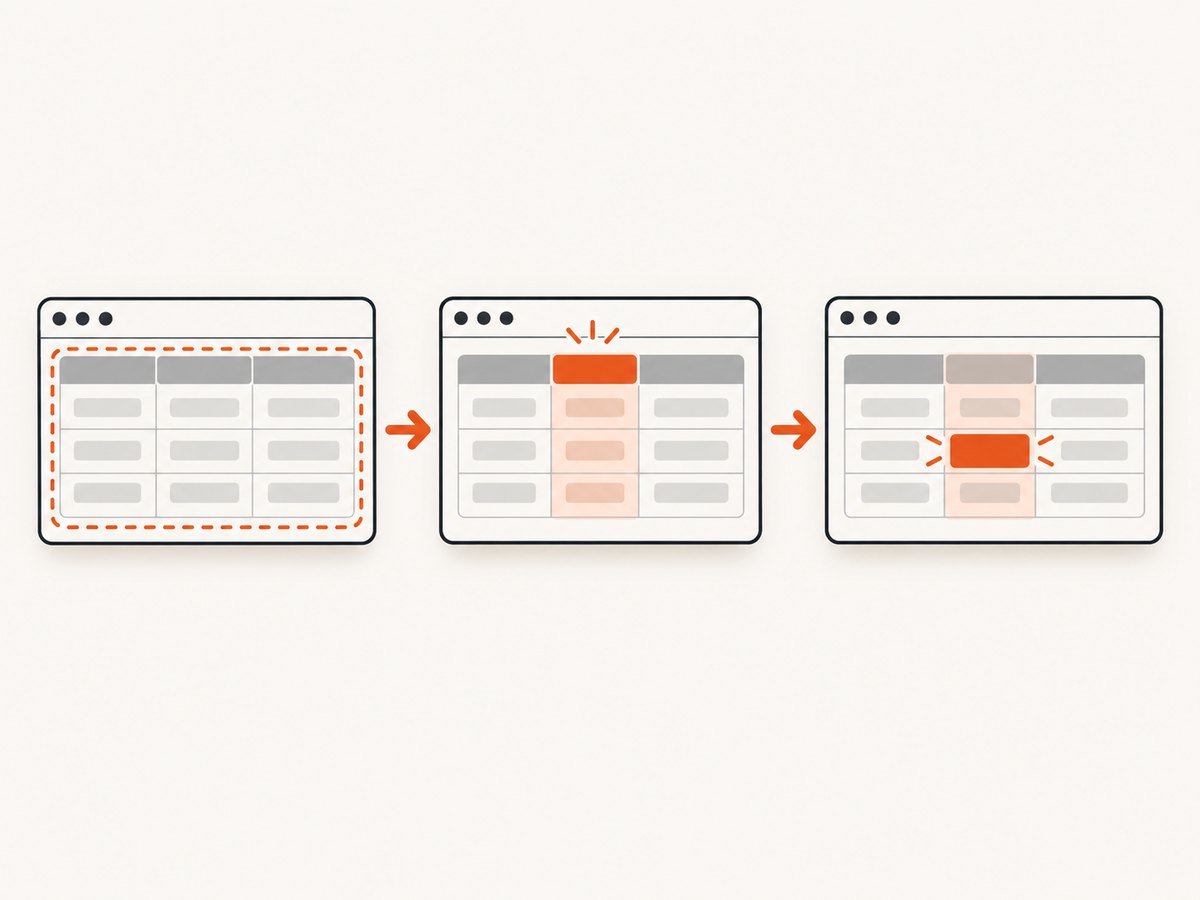
Start with the table, select a header by its semantic role and accessible name, and use web-first assertions:
import { test, expect } from '@playwright/test';

test('table headers and values', async ({ page }) => {
  await page.goto('https://example.test/orders');

  const table = page.getByRole('table', { name: 'Orders' });

  const statusHeader = table.getByRole('columnheader', {
    name: 'Status',
    exact: true,
  });

  await expect(statusHeader).toBeVisible();
  await expect(statusHeader).toHaveText('Status');

  await expect(table.getByRole('columnheader'))
    .toHaveText(['Order', 'Status', 'Total']);

  const row = table.getByRole('row').filter({ hasText: 'Order 123' });
  await expect(row).toHaveCount(1);
  await expect(row.getByRole('cell').nth(1)).toHaveText('Shipped');
});
Playwright describes locators as the central piece of its auto-waiting and retry-ability. The locator guide recommends user-facing locators such as roles, text, labels, and test IDs before CSS or XPath. See the official locator guide and locator assertion reference.
2. How table roles map to the DOM
Accessible table semantics commonly expose these roles:
| Role | What it represents | Typical Playwright locator |
|---|---|---|
table |
The complete table region | page.getByRole('table') |
row |
A header or data row | table.getByRole('row') |
columnheader |
A column heading, usually a <th> |
table.getByRole('columnheader') |
cell |
A data cell, usually a <td> |
row.getByRole('cell') |
Native HTML is the simplest foundation:
<table aria-label="Orders">
  <thead>
    <tr>
      <th scope="col">Order</th>
      <th scope="col">Status</th>
      <th scope="col">Total</th>
    </tr>
  </thead>
  <tbody>...</tbody>
</table>
If a custom grid does not expose table and columnheader roles, fix its accessibility model or add a deliberate test contract. A selector cannot reliably infer semantics that the page does not provide.
3. Selecting one exact table header
Scope first when a page contains multiple tables. Then use an accessible name:
const orders = page.getByRole('table', { name: 'Orders' });
const status = orders.getByRole('columnheader', {
  name: 'Status',
  exact: true,
});
await expect(status).toBeVisible();
exact: true prevents a header such as “Status details” from matching “Status”. It is useful whenever similar names exist. Without exact matching, a normal string name is generally matched against the accessible name using Playwright’s usual text matching behavior.
If the header contains nested markup, toHaveText checks its rendered text, including descendant text:
await expect(status).toHaveText('Status');For a header that includes an icon but keeps a stable accessible label, assert the accessible role/name and avoid depending on the icon’s DOM:
await expect(orders.getByRole('columnheader', {
  name: 'Status', exact: true
})).toBeVisible();
4. Verifying the complete header row
An array passed to toHaveText verifies count, order, and each header’s text. This is the clearest contract for a fixed table:
await expect(orders.getByRole('columnheader'))
  .toHaveText(['Order', 'Status', 'Total']);
Playwright waits and retries this assertion until the configured expect timeout. String expectations normalize whitespace and line breaks. Regular expressions match the actual text, which is useful when a heading contains a variable suffix:
await expect(orders.getByRole('columnheader'))
  .toHaveText([/^Order$/, /^Status(?: \(updated\))?$/, /^Total/]);
Use an array only when order is part of the requirement. If columns can be rearranged by the user, assert each named header independently or derive the rendered position before checking a cell.
5. Verifying a value under a named column
The simple case is a stable column order. Find the row by a business identifier and select its cell:
const row = orders.getByRole('row').filter({ hasText: 'Order 123' });
await expect(row).toHaveCount(1);
await expect(row.getByRole('cell').nth(1)).toHaveText('Shipped');
nth(1) means the second cell because indexes start at zero. It is safe only when the application promises that the “Status” column remains second. If users can reorder columns, derive the index from the rendered header list:
const headers = orders.getByRole('columnheader');
const headerTexts = await headers.allTextContents();
const statusIndex = headerTexts.findIndex(text => text.trim() === 'Status');
expect(statusIndex).toBeGreaterThanOrEqual(0);

const cells = row.getByRole('cell');
await expect(cells.nth(statusIndex)).toHaveText('Shipped');
For a reusable helper, keep the mapping explicit and fail with a useful message when the column is absent:
async function cellUnderColumn(table, row, columnName) {
  const headers = await table.getByRole('columnheader').allTextContents();
  const index = headers.findIndex(h => h.trim() === columnName);
  if (index < 0) throw new Error(`Missing column: ${columnName}`);
  return row.getByRole('cell').nth(index);
}

test('status is verified by header name', async ({ page }) => {
  const table = page.getByRole('table', { name: 'Orders' });
  const row = table.getByRole('row').filter({ hasText: 'Order 123' });
  const statusCell = await cellUnderColumn(table, row, 'Status');
  await expect(statusCell).toHaveText('Shipped');
});
A stronger long-term option is a stable test contract such as data-testid="order-status-123" or an application-level row and column identifier. Keep the contract meaningful and document it so refactors do not silently change the test’s target.
6. Dynamic tables and asynchronous rendering
Many tables render headers immediately and fetch rows later, or replace rows during sorting and filtering. Assert a stable condition before reading collections:
await expect(table.getByRole('columnheader'))
  .toHaveText(['Order', 'Status', 'Total']);
await expect(table.getByRole('row').filter({ hasText: 'Order 123' }))
  .toHaveCount(1);
Do not use locator.all() as an implicit wait. It returns the elements that match at that moment and does not wait for a changing list, which can make iteration unpredictable. Prefer a web-first assertion, then collect values if you need to perform calculations:
const rows = table.getByRole('row');
await expect(rows).toHaveCount(4); // header plus three data rows
const values = await rows.allTextContents();
When a loading indicator exists, wait for the user-visible state to finish as well:
await expect(page.getByRole('status', { name: /loading/i })).toBeHidden();
await expect(table.getByRole('columnheader')).toHaveCount(3);
Use a targeted condition rather than a fixed timeout. A delay can be appropriate for a known animation, but it should not be the primary synchronization method.
7. Sorting, filtering, pagination, and virtualized rows
Sortable headers
Locate the header by name, activate it, and verify the resulting order. If the control is a button inside the header, target the button:
const totalHeader = table.getByRole('columnheader', { name: 'Total' });
await totalHeader.getByRole('button').click();
await expect(table.getByRole('row').nth(1)).toContainText('$100');
If sorting state is exposed with aria-sort, assert it through an attribute:
await expect(totalHeader).toHaveAttribute('aria-sort', 'ascending');Filters
await page.getByRole('textbox', { name: 'Filter orders' }).fill('123');
await expect(table.getByRole('row').filter({ hasText: 'Order 123' }))
  .toHaveCount(1);
Pagination
Assert the current page’s row, then move to the next page and wait for a row that proves the page changed:
await expect(table.getByRole('row').filter({ hasText: 'Order 123' })).toHaveCount(1);
await page.getByRole('button', { name: 'Next page' }).click();
await expect(table.getByRole('row').filter({ hasText: 'Order 456' })).toHaveCount(1);
Virtualized tables
Virtualized components may keep only visible rows in the DOM. Scroll the intended row into view or use the component’s supported accessibility pattern, then assert it. Do not expect a count of every server-side record when only a viewport is rendered.
8. Choosing fallbacks when roles are unavailable
Role locators are preferred because they survive many presentational DOM changes. If the page cannot expose correct semantics, use a stable explicit contract next:
const table = page.locator('[data-testid="orders-table"]');
await expect(table.locator('[data-testid="status-header"]'))
  .toHaveText('Status');
CSS and XPath remain supported through page.locator(), but selectors based on nested elements, generated class names, or positional structure can break when the implementation changes. Avoid selectors such as table > tbody > tr:nth-child(2) > td:nth-child(3) unless the structure itself is the contract. When text is the user-facing identifier, getByText can be suitable; when a control has a label, use getByLabel.
9. Assertion details that prevent false positives
- Use
toHaveTextfor rendered table content. - Use
toHaveValuefor an input or select value inside a cell. - Use
toHaveCountto prove a row or header is unique before reading it. - Use regular expressions for variable formatting, but keep them anchored when the whole value matters.
- Use
toContainTextwhen a cell intentionally contains other text, such as a status plus an updated timestamp.
await expect(row).toHaveCount(1);
await expect(row.getByRole('cell').nth(2)).toHaveText(/^\$[0-9,]+\.\d{2}$/);
await expect(row.getByRole('cell').nth(1)).toContainText('Shipped');
When whitespace is meaningful, consider the assertion’s text behavior carefully. Normal string expectations normalize whitespace; regular expressions operate on the actual text. If a component renders hidden text, inspect the accessible name and visible text separately instead of weakening the selector.
10. Troubleshooting common failures
| Symptom | Likely cause | Fix |
|---|---|---|
| “Expected 1 element, received 0” | The table is still loading, the role is missing, or the name differs. | Inspect the accessibility tree, wait with an assertion, and verify the table’s accessible name. |
| More than one columnheader matches | Multiple tables or similar names are in scope. | Scope to a named table and use exact: true. |
| Header text assertion times out | Whitespace, nested text, localization, or a different rendered label. | Use the actual accessible name, a focused regular expression, or assert the intended localized text. |
| Cell under the wrong column | A hard-coded index changed after a column reorder. | Derive the index from header text or add a stable column contract. |
| Intermittent missing rows | locator.all() was called while rows were changing. |
Wait for an expected row or count before collecting elements. |
| Custom grid has no table roles | The component exposes generic divs without accessibility semantics. | Improve the component’s roles and labels, or use a stable test ID as a documented fallback. |
| Duplicate row matches | The identifying text is not unique across pages or expanded details. | Combine identifiers, scope to the current page, and assert count before selecting cells. |
When diagnosing a failure, use Playwright’s trace viewer and inspector to see the resolved locator, accessible name, timing, and DOM snapshot. Keep the production locator aligned with what a user can identify.
11. Performance, reliability, and maintainability
- Prefer one scoped locator: resolving within the table reduces accidental matches on large pages.
- Assert the smallest useful condition: a named row and cell is cheaper and clearer than repeatedly reading the entire document.
- Avoid arbitrary sleeps: web-first assertions retry only as long as needed and expose useful timeout failures.
- Control test data: use deterministic fixtures or a seeded account so row names and values do not change unexpectedly.
- Keep locale and currency explicit: assertions should match the locale configured for the test environment.
- Use trace-on-retry: retain diagnostics for intermittent failures without slowing every run with excessive logging.
- Choose timeout levels deliberately: use the normal expect timeout for UI readiness and a longer, targeted timeout only for known slow backends.
Do not trade semantic accuracy for a shorter selector. A resilient role locator usually reduces maintenance because it follows the same contract that accessibility tools and users rely on.
12. Capture a table for review or debugging
Playwright assertions are best for pass/fail verification. When a visual artifact helps a reviewer understand a failure, capture the page or a selected element after the assertion:

await expect(table).toHaveScreenshot('orders-table.png');For a hosted screenshot, PDF, or automated capture pipeline, ScreenshotNeo accepts one GET request and returns PNG, JPEG, WebP, or PDF. Its options include full-page capture with lazy images loaded, CSS-element capture, custom CSS and JavaScript, dark mode, device presets, wait conditions, request blocking, headers and cookies, and caching.
Or skip the browser setup
If the goal is a clean artifact rather than an interactive assertion, call ScreenshotNeo directly. See the ScreenshotNeo API documentation for the complete option list.
curl -G "https://api.screenshotneo.com/v1/shot" -d access_key=YOUR_API_KEY --data-urlencode url=https://stripe.com -o shot.webpimport requests
r = requests.get("https://api.screenshotneo.com/v1/shot", params={"access_key": "YOUR_API_KEY", "url": "https://stripe.com"}, timeout=90)
open("shot.webp", "wb").write(r.content)const q = new URLSearchParams({ access_key: 'YOUR_API_KEY', url: 'https://stripe.com' });
const res = await fetch(`https://api.screenshotneo.com/v1/shot?${q}`);
const bytes = await res.arrayBuffer();
await require('node:fs').promises.writeFile('shot.webp', Buffer.from(bytes));ScreenshotNeo removes cookie and consent banners, newsletter popups, and chat widgets before the shot. Bot checks, blank pages, timeouts, failed loads, and cache hits are not billed, and response headers report the page verdict and billing result. Its MCP server provides take_screenshot, get_page_info, and capture_pdf tools for Claude, Cursor, and other MCP clients. The free plan includes 1,000 screenshots per month with no card; paid plans start at $5 for 3,000 shots. Create a free ScreenshotNeo account.
13. Short FAQ
Should I use getByRole or a CSS selector?
Use getByRole when the page exposes correct semantics. Use a stable test ID when semantics are unavailable or the requirement is an implementation contract. Reserve CSS and XPath for cases where those options cannot express the target.
How do I check a header exists without checking its text?
Use await expect(table.getByRole('columnheader', { name: 'Status', exact: true })).toBeVisible(). This still verifies the accessible name while focusing on presence and visibility.
Can I verify a value attribute in a table?
Yes. Locate the input or select inside the cell and use toHaveValue. Use toHaveText for ordinary rendered cell content.
Why is nth() sometimes flaky?
The index follows the current DOM order. Sorting, responsive layouts, hidden columns, or user reordering can change it. Derive the index from headers or use a stable column identifier.
What should I capture when a table test fails in CI?
Enable Playwright tracing, retain the failing screenshot or snapshot, and record the resolved row and header counts. A hosted ScreenshotNeo capture can provide a consistent page artifact for review.


