How to Get Passed, Failed, and Flaky Test Counts in Playwright
Count passed, failed, and flaky Playwright tests correctly with retries, JSON reports, CI scripts, and a custom reporter.

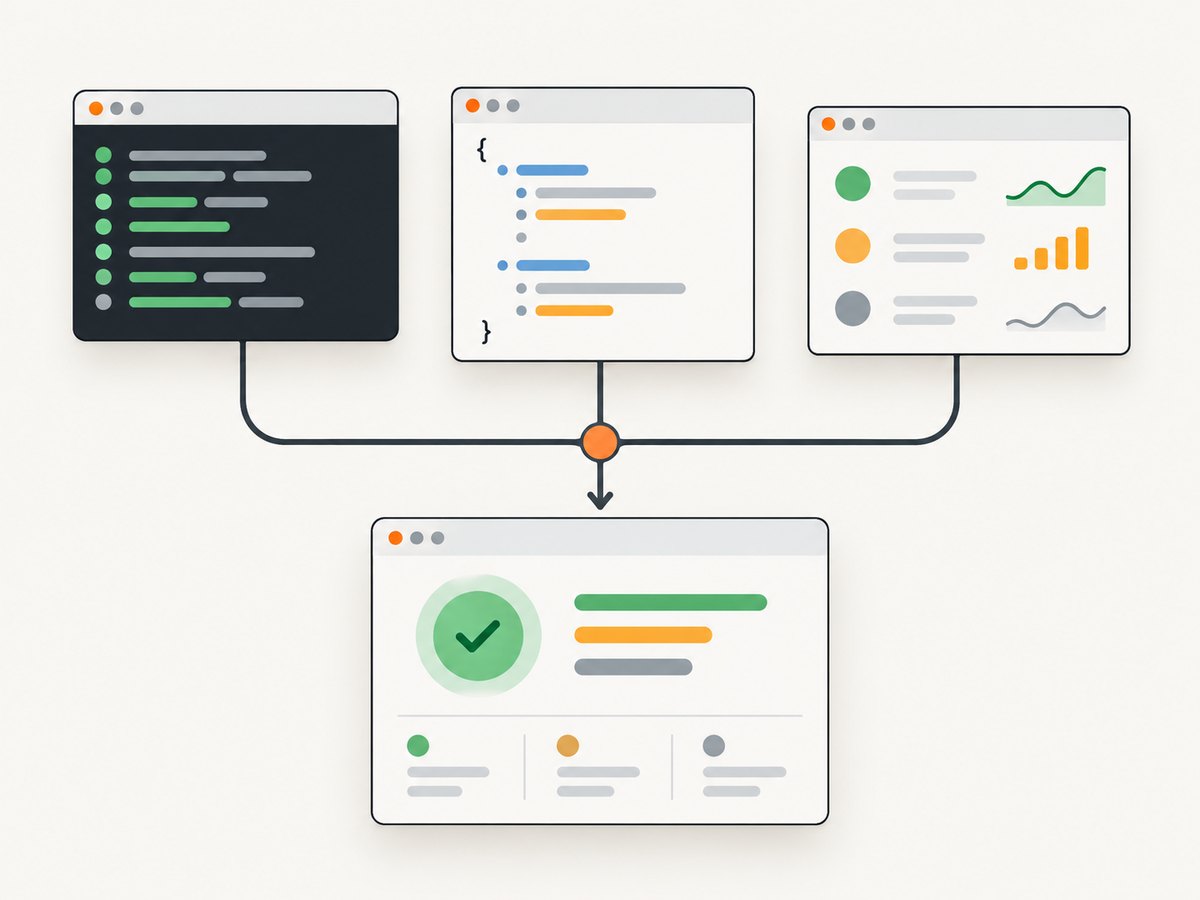
Playwright can show passed, failed, and flaky counts for you. For a person reading the terminal, use the built-in list or dot reporter. For CI, write a JSON report and aggregate it with a script. For exact logical-test counts across retries, projects, shards, or repeat-each runs, use a custom Reporter and classify attempts from their retry history.
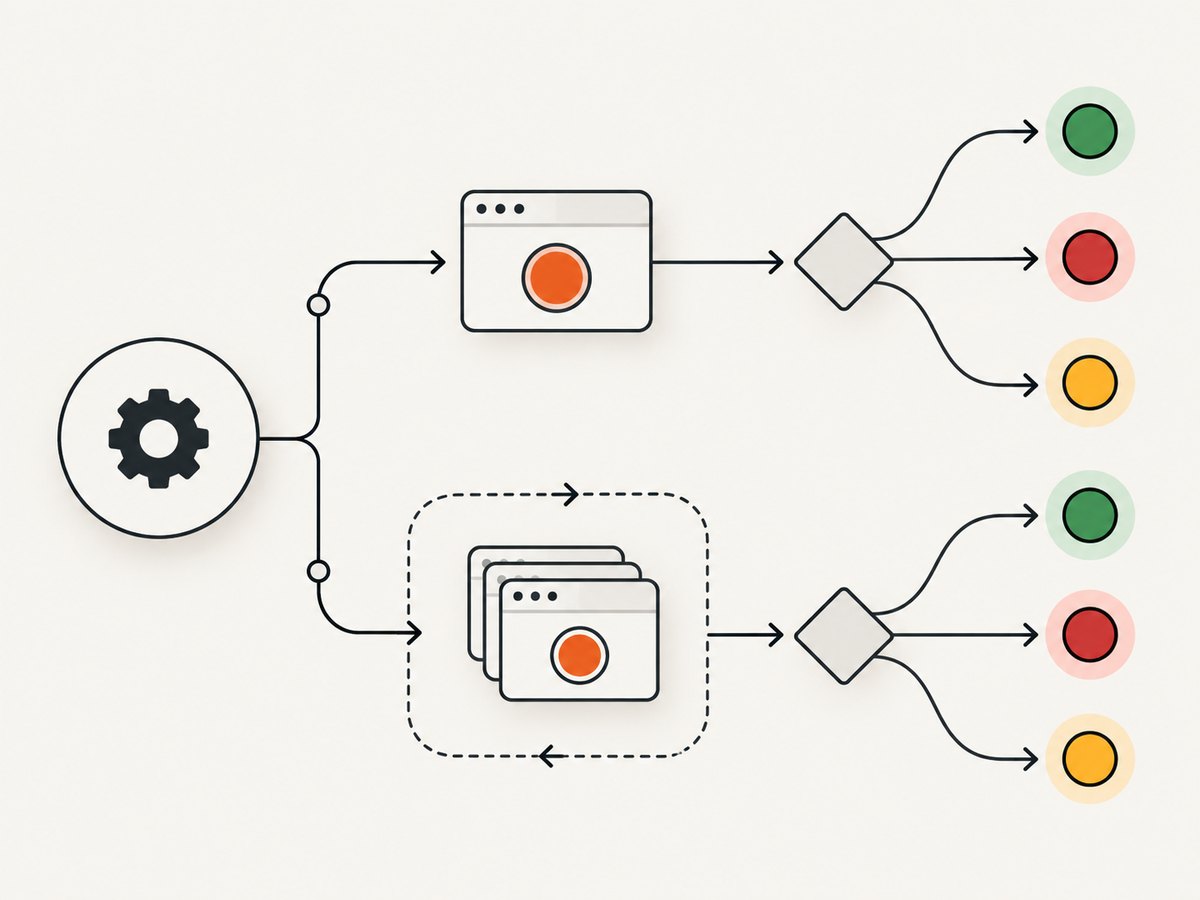
Playwright’s retry-aware definitions are:
- Passed: the test passed on its first run.
- Flaky: the first run failed, but a retry passed.
- Failed: the first run failed and every retry failed.
Those definitions matter because one logical test can produce several attempts. Counting every result event as a separate test will overstate your totals when retries are enabled.
Choose the counting method
| Need | Best method | Why |
|---|---|---|
| Quick local feedback | list reporter |
Shows each test and a readable summary. |
| Compact terminal output | dot reporter |
Uses symbols for passed, failed, retried, timed out, and skipped runs. |
| CI artifact or another program | JSON reporter | Writes structured output to a file. |
| Exact logical-test classification | Custom Reporter | Lets you group attempts and apply retry-aware rules. |
1. Read counts in the terminal
Run a test suite with the list reporter:
npx playwright test --reporter=listUse the dot reporter when you want a compact stream:
npx playwright test --reporter=dotThe dot reporter distinguishes common outcomes with symbols. A passing run is shown as ·, a failure as F, a retrying run as ×, a test that ultimately passes after retry as ±, a timeout as T, and a skipped test as °. The final summary includes logical categories such as “1 flaky” and “2 passed”. See the official Playwright reporter documentation for the current reporter behavior and options.
This is ideal for a developer watching a local run. It is a poor input for automation because display text and symbols can change, and because a terminal summary does not preserve all attempt-level details.
2. Write a JSON report for CI
Configure a human-readable reporter and a JSON reporter together. Create or update playwright.config.ts:
import { defineConfig } from '@playwright/test';

export default defineConfig({
  reporter: [
    ['list'],
    ['json', { outputFile: 'test-results.json' }],
  ],
  // Retries are disabled by default. Set a number for CI if desired.
  retries: process.env.CI ? 2 : 0,
});
Run the suite normally:
npx playwright testThe JSON reporter writes a comprehensive report to test-results.json. The exact nesting is version-sensitive, so inspect the generated file for the Playwright version installed in your project before hard-coding a parser. The documented option is the reporter’s outputFile; do not assume that an undocumented field name will remain stable. The official guide covers multiple reporters and JSON output at playwright.dev/docs/test-reporters.
Enable retries deliberately
Retries are off by default. Enable them from the command line:
npx playwright test --retries=2Or set retries in the configuration, as shown above. A retry is another attempt at the same logical test, not another test to add to the passed or failed total. Read the retry model in the official retry documentation.
3. Count results with a custom Reporter
A custom reporter is the most direct way to produce counts for a dashboard, CI annotation, or quality gate. Playwright calls onTestEnd after an individual result is complete. The TestResult includes a status and a sequential retry number. Store each attempt, group attempts by a stable test identity, and classify the group only after the run has ended.
Create count-reporter.ts:
import type {
  FullConfig,
  FullResult,
  Reporter,
  TestCase,
  TestResult,
} from '@playwright/test/reporter';

type Attempt = {
  status: TestResult['status'];
  retry: number;
};

type Counts = {
  passed: number;
  flaky: number;
  failed: number;
  other: number;
};

export default class CountReporter implements Reporter {
  private attempts = new Map<string, Attempt[]>();

  onTestEnd(test: TestCase, result: TestResult) {
    // test.id identifies the test case within this run.
    const current = this.attempts.get(test.id) ?? [];
    current.push({ status: result.status, retry: result.retry });
    this.attempts.set(test.id, current);
  }

  onEnd(_result: FullResult) {
    const counts: Counts = { passed: 0, flaky: 0, failed: 0, other: 0 };

    for (const attempts of this.attempts.values()) {
      const first = attempts.find(a => a.retry === 0) ?? attempts[0];
      const retriedPass = attempts.some(
        a => a.retry > 0 && a.status === 'passed',
      );

      if (first?.status === 'passed') {
        counts.passed++;
      } else if (first?.status === 'failed' && retriedPass) {
        counts.flaky++;
      } else if (
        first?.status === 'failed' &&
        attempts.every(a => a.status === 'failed')
      ) {
        counts.failed++;
      } else {
        counts.other++;
      }
    }

    console.log(JSON.stringify(counts));
  }
}
Register it with another reporter:
import { defineConfig } from '@playwright/test';

export default defineConfig({
  reporter: [
    ['list'],
    ['./count-reporter.ts'],
  ],
  retries: 2,
});
The grouping and classification above follow Playwright’s documented lifecycle and retry definitions. Adapt field access if your installed version exposes a different identity or status shape. The Reporter API reference documents onTestEnd and the completed TestResult: playwright.dev/docs/api/class-reporter.
Why test.id is not always a global identity
A single test can run in several projects, with repeatEach, or on different shards. Decide what your count means:
- Per project: count each project execution separately.
- Per shard: count local results, then merge them in CI.
- Logical test across the whole matrix: include project, repeat index, and test identity in a canonical key before aggregation.
- Attempt count: count every
onTestEndcall. Use this only when measuring execution volume.
If you merge reports from shards, preserve the project and shard metadata. Otherwise the same test may be collapsed accidentally, or separate project runs may be mistaken for retries.
4. Handle statuses beyond passed, failed, and flaky
Playwright can report statuses such as timedOut, skipped, interrupted, and expected failures. Do not silently put these into “failed” unless your CI policy says they should fail the build. Keep an explicit other, timedOut, or skipped bucket and document the policy.
A timeout on the first run followed by a pass is operationally useful to flag, but it is not the same classification as a first-run failed result in the simple rules above. Your reporter can add a separate flakyTimeout category if that distinction matters.
5. Parse JSON safely
Do not parse the colored terminal output. Parse the JSON artifact and validate it before counting:
- Read the file only after Playwright exits.
- Check that the top-level object has the expected version-specific fields.
- Walk suites recursively; suites can contain nested suites and specs.
- Collect every result attempt for each spec.
- Use retry number and status to classify the logical test.
- Fail the aggregation job if the report is missing or malformed.
Keep the parser pinned to the Playwright version used by CI. Add a fixture report to your repository so a dependency upgrade produces a visible parser review instead of a silent count change.
6. CI examples
A typical CI sequence is:
npx playwright install --with-deps
npx playwright test --retries=2
node scripts/summarize-playwright-report.mjs test-results.json
Publish test-results.json as a build artifact even when tests fail. This lets a later aggregation step distinguish “the suite failed” from “the report was never produced”. When using sharding, aggregate all shard files once, after every shard completes.
Troubleshooting
Every retry is counted as a separate failed test
Cause: the script increments a counter in onTestEnd without grouping attempts.
Fix: group by test identity, then classify from the first attempt and retry results.
No flaky results appear
Cause: retries are disabled, or the first attempt is not recorded.
Fix: set retries or pass --retries=N, and verify that your reporter stores the result with retry === 0.
The JSON file is empty or missing
Cause: the output directory is not writable, the process is terminated early, or a different config file is being used.
Fix: print the resolved Playwright config in CI, create the output directory, and upload artifacts in an always-run post step.
Counts change after adding a browser project
Cause: Chromium, Firefox, and WebKit project runs are separate executions.
Fix: choose whether your metric is per execution or deduplicated across projects, then include project name in the aggregation key when needed.
Timeouts appear as failures
Cause: the parser treats every non-passed status as failed.
Fix: branch on the actual status value and retain a separate timeout bucket.
Sharded totals are too high
Cause: reports were merged by title alone, or the same shard was uploaded twice.
Fix: include shard and project metadata, deduplicate artifact inputs, and merge only once.
Performance, reliability, and cost considerations
- Terminal reporters: have minimal setup cost and are fast enough for local feedback, but display parsing is brittle.
- JSON reports: add disk I/O and a parsing step. The benefit is reproducible automation and an inspectable artifact.
- Custom reporters: aggregate in memory while tests run. Keep the stored data small by retaining status, retry, and identity rather than full attachments.
- Retries: improve signal about intermittent failures but increase browser executions and CI time. Set a deliberate CI value and keep local retries low when debugging.
- Shards and projects: improve wall-clock time while increasing merge complexity. Define the metric before comparing runs.
- Exit codes: preserve Playwright’s process exit code separately from your count report. A run can have useful counts and still need to fail the build.
Or skip the browser setup
If your task is taking screenshots of test pages, documentation, or CI artifacts rather than running browser assertions, ScreenshotNeo returns a clean image or PDF from one request. Cookie and consent banners are accepted and removed before capture, along with more than 60 known consent platforms, newsletter popups, and chat widgets. Bot checks, blank pages, timeouts, failed loads, and cache hits are not billed, and response headers identify the page verdict and billing result.
See the full option list and authentication details in the ScreenshotNeo documentation.
cURL
curl -G "https://api.screenshotneo.com/v1/shot" -d access_key=YOUR_API_KEY --data-urlencode url=https://stripe.com -o shot.webpPython
import requests
r = requests.get("https://api.screenshotneo.com/v1/shot", params={"access_key": "YOUR_API_KEY", "url": "https://stripe.com"}, timeout=90)
open("shot.webp", "wb").write(r.content)
Node.js
const q = new URLSearchParams({ access_key: 'YOUR_API_KEY', url: 'https://stripe.com' });
const res = await fetch(`https://api.screenshotneo.com/v1/shot?${q}`);
ScreenshotNeo also provides an MCP server with take_screenshot, get_page_info, and capture_pdf tools for Claude, Cursor, and other MCP clients. It supports full-page and element captures, device presets, custom CSS and JavaScript, waits, request blocking, headers, cookies, authentication, geolocation, caching, signed links, asynchronous jobs, bulk capture, and a usage API. Every feature is included on every plan. The free plan includes 1,000 screenshots per month with no card; paid plans start at $5 for 3,000 shots. Create a free ScreenshotNeo account.
FAQ
Are flaky tests enabled by default?
No. Retries are disabled by default. A test can be classified as flaky only when retries are enabled and a later attempt passes after the first attempt fails.
Should I use the HTML reporter for counting?
Use HTML for interactive investigation. Use JSON or a custom Reporter for machine-readable counts.
What is the difference between a retry and repeat-each?
A retry repeats an attempt after failure. repeatEach intentionally runs a test multiple times as separate executions. Decide whether your metric counts executions or logical test definitions.
Can a test be both failed and flaky?
Under Playwright’s standard classification, no. A first-run failure followed by a passing retry is flaky; a first-run failure with all retries failing is failed.
Where should counts be calculated?
Calculate them after all attempts for a test are known. For a single process, onEnd is a natural point. For shards, calculate after reports from every shard have been merged.


