Playwright vs. Cypress: How to Choose and Migrate
Compare browser coverage, test authoring, CI, debugging, and migration effort to choose Playwright or Cypress for your team.
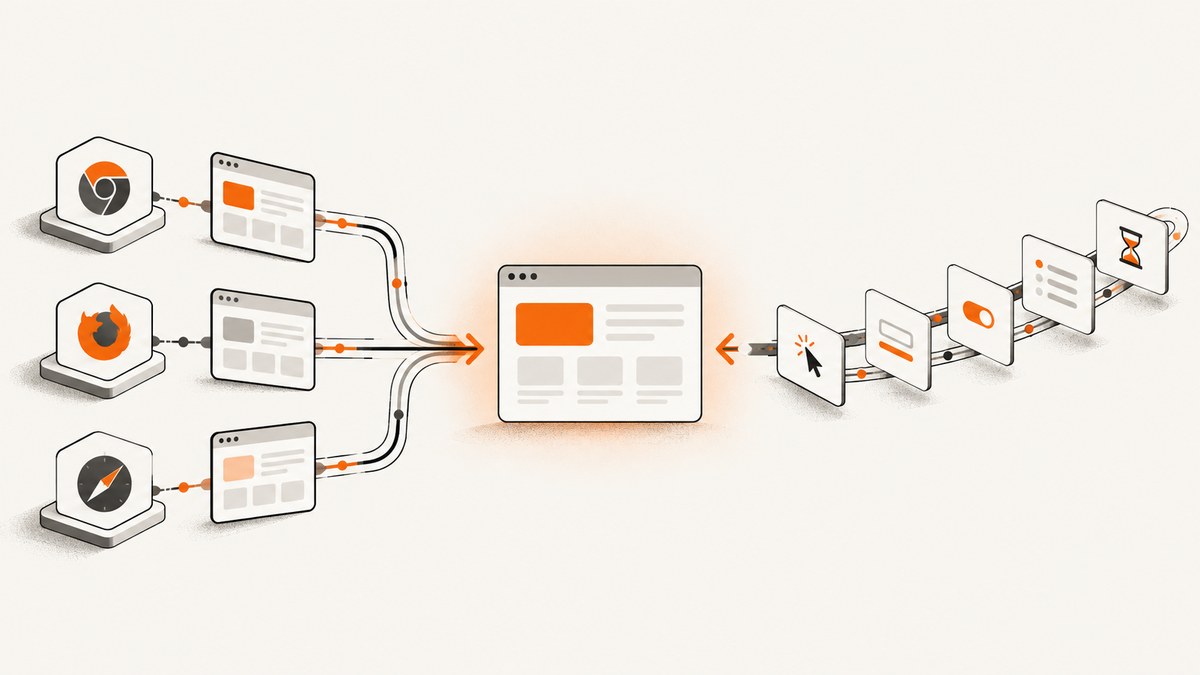
Playwright and Cypress both automate browser tests and help reduce brittle timing waits. Choose between them by looking at your target browsers, who manages browser installation, the way your team wants to write tests, how CI starts the app, and which debugging features matter. Playwright Test is a good fit when you want configured browser projects, isolated fixtures, and a runner that can start your app. Cypress can fit teams that prefer its queued command model, retrying DOM queries and assertions, and Cypress Cloud workflows. There is no universal winner.
This guide compares those tradeoffs, gives runnable starting points for both frameworks, and explains what to inventory before a migration. It distinguishes Playwright Test, the test runner, from the broader Playwright browser automation library.
1. Quick comparison
| Decision | Playwright Test | Cypress |
|---|---|---|
| Browser provisioning | Playwright versions use specific browser binaries that may need installation again after an update. Supports Chromium, Firefox, WebKit, and branded Chrome and Edge options. | Uses browsers installed in the machine or CI environment; browser version provisioning is an environment concern. |
| Test style | JavaScript or TypeScript async/await; tests receive fixtures such as an isolated page. |
Queued Cypress commands; Cypress commands are not written with async/await. DOM queries and assertions retry until success or timeout. |
| Browser matrix | Projects configure browser and device combinations in the test runner. | Browser choice follows what is installed and supported in the environment; check current Cypress docs for your required matrix. |
| App startup | Can start the app using the runner’s webServer configuration. |
Expects the application to be running; Cypress documents external orchestration such as start-server-and-test. |
| Parallel and debugging workflows | Playwright Test runs tests in parallel by default and provides runner debugging features. | Cypress Cloud documents recorded runs, Test Replay, and Cloud-based parallelization. These are service features, so check current terms and plans. |
Primary references: Playwright browsers, projects, fixtures, running and debugging, and Cypress’s migration guide.
2. Choose based on your browser and version strategy
Start with the browsers your product must support, then decide who owns installing and updating them. Playwright documents support for Chromium, Firefox, and WebKit, plus branded Chrome and Edge. A Playwright version is paired with specific browser binaries. When you update Playwright, the required binaries may need to be installed again. Pinning the package and installing its browsers in CI makes that relationship explicit.
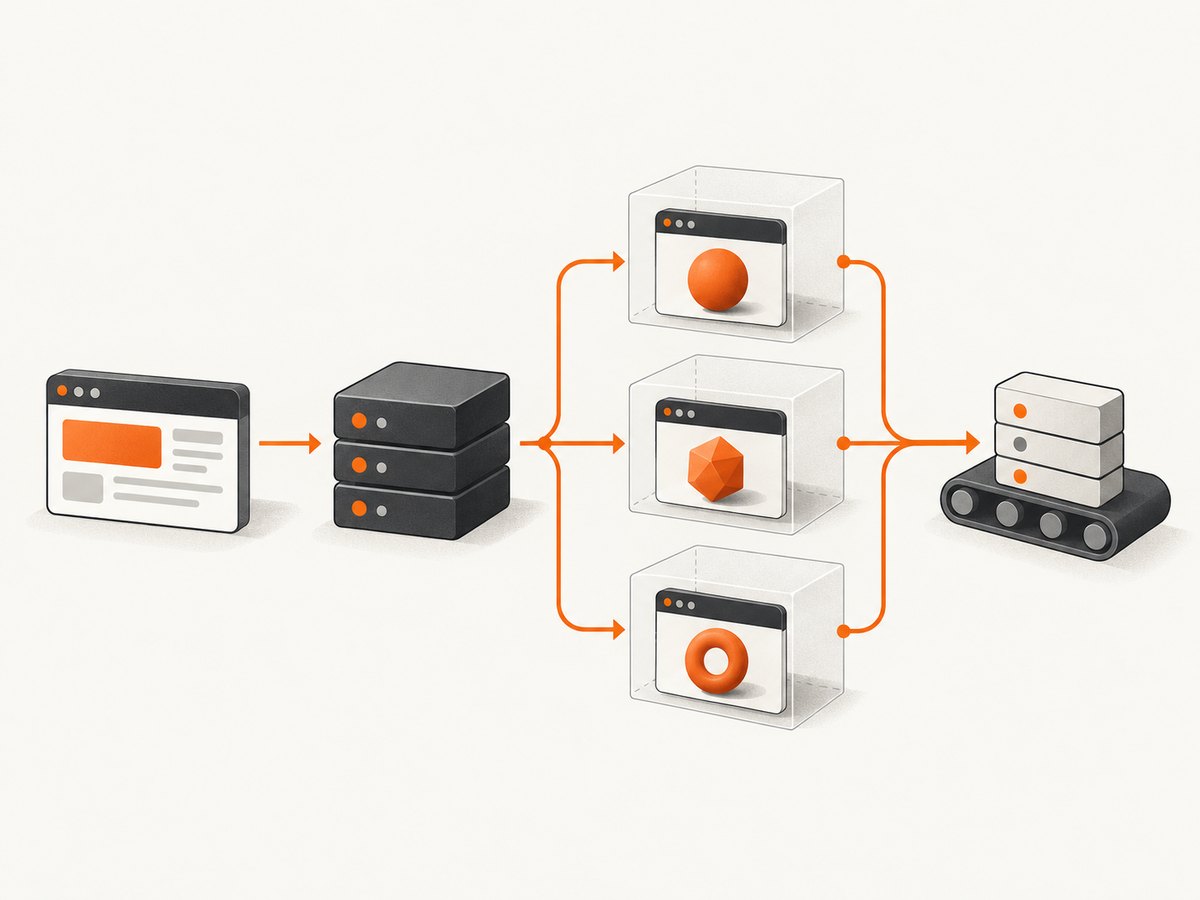
Cypress’s migration guide describes discovery of browsers already installed on the machine. This can suit an environment where browser images are provisioned centrally, but the team must make sure the installed versions match its intended test matrix. In either case, an unnoticed mismatch between local and CI browser versions can make failures hard to reproduce.
- List supported browsers and any browser versions that are release-critical.
- Decide whether the project or the CI image owns browser installation and upgrades.
- Run a small representative suite on the required matrix before committing to a framework.
- Record the package, browser, and CI image update process so failures can be reproduced.
Playwright projects let one configuration describe multiple browser or device settings. That is useful when you want the same tests to run against a defined matrix. Avoid assuming that configuring a project alone installs everything your CI environment needs; follow the browser installation instructions for the Playwright version in use.
3. Compare the authoring and waiting models
Playwright: async tests and fixtures
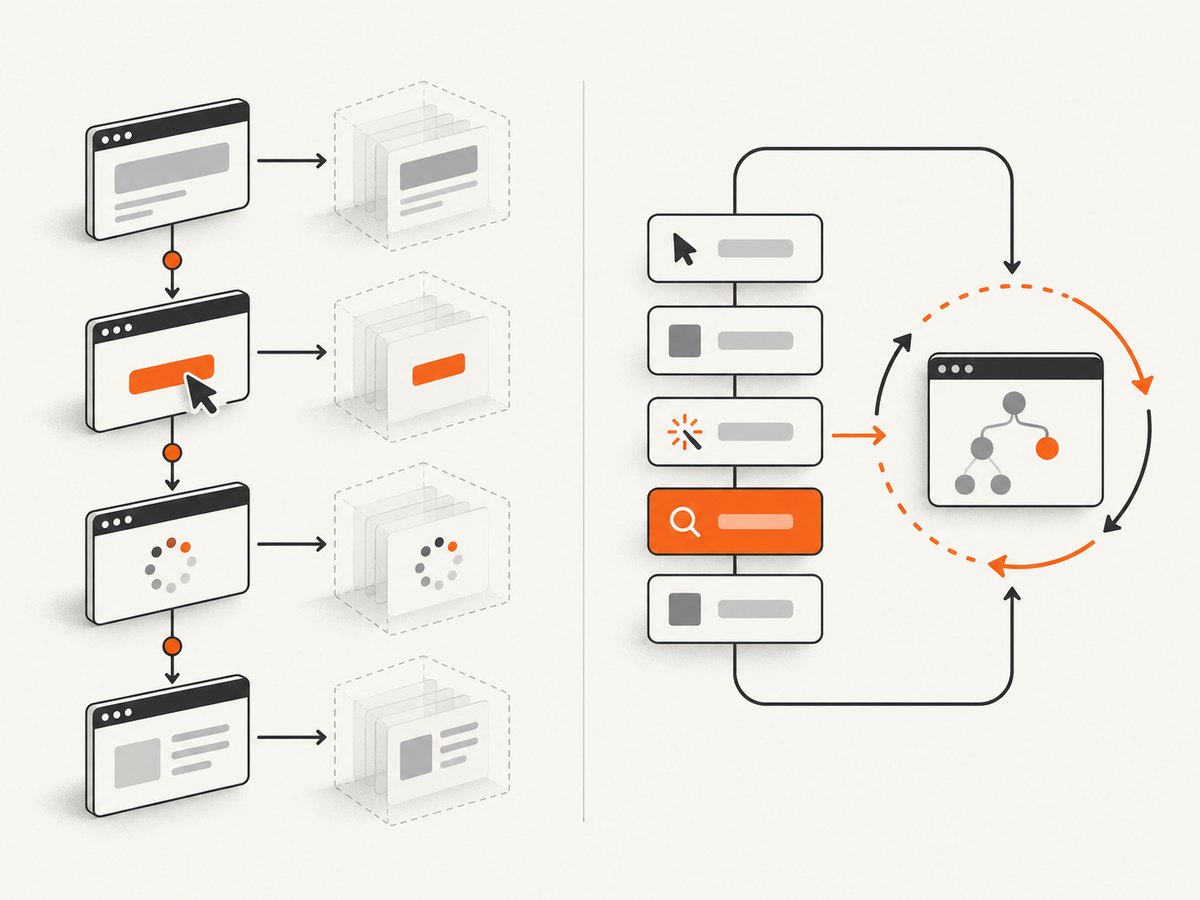
Playwright Test uses async/await. Its fixture model supplies isolated resources, such as page, to a test. This makes browser operations look like ordinary asynchronous calls, which can be natural for teams already writing async JavaScript or TypeScript. It also means authors need to understand where to await operations and how the runner manages fixtures.
import { test, expect } from '@playwright/test';

test('user can sign in', async ({ page }) => {
  await page.goto('http://127.0.0.1:3000');
  await page.getByLabel('Email').fill('dev@example.com');
  await page.getByLabel('Password').fill('correct-horse-battery');
  await page.getByRole('button', { name: 'Sign in' }).click();
  await expect(page.getByRole('heading', { name: 'Dashboard' })).toBeVisible();
});
The example assumes the app has accessible labels and a heading named Dashboard. Replace the local address and credentials with values suitable for your test environment; use a dedicated test account rather than a real user’s credentials.
Cypress: queued commands and retrying queries
Cypress commands are enqueued and run by Cypress, rather than returned as ordinary promises for authors to await. DOM queries and assertions retry until they pass or hit their timeout. This can make transient rendering easier to express, but developers need to learn command chaining and avoid applying normal JavaScript async patterns to Cypress commands.
describe('sign in', () => {
  it('shows the dashboard', () => {
    cy.visit('http://127.0.0.1:3000');
    cy.get('[aria-label="Email"]').type('dev@example.com');
    cy.get('[aria-label="Password"]').type('correct-horse-battery');
    cy.contains('button', 'Sign in').click();
    cy.contains('h1', 'Dashboard').should('be.visible');
  });
});
This example assumes those accessible attributes and elements exist. Prefer stable, user-facing selectors where practical. Cypress’s migration guide calls out selector differences and command chaining as migration concerns; don’t mechanically translate every Playwright locator into a Cypress selector without checking its behavior.
4. Get a runnable setup in place
Playwright Test with a managed app server
For a JavaScript project, install Playwright Test and its browser binaries, add a configuration, then add a test. The exact package-manager command can vary by repository; the following is a common npm setup.
npm init playwright@latestExample configuration in playwright.config.ts:
import { defineConfig, devices } from '@playwright/test';

export default defineConfig({
  testDir: './tests',
  fullyParallel: true,
  use: { baseURL: 'http://127.0.0.1:3000', trace: 'on-first-retry' },
  projects: [
    { name: 'chromium', use: { ...devices['Desktop Chrome'] } },
    { name: 'firefox', use: { ...devices['Desktop Firefox'] } },
    { name: 'webkit', use: { ...devices['Desktop Safari'] } },
  ],
  webServer: {
    command: 'npm run dev',
    url: 'http://127.0.0.1:3000',
    reuseExistingServer: !process.env.CI,
  },
});
This config expects a dev script that starts the app at the given address. Adapt project names and device descriptors to the browsers and viewports you actually need. Install the browsers required by your chosen projects using the Playwright installation instructions. Run the suite with:
npx playwright test
npx playwright test --project=chromium
npx playwright show-report
The runner’s configured projects let you select a browser slice. Playwright Test runs tests in parallel by default, so tests should not depend on shared mutable state or execution order. If the app cannot handle concurrent test traffic, adjust worker settings and fix shared test data before increasing parallelism.
Cypress with external app startup
Install Cypress using the project’s package manager and open its setup flow to create a spec and configuration. Cypress expects the app to be running when tests start. For repeatable local or CI runs, its migration guide describes start-server-and-test as a common way to start a server, wait for readiness, run tests, and stop the server.
npm install --save-dev cypress start-server-and-testAdd scripts like these to package.json, adapting the app command and URL:
{
  "scripts": {
    "app:start": "npm run dev",
    "cy:run": "cypress run",
    "test:e2e": "start-server-and-test app:start http://127.0.0.1:3000 cy:run"
  }
}
Then run:
npm run test:e2eKeep readiness checks aligned with the actual application. A server process existing is not proof that the app is ready to accept browser requests; use the URL and readiness behavior that match your service.
5. Compare CI, isolation, and debugging needs
Playwright Test supplies fixtures and configured projects, and its runner documentation says tests run in parallel by default. Include browser installation in your CI setup and preserve useful failure artifacts. Isolated fixtures reduce accidental state sharing, but they cannot isolate external services or application data that tests share. Use distinct test records or reset state where needed.
Cypress’s migration guide describes recording runs to Cypress Cloud for Test Replay and Cloud-based parallelization. Treat these as Cypress Cloud service capabilities, separate from what a local open-source test run provides. Check current service terms, plan availability, and data handling before making Cloud features a dependency.
The migration guide also identifies capabilities in Playwright without direct built-in Cypress equivalents in that guide’s comparison, including visual snapshot assertions, soft assertions, test.step(), and ARIA snapshot matching. This is a guide-specific inventory, not a timeless statement about every plugin or third-party option. Verify current documentation for any capability that determines your choice.
6. Estimate migration effort before rewriting tests
Cypress publishes a Playwright-to-Cypress migration guide that maps configuration, test syntax, CLI commands, selectors, API requests, time controls, and environment values. It also calls out real differences: Cypress’s Mocha-style describe/it, command chaining, browser discovery, and application startup assumptions. A code conversion can be straightforward while the surrounding workflow still changes substantially.
Inventory these areas before estimating the work:
- Fixtures and setup: shared test utilities, authenticated state, browser context setup, cleanup, and test data ownership.
- Browser matrix: required engines, branded browsers, devices, and how CI provisions them.
- Selectors: locator conventions, custom selector helpers, and reliance on implementation details.
- Network behavior: request interception, API setup, stubs, and the assumptions each test makes about backend state.
- Timing and clocks: explicit delays, polling, retries, and time control.
- Application startup: server commands, readiness checks, port allocation, and cleanup.
- CI behavior: sharding, parallel execution, worker limits, artifacts, reporters, and failure retries.
- Feature dependencies: visual checks, component tests, accessibility snapshots, and hosted debugging services.
Port a representative slice first: one authenticated flow, one network-sensitive test, one test that runs across browsers, and one failure-prone test. Compare behavior and CI maintenance, not just lines of rewritten code. The migration guide is a useful map, but each project’s custom helpers and plugins need their own review.
7. Troubleshooting common failures
| Symptom | Likely cause | What to check |
|---|---|---|
| Playwright reports a missing executable or browser | The browser binaries for the installed Playwright version are not installed in the environment. | Install the browsers required for that package version in the local or CI image; repeat after relevant Playwright updates. |
| Browser passes locally but fails in CI | Different browser versions, missing system dependencies, environment variables, or app readiness timing. | Compare package lockfile, browser installation, CI image, startup URL, and test data between environments. |
| Playwright tests interfere with each other | Parallel tests share accounts, records, or mutable backend state. | Make setup and data unique per test or worker, clean up reliably, and tune worker count if the app has real capacity limits. |
| Cypress says an element was not found | The selector is wrong, the app is not ready, or the element is outside the expected DOM state. | Confirm the app URL and rendered state; use a stable selector and an assertion that Cypress can retry instead of adding a blind fixed delay. |
| Cypress commands behave unexpectedly with async code | Cypress commands are queued and are not ordinary promises. | Use Cypress chaining and its documented patterns for values yielded from commands; do not add await to Cypress commands as if they were Playwright calls. |
| Cypress cannot connect to the app | The app server was not started or its readiness URL/port differs. | Start the app before Cypress, check the address, and use external startup orchestration with a readiness check in CI. |
| Migration passes but results differ | Selector, retry, timeout, browser, or test setup semantics changed. | Compare the actual interaction and assertion behavior, then consult the migration guide’s relevant configuration and API sections. |
8. Performance, reliability, and cost considerations
The dossier contains no comparative benchmark, so avoid choosing from assumed speed claims. A suite’s elapsed time depends on its browser matrix, application, test data, parallel capacity, and CI setup. Measure a representative run in the environment you will maintain. Include browser installation and startup orchestration in the operational cost, not only test execution time.
For reliability, remove arbitrary sleeps where retrying queries or condition-based waits can express the expected state. Keep test data isolated, use stable selectors, and make server readiness explicit. Parallelism can shorten a suite when the application and test data support it; it can expose shared-state bugs or overload dependencies otherwise.
Both frameworks are software dependencies whose version and environment need maintenance. The dossier does not establish current framework license costs or hosted service prices, so check official current terms for procurement. Cypress Cloud features such as recorded runs and Cloud parallelization are service-dependent. Browser infrastructure, CI minutes, engineering time spent debugging flaky tests, and migration work are also part of the practical cost.
9. A practical decision checklist
- Choose Playwright Test when its async/await model fits the team, you want isolated runner fixtures and configured browser projects, and managing Playwright-aligned browser binaries is acceptable.
- Choose Cypress when the queued command model fits the team’s habits, installed-browser ownership works for your environment, and its local or Cloud workflow meets debugging and parallel needs.
- Run a proof of concept if browser coverage, component testing, accessibility checks, visual assertions, or hosted replay is decisive.
- For an existing suite, estimate changes to startup, browser provisioning, selectors, fixtures, network stubs, parallelism, and CI artifacts before setting a migration deadline.
- Recheck official docs for current capabilities and service terms before adopting a feature as a requirement.
10. Or skip the browser setup
If your immediate task is capturing a site screenshot for documentation, review, or an agent workflow, ScreenshotNeo offers a one-request website screenshot API and an MCP server. It does not replace a browser test framework: use Playwright or Cypress to assert application behavior. Use ScreenshotNeo when you want a rendered capture without maintaining screenshot browser setup.
For ScreenshotNeo API documentation, see the request and options. Example with cURL:
curl -G "https://api.screenshotneo.com/v1/shot" -d access_key=YOUR_API_KEY --data-urlencode url=https://stripe.com -o shot.webpThe equivalent Python request:
import requests

r = requests.get(
    "https://api.screenshotneo.com/v1/shot",
    params={"access_key": "YOUR_API_KEY", "url": "https://stripe.com"},
    timeout=90,
)
open("shot.webp", "wb").write(r.content)
And Node.js:
const q = new URLSearchParams({ access_key: 'YOUR_API_KEY', url: 'https://stripe.com' });
const res = await fetch(`https://api.screenshotneo.com/v1/shot?${q}`);- Cookie and consent banners, newsletter popups, and chat widgets are removed before capture; each cleanup step can be turned off.
- Bot checks, blank pages, timeouts, failed loads, and cache hits cost nothing; response headers indicate the page verdict and billing status.
- An MCP server lets Claude, Cursor, or another MCP client use
take_screenshot,get_page_info, andcapture_pdf. - The free plan includes 1,000 screenshots a month with no card; paid plans start at $5 for 3,000. All features are available on every plan.
ScreenshotNeo also supports full-page and element captures, device presets and custom viewports, PDF, custom CSS and JavaScript, wait conditions, request blocking, signed links, async jobs, bulk capture, and more. See ScreenshotNeo for the product overview and the docs for configuration details. Sign up for 1,000 free screenshots a month, with no card required.
11. FAQ
Is Playwright the same thing as Playwright Test?
No. Playwright is the browser automation library; Playwright Test is its test runner with fixtures, projects, and test execution features. Be precise about which layer you depend on.
Can I migrate one test at a time?
A gradual migration can be practical if both suites can run against the same test environment and you define ownership for duplicated coverage. First check startup commands, browser availability, test data, and CI reporting so the two runners do not conflict.
Should I select a framework based on a single feature comparison?
Only if that feature is a firm requirement and its current implementation is verified. Otherwise compare the whole workflow: browsers, authoring, CI, debugging, and the effort to maintain the suite.


