How to Turn a Podcast Episode into Shareable Quote Images
Turn a podcast transcript into accurate, accessible quote images with a repeatable workflow for selection, design, attribution, export, and publishing.
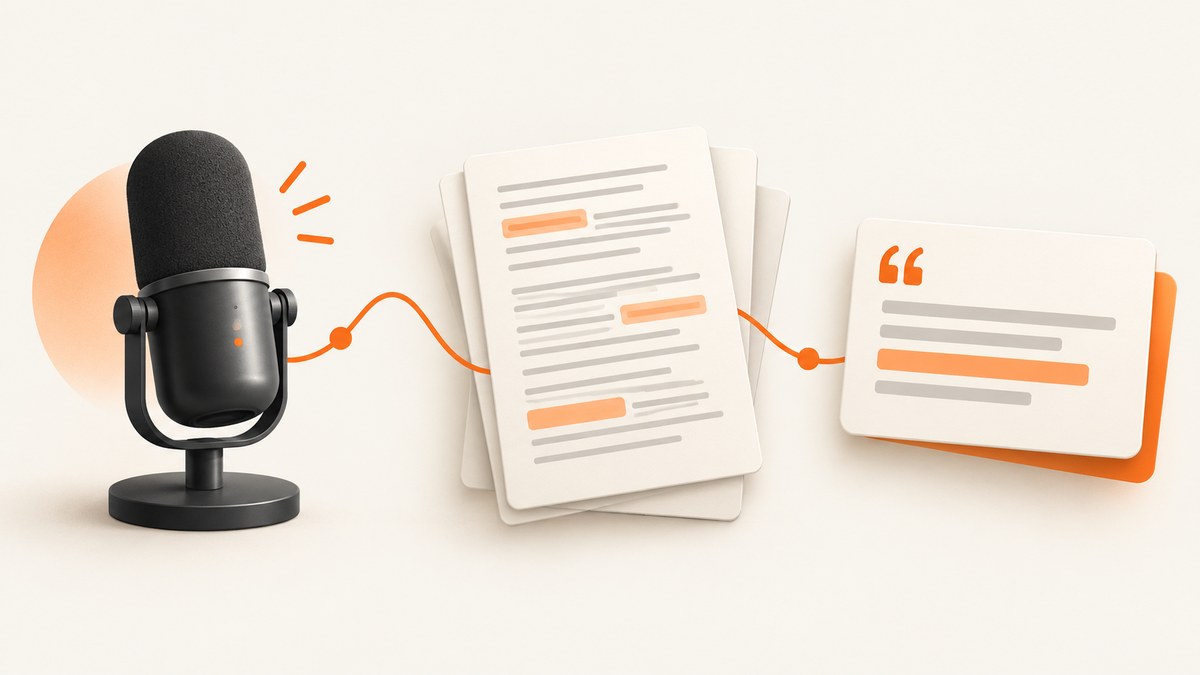
A podcast quote image is a static graphic built around a short, meaningful passage from an episode. The reliable process is: get a searchable transcript, find a self-contained thought, verify every word against the recording, design a readable branded card, check accessibility and rights, then export and preview it.
Use a transcript to find candidates quickly, but never publish an unverified transcript as a verbatim quote. Speech recognition can mishear names, punctuation, numbers, and technical terms. Replay the relevant audio before you finalize the wording.
1. Start with a searchable transcript
Open the transcript supplied with your episode, or create one from the recording. Searchable text lets you scan for topics, memorable phrases, and complete ideas instead of scrubbing through the entire timeline. Adobe describes transcript-based searching and editing as part of its podcast workflow, and its audiogram guide explains reviewing the transcript before export (transcript guidance; audiogram guide).
Keep the audio file and transcript together with the episode title, guest name, publication date, and timestamp. If you generate a transcript yourself, record which language and transcription tool you used. That information makes later corrections easier.
Transcript checklist
- Confirm the transcript covers the whole episode.
- Search proper names, product names, and numbers separately because these are common recognition errors.
- Keep timestamps so an editor can jump directly to the source audio.
- Mark uncertain words instead of silently guessing.
2. Select a quote that survives being removed from the conversation
A strong quote image contains one thought that a viewer can understand without hearing the preceding question. Look for a sentence or short group of sentences with a clear subject, verb, and conclusion. A distinctive observation, practical lesson, or concise opinion usually works better than a fragment that depends on “it,” “that,” or an earlier name.
Read the candidate with the interviewer’s question removed. Ask whether the wording still represents what the speaker meant. Do not splice together distant remarks, remove a qualification that changes the meaning, or combine words from separate answers. If you shorten a passage with an ellipsis, keep the remaining grammar and meaning intact.
Selection scorecard
| Question | What to check |
|---|---|
| Self-contained? | Does it make sense without the surrounding conversation? |
| Specific? | Does it express a concrete idea rather than a generic slogan? |
| Faithful? | Would the speaker recognize the meaning and emphasis? |
| Readable? | Can it fit at a comfortable size without a dense paragraph? |
| Useful? | Will the intended audience learn, reflect, or act on it? |
3. Verify the exact words against the recording
Replay at least the complete answer containing the quote, and preferably the question before it too. Correct spelling, punctuation, contractions, numbers, and names. Check whether a phrase was sarcasm, a hypothetical, or a quotation from somebody else. Save the timestamp in your editorial notes.
Transcript search is a retrieval aid; the recording is the source for final wording. Adobe’s guidance supports editing and reviewing transcripts, but no automatic transcription should be treated as an infallible verbatim record.
Verification record
- Copy the candidate text into an editorial document.
- Add episode title, speaker, and start and end timestamps.
- Listen while following the text.
- Correct errors and preserve meaningful qualifiers.
- Have a second editor or the speaker review sensitive claims, names, or statistics.
4. Decide whether you need a static quote card or an audiogram
A quote card is a still image. It works when the message should be readable at a glance and the post does not need audio. An audiogram is a short video that combines an audio excerpt with a waveform, captions, and visual elements. Adobe documents audiograms as a video format, so do not label a video export as a static quote image (Adobe’s audiogram guide).
Choose a static image when the quote stands alone, you need a simple shareable asset, or your publishing destination expects an image. Choose an audiogram when the speaker’s delivery, tone, or voice adds important meaning. For a video, review timed captions as carefully as the quote text.
5. Build a readable, repeatable design
Put the quote first in the visual hierarchy. Use the speaker’s name as the second level and the show or episode as supporting context. A portrait, waveform, or decorative background is optional; it should not compete with the words.
Practical layout recipe
- Reserve the largest area for the quote.
- Use a short line length and generous spacing.
- Place attribution in a consistent location.
- Add the podcast name, episode number, or date only when it helps identification.
- Keep a safe margin around every edge so cropping does not remove attribution.
For a series, create a reusable template with fixed type styles, colors, logo placement, and attribution rules. Adobe recommends consistent fonts, colors, or logo placement for recognition (social-content guide). Consistency also reduces production time and makes corrections less error-prone.
Contrast and typography checks
- Use strong foreground and background contrast.
- Do not rely on color alone to distinguish attribution or emphasis.
- Check the design at the size it will be viewed, including on a phone.
- Avoid thin type, long all-caps passages, and decorative fonts for the quote.
- Keep quotation marks and punctuation consistent across the series.
Canva describes contrast, typography, and alternative-text support in its accessibility guidance (Canva accessibility). Those checks are useful regardless of which design application you use.
6. Add attribution, context, and alternative text
Name the actual speaker. Include the show and episode identification in the image or its caption so a viewer can locate the source. Add a timestamp in the post copy when practical. Attribution is good editorial practice, but it does not by itself grant permission to reproduce someone else’s words.
When the publishing platform supports it, write alternative text that conveys the quote, speaker, and important visual information. Do not paste a vague description such as “quote graphic.” If the words are the point of the image, include them in the alt text.
7. Export and preview the final file
Export a static quote card as an image format supported by your destination. PNG is useful for crisp text and transparency; JPEG can be smaller for photographic backgrounds; WebP may reduce file size where the platform accepts it. Keep an editable source file and an exported copy.
Preview the exported file, not only the design canvas. Check line breaks, clipped characters, transparency, color shifts, compression artifacts, and attribution. Open it on a phone and a desktop display. If you publish multiple sizes, inspect each one because a line that fits in a square may wrap awkwardly in a portrait crop.
Pre-publish checklist
- Exact wording matches the recording.
- Speaker name and episode details are correct.
- Quote remains accurate without missing context.
- Contrast and type size are readable.
- Alternative text is supplied where available.
- Exported file opens correctly and has the intended dimensions.
- Permission and licensing questions are resolved.
8. Rights and permissions
Copyright treatment depends on the jurisdiction, the source material, the purpose, and the amount and importance of the excerpt. In the United States, the Copyright Office says there is no fixed number of words or percentage that automatically qualifies as fair use. The four statutory factors consider purpose and character, nature of the work, amount and substantiality, and market effect (Copyright Office fair-use FAQ; 17 U.S.C. §107).
Review your guest agreements, network policies, music and artwork licenses, and the intended commercial use. Obtain permission or legal advice when the rights position is uncertain. This is general U.S.-focused information, not a legal determination for a particular quote or country.
9. Automate quote-card previews with ScreenshotNeo
If your quote cards are rendered as HTML and CSS, you can automate previews or final image exports with ScreenshotNeo, a website screenshot API and MCP server. It captures PNG, JPEG, WebP, or PDF from one GET request. Its HTML/CSS-to-image option is useful when your design system already lives in a web template.
Or skip the browser setup:
Publish the quote-card page at a stable URL, then call the API. The complete option list and authentication details are in the ScreenshotNeo documentation.
curl -G "https://api.screenshotneo.com/v1/shot" -d access_key=YOUR_API_KEY --data-urlencode url=https://example.com/quote-card -o shot.webpimport requests
r = requests.get("https://api.screenshotneo.com/v1/shot", params={"access_key": "YOUR_API_KEY", "url": "https://example.com/quote-card"}, timeout=90)
open("shot.webp", "wb").write(r.content)const q = new URLSearchParams({ access_key: 'YOUR_API_KEY', url: 'https://example.com/quote-card' }); const res = await fetch(`https://api.screenshotneo.com/v1/shot?${q}`);ScreenshotNeo removes cookie banners, newsletter popups, and chat widgets before the shot. Bot checks, blank pages, failed loads, timeouts, and cache hits are not billed, and response headers report the page verdict and billing status. You can also use custom CSS or JavaScript, hide selectors, wait for a selector or network idle, choose a device or viewport, set dark mode and retina scale, capture one element, load lazy images, resize output, cache with a chosen TTL, and create PDFs. Its MCP server exposes take_screenshot, get_page_info, and capture_pdf for Claude, Cursor, and other MCP clients.
Free accounts include 1,000 screenshots a month with no card. Paid plans start at $5 for 3,000 shots; every feature is available on every plan. Create a free ScreenshotNeo account and generate quote-card previews without maintaining browser infrastructure.
10. Troubleshooting
| Problem | Likely cause | Fix |
|---|---|---|
| Quote has a wrong name or number | Transcript recognition error | Replay the audio, correct the text, and have a second person check it. |
| Quote feels misleading | Question or qualification was removed | Restore context, choose a longer passage, or select another quote. |
| Text is hard to read | Low contrast, small type, or busy background | Simplify the background, increase contrast and size, and preview on a phone. |
| Attribution is missing after cropping | Unsafe edge placement | Keep attribution inside a generous margin and inspect every export size. |
| Web capture includes a popup | Popup appears after initial load | Use ScreenshotNeo hide selectors, custom JavaScript, or a wait condition before capture. |
| Screenshot is blank or incomplete | Page has not finished loading or content is lazy-loaded | Wait for a selector or network idle and enable full-page capture with lazy images loaded. |
| API request is rejected | Missing key or incorrectly encoded URL | Check access_key, URL-encode query parameters, and confirm the target is reachable. |
11. Production, performance, and cost notes
Batch your editorial work: select and verify several quotes, then apply the template in one session. Keep a structured record of episode, speaker, timestamp, final wording, status, and export path. This makes corrections and takedowns traceable.
For web-rendered cards, wait only for conditions you need. A specific selector is usually clearer than an arbitrary long delay; network-idle waits help when fonts or images arrive late. Cache stable pages with a TTL when you are regenerating the same preview. For large releases, bulk capture supports up to 100 URLs per call, and async jobs with signed webhooks can move rendering out of the request path. Use the usage API to monitor consumption. Failed loads and cache hits are not billed by ScreenshotNeo, while clean captures are billed according to your plan.
FAQ
How long should the quote be?
Use the shortest passage that preserves the complete idea. If it needs several sentences to remain accurate, reduce decoration and let the text occupy more space.
Should I include the episode timestamp on the image?
It is optional, but a timestamp in the caption or notes helps readers and editors find the source quickly.
Is an audiogram the same as a quote image?
No. A quote image is static; an audiogram is a video with audio and visual elements.
Can attribution make an unlicensed quote safe to publish?
No. Attribution identifies the source but does not settle permission or fair-use questions.
What should alt text contain?
Describe the quote’s words, speaker, and any visual detail that conveys meaning. The text is usually the essential content.


