How to Post Cypress Test Results to an API or Telegram Bot
Send Cypress run summaries to your API or Telegram reliably, with awaited after:run hooks, report artifacts, secrets, retries, and parallel CI guidance.

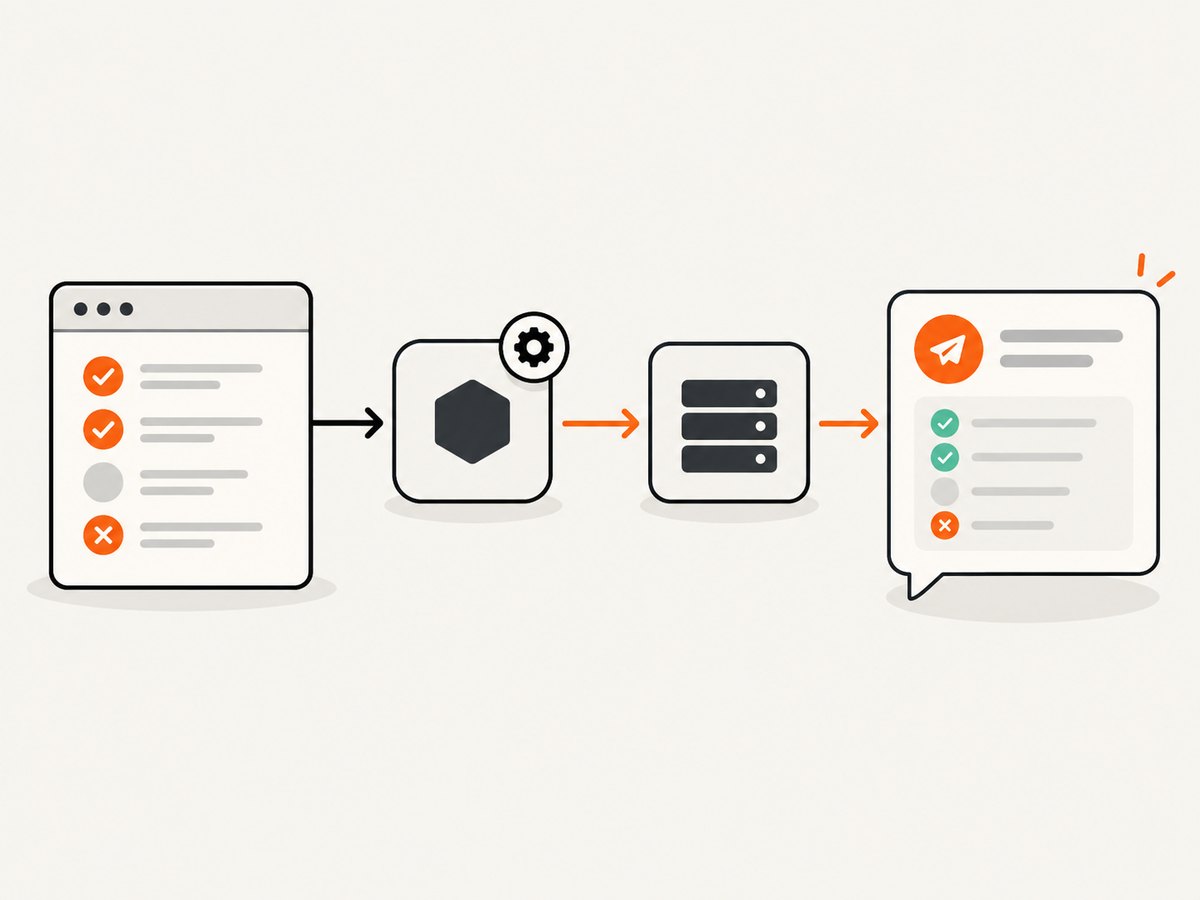
Use Cypress’s after:run Node event to post a compact result summary after cypress run finishes. The callback receives totals such as passed, failed, pending, and skipped tests, and Cypress waits for a returned promise. For Telegram, call the Bot API’s sendMessage method from that callback. For one notification after parallel CI jobs, aggregate in a final CI step instead of posting from every machine.
The examples below show a generic JSON API, Telegram, durable JUnit or Mochawesome artifacts, secret handling, retries, and failure policies. Cypress’s after:run documentation covers the event contract; its reporter documentation covers JUnit and Mochawesome output.
1. Choose the integration point
| Need | Recommended location | Reason |
|---|---|---|
| One summary for a normal run | after:run in cypress.config.js |
Runs after the command completes and exposes totals and metadata. |
| Full test names, stacks, and screenshots | Reporter artifact plus a summary post | XML or JSON preserves details that a short message should not contain. |
| One message for parallel CI | Final aggregation job | Each parallel machine fires after:run, so runner-side posts can duplicate or fragment alerts. |
| Cypress Cloud event delivery | Cypress Cloud webhook | Cloud can send run-finished events to an endpoint you own, with documented retries. |
2. Post a summary to a generic API
The callback runs in Node, so use a Node HTTP client or a fetch-compatible API there. Keep the payload limited to fields your receiver needs and await the request before returning.
Complete Cypress configuration
const { defineConfig } = require('cypress');

async function postJson(url, payload, token) {
  const response = await fetch(url, {
    method: 'POST',
    headers: {
      'content-type': 'application/json',
      authorization: `Bearer ${token}`
    },
    body: JSON.stringify(payload)
  });

  const responseText = await response.text();
  if (!response.ok) {
    throw new Error(`Result API returned ${response.status}: ${responseText}`);
  }
  return responseText;
}

module.exports = defineConfig({
  e2e: {
    setupNodeEvents(on, config) {
      on('after:run', async (results) => {
        const payload = {
          status: results.totalFailed ? 'failed' : 'passed',
          total: results.totalTests,
          passed: results.totalPassed,
          failed: results.totalFailed,
          pending: results.totalPending,
          skipped: results.totalSkipped,
          durationMs: results.totalDuration,
          runUrl: results.runUrl || null
        };

        const endpoint = process.env.TEST_RESULTS_URL;
        const token = process.env.TEST_RESULTS_TOKEN;
        if (!endpoint || !token) {
          throw new Error('TEST_RESULTS_URL and TEST_RESULTS_TOKEN are required');
        }

        await postJson(endpoint, payload, token);
      });

      return config;
    }
  }
});
Run it with secrets supplied by your CI system:
TEST_RESULTS_URL=https://example.test/results \
TEST_RESULTS_TOKEN="$TEST_RESULTS_TOKEN" \
npx cypress run
Notification failure policy
Throwing from after:run makes delivery failure visible and can fail the CI command. That is appropriate when the notification is a required handoff. If Cypress execution is authoritative and notifications are best effort, catch the error, log it, and let the run result remain the job’s primary status.
on('after:run', async (results) => {
  try {
    await postJson(process.env.TEST_RESULTS_URL, makePayload(results), process.env.TEST_RESULTS_TOKEN);
  } catch (error) {
    console.error('Could not deliver test summary:', error.message);
    // Do not throw when notification delivery must not change test status.
  }
});
3. Send a Telegram message
Telegram’s official Bot API uses HTTPS URLs in the form https://api.telegram.org/bot<token>/METHOD_NAME. sendMessage requires chat_id and text; text is limited to 1–4096 characters after entity parsing. See the Telegram Bot API reference.
Cypress after:run implementation
const { defineConfig } = require('cypress');

function summaryText(results) {
  const status = results.totalFailed ? 'FAILED' : 'PASSED';
  const runLine = results.runUrl ? `\nRun: ${results.runUrl}` : '';
  return [
    `Cypress ${status}`,
    `Total: ${results.totalTests}`,
    `Passed: ${results.totalPassed}`,
    `Failed: ${results.totalFailed}`,
    `Pending: ${results.totalPending}`,
    `Skipped: ${results.totalSkipped}`,
    `Duration: ${results.totalDuration} ms`,
    runLine
  ].join('\n').slice(0, 4096);
}

module.exports = defineConfig({
  e2e: {
    setupNodeEvents(on, config) {
      on('after:run', async (results) => {
        const token = process.env.TELEGRAM_BOT_TOKEN;
        const chatId = process.env.TELEGRAM_CHAT_ID;
        if (!token || !chatId) throw new Error('Telegram secrets are missing');

        const response = await fetch(`https://api.telegram.org/bot${token}/sendMessage`, {
          method: 'POST',
          headers: { 'content-type': 'application/json' },
          body: JSON.stringify({
            chat_id: chatId,
            text: summaryText(results),
            disable_web_page_preview: true
          })
        });

        const body = await response.text();
        if (!response.ok) throw new Error(`Telegram returned ${response.status}: ${body}`);
      });
      return config;
    }
  }
});
Keep formatting disabled unless you escape test-controlled text. If you use Markdown or HTML parse modes, test names containing markup characters can break the request or render unexpectedly. Truncate or split detailed failure text before sending.
4. Equivalent API calls outside Cypress
cURL
curl --fail-with-body -X POST "$TEST_RESULTS_URL" \
  -H "Authorization: Bearer $TEST_RESULTS_TOKEN" \
  -H "Content-Type: application/json" \
  --data '{"status":"failed","total":42,"passed":41,"failed":1,"pending":0,"skipped":0,"durationMs":183000,"runUrl":null}'
curl --fail-with-body -X POST \
"https://api.telegram.org/bot$TELEGRAM_BOT_TOKEN/sendMessage" \
-H "Content-Type: application/json" \
--data-urlencode "chat_id=$TELEGRAM_CHAT_ID" \
--data-urlencode "text=Cypress: 41 passed, 1 failed"Python
import os
import requests

payload = {
    "status": "failed",
    "total": 42,
    "passed": 41,
    "failed": 1,
    "pending": 0,
    "skipped": 0,
    "durationMs": 183000,
    "runUrl": None,
}

r = requests.post(
    os.environ["TEST_RESULTS_URL"],
    json=payload,
    headers={"Authorization": f"Bearer {os.environ['TEST_RESULTS_TOKEN']}"},
    timeout=30,
)
r.raise_for_status()

message = "Cypress: 41 passed, 1 failed"
tg = requests.post(
    f"https://api.telegram.org/bot{os.environ['TELEGRAM_BOT_TOKEN']}/sendMessage",
    json={"chat_id": os.environ["TELEGRAM_CHAT_ID"], "text": message},
    timeout=30,
)
tg.raise_for_status()
Node.js
const payload = { status: 'passed', total: 42, passed: 42, failed: 0 };
const apiResponse = await fetch(process.env.TEST_RESULTS_URL, {
  method: 'POST',
  headers: {
    'content-type': 'application/json',
    authorization: `Bearer ${process.env.TEST_RESULTS_TOKEN}`
  },
  body: JSON.stringify(payload)
});
if (!apiResponse.ok) throw new Error(`API status ${apiResponse.status}`);

const telegramResponse = await fetch(
  `https://api.telegram.org/bot${process.env.TELEGRAM_BOT_TOKEN}/sendMessage`,
  {
    method: 'POST',
    headers: { 'content-type': 'application/json' },
    body: JSON.stringify({
      chat_id: process.env.TELEGRAM_CHAT_ID,
      text: 'Cypress: 42 passed, 0 failed'
    })
  }
);
if (!telegramResponse.ok) throw new Error(`Telegram status ${telegramResponse.status}`);
5. Preserve complete reports with JUnit or Mochawesome
A summary is useful for chat; it does not contain test names, stack traces, screenshots, or the complete report. Configure a reporter and upload the artifact separately. When specs run independently, include a unique [hash] in JUnit filenames so one spec does not overwrite another. Mochawesome can likewise write one JSON file per spec and merge them later.
// cypress.config.js
const { defineConfig } = require('cypress');

module.exports = defineConfig({
  reporter: 'junit',
  reporterOptions: {
    mochaFile: 'reports/junit/results-[hash].xml',
    toConsole: false
  },
  e2e: {
    setupNodeEvents(on, config) {
      // Keep the after:run API or Telegram hook here.
      return config;
    }
  }
});
A practical CI sequence is: run Cypress, collect and merge reports, post a compact summary, then upload or link the durable artifact. The receiver can store the JSON summary while your CI artifact system stores the XML or Mochawesome output.
6. Avoid duplicate messages in parallel CI
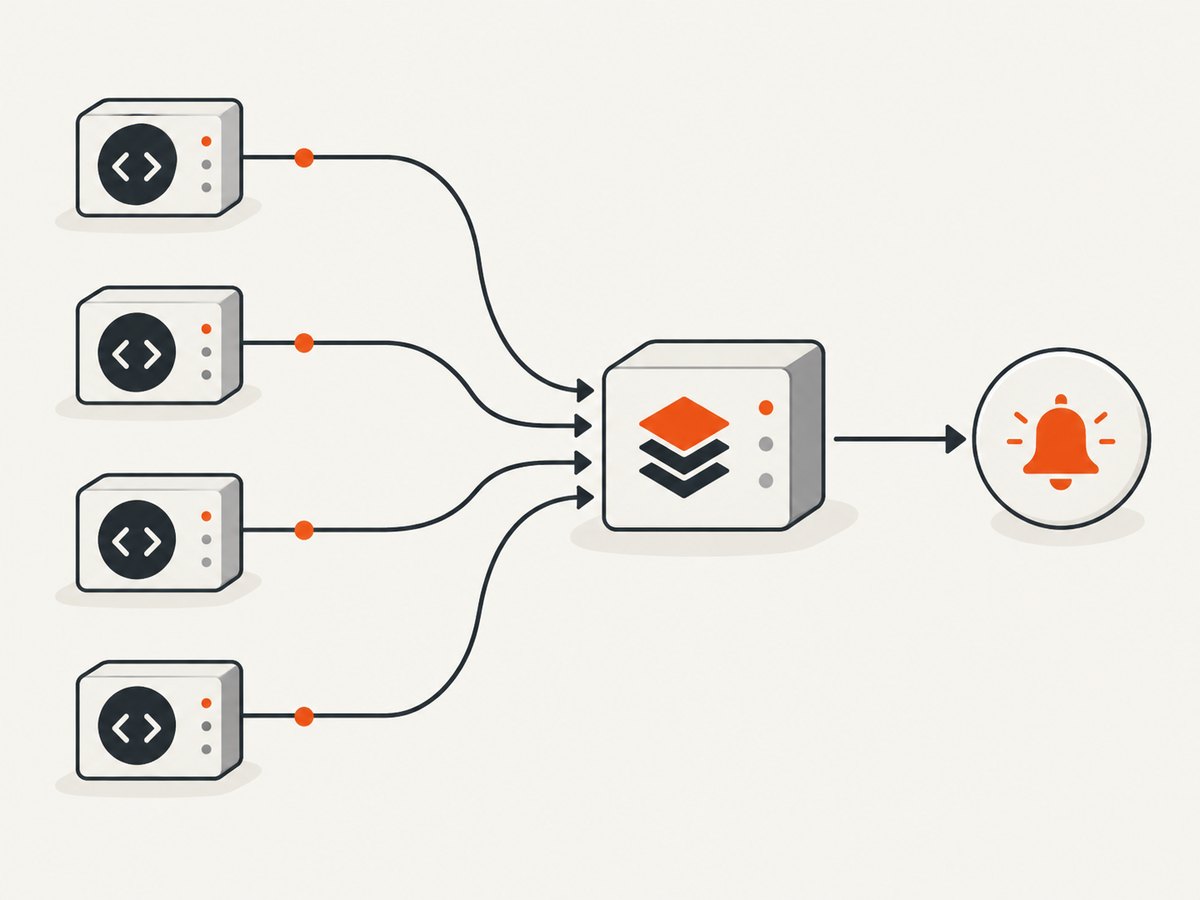
Cypress fires after:run once on each machine when specs run in parallel. If every machine posts to Telegram, recipients receive duplicate or partial notifications. Use a dedicated final job that waits for all Cypress jobs, downloads their reports, merges them, and sends one message. Cypress’s parallelization documentation explains this placement and notes that results.runUrl is available when the run is recorded.
# Example CI shape
jobs:
  cypress:
    strategy:
      matrix:
        shard: [1, 2, 3]
    steps:
      - run: npx cypress run --record --parallel
      - uses: actions/upload-artifact@v4
        with:
          name: cypress-${{ matrix.shard }}
          path: reports/

  notify:
    needs: cypress
    if: always()
    steps:
      - uses: actions/download-artifact@v4
        with:
          path: reports
      - run: node scripts/merge-and-notify.js
        env:
          TELEGRAM_BOT_TOKEN: ${{ secrets.TELEGRAM_BOT_TOKEN }}
          TELEGRAM_CHAT_ID: ${{ secrets.TELEGRAM_CHAT_ID }}
Make the final job idempotent. Derive a notification key from the CI workflow run ID, store it with the receiver, and ignore a second request for the same key. If your API cannot deduplicate, send only from the final job and disable runner-side notifications for parallel jobs.
7. Retries, timeouts, and reliability
- Set an explicit HTTP timeout so a hung destination cannot hold the CI process indefinitely.
- Retry transient network failures and 5xx responses with short exponential backoff. Do not blindly retry every 4xx response; authentication and validation errors need correction.
- Send a stable idempotency key such as
${CI_PIPELINE_ID}:${CI_JOB_ID}when the receiving API supports one. - Log status codes and a short response body, but never print bot tokens or authorization headers.
- Decide whether notification failure fails the job. Document that policy beside the hook.
- Keep messages short and link to the durable report or run URL instead of embedding every failure.
8. Common errors and fixes
| Error | Cause | Fix |
|---|---|---|
| No notification is sent | The hook is not inside setupNodeEvents, or the command is cypress open. |
Register on('after:run', ...) in the Node config and use cypress run. |
| Request finishes after CI exits | The callback did not return or await the HTTP promise. | Make the callback async and await the request. |
| 401 or 403 from your API | Missing, expired, or incorrectly scoped token. | Check CI secret names and the authorization scheme; do not hard-code credentials. |
| Telegram returns 400 | Missing chat_id, overlong text, or invalid formatting. |
Verify the chat ID, keep text within 4096 characters, and remove parse mode or escape content. |
| Duplicate Telegram messages | Every parallel machine runs its own after:run. |
Notify from one final aggregation job. |
| JUnit files overwrite each other | All specs use the same reporter filename. | Use results-[hash].xml and merge afterward. |
| Secrets appear in logs | Debug output prints environment variables or request headers. | Redact tokens and inspect CI command expansion. |
| Chat message has no useful details | Only aggregate totals were posted. | Upload JUnit or Mochawesome and include its URL in the summary. |
9. Performance, cost, and operational notes
- The post-run request adds network latency after tests complete. Keep the payload compact and use a bounded timeout.
- Reporter files can be much larger than summaries. Compress or upload them as CI artifacts rather than placing them in chat.
- One final aggregation request reduces duplicate traffic and makes the notification represent the complete run.
- Telegram and your API may impose rate limits. Batch or delay notifications when many pipelines finish together.
- Use environment variables or your CI secret store for bot tokens, chat IDs, API keys, and webhook credentials.
- For required compliance or audit delivery, fail the job when the receiver rejects the payload; for convenience alerts, log and continue.
10. Alternative: Cypress Cloud webhooks
If Cypress Cloud is already part of the workflow, its webhooks can send real-time HTTP requests to an endpoint you own for selected events, including a run finishing. This removes runner-side notification code and provides documented payload, header, and retry behavior. You still need to secure the receiving endpoint and decide how to format Telegram messages.
11. Or skip the browser setup
If your pipeline also needs screenshots of the application or its test report, ScreenshotNeo provides a one-call website screenshot API and MCP server. Cookie and consent banners, newsletter popups, and chat widgets are removed before capture; bot checks, blank pages, failed loads, timeouts, and cache hits are not billed. Responses identify the page verdict and billing with X-Page-Verdict and X-Billed headers. Its MCP server lets Claude, Cursor, and other MCP clients use take_screenshot, get_page_info, and capture_pdf.
See the ScreenshotNeo API documentation for options such as full-page capture, CSS selectors, custom CSS or JavaScript, waits, headers, cookies, blocking rules, PDF output, caching, signed links, asynchronous jobs, bulk capture, and usage reporting.
curl -G "https://api.screenshotneo.com/v1/shot" -d access_key=YOUR_API_KEY --data-urlencode url=https://stripe.com -o shot.webpimport requests; r = requests.get("https://api.screenshotneo.com/v1/shot", params={"access_key": "YOUR_API_KEY", "url": "https://stripe.com"}, timeout=90); open("shot.webp", "wb").write(r.content)const q = new URLSearchParams({ access_key: 'YOUR_API_KEY', url: 'https://stripe.com' }); const res = await fetch(`https://api.screenshotneo.com/v1/shot?${q}`);Free accounts include 1,000 screenshots per month with no card. Paid plans start at $5 for 3,000 shots. Create a free ScreenshotNeo account.
FAQ
Does after:run run for every spec?
It runs after a cypress run execution. In parallel mode, each machine fires its own event.
Should I post the entire report to Telegram?
No. Send totals and a durable report or run URL; Telegram text is limited to 4096 characters after entity parsing.
Can I use cy.request() in after:run?
No. The callback runs in Node after the browser run. Use a Node HTTP client or fetch-compatible API there.
How do I prevent a notification from changing test status?
Catch and log delivery errors instead of throwing from the callback. Use a final CI step when delivery must be independent of runner exit status.
When should I use a Cypress Cloud webhook?
Use it when Cypress Cloud already records your runs and you want cloud-side delivery and retry behavior instead of runner-side code.


