Predis.ai Alternative for On-Brand Content: Canva, Hootsuite, and a Practical Selection Guide
Compare Predis.ai alternatives for consistent brand voice and visuals. Learn when Canva, Hootsuite, or a focused workflow fits your team.

If you need a Predis.ai alternative for on-brand content, start by defining what “on-brand” means for your team. It can mean a consistent voice in captions, repeatable visual rules, approved logos and colors, or a complete workflow from idea to scheduled post. No single alternative should be assumed to replace every Predis.ai capability without checking the exact formats, channels and approval steps you need.
Canva is the most direct alternative to evaluate when branded visual creation, AI-assisted copy and social planning are central. Hootsuite is a better starting point when scheduling, publishing and channel management matter more than generating creative assets. Many teams use a combination: a design system for assets, a publishing tool for distribution, and a separate capture service for website visuals.
What Predis.ai covers
Predis.ai describes a brand profile containing a logo, brand colors, tone of voice, key messaging and connected social accounts. Its product descriptions also cover generating ads, videos, user-generated-content-style ads, images and copy from a prompt, product link or image. Those are vendor descriptions; confirm current behavior and limits in the live product before committing.
Its plans differ by brand count, credits, connected social accounts and publishing allowances. Treat plan prices, credit estimates, discounts and trial terms as changeable commercial information. Estimate your monthly output using the credit consumption of the exact formats you will produce rather than a headline allowance.
Quick answer: which alternative should you try?
| Your main job | First tool to evaluate | Why |
|---|---|---|
| Design branded posts, adapt layouts and plan content | Canva | Its documented Brand Kit, Magic Write brand voice feature, AI creative tools and content planner align with a visual-first workflow. |
| Schedule and publish across social channels | Hootsuite | Its product focus is social management, scheduling and publishing. Verify current channel and team limits. |
| Capture clean website images for posts, ads or reports | ScreenshotNeo | It removes consent banners, popups and chat widgets before capture, bills only clean shots, and provides an API plus MCP tools. |
| Generate every format from one prompt | Compare a workflow, not only a product | Check whether your chosen tool handles your formats, approvals, publishing and analytics together. |
Canva: a strong fit for brand-led visual work
Canva documents Magic Studio as a collection of AI-powered creative tools. Its social-media materials describe Magic Write with a built-in brand voice feature, Brand Kit support and a content planner for scheduling posts. That combination makes Canva a plausible choice when your priority is producing and adapting branded visuals and copy inside a design workflow.
What to validate before switching
- Brand controls: Can your team store the required logos, colors, fonts, imagery rules and voice guidance?
- Output formats: Check static posts, carousels, stories, short video, ads and platform-specific dimensions.
- Editing: Confirm how easily a reviewer can change generated copy or layouts without breaking brand rules.
- Planning: Verify which channels the content planner supports and whether direct publishing is available for your accounts.
- Team workflow: Check comments, approvals, permissions, shared templates and asset ownership.
Canva should not automatically be treated as a like-for-like replacement for Predis.ai’s ad generation, competitor analysis or publishing limits. The evidence available supports a branded design and planning use case; test the rest against your requirements.
Hootsuite: a publishing and management candidate
Hootsuite is relevant when the hard problem is operating social channels: preparing a calendar, scheduling posts, publishing to connected accounts and coordinating a team. Its official affiliate information references Standard and Advanced plans for qualifying new customers, but that page is program evidence rather than a complete feature comparison. Confirm current product scope, supported networks and plan limits directly.
When Hootsuite belongs in your stack
- You already have a reliable design system and need a distribution layer.
- Multiple people need a shared calendar, review process or publishing permissions.
- Your team measures success by publishing consistency and channel operations.
- You are comfortable creating or approving assets in another tool.
Hootsuite may not replace an AI creative generator. If you need prompt-to-video, UGC-style ad concepts or extensive visual variations, evaluate the creation step separately.
Comparison checklist for an on-brand workflow
Use this checklist during a trial or proof of concept. Record the result for your real brand, not a sample brand.
- Brand definition: Write down the logo variants, color values, typography, prohibited treatments, tone, key messages and example captions.
- Inputs: Test a short prompt, a product URL and an existing product image if those are part of your workflow.
- Formats: Produce one feed post, carousel, story, short video and ad variation. Note manual cleanup time.
- Consistency: Have two reviewers score voice, visual hierarchy, color use and message accuracy without seeing the prompt.
- Editing and approval: Measure the steps from draft to approved asset and identify where files or comments leave the system.
- Publishing: List every channel, account, scheduling rule and approval requirement.
- Usage economics: Calculate expected monthly credits, seats, accounts and storage at your actual volume.
- Evidence: Save representative outputs and rejected outputs so you can compare tools later.
Keeping website visuals on-brand
Social teams often need screenshots of landing pages, pricing pages or product updates. Browser automation can produce those images, but it introduces setup and maintenance: a browser binary, viewport logic, waits, cookie handling, popup removal and failure reporting.
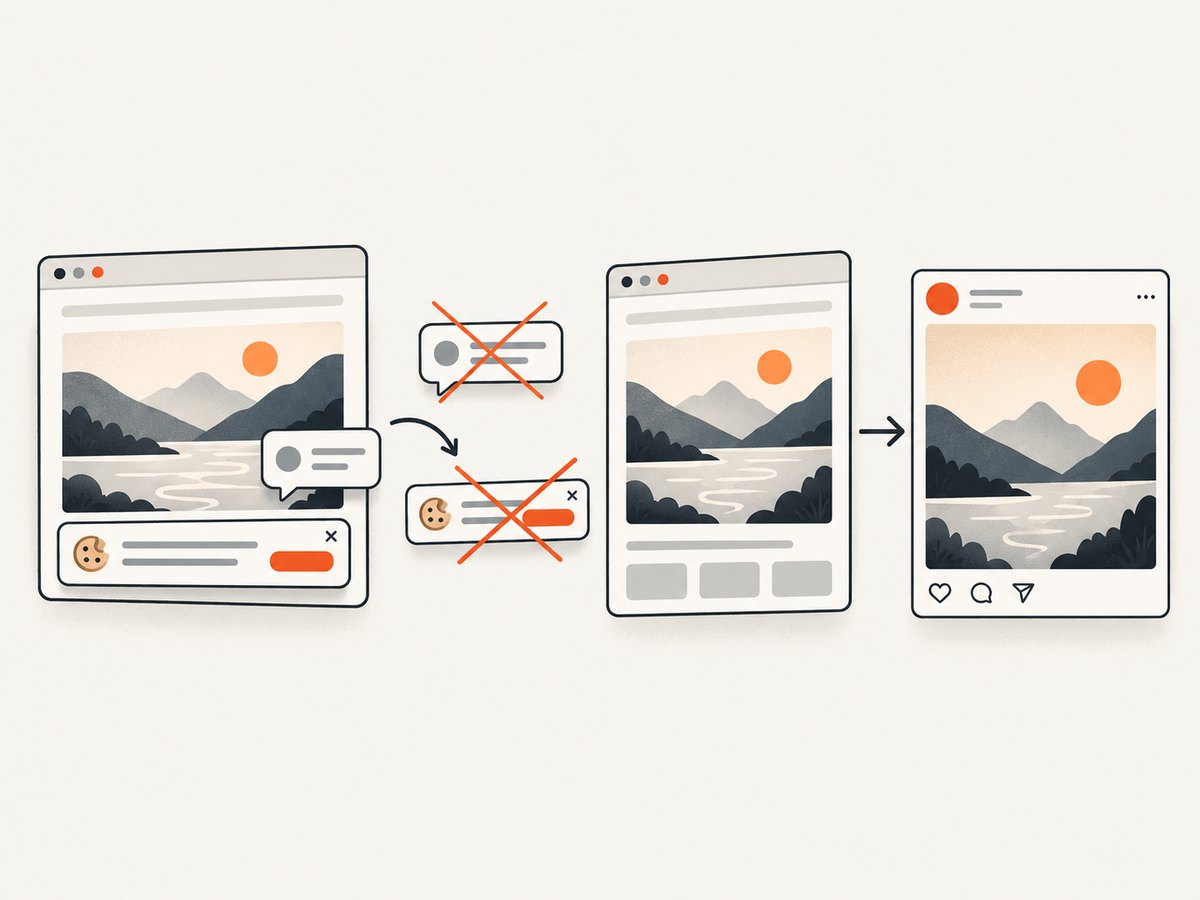
ScreenshotNeo is the first screenshot service to try for this part of the workflow. One GET request returns a PNG, JPEG, WebP or PDF. Before capture it accepts cookie and consent banners like a visitor and removes more than 60 known consent platforms, newsletter popups and chat widgets. Each step can be enabled or disabled.
Or skip the browser setup
Use the API documented at https://screenshotneo.com/docs/. Replace the URL with the page you want to place in a post, ad or report.
curl -G "https://api.screenshotneo.com/v1/shot" -d access_key=YOUR_API_KEY --data-urlencode url=https://stripe.com -o shot.webpimport requests
r = requests.get("https://api.screenshotneo.com/v1/shot", params={"access_key": "YOUR_API_KEY", "url": "https://stripe.com"}, timeout=90)
open("shot.webp", "wb").write(r.content)const q = new URLSearchParams({ access_key: 'YOUR_API_KEY', url: 'https://stripe.com' });
const res = await fetch(`https://api.screenshotneo.com/v1/shot?${q}`);Cookie banners, popups and chat widgets are removed before the shot. Bot checks, blank pages and failed loads are never billed, and response headers identify the page verdict and whether it was billed. An MCP server provides take_screenshot, get_page_info and capture_pdf for Claude, Cursor and other MCP clients. The free plan includes 1,000 screenshots each month with no card; paid plans start at $5 for 3,000. Create a free ScreenshotNeo account.
ScreenshotNeo options useful to content teams
| Need | Option |
|---|---|
| Capture a complete page | Full-page mode loads lazy images before capture. |
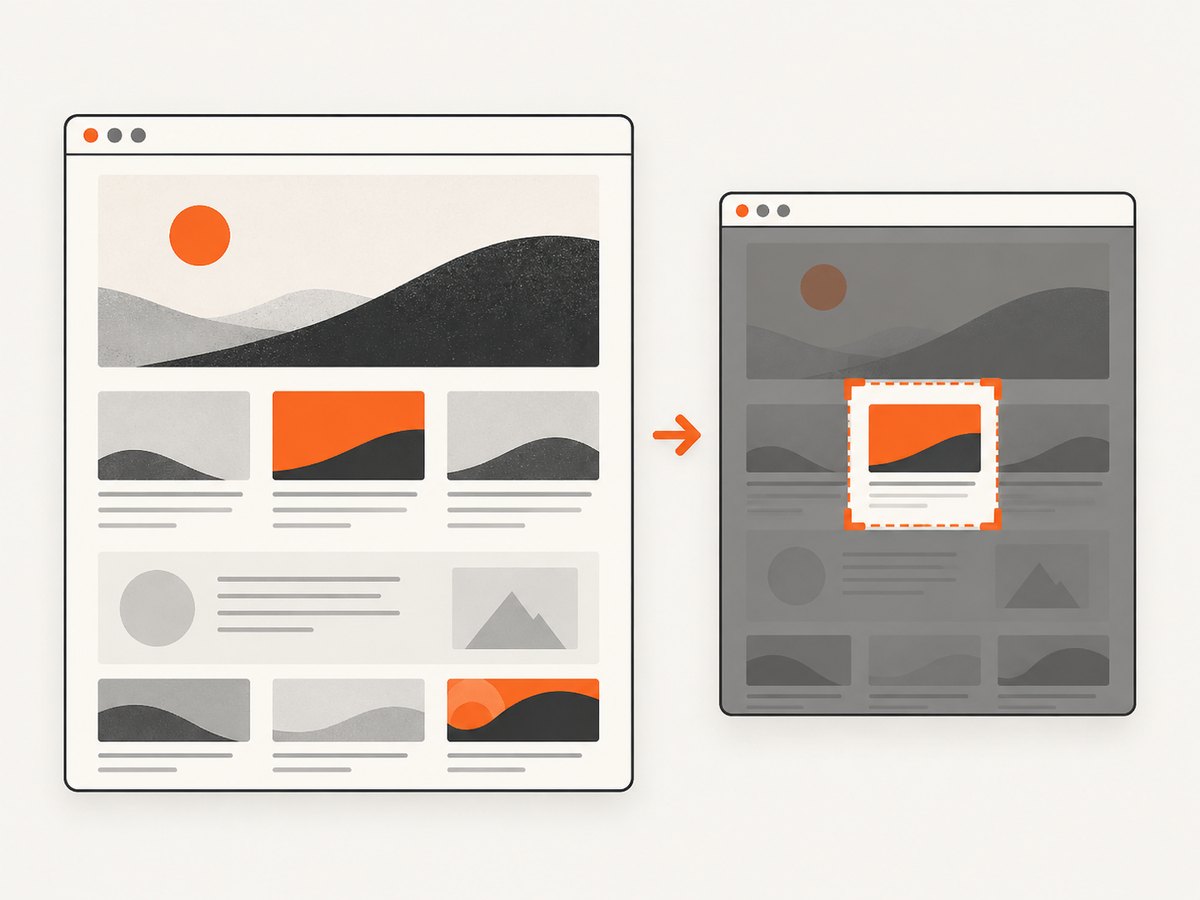
| Show one component | Capture a single element with a CSS selector. |
| Match campaign context | Use dark mode, device presets, custom viewport, retina scale, timezone or geolocation. |
| Prepare documents | Create PDFs with paper size, margins, landscape mode and page ranges. |
| Control dynamic pages | Wait for a selector, delay or network idle; click an element before capture. |
| Remove noise | Hide selectors and block ads, trackers, requests or resource types. |
| Access protected pages | Send custom headers, cookies, user agent or Authorization. |
| Publish images safely | Resize images, choose a cache TTL and use signed links for public image tags. |
| Run at scale | Use asynchronous jobs with signed webhooks, bulk capture for up to 100 URLs per call and the usage API. |
Common mistakes and troubleshooting
The generated copy sounds inconsistent
Cause: Brand rules are incomplete or examples conflict. Fix: Separate mandatory messages from optional style guidance, add approved examples and review outputs at the exact length and channel where they will be published.
Visuals use the wrong logo or colors
Cause: Multiple asset versions or templates are available. Fix: Archive obsolete assets, name approved variants clearly and test light and dark backgrounds separately.
A scheduled post cannot be published
Cause: The channel, account permission or plan allowance is not supported. Fix: Verify the live product documentation, reconnect the account and keep an exportable approval copy.
A screenshot contains a consent banner
Cause: A browser script did not recognize the consent platform or did not wait for the banner state. Fix: Add a targeted selector or wait condition, or use ScreenshotNeo’s consent handling and disable individual cleanup steps only when required.
The screenshot is blank or times out
Cause: The page is blocked, still loading, requires authentication or depends on a resource that failed. Fix: Check the page verdict headers, increase the appropriate wait, send required cookies or headers, block failing resource types and retry with a smaller viewport. ScreenshotNeo does not bill blank pages, timeouts or failed loads.
Costs rise unexpectedly
Cause: High-volume variants, oversized captures, short cache TTLs or unnecessary retries. Fix: Cache stable pages, use element capture where full-page output is unnecessary, batch up to 100 URLs and monitor the usage API. For social tools, calculate credits and account limits from your actual monthly calendar.
Performance and reliability practices
- Generate a small representative set before producing hundreds of variants.
- Keep brand assets centralized and versioned.
- Use deterministic naming for campaign, channel, format and date.
- Separate draft generation from approval and publishing credentials.
- Retry only transient failures and record the original error.
- Cache unchanged website captures and invalidate them when a page revision ships.
- For asynchronous screenshot jobs, verify signed webhook payloads and make handlers idempotent.
Cost planning
Compare the complete workflow cost, including seats, social accounts, credits, storage, approvals and manual cleanup. Predis.ai’s plan allowances can change, and Canva and Hootsuite limits should be confirmed on their current pages. For screenshots, ScreenshotNeo offers 1,000 free shots per month with no card, then $5 for 3,000, $15 for 15,000, $39 for 60,000, $99 for 250,000, and $249 for 1,000,000. Yearly billing gives two months free, and every feature is available on every plan.
FAQ
What is a good alternative to Predis.ai?
Canva is the first alternative to evaluate for branded visual creation and planning. Hootsuite is relevant when publishing and channel management are the main requirements. Your output formats and approval process should decide the final choice.
Which tool can create social media content in my brand voice?
Canva documents a Magic Write brand voice feature and Brand Kit support. Predis.ai also describes tone and key messaging in its brand profile. Test both with your own approved examples.
Can one tool handle creation and publishing?
Sometimes, but do not assume parity. List your formats, channels, approvals and analytics needs, then verify each capability and plan limit.
Why use a screenshot API in a branded content workflow?
It gives you repeatable website visuals for posts, ads, release notes and reports without maintaining browser infrastructure. ScreenshotNeo adds consent and popup cleanup, verdict headers and MCP access for AI agents.
Does ScreenshotNeo require a paid plan to start?
No. The free plan includes 1,000 screenshots each month and does not require a card.
Decision summary
Choose Canva when your team’s bottleneck is creating consistent visual assets and copy. Choose Hootsuite when the bottleneck is scheduling and publishing across accounts. Add a focused capture service when website screenshots are part of the content system. Document your brand rules, test real formats, measure editing and approval time, and price the workflow at your expected monthly volume before switching.


