How to Preserve Sessions When Rendering Pages with requests-html
Keep one HTMLSession, forward its cookies with send_cookies_session=True, and understand where Chromium rendering can lose browser state.

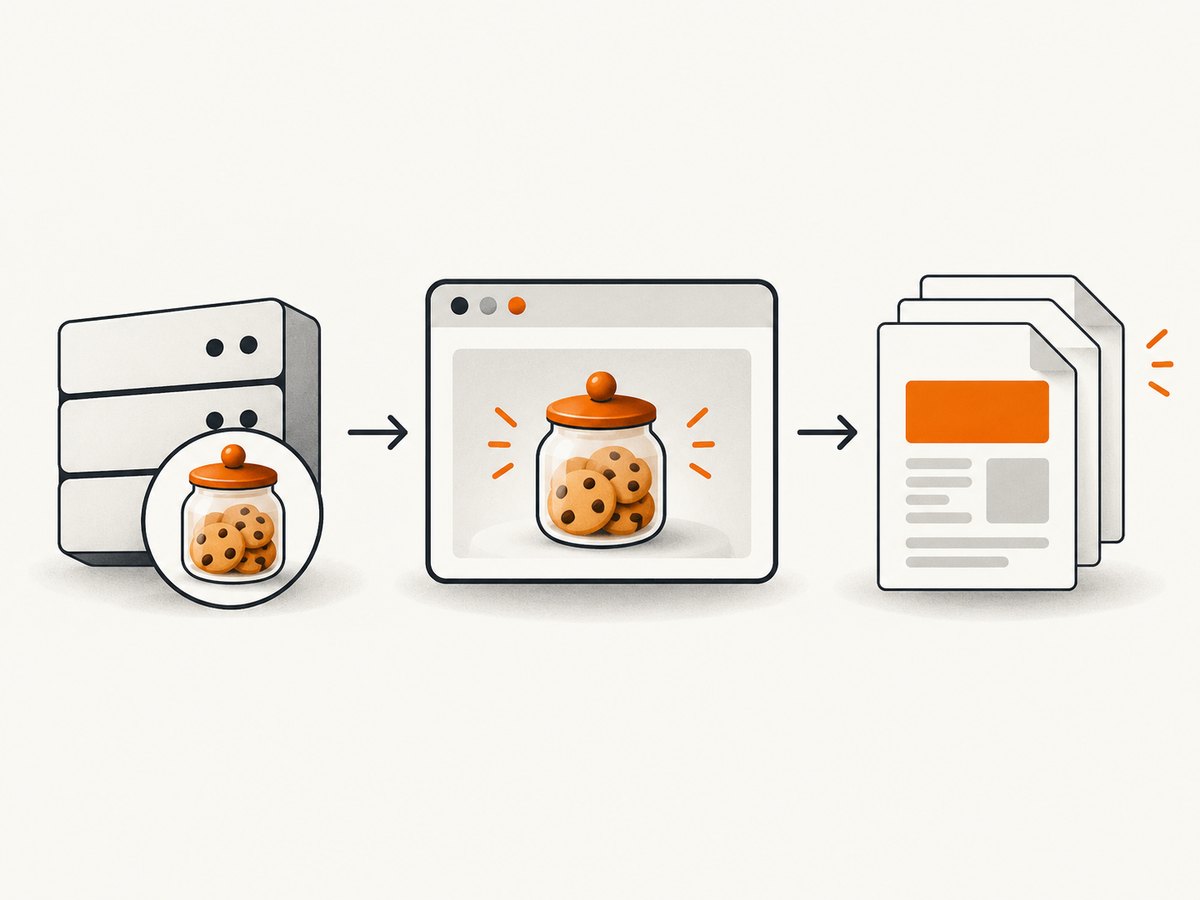
Use one HTMLSession for every request that must share cookies, then call response.html.render(send_cookies_session=True). The session keeps the Requests cookie jar. The render step reloads the page in Chromium, executes JavaScript, and replaces the response HTML with the rendered result. Cookie forwarding is explicit; it is not enabled by default.
This preserves ordinary cookie-based state between the Requests phase and the browser-rendering phase. It does not guarantee that every site’s complete login state transfers: some applications also depend on browser storage, device signals, client certificates, or other state outside a normal cookie jar.
Quick solution
from requests_html import HTMLSession

session = HTMLSession()
try:
    response = session.get("https://example.com/login-or-session-establishing-page")

    # Complete the site's authorized workflow through this same session.
    response = session.get("https://example.com/page-to-render")
    response.html.render(send_cookies_session=True)

    rendered_html = response.html.html
    print(rendered_html)
finally:
    session.close()
Both HTTP requests use the same HTMLSession object. The important option is send_cookies_session=True, which tells requests-html to send cookies held by HTMLSession.cookies to the rendering request. The documented default is False.
How session preservation works
- Requests stores cookies. A Requests session persists cookies set by responses and sends them on later requests made through that same session object. See the Requests session documentation.
HTMLSessionadds rendering. requests-html wraps this session style and provides connection pooling and an HTML response interface.render()starts a separate browser load. It reloads the response in Chromium, executes JavaScript, and replaces the response HTML with the updated document. The original Requests fetch and the Chromium fetch are distinct stages.- Cookie forwarding is opt-in. Set
send_cookies_session=Trueto forward cookies from the HTML session. The API also accepts a separatecookiesargument when you need to provide cookie data directly. The requests-html API documents this behavior at requests-html documentation.
Rendering may download Chromium through pyppeteer on the first render. Plan for that setup step in a new environment, and inspect the version installed in your project because the official documentation is old.
Step-by-step authenticated rendering
1. Create one session
from requests_html import HTMLSession

session = HTMLSession()
Do not create a new HTMLSession between login, navigation, and rendering. A new object has a different cookie jar.
2. Establish state through the authorized workflow
from requests_html import HTMLSession

session = HTMLSession()
try:
    login_page = session.get("https://example.com/login", timeout=30)
    login_page.raise_for_status()

    # Submit credentials only according to the site's documented workflow.
    # Field names and CSRF handling are site-specific.
    login_result = session.post(
        "https://example.com/login",
        data={"username": "YOUR_USERNAME", "password": "YOUR_PASSWORD"},
        timeout=30,
    )
    login_result.raise_for_status()

    protected = session.get("https://example.com/account", timeout=30)
    protected.raise_for_status()
    protected.html.render(send_cookies_session=True, timeout=30)

    print(protected.html.html)
finally:
    session.close()
The example uses placeholders. Keep credentials and live cookie values out of source code, logs, and published examples. Real login forms can require CSRF tokens, redirects, multifactor authentication, or an application-specific API flow.
3. Forward the session cookies during rendering
response.html.render(
    send_cookies_session=True,
    timeout=30,
)
Rendering mutates the response's HTML to the browser-rendered document. If you need the pre-render HTML too, save response.html.html before calling render().
Supplying cookies explicitly
Use the render method's cookies argument when cookie data comes from another authorized source. The exact cookie structure should match the installed requests-html version and the browser automation layer it uses.

from requests_html import HTMLSession

session = HTMLSession()
try:
    response = session.get("https://example.com/dashboard", timeout=30)
    response.html.render(
        cookies={
            "sessionid": "COOKIE_VALUE_FROM_A_SECURE_SOURCE"
        },
        timeout=30,
    )
    print(response.html.html)
finally:
    session.close()
Choose one deliberate source of truth. Use send_cookies_session=True for cookies accumulated by the current HTMLSession; use cookies when you explicitly provide cookie data. Do not assume that manually copying one cookie reproduces a complete browser login.
What rendering does to the response
Before rendering, response represents the Requests HTTP response. After rendering, requests-html reloads the page in Chromium and replaces the HTML with the JavaScript-executed document. The Python response object is still the object you hold, but its response.html content now represents the rendered page.
Rendering is therefore not a promise that all browser state is copied back into the Requests session. The documented option forwards the session's cookies to the browser request. The dossier does not establish that cookies set later by JavaScript, local storage, service-worker state, or other browser-only state are synchronized back into HTMLSession.cookies.
Useful render options
| Option | Purpose | Session implication |
|---|---|---|
send_cookies_session=True |
Forward cookies held by the associated HTML session to Chromium. | Use for ordinary cookie-based sessions; default is false. |
cookies=... |
Provide cookie data explicitly to the render operation. | Useful when data comes from a secure, separate store. |
timeout=... |
Limit how long the render operation can wait. | Increase only for pages that genuinely need more time. |
Inspect the render signature in the version installed in your environment before relying on additional parameters. The official requests-html material is several years old, so package behavior can differ across environments.
Common failure modes and fixes
| Symptom | Likely cause | Fix |
|---|---|---|
| The rendered page is logged out. | A new session was created, or cookies were not forwarded. | Reuse one HTMLSession and set send_cookies_session=True. |
| The first render is slow or fails while starting. | Chromium must be downloaded or initialized by pyppeteer. | Allow first-run setup, verify the runtime can launch Chromium, and inspect installed package versions. |
| Login POST succeeds but the page still redirects to login. | The workflow requires CSRF tokens, redirects, MFA, or more than one cookie. | Follow the site's documented authorization flow and inspect redirect history and the session cookie jar. |
| JavaScript content is missing. | The page was inspected before rendering, or rendering timed out. | Call render() before reading the final HTML and tune the timeout for the page. |
| Cookies appear in Requests but not in Chromium. | send_cookies_session was omitted or left false. |
Pass send_cookies_session=True, or provide cookies explicitly. |
| The site still rejects the browser. | Authentication depends on browser state beyond ordinary cookies, or the site blocks automation. | Do not assume cookie forwarding is sufficient. Use the site's supported access method and verify its requirements. |
| State disappears between jobs. | The process ended or each job creates a fresh session. | Keep the session alive for the workflow, or securely persist only the state your application is authorized to retain. |
Debugging checklist
- Confirm every request uses the same
HTMLSessioninstance. - Call
raise_for_status()and inspect redirects before rendering. - Check whether the login response actually set cookies in
session.cookies. - Set
send_cookies_session=Trueexplicitly. - Compare the URL rendered by Chromium with the URL expected after login.
- Save the HTML before and after
render()to identify whether the failure is HTTP-side or browser-side. - Check the installed requests-html and pyppeteer versions and the local Chromium runtime.
- Remove secrets from debug output before storing or sharing logs.
Performance, reliability, and cost considerations
Reuse a session for related requests so the cookie jar and connection pool remain available. Rendering is more expensive than a normal HTTP fetch because it starts or communicates with Chromium and executes page JavaScript. Render only pages that need browser execution.
Set explicit HTTP and render timeouts, close the session in a finally block, and treat navigation, login, and rendering as separate failure points. A successful login request does not prove that Chromium received the required state.
requests-html's documented first-render Chromium download means cold starts can require extra setup time and network access. The supplied research contains no benchmark, success rate, or compatibility percentage, so size workers and retries from measurements in your own environment.
Or skip the browser setup
If your goal is a clean screenshot or PDF rather than control of a Python browser session, ScreenshotNeo provides a single website capture request. See the ScreenshotNeo API documentation.
cURL
curl -G "https://api.screenshotneo.com/v1/shot" -d access_key=YOUR_API_KEY --data-urlencode url=https://stripe.com -o shot.webpPython
import requests
r = requests.get("https://api.screenshotneo.com/v1/shot", params={"access_key": "YOUR_API_KEY", "url": "https://stripe.com"}, timeout=90)
open("shot.webp", "wb").write(r.content)
Node.js
const q = new URLSearchParams({ access_key: 'YOUR_API_KEY', url: 'https://stripe.com' }); const res = await fetch(`https://api.screenshotneo.com/v1/shot?${q}`);Cookie banners, newsletter popups, and chat widgets are removed before the shot. Bot checks, blank pages, failed loads, timeouts, and cache hits are never billed, and each response identifies its result with X-Page-Verdict and X-Billed headers. ScreenshotNeo also offers an MCP server so Claude, Cursor, and other MCP clients can call take_screenshot, get_page_info, and capture_pdf. The free plan includes 1,000 screenshots a month with no card; paid plans start at $5 for 3,000. Create a free ScreenshotNeo account.
FAQ
Does render() automatically preserve my Requests session?
No. Keep the same HTMLSession, and explicitly pass send_cookies_session=True when rendering.
Can I render a response fetched by a different session?
You can provide cookie data with the render method's cookies argument, but a different session's complete browser state is not guaranteed to transfer.
Does rendered HTML replace the original response HTML?
Yes. The render operation reloads the page in Chromium, executes JavaScript, and replaces the response HTML with the rendered content.
Will this work for every authenticated website?
No universal guarantee is documented. Sites that require state beyond ordinary cookies may need a different supported integration or a full browser workflow.
Should I keep one session forever?
Keep one session for the workflow that needs shared state, then close it. Long-lived sessions should follow your application's security and expiry rules.


