How to Preserve Multiple Spaces and Line Breaks in html2canvas
Use `white-space: pre-wrap` to preserve repeated spaces and authored line breaks in html2canvas, then check the capture clone, fonts, and dimensions if output differs.
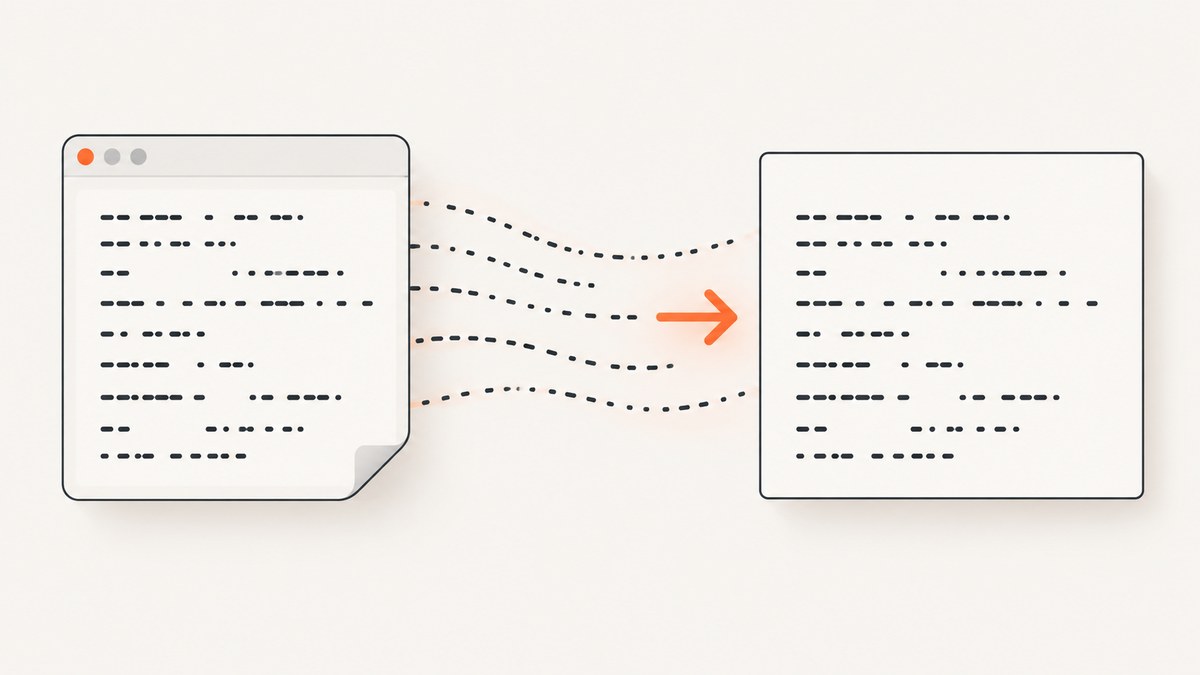
To preserve repeated spaces and authored line breaks in text rendered by html2canvas, set the target element to white-space: pre-wrap. It preserves runs of spaces and newline characters while allowing long lines to wrap at the container edge. First confirm the spaces and newline characters are actually present in the element’s text. Then compare the result in the browser and in the html2canvas output: html2canvas reconstructs a rendering from DOM and styles rather than taking a native browser screenshot, and its CSS support is incomplete.
This is a practical starting point, not a guarantee of pixel-identical output across every browser and html2canvas release. If the result still differs, inspect the cloned document’s computed styles, font readiness, dimensions, and text content. The documented onclone callback lets you adjust the clone that html2canvas renders without changing the live page.
1. Choose the whitespace behavior you need
Whitespace behavior has three separate parts: whether repeated spaces collapse, whether newline characters create line breaks, and whether long lines wrap. Pick the CSS value that matches all three requirements rather than trying values at random.
| Value | Repeated spaces | Newline characters | Wrapping | Use it when |
|---|---|---|---|---|
normal |
Collapse | Collapse into ordinary whitespace | Yes | Ordinary prose should flow naturally. |
pre |
Preserve | Preserve as line breaks | No | Spacing and line positions must remain fixed, such as a short code sample that should not wrap. |
pre-wrap |
Preserve | Preserve as line breaks | Yes | Text must retain authored spacing but still fit a bounded container. |
pre-line |
Collapse | Preserve as line breaks | Yes | Authored lines matter, but runs of spaces should behave like ordinary prose. |
For the common request “preserve multiple spaces and line breaks,” begin with pre-wrap. Use pre if wrapping would change the intended layout. Use pre-line if line breaks matter but repeated spaces should collapse. Check the target in the browser before capturing it: if the browser itself displays the wrong layout, html2canvas is not the first thing to fix.
2. Minimal working example
The source content must contain the whitespace you want to preserve. In this example, the text has three spaces between “First” and “line” and a newline before “Second line.”
<!doctype html>
<html lang="en">
<head>
  <meta charset="utf-8">
  <meta name="viewport" content="width=device-width, initial-scale=1">
  <title>Preserve whitespace with html2canvas</title>
  <style>
    .preserve-text {
      width: 24rem;
      border: 1px solid #999;
      padding: 1rem;
      white-space: pre-wrap;
      font: 16px/1.5 monospace;
    }
  </style>
</head>
<body>
  <div class="preserve-text" id="capture-target">First   line
Second line</div>
  <button id="capture-button">Capture</button>
  <script type="module">
    import html2canvas from "https://cdn.jsdelivr.net/npm/html2canvas@1.4.1/+esm";

    const target = document.querySelector("#capture-target");
    document.querySelector("#capture-button").addEventListener("click", async () => {
      await document.fonts.ready;
      const canvas = await html2canvas(target, { scale: 1 });
      const link = document.createElement("a");
      link.download = "whitespace.png";
      link.href = canvas.toDataURL("image/png");
      link.click();
    });
  </script>
</body>
</html>
The example pins html2canvas to 1.4.1 so it is reproducible against that release; use the version installed by your project when adapting it. If your build system already bundles html2canvas, import it from your package instead of loading it from a CDN. The scale option controls output pixel density; it does not change the target’s CSS whitespace rules.
Install and capture in an existing project
Install the package using the package manager your project uses, then import it in your client-side code. For example:
npm install html2canvasimport html2canvas from "html2canvas";
const target = document.querySelector("#capture-target");
if (!(target instanceof HTMLElement)) {
throw new Error("Capture target #capture-target was not found");
}
await document.fonts.ready;
const canvas = await html2canvas(target, {
scale: window.devicePixelRatio || 1
});
const blob = await new Promise((resolve, reject) => {
canvas.toBlob(value => value ? resolve(value) : reject(new Error("PNG encoding failed")), "image/png");
});
const link = document.createElement("a");
link.download = "capture.png";
link.href = URL.createObjectURL(blob);
link.click();
URL.revokeObjectURL(link.href);Run this in the browser after the target has rendered. html2canvas is a client-side DOM renderer; this snippet is not a Node.js server-side screenshot. For server capture or a native screenshot of a live page, use a browser automation tool or a screenshot service.
3. Verify the text and styles before capture
A CSS declaration cannot preserve characters that are absent from the DOM. Check the actual text and computed style before changing the capture code:
const target = document.querySelector("#capture-target");
if (!target) throw new Error("Capture target not found");

console.log(JSON.stringify(target.textContent));
console.log(getComputedStyle(target).whiteSpace);
console.log(getComputedStyle(target).fontFamily);
console.log(getComputedStyle(target).lineHeight);
console.log(target.getBoundingClientRect().width);
JSON.stringify makes newline characters visible as \n in the console output. If spaces were trimmed, collapsed by application code, or normalized while constructing the string, restore them in the content source. For text assembled from data, prefer a text node or textContent when inserting plain text; do not treat HTML formatting whitespace as proof that the resulting DOM text contains the same characters.
Also inspect ancestors. A parent’s width, font, or layout can change wrapping even when the target has white-space: pre-wrap. Compare the target’s width, font family, font size, line height, letter spacing, and relevant ancestor styles with the layout you expect. A proportional font can make runs of spaces less visually obvious than a monospace font, even when they are present.
4. Apply capture-only fixes with onclone
The documented onclone option runs against the document clone that html2canvas renders. Use it for capture-specific adjustments when the live page’s styling should remain unchanged. Select the corresponding element in the cloned document and set the desired styles there.

const target = document.querySelector("#capture-target");
if (!target) throw new Error("Capture target not found");

const canvas = await html2canvas(target, {
  onclone(clonedDocument) {
    const clonedTarget = clonedDocument.querySelector("#capture-target");
    if (!clonedTarget) return;

    clonedTarget.style.whiteSpace = "pre-wrap";
    clonedTarget.style.fontFamily = "monospace";
    clonedTarget.style.width = "24rem";
  }
});
The callback receives the cloned document, so query within it rather than expecting your live page’s node to be the rendered node. If the selector is generated dynamically or repeated, use a stable identifier or a selector scoped to the clone. Keep capture-only styles limited to the target and properties needed to reproduce its intended layout.
For reliable font layout, wait for the fonts used by the page before capture:
await document.fonts.ready;
const canvas = await html2canvas(target, { scale: 1 });
This helps avoid a capture that occurs while a web font is still loading. It does not guarantee that every custom font or CSS feature renders identically in html2canvas.
5. Understand html2canvas’s rendering limits
html2canvas builds a rendering from DOM and style information rather than taking an actual browser screenshot. Its supported-features list names white-space and line-break, but that should not be read as a guarantee for every value and combination. The project’s FAQ explains that CSS properties must be implemented individually and that full CSS support is not a goal. See the [html2canvas supported features](https://html2canvas.hertzen.com/features/) and [official FAQ](https://html2canvas.hertzen.com/faq/).
That distinction matters when the visible browser layout is correct but the generated canvas differs. A browser screenshot records the browser’s rendered pixels; html2canvas interprets the DOM and CSS using the properties it implements. For whitespace problems, test your exact markup, browser, operating system, and installed library version. Do not assume that an old report describes every current environment.
For suspected library issues, reduce the page to one element with a known string, a fixed width, and explicit font and line-height. Record the html2canvas version, browser and version, operating system, computed styles, and expected versus actual output. Historical reports include a line-break difference report from a Chrome 116/macOS Catalina environment and a varying space-size report from a Chrome 105/Windows environment, both using html2canvas 1.4.1. They are reproduction leads, not proof of a current universal defect: [issue #3109](https://github.com/niklasvh/html2canvas/issues/3109) and [issue #2954](https://github.com/niklasvh/html2canvas/issues/2954).
6. Troubleshooting common symptoms
| Symptom | Likely cause | What to check or change |
|---|---|---|
| Repeated spaces become one | The element still uses normal or pre-line, or the text was normalized before it reached the DOM. |
Inspect textContent and computed white-space. Try pre-wrap or pre. |
| Newline characters do not make new lines | The content has no newline character, or whitespace behavior collapses line breaks. | Log JSON.stringify(element.textContent). Use pre-wrap, pre, or pre-line depending on whether spaces should collapse. |
| Text wraps at different words or positions | Capture width, font metrics, font loading, or letter spacing differs. | Wait for document.fonts.ready; compare computed font, width, line-height, and letter spacing in the original and clone. |
| Browser display is right but canvas is wrong | The property combination may not be implemented the same way in that html2canvas release. | Reduce the reproduction, pin and record the library version, inspect onclone, and consult the supported-features page and issues. |
| Capture-only change has no effect | The callback is styling the live node or the wrong cloned element. | Use the clonedDocument argument, verify the selector finds the cloned target, and set the style on that node. |
| PNG creation fails or canvas is blank | The target may be missing, rendering may have failed, or canvas export may be blocked by cross-origin content. | Check the element exists and inspect the rejected promise and browser console. For cross-origin images, check the image server’s CORS policy and html2canvas configuration; this is separate from whitespace behavior. |
When asking for help or filing an issue, include a minimal page rather than only a screenshot. A screenshot shows the difference but usually not whether the cause is text content, CSS, font timing, element geometry, or a renderer limitation.
7. Performance, reliability, and cost
For a single text element, capture only the needed element rather than a very large page when that meets the use case. High output scale increases canvas pixel dimensions and memory use; choose a scale appropriate for the display or export size. Waiting for fonts and any application data needed by the element improves consistency, while an unbounded wait for unrelated network activity can slow capture unnecessarily.
Reliability depends on the page reaching the state you intend to capture. Trigger html2canvas after the component has rendered, the target has final dimensions, and required fonts are ready. If content is updated asynchronously, wait for the application’s own completion signal before capture. For repeatable output, keep viewport, target width, font, browser, library version, and scale stable.
html2canvas itself is a JavaScript library; any monetary cost depends on how you host and run the surrounding application. Browser-side rendering consumes the user’s device resources. Server-side browser automation or an API has its own infrastructure or service pricing, so compare the operational model and expected volume before choosing.
Or skip the browser setup
If you need a screenshot of a live website rather than a canvas rendering of one DOM element, ScreenshotNeo provides a website screenshot API and MCP server. Its API returns an image or PDF from one GET request. It can also render HTML and CSS, but for this whitespace case you should verify that the target page’s source text and CSS express the exact spacing you need.
See the ScreenshotNeo API documentation. Example cURL request:
curl -G "https://api.screenshotneo.com/v1/shot" \
  -d access_key=YOUR_API_KEY \
  --data-urlencode url=https://stripe.com \
  -o shot.webp
Python:
import requests

r = requests.get(
    "https://api.screenshotneo.com/v1/shot",
    params={"access_key": "YOUR_API_KEY", "url": "https://stripe.com"},
    timeout=90,
)
r.raise_for_status()
open("shot.webp", "wb").write(r.content)
Node.js:
const q = new URLSearchParams({
  access_key: "YOUR_API_KEY",
  url: "https://stripe.com"
});
const res = await fetch(`https://api.screenshotneo.com/v1/shot?${q}`);
if (!res.ok) throw new Error(`Screenshot request failed: ${res.status}`);
await import("node:fs/promises").then(({ writeFile }) => writeFile("shot.webp", Buffer.from(await res.arrayBuffer())));
ScreenshotNeo removes cookie banners, newsletter popups, and chat widgets before the shot; bot checks, blank pages, and failed loads are never billed. Its MCP server lets AI agents take screenshots. The free plan includes 1,000 screenshots a month with no card, and paid plans start at $5 for 3,000. Create a free ScreenshotNeo account.
Frequently asked questions
Does solve collapsed spaces?
It can represent a nonbreaking space in HTML, but it changes line-breaking behavior and is not a general replacement for choosing the right white-space value. For plain text containing ordinary repeated spaces, start with pre-wrap.
Should I use pre or pre-wrap for code?
Use pre when long lines must stay unwrapped and the container can accommodate them. Use pre-wrap when lines must remain readable inside a fixed-width capture.
Will every html2canvas version render whitespace the same way?
Do not assume so. The project documents CSS support as incomplete. Validate the installed version in the browser and environment that produce your output.
Can I use html2canvas from Node.js without a browser?
These examples require a browser DOM. html2canvas reconstructs a rendering from DOM and styles; it is not a standalone Node.js browser engine or a native screenshot tool.


