How to Prevent wkhtmltopdf From Hanging When Launched with Java Runtime.exec()
Stop wkhtmltopdf hangs in Java by draining process streams, closing stdin, using timeouts, and diagnosing blocked conversions.
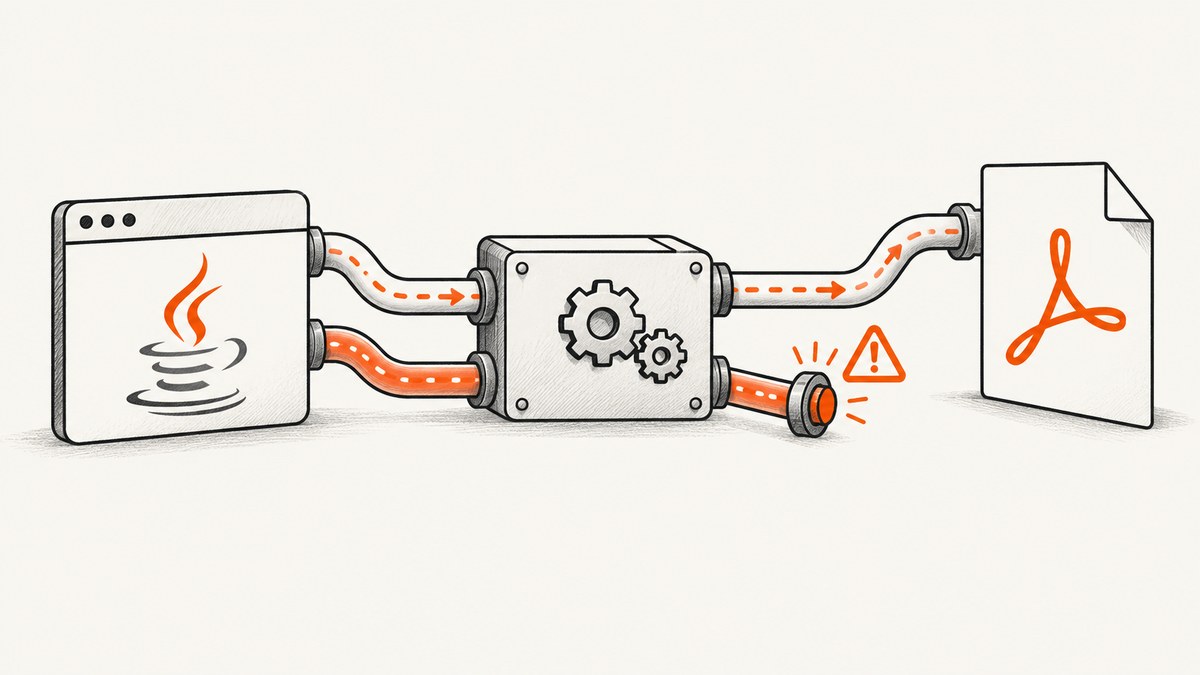
When wkhtmltopdf launched with Runtime.getRuntime().exec() never terminates, inspect the subprocess streams first. Java connects the child process’s standard input, standard output, and standard error to the parent. If wkhtmltopdf writes enough output to an unread pipe, the pipe can fill, the child blocks, and Java’s waitFor() appears to hang. Oracle documents this deadlock mechanism in the Java Process API.
The durable fix is to use ProcessBuilder, drain stdout and stderr while the process runs, close stdin when no input is needed, bound the wait with a timeout, and preserve diagnostics when termination fails. A full pipe is a common cause, but conversion input, permissions, executable discovery, networking, and wkhtmltopdf options can also keep a process alive.
1. Why Runtime.exec() can hang
Runtime.exec() starts a native process and returns a Java Process. Its streams are pipes:
process.getInputStream()reads the child’s stdout.process.getErrorStream()reads the child’s stderr.process.getOutputStream()writes to the child’s stdin.
The child and parent run concurrently. Calling waitFor() does not read either output stream. If wkhtmltopdf emits progress, warnings, font messages, network errors, or other diagnostics faster than Java consumes them, the operating system pipe reaches its finite capacity. wkhtmltopdf then blocks on a write and cannot exit, while Java waits for an exit that cannot happen. Oracle describes this as a possible block or deadlock when process streams are not read or written promptly.
This explains the historical symptom that launching wkhtmltopdf with Runtime.getRuntime().exec() “never terminates,” but it does not prove that every hang has this cause. Treat it as the first diagnostic branch.
2. A safe Java implementation
Use an argument array or ProcessBuilder argument list. Do not build one shell command string when URLs or file paths may contain spaces, quotes, ampersands, or shell metacharacters.
import java.io.ByteArrayOutputStream;
import java.io.IOException;
import java.io.InputStream;
import java.nio.charset.StandardCharsets;
import java.nio.file.Path;
import java.time.Duration;
import java.util.List;
import java.util.concurrent.TimeUnit;

public final class WkhtmltopdfRunner {
    public static Result render(String inputUrl, Path outputPdf,
                                Duration timeout) throws Exception {
        List<String> command = List.of(
            "wkhtmltopdf",
            "--quiet",
            inputUrl,
            outputPdf.toString()
        );

        ProcessBuilder builder = new ProcessBuilder(command);
        builder.redirectErrorStream(true); // stdout and stderr become one stream
        Process process = builder.start();

        // This conversion does not send data to wkhtmltopdf on stdin.
        process.getOutputStream().close();

        ByteArrayOutputStream log = new ByteArrayOutputStream();
        Thread reader = Thread.ofVirtual().start(() -> {
            try (InputStream in = process.getInputStream()) {
                in.transferTo(log);
            } catch (IOException ignored) {
                // Preserve the process result; callers can add structured logging here.
            }
        });

        boolean finished = process.waitFor(timeout.toMillis(), TimeUnit.MILLISECONDS);
        if (!finished) {
            process.destroy();
            if (!process.waitFor(2, TimeUnit.SECONDS)) {
                process.destroyForcibly();
            }
            reader.join(2_000);
            String diagnostics = log.toString(StandardCharsets.UTF_8);
            throw new IOException("wkhtmltopdf timed out. Output: " + diagnostics);
        }

        reader.join(2_000);
        int exitCode = process.exitValue();
        String diagnostics = log.toString(StandardCharsets.UTF_8);
        return new Result(exitCode, diagnostics);
    }

    public record Result(int exitCode, String output) {}
}
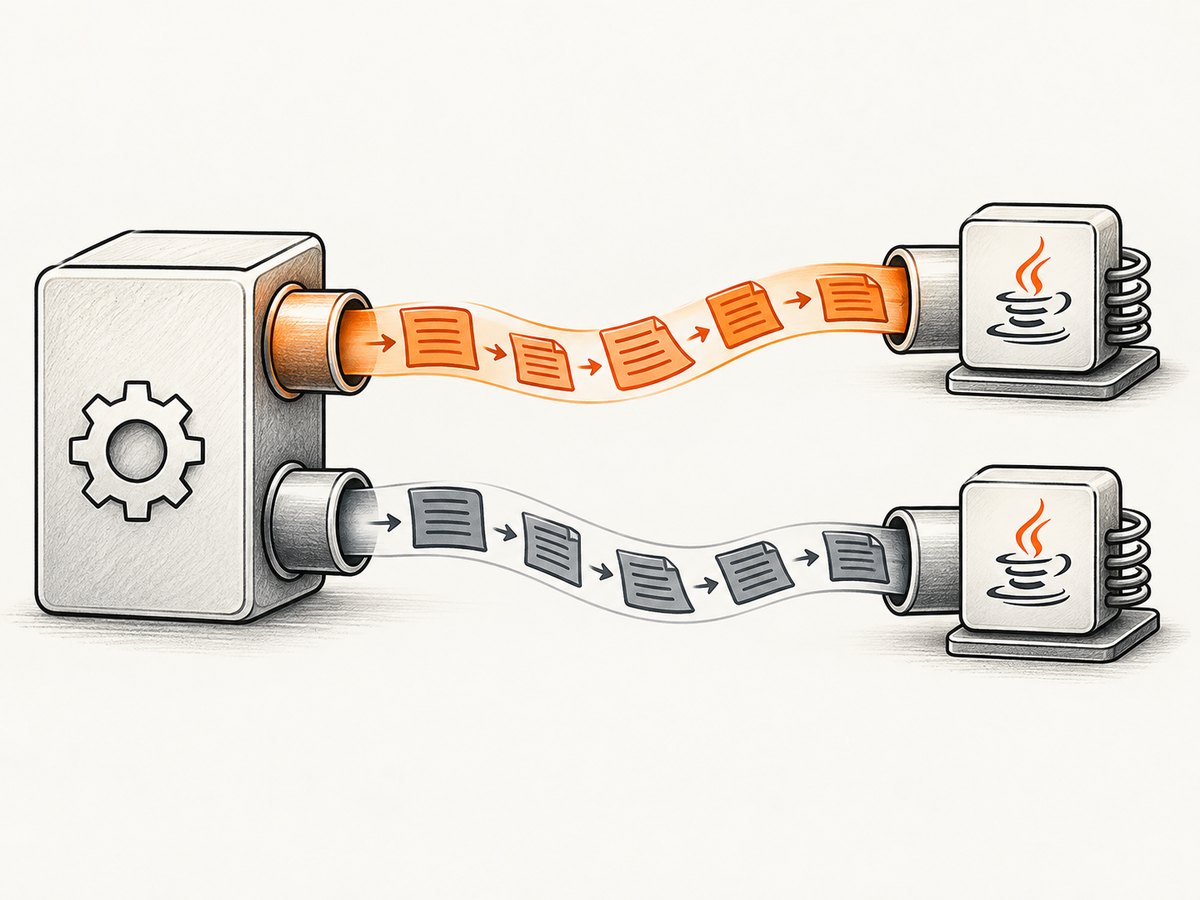
The example merges stderr into stdout and drains the combined stream on a separate thread. Check the returned exit code and verify that the expected PDF exists before reporting success. The timeout is a policy decision: choose one long enough for your largest permitted page, but always keep it bounded.
Separate stdout and stderr
If your operations team needs distinct streams, do not read one completely and then the other. Drain both concurrently:
ProcessBuilder pb = new ProcessBuilder(
    "wkhtmltopdf", "https://example.com", "/tmp/output.pdf");
Process p = pb.start();
p.getOutputStream().close();

Thread outReader = Thread.ofVirtual().start(() -> drain(p.getInputStream(), "stdout"));
Thread errReader = Thread.ofVirtual().start(() -> drain(p.getErrorStream(), "stderr"));

if (!p.waitFor(90, java.util.concurrent.TimeUnit.SECONDS)) {
    p.destroyForcibly();
    throw new java.io.IOException("conversion timed out");
}
outReader.join();
errReader.join();
if (p.exitValue() != 0) {
    throw new java.io.IOException("wkhtmltopdf failed: " + p.exitValue());
}

static void drain(java.io.InputStream stream, String name) {
    try (stream) {
        stream.transferTo(java.io.OutputStream.nullOutputStream());
    } catch (java.io.IOException e) {
        System.err.println(name + " read failed: " + e.getMessage());
    }
}
For Java versions without virtual threads, use an executor, two platform threads, or a library that provides concurrent stream gobblers. The requirement is concurrent draining, not a particular threading API.
3. Redirect, merge, or discard output
Choose the stream strategy according to your debugging needs:
| Need | Approach | Trade-off |
|---|---|---|
| One combined diagnostic log | redirectErrorStream(true) and drain one stream |
Simple, but stdout and stderr lose their separation |
| Separate operational logs | Drain both streams concurrently | More code, preserves source of each message |
| Completion status only | redirectOutput(file) and redirectError(file) |
Safe for verbose processes; files need rotation and cleanup |
| No output at all | Redirect to ProcessBuilder.Redirect.DISCARD where supported |
Fastest to operate, but removes evidence needed for diagnosis |
ProcessBuilder pb = new ProcessBuilder(
    "wkhtmltopdf", "https://example.com", "/tmp/output.pdf");
pb.redirectOutput(Path.of("/var/log/wkhtmltopdf.out").toFile());
pb.redirectError(Path.of("/var/log/wkhtmltopdf.err").toFile());
Process process = pb.start();
process.getOutputStream().close();
Oracle’s API documents these redirection controls and the parent-to-child meaning of the process streams.
4. Close stdin unless you intentionally use it
A child can wait for input if its stdin remains open. The Java output stream is the child’s stdin, so close it immediately when the command receives all arguments on the command line:
Process process = new ProcessBuilder(
    "wkhtmltopdf", "input.html", "output.pdf").start();
process.getOutputStream().close();
wkhtmltopdf also has a special --read-args-from-stdin mode. According to the project’s usage documentation, each line received on stdin is treated as a separate invocation. Do not enable this option accidentally. If you use it deliberately, write complete argument lines, flush them, and close stdin when the batch is complete.
5. A diagnostic sequence for a hanging conversion
- Record the exact environment. Capture the Java version, operating system, wkhtmltopdf version, executable path, input URL or file, output path, complete argument vector, and whether stdin is intentional.
- Find the blocked operation. A thread dump can show whether Java is in
waitFor, reading a stream, or writing stdin. Also check whether the child is alive. - Redirect output temporarily. Send stdout and stderr to files and inspect stderr first. An old matching Stack Overflow report observed wkhtmltopdf messages on stderr; that report is anecdotal and does not establish behavior for every build.
- Check stdin behavior. Look for
--read-args-from-stdin, an unclosed stream, or code waiting for a prompt that never arrives. - Test the command outside Java. Run the exact executable and arguments under the same user, working directory, environment, and network restrictions. This separates Java pipe handling from conversion problems.
- Bound and terminate. On timeout, preserve logs and process state, call graceful termination, then force termination if policy permits. Never treat a timeout as a successful PDF.
6. Common errors and fixes
| Symptom | Likely cause | Fix |
|---|---|---|
waitFor() never returns |
Unread stdout or stderr pipe | Drain both concurrently, merge streams, or redirect them |
| Process waits with no visible output | stdin remains open or batch stdin mode is enabled | Close getOutputStream(); remove the option unless required |
| Java throws “Cannot run program” | Executable is not on PATH or lacks permission |
Use an absolute path, verify execute permission, and log the effective user |
| Exit code is nonzero | Invalid URL, inaccessible local file, network failure, unsupported page, or wkhtmltopdf error | Read stderr, reproduce manually, validate inputs, and check the output path |
| Conversion works manually but hangs in a service | Different environment, home directory, proxy, fonts, sandbox, or filesystem permissions | Compare environment variables, working directory, user, limits, and mounts |
| Timeout kills some legitimate pages | Fixed timeout is shorter than page load or rendering time | Set a bounded, workload-aware timeout and cap page complexity separately |
| Output file is missing after exit code 0 | Wrong relative working directory or unexpected output path | Use an absolute path and verify file existence and size |
7. Reliability and performance practices
- Use absolute paths. Set
builder.directory(...)when relative resources matter. - Limit concurrency. A queue prevents CPU, memory, file descriptor, and process limits from causing cascading failures.
- Keep logs bounded. Capture a maximum number of bytes or redirect to rotating files so a noisy page cannot exhaust heap memory.
- Use cancellation carefully. Destroy the process tree when wkhtmltopdf can spawn helper processes; make cleanup part of the job lifecycle.
- Validate inputs. Restrict allowed schemes and destinations if URLs come from users. Reject unexpected output paths.
- Measure stages. Record process start, first output, completion, exit code, elapsed time, and output size. These fields distinguish a blocked pipe from a slow page.
- Cache deliberately. Reusing a known PDF can reduce load, but invalidate it when page content or rendering options change.
No performance comparison between separate stream readers, merged output, and file redirection is established by the cited research. Select the simplest strategy that preserves the diagnostics your service requires.
8. Or skip the browser setup
If your goal is a clean image or PDF of a web page rather than maintaining a wkhtmltopdf process, ScreenshotNeo provides a hosted screenshot API. It handles browser startup and page capture behind one request, with options for full-page screenshots, element selectors, custom CSS and JavaScript, waits, blocking requests, headers, cookies, user agents, timezone, geolocation, PDF output, caching, async jobs, and bulk capture. See the ScreenshotNeo API documentation for the option names.

curl -G "https://api.screenshotneo.com/v1/shot" -d access_key=YOUR_API_KEY --data-urlencode url=https://stripe.com -o shot.webpimport requests
r = requests.get("https://api.screenshotneo.com/v1/shot", params={"access_key": "YOUR_API_KEY", "url": "https://stripe.com"}, timeout=90)
open("shot.webp", "wb").write(r.content)const q = new URLSearchParams({ access_key: 'YOUR_API_KEY', url: 'https://stripe.com' });
const res = await fetch(`https://api.screenshotneo.com/v1/shot?${q}`);Cookie banners, newsletter popups, and chat widgets are removed before the shot. Bot checks, blank pages, failed loads, timeouts, and cache hits are not billed as clean shots; response headers identify the page verdict and billing status. ScreenshotNeo also provides an MCP server with take_screenshot, get_page_info, and capture_pdf tools for Claude, Cursor, and other MCP clients. The Free plan includes 1,000 screenshots per month with no card; paid plans start at $5 for 3,000 shots. Create a free ScreenshotNeo account.
9. FAQ
Should I replace Runtime.exec() immediately?
For new code, prefer ProcessBuilder because it exposes argument lists, stream redirection, working directories, and environment configuration clearly. Existing code can be made safe if it drains streams, closes unused stdin, and applies bounded waits.
Can I call waitFor() before reading output?
Do not do that when the child may produce meaningful output. Read concurrently while waiting, or redirect streams so the operating system does not depend on Java readers.
Is stderr always the source of the hang?
No. Either stdout or stderr can fill its pipe. If both are separate, both need readers.
Does –quiet eliminate the problem?
It may reduce output, but it is not a correctness guarantee. Keep stream handling safe even when current pages appear quiet.
What should a timeout mean to callers?
It means conversion did not complete within policy. Return a failure, preserve diagnostics, clean up the process, and make retry behavior explicit.
When is ScreenshotNeo a better fit?
Use it when you want an API response instead of managing a local browser executable, especially when consent banners, popups, failed loads, billing visibility, or AI-agent access matter.
10. Production checklist
- Use
ProcessBuilderwith an argument list. - Drain stdout and stderr concurrently, merge them, or redirect them.
- Close stdin when no payload is expected.
- Do not accidentally enable
--read-args-from-stdin. - Set a timeout and handle graceful then forceful termination.
- Log versions, arguments, exit code, elapsed time, and bounded diagnostics.
- Verify the output file before declaring success.
- Compare service and shell environments.
- Limit concurrent conversions and clean up temporary files.


