How to Prevent Extra White Space at wkhtmltopdf Page Breaks
Fix blank gaps in wkhtmltopdf PDFs by checking break rules, tables, margins, headers, and smart shrinking with a repeatable workflow.
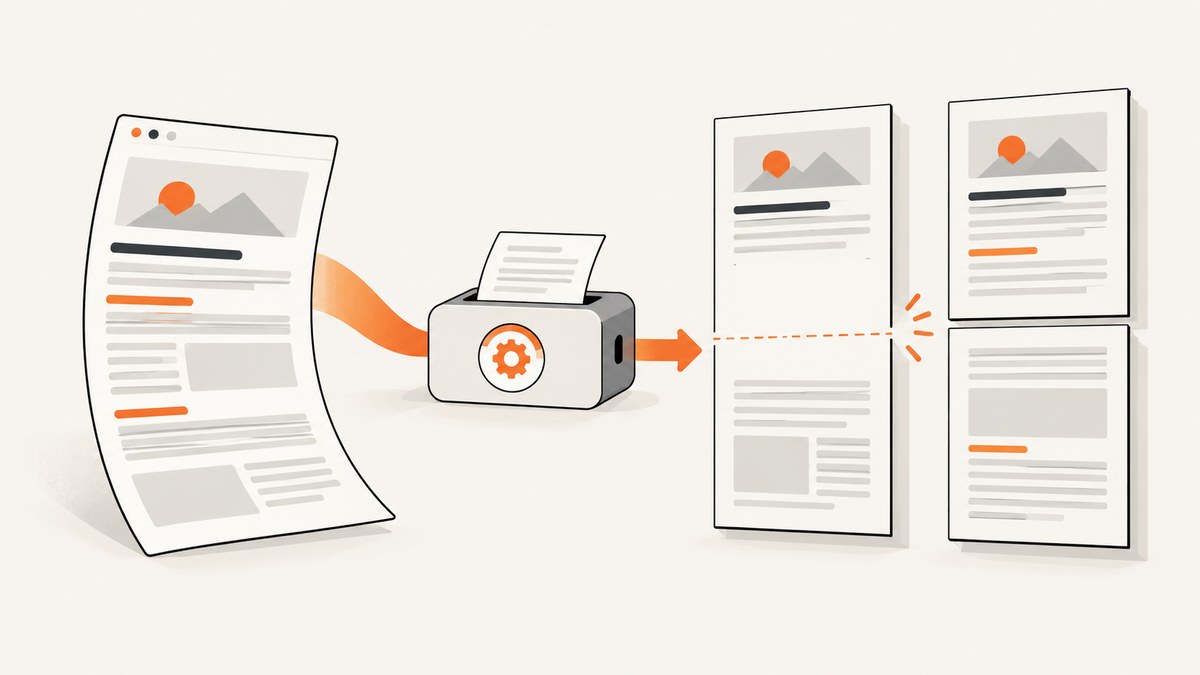
Extra white space at a wkhtmltopdf page break usually comes from one of five causes: a block kept together, table pagination, header or footer spacing, page margins, or scaling caused by smart shrinking. Diagnose those independently, change one variable at a time, and render again. The CSS rule page-break-inside: avoid can preserve a suitable block or table row, but it can also move the whole block to the next page and leave a blank area behind it.
This guide gives you a practical workflow, working commands, CSS patterns, table-specific fixes, configuration checks, and troubleshooting steps. The behavior can differ by wkhtmltopdf version, Qt/WebKit build, document structure, and page size, so treat each change as a test rather than a universal cure.
1. Identify what is creating the gap
Start by finding the exact element that straddles the page boundary. Open the source HTML and print stylesheet, then inspect the final block on the page before the gap and the first block on the next page. Typical culprits are:
- A paragraph, card, figure, or table row with
page-break-inside: avoid. - A table whose row is taller than the remaining page area.
- A repeated table header or footer group.
- A large top or bottom margin, header spacing, or footer spacing.
- Smart shrinking reducing content scale in a way that changes break positions.
- Fixed-height containers, absolute positioning, or oversized images.
Use a temporary outline to make layout boxes visible in the PDF:
@media print {
  * { outline: 0.25mm solid rgba(255, 0, 0, 0.15); }
}
Remove the outline after diagnosis. Also record the wkhtmltopdf version and build for every comparison; issue reports cover different older versions and do not establish identical behavior across all builds.
2. Apply page-break avoidance selectively
page-break-inside is a legacy alias for break-inside. The value avoid requests that a page break not occur inside the element; it does not guarantee that a renderer can honor the request in every layout.
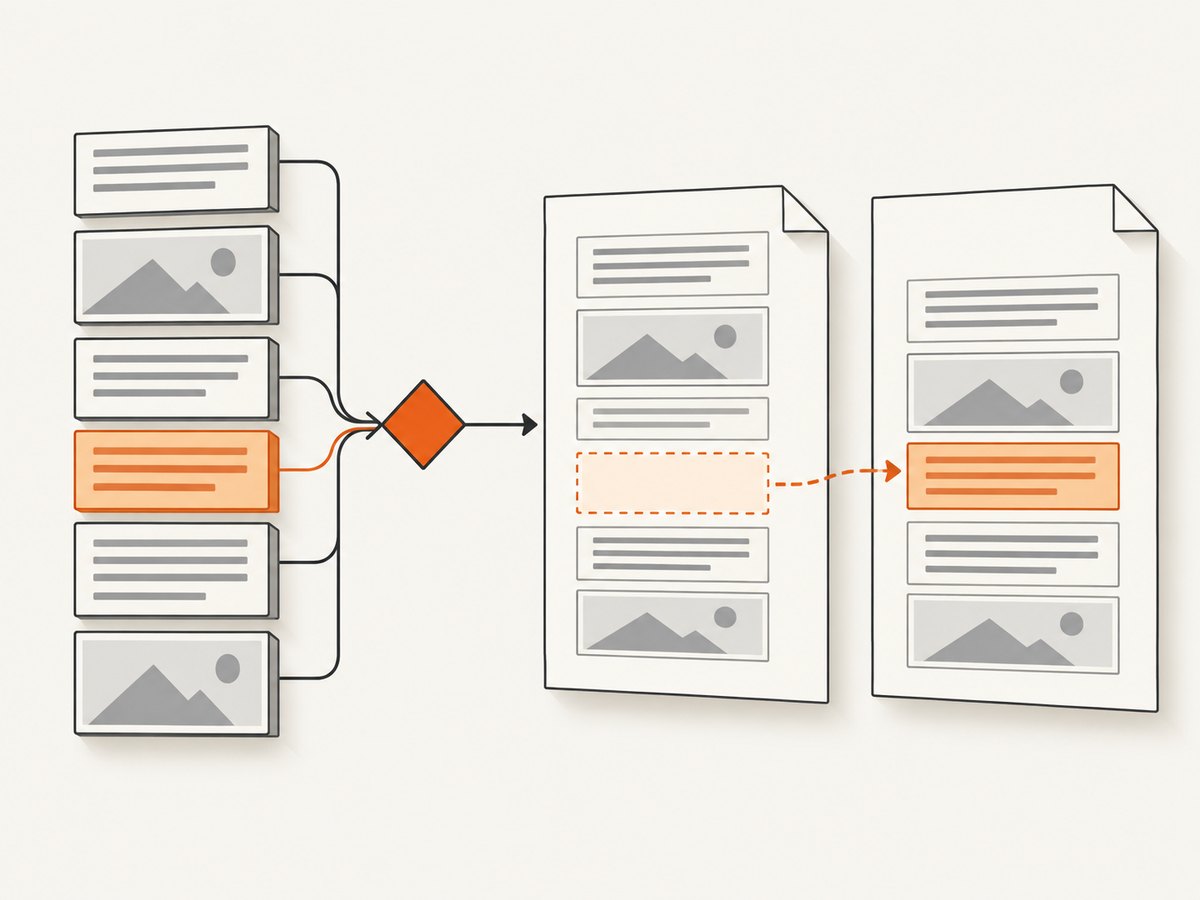
Use it only for content that should remain intact and can reasonably fit on one page:
.keep-together {
  page-break-inside: avoid;
  break-inside: avoid;
}

.keep-together h2,
.keep-together h3 {
  page-break-after: avoid;
  break-after: avoid;
}
If the element is taller than the remaining space, wkhtmltopdf may move it to the next page. The resulting blank area is expected from the rule’s tradeoff. Test the rendered PDF instead of assuming that the CSS declaration will produce a particular break. See the MDN reference for page-break-inside for the property definition and its relationship to break-inside.
3. Fix table pagination and repeated headers
Tables are a frequent source of large gaps because the renderer must decide whether to split a row, move a row, repeat a header, or keep a group together. A useful diagnostic baseline is:
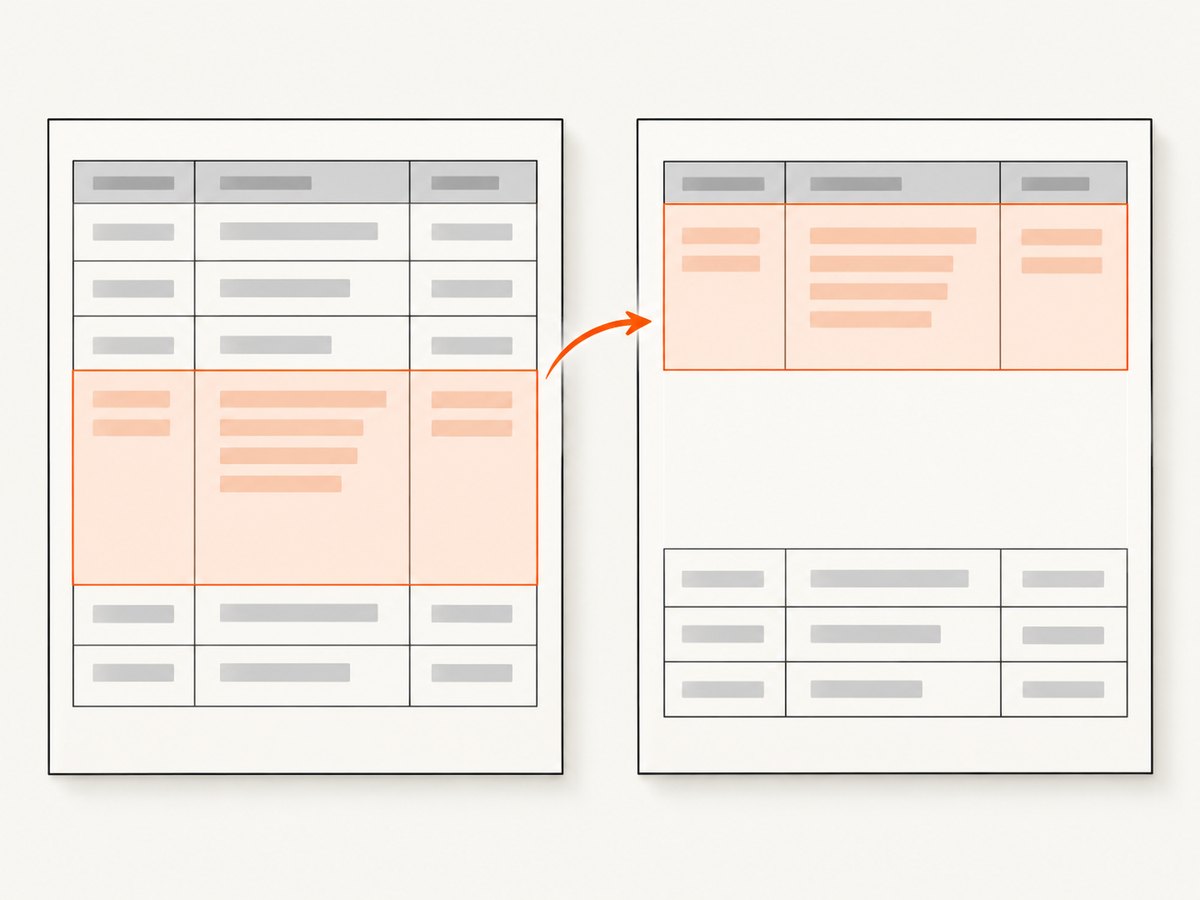
table {
  width: 100%;
  border-collapse: collapse;
  page-break-inside: auto;
  break-inside: auto;
}

thead {
  display: table-header-group;
}

tfoot {
  display: table-footer-group;
}

tr {
  page-break-inside: avoid;
  break-inside: avoid;
  page-break-after: auto;
}

td, th {
  vertical-align: top;
}
This asks the renderer to allow the table itself to continue across pages while requesting that individual rows stay intact and that header and footer groups repeat. It is a starting point, not a guarantee. Very tall rows can still produce a gap or overflow, and some builds repeat a header when no data row fits immediately below it.
When to remove row avoidance
If one row contains a long description, a nested list, or an image taller than a page, page-break-inside: avoid can force an enormous blank region. Remove the rule for that row or redesign the data into smaller rows:
tr.long-description {
  page-break-inside: auto;
  break-inside: auto;
}
Also check for nested tables, fixed heights, and large cell padding. Replace fixed heights with min-height where possible, constrain images with max-width: 100%, and avoid placing an entire multi-page report inside one unbreakable wrapper.
4. Check margins, headers, and footers
Content-level CSS cannot compensate for page geometry that reserves too much space. Inspect all four page margins and any header or footer settings. wkhtmltopdf exposes these as command-line options, including header spacing and footer spacing; consult the official usage documentation for the options supported by your build.
wkhtmltopdf \
  --page-size A4 \
  --margin-top 12mm \
  --margin-right 12mm \
  --margin-bottom 12mm \
  --margin-left 12mm \
  --header-spacing 0 \
  --footer-spacing 0 \
  input.html output.pdf
Run a comparison with headers and footers disabled. If the gap disappears, add each feature back separately. A reported wkhtmltopdf 0.12.6 case involved header spacing when only a footer was specified; use that report as a reason to inspect the setting, not as proof that every 0.12.6 document has the same defect.
CSS margins versus command-line margins
Do not accidentally reserve space twice. A large @page margin combined with large command-line margins can create a visible band at every page boundary. Keep one source of truth where possible:
@page {
  size: A4;
  margin: 12mm;
}

@media print {
  body { margin: 0; }
}
Then compare with your command-line configuration. If your template uses a fixed header element, include its height in the top margin and avoid additional unexplained padding.
5. Compare smart shrinking
wkhtmltopdf enables smart shrinking by default in its documented command-line usage. Smart shrinking changes the scale of the page to fit content and can move break points, especially when a wide table or long unbroken string changes the computed layout. Render both modes:
# Baseline (smart shrinking enabled by default)
wkhtmltopdf input.html smart.pdf

# Comparison run
wkhtmltopdf --disable-smart-shrinking input.html no-shrink.pdf
If disabling shrinking removes the gap, inspect the width that triggered scaling. Set an explicit page size, viewport, table width, and image width. If the no-shrink output clips content, keep shrinking enabled and fix the source width instead. The documentation describes the switch, but does not claim that toggling it fixes page-break whitespace in every document.
6. A repeatable minimal test case
Reduce the document until the gap is reproducible with one table or content block. This makes each experiment meaningful:
<!doctype html>
<html>
<head>
<meta charset="utf-8">
<style>
  @page { size: A4; margin: 14mm; }
  body { margin: 0; font: 11pt Arial, sans-serif; }
  table { width: 100%; border-collapse: collapse; page-break-inside: auto; }
  thead { display: table-header-group; }
  tr { page-break-inside: avoid; page-break-after: auto; }
  th, td { border: 1px solid #bbb; padding: 4mm; vertical-align: top; }
</style>
</head>
<body>
  <h1>Report</h1>
  <table>
    <thead><tr><th>Item</th><th>Details</th></tr></thead>
    <tbody>
      <tr><td>A</td><td>Short content</td></tr>
      <tr><td>B</td><td>Long content that may approach a page boundary.</td></tr>
    </tbody>
  </table>
</body>
</html>
Render this file, then change only one of: row avoidance, margins, header/footer spacing, table structure, or smart shrinking. Keep a small matrix containing the command, version, input hash, and observed break position.
7. Common errors and fixes
| Symptom | Likely cause | Fix |
|---|---|---|
| Large blank area before a table | The table or wrapper is kept together | Allow the table to break; apply avoidance to rows only. |
| Header repeats with no data row | The next row cannot fit below the repeated header | Reduce header height, margins, or row padding; test shorter rows. |
| Gap appears on every page | Margin, header spacing, or footer spacing | Set explicit margins and spacing; compare with headers and footers disabled. |
| Different gaps after a width change | Smart shrinking or an oversized element | Compare --disable-smart-shrinking; fix widths and image sizes. |
| CSS rule appears ignored | Unsupported selector, invalid CSS, or build-specific WebKit behavior | Validate HTML/CSS, simplify selectors, and test a minimal document. |
| Content overlaps the footer | Footer height is not reflected in reserved space | Increase bottom margin or footer spacing and remove fixed-height containers. |
| One enormous row creates a whole blank page | Row cannot fit and is marked unbreakable | Allow that row to split or divide the content into smaller rows. |
8. Performance and reliability considerations
Large HTML, remote fonts, slow images, and JavaScript can change layout between runs. For repeatable output:
- Use local assets or ensure every remote asset has a predictable load time.
- Set explicit image dimensions so late-loading images do not shift content.
- Keep CSS print rules separate from interactive layout rules.
- Pin the wkhtmltopdf binary and record its version in build logs.
- Generate a PDF from the same HTML and asset set when comparing fixes.
- Use a timeout in the surrounding job and retain failed HTML for diagnosis.
For high-volume generation, isolate conversion processes, limit concurrent jobs according to available memory, and cache immutable assets. Reliability improves when a failed conversion is retried with the same inputs rather than regenerated from changing web content.
9. Or skip the browser setup
If your actual requirement is a clean image or PDF of a web page rather than control over a local wkhtmltopdf template, ScreenshotNeo provides a single HTTP request. Its capture options include PDF paper size, margins, landscape mode, and page ranges, along with waits, custom CSS and JavaScript, headers, cookies, user agents, and other controls. Read the ScreenshotNeo documentation for the complete parameter list.
cURL
curl -G "https://api.screenshotneo.com/v1/shot" -d access_key=YOUR_API_KEY --data-urlencode url=https://stripe.com -o shot.webpPython
import requests

r = requests.get(
    "https://api.screenshotneo.com/v1/shot",
    params={"access_key": "YOUR_API_KEY", "url": "https://stripe.com"},
    timeout=90,
)
r.raise_for_status()
open("shot.webp", "wb").write(r.content)
Node.js
const q = new URLSearchParams({ access_key: 'YOUR_API_KEY', url: 'https://stripe.com' });
const res = await fetch(`https://api.screenshotneo.com/v1/shot?${q}`);
if (!res.ok) throw new Error(`HTTP ${res.status}`);
const data = Buffer.from(await res.arrayBuffer());
require('fs').writeFileSync('shot.webp', data);
Cookie banners, newsletter popups, and chat widgets are removed before the shot. Bot checks, blank pages, timeouts, failed loads, and cache hits are not billed, and response headers identify the page verdict and whether the request was billed. An MCP server lets Claude, Cursor, and other MCP clients call take_screenshot, get_page_info, and capture_pdf. The Free plan includes 1,000 screenshots per month with no card; paid plans start at $5 for 3,000. Create a free ScreenshotNeo account.
10. Cost and configuration notes
For self-hosted wkhtmltopdf, account for the machine, process supervision, browser binary maintenance, font and asset hosting, and time spent diagnosing version-specific layout differences. ScreenshotNeo pricing is Free: 1,000 shots/month, Starter: $5 for 3,000, Growth: $15 for 15,000, Pro: $39 for 60,000, Scale: $99 for 250,000, and Business: $249 for 1,000,000. Yearly billing gives two months free, and every feature is available on every plan.
11. FAQ
Does page-break-inside: avoid always remove the gap?
No. It requests that the element stay together. If it cannot fit, the renderer may move it and leave whitespace.
Should I put page-break-inside: avoid on the table?
Usually start with page-break-inside: auto on the table and apply avoidance to appropriately sized rows.
Why does the first page have more whitespace than later pages?
Check top margin, header height, header spacing, and any first-page-only CSS before changing content rules.
Can smart shrinking change pagination?
Yes. Compare default output with --disable-smart-shrinking and inspect the width that caused scaling.
How do I know whether a failed capture costs money in ScreenshotNeo?
Inspect the X-Page-Verdict and X-Billed response headers; failed loads, blank pages, bot checks, timeouts, and cache hits are not billed.


